If you’ve been looking to start a meaningful career, or to advance in your current career, FastForward has programs that fit your budget and your schedule.
Short-term Training
Close to home
2/3 training cost covered by Virginia
Financial assistance may be available to cover the remaining 1/3
Expert instructors
Hands-on programs
CDL Truck Driving
January 21 - February 27
Monday - Thursday 7 a.m. - 5 p.m.
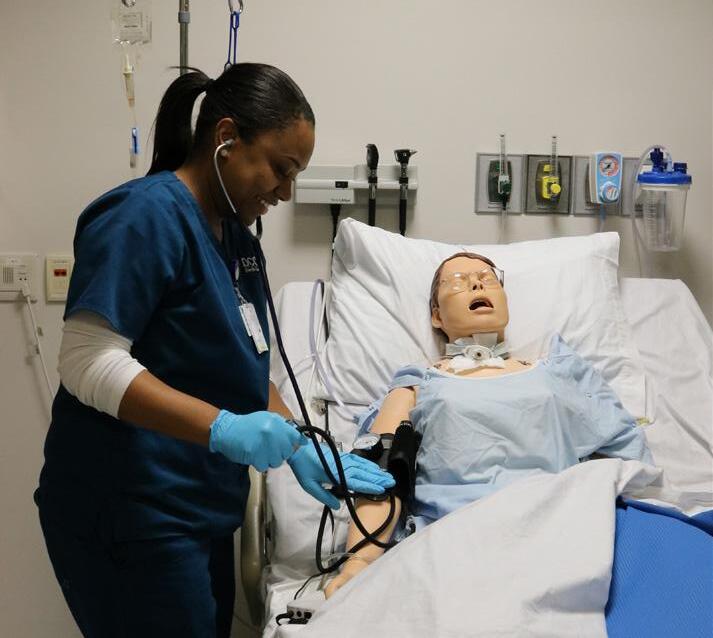
Certified Nursing Aide (C.N.A.)
January 13 - March 12
Monday - Thursday 4 - 8 p.m.
Gas Metal Arc Welding (GMAW)
March 2 - April 22
Mondays & Wednesdays 5:30 - 8:30 p.m.
Gas Tungsten Arc Welding (GTAW)
April 27 - May 27
Mon. & Wednesday 5:30 - 8:30 p.m.
Manufacturing Technician 1 (MT1) March 2 - April 23
Monday - Thursday 5:30 - 9 p.m.
NEW STUDENTS | GET READY, GET SET, GO!
Apply to DCC. Go to danville.edu/apply!
Apply for Financial Aid
GET READY
Financial aid - Complete a Free Application for Federal Students Aid (FAFSA).
• Apply online at www.fafsa.ed.gov
• The DCC school code is 003758
• Contact the Educational Opportunity Center for help completing this application, contact 434-797-8577.
• You must be a high school graduate or have your GED and submit your high school transcript or equivalent showing your graduation/ completion date.
Scholarships – Contact the DCC Educational Foundation at 434-797-8437.
Veterans Benefits – Visit danville.edu/veterans
GET SET
Submit your high school or previous college transcript for review.
• If you have graduated from high school in the last 5 years, you may be able to use your high school transcript, ACT or SAT scores to determine placement (bypass the placement test). Please submit official transcript or score reports to the Admissions Office for review.
• Have you attended another college? If yes, submit your official transcripts to the Admissions Office for review to determine placement (Bypass the placement test).
Take the Virginia Placement Test (VPT) if needed.
• Students not using transcripts for placement, will need to take the Virginia Placement Test (VPT), as basic assessment of Reading, Writing, and Math to see what courses you need to start in.
• Call 434-797-8467 or email admissions@danville.edu to make an appointment to test
• VPT is given Mondays through Thursdays at 9 a.m. or 2 p.m. and Sundays at 1 p.m. in the Learning Resources Center (Library, 1007 Boswell Street, Danville). The VPT is also given at the Southern Virginia Higher Education Center, call 434-572-5452.
GO!
CURRENT STUDENTS
GO to DCC ROCKS (Registration Orientation Computer Knowledge and Support)
All NEW students must attend a DCC ROCKS session
You will receive:
• Program information and class schedules
• Help with DCC’s online tools & services (MyDCC workshop)
• Campus tours
• Your DCC Student ID card and parking permit
• Information about paying tuition (see payment information below)
Choose a Spring 2020 DCC ROCKS event at danville.edu/ DCCROCKS
Date Time Location
Friday, November 22 8:30 a.m. Student Center
Friday, December 6 8:30 a.m. Student Center Monday, January 6 8:30 a.m. Student Center
Register for classes
Make an appointment to meet with your academic advisor. Make your appointment at danville.edu: Click MyDCC and Navigate Student to make an appointment with your advisor. (Tip: You can also get there by typing danville.edu/MyDCC)
Pay for your classes
See payment information on page 22.
FINANCIAL AID & STUDENT ACCOUNTS
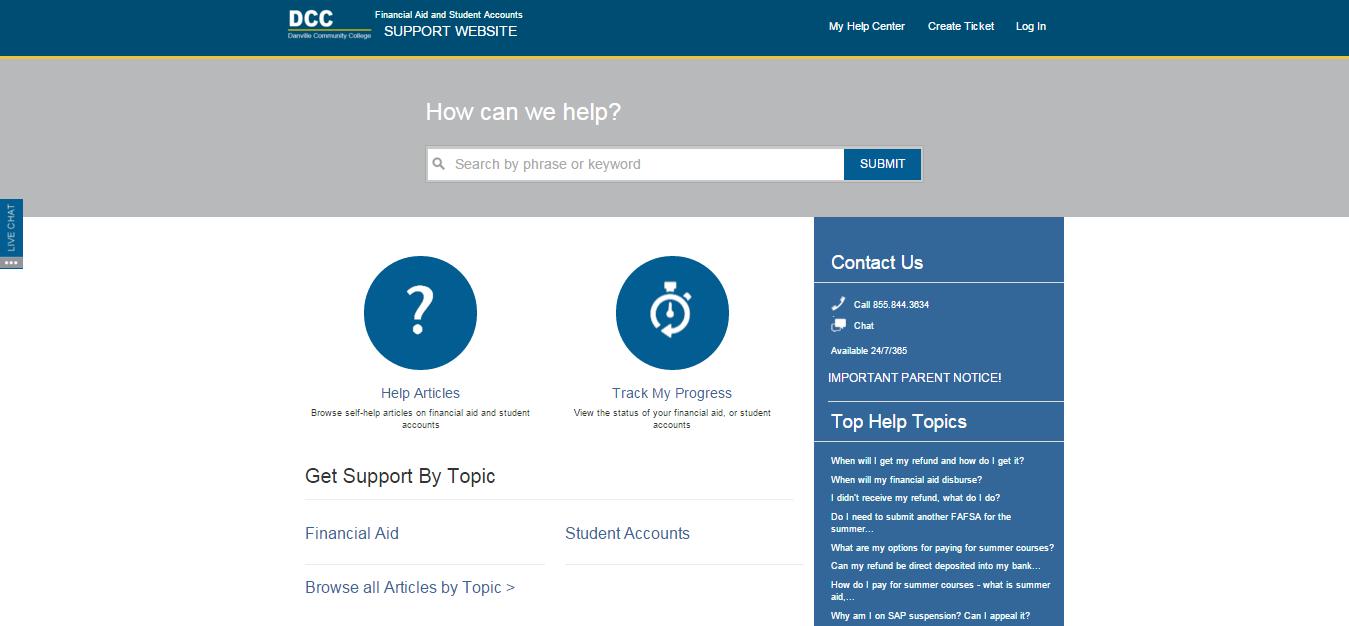
Have questions about financial aid or your student account? DCC's Financial Aid & Student Accounts Support Center is your first stop – available 24/7 to help you! In a student survey, 96% of users reported that calling the hotline answered their questions, and 90% were satisfied with the experience. Be prepared to provide your Student ID and Student Email for verification purposes.
The DCC Financial Aid & Student Accounts Support website has several tools to help you manage your student account and financial aid. You can browse self-help articles, track the status of your financial aid or student account, chat with a member of the Support Team, or create a help ticket.
Start today by visiting mysupport.danville.edu or calling 1-855-844-3634
mysupport.dcc.vccs.edu
Logging in gives you the ability to see your specific financial aid and student accounts status (My Help Center) and your support history. You can also submit a question to us via Create Ticket.
This button appears on every page. Click it to initiate a chat with a support specialist. They are available 24 hours a day, 7 days a week.
We have defined a set of answers to commonly asked questions which you can browse by topics related to financial aid and student accounts.
Type your question or keywords related to financial aid and student accounts to see a list of relevant articles containing questions and answers. Phone and chat support are available 24 hours a day, 7 days a week all year long.
We have developed student-specific trackers which will display where you stand and what you need to do to complete the financial aid process and see the status of payments and refunds on your student account. Access to this portion of the site will require you to log in.
SCHOLARSHIPS
Scholarships are available to assist you with paying for college. Learn more and apply at danville.edu/scholarships
DCC Educational Foundation Scholarships
The DCC Educational Foundation (DCCEF) awards approximately 300 scholarships totaling $500,000 annually in financial assistance to eligible DCC students through the generosity of its donors. DCCEF also awards graduation scholarships to eligible students graduating from DCC who are transferring to four-year colleges and universities.
Additional information and applications are available at danville.edu/DCCEFscholarships.
The Virginia Wizard Transfer Tool enables students to research options for transferring from a Virginia Community College to a four-year institution in Virginia. Explore your transfer options at vawizard.org
DANVILLE.EDU/MYDCC
SET UP MY STUDENT ACCOUNT
E-mail passwordreset@danville.edu or call 434797-8500 to receive a temporary password in order to set-up your account. *This can be done from your personal email
CHANGE MY PASSWORD
Login to your MyDCC Account
Click Account Details
Click Change My Password
Need help with your password? Email: passwordreset@danville.edu Call: 434-797-8500
USE CANVAS
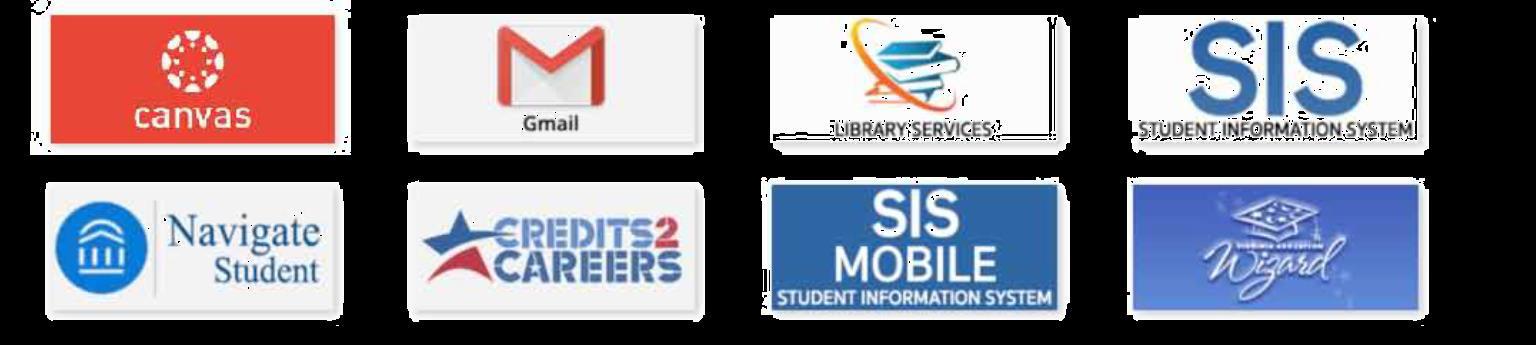
Click the CANVAS icon *Having Trouble?
Call (434) 797-8556 or (434) 797-8405
USE STUDENT E-MAIL
Click the Gmail link
VIEW
MY GRADES
1. Click VCCS SIS: Student Information System
2. Click Self Service
3. Click Academic Records
4. Click My Course History, View Unofficial Transcript, or Request Official Transcript
REGISTER FOR CLASSES
1. Go to https://www.dcc.my.vccs.edu
2. Enter your USERNAME & PASSWORD
3. Click LOGIN
4. Click SIS: Student Information System
5. Click Self Service
6. Click Enrollment
7. Click Enrollment: Add Classes
8. Select the term and click Continue
9. Add class number (click Enter) OR click Class Search (click Search) to search for classes
10. Click Next
11. Click Proceed to Step 2 of 3
12. Click Finish Enrolling
13. Click Add Another Class OR My Class Schedule
DROP CLASSES
1. Click Self Service
2. Click Enrollment
3. Click Enrollment: Drop Classes
4. Select the term and click Continue
5. Select the class and click Drop Selected Classes
6. Click Finish Dropping
*Please be mindful of drop/add dates for classes
NAVIGATE
Navigate
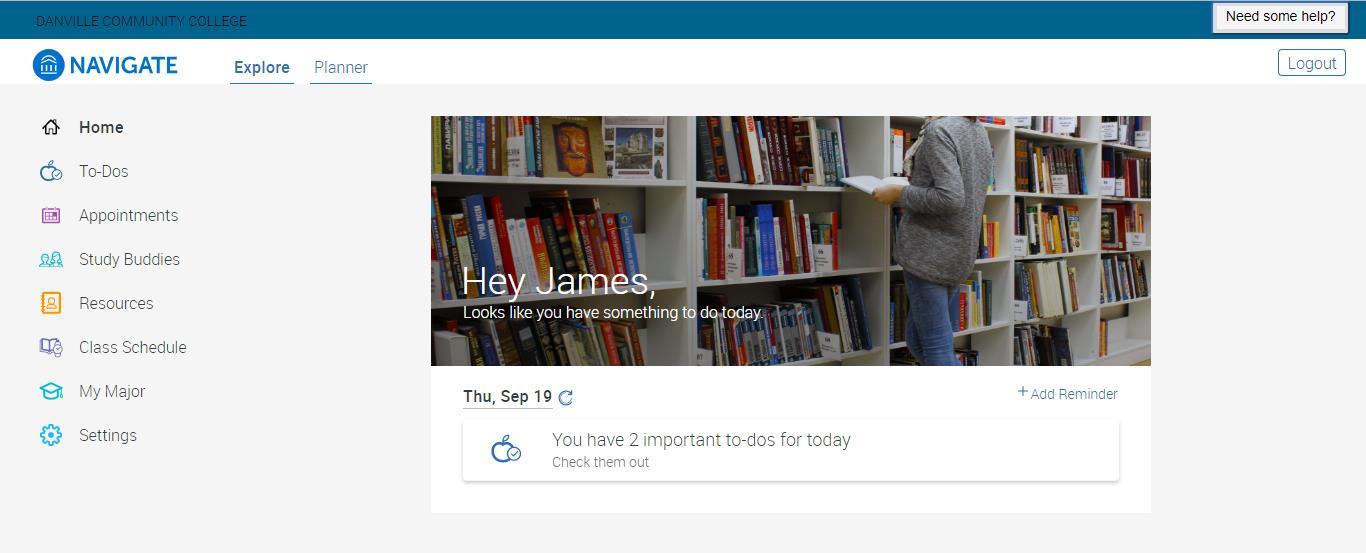
Want to make college less complicated? Navigate gives you everything you need in one place.
Want to make college less complicated? Navigate gives you everything you need in one place.
CHECK IT OUT
Web Version
Go to danville.edu
Click the MyDCC button
Click on the Navigate Student icon
Notice the Explore and Planner menu
Mobile App
Access your Apple App Store or Google Play Store
Search “Navigate Student”
Download the Navigate Student App
Enter your MyDCC credentials
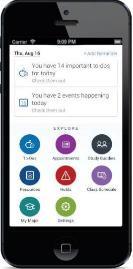
EXPLORE
To-Dos
View your next steps and check them off as you complete them.
Appointments
Schedule appointments to meet with your advisor, your success coach, the transfer counselor, or other offices on campus.
Study Buddies
Connect with your classmates
Resources
Find out more about various resources available at DCC.
Class Schedule
View your current class schedule.
My Major Explore DCC’s academic programs and see how they match your goals and interests.
Settings
Update your Profile. Set your Notification Settings to get email and/or text reminders of your most important items.
PLANNER
View the course requirements for your program of study.
Create your Personal Education Plan (PEP) by planning which classes you will take each term.
o You will complete your PEP in your SDV 100 course.
o Use the college catalog to guide your course selection and sequencing.
o Your academic advisor is always available to answer any questions.
Pick class times that work for you and build a schedule based on your personal preferences.
Register for classes.
MyDCC/STUDENT
INFORMATION SYSTEM
(SIS)
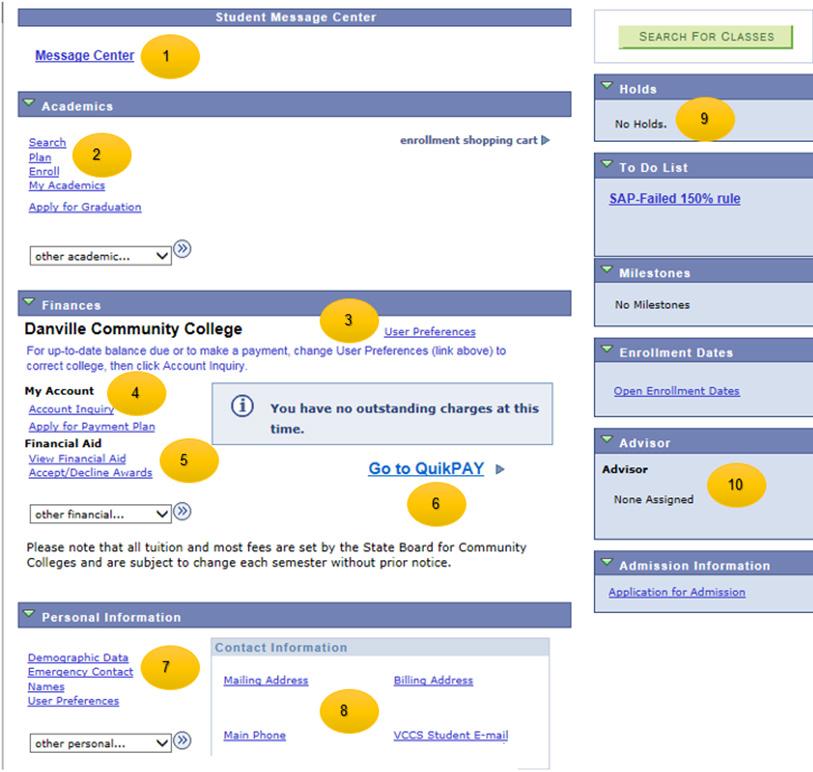
The online student center in SIS provides an overview of your official student records. Each section provides you with important details about your account to ensure that you make appropriate decisions. You can check for communications, your transcripts, print your class schedule, pay your tuition, check your financial aid, update your address and phone, and check your To Do List, holds, and information about your advisor.
1. Message Center: Official communication from the college will be sent to your message center. Be sure to check your unread messages as this may contain important information to keep you successful. Tip: Any information regarding your Financial Aid class eligibility will only come in this inbox.
2. Academics: Use the academics section to search for classes, enroll and drop classes, print your class schedule, check My Academics (advising reports and student planner), request official transcripts, print a copy of your unofficial transcripts, check your official grades and run a what-if analysis. At this time, DCC does not accept graduation applications online. Tip: You will need your class schedule and your student id to purchase books.
3. Finances — User Preferences: The college name listed shows your user default. If the college name is something other than Danville, then you may have issues paying for college online. Click the User Preferences to correct the college to make payments.
4. Finances — My Account & Payment Plan: Use the My Account link to check your summary, activity, charges due, payments, and pending aid. Use Apply for a Payment Plan to participate in a 3rd party vendor to split your tuition payments. Tip: If you try to sign up for the payment plan, ensure that pop-up off blockers are turned off on your browser.
5. Finances — Financial Aid: Use the link View Financial Aid to verify your financial aid awards. After you submit your FAFSA, it takes three to five days for DCC to receive the data. Eligibility is then determined and aid posted to your account. You will use this link to determine which classes are considered eligible for financial aid awards.
6. Finances — Quik pay: Use this link to make online payments from your credit card or checking/savings account.
7. Personal Information — Emergency Contact: Please make sure to update your emergency contact. In case of emergency, so we know who to contact.
8. Personal Information — Mailing Address and Phone: Please verify your address and phone and make any necessary changes. It is important to keep this information up to date.
9. Holds: Check your account to ensure that there are no issues with your account. Holds could prevent you from enrolling in classes, receiving your transcripts and/or diploma. To Do List: Check your account to see if you have any outstanding checklists for financial aid or admissions.
10. Advisor: Verify that you know your current advisor. He or she can help you decide on classes in the future.
PAYMENT INFORMATION
Pay Tuition and Fees Online
NOTE: DCC accepts VISA, Mastercard, American Express, and Discover.
1. Click Student Center
2. Click Go To QuickPay (NOT PAYMENT PLAN)
3. Select Make Payment
4. Select Term
5. Verify Amount Due, then type in amount to pay in the payment amount field.
6. Select Method: Credit Card or eCheck
7. Click the Continue Button
8. Check information for accuracy and click Continue
Tuition Rates:
In-State Tuition - $157.00 per Credit
Out-of-State Tuition - $357.10 per Credit
9. Click the Confirm button
10. Print the payment receipt
View Anticipated Financial Aid
1. In Student Center
2. Navigate to Finances
3. Click on View Financial Aid
4. Select appropriate aid year
*This information is based on full-time enrollment
Log Off
1. Click the Sign Out link at the top right of the window.
2. Close browser window to end session
Tuition payments are due based on your date of registration. Payments can be received in person on campus before 5 p.m. at the Cashier’s Window on the first floor of the Wyatt Building, or prior to midnight if paying through MyDCC. If using the TMS Payment Plan, the transaction must be successfully completed prior to midnight on your tuition due date.
If payment is not received by the payment due date, you will be dropped on your tuition due date.
Payment Due Dates:
Course registration November 1 – December 5. Payment due on or before December 5, 2019
Course registration December 6 – December 19. Payment due on or before December 19, 2019
Course registration December 20 and beyond. Payment is due by 5 p.m. the same day of registration
Refunds
1. Navigate to dcc.afford.com
2. Resend Registration email
3. Key in your student email address and click send link
4. Check your student email (Under MYDCC login) for details on how to enroll
Set Up Payment Plan
Note: Deadlines apply. Must have a checking, savings, or credit card (MC, AEx, or Discover) account and allow payment drafts.
1. In Student Center, click Apply for a Payment Plan
2. In the Account Summary, Click on Apply for a Payment Plan again 3. New window appears, read terms and click PROCEED **If the window doesn’t appear, turn off pop-up blockers.