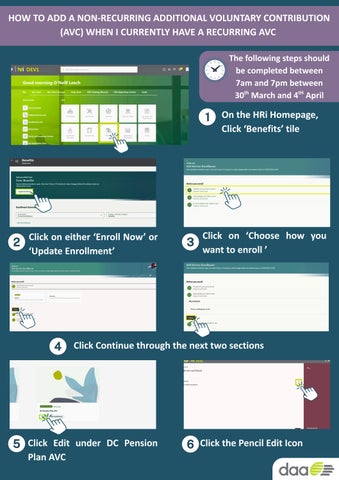
HOW TO ADD A NON-RECURRING ADDITIONAL VOLUNTARY CONTRIBUTION (AVC) WHEN I CURRENTLY HAVE A RECURRING AVC

The following steps should be completed between 7am and 7pm between 30 March and 4 April th tH
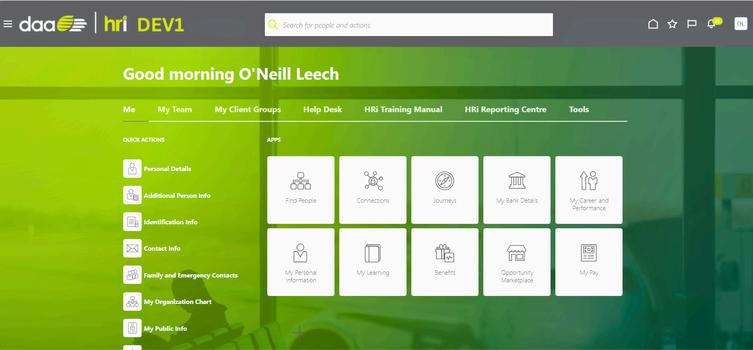
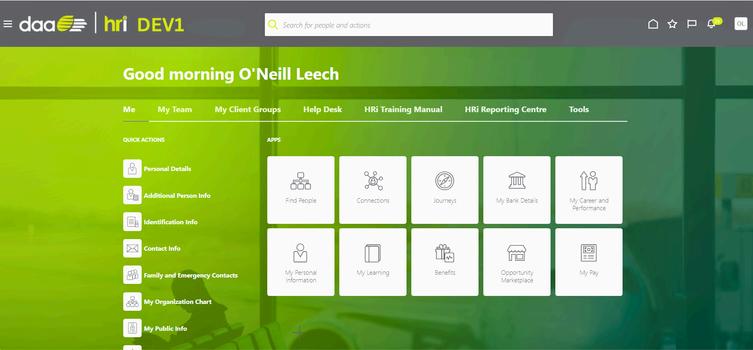
On the HRi Homepage, Click ‘Benefits’ tile
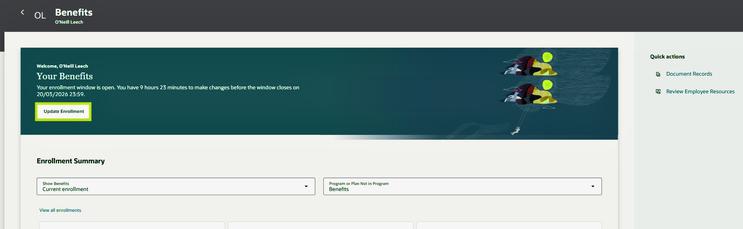
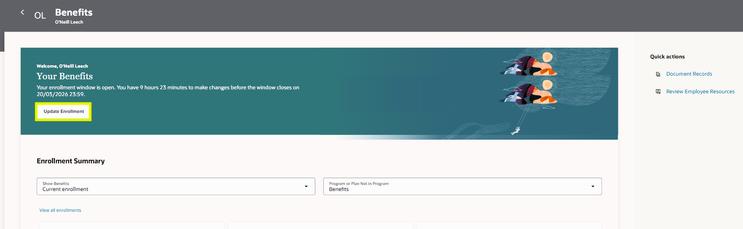
Click on either ‘Enroll Now’ or ‘Update Enrollment’
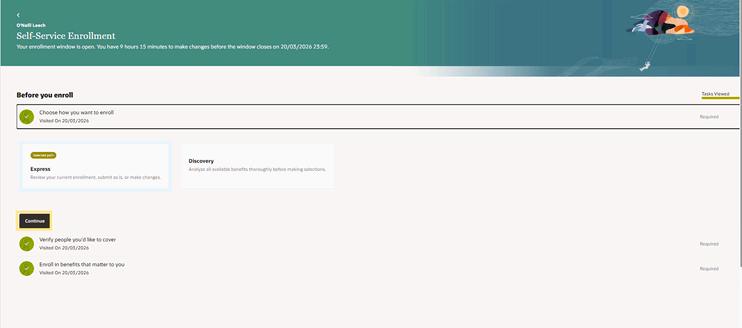
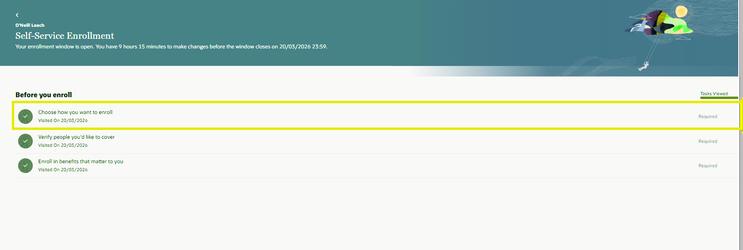
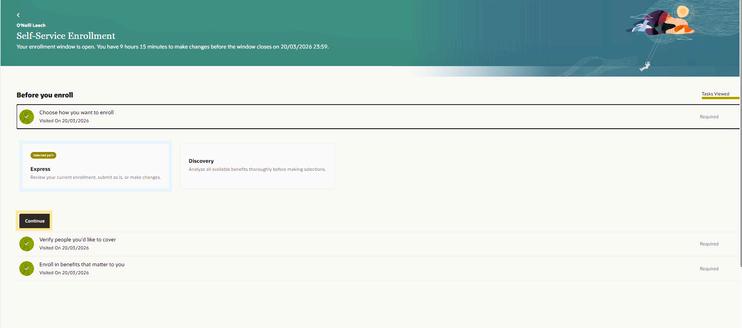
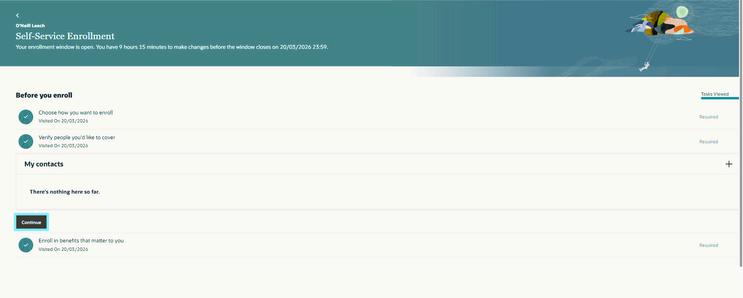
Click on ‘Choose how you want to enroll ’
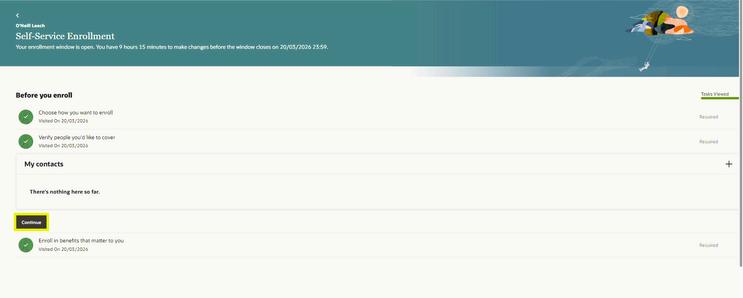
Click Continue through the next two sections

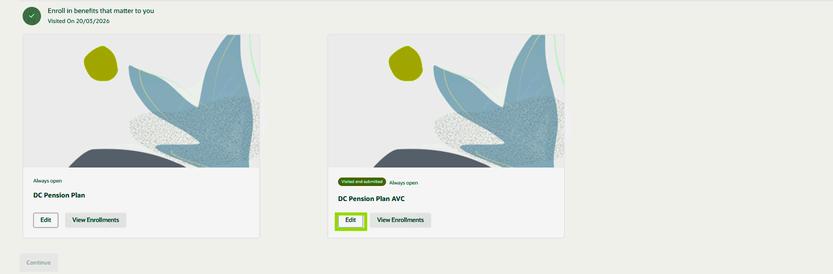
Click Edit under DC Pension Plan AVC
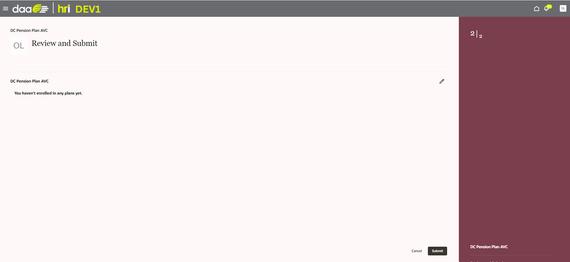
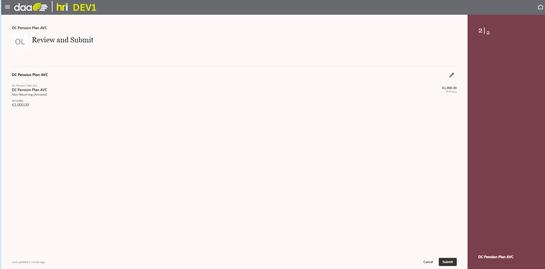
Click the Pencil Edit Icon

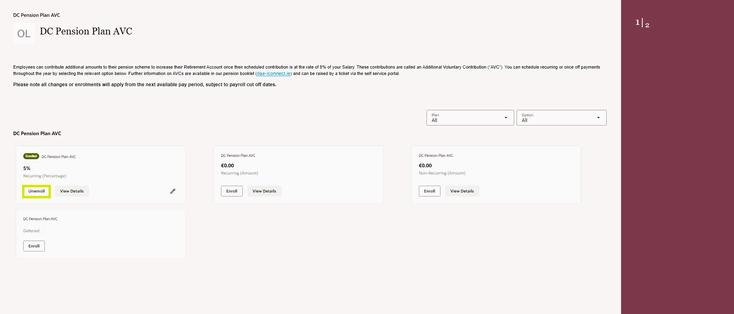
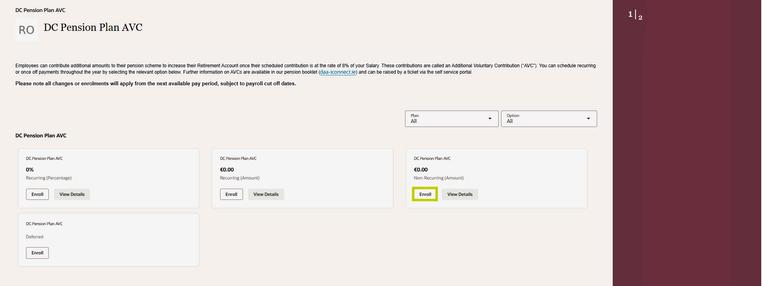
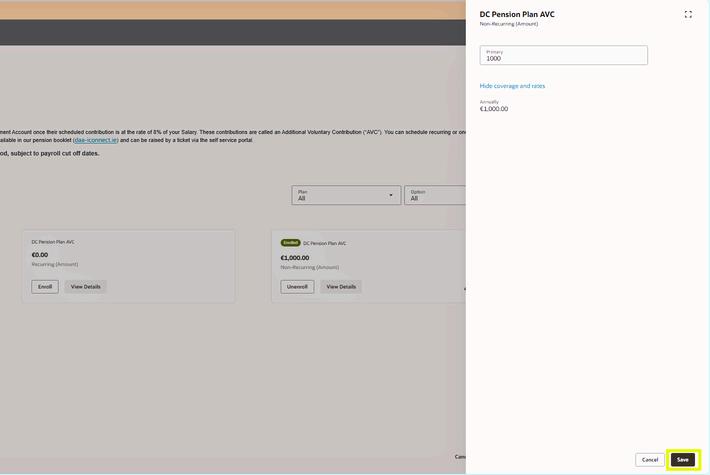
Under your current Plan, click ‘Unenroll’ Click ‘Enroll’ under DC Pension Plan AVC - Non Recurring (Amount)
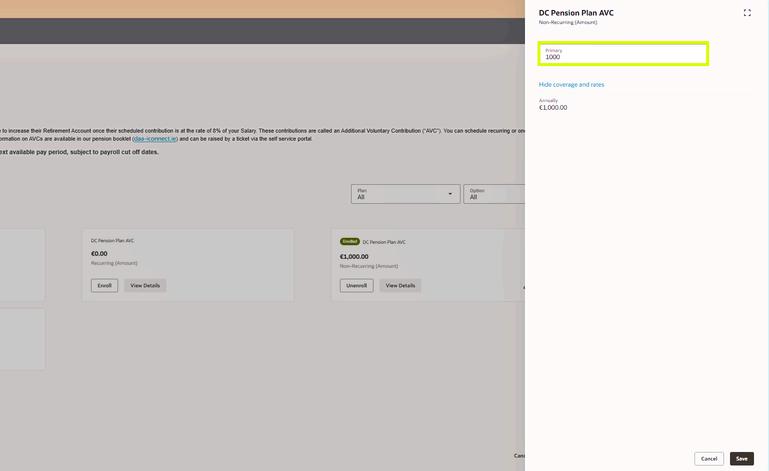
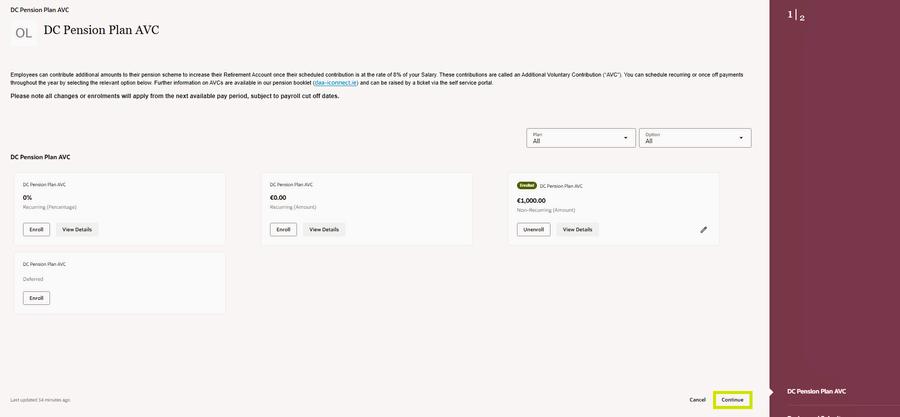
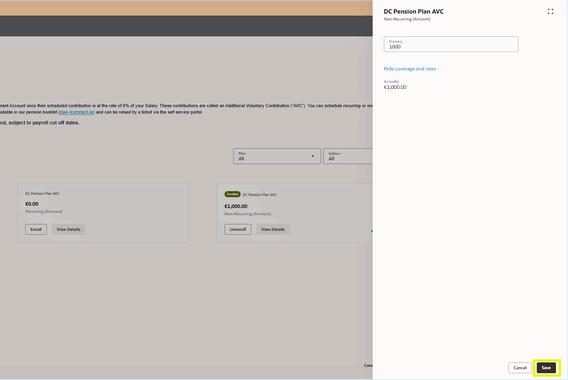
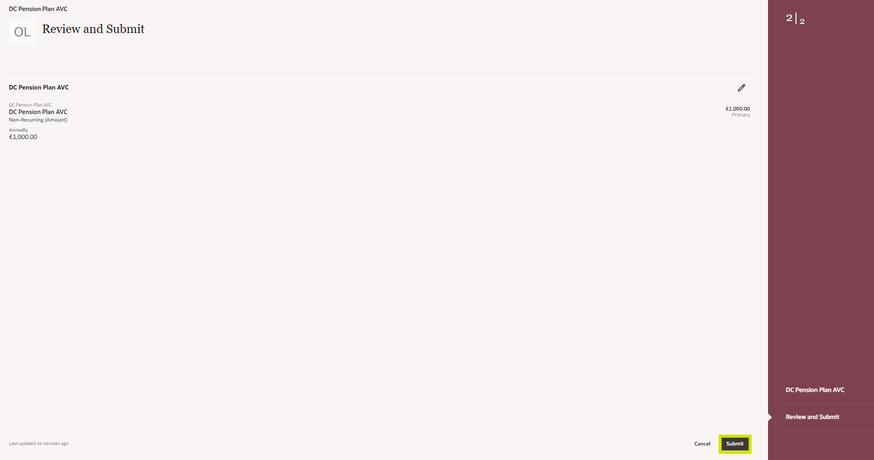
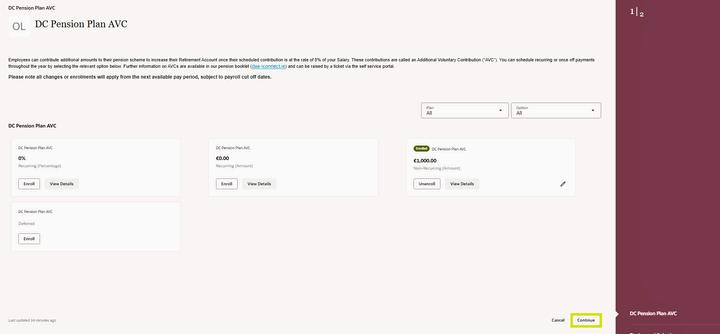
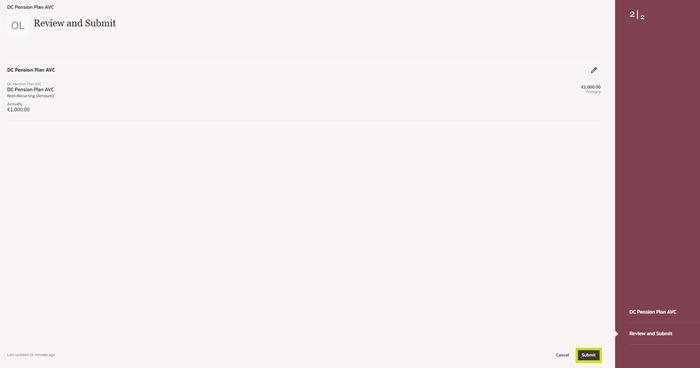
Enter the relevant amount Click Save Click Continue Review and Click Submit
IMPORTANT: YOU WILL NEED TO RE-ENROLL YOUR RECURRING AVC BETWEEN 5 - 18 APRIL. TO DO THIS, PLEASE FOLLOW THE BELOW STEPS (THIS SHOULD BE COMPLETED BETWEEN 7AM AND 7PM) TH TH
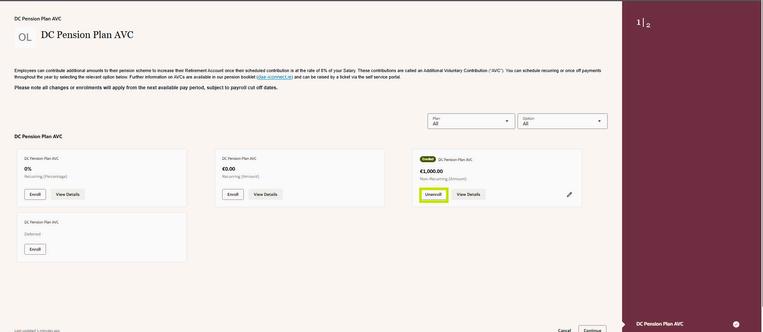
Click ‘Unenroll’ under DC Pension Plan AVC - NonRecurring (Amount)
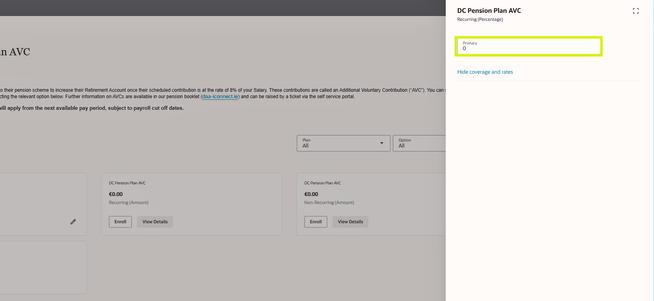
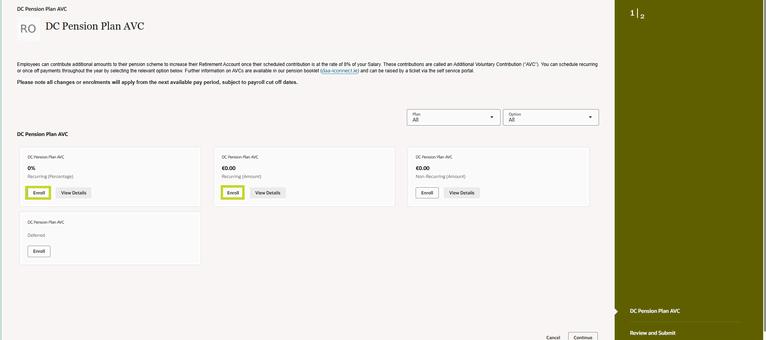
Click ‘Enroll’ under DC Pension Plan AVC - Recurring (Percentage or Amount)
Enter the relevant % or amount Recurring Click Save Click Continue Review and Click Submit
If you have any questions, you can contact us through the HRi HR Help Desk or by phone on 1800 804 313