



● Commissions are too high: 20% - 30%
● Acceptance quotas and penalties for not taking enough trips.
● No transparency with what they charge passengers, e.g. £50 Fare for driver, £75 charge to passenger.
● Platform not dedicated to black cabbies.
● Surge pricing.
● No transparency in what the driver is being paid from what they are charged.
● Constant cancellations leading to higher wait times.
● Drivers not knowing where to go.
www.gocurb.com | www.gocurb.co.uk | www.curbpay.co.uk
Through Curb Flow…
Drivers spend 26% more time on trips and 16% more hired miles.
London's rideshare market is 300–500M+ trips/year — and we are looking to bring these rides back into taxis.
Curb Flow aggregates ride requests from Curb and multiple demand providers into one system, delivering metered trip opportunities to drivers where demand providers must deliver value in order to access the taxi network.

● No new equipment or app switching.
● Integrated booking, payments, and support.
● Works alongside street ahails and fleet jobs.
● Paid the same way as street hails. All in one.
● Streethails works offline if connectivity drops.
● Drivers stay in control: accept, decline or ignore jobs with no penalties.
● More trip opportunities in quiet periods.
● No commission on Curb Flow trips.
● Choose which demand providers to use.
● 24/7 driver support.
Drivers are able to opt-in or opt-out of Curb Flow to their discretion, with the ability to opt-out of any demand provider they want while still receiving offers from other demand providers.
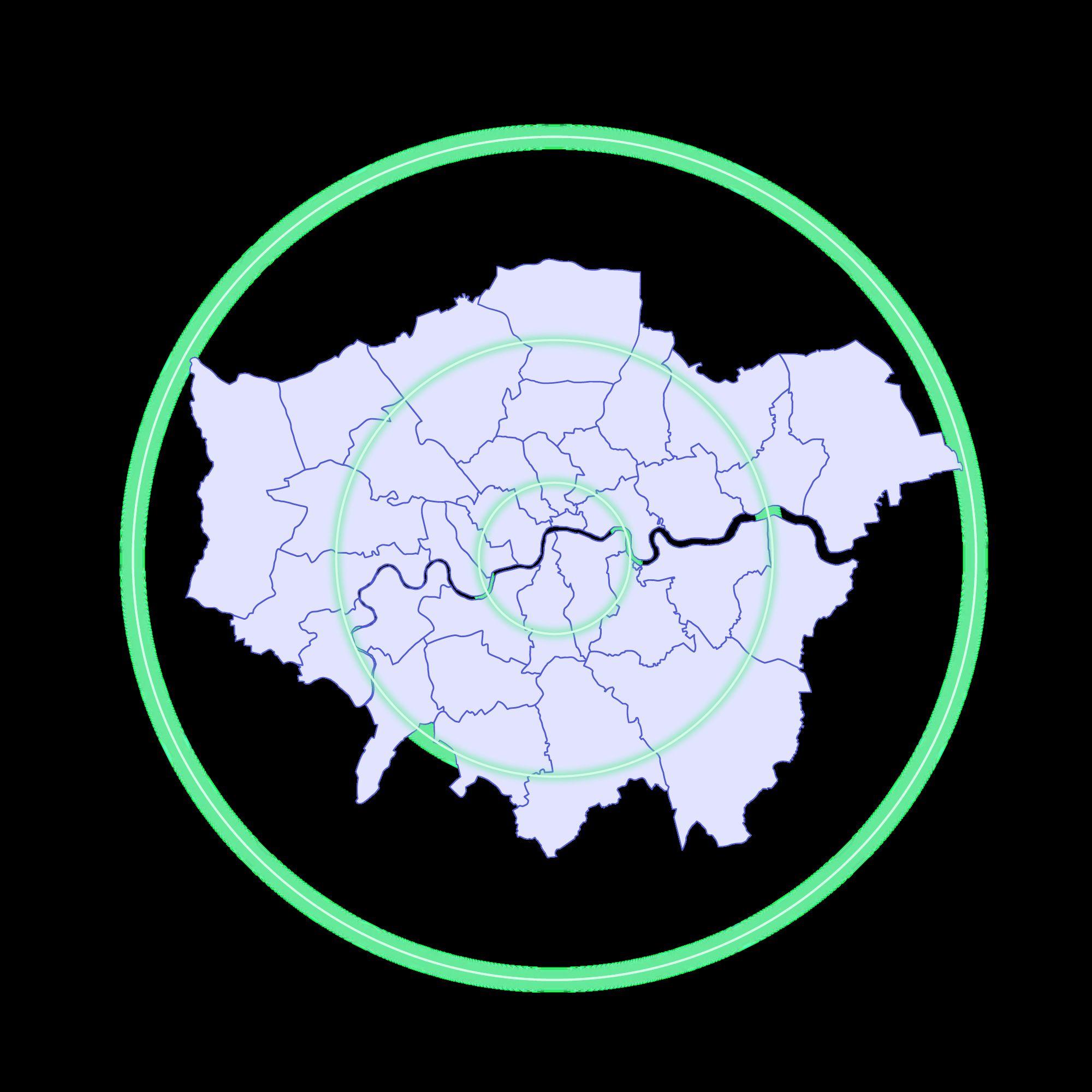
● All of London is included in the serviceable area.
● Only green badge drivers can receive Curb Flow jobs, yellow badge drivers coming soon.
● Airport drop-offs available, no pick-ups.
Exclusive offers are sent only to you.
Youhavethefirstchoicetoaccept ordecline.
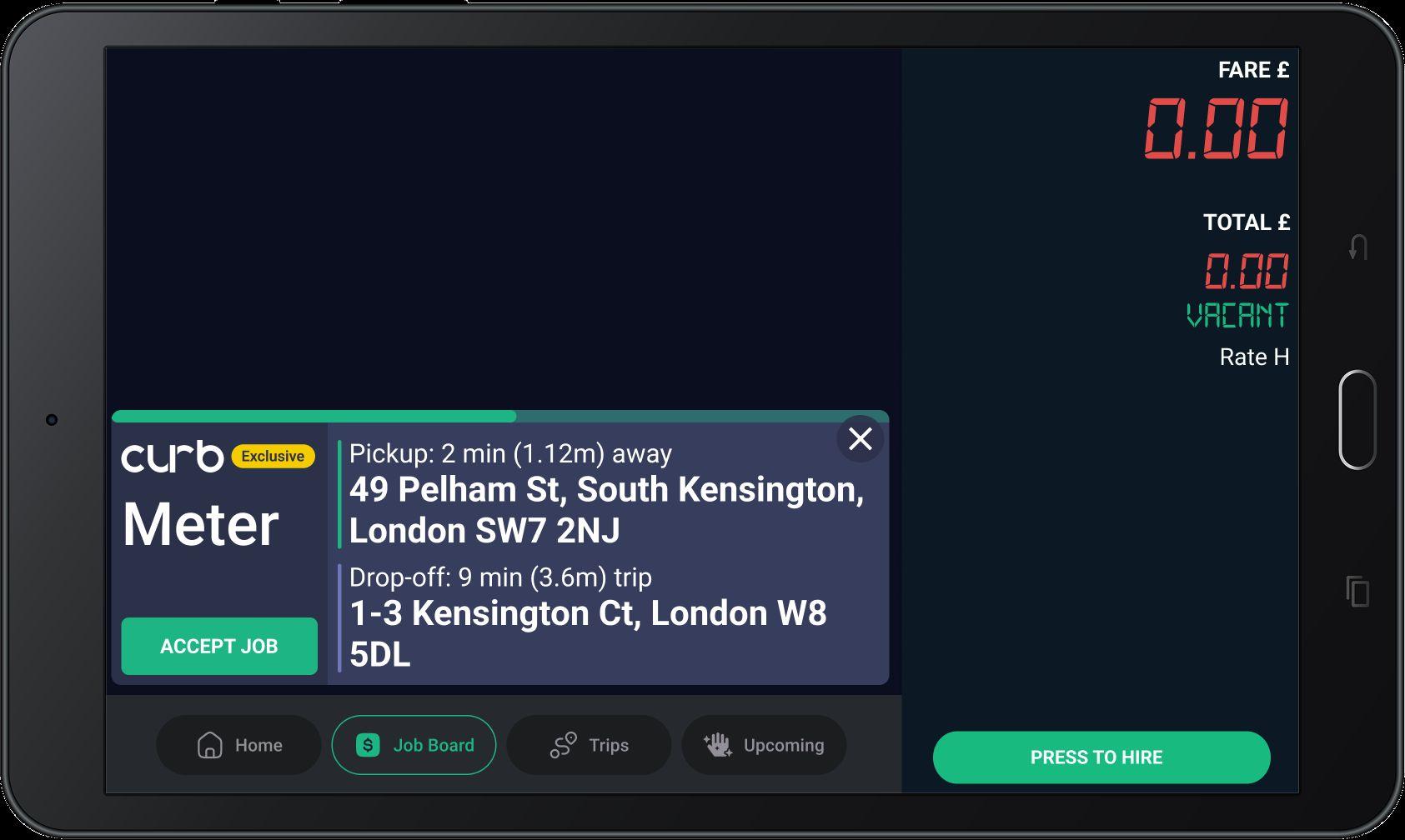
Job offers appear on the 'JOB BOARD' tab.
● Curb Flow will launch with only exclusive rides, benefiting the drivers from receiving all of the rides that are accepted.
● All offers will come on-demand, no scheduled or advanced booked rides will be provided.

Fare will be calculated by your meter.
Estimated trip duration and destination.
Time and distance to reach the passenger.
Youhave12secondsto decideonanoffer. Takeyourtimetodecide.
Tap ‘ACCEPT JOB’ to accept.
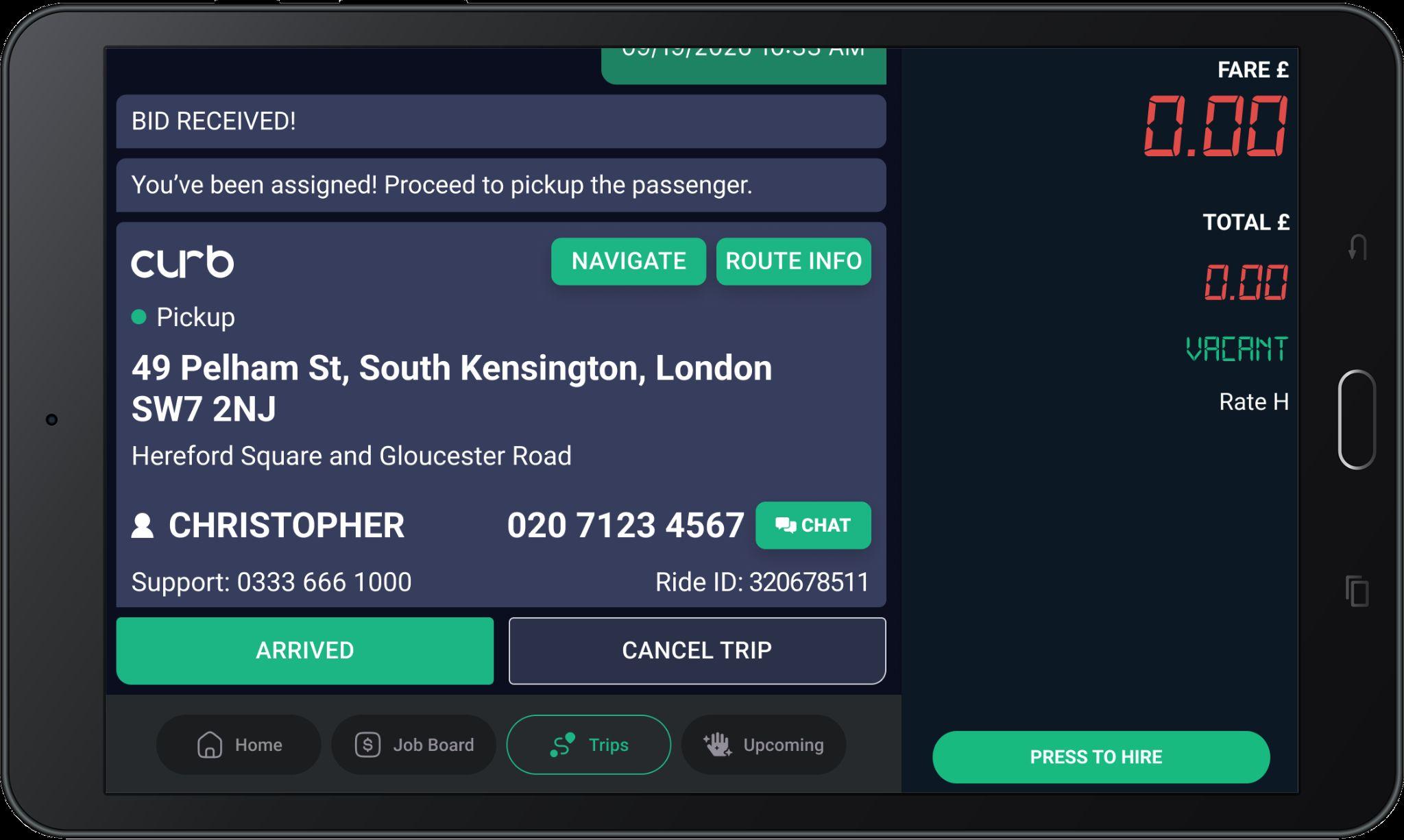
Tap 'ARRIVED' when you reach the pickup.
Tap 'ROUTE INFO' to see all stop details.
Navigate
Tap 'NAVIGATE' to get turn-by-turn directions.
Once assigned, proceed to the pickup location.
After the Early Meter On, the app will wait up to 20 minutes for driver to confirm the passenger.
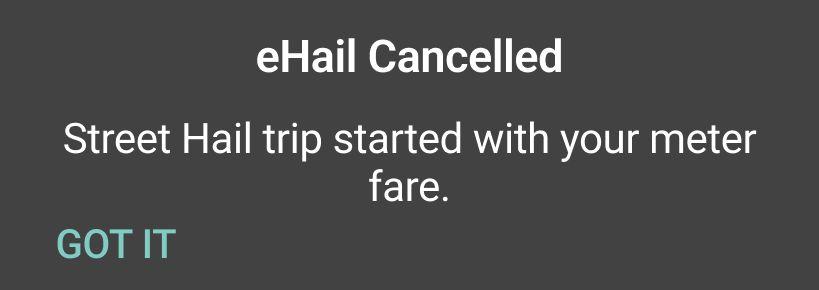
If you started the meter before going through the Ehail trip confirmations in your dash tablet you will receive this message.
If you accidentally started meter early, please complete the steps within your dash tablet.
Best practice is to always start your meter at the beginning of the trip once the passenger is confirmed and in vehicle and you have gone through the dash tablet confirmations.
If the driver doesn’t confirm within 20 mins, the trip will be automatically canceled because the passenger has been abandoned.
If for any reason you need to cancel the trip, your meter will stay engaged, but your Curb Flow ride and passenger will be disconnected.
Best practice is to try to complete the ride that was assigned and sent to you. PleasealsorefrainfromcancellingtheEhail
Once assigned, You can call or 'CHAT' with your passenger.
Thephonenumberisamasked numberthatprotectsboththe driversandriderspersonal numbers.
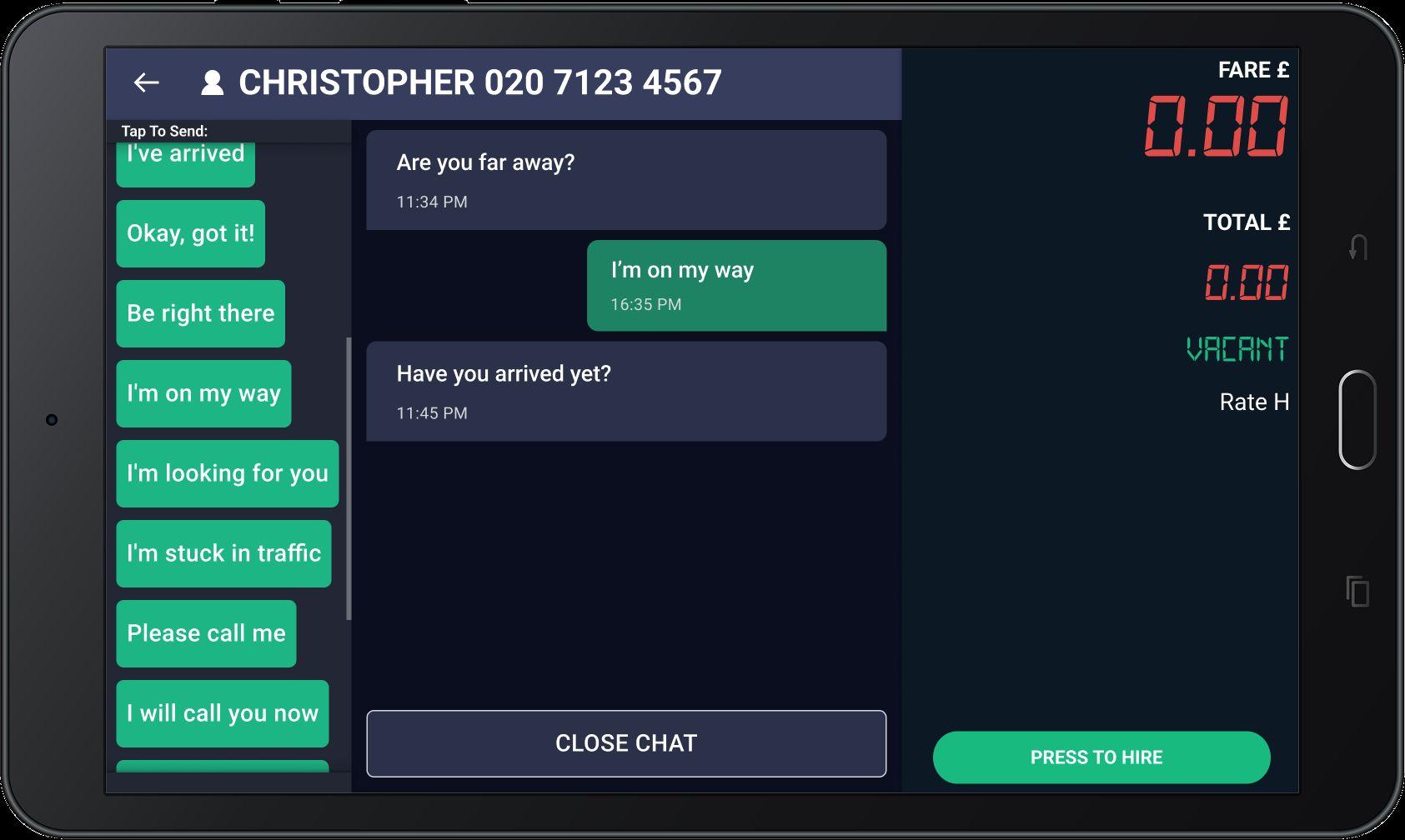
When you receive a message, a pop-up notification will appear.
Use the pre-set message options for quick responses.
Forsafetypurposes,akeyboardis unavailable.
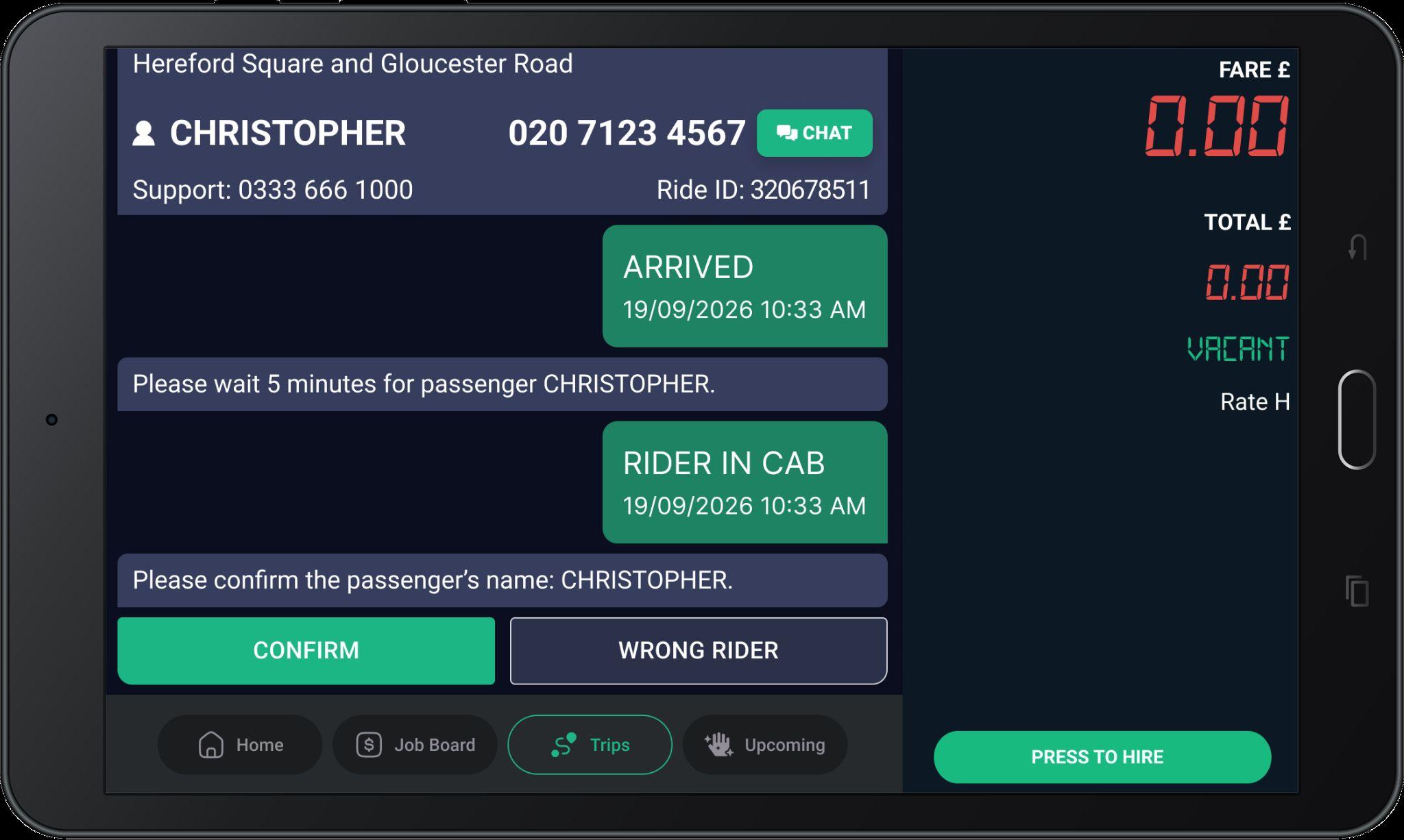
First, 'CONFIRM' passenger’s name after arriving at pickup.
Then, start the meter to begin the Ehail trip. Ifyoustartthemeterearlybymistake,keepit runningandfollowthestepsonthetabletto avoidpaymentissues.
Start Meter
Driver sees this popup after confirming the rider.
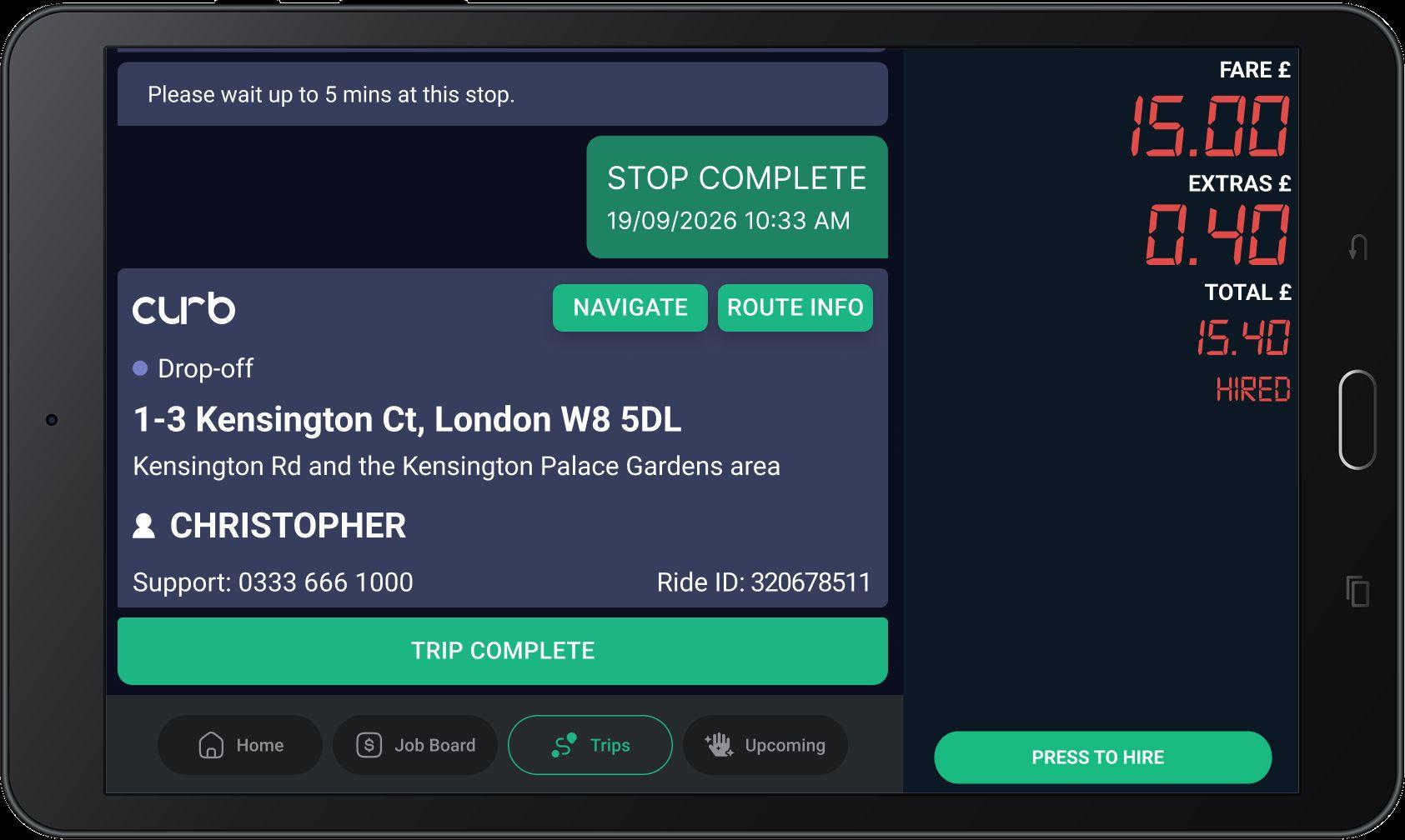
To end the trip, tap 'TRIP COMPLETE'
● Airport drop off extra
● Pre negotiated extra with passengers
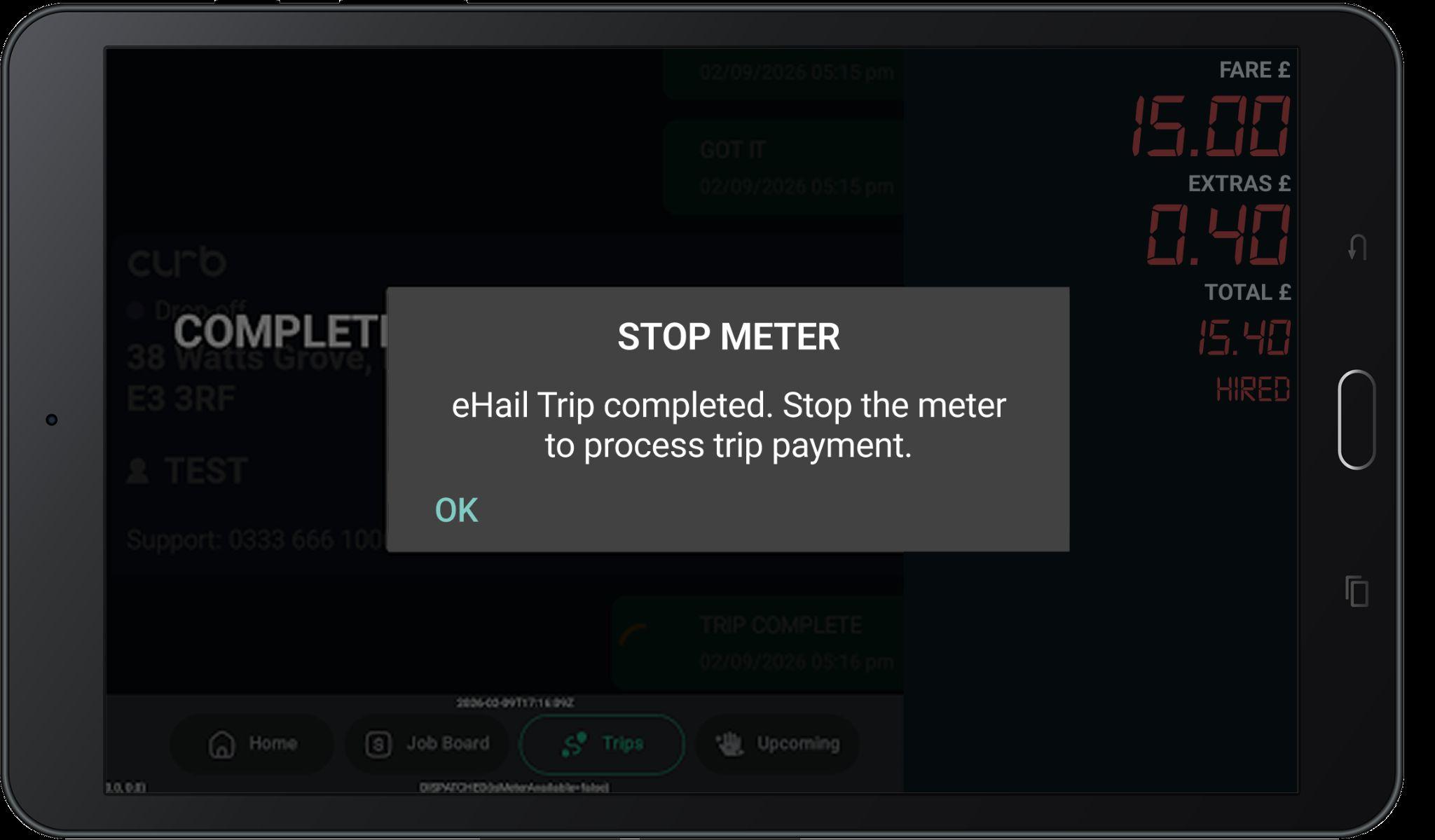
And then stop your meter to process payment.
Drivers can end the trip at any time by ending their meter.
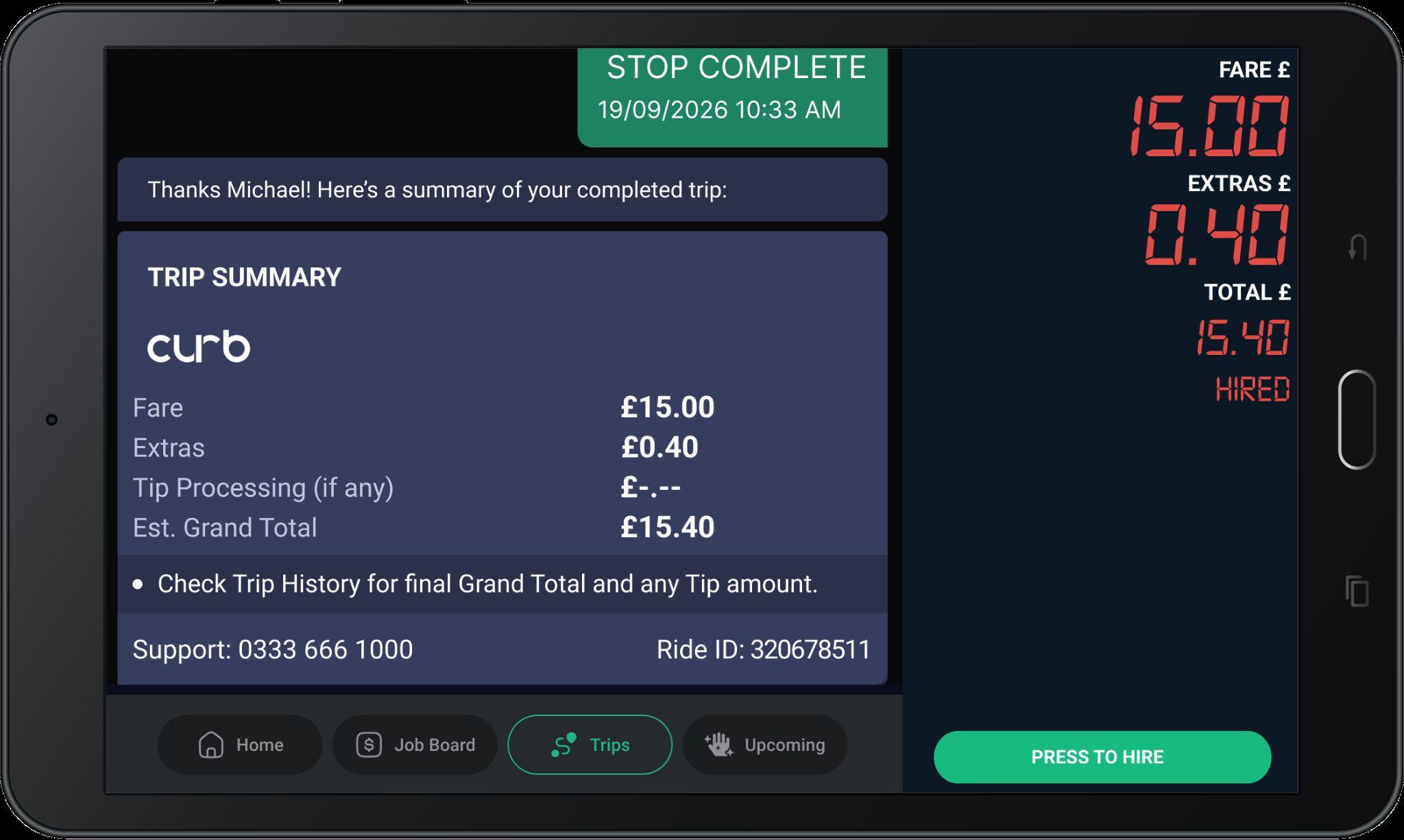
When your trip finishes, the TRIP SUMMARY shows you the fare breakdown from the meter.
A tip added during or after the trip is still processing, so check Trip History for tips.
www.gocurb.com
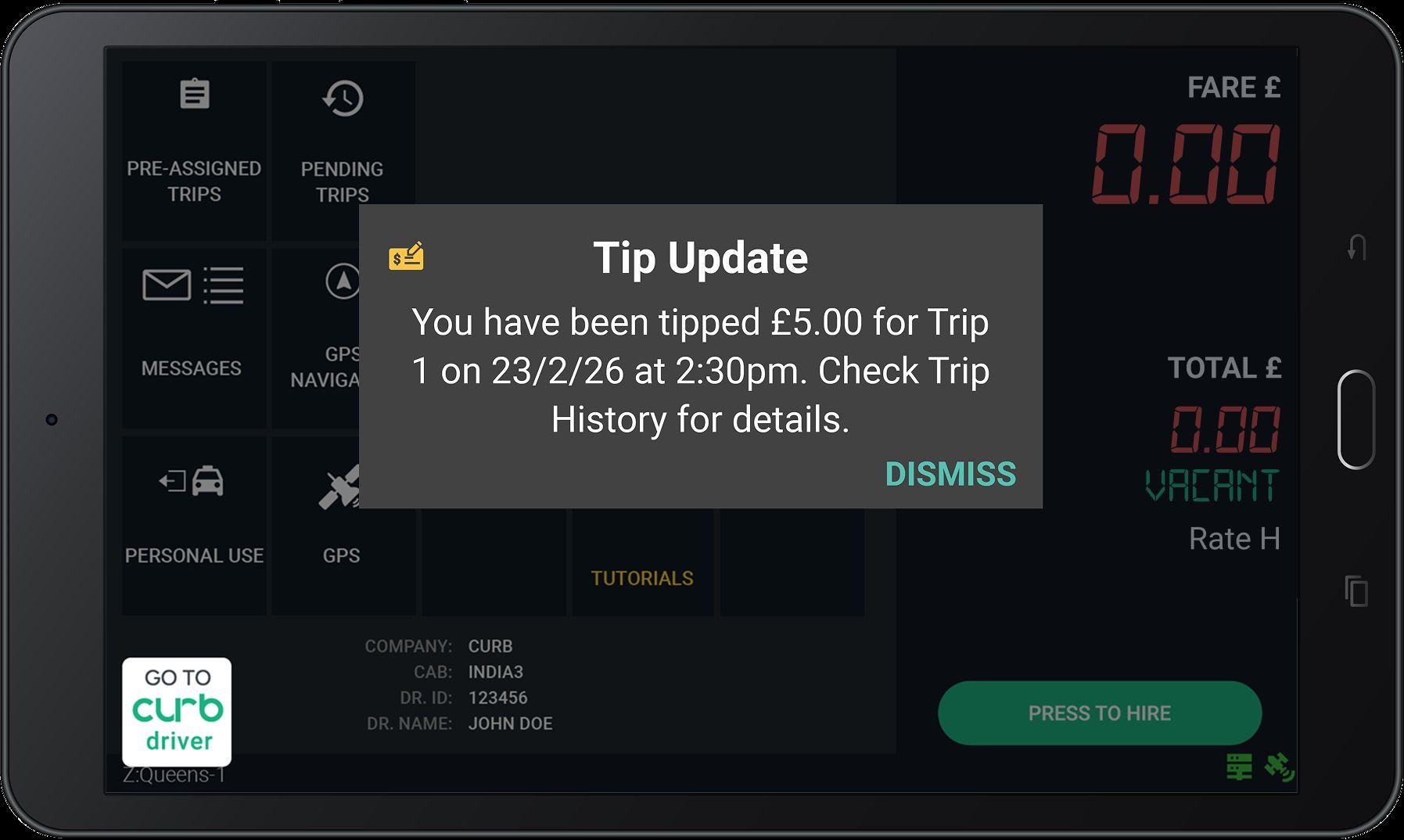
Any tip amount received during the trip may still be processing when the trip completes.
YouwillbealertedofthesetipslaterviatheTip Updatealertorwhenstartingyourshift.
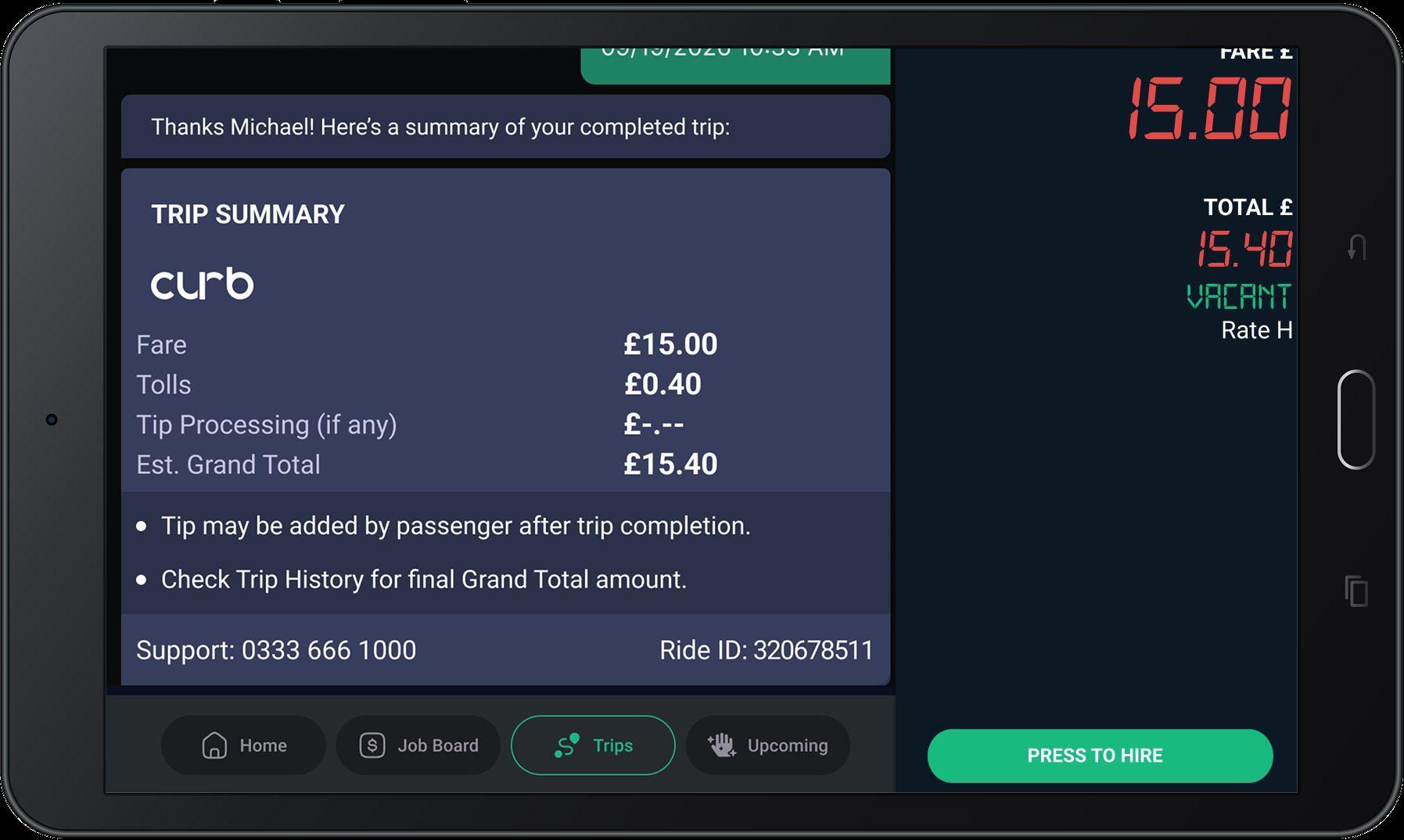
You will receive this message during your shift when a tip from an earlier trip is received.
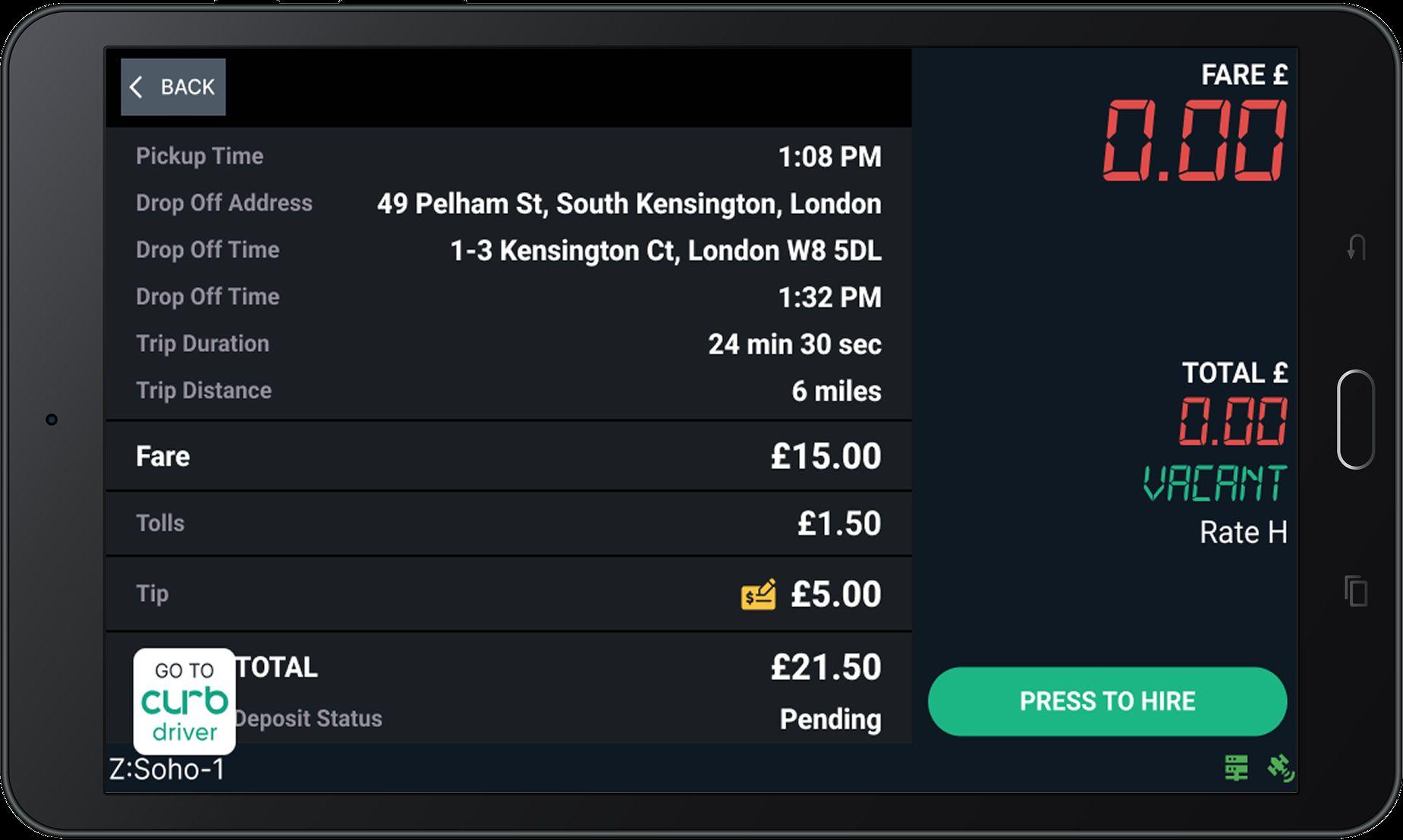
Tips can be added by passengers up to 30 days after the trip is completed.
Look for the yellow icon next to your Tip! Trip History is always updated to show any new tips.
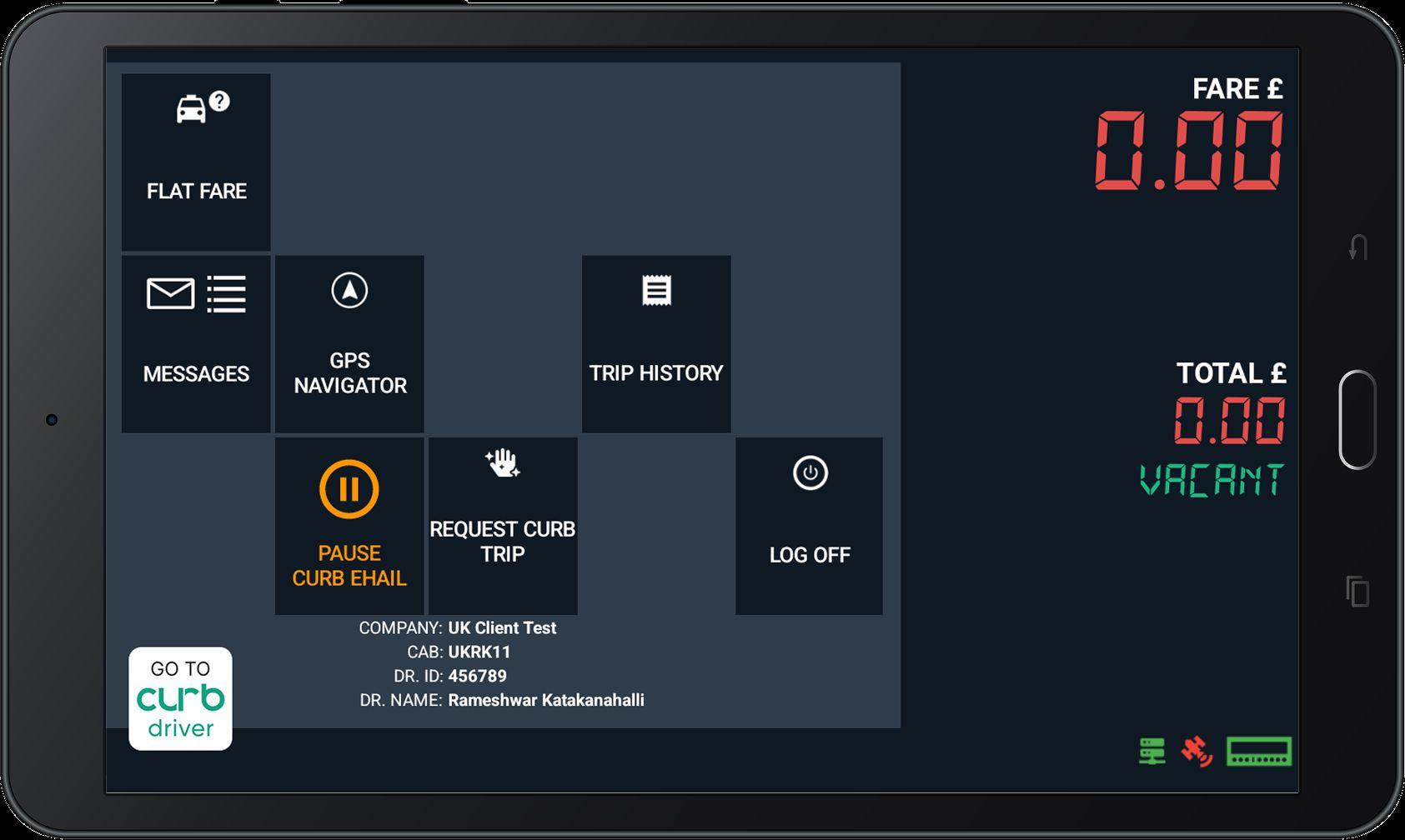
Tap the orange "PAUSE CURB EHAIL" button to pause job offers from Curb during your current shift.
Tap "CONFIRM" on this pop-up message.
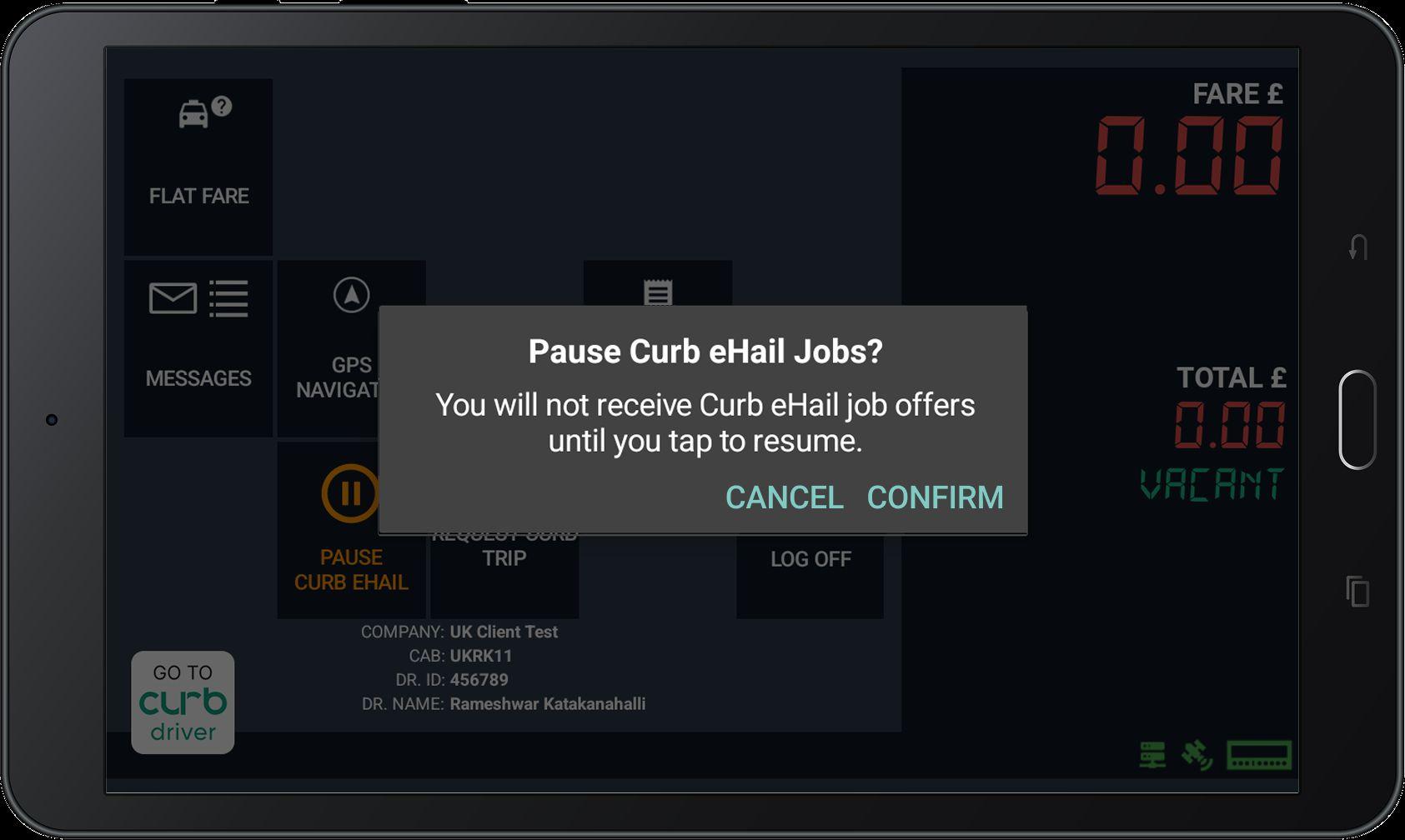
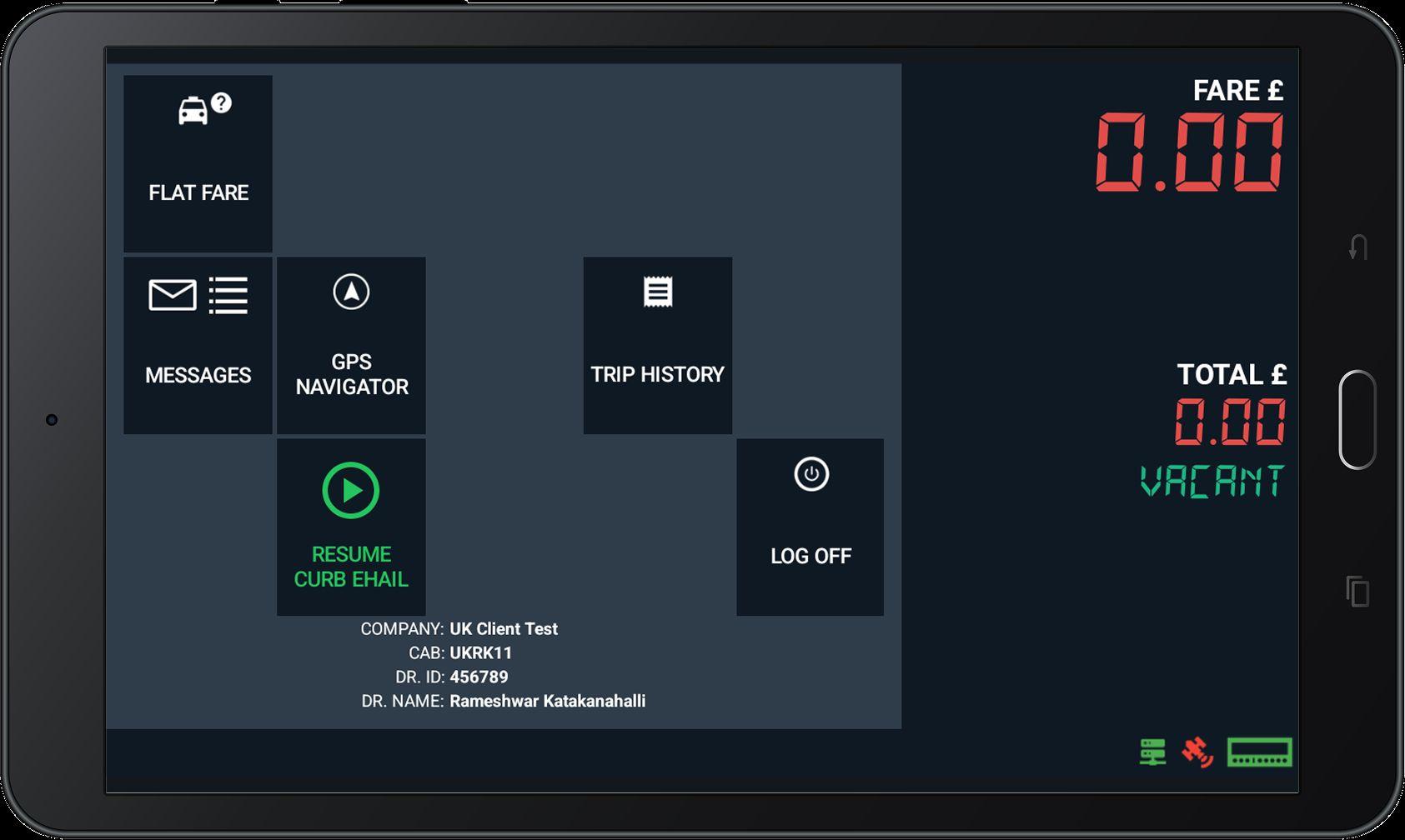
Tap the orange "PAUSE CURB EHAIL" button to pause job offers from Curb during your current shift. Ehail Jobs will be unpaused every time you start a new shift.
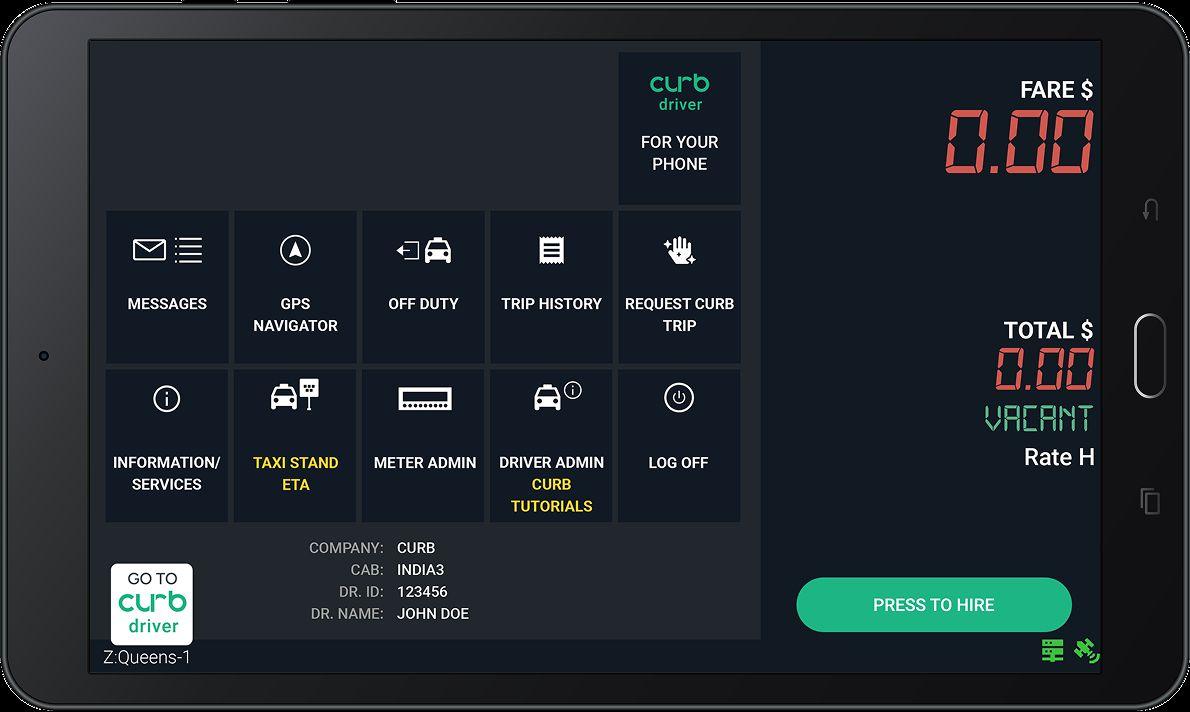
Driver Admin
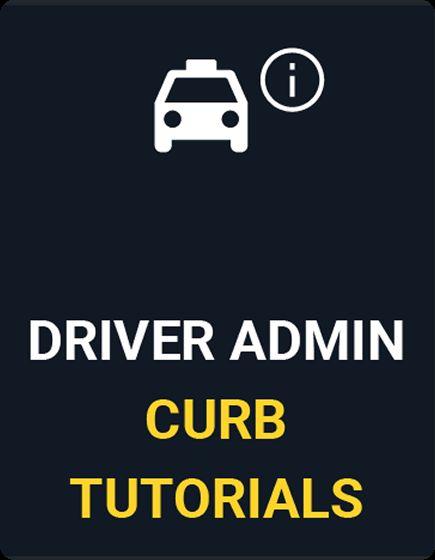
Training modules are available on your DASH home screen. Select the DRIVER ADMIN CURB TUTORIALS icon to begin.
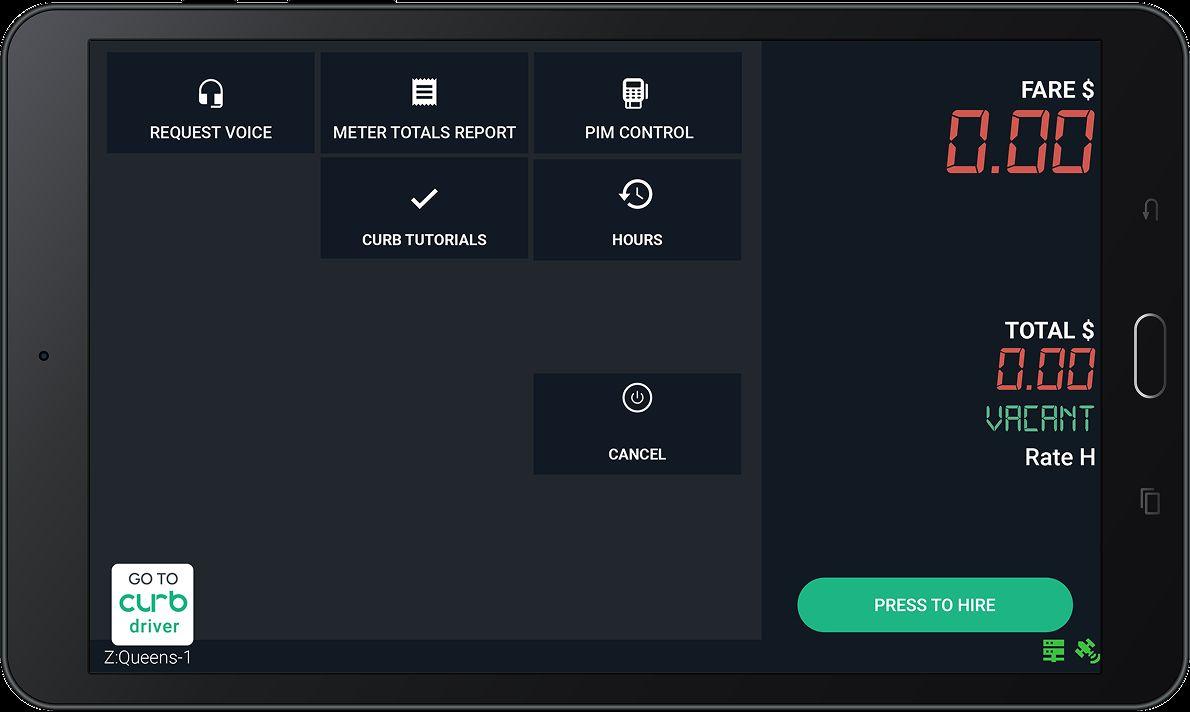
Curb Tutorials
Tap the CURB TUTORIALS icon to view all available training modules.
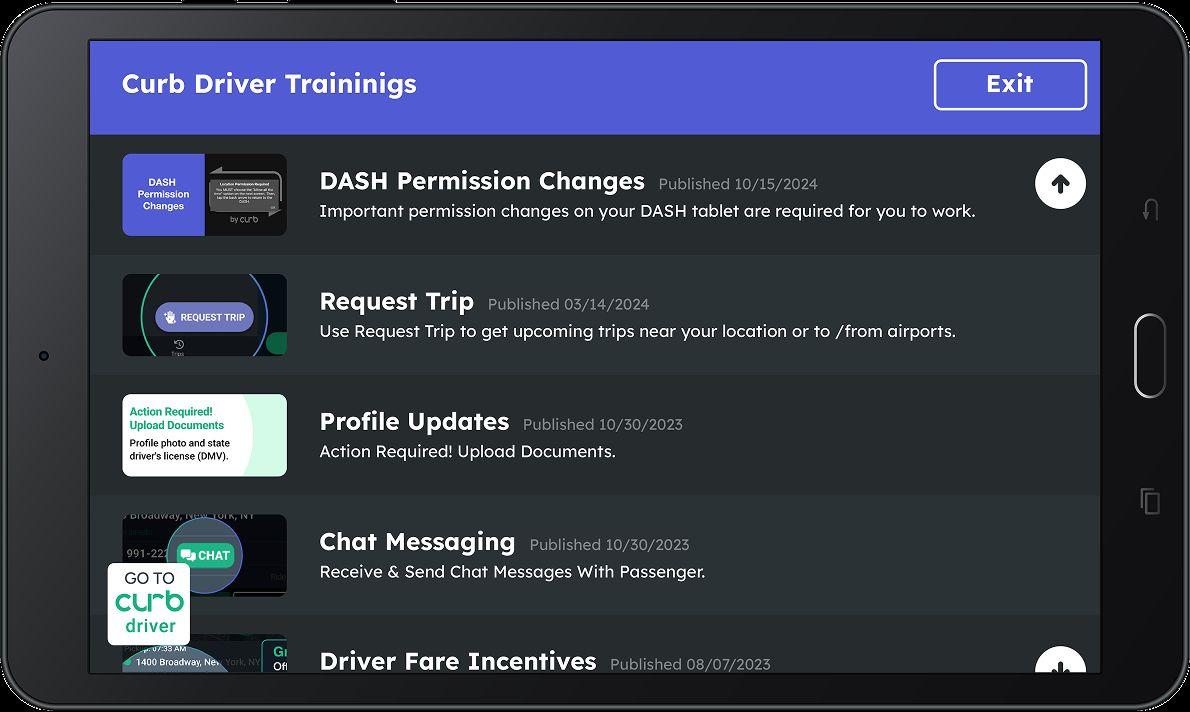
You will find a list of training modules. Each guide you in using Curb to enhance your experience and maximize earnings.
Keep conversations pleasant and professional:
● Be respectful to suggestions from the customer regarding routes.
● Acknowledge traffic delays, but assure the customer that you will do your best to get them to their destination.
● Share route information such as another drop-off or pickup.
● Share with them GPS information, especially when an alternative route is taken and may not be familiar to the customer.
● If a customer’s request is unreasonable and not within policy, tell them you need to get approval from your dispatcher before you can proceed.
Care and courtesy is required during vehicle operation:
● Avoiding sudden stops/starts, sharp turns and abrupt lane changes.
● Following posted speed limits.
● Staying off your phone - no exceptions.
● Being aware of potholes and other road conditions that may cause discomfort to the passenger of your vehicle.
● Not engaging in or responding to aggressive driving.

● 24/7 Phone Line: 0333 666 1000
● 24/7 Email: DriverServicesUK@gocurb.com
● In-Office Support: 130 Three Colts Ln, London E2 6JN
● Work hours: Monday to Friday 8AM-5PM
Curb works best when we understand how our drivers use our platform. The more accurately we can address your feedback, the better we can improve the Curb system.
Feel free to be candid about what you like and dislike about the Curb system. If something isn’t currently offered on Curb that you would like to see, please let us know! We want to hear from you.

● If a driver wants to opt into Curb Flow they must reach out to driver support and mention they want to participate.
● Drivers will then receive Curb’s DSA allowing them to do Ehail rides and any ride providers TOS. Both must be accepted to receive rides.