A/AS Level Computer Science for WJEC
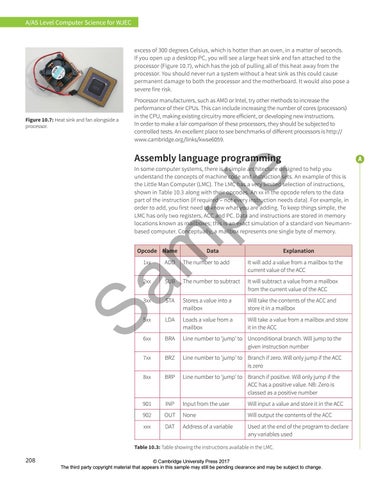
excess of 300 degrees Celsius, which is hotter than an oven, in a matter of seconds. If you open up a desktop PC, you will see a large heat sink and fan attached to the processor (Figure 10.7), which has the job of pulling all of this heat away from the processor. You should never run a system without a heat sink as this could cause permanent damage to both the processor and the motherboard. It would also pose a severe fire risk.
Figure 10.7: Heat sink and fan alongside a processor.
Processor manufacturers, such as AMD or Intel, try other methods to increase the performance of their CPUs. This can include increasing the number of cores (processors) in the CPU, making existing circuitry more efficient, or developing new instructions. In order to make a fair comparison of these processors, they should be subjected to controlled tests. An excellent place to see benchmarks of different processors is http:// www.cambridge.org/links/kwse6059.
Assembly language programming
Sa m
pl
e
In some computer systems, there is a simple architecture designed to help you understand the concepts of machine code and instruction sets. An example of this is the Little Man Computer (LMC). The LMC has a very limited selection of instructions, shown in Table 10.3 along with their opcodes. An xx in the opcode refers to the data part of the instruction (if required – not every instruction needs data). For example, in order to add, you first need to know what you are adding. To keep things simple, the LMC has only two registers, ACC and PC. Data and instructions are stored in memory locations known as mailboxes; this is an exact simulation of a standard von Neumannbased computer. Conceptually, a mailbox represents one single byte of memory. Opcode Name
Data
Explanation
1xx
ADD
The number to add
It will add a value from a mailbox to the current value of the ACC
2xx
SUB
The number to subtract
It will subtract a value from a mailbox from the current value of the ACC
3xx
STA
Stores a value into a mailbox
Will take the contents of the ACC and store it in a mailbox
5xx
LDA
Loads a value from a mailbox
Will take a value from a mailbox and store it in the ACC
6xx
BRA
Line number to ‘jump’ to Unconditional branch. Will jump to the given instruction number
7xx
BRZ
Line number to ‘jump’ to Branch if zero. Will only jump if the ACC is zero
8xx
BRP
Line number to ‘jump’ to Branch if positive. Will only jump if the ACC has a positive value. NB: Zero is classed as a positive number
901
INP
Input from the user
Will input a value and store it in the ACC
902
OUT
None
Will output the contents of the ACC
xxx
DAT
Address of a variable
Used at the end of the program to declare any variables used
Table 10.3: Table showing the instructions available in the LMC.
208
© Cambridge University Press 2017 The third party copyright material that appears in this sample may still be pending clearance and may be subject to change.