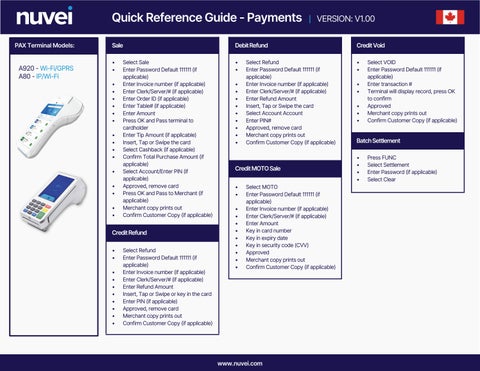
Quick Reference Guide - Payments | VERSION: V1.00 PAX Terminal Models:
A920 - Wi-Fi/GPRS A80 - IP/Wi-Fi
Sale
Debit Refund
Credit Void
• •
• •
• •
• • • • • • • • • • • • • • •
Select Sale Enter Password Default 111111 (if applicable) Enter Invoice number (if applicable) Enter Clerk/Server/# (if applicable) Enter Order ID (if applicable) Enter Table# (if applicable) Enter Amount Press OK and Pass terminal to cardholder Enter Tip Amount (if applicable) Insert, Tap or Swipe the card Select Cashback (if applicable) Confirm Total Purchase Amount (if applicable) Select Account/Enter PIN (if applicable) Approved, remove card Press OK and Pass to Merchant (if applicable) Merchant copy prints out Confirm Customer Copy (if applicable)
Credit Refund • • • • • • • • • •
Select Refund Enter Password Default 111111 (if applicable) Enter Invoice number (if applicable) Enter Clerk/Server/# (if applicable) Enter Refund Amount Insert, Tap or Swipe or key in the card Enter PIN (if applicable) Approved, remove card Merchant copy prints out Confirm Customer Copy (if applicable)
• • • • • • • • •
Select Refund Enter Password Default 111111 (if applicable) Enter Invoice number (if applicable) Enter Clerk/Server/# (if applicable) Enter Refund Amount Insert, Tap or Swipe the card Select Account Account Enter PIN# Approved, remove card Merchant copy prints out Confirm Customer Copy (if applicable)
Credit MOTO Sale • • • • • • • • • • •
Select MOTO Enter Password Default 111111 (if applicable) Enter Invoice number (if applicable) Enter Clerk/Server/# (if applicable) Enter Amount Key in card number Key in expiry date Key in security code (CVV) Approved Merchant copy prints out Confirm Customer Copy (if applicable)
www.nuvei.com
• • • • •
Select VOID Enter Password Default 111111 (if applicable) Enter transaction # Terminal will display record, press OK to confirm Approved Merchant copy prints out Confirm Customer Copy (if applicable)
Batch Settlement • • • •
Press FUNC Select Settlement Enter Password (if applicable) Select Clear