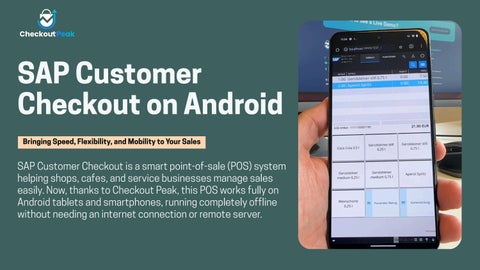

SAP Customer Checkout on Android
Bringing Speed, Flexibility, and Mobility toYour Sales
SAP Customer Checkout is a smart point-of-sale (POS) system helping shops, cafes, and service businesses manage sales easily. Now, thanks to Checkout Peak, this POS works fully on Android tablets and smartphones, running completely offline without needing an internet connection or remote server.
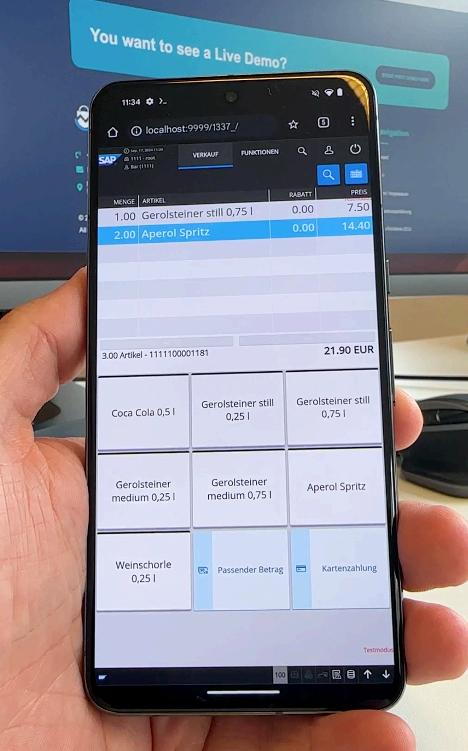

Why Go Android?
Runs natively on popularAndroid devices like the Google Pixel 8 Pro
Uses powerful mobile processors for smooth, fast performance
No Wi-Fi? No problem.The system works offline 24/7
No need for bulky PC setups or special hardware
Main Features that DriveYour Business
Easy Retail and Hospitality Modes
Retail mode supports scanning barcodes, quick checkout, and loyalty rewards
Hospitality mode handles table orders, bill splitting, and tips easily
Kiosk mode for speedy, simple sales in busy settings like kiosks or concessions
KeepTrack of Stock and Customers
Update stock instantly as you sell
Manage customer info and loyalty points right in the app
Sync data with SAP ERP systems when online to keep business reports updated
Handle Payments Smoothly
Accept all payments, cash, cards, or mobile pay.
Works seamlessly with Android-compatible card readers and payment terminals
Offline Sales Made Simple
Keep selling even when offline
When back online, data syncs automatically to avoid any loss
Benefits that Make a Difference
Move Freely, Sell Everywhere
With SAP Customer Checkout on Android, sales staff can serve customers anywhere, at the counter, in the aisles, or at their tables.This boosts service speed and customer satisfaction.
Works withYour Existing Systems
Link your checkout data with SAP Business One or SAP S/4HANA for easy stock and finance management. Sales from online, physical stores, and mobile points all connect neatly.
Gives Customers WhatThey Want
Offers loyalty programs, promotions, and easy payment options that customers expect today. This helps keep them coming back.
ChooseYour Hardware
Use any supported Android device plus printers or scanners you like, cutting hardware costs and allowing flexibility.
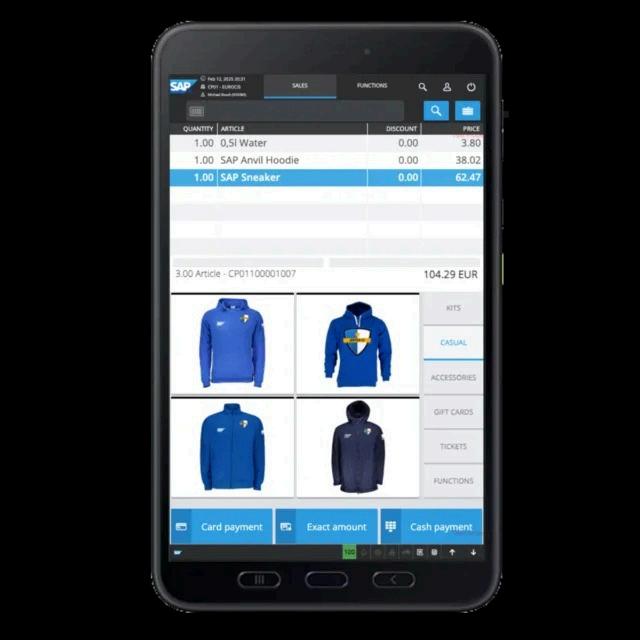
Technical Requirements & Getting Started
Hardware Needs
Runs best on Android tablets or phones with good processing power (like Pixel 8 Pro)
Screen size around 8” or more recommended for ease of use
Supports Bluetooth or USB printers, cash drawers, and barcode scanners
Installation and Use
The app installs directly on Android devices, no PC needed
Set up user roles like cashier or manager easily in the system
Keeps data safe with local encryption