PRINT-READY
ARTWORK CHECKLIST
Use this checklist to help ensure your artwork prints beautifully every time.
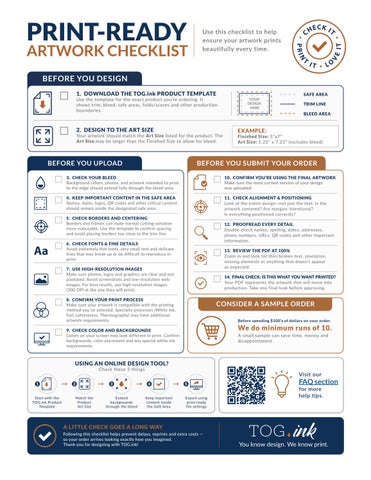
BEFORE YOU DESIGN 1. DOWNLOAD THE TOG.ink PRODUCT TEMPLATE
Use the template for the exact product you’re ordering. It shows trim, bleed, safe areas, folds/scores and other production boundaries.
2. DESIGN TO THE ART SIZE
Your artwork should match the Art Size listed for the product. The Art Size may be larger than the Finished Size to allow for bleed.
BEFORE YOU UPLOAD
TRIM LINE BLEED AREA
EXAMPLE:
Finished Size: 5”x7” Art Size: 5.25” x 7.25” (includes bleed)
BEFORE YOU SUBMIT YOUR ORDER
3. CHECK YOUR BLEED Background colors, photos, and artwork intended to print to the edge should extend fully through the bleed area.
10. CONFIRM YOU’RE USING THE FINAL ARTWORK Make sure the most current version of your design was uploaded.
4. KEEP IMPORTANT CONTENT IN THE SAFE AREA Names, dates, logos, QR codes and other critical content should remain inside the designated safe area.
11. CHECK ALIGNMENT & POSITIONING Look at the entire design—not just the text. Is the artwork centered? Are margins intentional? Is everything positioned correctly?
5. CHECK BORDERS AND CENTERING Borders and frames can make normal cutting variation more noticeable. Use the template to confirm spacing and avoid placing borders too close to the trim line.
Aa
SAFE AREA YOUR DESIGN HERE
12. PROOFREAD EVERY DETAIL Double-check names, spelling, dates, addresses, phone numbers, URLs, QR codes and other important information.
6. CHECK FONTS & FINE DETAILS Avoid extremely thin fonts, very small text and delicate lines that may break up or be difficult to reproduce in print.
13. REVIEW THE PDF AT 100% Zoom in and look for thin/broken text, pixelation, missing elements or anything that doesn’t appear as expected.
7. USE HIGH-RESOLUTION IMAGES Make sure photos, logos and graphics are clear and not pixelated. Avoid screenshots and low-resolution web images. For best results, use high-resolution images. (300 DPI at the size they will print).
14. FINAL CHECK: IS THIS WHAT YOU WANT PRINTED? Your PDF represents the artwork that will move into production. Take one final look before approving.
8. CONFIRM YOUR PRINT PROCESS Make sure your artwork is compatible with the printing method you’ve selected. Specialty processes (White Ink, Foil, Letterpress, Thermography) may have additional artwork requirements.
CONSIDER A SAMPLE ORDER Before spending $100’s of dollars on your order.
We do minimum runs of 10.
9. CHECK COLOR AND BACKGROUNDS Colors on your screen may look different in print. Confirm backgrounds, color placement and any special white ink requirements.
A small sample can save time, money and disappointment.
USING AN ONLINE DESIGN TOOL? Check these 5 things
1 Start with the TOG.ink Product Template
2
3 Match the Product Art Size
Extend backgrounds through the bleed
Visit our 4 Keep important content inside the Safe Area
5 Export using print-ready file settings
A LITTLE CHECK GOES A LONG WAY Following this checklist helps prevent delays, reprints and extra costs — so your order arrives looking exactly how you imagined. Thank you for designing with TOG.ink!
FAQ section for more help tips.