Quick-Start Volunteer Training Manual
Mission
Deliver a clean, distraction-free livestream that helps people worship and engage with the service online. You are not expected to be a sound engineer or video producer—simply follow the process.
✓ Turn on Livestream Computer
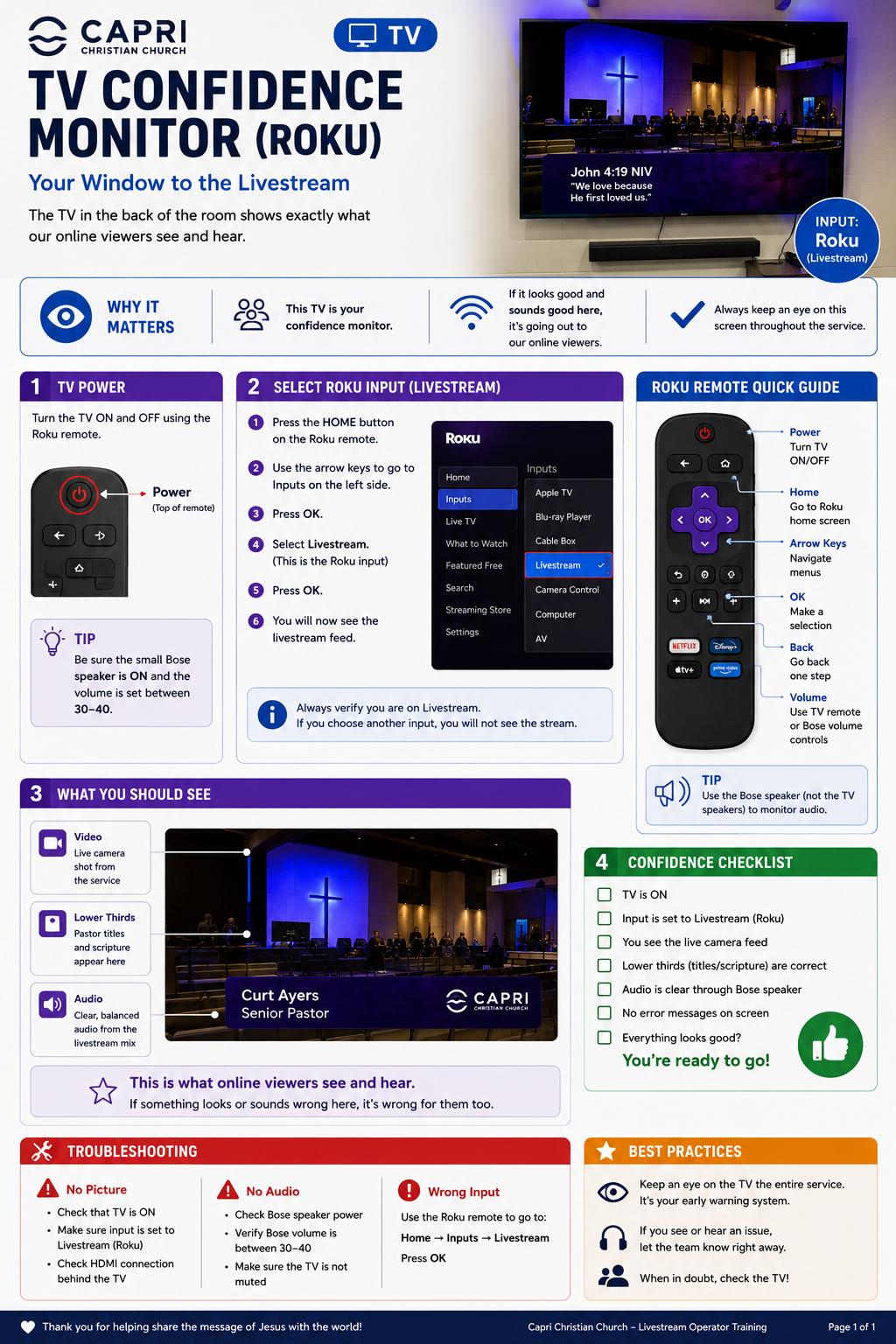
✓ Turn on Monitor
✓ Turn on Monitor Speaker and set comfortable volume
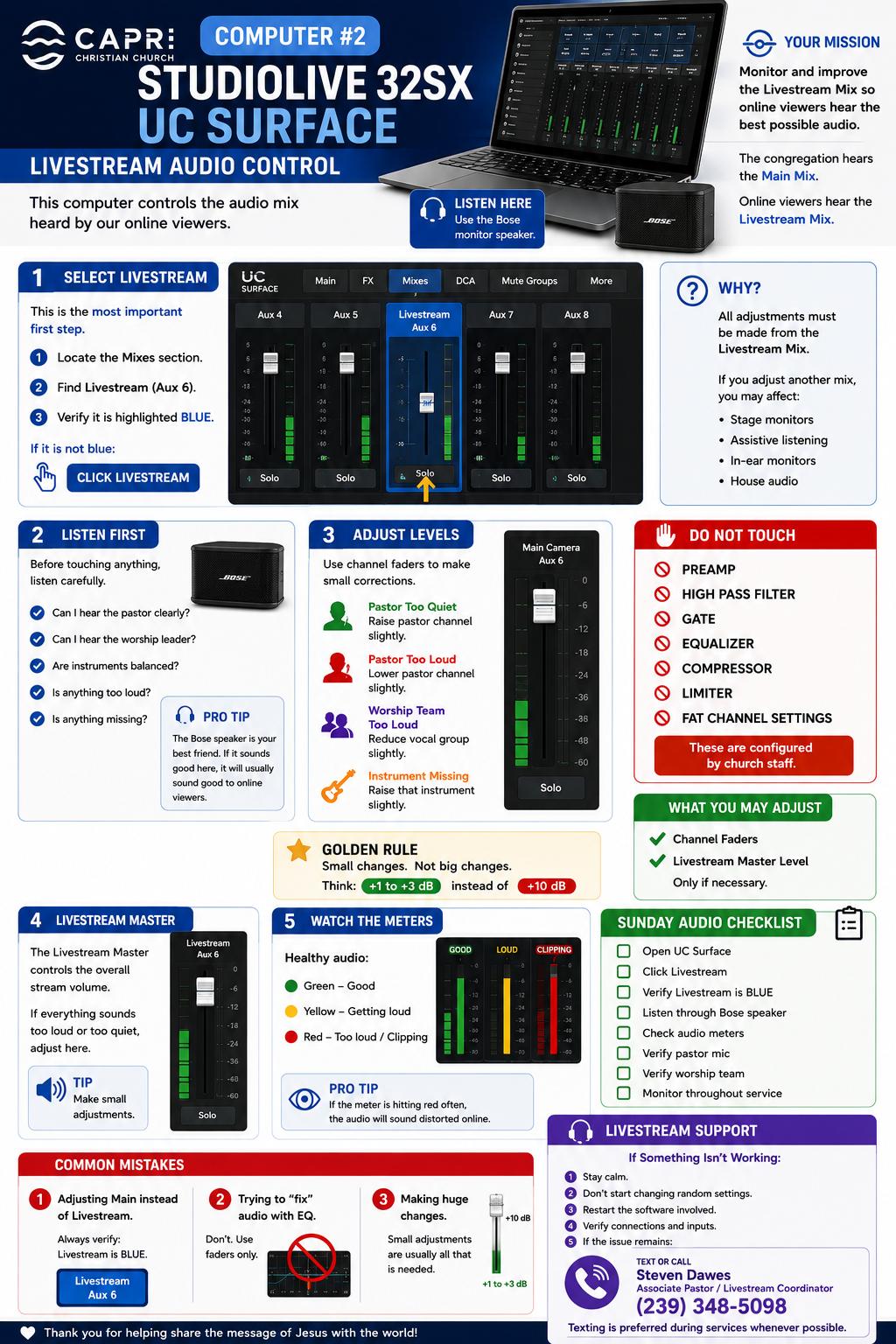
Open UC Surface
Select the Livestream mix. Monitor audio and make only small level adjustments. Do NOT adjust EQ, Compression, Gates, Limiting, or Fat Channel settings.
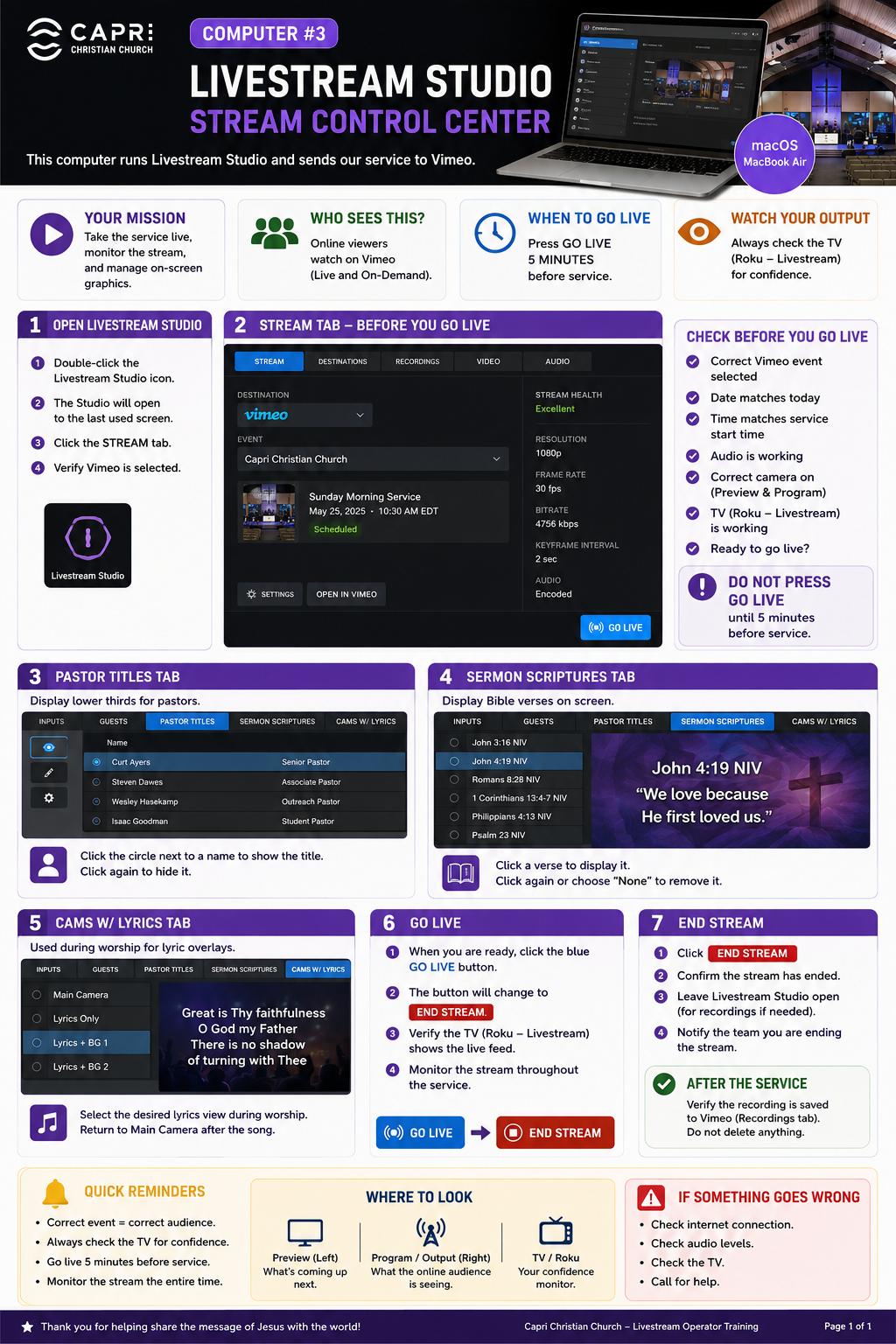
Livestream Studio
Open Livestream Studio. Verify today's event is selected and confirm audio meters are active.
CUT = Instant camera change
AUTO = Smooth transition
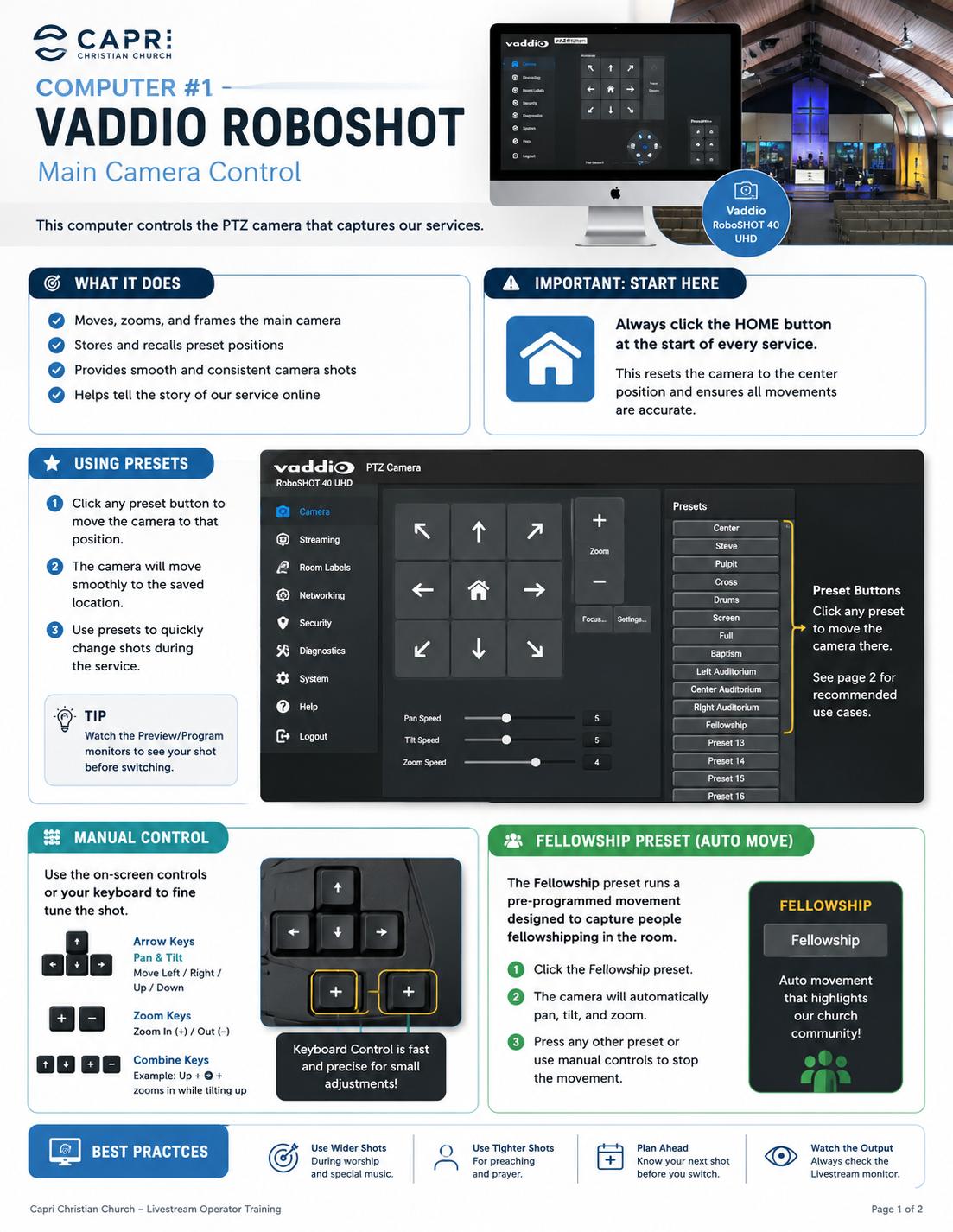
Use wide shots during worship and primarily pastor shots during the sermon.
Monitoring
Watch audio levels, camera feeds, and stream status throughout the service.
Golden Rules
1. Monitor what online viewers hear and see.
2. Make small adjustments.
3. Never change advanced mixer settings.
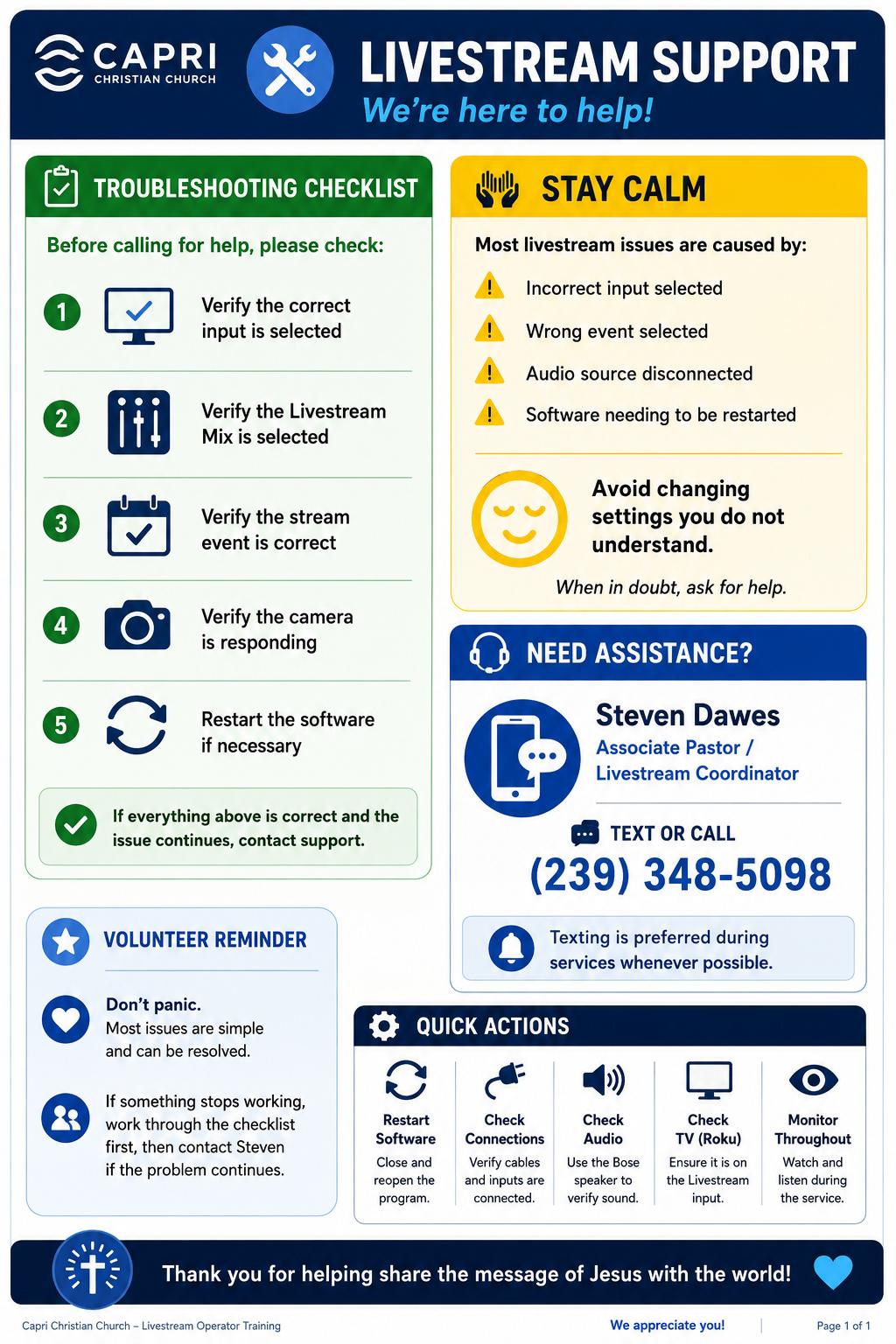
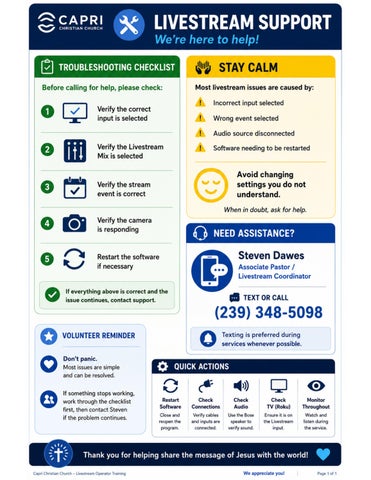
4. Stay calm and restart software when needed.
5. Consistency beats perfection.
■ Computer On
■ Monitor On
■ Speaker On
■ UC Surface Open
■ Livestream Mix Selected
■ Audio Active
■ Livestream Studio Open
■ Correct Event Selected
■ Cameras Working
■ Stream Started
During Service
■ Monitor Audio
■ Monitor Video
■ Switch Cameras Appropriately
■ Watch Stream Status
After Service
■ Stop Stream
■ Confirm Stream Ended
■ Shut Down Equipment If Needed