Caroline Poole NSW State Sales Manager caroline.poole@cambridge.org 0408 583 390 Jacob Munday Metro: (Inner West, North), Central Coast, Newcastle jacob.munday@cambridge.org 0477 383 462

Regional NSW debra.wilson@cambridge.org 0414 495 388 Haris Dzonlagic haris.dzonlagic@cambridge.org 0477 714 280 Caitlyn Stubbs caitlyn.stubbs@cambridge.org 0461 310 349
Our author team of experienced senior science educators provides an authoritative interpretation of the new syllabus.
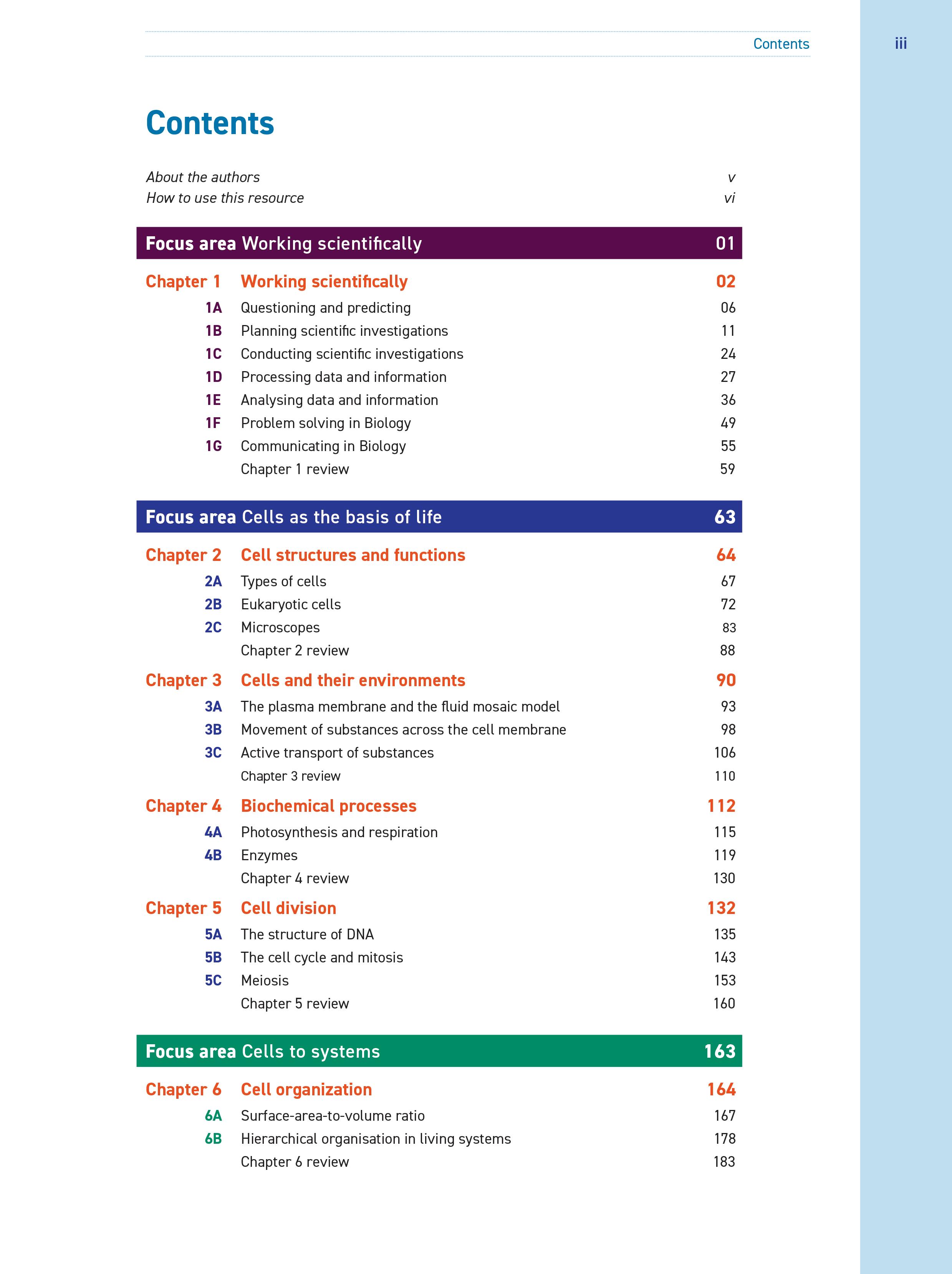
A dedicated Working scientifically chapter at the start of each book ensures new syllabus requirements are met across the series.
All syllabus outcomes and content dot points are covered in sequence and organised clearly within the syllabus focus areas.
An appendix covering the depth study provides guidance on how students can meet the requirements and a sample depth study, available in the Interactive Textbook, models how students should deliver their own.
A complete digital workbook is included in the Interactive Textbook, ensuring that your students have access to the most comprehensive suite of learning tools at no additional cost.
A wide range of interactive resources are included to engage students in the study of Biology, consolidate their learning and promote revision.
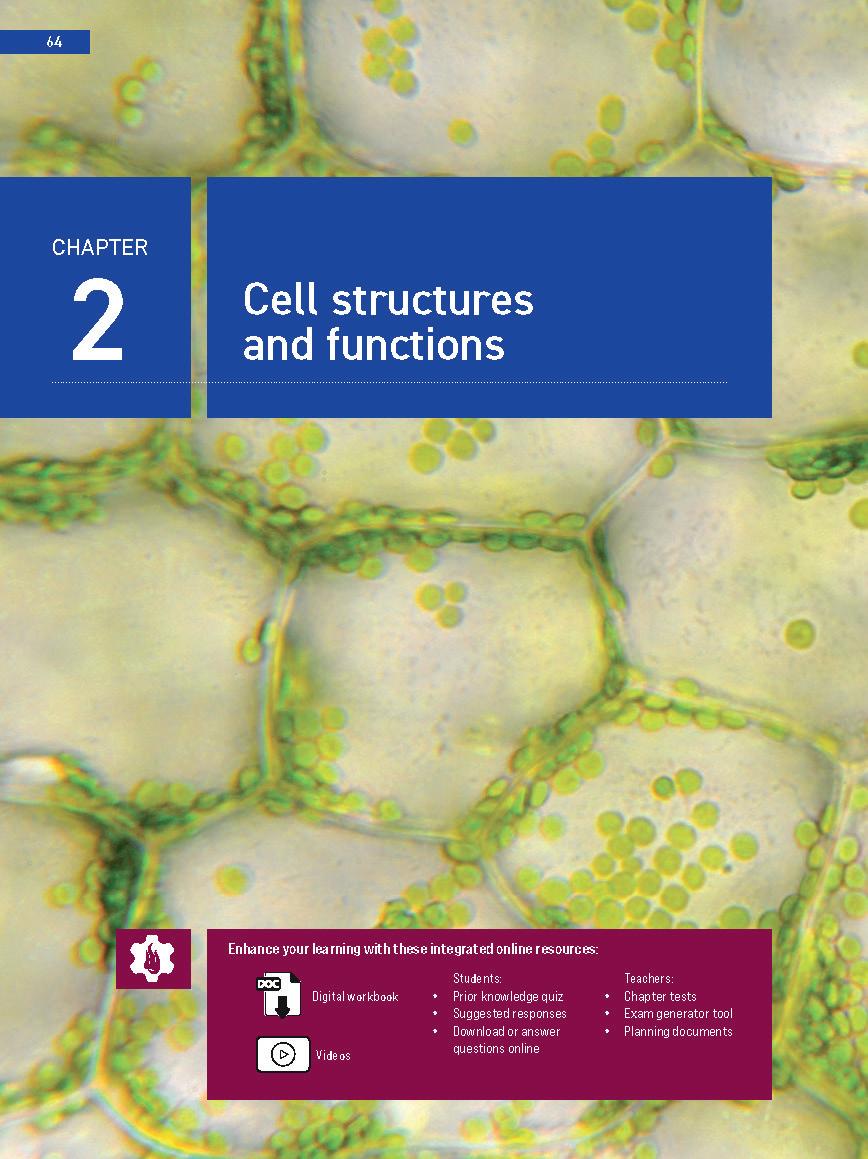
Syllabus content dot points at the start of each chapter signpost the expected knowledge, and are reflected in the success critieria checklist in the chapter review.
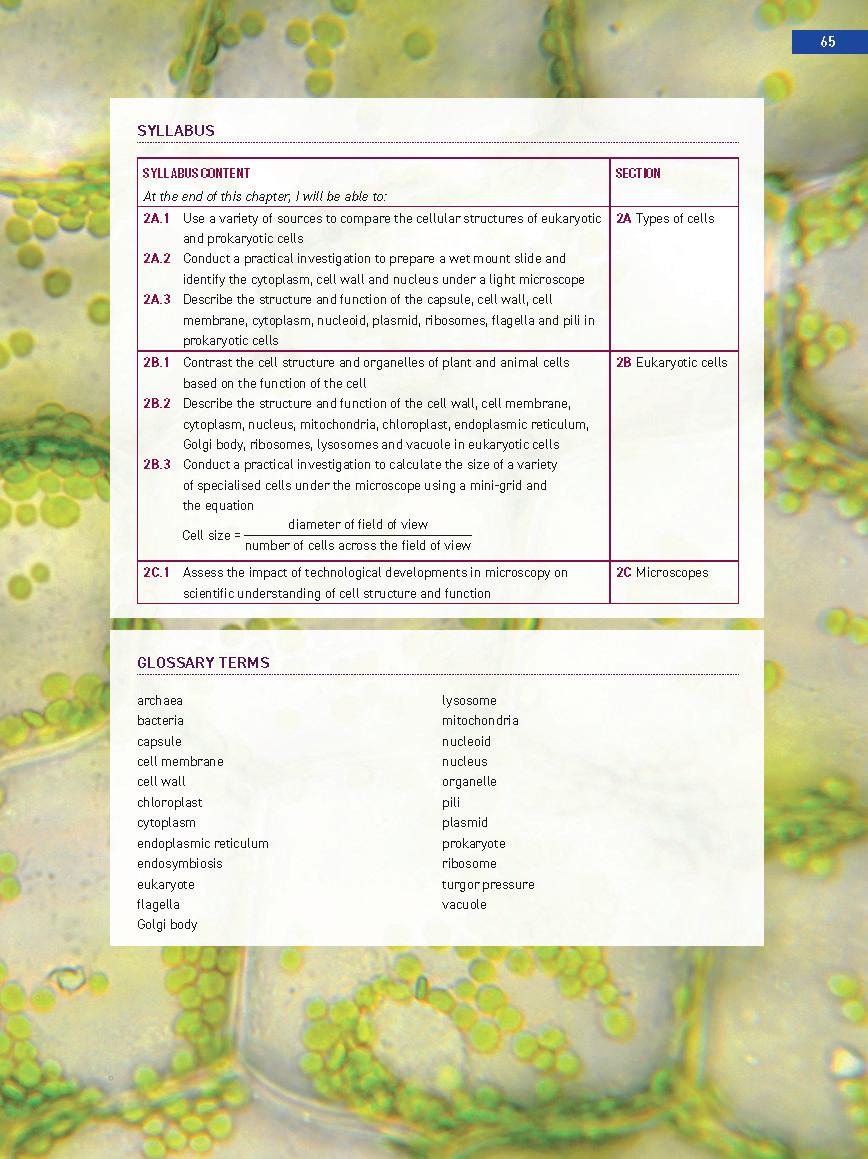
Glossary terms are listed at the start of each chapter, and defined in the margins and in a glossary at the end of the book.
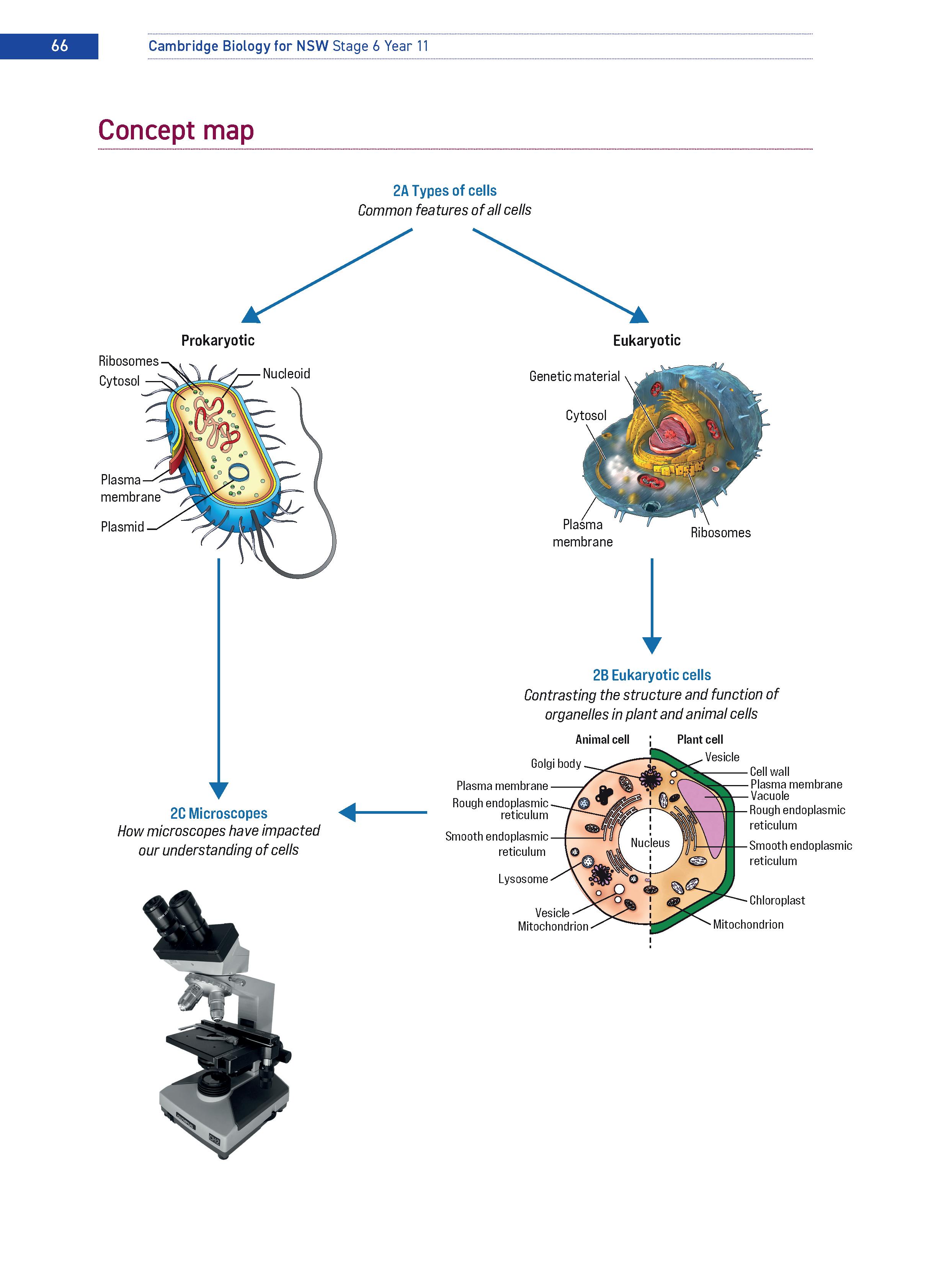
Concept maps visualise the chapter structure, link key concepts and topics and provide a great memory aid.
Concept videos in the Interactive Textbook introduce and illustrate concepts, demonstrate skills, or enhance and clarify student knowledge.
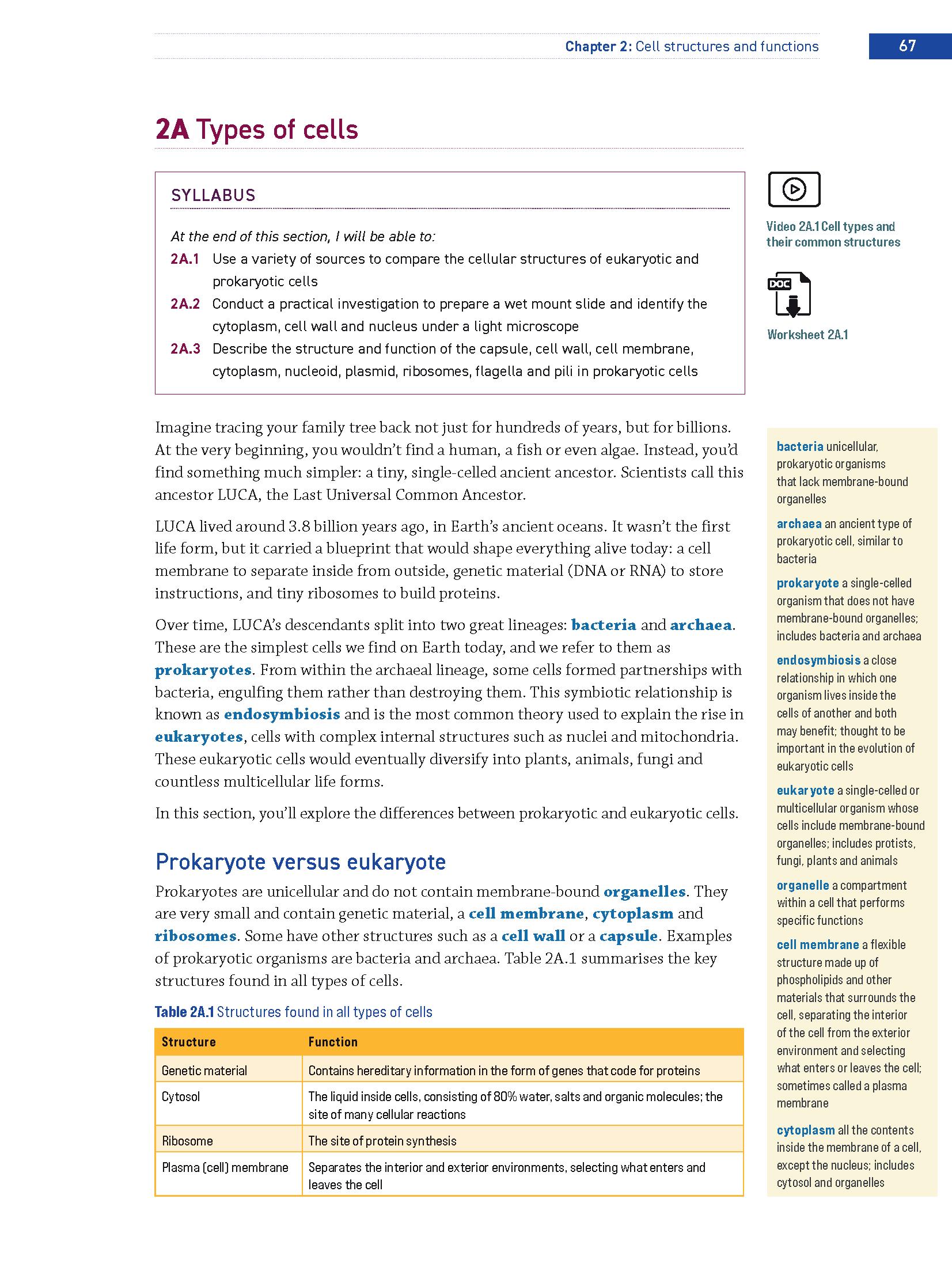
Each section includes at least one downloadable worksheet which can be accessed online from within the section or in the complete digital workbook.
Teacher support for practicals in the Online Teaching Suite includes editable downloadable worksheets, risk assessments, suggested responses to the discussion questions and other teacher notes.
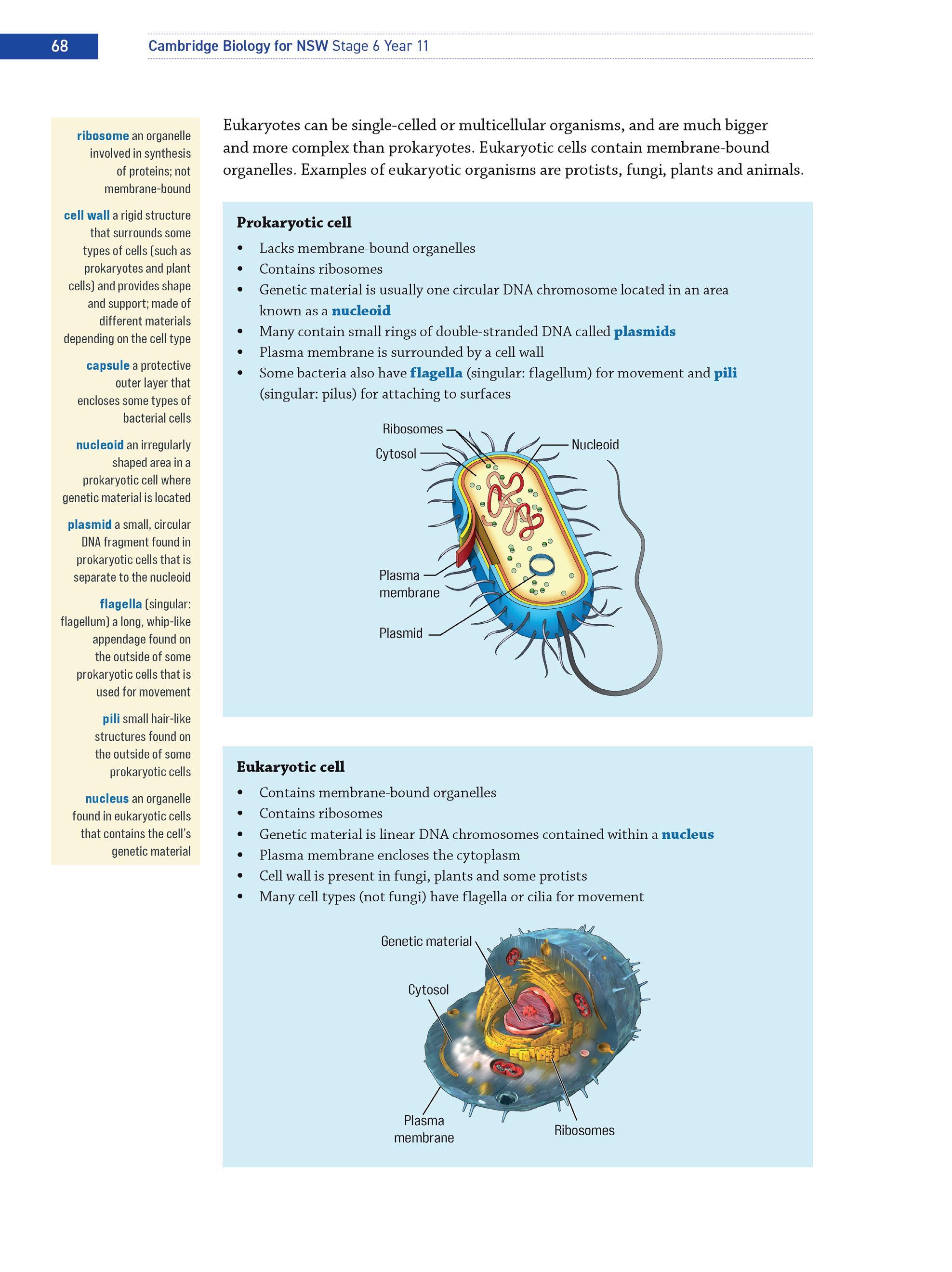
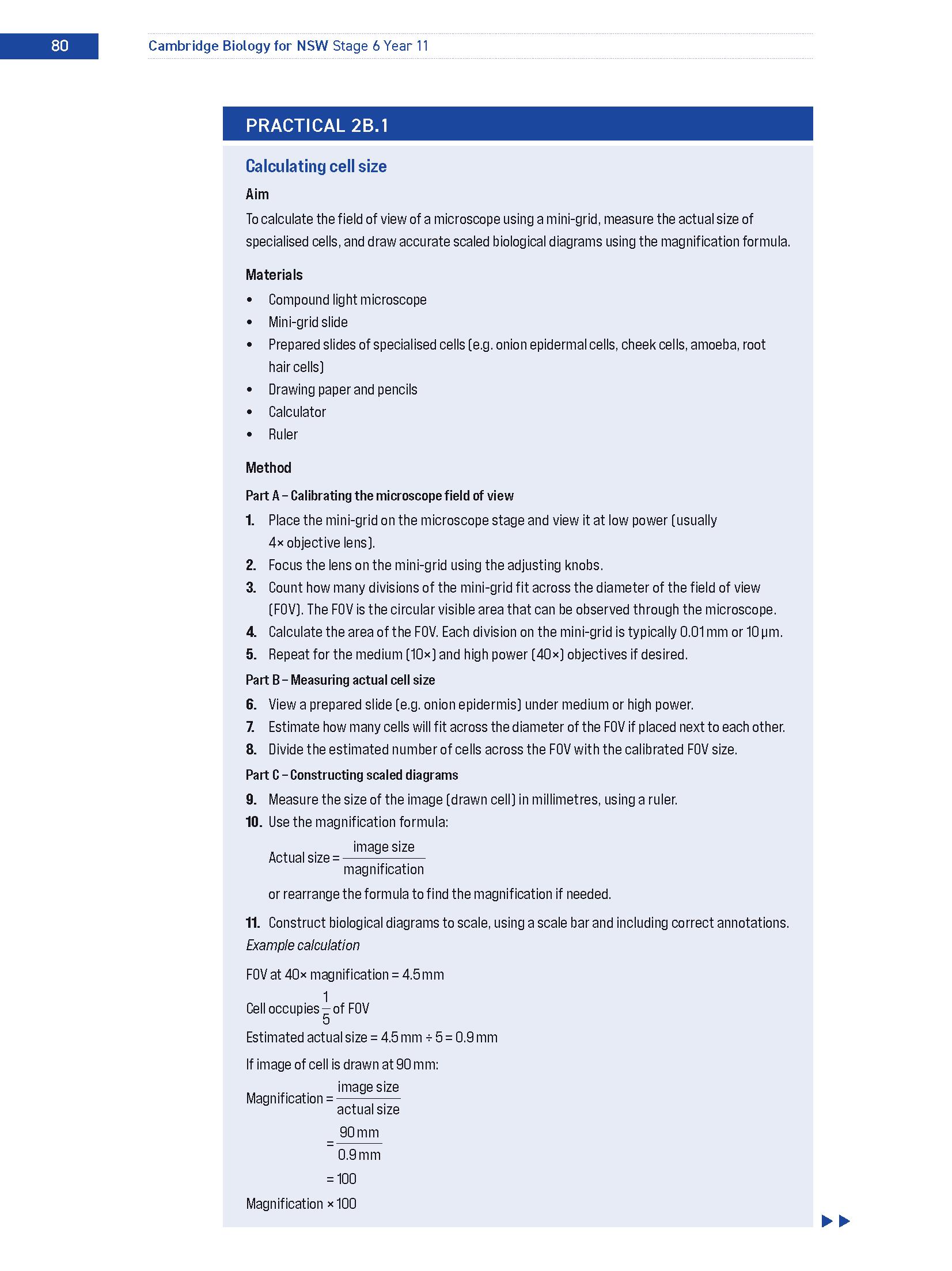
A downloadable worksheet version of each practical is available in the Interactive Textbook.
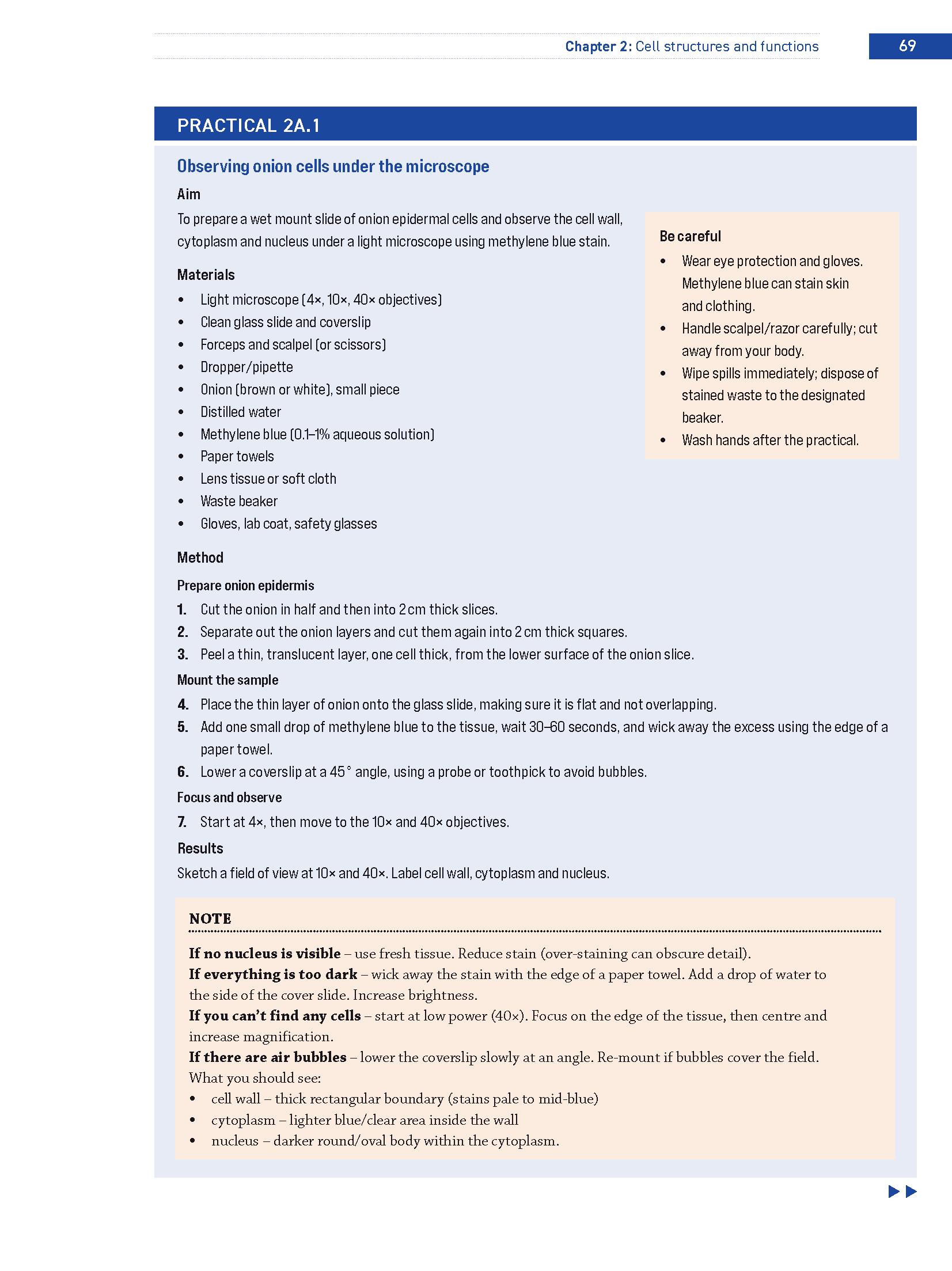
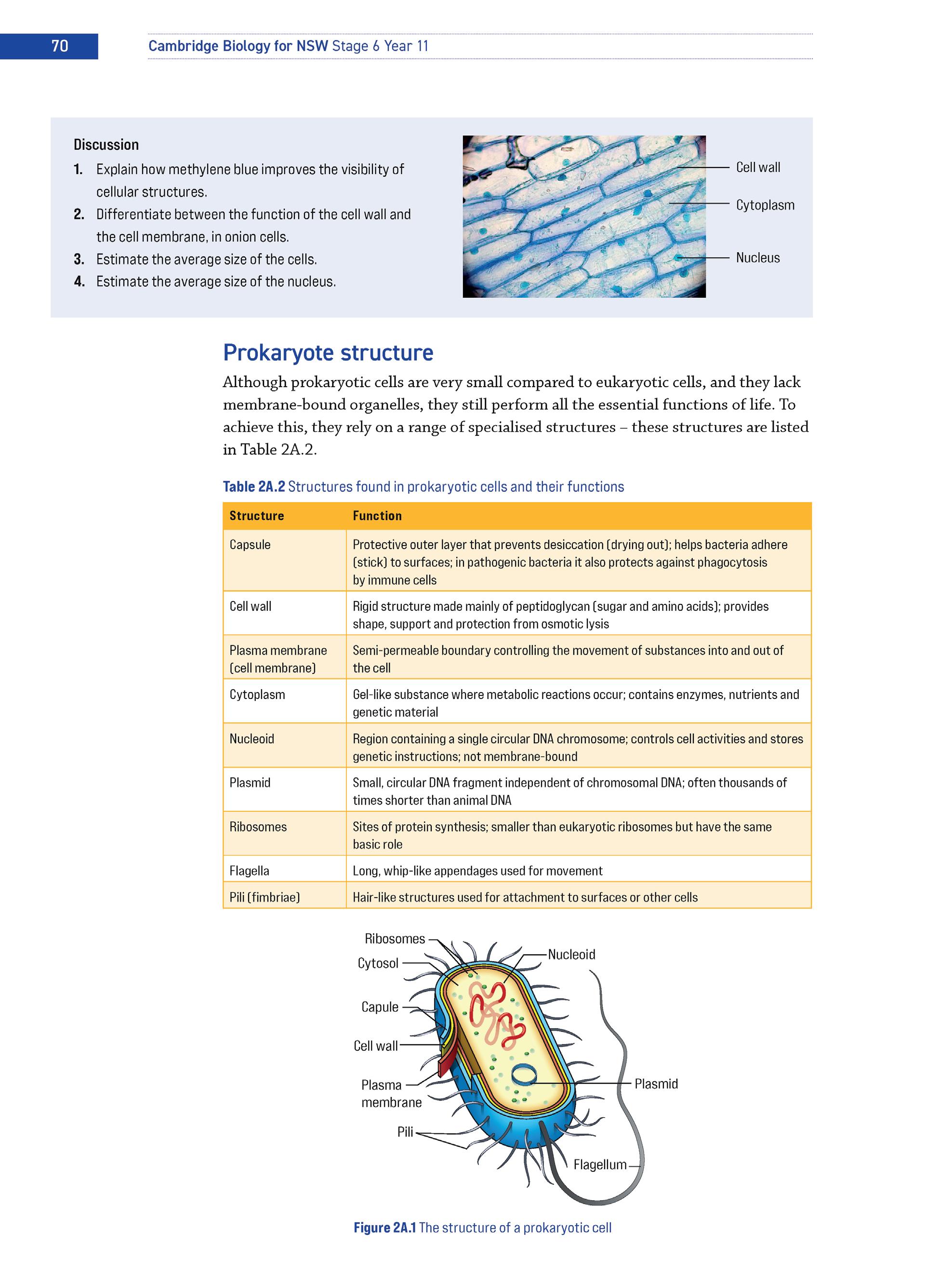
Practical colour-coding makes it easy to locate different types of activities or other pedagogical features.
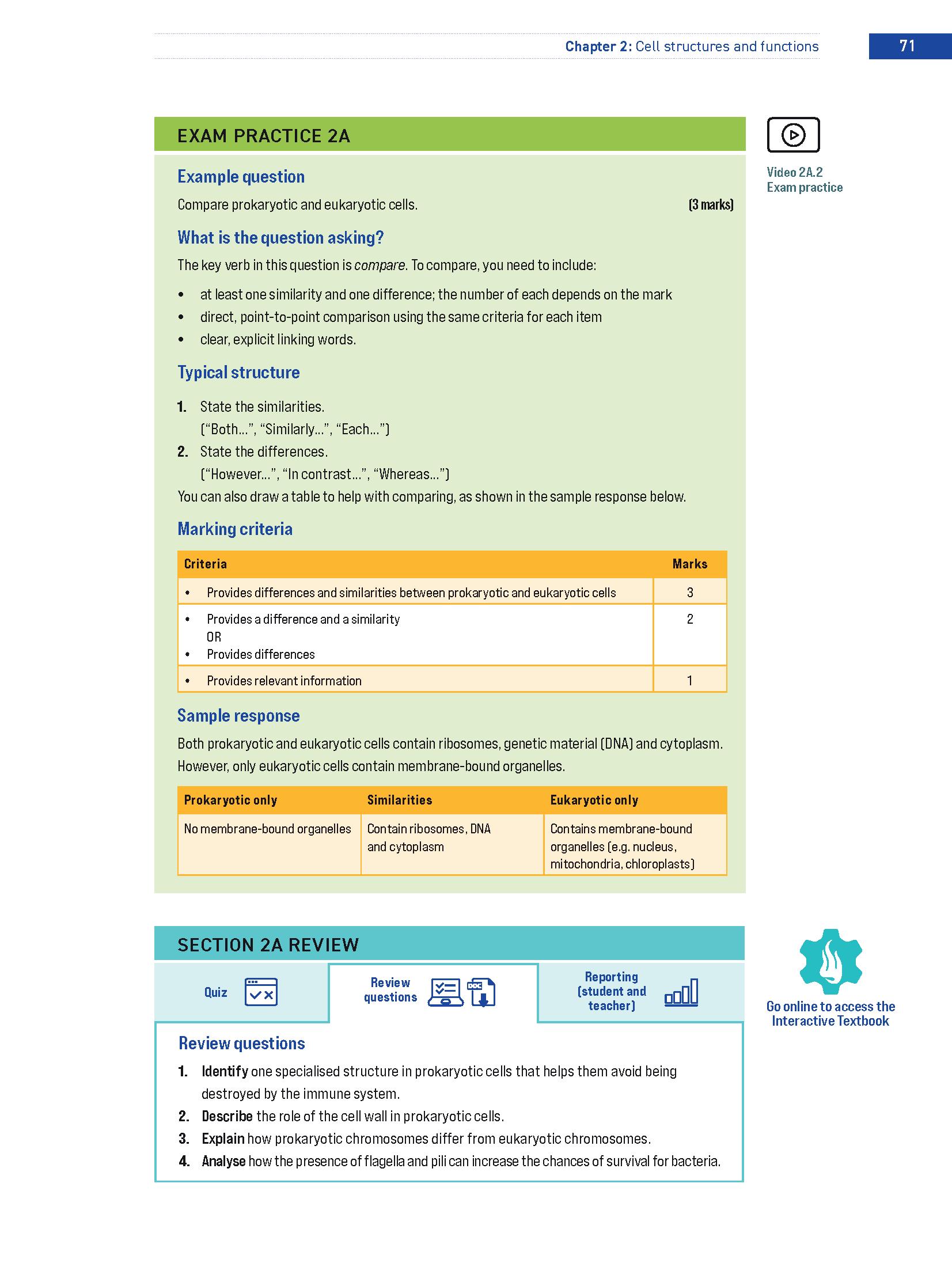
Syllabus content dot points at the start of each section outline what students can expect to learn.
Students can learn key terms using glossary definitions next to where the term first appears and in the glossary.
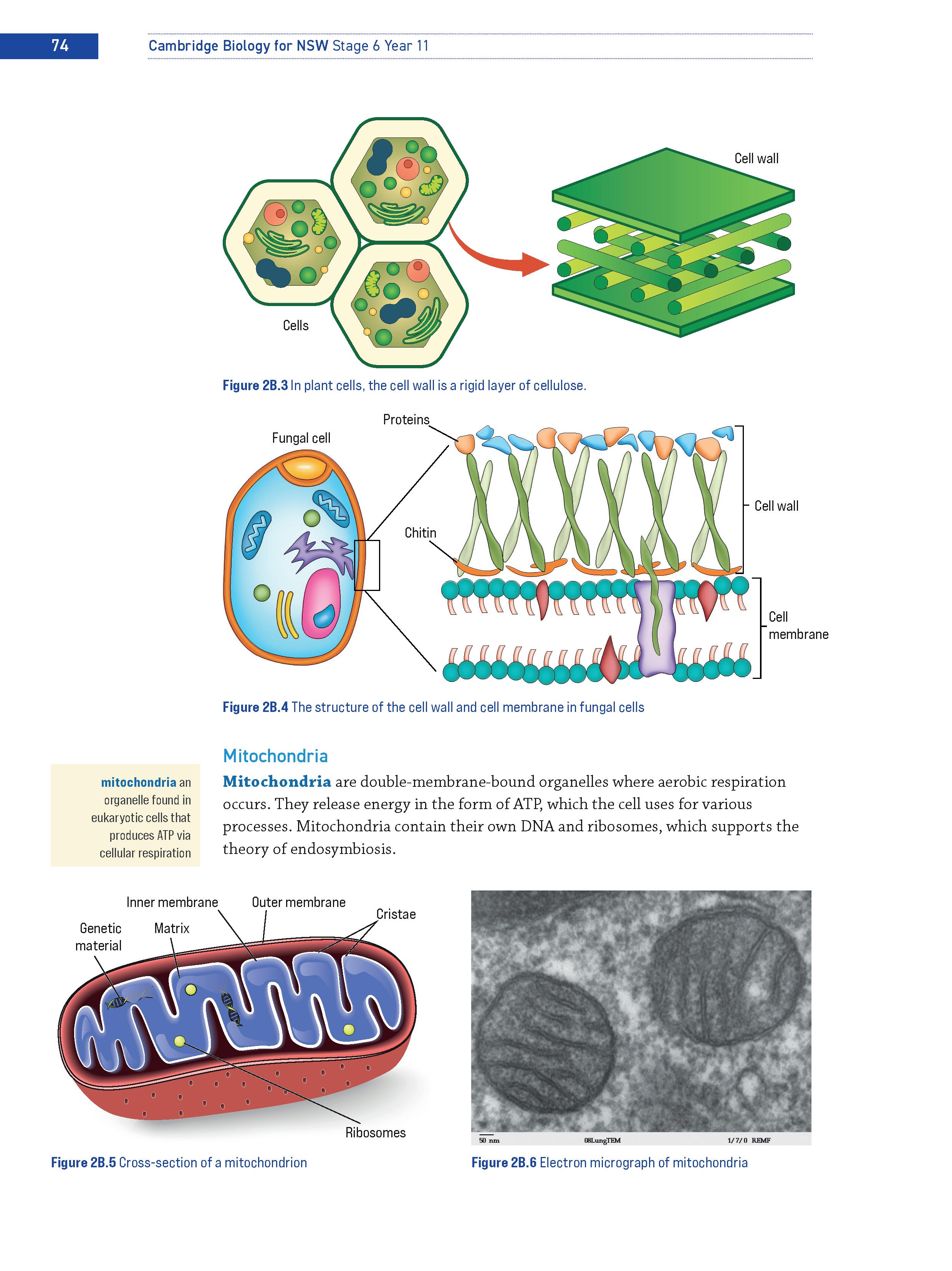
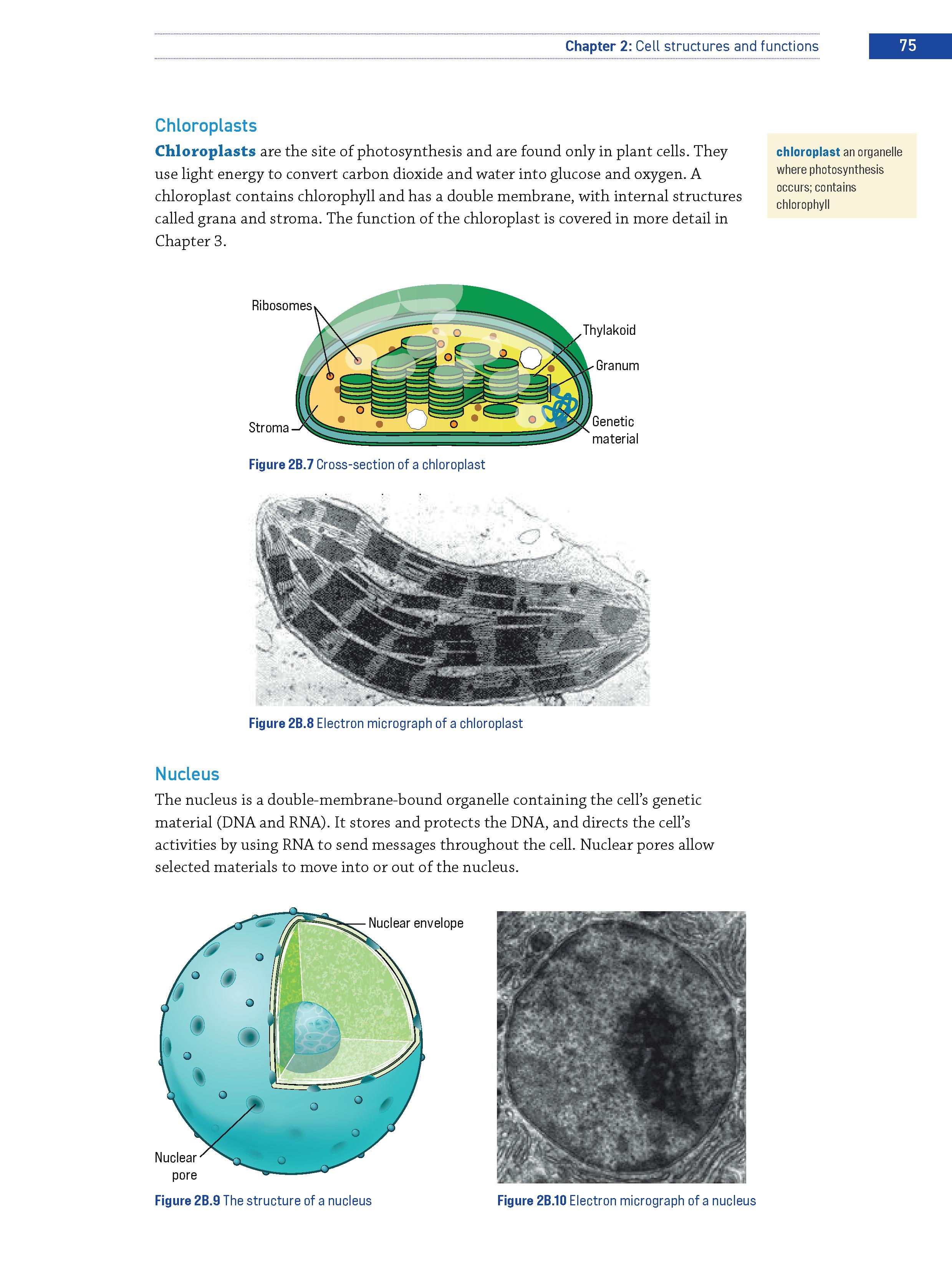
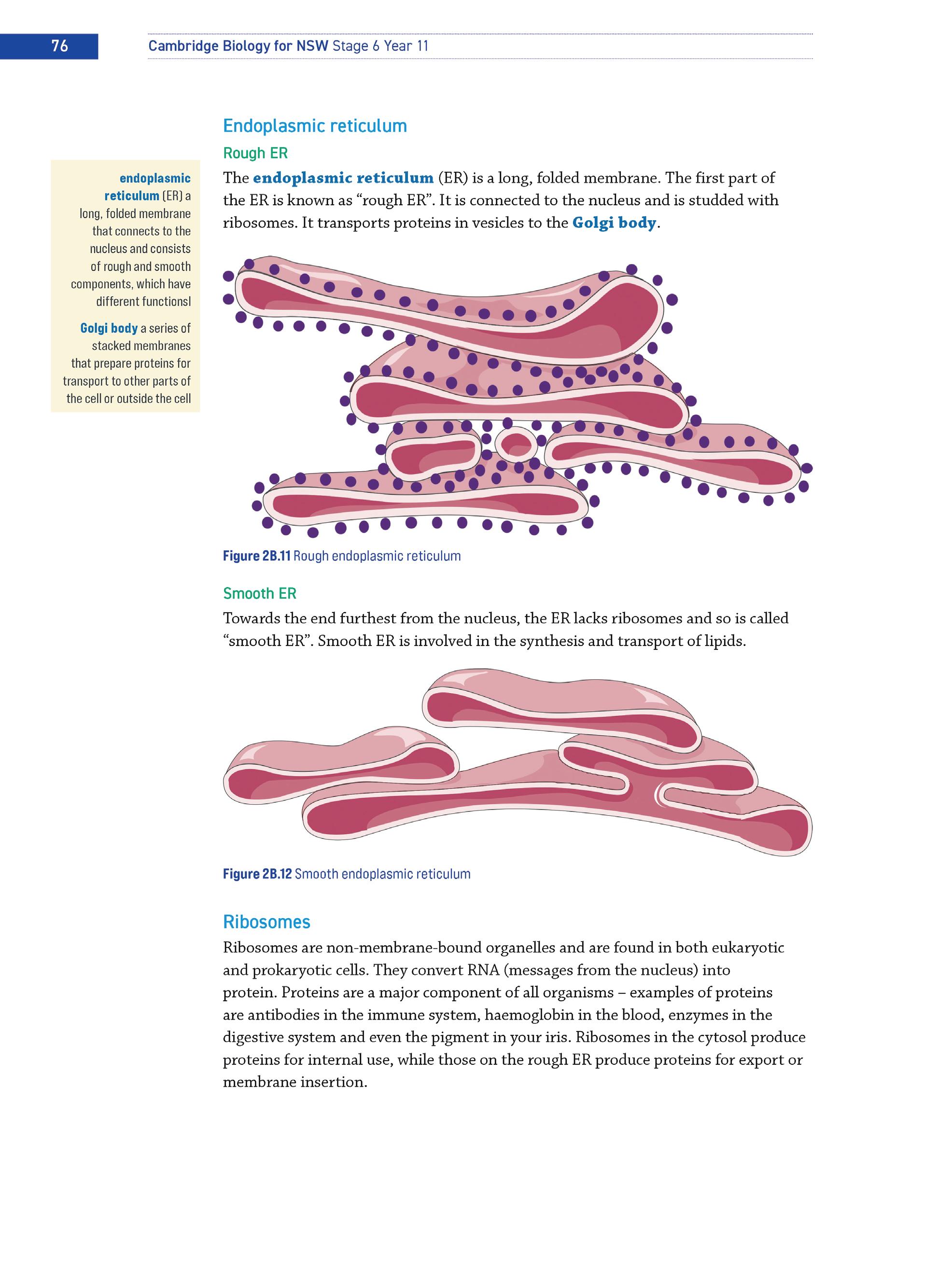
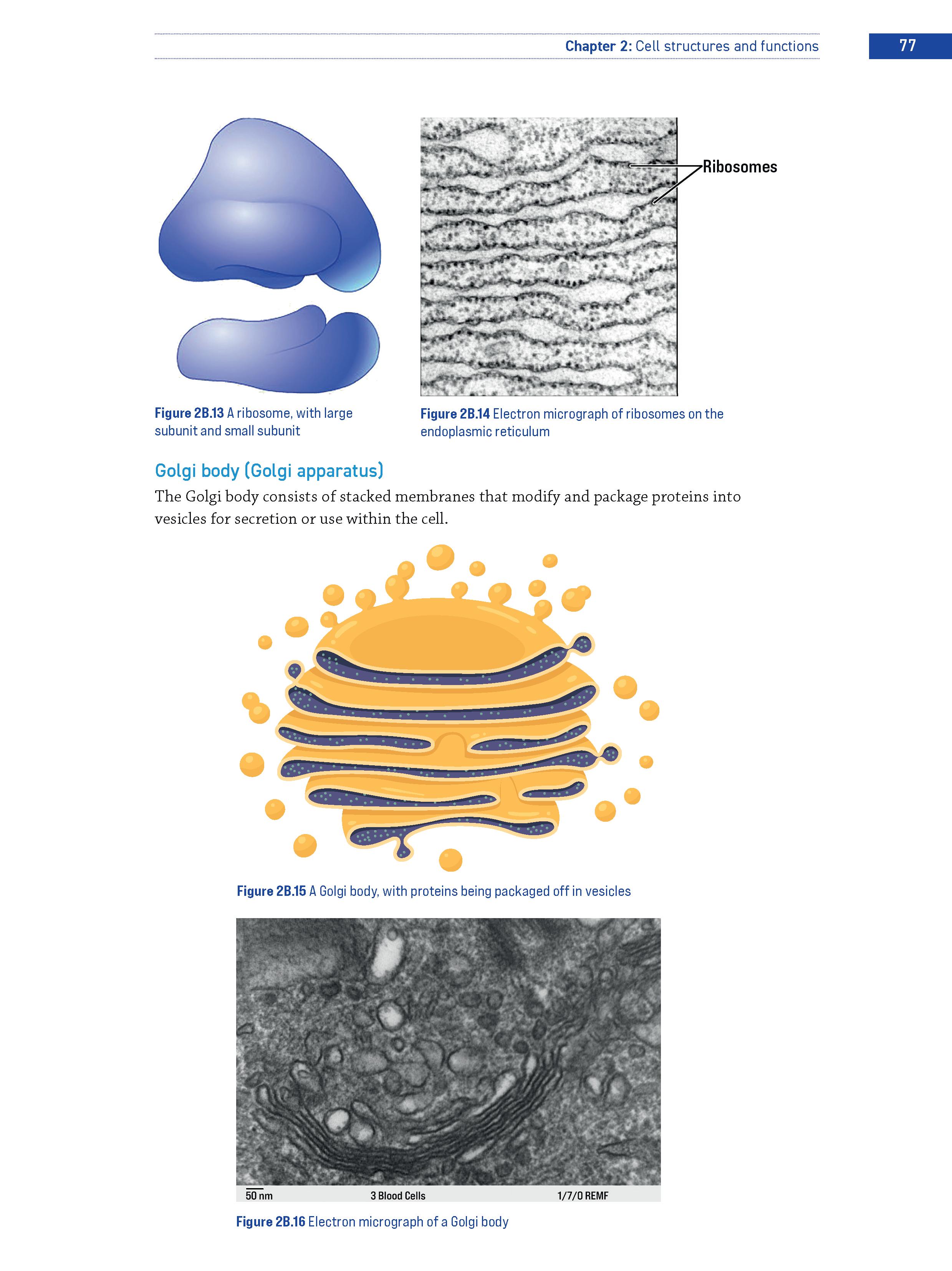
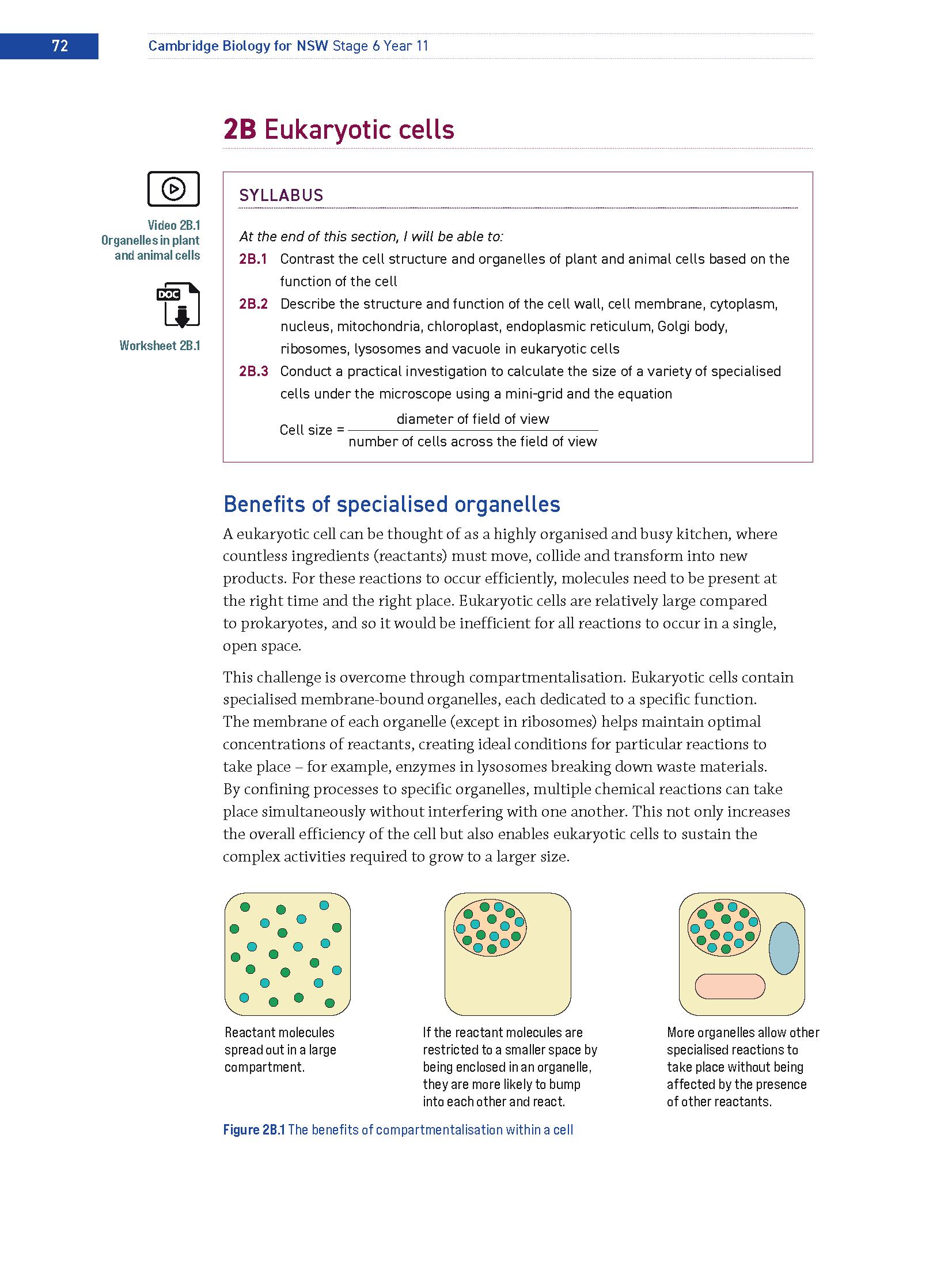
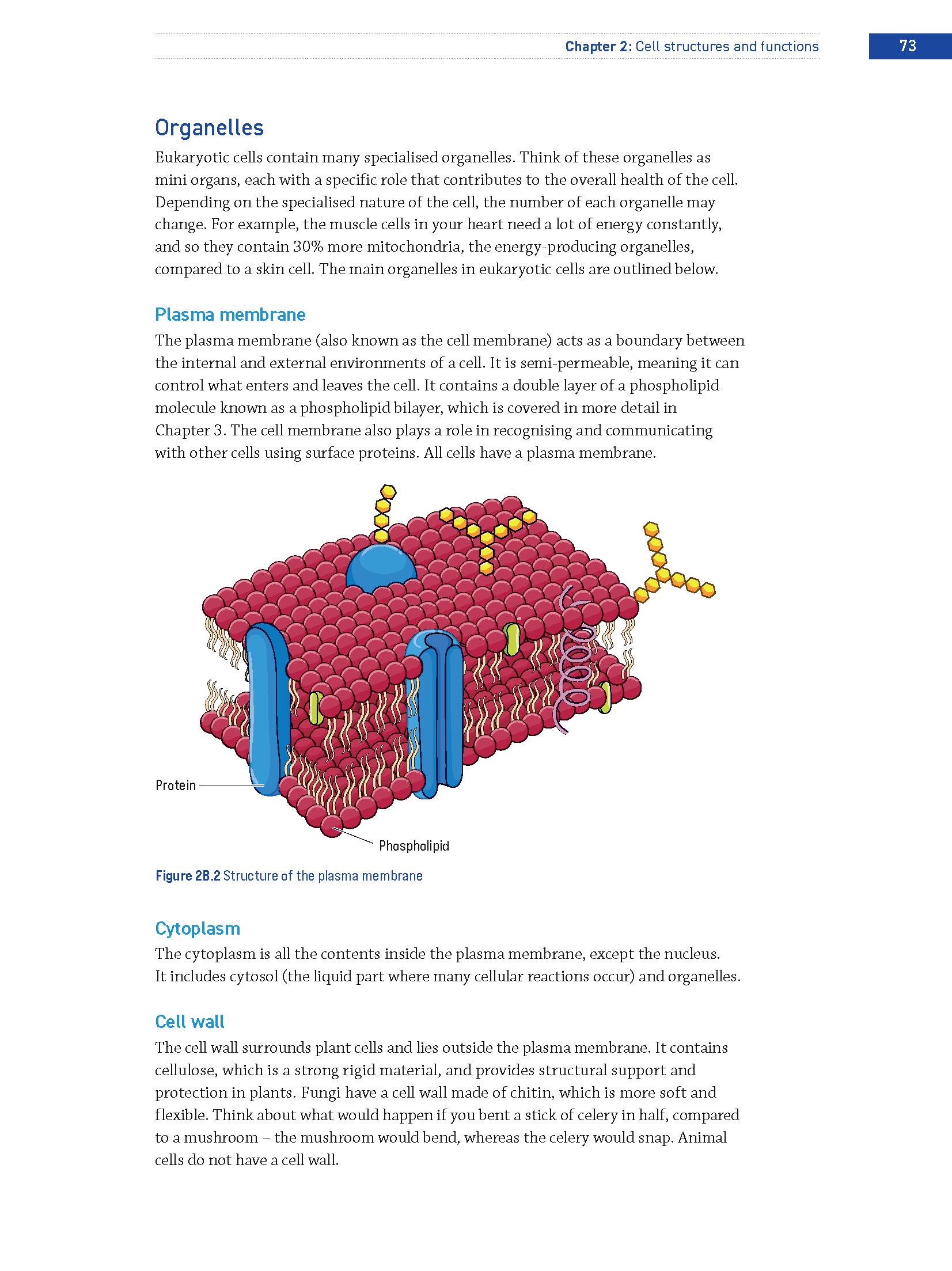
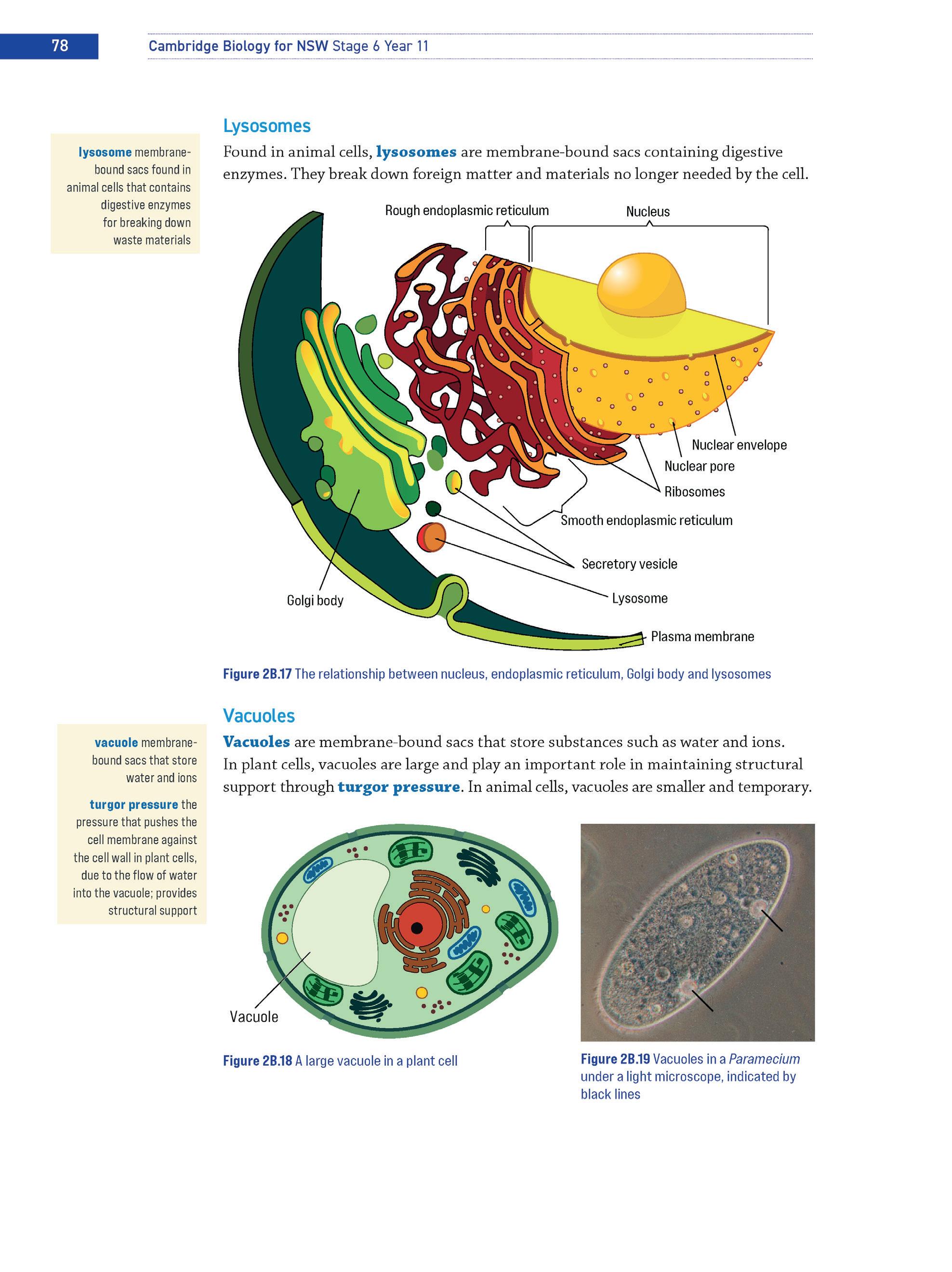
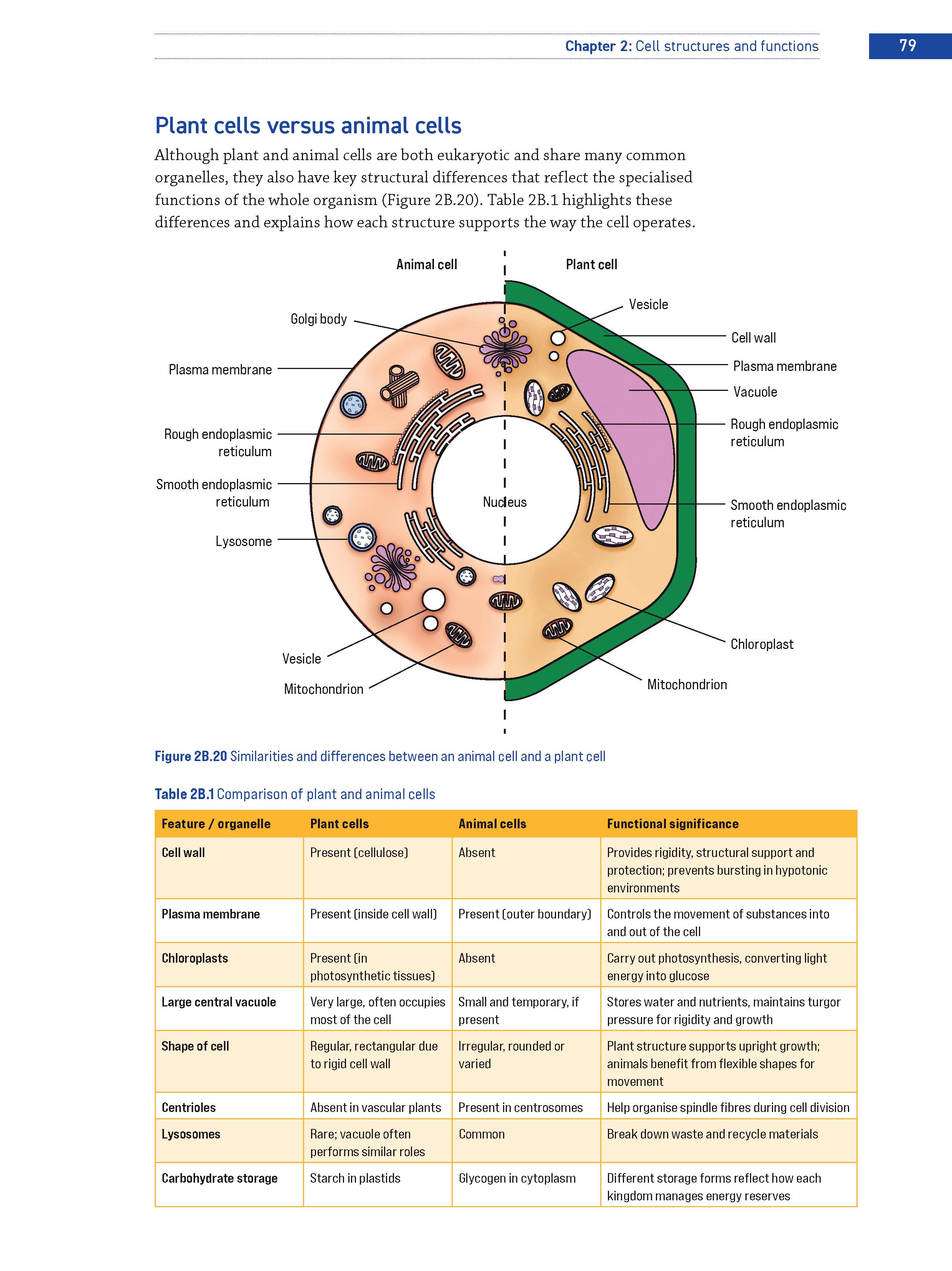
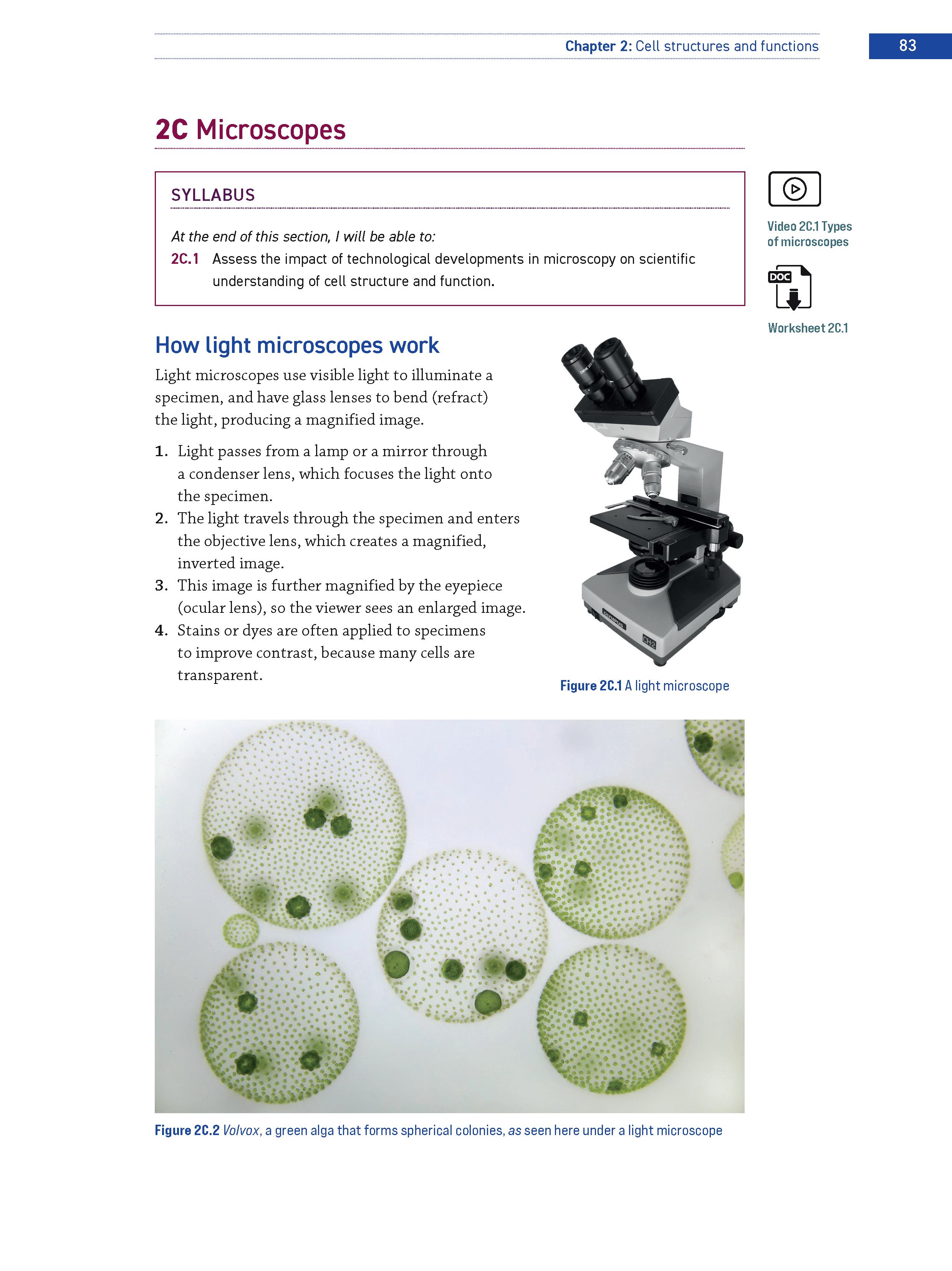
Labelled illustations and diagrams visualise key information or describe a process to reinforce key concepts and help students make connections between syllabus content.
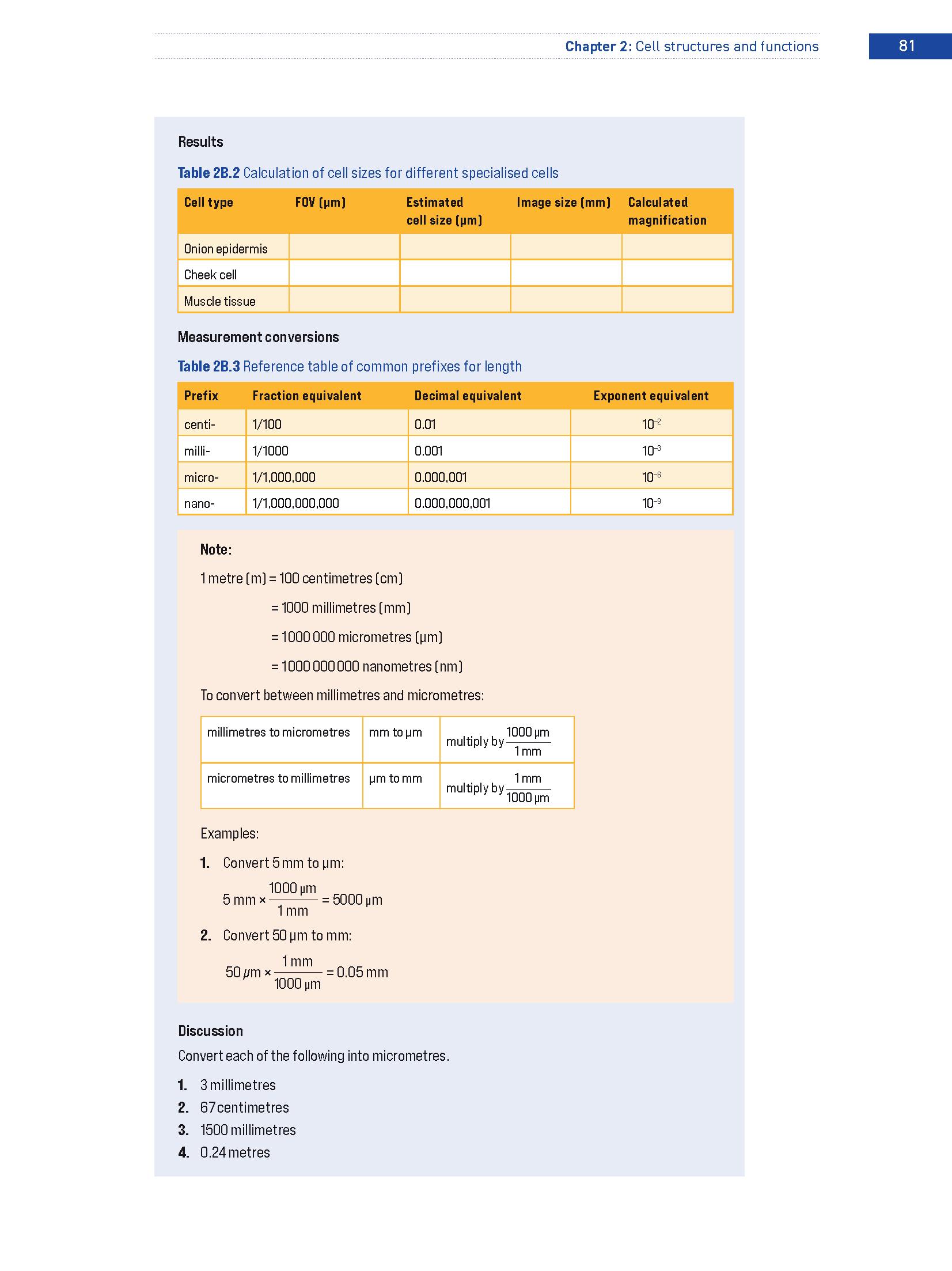
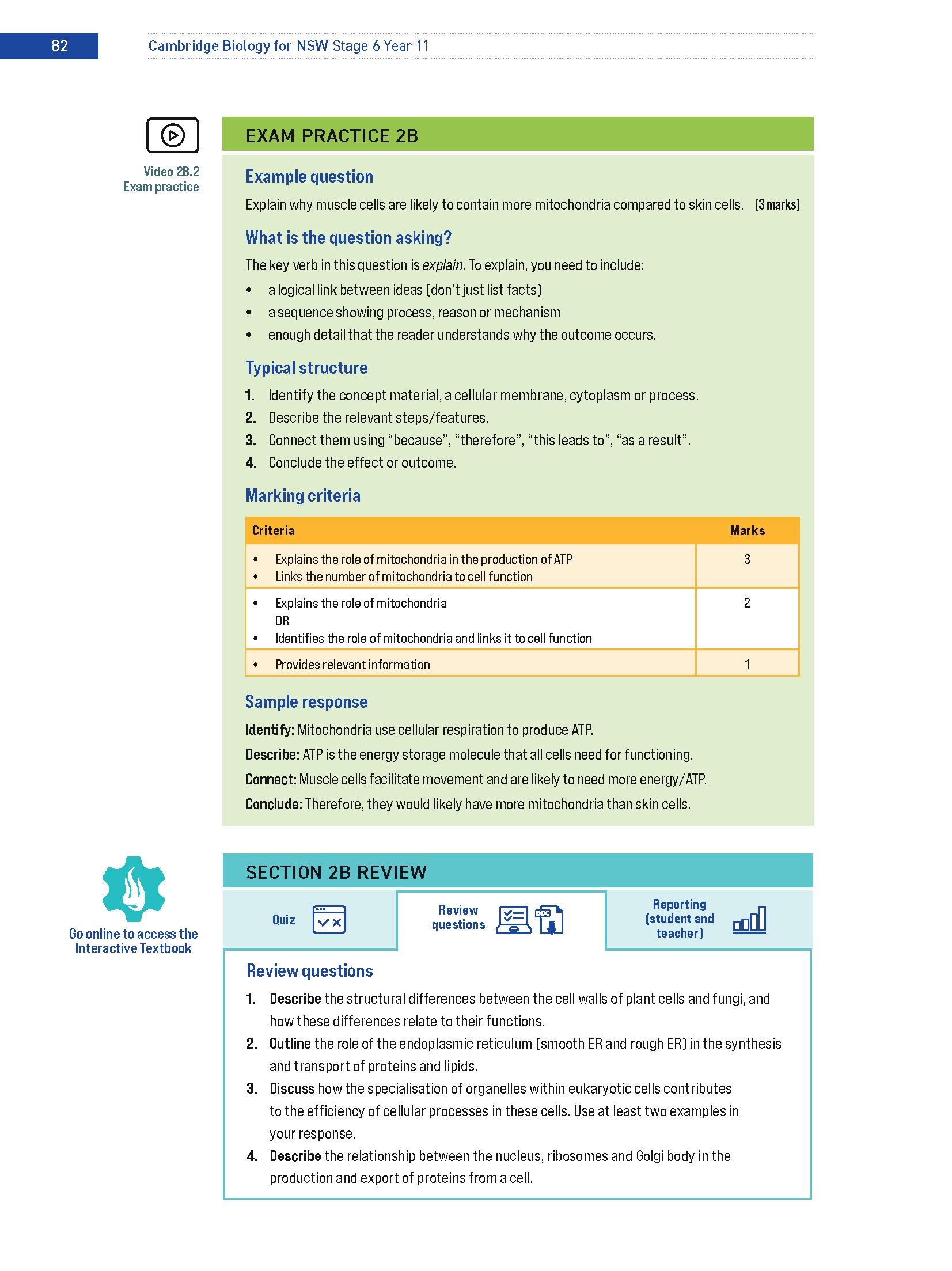
A video walkthrough for every exam practice box in the Interactive Textbook supports independent learning.
Exam practice boxes in each section include an exam-style question, a breakdown of what the question is asking, the typical structure of a response, marking criteria and a sample response to familiarise students with how to approach exam questions.
Tables summarise key information and are a great revision tool.
Online quizzes in each section are auto-marked for instant feedback.
Section review questions provide opportunities for revision at the end of every section and are also available online.
Section review questions can be completed online using Workspaces in the Interactive Textbook or downloaded for offline use.
Cognitive verbs are highlighted in question sets to familiarise students with these terms.
A success criteria checklist is linked to the syllabus dot points and the chapter review questions, allowing students to chart their progress as they answer questions correctly.
Exam-style questions in every chapter review provide targeted exam practice.
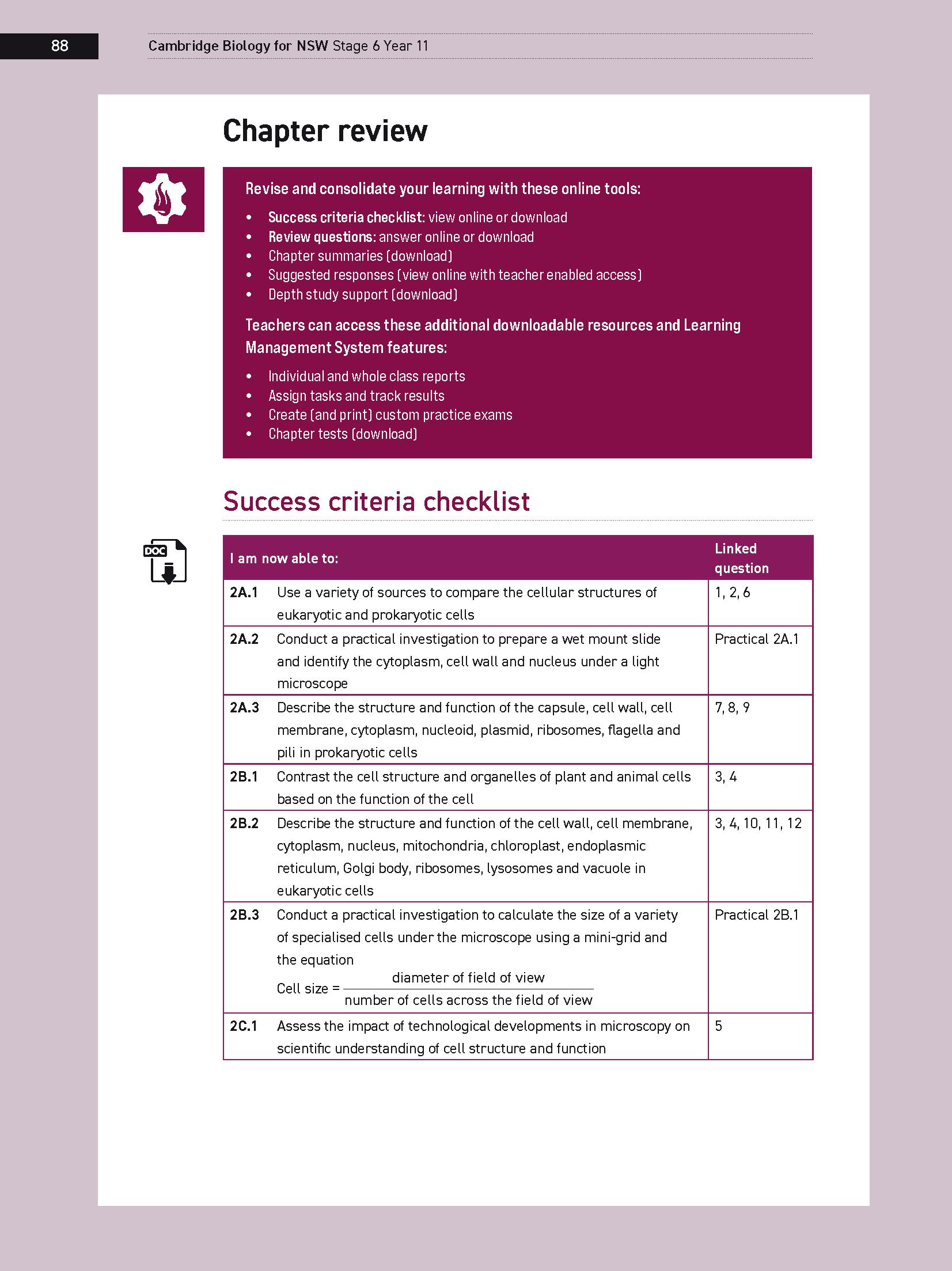
Multiple-choice review questions can be completed and automarked in the Interactive Textbook.
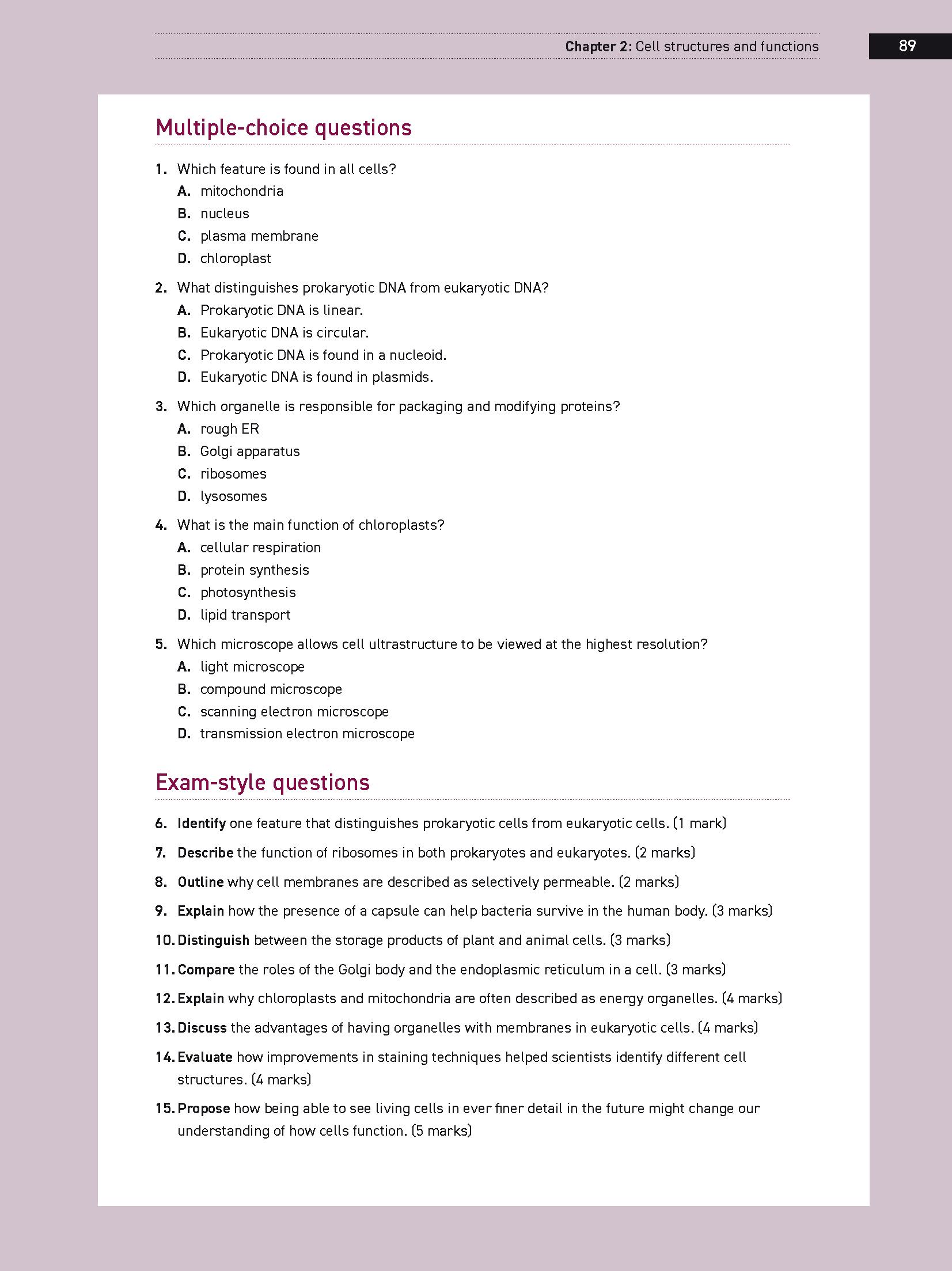
A dedicated Working scientifically chapter at the start of each book ensures new syllabus requirements are met across the series
All worksheets and practicals can be downloaded with one click as a complete workbook. They can also be accessed from each section as individual files to download as required.
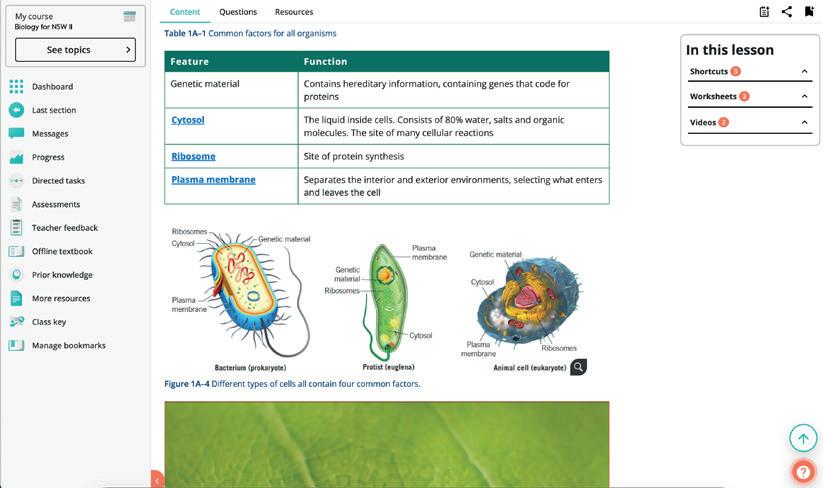
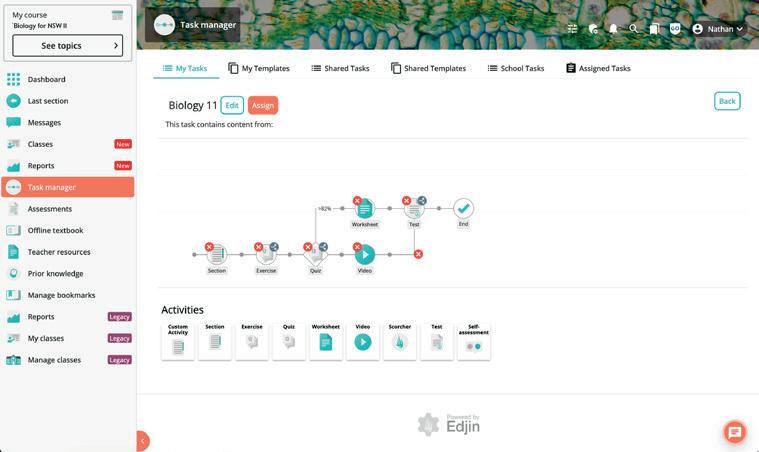
The online version of the student text delivers a host of interactive features to enhance the teaching and learning experience.

DIGITAL
. . . . . . Interactive features:
Digital workbook – At least 1 worksheet per section (approx. 2-5+ per chapter), that can be downloaded individually or as a whole workbook. Answers available to teachers only.
Prior knowledge – Students can access Stage 4 and 5 prior knowledge quizzes online. Depending on their score, they may be directed to previous years’ content for revision.
Videos – Concept videos summarise and clarify key concepts in the chapter, sometimes using animations. Exam practice videos walk through the exam practice boxes in the textbook.
Success criteria checklists at the end of each chapter with linked questions are available for download.
Workspaces allow students to enter their working directly into the Interactive Textbook for all exercise questions. Answers can be typed, drawn or uploaded on a computer or tablet device. LaTeX coding in addition to a menu of maths/science symbols is enabled.
Self-assessment tools allow students to check their answers (where teachers have enabled access), self-assess their working using a four-point scale and use a red flag to alert their teacher if they had trouble with a question.
Auto-marked quick quizzes give students immediate feedback on their progress.
Comprehensive worked solutions for all questions (including working for calculations) are provided in the Interactive Textbook as an option that teachers can choose to enable for their students.
Roll-over definitions are available for key terms along with a full glossary.
Access to the Offline Textbook , a downloadable version of the student text with notetaking and bookmarking enabled.