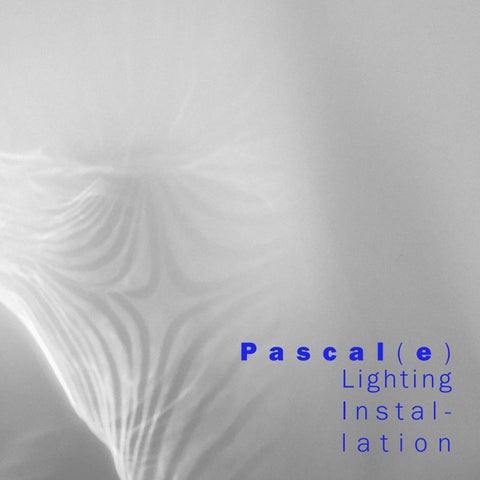
P a s c a l ( e ) Lighting Installation
Professor P a t r i c k H a r r o p ARCH 4306: Digital Fabrication Assignment 1: Lighting Installation
02 Andrei Raechel Josephine Tyler Braeden Courtney David
11
2020 Aranyi Hamilton Li MacDonald Martel McCracken Zhang
P
a
s
c
a
l
(
e
)
An audio-reactive character comes to life with each beat as Pacal(e) projects reflective reactions defining its own personality. A kinetic lighting installation composed of a microphone, arduino, servo motor affixed to space film, acrylic etching, and a light, all contained within an expressive case bringing a defined form to the caracature. Pascal(e)’s body projects kinetic silhouettes inspired by abstract vapour clouds. Derived from the imperative nature of water and its relationship to life, the light is suspended in a kinetic vapour cloud as it dances to the beat of the music.
1d26e8
table
of
contents
p r e c e d e n t s
6
s
14
f a b r i c a t i o n
32
i n s t a l l a t i o n
38
p
r
o
c
e
s
In his series “Victims”, “Object/Subject”, and “Monsters”, John Hejduk explores how physical and emotional attributes can be represented through various architectural objects. Each object within the series represents a way of portraying a design within a specific setting. By portraying the object as somewhat of a character with an emotional background, the focus becomes on the existing design, as well as the background history of the project. In our Dreamland installation, we decided to characterize our object to portray a form that represented more than the light that it casts.
ARCH
4306:
Digital
Fabrication
P r e c e d e n t s
John Hejduk
Assignement 1: Lighting Installation
Figure 1: John Hejduk “Object/Subject”
7
ARCH
4306:
Digital
Fabrication
P r e c e d e n t s
Pascal(e) takes the form of a Gramophone to elegantly capture the sound emitted by the musicians. By exaggerating the capture of the sound and showcasing the tectonics of the form of a Gramophone, we created a character that emits reflections due to movements that are a result of the captured sound. Hejduk inspired us to explore how the electronic components of the project could be expressed in a caricature. The box that would contain all of the necessary components could then become an expressed object itself; similar to how Hejduk uses human characteristects in the creation of expressive architecture meant to be both a storyteller and a story itself.
John
Hejduk
Assignement 1: Lighting Installation
Figure 2: John Hejduk “Monsters�
9
Olafur
ARCH
4306:
Digital
Fabrication
P r e c e d e n t s
Figure 3: Olafur Eliasson “Escaped Light Landscape”
Eliasson
Assignement 1: Lighting Installation
In Olafur Eliasson’s 2020 installation Escaped Light Landscape, he creates overlapping shapes and patterns with the use of multicoloured light in a black box gallery. When stepping into the space views are immersed in the artificial light experience. The movement created by the motions of the light allows viewers to cast their shadows into the spaces. Pascal(e) follows a similar notion, as it follows the motion of a rotating piece of reflective mylar that moves to the sounds within the space. Viewers are immersed in the light and shadows that are cast on the screen and thereby creates a more personalized experience.
11
Diane Landry’s Urban Dessert consists of a series of objects that are cast using artificial light onto the walls of a black box gallery. With Pascal(e), we utilized the acrylic sheet with the assistance of reflective mylar to create the illusion of the patterns etched into both surfaces.
ARCH
4306:
Digital
Fabrication
P r e c e d e n t s
Diane Landry
Assignement 1: Lighting Installation
Figure 4: Diane Landry “Urban Dessert�
13
ARCH
4306:
Digital
Fabrication
P
r
o
c
e
s
s
An audio-reactive character comes to life with each beat as Pacal(e) projects a reflective reaction defining its own personality. The installation began with an extensive experimentation with both software and physical reflective studies. Inspiration rose from the subtle reflections of water, which then sparked ideas of the various states of matter, especially vapour, which is loosely defined as a substance diffused or suspended in the air (Oxford definition). As this inspiration brewed in our minds, our physical experiments of thin acrylic sheets provided vapour-like reflections. As the sheet was manipulated, the reflections were soft curvilinear forms defined by the acrylic sheets hard edges.
1
Assignement 1: Lighting Installation
Figure 5: Etched acrylic experiment 1
15
r
o
c
e
s
s
2
ARCH
4306:
Digital
Fabrication
P
Figure 6: Etched acrylic experiment 2
Assignement 1: Lighting Installation
To further expand on this vapour-like effect, our team used the tools learned in the courses tutorials to create a magnetic field drawing in Rhino + Grasshopper which was then etched onto the thin acrylic sheet using the laser cutter. Our second test then generated a much more expressive reflection as the etchings increased the amount of hard edges, leaving many more vapour-like projections with much more defined shapes. When we manipulated the sheet, the result was multiple reflections of ever-changing vapour. The discovery of the kinetic vapour as a result of the acrylic sheets manipulation began our process of translating the hand-movements into a programmed operation through the arduino and the servo motor.
17
ARCH
4306:
Digital
Fabrication
P
r
o
c
e
s
s
Once our acrylic sheet was conceptualized and manifested, our focus shifted to how the light would interact with the acrylic sheet. We knew that we would have a servo creating movement in order to achieve the vapour-like projections, however, we weren’t yet sure of the process for directing the light through the acrylic etching. Once our position within the overall installation was decided, we then knew we would need to place the light on the exterior of the case, shining in, and being reflected from the space film, in order to achieve the dynamic projections we envisioned.
3
Assignement 1: Lighting Installation
Figure 7: Etched acrylic experiment 3
19
r
o
c
e
s
s
4
Figure 8: Diagram of Pascal(e)’s interaction.
ARCH
4306:
Digital
Fabrication
P
Figure 9: Sketches of Pascal(e)’s components.
Assignement 1: Lighting Installation
While playing with the arduino kit and the programming tutorials that we were supplied, the idea to utilize the included microphone to respond to the installations music captured our groups excitement. The microphone + programming would allow our project to have an added element of interaction with the overall composition of the music + light installation. The servo being attached to the super-reflective space film provided the dynism required to achieve the beat-respond to the music. The frequency of the projection reactions was imperative to program properly, as too many reactions to the subtleties of the music would impede on the clarity of the projects function. Pascal(e)’s components then became the following: microphone, arduino + programming, servo motor affixed to space film, acrylic etching, and a light.
21
ARCH
4306:
Digital
Fabrication
P
r
o
c
e
s
s
Once our installation had all of the components required to produce the projections we envisioned, our focus shifted to the design of the case which would contain all of these components. Hejduk’s architecture with human characteristics inspired us to take on the design of the case in a more expressive way, where a character could emerge from the components and casing. The microphone provided a unique opportunity for an expressive design. The microphone served as an input which could be expressed meanwhile the projection components housed in the case would be the expressed output.
5
The microphone would be e the use of reflective space fi form similar to that of a phon data-indicator lights of the m personality. The microphon neck) and affixed to the bo projectors output componen an arm, shining the light onto
Assignement 1: Lighting Installation
expressed with an increase in scale through film wrapped into a cone shape to express a nograph. The reflective space film reflects the microphone further expressing the Pascal(e)’s ne-cone is suspended by a wooden dowel (or ody (case) below which contains all of the nts. The light, which extends via a wire, acts as o itself as it performs reactively to the music.
Figure 10: Conception of Pascal(e)
23
ARCH
4306:
Digital
Fabrication
G
r
a
s
s
h
o
p
p
e
r
Through tutorials and an iterative process as a group, we came to the conclusion of using the fields command in Grasshopper. Experimenting with various spin forces, four point charges placed around the magnetic field, merging the fields, and creating a field line allowed us to iterate the etchings into the various materials we used to illuminate the screen. Through the design process of the etchings, we shifted the magnetic fields around the boundary space to further express the magnetic fields at the corners of the space with a spin force in the middle that joined the fields together. Decisions on whether to change the etching on either material was made based on the light produced through various experiments with mirroring and manipulating the pattern, before deciding on the pattern seen below.
Assignement 1: Lighting Installation
Figure 11: Using grasshopper to design etching pattern
25
ARCH
4306:
Digital
Fabrication
G r a s s h o p p e r
Assignement 1: Lighting Installation
Figure 12: grasshopper definitions used for Pascal(e)’s acrylic sheet
27
ARCH
4306:
Digital
Fabrication
G r a s s h o p p e r
Assignement 1: Lighting Installation
Figure 13: pattern drawing created using grasshopper + rhino + illustrator
29
C
o
d
e
//This code is for the operation of Pascal, the Sound Reactive Light Installation. #include <Servo.h> //including the Servo Library Servo servo1; //Creating a servo called “servo1” //Pin Designations and Variables:
int minsound = 1024; //Creating a variable called “minsound” to store the calibrated minimum of the input int maxsound = 0; //Creating a variable called “maxsound” to store the calibrated maximum of the input int sens = 50; //Creating a variable called “sens” to control how sensitive the servo reacts to the microphone; higher = less sensitive int prev = 0; //Creating a variable called “prev” to store the previous output of the servo, this is used to
void setup() { pinMode(aSoundPin, INPUT); //Sets the pinMode of the Sound Sensor to be an input signal servo1.attach(9); //Attaches “servo1” to the digital pin number 9 for data signals Serial.begin(9600); //Creates a Serial output on 9600 servo1.write(90); //Sets “servo1” to the middle angle delay(1000); //delays for 1 second after setup
ARCH
Digital
reduce the sporadic movement of the servo
4306:
Fabrication
int aSoundPin = A0; //ANALOG PIN 0 - The Sound Sensor’s analog input int val = 0; //Creating a variable called “val” for reading the analog input from microphone int servoSens; //Creating a variable called “servoSens” for mapping “val” to the limits of a servo
} void loop() { val =analogRead(aSoundPin); //the value of “val” is set to be the value read from the microphone input //This if statement calibrates and controls the minimum sound signal received if(val <= minsound){ //if the value of the microphone reading is ever less than the “minsound” minsound = val-sens;
//the read value becomes the new “minsound”
Assignement 1: Lighting Installation
//This if statement calibrates and controls the maximum sound signal received if(val >= maxsound){ //if the value of the microphone reading is ever more than the “maxsound” maxsound = val+sens; //the read value becomes the new “maxsound” } //This if statement resets the the “minsound” and “maxsound” if they exceed the threshold if(maxsound >= 768 || minsound <= 256){ minsound = 1024; maxsound = 0; } //Mapping the input from the sound sensor which ranges from 0 to 1024, down to the servo’s limit of 0 to 180 servoSens = map(val, minsound, maxsound, 35, 120); //”servoSens” is the relative angle of the servo, //”val” is the input variable from the sound sensor //”minsound” and “maxsound” become the lower and upper limits which gets mapped to the lower and upper limits of the servo angle //reduces sporadic movement by not moving if there are no changes in the new angle if( (servoSens < 89 || servoSens > 91) && prev != servoSens){ //this statement reads as “if either the servoSens is less than 89 or greater than 91, AND at the same time not the same as the previous value” execute the if statement) delay(15); //wait 15 milliseconds servo1.write(servoSens); //write the mapped servo angle to “servo1”; a louder sound signal would make the servo go up to a larger angle, and quieter sound would drop the servo down to a lower angle prev = servoSens; //this changes the stored value of “prev” to the new executed value //} delay(100); //delay 100 millisecond before looping the code again }}
31
ARCH
4306:
Digital
Fabrication
F a b r i c a t i o n
Figure 14: experimenting with the microphone, music, and the servo
Assignement 1: Lighting Installation
After filtering through several experiments with various materials and etching techniques we arrived at the final list of components: etched space film mounted on an obtuse frame, etched acrylic, a single servo motor and the microphone. In order to house these components and also create this Pascal (e) character we decided to create a box that would hold the necessary elements as well as hide the movement from view and allow the light and reflection to create the effect. The box is a simple box joint cube with the bottom of the open face pulled out to allow the reflection out of the box at various angles. The top of the box is removable to allow for any adjustments or maintenance to Pascal(e)’s interior components. Originally, the box was supposed to sit on wooden legs in order to add to the idea of the character but also create more flexibility during his (her) performance. We decided that this route added another layer of complexity that did not necessarily add much to the performance relative to the concerns with stability and safety.
33
ARCH
4306:
Digital
Fabrication
F a b r i c a t i o n
Figure 15: building the body + installing the servo, reflective film, acrylic etching
Assignement 1: Lighting Installation
Figure 16: the acrylic etching is mounted before the reflective film
35
ARCH
4306:
Digital
Fabrication
F a b r i c a t i o n
Encased within Pascal(e) are two sheets of laser etched material. One sheet of thin acrylic sits static at the front of the laser cut box, where, in contrast the reflective mylar is attached to an angular connection to the servo for the piece to rotate. The sound sensor sits inside another piece of reflective mylar to capture the sound and celebrate the lights that are emitted by the sound sensor. The connection between the sound sensor and the arduino is fed through the neck of Pascal(e) to hide the wires for the character’s appearance. The servo sits against the left side of Pascal(e) and rotates the connection points for the reflective mylar behind the acrylic. Pascal(e) is painted black in order to absorb any excess light inside the box.
Assignement 1: Lighting Installation
Figure 17: Pascal(e) and it’s projections
37
ARCH
4306:
Digital
Fabrication
I n s t a l l a t i o n
In terms of Pascal(e)’s placement within the room, we struggled with adapting it to a setting that was hanging as opposed to standing independently. We decided to hang Pascal(e) which created a minimal interruption of the circulation of the rest of the space. The miscommunication with other installation artists and their light emitting devices became troublesome as Pascal(e) reflections were overpowered and did not result in the same projections that were studied throughout the process. Although we endured the trials and tribulations of being light artists, the overall experience of creating an installation that was the result of another artists sound contributions was a positive experience and allowed us to explore how to further push the collaboration between artists and the use of digital art.
Assignement 1: Lighting Installation
Figure 18: Pascal(e) performing alongside digital artists at Nuit Blanche 2020
39
F
i
g
u
r
1.
Fabrication
4.
s
John
2. 3.
e
Hejduk’s
John Olafur
Hejduk’s
Eliasson
Diane
“Object/Subject”
“Escaped
Landry
“Monsters” Light
Landscape”
“Urban
Dessert”
5. Photo of etched Acrylic Experiment 1 by author.
ARCH
4306:
Digital
6. Photo of etched Acrylic Experiment 2 by author. 7. Photo of etched Acrylic Experiment 3 by author. 8.
Diagram
of
Pascal(e)’s
interactions
by
author.
9.
Sketches
of
Pascal(e)’s
components
by
author.
Assignement 1: Lighting Installation
10. Sketch of the Conception of Pascal(e) by author. 11. Photo of group designing the etching pattern by author. 12. Grasshopper defiinitions used for Pascal(e)’s acrylic sheet. 13. Pattern drawing made using Grasshopper by author. 14.
Photo
of
microphone
15. Photo of building
experiments
by
author.
process the body by author.
16. Photo of the acrylic etching mounted by author. 17. Photo of Pascal(e) and it’s projections by author. 18. Photo of Pascal(e) performing at Nuit Blanche by author.
41
W
o
r
k
s
Oxford
C
i
t
definition
e
for
d
Vapour
ARCH
4306:
Digital
Fabrication
“Vapor: Definition of Vapor by Lexico.” Lexico Dictionaries | English. Lexico Dictionaries. Accessed February 10, 2020. https:// w w w. l e x i c o . c o m / e n / d e f i n i t i o n / v a p o r. Escaped
Light
Landscape
-
Olafur
Elisson
“Escaped Light Landscape .” Studio Olafur Eliasson, 2020. https://olafureliasson.net/archive/artwork/ WEK110924/escaped-light-landscape#slideshow. Urban
Desserts
-
DIane
Landry
“Urban Dessert.” Diane Landry, artist (e). Accessed February 5, 2020. http://dianelandry. c o m / i n s t a l l a t i o n s - e n / u r b a n - d e s s e r t - 2 /.
Assignement 1: Lighting Installation
Hejduk’s Monsters Arch2O.com. “New Exhibition Documents Seven Built Projects Designed by Architect John Hejduk.” Arch2O.com. Arch2O, April 4, 2019. https://www.arch2o.com/newexhibition-documents-seven-built-projectsdesigned-architect-john-hejduk/?fbclid=Iw AR0M8YWNUt1GHQMj-5nZPPn6jX9wtLCF_ rUiDB5bL5xukML7csAmGW7tsdU. Hejduk’s Subject/Object Rarasea, Simi. “02A Drawing and Notation - A Cataglogue of Monsters: Victims John Hejduk.” Medium. Medium, April 22, 2018. https://medium.com/@ ratusimione.rarasea/02a-drawing-andnotation-a-cataglogue -of-monsters v i c t i m s - j o h n - h ej d u k- 2 6 1 0 0 2 b 9 d 1 4 6 .
43
P a s c a l ( e ) ARCH 4306 20 20