04 07 10 12 15 how it works setup your pickup counter location save your new location
how to pick up your order frequently asked questions
introduction
A New Way to Receive Amazon Packages in Big Canoe
Dear Property Owners,
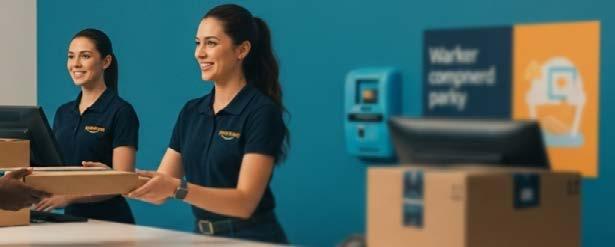
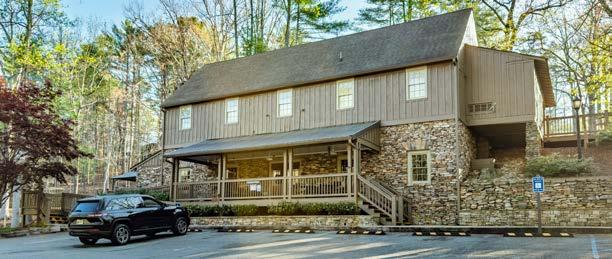
Big Canoe has partnered with Amazon to introduce a new delivery option for residents: The Amazon Pickup Counter – Big Canoe Package Porch.
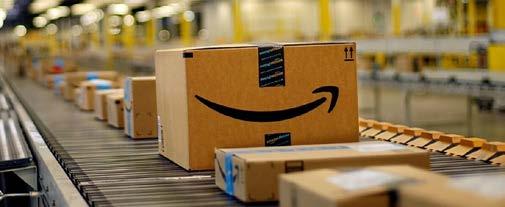
This new pickup location service is designed to improve the speed and reliability of Amazon deliveries within our community. No more lost Amazon drivers, packages delivered to the wrong location, or uncertainty about where your delivery may have ended up. Now packages are delivered to a secure location right here in Big Canoe, staffed by the Package Porch team you already know and trust.
In the pages that follow, you will find a clear, step-by-step guide showing exactly how to select the Amazon Counter - Big Canoe Package Porch as your pickup location, along with answers to common questions and helpful tips to make the process as easy as possible.
Because this is a new service, there may be a learning curve as we get started. We appreciate your patience as Amazon continues to refine and improve the experience for our community.
We believe this will become a valuable and convenient service for you. And while we don’t provide customer service for Amazon ordering, delivery, or returns, we will be answering any POA questions, feedback or concerns you may have after reading this guide, through Ask the POA.
Warm regards,
Scott Auer General Manager
how it works
01
order on amazon
Shop Amazon as you always have -- no changes to how you browse or add items to your cart. When you’re ready to check out, proceed to the delivery address step.
02
set up your pick up location
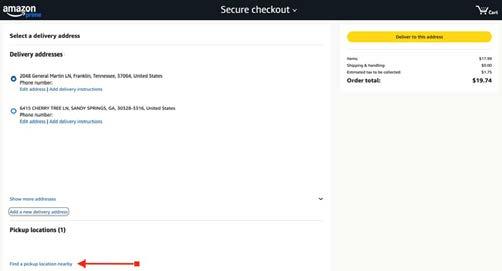
Before placing your order, select “Find a pickup location nearby” and search for “Big Canoe.” Choose “Amazon CounterBig Canoe Package Porch,” confirm your access, and save it as your delivery address. It will stay saved in the address options of your account for future orders.
03
pick up at package porch
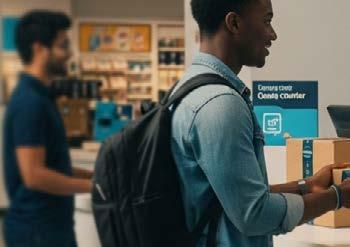
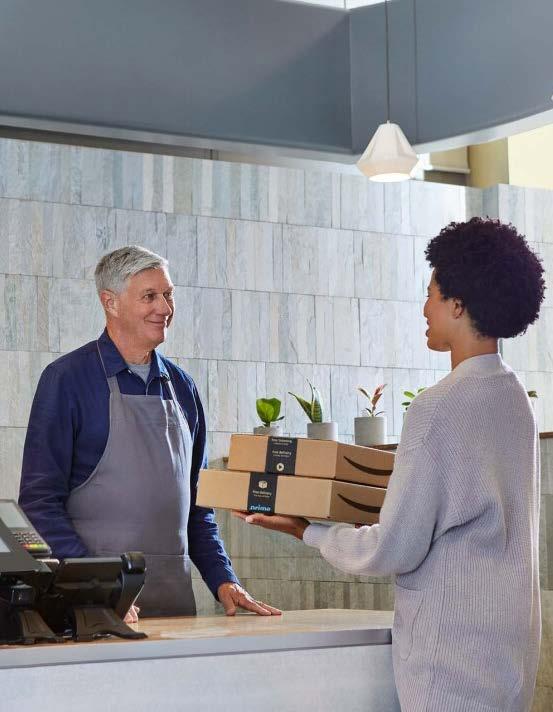
Amazon will email you a pickup barcode when your package arrives. Bring that code to the Package Porch during staffed hours and the team will have your package ready.
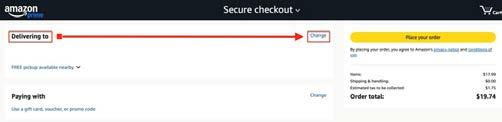
02 set up your pickup location
Select change in the “delivering to” section.
02
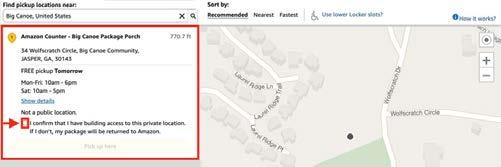
01 Click “find a pickup location nearby”.
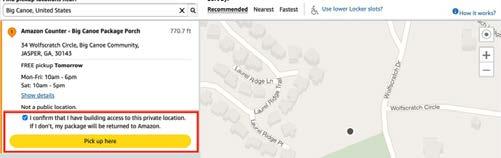
The big canoe package porch pulls up - click to confirm you have access to the package porch.
04 05 Type “big canoe” in the popup window.
Once you confirm click “pick up here”.
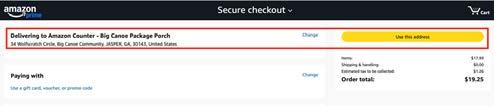
Confirm on the next screen by clicking “use this address”.
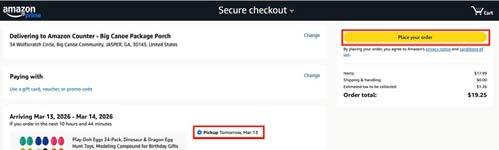
07 06 Click “place your order” - your package will typically arrive the next day.
save your new location
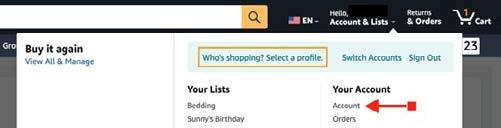
Choose account after your first order is placed using the new pickup location.
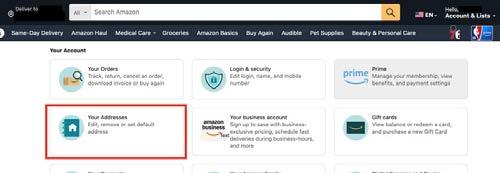
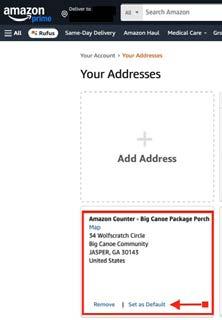
From your account options page > choose your addresses.
All your delivery addresses appear here.
From here, you can set the Amazon Counter - Big Canoe Package Porch as your default address, and going forward, all your deliveries will be sent here if they qualify for Amazon Counter delivery, without having to go through the “choose a pickup location” option.
pickup counter
how to pick up your order
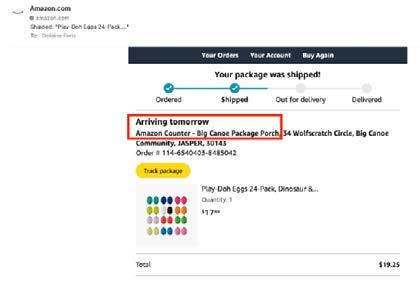
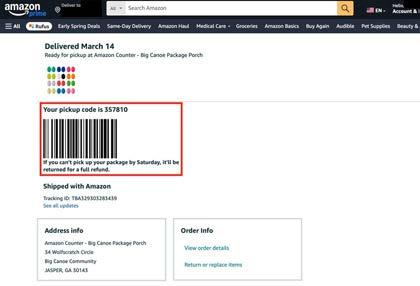
Receive confirmation email.
After you place your order, you will receive an email from Amazon with the delivery status.
Use the track package option.
Use the track package option in the email to follow the delivery status. Once it has been delivered to the package porch, you will receive your pickup code.
NOTE: YOU MUST BRING IN THIS CODE TO PICK UP YOUR PACKAGE. ONE CODE WILL BE GIVEN FOR EACH PACKAGE.
pickup counter
using the amazon pickup counter
q: Why can’t Amazon deliver packages directly to my home?
a: Due to the nature of Big Canoe’s mountainous roads, Amazon delivery drivers often experience difficulty accessing homes efficiently. To improve delivery reliability, Amazon now delivers eligible packages to the Amazon Pickup Counter – Big Canoe Package Porch, a staffed, centrally located facility within the community.
q: Are all Amazon orders eligible for delivery to the Counter?
a: Some items are not eligible for Amazon Pickup Counter delivery. This includes large or oversized items, very heavy items, hazardous materials, perishable items, items requiring ID at purchase (such as tobacco or alcohol), items requiring scheduled delivery, and items sold and shipped directly by thirdparty sellers. If an item is not eligible, the Package Porch will not appear as a delivery option, or you may be prompted at checkout to select a different address.
q: What if I don’t see the Package Porch as an option at checkout?
a: If you receive an error message at checkout, the item in your order is likely not eligible for Counter delivery -- this can include hazardous materials or certain third-party items. Simply select another address from the dropdown, such as your home address, to complete your order.
frequently asked questions
q: Do I need to be an Amazon Prime member to use this service?
a: You do not need to be an Amazon Prime member. Any Property Owner can select the Amazon Pickup Counter – Big Canoe Package Porch during Amazon checkout for eligible items.
q: How long will Amazon take to deliver my package?
a: Delivery time is determined by Amazon. For eligible items in Big Canoe, selecting the Package Porch is often the fastest and most reliable delivery option.
You do not need to be an Amazon Prime member.
pickup counter
pickup & notifications
q: What are the hours for the Amazon Counter - Big Canoe Package Porch?
q: What happens if I don’t pick up my package right away?
a: Amazon allows packages to be held for up to 7 days. If not picked up, they will be returned to Amazon. Refunds or credits are handled according to Amazon’s policies.
q: What do I need to pick up my package?
a: Amazon will send you a pickup barcode with a six-digit code. Please bring this code, either printed or on your mobile device, so the staff can retrieve your package.
q: Can someone else pick up my package for me?
a: Yes. They must bring the pickup barcode that Amazon sent.
q: Why do I sometimes receive an email from Amazon and other times from the POA?
a: If you selected the Amazon Counter at checkout, your notification will come from Amazon. If your package was delivered by USPS or another carrier, you may receive a notification from the POA instead. In either case, bring the barcode email with you and the Package Porch staff will retrieve your package.
other deliveries & returns
q: Can I send non-Amazon packages to the Package Porch?
a: No. Residents should not use the Package Porch as a delivery address for non-Amazon packages. USPS and UPS may deliver to the Package Porch as part of normal operations, but FedEx delivers to homes.
q: What if I accidentally ship an Amazon package to my home address?
a: If shipped to your home address, it will be delivered by USPS to the Package Porch rather than via the Amazon Pickup Counter process, and it will typically take longer.
You will receive a pick-up notification from the POA instead of Amazon.
q: How do I return an Amazon package?
a: Returns are handled directly through your Amazon account. Amazon return processing is not currently available at the Package Porch, though we hope to offer this option in the future.
Once delivered, the package is securely held until pickup.
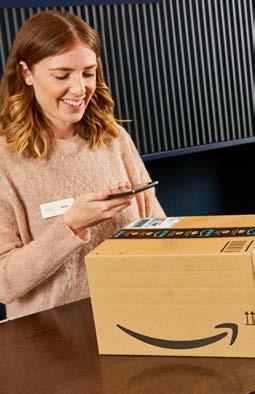
Just bring the pickup barcode
Amazon sent — printed or on your mobile device.
about the amazon counter service
q: Does Amazon pay the POA for this service?
a: Yes. The POA receives a small fee per package delivered to the Amazon Counter.
q: Are there Amazon employees working at the Package Porch?
a: No. The facility is staffed by Big Canoe personnel.
q: Who is responsible for my package?
a: Amazon is responsible for delivery to the Package Porch. Once delivered, the package is securely held until pickup.
q: Does the Big Canoe POA provide Amazon Customer Service?
a: No. Please contact Amazon for all customer support questions regarding your orders.