Chris Canniff, Principal 978-587-8301 CJC@Fenwick.org
Marybeth Mahoney, Dean of Academics 978-587-8355 MBM@Fenwick.org
John Flynn, Director of School and College Counseling 978-587-8310 JJF@Fenwick.org
Admission Process and Enrollment
Steve Driscoll, Director of Admission
978-587-8361 SD@Fenwick.org
Joan Rich, Admission Administrative Assistant 978-587-8360 JMR@Fenwick.org
Tuition and Financial Aid
Jason Ek, Director of Business Operations
978-587-8321 JEK@Fenwick.org
Kelly McLaughlin, Assistant Business Manager 978-587-8324 KLM@Fenwick.org
Athletic Program
Scott Connolly, Director of Athletics 978-587-8341 SC@Fenwick.org
Technology
Chris Russell, Director of Technology
978-587-8339 CMR@Fenwick.org
Health Services
Alicia Borgonzi, RN, Director of Health Services 978-587-8307 AB@Fenwick org
COMMUNICATION & INFORMATION AT FENWICK
We know how important it is to stay current on events and activities throughout the school year Fenwick works to provide a variety of information streams to help keep students and parents informed throughout the year.
The MyFenwick school portal is the primary place to find all of the information you need, and to keep your information up-to-date MyFenwick is used for classes, schedules, report cards, course registration, calendars, and information through Resource Boards
Resource Boards on MyFenwick contain all the information that we offer from calendars to course selection, from health forms to prom ticket order forms. Resource Boards are arranged by specific topic. In addition, each grade has their own resource board that contains information pertaining specifically to that grade Each member of the household has their own MyFenwick account so each parent or guardian can include the contact information that works best for them Your MyFenwick Account is yours and you are able to check or update independently
The School Website - www fenwick org
Email: The majority of outgoing information will come to you via email. The email we use is the one you have in your MyFenwick account so make sure you keep it up to date!
Mail: Some things just need to to be live! The mailing address that we use is the one in your MyFenwick account so make sure you keep it up to date!
Calendars: You can find dynamic Fenwick calendars on Fenwick.org. As with all calendars, specific events and details are subject to change
OneCall Now: This voice message system is used for extremely time sensitive announcements. The number we use to call is the one you have in your MyFenwick account so make sure you keep it up to date!
Daily Announcements: Live in-house announcements are made during homeroom, during Fenwick Connect, and at the end of each school day.
Social Media: You can find us on Instagram, LinkedIn, Facebook, Vimeo, and Flicker Live-streamed events can be found on Fenwick’s YouTube Channels-- make sure to like and follow!
Hallways and Homeroom: Student notices announcing student activities such as events, clubs, elections and tryouts can be found throughout the school.
... and always feel free to call or email! The school phone number is 978-587-8300. Individual administrative office numbers can all be found in the Student Handbook, and the Faculty Directory can be found on Fenwick org!
MyFenwick
The MyFenwick school portal is the primary place to find all of the information you need and to keep your information up-to-date. MyFenwick is used for classes, schedules, report cards, course registration, calendars, and information through Resource Boards. Resource Boards on MyFenwick contain all the information that we offer from calendars to course selection, from health forms to prom ticket order forms. Resource Boards are arranged by specific topic. In addition, each grade has their own resource board that contains information pertaining specifically to that grade.
Parents -- you are already able to access MyFenwick using the login information that you created when applying to Fenwick. To access, please visit: https://fenwick.myschoolapp.com/app#login and follow the prompts. Each member of your household will eventually have their own MyFenwick account, so each parent or guardian can include the contact information that works best for them. Your MyFenwick account is yours, and you are able to check or update independently.
Students -- you will get your MyFenwick login information and training during All Aboard if you are participating, or at freshman orientation!
If you have any questions about MyFenwick, please feel free to contact Mr. Russell at CMR@Fenwick.org.
FENWICK SCHOOL UNIFORM
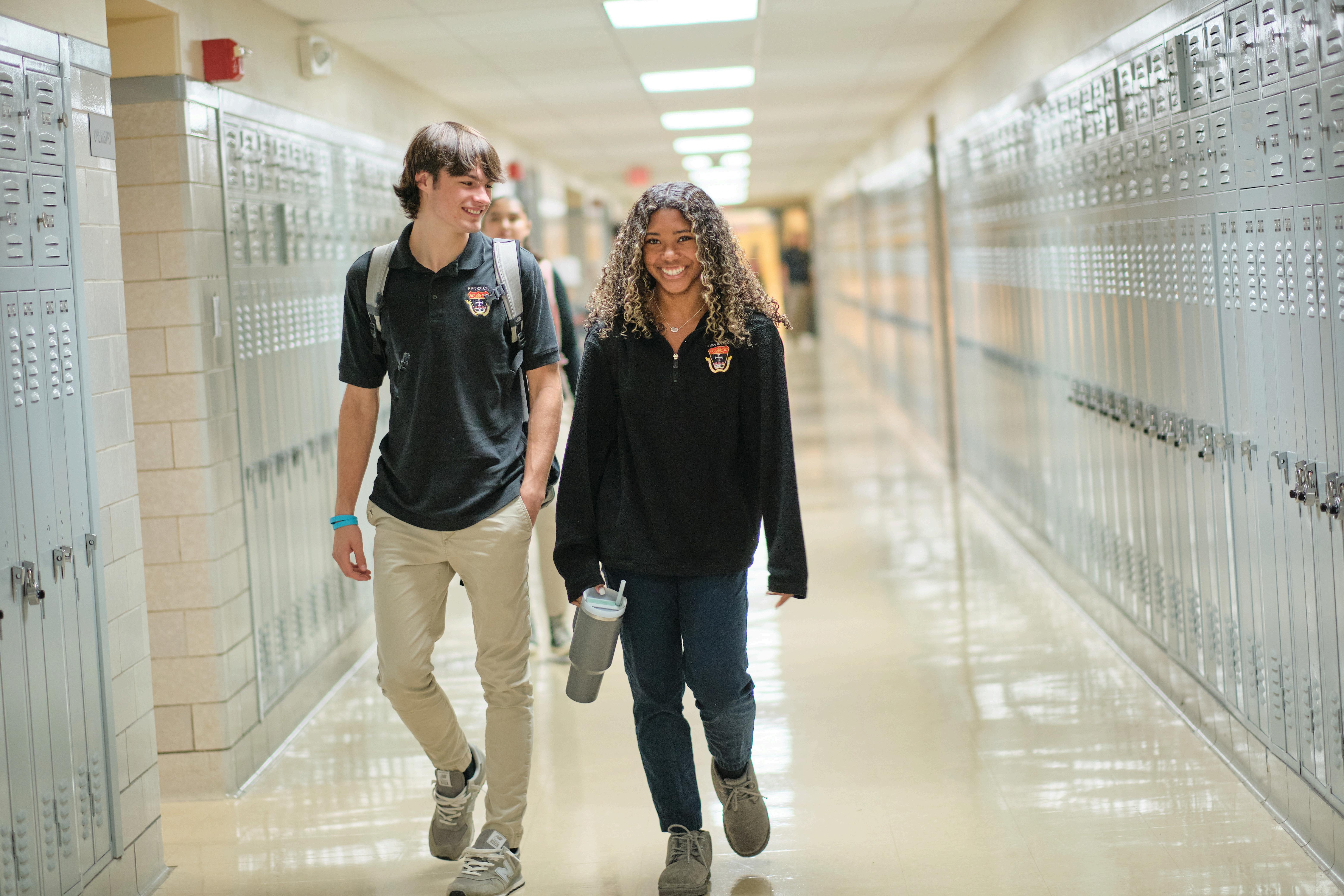
Pants: Traditional Chino-style pants in khaki or navy blue may be purchased from Tommy Hilfiger. If purchased elsewhere, please make sure the pants are appropriately fitting and consistent with the traditional cut of Chino-style pants. Khaki jeans are not acceptable. Jogger-style pants (khaki or navy blue) with an elastic ankle may only be worn as long as the fit of the pant is not baggy.
Shirt: The Fenwick Polo Shirt (available in cotton blend or dri-fit) in black, white, or grey must have the traditional school crest on the front left side. These shirts must be purchased through Tommy Hilfiger. Only black, white, or grey t-shirts may be worn under Fenwick Polos.
Outerwear: Uniform outerwear (1/2 zip pullover available in fleece or performance) in black or grey must have the traditional school crest on the front left side. These pullovers must be purchased through Tommy Hilfiger.
Shoes: Closed toe shoes or sneakers must be worn. Slippers, moccasins, or Crocs are not acceptable.
WARM WEATHER
From the start of the school year through the first week of October, and from the return from April vacation to the end of the school year, khaki shorts and uniform skorts may be worn. Bermuda-style khaki shorts of appropriate length are acceptable for boys and girls Again, the fit and cut must be appropriate; knee-length is expected Khaki skorts of proper length are acceptable for girls and must be purchased from Tommy Hilfiger.
LAPTOP REQUIREMENTS
Fenwick aspires to help prepare students to be effective participants in a global society. Fenwick’s One-to-One Program has been designed to take advantage of the wide array of digital resources available both on the Internet and via professional applications.
In September, all students must bring a Windows 11 tablet/laptop or an Apple MacBook laptop to campus to be used in and outside of the classroom. Below are the minimum specifications required for any student-owned device.
Windows
Operatingsystem-Windows11
Memory-Minimum6GBofRAM(8GBormoreispreferable)
Harddisk-Minimum250GB
Processor-MinimumCorei5Processororbetter
AnactiveAntivirussubscription WIFICapability
6+hourbatterylife
Keyboard
Mac
MacBook,MacBookAirorMacBookPro
Operatingsystem-MacOS14Sonomaorlater
Memory-Minimum6GBofRAM(8GBormoreis preferable)
HardDisk–Minimumofa128GBSSDdrive
Processor-MinimumCorei5Processor
AnactiveAntivirussubscription WIFICapability
6+hourbatterylife
ALL ALL ALL AABOARD BOARDABOARD 2030 2030
Freshmen Focus on Achievement August 3-7 8:00am – 1:00pm
$375 per student
For the 21st year, All Aboard will set the stage for a successful entry to high school and a smooth transition to Fenwick. In small group settings, the newest members of our Fenwick Family will continue to develop the intellectual, social, and emotional skills needed to begin this next phase of their educational and personal journey. Students will leave the program feeling more connected to their Fenwick classmates, faculty, and new school. Freshmen who attend the week of All Aboard will have a binder organized for the first day of school, as well as their laptop programmed with what they need as a freshman.
In a supportive, stress-free environment, students will:
CConnect onnect Connect with fellow classmates in a variety of social and academic settings
EEngage ngage Engage
MMeet eet Meet student conductors who serve as mentors and leaders for the program
LLog-in og-in Log-in
for an overview of technology at Fenwick, understanding how it is used to promote learning, to track progress, to communicate with teachers, and to stay informed about all that is happening at school -- you will receive your personal log-in information at All Aboard.
EExplore xplore Explore our 50+ acre campus, academic support center, and the athletic and fine arts wings of the complex
LLearn earn Learn the study skills and organizational strategies that will help you excel in our curriculum.
DDiscover iscover Discover the many support systems at Fenwick, including School and College Counseling
DDelve elve Delve into the experimental and laboratory components of the science classroom.
DDevelop evelop Develop a sense of community, empathy, and responsibility by participating in Project Adventure with Fenwick faculty members through classroom and outdoor activities.
EExperience xperience Experience all facets of life at Fenwick -- athletics, the arts, community service, academic support, and more
EEnjoy njoy Enjoy becoming part of both the Class of 2030 and the Fenwick community
For the third year in a row, we are pleased to have Project Adventure join us for All Aboard Project Adventure helps provide students with the social tools and emotional skills they need to become a unified and cohesive class, demonstrating openness and kindness to all, with a willingness to support and respect one another, all while having fun together!
To register, visit the Class of 2030 Welcome page at: https://fenwick.org/admission/class-of-2030-accepted-student-information/ .
For more information, contact Ms. McLaughlin in the School and College Counseling Office at 978-587-8316 or MLM @Fenwick org
If you have questions regarding winter or spring sports, contact information for individual coaches can be found on the Fenwick website (https://fenwick org/athletics/team-pages/) Coach’s information and email is listed at the bottom of each team’s page
If you have general questions, please feel free to reach out to the Athletic Office directly!
Arbiter Registrations and Health Forms
Each year, every Fenwick student must complete the required health and information forms through Arbiter Sports. This requirement applies to all students in grades 9–12, regardless of whether they participate in athletics
Many families may remember this system as FamilyID The platform has been renamed Arbiter Sports, and while it still includes athletic registration, it is no longer limited to sports
All students must complete the Arbiter registration process each year.
Athletes will continue to complete additional athletic requirements within the same system
What You Need to Complete
Every student must:
✓ Complete all required student and parent information forms in Arbiter
✓ Submit all required health information
✓ Have a current physical examination on file that meets Massachusetts requirements
✓ Update emergency contact information and medical information as needed
If you are playing a sport, complete the athletics portion of the registration form
Deadline: July 24
All required forms and documentation must be submitted no later than: Friday, July 24
Completing these forms before the deadline helps ensure that students are prepared to begin the school year and allows the school to maintain accurate health and emergency information
Consequences for Incomplete Registration
Students who do not complete the required Arbiter registration by July 24 may:
Be unable to participate in the Freshman All Aboard program
Be ineligible to participate in athletics, practices, or team activities
Experience delays in participating in other school activities that require completed health documentation
Receive detention until requirements are completed
Important Reminder
If you previously completed forms in FamilyID, you will log in to the Arbiter system with your previous credentials (do not create a new account) and complete the required annual registration.
Access the Registration Portal
Complete your required forms here: https://students arbitersports com/organizations/17816/programs/family-student-informationfor-the-2026-2027-school-year/edit
Questions regarding health forms or physicals may be directed to the Health Office, while questions regarding athletic participation may be directed to the Athletic Department.
All Aboard
Start of all Fall Sports
Parent School-Year Kickoff Meeting
Freshman Orientation
Offices Closed Labor Day -- Closed
Upper Class Orientation
Freshman Experience Day
First Day of Classes
Parent Back-To-School Night
Columbus Day -- Closed
Testing Day/College Visit Day/Freshman Retreat
Veterans Day -- Closed
Thanksgiving Break -- Closed Start of Winter Athletic Season
Parent/Guardian & Teacher/Counselor
Conferences -- No Classes
Break -- No Classes
Class of 2031 Applications
Christmas Break -- No Classes Classes Resume
Martin Luther King Jr. Day -- Closed Mid-Term Exams
Professional Day -- No Classes
Catholic Schools Week
February Vacation -- No Classes
Faith in Fenwick Auction
Start of Spring Athletic Season
Professional Day -- No Classes Good Friday -- Closed Easter Monday -- Closed
April Vacation -- No Classes Last Day of Senior Classes
Senior Final Exams
Baccalaureate Mass/Senior Awards Commencement
School Closed Memorial Day -- Closed
Last Day of Classes Final Exams Faculty/Staff Professional Days