
GET READY FOR COLLEGE
Enrolment Essentials
Welcome to Burnley College
We know that receiving your GCSE results and preparing to start college can bring a mix of emotions – from excitement to nerves, and everything in between.
This guide has been designed to help you feel prepared for enrolment day and your first few weeks at Burnley College. Inside, you’ll find useful information about enrolment, financial support, travel, and the opportunities available to help you settle in and make a great start to college life.

Enrolment Process Explained
Before Enrolment Day
Go through this enrolment booklet
There is a lot of important and exciting information about starting life as a Burnley College student or Themis apprentice.
You should have also received your allocated date and time for enrolment. It’s important you read through everything and complete any forms required for your chosen course.
We’re here to help
Get in touch if you have any questions, we can help.
If you can’t attend your appointment, have changed your mind about your course choice, or simply want to talk through your options, just get in touch on the details below.
Email: enrolment@burnley.ac.uk
Phone: 01282 733373

On Enrolment Day
Step 1 - Get your results
You will need your GCSE results from your school before you can attend your appointment. Once you have these, you are ready to take your next steps. If your results aren’t what you expect, don’t worry. Our supportive team will be here to provide advice and guidance when you arrive.
Step 2 - Enrolment time
Please only come to college at your allocated time. It’s a very busy day on campus so keeping to your appointment time is essential.
Step 3 - Enrol at College!
When you arrive at college you will be welcomed by members of our team and guided to the right area. If you have any questions on the day, we have a team of friendly staff available to talk you through your options and identify what your next steps could be. Don’t worry, whatever your questions, we will help find the right answers for you.
Step 4 - Picture time
Once you have confirmed your course options, we will take a few more details and then take your picture for your Burnley College or Themis ID badge. You will also receive important information about your first day.
Step 5 - It’s official
You’re a Burnley College student! We look forward to seeing you on your first day.
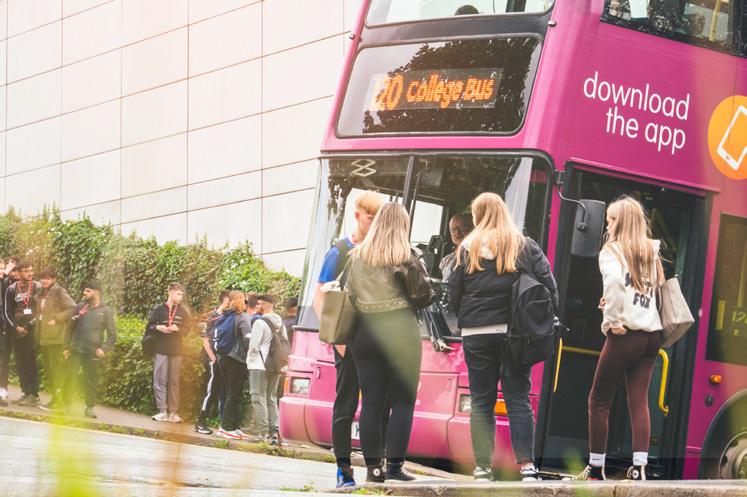
FREE Buses to College
There are four FREE buses to Burnley College which run one return service a day. No bus pass is required - simply show your valid Student ID to use these services.
Ribble Valley (121)
• Brownhill Roundabout 7:50am
• Langho Rail Station 7:59am
• Whalley Bus Station 8:08am
• Sabden Four Lane Ends 8:17am
• Arrives Burnley College 8:40am
Departs Burnley College 4:15pm
Blackburn & Darwen (122)
• St Bede’s Green Lane 7:30am
• Livesey Branch Road
• Bolton Road
• Darwen Vale School 7:41am
• Haslingden Road
• Shadsworth Road 7:56am
• Rishton, War Memorial 8:03am
• Clayton-le-Moors 8:13am Recreational Ground
Craven & Pendle (120)
• Thornton in Craven 7:40am
• Barnoldswick Bus Station 7:48am
• Salterforth Post Office 7:52am
• Earby Bus Station 7:59am
• Kelbrook Craven Heifer 8:04am
• Foulridge Causeway 8:11am
• Colne Bus Station 8:17am
• Colne Linden Road 8:19am
• Barrowford Gisburn Road 8:20am
• Burnley Church Street
• Arrives Burnley College 8:40am
Departs Burnley College 4:15pm
Please note: Information was accurate at the time of publication (August 2026) and may be subject to change.
• Arrives Burnley College 8:40am
Departs Burnley College 4:45pm Hyndburn (123)
• McDonalds t Rising Bridge 7:51am
• All stops on Manchester Road to Christchurch Street
• Victoria Business Centre 8:00am (Nuttall Street/Victoria Road)
• Eagle Street for Rail Station
• Accrington Bus Station 8:10am
• All stops on Burnley Road
• Arrives Burnley College 8:40am
Departs Burnley College 4:30pm




Bus Passes
www.transdevbus.co.uk
Lancashire
Bus passes are available for Transdev* Services thoughout Lancashire. Your college, evening and weekend bus travel will all be covered on your pass.
Must be presented with a valid Student ID.
*If you live in an area not served by Transdev, like Fence, Rosehill or Sabden, we will help you to purchase a Lancashire County Council bus pass.
Yorkshire
You will be able to purchase a First Bus pass, which can also be used at evenings and weekends.
Must be presented with a valid Student ID.
Make sure to check your emails over summer, as we’ll be sending you instructions on how to claim your free bus pass for Enrolment in August and your first day at college in September.
Dependent on your postcode, you will be sent instructions for either Transdev or FirstBus.
See FAQ’s for more information.
Frequently Asked Questions
What bus passes are available?
There are four free buses to Burnley CollegeBlackburn and Darwen, Hyndburn, Ribble Valley and Craven & Pendle. See page 4. No bus pass is required, show your student ID to use these services.
You can purchase a Lancashire ( Transdev) or Yorkshire (First Term) bus pass for use on all eligible bus routes.
Bus passes are purchased through WisePay. For more information, please visit our website.
How do I get a free bus pass?
When you apply for financial support, we will advise you whether you are entitled to a free bus pass, or whether you will need to purchase a subsidised bus pass from WisePay once we have assessed your application. If you purchase a bus pass, and then we advise you that you are entitled to a free pass, we can refund you for the ticket you have purchased - you will then receive a free pass for the remaining terms.
How do I get a bus pass refund?
If you achieve 100% attendance in term 1, you will receive a refund for your term 1 bus pass in term 2 - this will automatically go into the bank account that was used to purchase the bus pass. Terms 2 and 3 are refunded together, meaning that you will need to achieve 100% attendance over both terms 2 and 3 (January - end of your course) to get this refund. If you did not receive a refund, but you are certain you achieved 100%, speak to your tutor. If your tutor amends the register they will inform us and we can then process eligible refunds.
How to activate your bus pass
Transdev
1. Download the Transdev Go App
2. Once you have purchased your bus pass on WisePay, allow up to 24 hours to receive your ticket
3. You will be sent a ticket to the email address on your WisePay from Transdev. Make sure you have filled in your personal details (name and phone number) and uploaded a profile photo to your account.
4. Go to ‘Tickets’ - ‘My Tickets’ - You will then be able to activate your ticket
5. Your ticket should now be activated
First Bus
1. Download the First Bus App
2. Create an account with your student email - First Bus will send you an email to verify your student email address
3. Go to ‘Tickets’ - set Region as Leeds or Halifax
4. Select First Term 1 Student
5. Select Continue then Check Out
6. The Student Email Validation pop will show - select OK
7. Under ‘Secure checkout’ click ‘Add a voucher or promo code’
8. Copy and paste the code you received from Student Support and select Apply Code
9. Once your ticket has been activated, this should show under the ‘Tickets’ tab on the First App, under ‘Wallet’
Financial Support
Burnley College’s Finance Support Fund could support you during your time at college. Financial support may be available to help with the cost of:
Lunches | Bus Passes | Essential Trips | Essential Equipment and Uniform | Train Travel
Once you have enrolled you will be sent an email on how to apply for financial support. A link to the financial support form will be available on MyBC - your student portal.
You may be eligible for additional financial support if one of the following applies to you:
• You are in or you recently left local authority care
• You get Income Support or Universal Credit because you’re financially supporting yourself
• You get Disability Living Allowance (DLA) in your name or Universal Credit
• You get Personal Independence Payment (PIP) or Universal Credit
If you are approved for financial support:
Lunches
You will have £4.50 per day on your student ID card to spend in the college Refectory or the college Café. If your student ID does not work, you are able to come to Student Services to collect a paper voucher whilst we look into the issue.
Train
We will assess how much support we can offer towards your train travel costs.
You will need to purchase a railcard and a week/ month ticket and provide evidence of this on your financial application (we will reimburse this cost if you are approved). We will then pay this money into your bank account each month for your train fares. Please note, this is based on attendance –if your attendance is below 90%, your travel grant may be stopped.
Frequently Asked Questions
Financial Support FAQs
If I apply for financial support, will college look at my family’s finances?
We will ask for evidence of your family household income. This will include letters from the Department of Work and Pensions for benefits, wage slips, bank statements, and evidence of annual income if there is self-employment within the household.
When will I find out if I’ve been approved?
Usually you will be informed of the outcome of your application within 10 working days from your submission date if you have provided us with all of the relevant evidence. If we do not have sufficient evidence to assess your application, this will take longer. Please note, that during peak periods of the year, this may take slightly longer.
Will attendance affect my financial support?
Yes - if you are not attending college without good reason, your financial support may be affected.
Essential Trips/Equipment FAQs
Can I use my financial support for trips and/ or equipment?
Yes - as long as your trip/equipment is essential to your course and you have submitted all of the relevant evidence for your financial application form, and this has been fully assessed and approved. To make use of the financial support, contact the Student Support Team to let them know you wish to use your financial support towards a trip/equipment.
Lunches FAQs
How do I know if I am eligible for free lunches?
The funding eligibility for free school meals in high school and college is different. Although you may have been entitled to free school meals in high school, you may not be eligible for them in college. To access this support, you will need to apply through the financial support form. Eligibility for this support is dependent on household income and certain benefits.
How much do I get for free lunches?
Eligible Students will receive £4 per day on their student ID card. You can use this in the college Cafes or the Refectory. You will just need to tap your card on the machines at the till, like a contactless bank card.
Travel FAQs
What does the travel grant include?
The travel grant can help towards the costs of train fares. You will need to state on your financial support application if you wish to apply for a travel grant. If you are approved for the travel grant, depending on your annual household income, we can support between 75-100% of the costs.
College Essentials
Payments - WisePay
Manage your money quickly and safely by using WisePay to pay online for:
Bus Passes | Trips | DBS Checks | Course Equipment and Clothing | Food and Drink
How to set up your WisePay account
• Once you have enrolled on your chosen course, you will receive an email* (within 3 working days) with a link to your WisePay login and your temporary WisePay password.
• Follow the link to access your WisePay account, using your personal email address as the username and the temporary password provided in the email.
• Use the ‘Change Password’ tab to change your password to something more memorable.
You’re now ready to use WisePay for all of your college purchases!

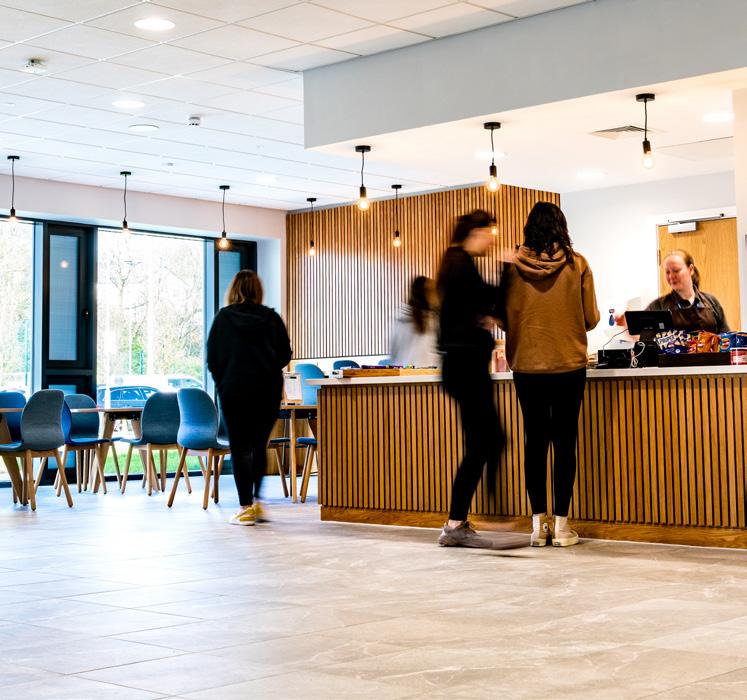
Food & Drink Outlets
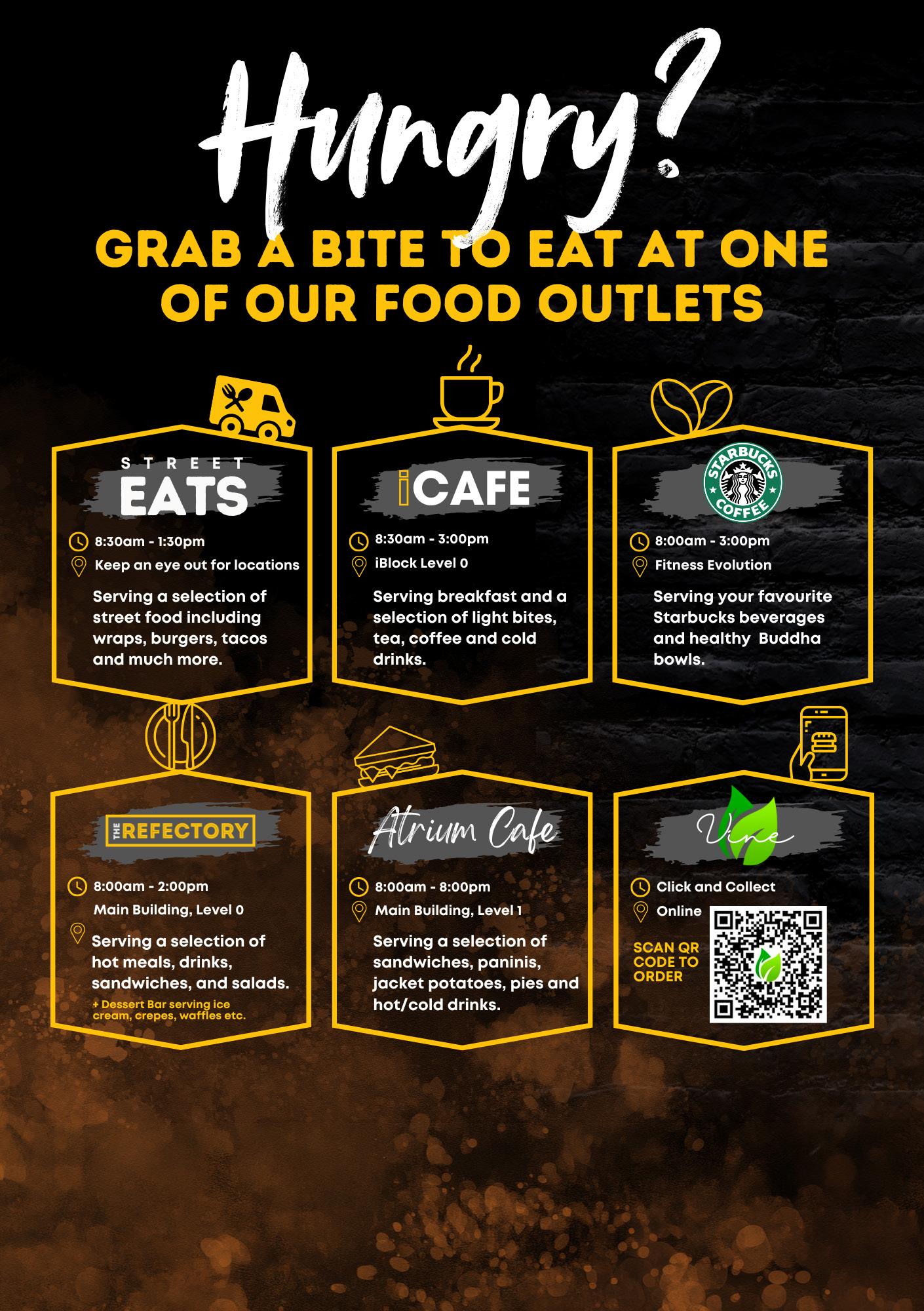
You can purchase food and drink in the college’s catering outlets using your ID card, debit card, Apple Pay and Google Pay.
How to add funds to your ID card on WisePay:
• Log in to your WisePay account
• Select the ‘Food and Drinks’ icon and then select ‘view details’. You can then choose an amount to add onto your ID card.
• Simply tap your ID card at the till when you’re ready to purchase food and the drink. The amount you spend will then be deducted from your ID card balance.
*If you do not have a personal email address, your WisePay login credentials will be sent to an automatically generated student email account.
Learner Hub
View your learner documents, timetables, register and more!
Once you’ve enrolled onto your chosen course, you’ll receive an email with your Burnley College username and password.This email also includes information about changing your password when you first log in and how to set up Multi-Factor Authentication so that you can access college systems when off campus.
How to Log In to the Learner Hub
To log in, you’ll first need to click the ‘Currently studying with us?’ button.
Use your Burnley College username and password to log in.
Access the Learner Hub: https://apply.burnley.ac.uk
If you have any issues accessing the Learner Hub, please email: software.development@burnley.ac.uk



MyBC is your portal to student life at Burnley College.
Find everything you need - from quick access to academic and pastoral support to volunteering opportunities and resources to help you land a part time job or purchase your first car - in just a few clicks.
Access services and discover more about:
• Enrichment
• Work Experience
• Learner Voice
• Travel info
• Health and Wellbeing
• Upcoming Events
• Academic and Financial Support
• And more
Make the most of your time at Burnley College by getting involved in our fantastic enrichment programme. You will enrol onto enrichment activities of your choice in your first tutorial.
Full details will be provided during induction, and you can explore opportunities throughout the year via the MyBC student portal.
MyBC Student Portal Learner Hub
Advice & Guidance
Our School Liaison Team are experts in helping you find your perfect pathway through education, and into your dream career.
They may already be familiar faces to you as they regularly visit schools and Further Education events throughout East Lancashire.
Caitlin, Ella, Georgia and Alex are really friendly, approachable and dedicated to ensuring you get the support you need.
Email admissions@burnley.ac.uk
Telephone 01282 733322

Careers Advice
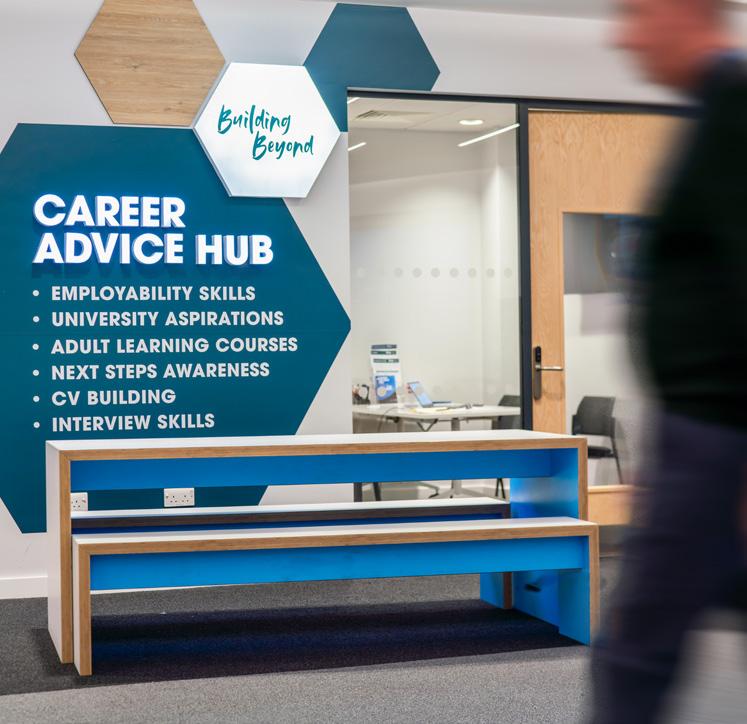
Once you begin at college, you can call into the Careers Advice Hub where our Careers Advisors are here to support you with:
• Employability Skills
• University Applications
• Employer and University Encounters
• Next Steps Awareness
• Exploring Career Opportunities
• CV and Interview Skills
• 1-1 Impartial Advice and Guidance and career planning
You can reach the Careers Team at any time: buildingbeyond@burnley.ac.uk
HELLO
FROM YOUR SAFEGUARDING & WELLBEING TEAM
We’re so pleased you’ve decided to join us on the next stage of your journey and can’t wait to get to know you better during your time at college - we’re all very friendly and supportive here!
During your first days with us, you’ll find out lots about the services and staff we have in place to ensure you stay happy and healthy.
Available for you:
• A fully trained counsellor
• A team of safeguarding and wellbeing officers
• An online student hub with self-help resources
• A team of pastoral mentors
• Staff mental health first aiders
• Drop in sessions

whatever it is - please talk to us, we’re here to help you.
We can provide you with coping strategies and expert advice and guidance on maintaining positive mental health and wellbeing.
Plus, you can talk to any member of staff if you need support - they will signpost you to others or external resources if needed.
You’re at the start of something amazingand we’re here to support you every step of the way!
Safe . Supported . Empowered
TO SPEAK TO SOMEONE ABOUT ANY CONCERNS
Email: safeguarding@burnley.ac.uk | Call: 01282 733710
Your Safeguarding and Wellbeing team run a specialist set of clubs and societies as part of our wider enrichment offer.
YOUR SPACE
A quiet, chilled space with games, crafts and more. The perfect place for students to take some time out from the busy college environment.
LGBT+ SOCIETY
Crafty activities which relate to LGBT+ history and current affairs. This is aimed at students who are LGBT+, questioning or allies of the community.
NEURODIVERSITY CLUB
Activities aimed at students who are neurodivergent. This takes place in a quiet area, away from busy college life.
12pm - 1pm 1pm - 2pm Monday
E1-09
INDI-GO!
Indigo is a six-to-eight-week course where students who live independently or are planning to go to university can learn skills around budgeting, cooking, cleaning and other important life tasks. To book onto these sessions, please email safeguarding@burnley.ac.uk or via MyBC - your student portal.
Please note: This course will begin after the first half-term.
The Wellness Hub
Important Dates
To help you plan ahead, here are the key dates you’ll need to know about:
Wednesday 2 September 2026 - Start of the new academic year (for first year students)*
Wednesday 23 September 2026 - Freshers Fair
Monday 26 October - Friday 30 October 2026 - Half Term
Students return on Monday 2nd November 2026
Thursday 17 December 2026 - Students finish for Christmas & New Year break
Students return on Monday 4 January 2027
Monday 15 February - Friday 19 February 2027 - Half Term
Students return on Monday 22 February 2027
Wednesday 24 March - Friday 9 April 2027 - Students off for Easter break (2 weeks)
Students return on Monday 12 April 2027
Monday 31 May - Friday 4 June 2027 - Half Term
Students return on 7 June 2027
Wednesday 30 June - Summer break commences
*All courses have individual start dates, please refer to your personal learner agreement on the Learner Hub which states your start date.
Burnley College
Princess Way, Burnley BB12 0AN
Telephone
01282 733333 (Course Information)
01282 733373 (General Information)
Email s.services@burnley.ac.uk
Website www.burnley.ac.uk
burnleycollege