
October 202 5



October 202 5

Stay up to date on the latest features, enhancements, and key announcements, all in a quick, convenient format you can listen to anytime, anywhere.
The Payroll Components screen has been converted to the NextGen interface, bringing a number of important enhancements. These enhancements also align with the conversion of the General Ledger Parameters screen, ensuring a smooth and consistent user experience across both screens.
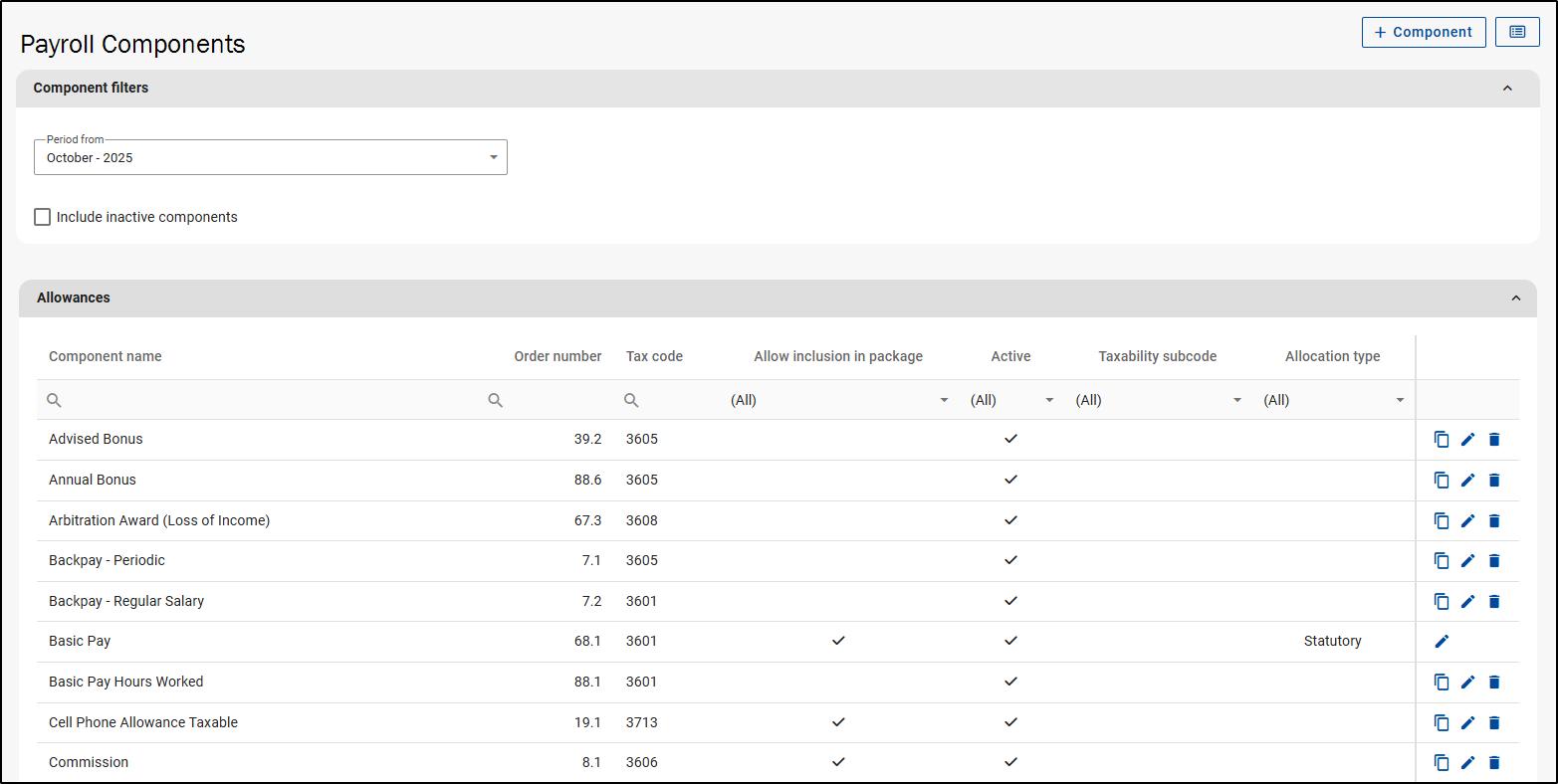

Here are some key changes introduced as part of this conversion: Collapsible Payroll Component sections – Payroll component sections can be expanded or collapsed for better visual organisation with the Allowances section expanded by default.
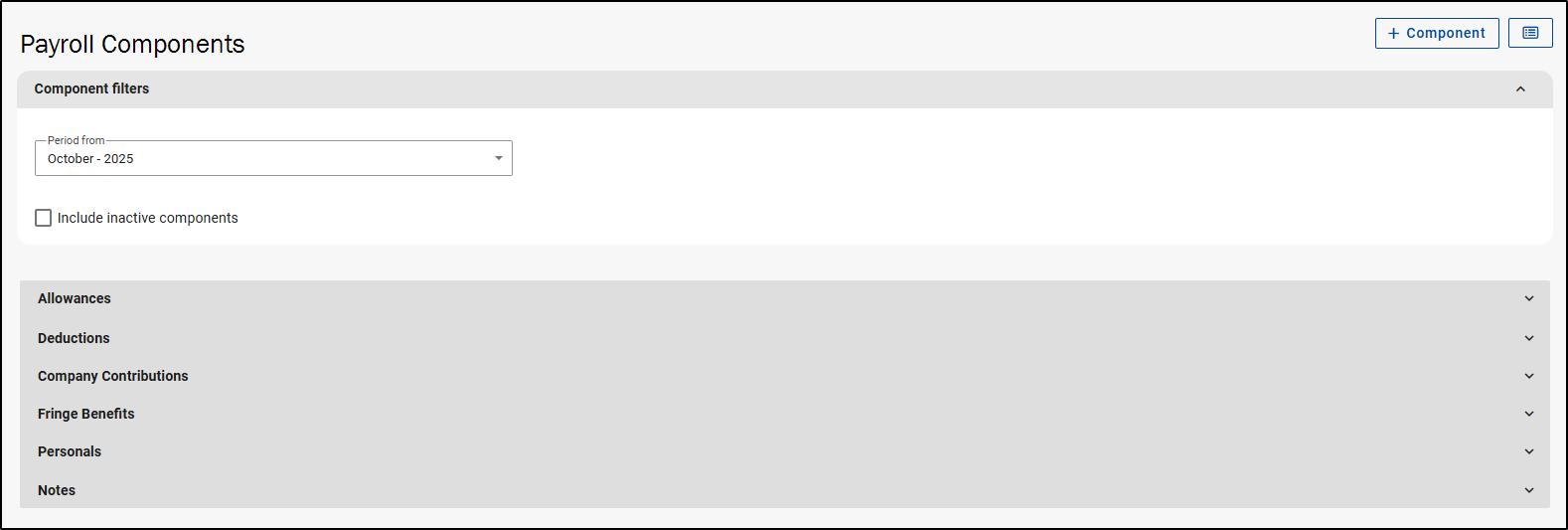
Search & Filter Capabilities – Standard grid layout has been implemented offering search and filter capabilities for each column.

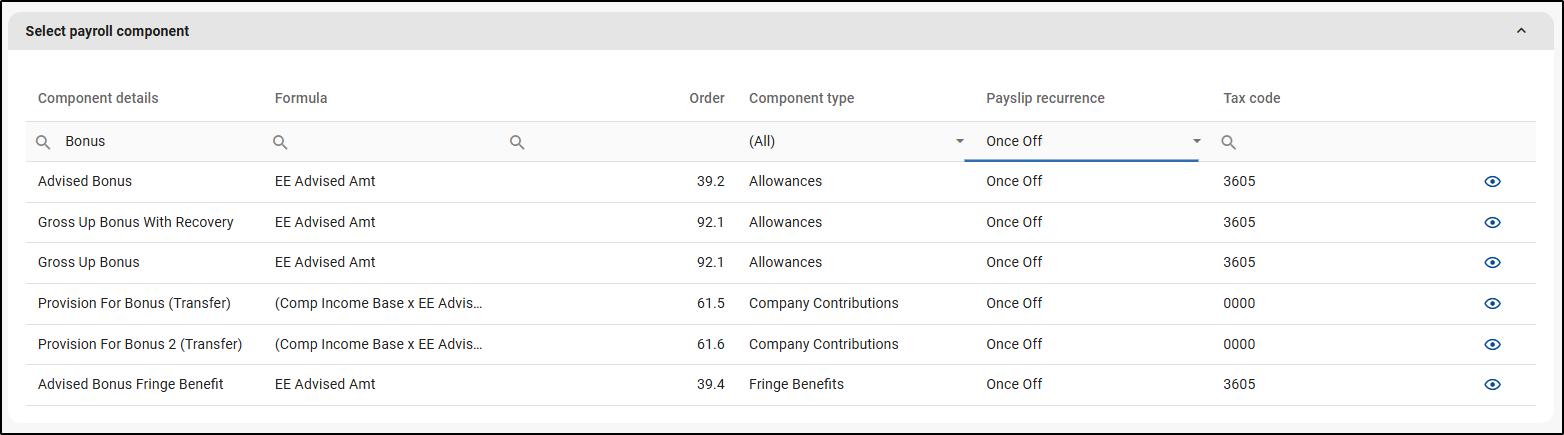
Add new Component button – The Classic hyperlink to add a payroll component has been replaced with a button where the catalogue of available components is sorted into a grid that offers search and filter capabilities in each column.
Income Base Button – An Income Base button is now available in the top-right corner of the screen. If a formula is associated with a component, the formula name will be displayed first. Below it, users will have the ability to add an override formula where needed

Organised Component Options – Component options are now more intuitively grouped into three clear sections: Component Details, Extra Options and Payslip Options. This structured layout improves navigation and makes it easier to locate and configure specific component settings.
Component Settings – Settings that were previously managed through the General Ledger Parameters screen are now available directly on the Payroll Components screen. This change reduces the need to switch between screens streamlining the setup process to enhance overall workflow efficiency.
The General Ledger Parameters screen has also been converted to NextGen
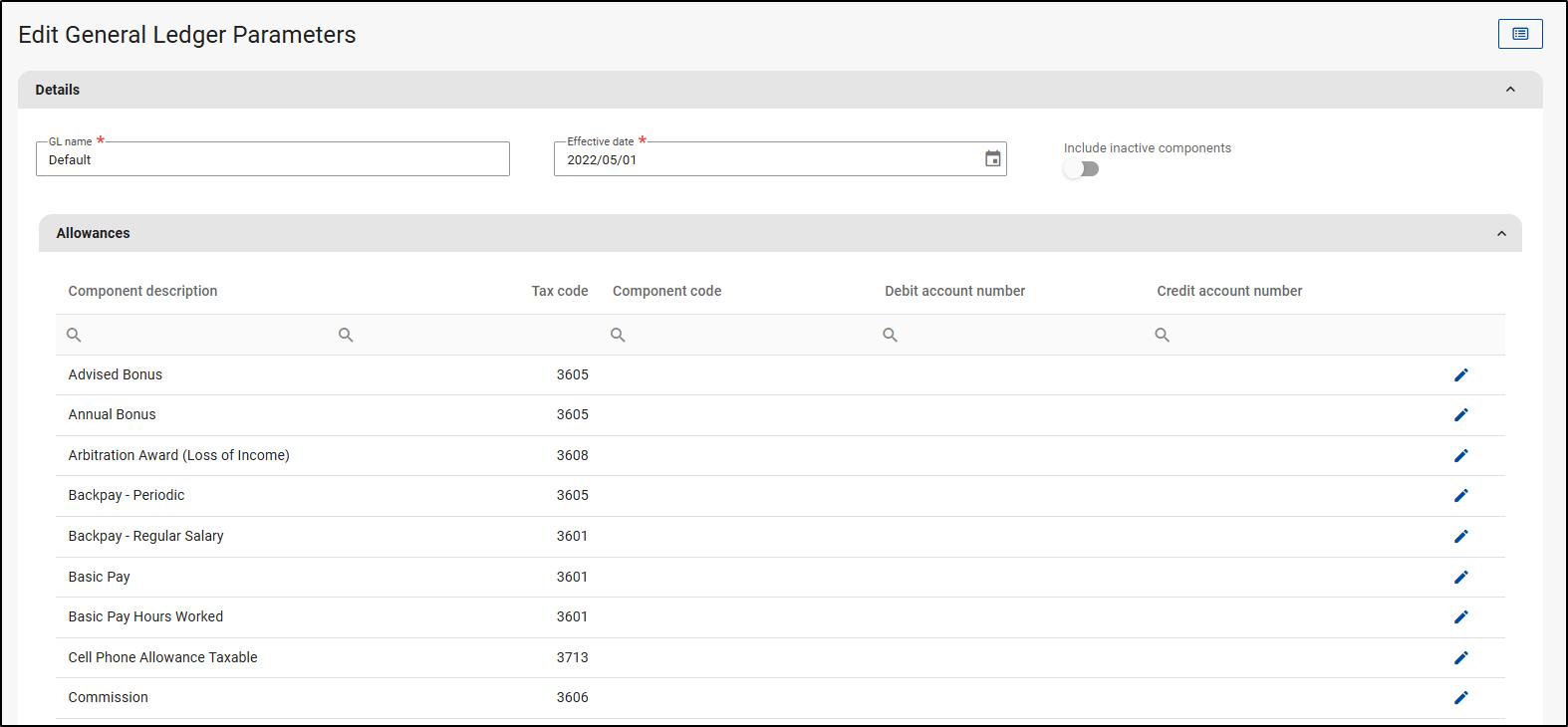
Here are some key enhancements introduced as part of this conversion:
General Ledger Report Download – A download icon is used to download General Ledger setups
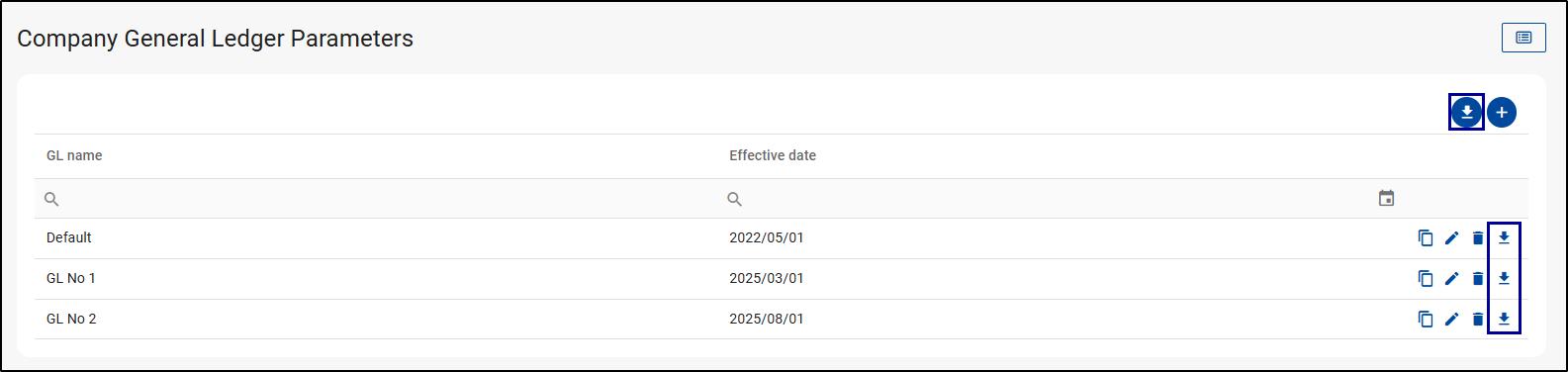
Toggle to Show Inactive Components – Inactive components are now hidden by default for a cleaner view. To display them, simply enable the “Show Inactive Components” toggle switch at the top of the screen.
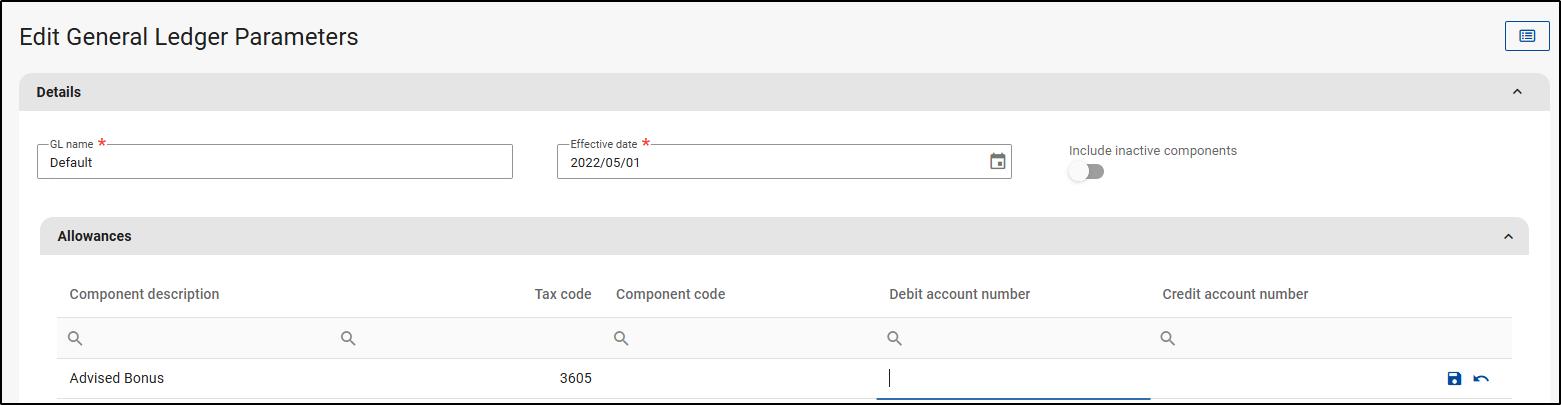
Centralised Component Options – Several component configuration options have been relocated from the General Ledger Parameters screen to the Payroll Components screen for a more streamlined setup process. The following options are now managed directly on the Payroll Components screen: Alternative component name, override tax code, payslip message, component is once-off, component group, show on mock payslip only, hide comments on payslip, act as Basic Pay(for once-off components only), decimal place value, exclude component from retrospective calculation(calculate as per normal on retro), do not calculate on retro payslip, part of cost to company
Simplified General Ledger Fields – The screen will now only display fields related to debit and credit account numbers with in-row editing for each component.
The Leave Scheme Parameters screen has been converted to NextGen
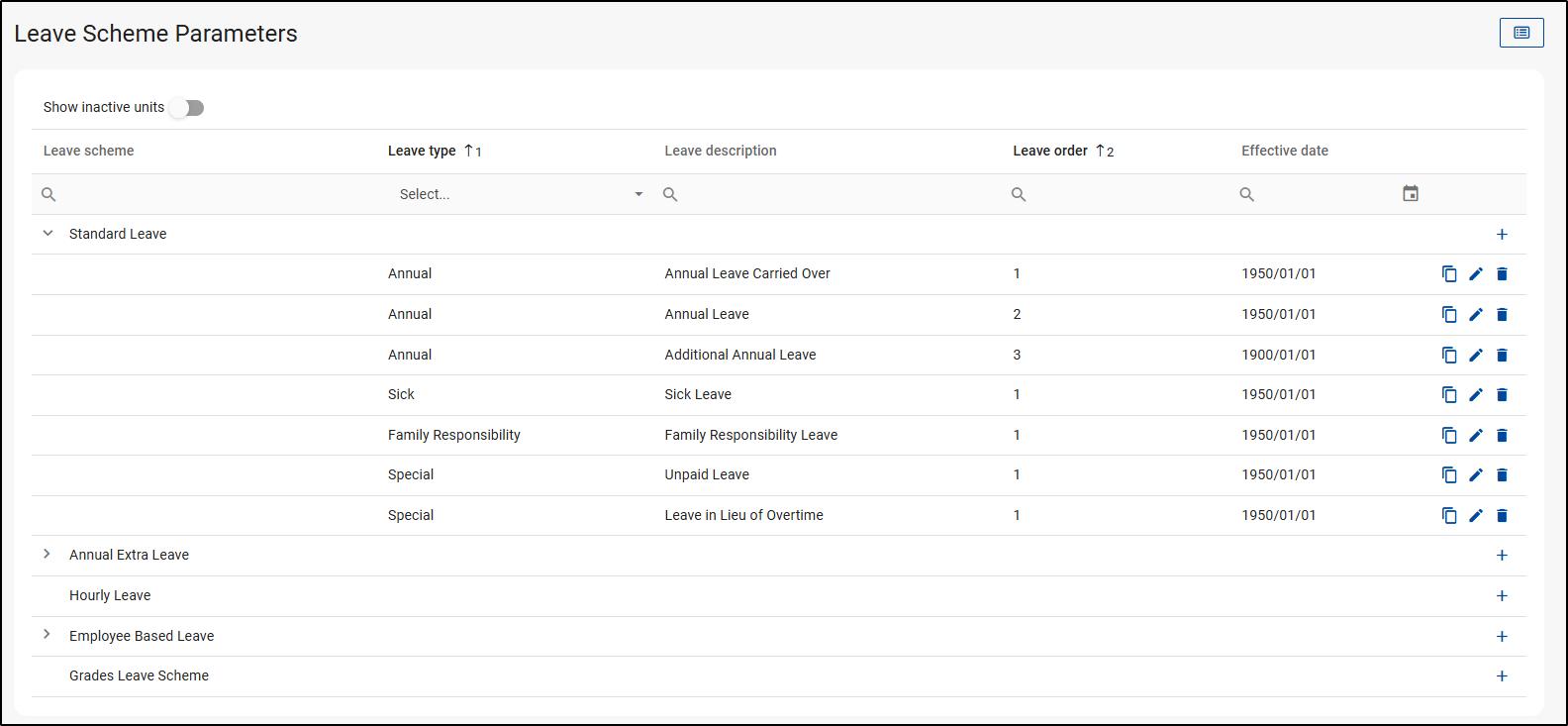
Some of the changes/enhancements introduced as part of this conversion include:
Toggle for Inactive Leave Buckets – Inactive leave types are now hidden by default, providing a cleaner and more efficient view. A toggle switch allows users to display these leave types when needed
Improved Search & Filter Capabilities – Standard grid layout has been implemented offering search and filter capabilities for each column
Intuitive Leave Type Management – A ‘+’ icon has been added next to the leave scheme name used to add leave types within each leave scheme. Leave schemes can now also be expanded or collapsed for better visual organisation.

Leave Type Duplication – A new copy function allows for easy duplication of leave type records (excluding the description field), perfect for copying leave types with the same accrual rules i.e. Sick Leave. A slide-out confirmation screen will appear to confirm the action.
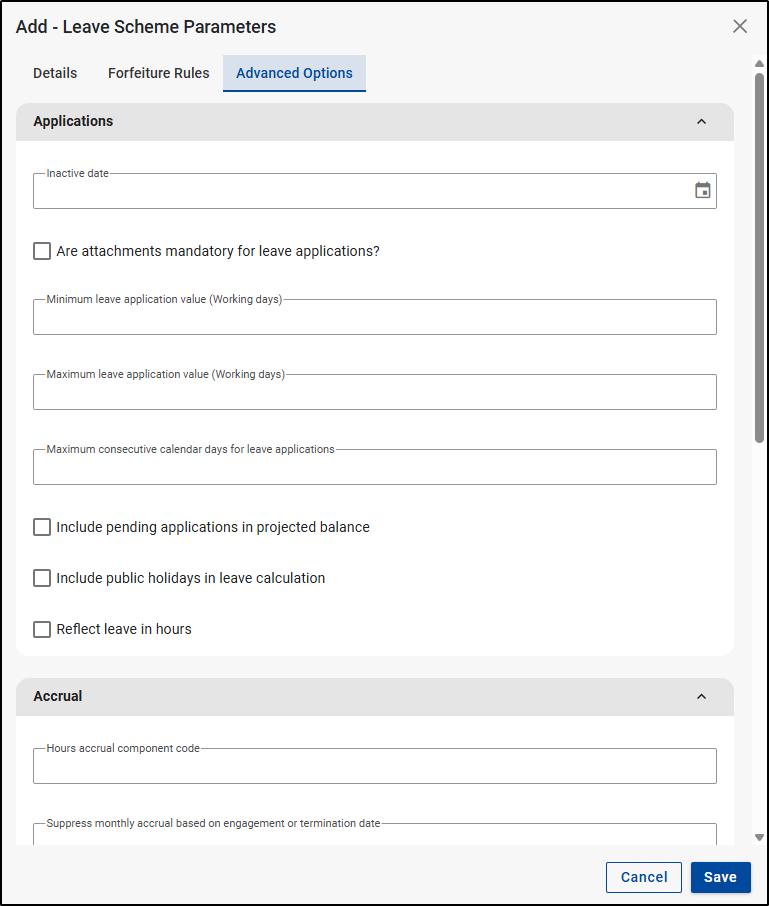
Leave Type Configuration – configuration options are now accessible through a sleek slide-out menu that’s organised into these tabs: Details, Proration, Forfeiture Rules, and Advanced Options. Note: The Proration tab only appears when the occurrence type selected is Upfront.

Advanced Options for Better Usability – Advanced configuration options are now grouped under relevant headers for improved usability. For example, settings related to leave applications are now under an Applications section.
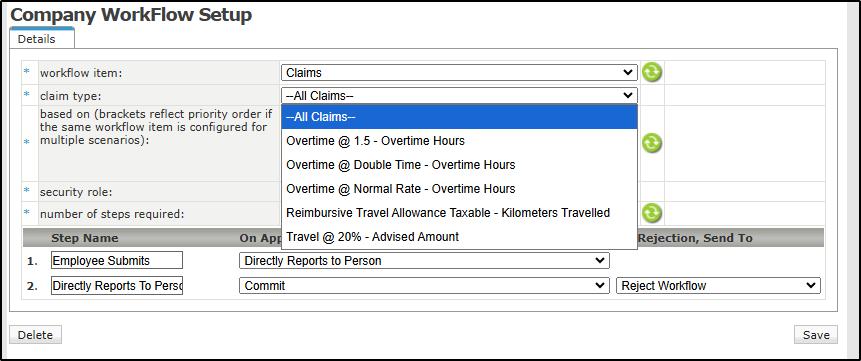
The system previously supported only a single workflow path for all Claim Component types. We’ve enhanced the Workflow Configuration screen by adding a Claim Type dropdown allowing users to create custom workflows for different claim component types
With this enhancement, you’ll be able to tailor the approval process to suit different claim types based on your company’s unique operational needs. When a claim is submitted, the system will now apply the workflow that corresponds with the claim component type and if custom workflows aren’t required for each claim component, you can continue to use the default workflow set for ‘All Claims’.
Currently, the system does not support linking interim runs to future main runs. As a result, users are unable to set up future interim runs in advance. We’re enhancing the Run Management screen to allow users to create future interim runs to link to the upcoming Main Run. With this update, once the current Open Run is closed, the system will automatically open the next available interim run rather than defaulting to the next main run.
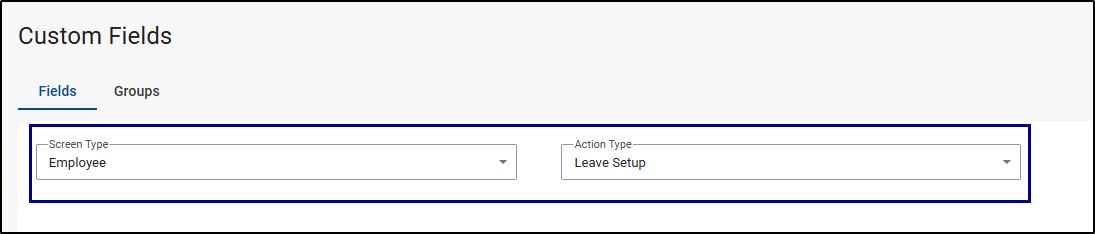
We’re introducing the ability to add custom fields to the employee Leave Setup screen. This will give you the flexibility to create and manage additional data fields tailored to your organisation’s specific leave policies or reporting requirements.
Hide/Show Payslip Items
The Hide/Show Payslip Items feature allows you to customise which payslip details are displayed on employee PDF payslips. This feature is available across all product editions, giving every company additional flexibility to tailor payslip content to suit their preferences. Changes are applied immediately, helping you maintain clear and concise payslips for your employees.
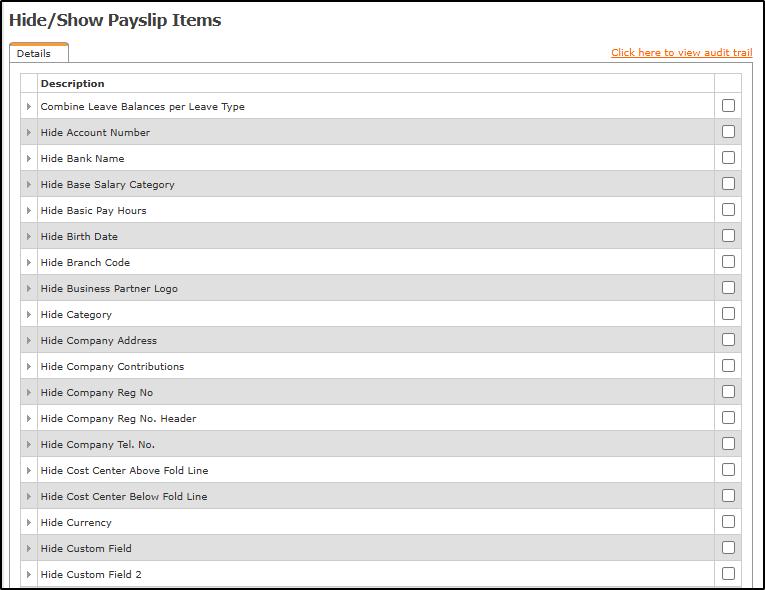
Here are 2 simple steps to make use of the Hide/Show payslip feature: Navigate Config > Payroll > Payslip > Hide/Show Payslip Items. To show or hide a payslip item, tick the checkbox next to the corresponding item.

There





EWA is a technology that integrates with the payroll system enabling employees to access a portion of their already earned salary at any point during the pay cycle.
Growing popularity in the US, UK, Singapore, and Indonesia.


NO Cost NO MORE Advances Adds to EVP at NO COST Assists staff retention
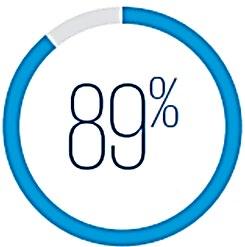
of surveyed workers would be willing to work longer for an employer offering EWA.
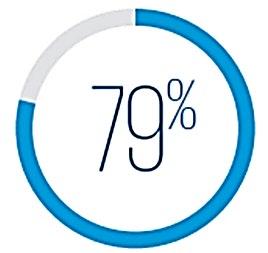
of surveyed workers are more willing to switch to employers already offering EWA.
• % of salary that can be accessed during the month.
• Amount of the minimum and maximum loan application
• Number of loan applications permissible during the month
• The period that the “window” for loans is open.

PnA, Sasol, Amrod, Bidvest, Smollan, Truworths Group, Sage, Switch Telecom, City Lodge, Sea Harvest, Total Energy, Macsteel, Continental Tires, Spar, Steers…
As we approach the budgeting season for 2026, the dreaded question will soon be asked:
“What 2026 salary increase can we use for the Ghana budget?”
While forecasting salary increases for 2025 proved challenging due to high inflation rate, the outlook for 2026 appears more stable and predictable. This report outlines the economic context, inflation trends, and our preliminary salary increase forecast for Ghana in 2026.

As we approach the budgeting season for 2026, the dreaded question will soon be asked:
“What 2026 salary increase can we use for the Nigeria budget?”
Implementing a salary increase that is fair to all stakeholders in Nigeria has been a significant challenge in recent years. The primary reason has been the persistently high inflation rate. In 2024, the average inflation was 33.2%, and we forecast an average of 21.06% for 2025.