BOOK BY CONSTANCE PASSLEY
TOOLS A Beginner's Guide to DIGITAL MEDIA
3 Cool Features
AUDACITY
Edit your tracks fast with intuitive tools, including cutting, pasting and smooth volume mixing. Import, export and convert files in everypopular audio format, including mp3, m4a, AIFF, FLAC, WAV and more. You can even combine clips from multiple formats into the same project.
Cool things to make/edit on there include: Podcasts
Songs
Audio tracks
Voice recordings
Radio Dramas
Voiceovers
Who uses it?
Audacityisforanyonewho wantstogetcreativewith sound.It’salsotheperfect toolforanyonewhoneeds toquicklyeditorexport audio,foranyreason.
3 Cool Features
DAVINCI RESOLVE
Link your social media accounts to DaVinci Resolve in order to upload videos directlyto YouTube, TikTok and Vimeo as you export. On the edit page, the voiceover tool lets you record directly into the timeline.
Cloud storage features an icon viewthat displays thumbnails of all clips so you can visuallyidentifythem and manage your media.
Cool things to make/edit on there include:
Feature films Vlogs
Instruction Videos Music Videos
Advertisements Recipe Videos
Who uses it?
DaVinciResolveisusedby personswhowanttoedit videos.Itcanbeusedfor casualeditingbutitis mostlyemployedby longformcontentcreators andprofessionalseditors
Is it still used?
Yup! Yup! Yup!
Both apps are available for installation and are widely used by Many people
How to Install them:
AUDACITY
1.Gotothislink
2.Pressthebuttonthat saysDownloadAudacity 3.7.5
3.TheninstallAudacity fromtheInstaller 1. Go to this link
DAVINCI RESOLVE
2. Press the button that says Davinci Resolve Free Download Now 3. Fill out the register 4. Download the app
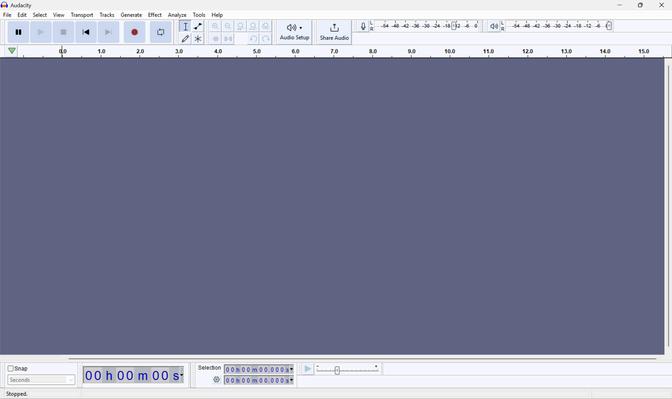
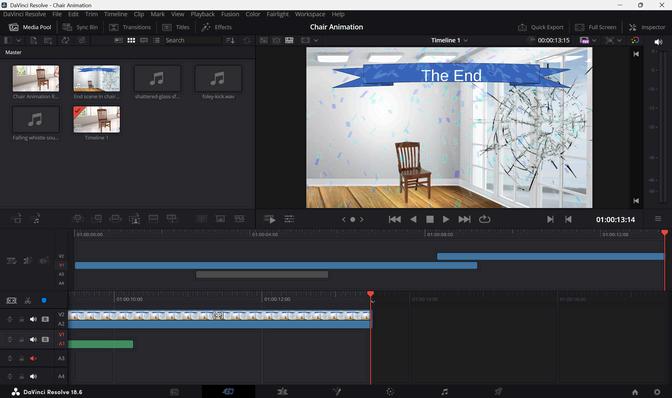
The Interfaces looks like this: