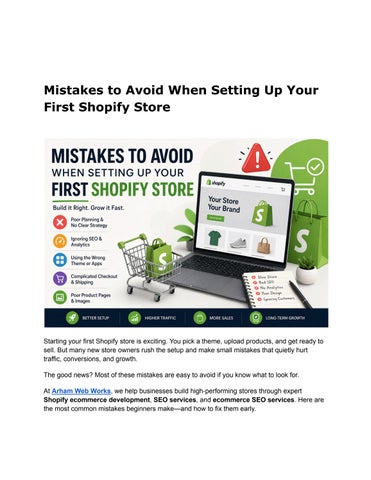
Mistakes to Avoid When Setting Up Your First Shopify Store
Starting your first Shopify store is exciting You pick a theme, upload products, and get ready to sell But many new store owners rush the setup and make small mistakes that quietly hurt traffic, conversions, and growth.
The good news? Most of these mistakes are easy to avoid if you know what to look for
At Arham Web Works, we help businesses build high-performing stores through expert Shopify ecommerce development, SEO services, and ecommerce SEO services Here are the most common mistakes beginners make and how to fix them early.
1. No Clear Value Proposition
When visitors land on your store, they should instantly understand:
● What you sell
● Who it’s for
● Why it’s better
Problem:
Many stores don’t communicate value clearly, which causes users to leave quickly
Fix:
Write a simple one-line value statement and place it on:
● Homepage
● Product pages
● Collection pages
Clarity always wins.
2. Choosing the Wrong Theme
A theme defines both design and performance
Problem:
Heavy themes with too many features slow down your store.
Fix:
● Choose a lightweight, responsive theme
● Test demo speed before selecting
● Avoid unnecessary animations
A fast theme improves both UX and SEO services performance
3. Poor Navigation Structure
If users can’t find products easily, they won’t buy
Problem:
● Too many menu items
● Confusing categories
Fix:
● Keep navigation simple
● Use clear labels
● Limit top-level menu items
Good navigation improves user experience and conversions
4. Weak Product Pages
Product pages are where sales happen.
Problem:
Important details are missing or poorly structured
Fix:
Include:
● Clear product title
● Price and variants
● High-quality images
● Strong description
● Reviews
Well-optimized product pages are essential for ecommerce SEO services.
5. Uploading Heavy Images
Large images slow down your store and increase bounce rates
Fix:
● Compress images before upload
● Use WebP format
● Resize images properly
Faster loading improves both user experience and rankings.
6. Installing Too Many Apps
Apps can improve functionality, but too many can slow down your store.
Problem:
● Extra scripts affect performance
● Duplicate features
Fix:
● Install only necessary apps
● Remove unused apps
● Regularly audit performance
A clean store runs faster and smoother
7. Ignoring Payment and Checkout Setup
A broken or limited checkout process can kill sales
Unexpected shipping costs often lead to abandoned carts
Fix:
● Offer free shipping (if possible)
● Use flat rates
● Clearly display delivery timelines
Transparency builds trust
9. Skipping SEO Basics
Many stores launch without proper SEO setup
Problem:
● No meta titles or descriptions
● Missing alt text
● Poor URL structure
Fix:
● Optimize product pages with keywords
● Add meta tags
● Use internal linking
Strong SEO services ensure long-term growth
10. Not Setting Up Analytics
Without data, you can’t improve your store
Fix:
● Connect Google Analytics
● Use Shopify reports
● Track conversions and user behavior
Data-driven decisions improve performance over time
11. Ignoring Mobile Optimization
Most users shop on mobile devices.
Problem:
● Poor mobile layout
● Hard-to-click buttons
Fix:
● Test your store on mobile
● Use responsive design
● Keep navigation simple
Mobile optimization is critical for success
12. Missing Trust Signals
Customers need to feel safe before buying
Problem:
● No reviews
● No payment badges
● No clear policies
Fix:
● Add customer reviews
● Show secure payment icons
● Display return and shipping policies
Trust directly impacts conversions
13. Launching Without Speed Testing
A slow store creates a bad first impression
Fix:
● Test with Google PageSpeed Insights
● Optimize images and scripts
● Remove unnecessary elements
Speed optimization is a key part of ecommerce SEO services
14. Overloading Content Above the Fold
Too much text can overwhelm visitors
Fix:
● Keep messaging short and clear
● Use headings and bullet points
● Focus on one main action
Simple design leads to better engagement
15. Copying Competitors
Looking at competitors is helpful, but copying them is not.
Problem:
● No unique identity
● Weak brand positioning
Fix:
● Focus on your unique value
● Build your own brand voice
● Test what works for your audience
Originality helps you stand out
How Arham Web Works Helps You Avoid These Mistakes
At Arham Web Works, we help businesses build Shopify stores that are optimized for performance and growth
Our services include:
● Custom Shopify ecommerce development
● Store setup and optimization
● Professional SEO services
● Advanced ecommerce SEO services
● Website speed optimization
We ensure your store is fast, user-friendly, and built to convert
FAQs
1. What is the biggest mistake in Shopify store setup?
Not having a clear value proposition and poor product page structure are common mistakes
2. Do apps slow down Shopify stores?
Yes, too many apps can impact speed and performance.
3. Is SEO important for Shopify stores?
Yes, SEO helps drive organic traffic and long-term growth
4. How can I improve my Shopify store performance?
Optimize images, reduce apps, improve speed, and focus on user experience.
5. Should I hire experts for Shopify setup?
Yes, professional help ensures better performance and fewer mistakes
✅ Conclusion
Setting up your first Shopify store is an important step, but avoiding common mistakes is what truly determines success From choosing the right theme to optimizing SEO and improving user experience, every detail matters.
By focusing on simplicity, speed, and clarity, you can build a store that attracts visitors and converts them into customers. With expert support from Arham Web Works, your Shopify store can grow faster and perform better in a competitive market