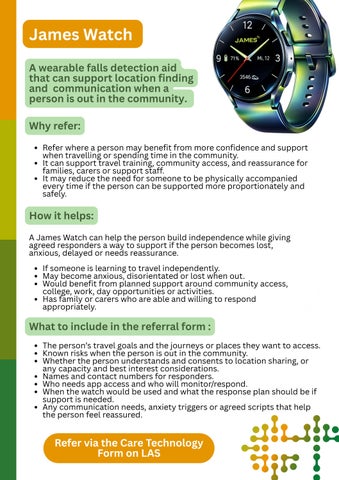
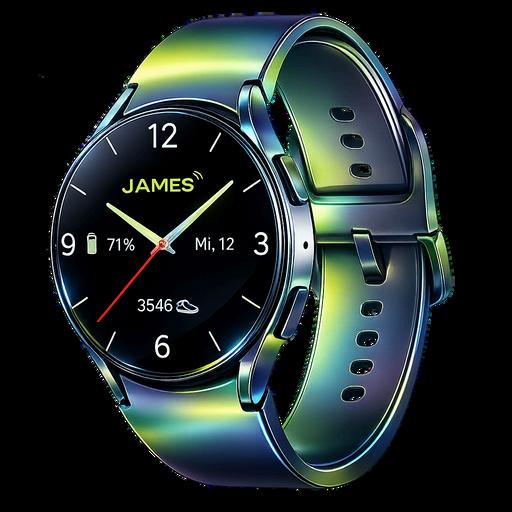
A wearable falls detection aid that can support location finding and communication when a person is out in the community.
Why refer:
Refer where a person may benefit from more confidence and support when travelling or spending time in the community
It can support travel training, community access, and reassurance for families, carers or support staff It may reduce the need for someone to be physically accompanied every time if the person can be supported more proportionately and safely.
How it helps:
A James Watch can help the person build independence while giving agreed responders a way to support if the person becomes lost, anxious, delayed or needs reassurance.
If someone is learning to travel independently. May become anxious, disorientated or lost when out. Would benefit from planned support around community access, college, work, day opportunities or activities. Has family or carers who are able and willing to respond appropriately.
What to include in the referral form :
The person’s travel goals and the journeys or places they want to access. Known risks when the person is out in the community. Whether the person understands and consents to location sharing, or any capacity and best interest considerations. Names and contact numbers for responders. Who needs app access and who will monitor/respond. When the watch would be used and what the response plan should be if support is needed.
Any communication needs, anxiety triggers or agreed scripts that help the person feel reassured.
Refer via the Care Technology Form on LAS
Vocala
A managed smart speaker device that can provide voice prompts, reminders, remote support and meaningful engagement at home.
Why refer:
Refer where a person would benefit from voice prompts, reminders, communication, routine support or meaningful engagement at home. It can support independence by prompting daily tasks and reducing the need for repeated staff or family reminders. It can also support wellbeing through music, activities, quizzes and simple remote contact
How it helps:
Vocala can be used to support routines, reduce isolation and help the person feel more connected and help the user and their support network feel more in control.
If someone:
Needs reminders for daily routines. Responds well to voice prompts. Would benefit from structured prompts around meals, appointments, medication routines or activities. May benefit from family or carer remote contact. Would enjoy music, quizzes, games or stimulation as part of daily wellbeing.
What to include in the referral form :
The person’s routine and what reminders are needed. Exact timings for prompts and what wording is likely to work best. Whether Wi-Fi is available in the home. Who will help set up and review prompts or content. Communication needs, sensory needs or preferences. Any risks if prompts are missed or ignored. Consent and who is involved in using or managing the device.
Refer via the Care Technology Form on LAS
Care Technology
Why refer:
Refer where a person with a learning disability may benefit from technology to support safety, independence, communication, routines, wellbeing or reduced reliance on paid support. Care Technology should be linked to a clear need or outcome, not just requested as a piece of equipment. The strongest referrals explain what the person wants to achieve and what is currently getting in the way.
How it helps:
Care Technology may include sensors, alarms, prompting devices, environmental controls, communication support, falls or epilepsy-related equipment, medication prompts, safety equipment or other technology matched to the person’s needs.
The Care Technology Team can help identify the most appropriate option where the referral explains the person’s circumstances clearly.
Needs support to remain safe at home or in the community. Would benefit from prompts, alerts, reassurance or environmental support.
Has a goal linked to independence, progression, wellbeing or reducing unnecessary support.
What to include in the referral form :
The person’s goals, strengths and current support needs. What problem the technology is expected to help solve. Current care package, family support or provider involvement. Known risks, including safeguarding, leaving home, fire risk, falls, health needs, anxiety, communication or behaviour-related risks. Home environment, Wi-Fi, mobile signal and any practical barriers. Consent, capacity and decision-making information.
Refer via the Care Technology Form on LAS
Just Checking
A short-term activity monitoring system that helps build a clearer picture of a person’s daily routines and activity within the home.
Why refer:
Refer where there is a need to p y y routine, independence levels and behaviours
It can help evidence what support is actually needed and whether a care package is proportionate. It can support reviews, right-sizing conversations and better decisions about care and support.
How it helps:
Just Checking uses passive activity monitoring to show daily living patterns in the home.
It can show when someone is active, how they move around the home, and whether the current support pattern matches their actual routine and needs.
The three week assessment period can help understand changing needs especially where support needs are unclear or are difficult to understand from visits or reports alone.
What to include in the referral form :
What question(s) you want Just Checking to help answer. The current care package and visit times. Who lives in the home and whether other people could affect the activity data (including details of any pets).
Known routines, night-time concerns, risks or patterns that need exploring.
Consent, capacity and who has been involved in the decision. Whether wider Care Technology should also be considered alongside the Just Checking assessment.
Refer via the Care Technology Form on LAS
Select whether you need Just Checking only, or Just Checking and Care Technology alongside it.
Brain in Hand
An app-based support tool that helps people manage anxiety, planning and difficult moments using personalised coping strategies with human support.
Why refer:
Refer where a person need functioning, routines or co
It can help people feel mo education, work, appointm It supports independence strategies when they need
How it helps:
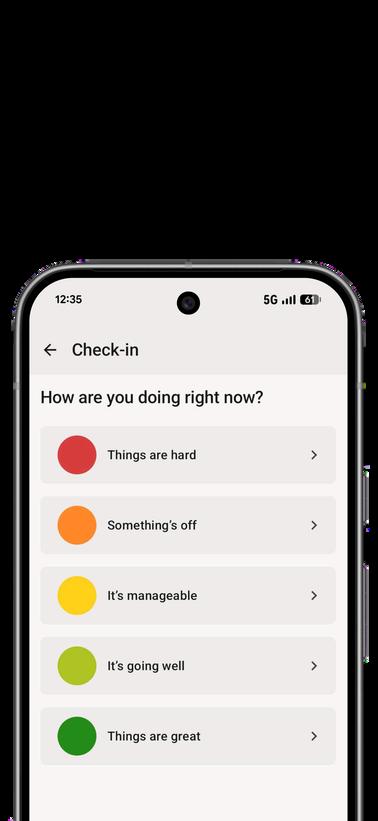
Brain in Hand helps people plan, structure and manage difficult moments It can include personalised coping strategies and access to support when the person feels stuck or overwhelmed.
If someone:
Experiences anxiety or overwhelm. Finds planning, sequencing or decision making difficult. Needs support to attend college, work, appointments or community activities.
Can use an app or can be supported to learn how to use one. Would benefit from personalised strategies rather than generic prompts.
What
to include in the referral form :
What situations the person finds difficult. Known triggers and early signs that support is needed. What currently helps the person calm, plan or problem solve. The outcomes the person wants to achieve, such as travelling, attending work, managing appointments or building confidence. Whether the person has access to a smartphone and can engage with the app.
Any communication needs, support network and consent or capacity considerations.
Refer via the QR code
AutonoMe
An app-based learning tool that uses step-by-step video guidance to help people build independent living skills.
Why refer:
Refer where a person would ben independent living skills. It can support progression by bre steps. It can reduce reliance on repeate learn to follow guidance more independently.
How it helps:
AutonoMe uses video guidance to support people to build practical skills It can help with everyday tasks such as cooking, routines, travel preparation, home skills or work-related skills, depending on the person’s goals.
If someone:
Is working towards more independence wether at home or looking for or in employment or volunteering. Needs repeated prompts to complete tasks. Learns well from visual or video-based instructions. Has a clear skill or routine they want to develop.
What
to
include in the referral form :
The specific skill/ skill areas or routine the person wants to learn. Current ability and what support is currently needed. What outcome would show the technology is working. Whether the person has a smartphone or tablet and support to practise. Any risks linked to the task, for example cooking, travel or medication routines. Who will help the person get started and reinforce learning.