Solution Manual For CompTIA Network+ N10-008 Cert Guide, 1st edition Anthony J. Sequeira _____________________________________________________________________________________
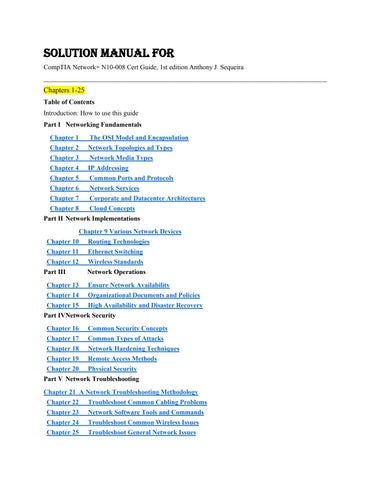
Chapters 1-25 Table of Contents Introduction: How to use this guide Part I Networking Fundamentals Chapter 1
The OSI Model and Encapsulation
Chapter 2
Network Topologies ad Types
Chapter 3
Network Media Types
Chapter 4
IP Addressing
Chapter 5
Common Ports and Protocols
Chapter 6 Chapter 7
Network Services Corporate and Datacenter Architectures
Chapter 8
Cloud Concepts
Part II Network Implementations Chapter 9 Various Network Devices Chapter 10
Routing Technologies
Chapter 11
Ethernet Switching
Chapter 12 Part III
Wireless Standards Network Operations
Chapter 13 Chapter 14
Ensure Network Availability Organizational Documents and Policies
Chapter 15
High Availability and Disaster Recovery
Part IVNetwork Security Chapter 16
Common Security Concepts
Chapter 17
Common Types of Attacks
Chapter 18
Network Hardening Techniques
Chapter 19
Remote Access Methods
Chapter 20
Physical Security
Part V Network Troubleshooting Chapter 21 A Network Troubleshooting Methodology Chapter 22
Troubleshoot Common Cabling Problems
Chapter 23
Network Software Tools and Commands
Chapter 24 Chapter 25
Troubleshoot Common Wireless Issues Troubleshoot General Network Issues
Part VIFinal Preparation Chapter 26
Final Preparation
Using This Guide These are key lesson planning benefits this guide can provide.
Suggested lesson plans are mapped by number directly to chapters in the CompTIA Network+ N10-008 Cert Guide. Lecture text is provided that maps to the provided PowerPoint slides. Lessons and lectures are mapped to the associated Network Simulator bundled in the deluxe edition.
For each chapter, core concepts focus on learning objectives required by the Network+ certification. Some concepts are simple enough that students should be able to read and understand them from the textbook. Thus, the lecture text and associated presentation slides touch more lightly on these. That way time in class can be better spent on topics that may be difficult to master. A number of activities are also outlined. Modify as needed to fit your teaching style, delivery mode, and class size. Modern learning theory and brain science advocates the use of a single idea as the basis of any message delivered within a given time frame. The main idea can be expanded and supported by up the 3 or 4 supporting facts at a time. One way to think of each classroom session is with the model of a solar system. The core idea is the equivalent of the sun in the center with orbiting bodies representing supporting topics. You can expand the supporting topics, like smaller moons, but everything revolves around the core idea. Each of these chapter guides is structured with that model of a core idea. This allows you to easily select which subtopics you want to include and which activities make the most sense for you to use. As long as everything relates to that original idea, the learning impact can be optimized. When students participate in the discovery or expansion of knowledge, retention is a key challenge. Retention is improved with three repetitions or more being optimal for transition from short-term memory to long-term memory. This guide provides multiple activities to engage learners. Focus on the relevance of each activity to the topic. Include as many reinforcement activities (from the list or from your own creation) as possible to reiterate the main ideas of the chapters. Each chapter guide contains many of the following elements, as defined below. There are four items in the list that can be used as a lesson guide. They are highlighted and bolded below. They can provide a familiar continuity to lessons. Core Idea: This is the main idea to which all other ideas should be tied. Make a conscious effort to reiterate this idea multiple times throughout the lesson. This is the idea to which you should relate the other activities and discussions as well. This will be aligned with the Network+ objectives for each chapter.
Instructor Focus: This is a description of the critical information that instructors should be prepared to help students learn from the topic, reinforced by any activities, lectures, and discussions. Network+ Objectives for each chapter: Students are to learn the objectives they may face on their exam. Writing these objectives on a whiteboard, discussing them prior to a presentation, or referring to them within a lesson validates that you are delivering the content as promised. The objectives are usually closely aligned with the Core Idea, some objectives tangential to it. Terminology: It is difficult to learn a concept that uses foreign terminology. Key terms are defined in each lesson. Make it a point to refer to them. Many of these terms are presented in bold lettering in the accompanying PowerPoint slides. Focus Questions: These are the central questions students should be expected to and seek answers to. They can be asked at the beginning of the lesson as an appetizer, and salted throughout the lesson for repetition. The accompanying PowerPoint slides present these questions at the beginning of each slide deck for your convenience. Icebreaker Discussion (3–5 minutes): This an initial discussion to set the state for a lesson. It can start as soon as students begin entering the room. Prepare to allow for pauses in questions raised by the discussion. This will force students to try to fill in the gaps, think more actively and creatively to come up with a contribution. You may want to post the discussion topic prior to class. Icebreaker Activity (5–10 minutes): This should be the initial activity that you conduct with your students. Allow them several minutes to complete the activity. It should have a measurable deliverable to show completion. This should provide you with an insight on student‟s understanding, setting the stage for providing a formal presentation of the topic.
Presentation Lecture (10-15 minutes): Slides can graphically depict new terminology and concepts, as well as reinforce topics already discussed. Lab Activities Live Activities: Activities engage the students and allow them to share in the construction of the knowledge with each other. This will often take the majority of the remaining lesson time and reinforces the lectures. Network+ Software Simulator Activities have been referenced throughout this guide. Their placement in each chapter is a suggested place to use them. Use your own judgement. They will add depth and content mastery. Pausing during longer lectures to allow time for these activities can enhance the value of the presentation and strengthen the attachment of concepts to long term memory. Review Questions (5–10 minutes): These are often variations on the focus questions presented earlier. In some cases they make use of the end of chapter textbook questions. They serve as
barometer of learning for the instructor to use, but also as a means of learning for students. A good review would be to talk about why one answer is favored over another. They also provide an opportunity for you to assess your students and for them to assess themselves and their own progress and understanding. Part I Networking Fundamentals
Chapter 1
The OSI Model and Encapsulation
Core Idea Network modeling allows a technician to identify network communications by function. Models may not correspond to an exact network implementation, but can provide a common framework for discussion and troubleshooting. Network+ Exam Objective for this Chapter/Lesson 1.1 Compare and contrast the Open Systems Interconnection (OSI) model layers and encapsulation concepts.
Instructor Focus The focus of this chapter is on modeling and diagramming network communications.
Emphasize the difference between models and actual communications on a network. The OSI model is the most comprehensive and stable network model but it does not have an exact implementation (layers blend across different protocols). Each layer of the model provides a new function to the communication, allowing it to be structured and packaged for next step transmission. As you move through the layers, explain what it contains and what it means for communication. These layers will be used throughout the textbook to describe protocols and routing. Knowing the terminology makes for smoother communication.
Terminology/Concepts The following terms may need explanation. As you progress through the slide deck, use questions about the concepts to help students retain the terminology. OSI Model:
OSI reference model Physical layer Data link layer Network layer Transport layer Session layer Presentation layer
Application layer
Protocols: TCP UDP Protocol data unit (PDU) TCP/IP Stack: Network interface layer Internet layer Transport layer (TCP/IP stack) Application layer Data encapsulation and decapsulation within the OSI model contextEthernet headerInternet Protocol (IP) headerTransmission Control Protocol (TCP)/ User Datagram Protocol (UDP) headersTCP flags- PayloadMaximum transmission unit (MTU) Focus Questions What is the purpose of a network model? What are the layers of the OSI model? What are the characteristics of each layer of the OSI model? How does the TCP/IP stack compare to the OSI model? What are the well-known TCP/UDP port numbers for a given collection of common applications? Icebreaker Discussion Choose one or both of the following: 1. What is a prototype and how is it used? a. Prototypes form the basis on which to build additional working products. 2. How might we prototype a network product to enable broad usage for network communication? The students may have varying answers to this based on their own backgrounds. Ultimately, providing a common means for one machine to understand the communication from another is the basis of network modeling. 3. What is the purpose of a protocol? You may need to define the term protocol for your students if they have not yet covered the chapter as you present. Similar to network modeling, a communication protocol describes a common standard of communication, allowing one machine to understand the messages from another based on a known structure and parameters. Icebreaker Activity 1. Have students describe the different levels of communication that are needed for one machine to understand a message from another machine. This should start with the physical connection of the machines and end with the applications being used by an end user on the machine.