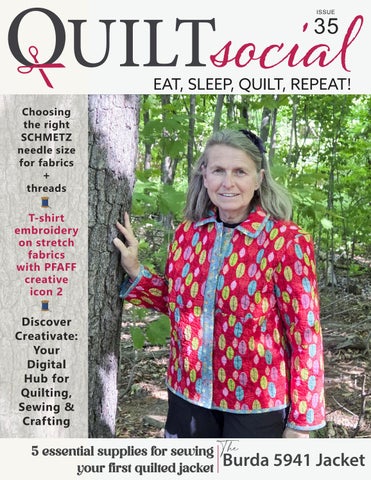
O UILT
ISSUE
35
Choosing the right SCHMETZ needle size for fabrics
+
threads
T-shirt embroidery on stretch fabrics with PFAFF creative icon 2
Discover Creativate: Your Digital Hub for Quilting, Sewing & Crafting
5 essential supplies for sewing The Jacket | issue 35 1 OUILT your first quilted jacket Burda 5941
2
Editor's Letter This issue of QUILTsocial is all about precision, creativity, and confidence at the machine, starting with one of the most overlooked tools in sewing: the needle. We start with a deep and practical dive into SCHMETZ needles, helping you understand why the right needle size and type can significantly improve your results. From color-coded systems and Grabbit myPad organization to twin needles, specialty needles, and perfect pairings with Gütermann threads, you’ll gain the knowledge to sew smarter, cleaner, and with far fewer frustrations.
From there, we enter the digital creative space using Creativate software and the Momento cutting machine. Whether you’re designing quilts, cutting shapes with precision, creating appliqué, or building custom embroidery designs, these tools work together seamlessly to open up new possibilities for modern makers. You’ll see how digital workflows can enhance both creativity and efficiency. This issue also takes you step by step through a journey to create a beautiful quilted jacket using Burda Pattern 5941. From selecting supplies and preparing fabrics to cutting, seam finishing, binding, and final assembly, this series offers practical garment-making insights tailored to quilted fabrics.
And for embroidery enthusiasts, we finish strong with a focused series on embroidering on knits using the PFAFF creative icon 2. You’ll learn how to hoop T-shirts with confidence, embroider clean text, and master satin stitches on stretch fabrics without distortion. Whether you’re refining your fundamentals or exploring new techniques, this issue is designed to help you sew with intention, precision, and JOY. Happy quilting. Cheerfully,
O UILT
| issue 35
3
O UILT
PUBLISHER, EDITOR-IN-CHIEF, ART DIRECTOR Carla A. Canonico carla@QUILTsocial.com PUBLISHER, ADVERTISING SALES John De Fusco john@QUILTsocial.com PHOTOGRAPHERS Carla A. Canonico, John De Fusco BLOGGERS/CONTRIBUTORS Elaine Theriault crazyquilteronabike.blogspot.com Paul Léger paullegerquilts.com Olesya Lebedenko olesya-l-design.com GRAPHIC & WEB DESIGN Carla A. Canonico carla@QUILTsocial.com GRAPHIC ASSISTANT and SOCIAL MEDIA Sondra Armas Maria Corina Guillen WEBSITE / BLOG: https://QUILTsocial.com Like us on Facebook : QUILTsocial Follow us on Pinterest : quiltsocial Follow us on Instagram : quiltsocial Follow us on X: @QUILTsocial WHERE TO GET YOUR COPY QUILTsocial is a quarterly eMagazine published by A Needle Pulling Thread. It is available free for personal use online at https://QUILTsocial.com. EDITORIAL Designers and other contributors who would like to be considered for future issues please email carla@QUILTsocial.com with a brief description of your work and your proposed project for the magazine. ©2025 QUILTsocial. All rights reserved. Issue 35. ISSN 2368-5913. No part of this publication may be reproduced without written permission from the publisher.
* projects * techniques * product reviews
daily blog { weekly newsletter { quarterly magazine { fun Facebook page { yummy Pinterest page { app on iTunes/Google Play { { ALL of the above!
ALL
FREE! Visit QUILTsocial.com and download our free ebook
Elaine’s Quilting Tech Tips! 4
O UILT
| issue 35
All designs, patterns, and information in this magazine are for private, non-commercial use only, and are copyrighted material owned by their respective creators or owners.
Funded by the Government of Canada.
Advertiser Index 17 A Needle Pulling Thread Magazine 55 Business Directory 29 PFAFF 02 Husqvarna VIKING 25 Odif 21 Olfa 56 SINGER 09 UNIQUE quilting
O UILT
35
CONTENTS 6
Why SCHMETZ needles elevate your sewing: choosing the right size & type
7
Master SCHMETZ Needle Color Codes & stay organized with Grabbit myPad
8
Explore SCHMETZ Needle Types and Multi-Packs for every sewing project.
10
Double the fun with SCHMETZ Twin Needles and Bias Tape
11
From stained glass to crosswords: quilting with SCHMETZ Twin Needles
12
Choosing the right SCHMETZ needle size for cotton | everyday sewing
13
Best SCHMETZ needle sizes for 30wt & 12wt Gütermann Threads
14
Sewing with SCHMETZ Twin Needles: understanding size & spacing
15
Essential SCHMETZ needles for specialty sewing and smooth stitching
18
Discover Creativate: Your Digital Hub for Quilting, Sewing & Crafting
19
Design & Cut Quilts easily with Creativate Quilting Software and Momento
22
Create stunning applique with Creativate Crafting Software and Momento
24
Creating a machine embroidery applique using the Creativate Embroidery Software
26
Custom quilting designs with Creativate Embroidery Software & Epic 3
30
5 essential supplies for sewing your first quilted jacket
32
How to prep patterns & quilt fabric for a Burda quilted jacket project
36
Cutting fabric & interfacing for Burda Quilted Jacket Pattern 5941
38
Sewing Burda Jacket 5941: seam finishing tips for quilted garments
40
Finishing Burda 5941 Jacket: seam details, binding & final assembly
44
Beginner’s Guide: T-shirt embroidery on stretch fabrics with PFAFF creative icon 2
47
Hooping T-shirts made easy: embroidery TIPS with the PFAFF creative icon 2
49
How to machine embroider text on knits on the PFAFF creative icon 2
52
Mastering the satin stitch embroidery on knits with the PFAFF creative icon 2
O UILT
| issue 35
5
Why SCHMETZ needles
elevate your sewing: choosing the right size & type I’ve been sewing for over 35 years, but it’s only been in the last 10 that I started paying close attention to sewing machine needle sizes—and less than five when it comes to needle types. Since that awakening, I’ve tried different brands, and I must say: SCHMETZ needles are my go-to. Why? Quality, quality, and yes—quality. They’re strong, they don’t dull quickly, and there’s a needle for every job. Here’s a link which will show all the different SCHMETZ needles. Enjoy perusing. The Needle Anatomy chart
When I started quilting, my idea of using the correct needle was “can the thread fit in the eye of the needle?”. Never did I blame any issues I had with the stitches and seams to the needle size I was using. After realizing this little fact, I started paying attention, and my stitches and seams improved.
I’ve tried almost every brand of sewing machine threads in existence, and as we all know, no two brands are the same. Although every brand has a 50-weight (wt) thread, they are not all the same size. With my experience, a typical 50wt thread will fit nicely in an 80/12 or 80/14 size needle. FYI When looking at a number such as the 80/12, what does it mean? The 80 represents the metric/European size, while the 12 represents the American size. In addition to ensuring the eye of the needle is big enough to pass the thread, the groove on the needle is also essential. The groove acts as a channel for the thread to lie in as the needle moves through the fabric. This helps it to glide smoothly into the fabric. This is another reason to ensure the proper size needle is used. Download the PDF of the Needle Anatomy as seen in the photo above and keep it handy in your sewing space for quick reference. Here are essential tips on when to change a needle.
• • • • • •
the thread breaks or shreds stitches start skipping uneven stitches appear you hit a pin while sewing puckered or damaged fabric popping sound when the needle goes through the fabric
Take a minute to look at all the different types of SCHMETZ needles. There is a needle for every quilting and sewing project.
SCHMETZ needles
Photos by Paul Léger
6
O UILT
| issue 35
Master SCHMETZ needles color codes & stay organized with Grabbit myPad Who remembers the day when we needed to squint and even use a magnifying glass to see the engraved needle size on the needle’s butt? Oh, how I didn’t enjoy those moments! I’m starting with the color codes now found where the needle’s blade meets the needle’s butt. What do these color bands mean? The upper band represent the needle type, such as Universal, Leather, Jersey, embroidery, etc. As in the chart above, the upper band represents the needle type, such as Universal, Leather, Jersey, Embroidery, etc. The lower band represents the needle size. Looking at the photo below, the upper band is red, representing a metallic needle. The lower band is blue, representing needle size 90/14.
Now, when the needles are in the pack, such as the SCHMETZ #1752 Metallic Needles Carded - 90/14 - 5 count, the identification is not necessary. Still, when you forget what needle is on the sewing machine or what that needle is on the pin cushion, then the chart can be a real lifesaver. Here’s a PDF for the SCHMETZ Color Code Chart that you can print and place in your sewing space for quick reference. Now, another solution for the used pins. Instead of putting them in a pincushion, use a GRABBIT myPad™ Machine Needle Organizer. It was a game changer for me! It’s a pin cushion for sewing machine needles. I keep it right next to my sewing machine.
SCHMETZ needles Color Code Chart is helpful to have in your sewing space
No need for the magnifying glass anymore, use the SCHMETZ color chart and the GRABBIT myPad™ Machine Needle Organizer, to keep all the sewing machine needles organized.
Color-coded SCHMETZ needles, red for metallic
The Grabbit myPad for machine needle organizer
SCHMETZ Metallic needles size 90/14
O UILT
| issue 35
7
Explore
SCHMETZ Needle Types + Multi-Packs
for every sewing project
Over the last couple of years, I’ve been experimenting with different things in sewing. Quilting will always be my first love, but I also want to make some new shirts, T-shirts, and shorts for sunny holidays. Like I mentioned in the previous article, needle size matters—and it depends on the weight of the thread. As I work on picking up new sewing skills, I’ve also realized that the type of needle is just as important, especially when it comes to the kind of fabric you’re using. Here's a chart to help any sewist choose the right needle for the right fabric type.
8
Universal
All-purpose
slightly rounded point, works on woven and knit fabrics. Ideal for everyday sewing
Microtex (Sharp)
fine wovens, silk, microfiber
Very slim, sharp point for precise stitching and minimal fabric damage.
Ball Point (Jersey)
knits, jerseys
Medium ball point slides between fibers instead of piercing them. Prevents skipped stitches.
Stretch
lycra, swimwear, elastic
Medium ball point + special eye/scarf to prevent skipped stitches on stretchy fabric.
Jeans/Denim
denim, canvas
Strong, sharp point and reinforced shaft to penetrate dense fabrics.
Quilting
quilting cotton, batting
Special taper to prevent fabric shifting and reduce skipped stitches on layers.
Embroidery
rayon/poly embroidery thread
Larger eye and special groove to protect decorative threads.
Topstitch
Heavy thread, topstitching Extra-large eye and deep groove for thicker threads.
Leather
Leather, vinyl
Wedge-shaped point cuts cleanly through leather without tearing.
Metallic
Metallic threads
Larger eye and longer groove reduce friction and breakage of delicate metallic threads.
Twin & Triple Needles
Decorative seams, hems
Two or three needles on one shank. Used with zigzag-capable machines. Multiple widths and types (universal, stretch, jeans, etc.).
O UILT
| issue 35
Six of 11 SCHMETZ needle types
SCHMETZ 9 Needle Costume Pack
SCHMETZ Quilting Needles assorted sizes
Here’s a printable SCHMETZ needle and fabric recommendation PDF file. If garment sewing is new to you, then let me suggest this. Buy one of these multipack cards. The SCHMETZ #1850 Costume Needles Pack Carded - Assorted - 9 count or the SCHMETZ #1851 Costume Needles Pack Carded - Assorted - 10 count. These are great when starting to sew as they provide a variety of needles to explore and learn about. Some packs have the same type of needles but with multiple sizes, such as the SCHMETZ #1739 Quilting Needles Carded - Assorted Sizes - 5 count. Have fun exploring new sewing ideas with this variety of sewing needles and fun fabrics and fibers. Another reason I love SCHMETZ multipacks is that they're convenient to have at a retreat or workshop. Bring them along so you’re well supplied away from home.
SCHMETZ multi-pack, there are some for all types of sewing and fabrics.
O UILT
| issue 35
9
Double the fun with SCHMETZ Twin Needles and Bias Tape There are 16 different SCHMETZ Twin Needles available. The 4,0/80 and similar codes found on the needle's representation indicate the distance in millimeters between the needles and the needle size.
My all-time favorite use of twin needles is to secure the CLOVER 700/1128 - Quick Bias Tape - 6mm x 10 m (1/4'' x 11yds) - Black (also available in silver and gold) using the SCHMETZ #1794 Twin Needle Carded 80/12 - 4.0mm - 1 count. These are made to work together along with an open-toe embroidery foot.
Clover Quick Bias tape and SCHMETZ 4,0/80 twin needle
Come Sail Away Quilt published in A Needle Pulling Thread Magazine onto which the bias was applied using SCHMETZ Twin needle.
The twin needles will sew along each side of the bias tape. I like using the open-toe embroidery foot as it fits perfectly over the bias tape.
SCHMETZ Twin 8,0/100 needle
On the case of 6,0/100 it tells me it’s 6 millimeters between the needle and the 100 is the European size of the needle (which is equal to an American size 16). SCHMETZ Twin needles are easy to use. The machine is threaded in its normal manner, but with two threads. The only slight difference while threading is that one thread goes to the left of the tension disc, and the second thread goes to the right of the tension disc. Threading of the needle must be done manually, as automatic machine threaders are not designed to thread twin needles.
Once the bias tape is sewn in place, there are two parallel lines on the top and on the bottom, which appear like a zigzag stitch. Here’s a quilt I made using a SCHMETZ #1794 Twin Needle Carded - 80/12 - 4.0mm with some CLOVER - Quick Bias Tape - Black. This quilt was featured in the nautical-themed issue of A Needle Pulling Thread Magazine, Issue 60. I’m sure there are multiple uses for the SCHMETZ Twin Needle. Other times I use twin needles include when I want to create a French seam or when I’m working on a quilt block and want to add interest to it. Using a size 100/16 needle with a heavy-weight thread, like a 28-wt, can really add interest to a quilt or garment.
Sewing down the bias tape
Sewing down the bias tape
Three different SCHMETZ Twin Needle packs
10
O UILT
| issue 35
From stained glass to crosswords: quilting with SCHMETZ Twin Needles
The first one I’m showing is called Hope Springs Eternal Wall Quilt. This is a wall quilt I made in 2022 for A Needle Pulling Thread Issue 59. The theme of the magazine was “Garden Central”.
The SCHMETZ twin needles are strong enough to sew through eight layers of fabric.
This is the first quilt I made in 2003 using a twin needle.
I used the CLOVER 700/1128 - Quick Bias Tape - 6mm x 10m (1/4'' x 11 yds) - Black and secured it in place with the SCHMETZ #1794 Twin Needle Carded - 80/12 - 4.0mm.
Sewing with SCHMETZ Twin Needle over multiple layers
Hope Springs Eternal Wall Quilt
I like using an open-toe embroidery foot. This foot helps me follow along the edge of the Clover quick-bias tape. Gütermann Cotton 50wt Thread - Black worked smoothly with this twin needle.
This next quilt was completed in 2012. It’s named Nos Aïeuls (our Ancestors). I cannot remember how many yards of red bias tape I had to make to create this quilt. Making my bias tape gave me some minor issues; it was a bit wider than the ¼” I wanted. To ensure my homemade bias was well attached to the quilt top, I did a small zigzag stitch, yes, while using the SCHMETZ twin needle. I also ordered and used Gütermann Cotton 50wt Thread 800m - Red; it was a perfect match, and with 800 metres, I had enough.
Stained Glass Garden
As shown in this series, a bit of CLOVER - Quick Bias Tape - Black, with the help of a SCHMETZ #1794 Twin Needle Carded - 80/12 - 4.0mm, does add interest to a quilt. Give SCHMETZ twin needles a try, they’re fun. Gütermann Cotton 50wt Thread - Black was the thread I used with the twin needle.
This quilt measures 8¼’ tall and 16½’. A close-up of the bias being attached.
SCHMETZ Twin 8,0/100 needle sewing down Clover quick bias tape.
Nos Aïeuls (our Ancestors) Quilt
O UILT
| issue 35
11
Choosing the right SCHMETZ needle size for cotton, everyday sewing I focused on the essential information that every sewist, whether beginner or experienced, should know: from understanding needle types and sizes to knowing when and why to switch needles during a project. Having the right needle can make all the difference in your stitching results.
• If I’m sewing with Gütermann Cotton
60wt, I’ll usually reach for a SCHMETZ #1718 Universal Needles Carded - 75/11 or SCHMETZ #1709 Universal Needles Carded - 80/12.
• If I’m using Gütermann Cotton 50wt,
I might go with an SCHMETZ #1709 Universal Needles Carded - 80/12 or even a SCHMETZ #1710 Universal Needles Carded 90/14, depending on the project and layers involved.
SCHMETZ needles
Some of the tools I’ll use: SCHMETZ Needles Gütermann Threads When it comes to choosing the correct needle, the first thing I always consider is the fabric I'll be piecing. For me, that’s usually an easy answer – about 95% of the time, I’m sewing with cotton fabrics. The other 5%? That’s when I’m either making a t-shirt quilt, which brings knits into the mix, or experimenting with garment sewing, where different fabric types come into play. One of the most important questions I ask myself is: What size needle should I use? To answer that, I first look at my thread choice. The finer the thread, the smaller the needle eye needs to be. Using the wrong combination can lead to thread shredding, skipped stitches, or unnecessary frustration with the machine. What follows are examples based on what I typically use.
12
O UILT
| issue 35
SCHMETZ Universal needles with Gütermann Threads
Earlier, I gave a couple of needle size options based on the thread weight – and that’s intentional. There isn’t always one clear-cut answer when it comes to needle selection. I’ve used the same thread on two different projects, only to find myself reaching for two different needle sizes. Why? Because not all cotton fabrics are made the same. Some are thicker, more tightly woven, or even treated differently during manufacturing – and all of that affects how the needle interacts with the fabric.
Popular SCHMETZ Universal needles
Now, for the new quilter and sewist who are just getting set up, I recommend getting SCHMETZ assorted packs such as these: SCHMETZ #1711 Universal Needles Carded Assorted 70-90 - 5 count and SCHMETZ #1850 Costume Needles Pack Carded - Assorted - 9 count. Choosing the right combination of thread and needle might seem like a small detail, but it has a significant impact on stitch quality and overall sewing ease. The right needle can make the difference between a smooth stitch line and a frustrating session at the machine. If sewing with cotton and using Gütermann Threads 50wt or 60wt, here are a few SCHMETZ needle sizes I recommend keeping on hand: SCHMETZ #1718 Universal Needles Carded - 75/11 SCHMETZ #1709 Universal Needles Carded - 80/12 SCHMETZ #1710 Universal Needles Carded 90/14 These sizes cover most cotton sewing projects, from piecing to quilting, and give me the flexibility to adjust when fabrics or layers vary.
That’s why it's essential to stay flexible and responsive. If something feels off while you’re stitching – whether it’s skipped stitches, snagging, or tension issues – your needle might be the culprit. For the go-go-go quilter who doesn’t want to stop mid-project to hunt for the “right” needle, I highly recommend keeping a variety of SCHMETZ needle sizes on hand. Investing in a few multisize packs means a quilter is always prepared to switch things up as needed – no interruptions, just smooth sewing.
Assorted SCHMETZ Universal needles
Best SCHMETZ needle sizes
for 30wt & 12wt Gütermann Threads I’m playing with SCHMETZ #1778 Universal Needles Carded - 100/16 and SCHMETZ #1728 Universal Needles Carded - 110/18.
In this photo, I used a SCHMETZ Universal Needles 100/18 with the 30wt thread to sew a double stitch.
SCHMETZ Universal 110/16 and 110/18 needles
Again, what size needle should I use? Time to look at my thread choice first. I’m using Gütermann Cotton 30wt. I wrote about using SCHMETZ Universal Needles 75/11, SCHMETZ #1709 Universal Needles 80/12 and SCHMETZ Universal Needles 90/14 when using Gütermann Cotton 60wt or Gütermann Cotton 50wt. Then, which needles to use with a 30wt thread? Consider using SCHMETZ Universal Needles 100/16 and SCHMETZ Universal Needles 110/18.
SCHMETZ Universal 100/18 needles
Give me the chance to play, and I will. This time, I wanted to try a stitch that resembled the kind you'd find on a baseball. The piece of leather I used was very pliable, which made it perfect for experimenting. To handle the thickness of both the 30wt thread and the leather, I chose a SCHMETZ 100/16 needle. The needle performed beautifully, piercing the leather cleanly without skipping stitches or causing any tension issues. It was a fun test, and the result gave the look and feel I was hoping for.
SCHMETZ Universal needles and Gütermann Threads
Typically, when using a 50wt or 60wt thread, it's for piecing in quilting or garment construction. In contrast, a 30wt thread is noticeably thicker and is most often used for decorative stitching. This heavier thread stands out visually, making it perfect for adding bold, defined stitches to quilt tops or embellishments on clothing. Because of its weight, a larger needle is better.
SCHMETZ Universal 100/16 needles to sew leather.
One needle I’ve yet to try is the SCHMETZ #1779 Universal Needles Carded - 120/19. Why would I want to? Well, why not? Imagine pairing it with a bold, heavy thread like Gütermann 12wt. A thread that thick definitely requires a needle with a large eye to pass through smoothly without shredding or breaking. While a 110/18 needle is generally suitable for 12wt thread, I’d be curious to see how the 120/19 performs, especially when stitching through thicker fabrics or multiple layers. So far I shared the needle I’d choose depending on the weight of the thread I’m using specifically when working with Gütermann Threads. Matching the correct needle size to the thread weight is key to smooth stitching. Here’s a quick breakdown of my preferred pairings: SCHMETZ #1718 Universal Needles Carded 75/11 Gütermann threads 60wt SCHMETZ #1709 Universal Needles Carded 80/12 Gütermann threads 50wt or 60wt SCHMETZ #1710 Universal Needles Carded 90/14 Gütermann threads 50wt SCHMETZ #1778 Universal Needles Carded 100/16 Gütermann threads 30wt SCHMETZ #1728 Universal Needles Carded 110/18 Gütermann threads 30wt or 12wt SCHMETZ #1779 Universal Needles Carded 120/19 Gütermann threads 12wt Each needle size offers a slightly different result, especially when working with various fabric types or multiple layers. The finer needles (75/11 to 90/14) are perfect for piecing and general sewing with lighter threads, while the larger sizes (100/16 to 120/19) shine when working with thicker threads or decorative stitching. It's all about finding the right combination to bring a project to life.
O UILT
| issue 35
13
Sewing with SCHMETZ Twin Needles: understanding size & spacing Here is a list of the needles I talked about so far.
The reasons it’s my favorite are:
» It’s the perfect width for sewing
SCHMETZ #1718 Universal Needles Carded 75/11 Gütermann threads 60wt
down bias tape.
» It creates evenly spaced parallel lines
SCHMETZ #1709 Universal Needles Carded 80/12 Gütermann threads 50wt or 60wt
on sewing projects.
» It’s great for quilting consistent,
SCHMETZ #1710 Universal Needles Carded 90/14 Gütermann threads 50wt SCHMETZ #1778 Universal Needles Carded 100/16 Gütermann threads 30wt SCHMETZ #1728 Universal Needles Carded 110/18 Gütermann threads 30wt or 12wt SCHMETZ #1779 Universal Needles Carded 120/19 Gütermann threads 12wt I have a play date with SCHMETZ Twin Needles!
parallel lines on quilts.
SCHMETZ twin needles 4.0/80 and 6,0/100
Close-up example showing needle spacing in order: SCHMETZ #1794 Twin Needle Carded - 80/12 - 4.0mm, SCHMETZ #1776 Twin Needle Carded - 100/16 - 6.0mm and SCHMETZ #1734 Twin Needle Carded 100/16 - 8.0mm
If using denim for a project, the SCHMETZ #1771 Twin Needle Carded 100/16 - 4.0mm, paired with Gütermann Threads 30wt, mimics beautifully the twin lines found on jeans.
SCHMETZ Twin 4.0/80 needle sewing down Clover quick bias tape.
Sewing a Parallel Line SCHMETZ Twin Needles
When I started working with twin needles, my issue was, ‘What do the numbers represent? ’ Twin needles are usually labelled with two numbers, like this:
SCHMETZ 80/12–4.0mm, 100/16–6.0mm, and 100/16–8.0mm twin needles.
Now play with SCHMETZ Twin Needles, experiment, try them out and enjoy the results.
My favorite SCHMETZ twin needle is the 4.0/80.
4.0/80 or 6.0/100 These numbers refer to:
• The distance between the two needles in millimeters
• The needle size/thickness (European sizing system)
SCHMETZ Twin 4.0/80 needle for sewing parallel lines.
Example: 4.0/80
• 4.0 mm › The distance between the two needles (how wide the stitch will be)
• 80 › The thickness of the needle
(European size, like a single needle size 80/12)
14
O UILT
| issue 35
SCHMETZ twin needles 4.0/80
Essential SCHMETZ needles for specialty sewing and smooth stitching I want to explore some essential SCHMETZ needles that every sewist should have in their collection. While twin needles are fantastic for specific finishes and effects, SCHMETZ offers a wide range of specialty needles designed to make your sewing smoother, more precise, and better suited to different fabrics and techniques. Whether you're working with stretch knits, denim, or delicate silks, having the right needle can make all the difference. View the vast selection of SCHMETZ needles! Have you ever noticed fine fibers or residue sticking to your needle when machine quilting a project basted with spray glue or when using ironon interfacings? When this happens, consider switching the needles to SCHMETZ Super NonStick Needles. They are specially designed sewing machine needles with a non-stick coating on their surface. This coating helps the needle glide more smoothly through sticky or adhesive-backed materials. Although SCHMETZ Universal needles are great, sometimes specialty needles are needed. Quilting needles are specially designed for sewing through multiple layers of fabric and batting – precisely what you do when making a quilt! They are made to handle the unique demands of quilting, such as:
• Piercing thick layers cleanly • Creating even stitches • Preventing skipped stitches or fabric
This needle card offers two proper needle sizes. The SCHMETZ 9 Needles Costume Pack is a set of nine sewing machine needles made by SCHMETZ, curated especially for quilting, general sewing, and costume making, that uses a variety of fabrics (cotton, knits, wovens, heavier materials, etc.). It has a good mix of needle types and sizes, including a SCHMETZ twin needle, ready for different fabric needs without having to buy separate packs. The twin needle alone is worth getting this pack! I could go on and on introducing different needles—there’s such a wide variety available, and each one is designed with a specific purpose in mind. It’s honestly fascinating! Now that I’m diving into sewing bags, garments, and other fun, creative projects, I’m starting to truly understand how important it is to use the right needle for the right job. Whether it's a jeans needle for thick seams, a stretch needle for knits, or a metallic needle for metallic threads, having the right tool makes the sewing process smoother and the finished result so much more professional. It’s a small detail that makes a big difference!
SCHMETZ Quilting Needles
SCHMETZ Super NonStick Needles
SCHMETZ Needles come in various types designed for specific fabrics and sewing needs. Using the correct needle – like twin, non-stick, quilting, or costume packs – helps prevent skipped stitches, thread breakage, and fabric damage, ensuring smoother sewing and professional-quality finished projects.
damage
SCHMETZ needles, each with a specific purpose
SCHMETZ 9 Needle Costume Pack
Paul Léger
paullegerquilts.com
O UILT
| issue 35
15
don't miss these projects & tutorials online!
O UILT
.com
Gütermann, OLFA, and SCHMETZ unite for a Quilting Delight
READ NOW
Meet the Husqvarna VIKING Designer Topaz 65
READ NOW
Creating reversible charger plate placemats | PFAFF creative expression 750
READ NOW
and there's so much more! 16
O UILT
| issue 35
A needle pulling thread
QUILT SEW KNIT CROCHET CROSS STITCH EMBROIDER HOOK RUGS
Discover quilted projects reimagined with new color & design smart construction, inspiring techniques.
Fresh ideas for today’s maker.
ANPTmag.com
GET
71!
Issue
O UILT
| issue 35
17
Discover Creativate !
Elaine Theriault
Your Digital Hub for Quilting, Sewing & Crafting I’m exploring something new. Well, technically, it’s not new as Creativate was previously known as mySewnet; however, many new features have been added, including a new website! Creativate is a brand that encompasses a range of digital tools to make your quilting, crafting, sewing, and machine embroidery experience more exciting Creativate is a brand, not a product, so when discussing its various tools, be sure to specify which tool you’re talking about - the embroidery software, the crafting software, etc. Let me briefly explain the range of digital tools, and then I’ve prepared a video to guide you on where to find things on the Creative website. Creativate Software Machine Embroidery Software Use it to create, combine, and modify designs for any brand of embroidery machine. Some fantastic wizards allow you to digitize designs from photographs, create spiro motifs, utilize decorative stitches in quilting, and much more. I can’t live without my Creativate Embroidery Software. Works on Windows or MAC operating systems. Note: These two software offerings are part of the Creativate App, which can be downloaded to your Windows or Mac computers, as well as to Android or iOS tablets, with a screen larger than 8” (more details on the video).
Quilting Software
Vault
This tool is new and great for those new to quilting who need help designing a quilt. Change the block size, add borders, sashing, and more! It’s just the tip of the design iceberg, with more features to come in the future! And even better – you can send your cut files to the Momento (24” digital cutter) and after loading your fabric on the mat, the pieces get cut!
With all those files, you need a place to store them, and what better place than the vault? While you still need a filing system on your computer, you will love the ability to tag your design files to assist you in finding just the one you want. Let’s say you have snowman designs from multiple sources; how do you know which one you want? By tagging those files with “snowman”, you can pull up a search and all your snowman designs are there for you to choose from. You can add multiple tags, and I love this feature!
Sewing App The sewing app is fantastic, as it offers many valuable resources. The sewing component of the app is available on your smartphone (both Android and iOS). Manuals for the PFAFF, Singer, and Husqvarna Viking sewing and embroidery machines are available to view on the app, including the sampler books for the embroidery machines. Guides for needles, stabilizers, and other helpful resources are also on the app. Everyone needs the app on their smartphone! Design Catalogue This online catalogue contains nearly 10,000 machine embroidery designs, approximately 4,000 crafting designs, including 150 fonts, and numerous projects. Some designs are free, while a paid membership is required to access the entire catalogue. Find your favorites, or use the search tools to find what you’re looking for. There’s so much to choose from!
What’s even better is the connectivity between the components. With my free Creativate account, I can forward files between the embroidery software and the embroidery machines using Creativate Wi-Fi connectivity. Files in the crafting and quilting software can be sent directly to the Momento for cutting. Let’s take a tour of the website so you’ll know where to sign up or log in and how to access the various components. OK --- seriously? It’s so exciting. It’s all one big happy family, and I can’t wait to explore more! Next, I design and cut a quilt using the Creativate technology. I plan to add a bit of applique, and if all goes well, we can quilt it with the embroidery machine.
Crafting Software This graphic tool enables you to create and modify designs, as well as utilize any of the nearly 4,000 designs in the Design Catalogue (note: a paid membership is required to access many designs in the Design Catalogue). You can also bring in SVG designs that you’ve purchased and make changes to them. It’s easy to send the cut files to the Singer Momento (24” digital cutter. In addition to creating cut files, you can emboss, print, and much more!
The Creativate home page
Photos by Elaine Theriault
18
O UILT
| issue 35
Design & Cut Quilts easily with Creativate Quilting Software and Momento Are you excited? I'm very excited to see more of the Creativate digital toolbox. Our world is rapidly evolving into a technologically driven one, and automating tasks is becoming increasingly common. Many aspects of our lives are automated or utilize automation tools in some form, so it's time to learn what we can do with them in the sewing and quilting world. I'll explore the Quilting Software, which is part of the Creativate App and is available to download to your computer, tablet, or smartphone from multiple locations on the Creativate Website. The Creativate App is compatible with Windows, iOS, and Android platforms, so please select the corresponding download button. The Quilting and Crafting Software icons are visible on the larger screens of the tablet and your computer, but not on a smartphone.
Now I need to load the mat. Note: One of my Pinch Wheels is not in the correct position. It should be sitting on the edge of the cutting mat.
The rotary blade for the Singer Momento
Once you have designed your quilt, the Crafting Software will open when you select the output tools. The Crafting Software controls the Momento digital cutter. The Crafting Software organizes the pieces by color onto the cutting mat size you choose. You can audition the mat size to reduce the number of groupings required for cutting. There are four types of cutting mats (Standard Grip, Light Grip, Heavy Grip, and Fabric Grip), and we'll use the red one (Fabric Grip) for cutting the quilting cotton.
Loading the cutting mat
The mat is now loaded and ready for cutting. Notice the position of the Pinch Wheels, which are now in the correct position when cutting with the 12" x 24" mat in landscape orientation.
I did not starch or stiffen these fabrics in any way. I pressed the wrinkles out of them, and that was it. Then, according to the layout in the Crafting Software, I cut a piece of fabric for the first cut. The homescreen of the Creativate App
Let's take a look at how easy the Quilting Software is to use, and I'll design a quilt to cut on the Singer Momento (24" digital cutter). Now that you've seen how the software works, let's cut out those shapes on the Momento. I don't have time to dive deep into all the Momento tools, but you have the option of numerous blades, tools, and markers. After you select the type of material you are cutting, the Momento identifies the appropriate tool. There's a rotary cutter for cutting quilting cotton.
I have the option of three mat sizes (12" x 12", 12" x 24" (use in either landscape or portrait orientation)), and 24" x 24". I had a total of 11 mats (12" x 24") to cut, but if I had started with the 24" x 24", then I would only have had five mats – one for each color. The first thing you want to do is firmly press the fabric on the sticky side of the mat. You do not want to cover the outer edges of the mat as they are not sticky. I use my Singer Momento Brayer to ensure that the fabric is well adhered to the mat.
The Pinch Wheels are in the correct position
After sending the cutting file to the Momento, select START, and it cuts the fabric pieces automatically. I love this feature, as I was doing something else while the Momento was cutting. How nice to have someone or something do the work, so you can prep the next piece or change threads on the embroidery machine! It's like having a third hand!
The fabric is adhered to the Fabric Grip Mat
O UILT
| issue 35
19
And just like that, I have a bunch of yellow squares. I'm removing the excess fabric from the mat. I had cut a much larger piece of fabric than necessary, but that's OK. You can cut it almost to the exact size, or leave your fabric extra large.
Removing the excess fabric after the cut
I know you are all asking the question – did I starch the fabric, or add a fusible web? And the answer to both questions is no. I’m using quilting cotton, and I let the digital cutter cut it in the same form as if I were cutting the fabric with a rotary cutter; no starch, and no fusible. As mentioned earlier, I only pressed it. You'll see some fraying on some of the pieces. The fraying is dependent on the thread count of the fabric. The lower the thread count, the greater the fraying. I cut an older fabric and "yanked" it off the mat, and not a single thread frayed! Newer fabrics require a bit more care when removing them from the adhesive on the mat. To minimize fraying, remove the pieces carefully. If you notice the threads loosening along the edge, pull in the opposite direction, and the fraying will be significantly less. Once you learn that little trick, the fraying will be similar to cutting with a regular rotary cutter.
Another question I bet you're asking is whether it's wasteful to cut your fabric with a digital cutter. Initially, I was skeptical, but the waste is comparable to cutting fabric with a rotary cutter. I cut the sashings for my quilt from this purple fabric. The piece was only marginally larger than required, and there was only a thin strip of "waste" fabric on all sides, which is similar to what you would have if using a rotary cutter. Hmmm – I'm liking this process – a LOT. I had to cut three mats' worth of sashing, and if I had been smart, I would have started with the 24" by 24" mat, in which case, I would have had only one mat to cut. That would save more fabric and time. I have to design and cut another quilt!
A small amount of waste fabric after cutting the sashing
As you cut, you must keep your mats clean; however, it's not necessary to clean them after every cut. I finished cutting all the pieces for this quilt and then cleaned the mat. You can see that there was a lot of fraying with the green fabric and lots of threads left on the mat. There was hardly any fraying from the yellow fabric and zero from the purple. One of the advantages of some Singer Momento mats is that they can be loaded in multiple orientations, allowing you to rotate the mat to prolong its use between cleanings.
There are various methods for cleaning the mats, but I like to use unscented, alcohol-free baby wipes. It's fast and easy.
Baby wipes to clean the digital cutting mats
And here's the clean mat ready to go. I don't know how it works, but even after scrubbing off those loose threads, the stickiness remains. You want to let the mat dry for a bit before you put the clear protective cover back on it. That cover prevents your mat from collecting dust and lint, which are pretty prominent in a sewing environment.
The clean cutting mat
I cut the borders and binding with a rotary cutter as there isn't a mat long enough to cut those pieces. I also cut the larger square of green with the rotary cutter, as I needed it to be larger for when I do machine embroidery appliqué on it. Can you believe I cut the half-square triangles on the digital cutter? I'm an old dog and we don't like new tricks! I was leery as to whether they would turn out to be the correct size, but I went for it.
A dirty digital cutter mat Fraying depends on the thread count.
20
O UILT
| issue 35
The digitally cut quilt pieces
Now it's time to sew the pieces together. I'll spare you the sewing details, but suffice it to say, I was a tad leery of the pieces, especially those that were on the diagonal. Well, imagine my delight when everything came out just right! I was genuinely impressed, and I can see myself using the Singer Momento to cut fabric shapes in the future! The quilt looks just like the one I designed in the Quilting Software. I love it! The center is left open for the moment because in the following article, I'll be focusing on the appliqué shape, which I'll create using more of the Creativate digital toolbox. WOW – this was so much fun, and while the pieces in this quilt are basic, if you think about it, most quilts are made with basic shapes! If I can't find the quilt block in the Quilting Software, I can use built-in shapes on the Singer Momento, or I can create any- sized shape I want in the Crafting Software.
Progress on my quilt top
O UILT
| issue 35
21
Create stunning applique with Creativate Quilting Software and Momento Having someone (or something) to cut your fabric while you work on another part of the project is fantastic. And it’s so easy with the Singer Momento and the Creativate Crafting Software!
In this instance, I found fusible web with NO release paper. As a result, I sandwiched the fusible web on the back of my fabric between two pieces of parchment paper.
The fusible web is well adhered to the fabric
The fabric is adhered to the Fabric Grip Mat
Let’s get started! It’s so much easier to share the process with you via a video, so sit back and see how easy it is to create an applique. I added a circle to the mat for the flower center so I could cut both pieces of the flower on the same mat. Since they are different-colored fabrics, I placed the circle on the opposite end of the mat to make it easy to position the fabric.
Fusing fusible web onto the back of my fabric between layers of parchment paper
If you’re using fusible web, ensure you adhere it well to the wrong side of the fabric. Should you take the paper off at this point? And which mat should you use? It all depends on the properties of the fusible web. You can check out the properties of fusible web in my January 2025 post, Mastering Fusible Web: types, uses, and essential TIPS. Here are a couple of things to keep in mind: 1. Some of the fusible webs have a tacky feel to them. NEVER put that tacky side directly onto a sticky mat. It will blend very nicely with the tacky surface of the mat and will be very challenging to remove.
The work screen on the Creativate Crafting Software
The flower is raw-edge applique, so I’m adding a fusible web to the back of the fabric BEFORE cutting the shapes. There’s a massive discussion about which fusible web is the best. Honestly, I’ve tried many different brands, with various properties (no release paper, one-sided, and twosided release paper). All of them work, but some work better than others. You need to experiment with various ones to find the product you like best.
22
O UILT
| issue 35
2. If you’re using a fusible web with paper, it’s possible to put the paper down on a Standard Grip mat and have the fabric face up. Make sure the paper is securely attached to the fabric. 3. Depending on whether your fabric is face up/face down, you may need to mirror your image to ensure it’s in the correct orientation, which is especially important for lettering and other directional shapes.
Then I positioned my two pieces of fabric on the Fabric Grip mat (12” x 24” in horizontal orientation) to correspond to the positions in the Crafting Software. It’s time to load the mat. Note in this picture, my fabrics are face down on the Fabric Grip mat, with the fusible web (no release paper) facing up.
The Fabric Grip mat in the Singer Momento
I’m ready to cut, so I select the Output Tool in the Crafting Software. Here’s the screen with instructions about which blade or other tool to insert into the Dual Tool Holder. Yes – there are two holders, so depending on what I’m doing, I could place two different tools in the holders.
The Output Tool screen in the Crafting Software
The cutting was complete before I could walk across the room. Next, I’ll remove the excess fabric and admire my shapes.
Here are a couple of maintenance tips about your Momento. When you see loose threads along the Grit Shaft, be sure to remove them. You don’t want them to block a sensor or get caught further in the mechanism.
with fusible web on them, or I can cut applique shapes with seam allowances marked for needleturn, and so much more. There’s so much that you can do with the Singer Momento and the Creativate Crafting Software.
You also want to keep the Pinch Wheels clear of debris. Remove the threads with tweezers and clean the wheels with a baby wipe.
Removing the excess fabric
Depending on the condition of your mat, you may get a few threads that didn’t cut through. I had used this mat in the past to cut a bunch of letters that cut a bit deeper than they were supposed to. It was operator error in setting the force needed. I now rely on the auto settings! As a result, whenever I cut something in that area, I sometimes get these threads that don’t cut through. That’s OK – it’s easy to fix with a pair of snips nearby.
A thread that didn’t get cut
And here’s my floral applique in the center of my quilt! All that is left to do is put a satin stitch around the edge and sew the rows together. That was so easy!!!
My technology-created quilt!
While I like to see the beautiful front of the Momento, it’s a good idea to make a cover to protect it from dust. It’s incredible how much dust and lint can quickly collect in a sewing space. There’s a free pattern for this on the Creativate website. I cut the shapes in the center section with the Momento.
A thread on the grit shaft
And you’ll want to keep all your Momento accessories right beside your digital cutter so they’re easily accessible. I have my markers and other cutting tools handy. One thing I’ve noticed is that when my Momento is out, I use it more often than when I have to dig it out from under a table. Easy accessibility is the key to frequent use of the fantastic tool. Let’s say you can’t find a shape you want in the shape menu of the Crafting Software. Remember, you can distort any shape by turning off the lock proportions button. You can also easily create a new shape by overlapping two or more shapes and then welding them. Welding them will remove any excess cut lines! It’s super easy! Check it out. WOW --- it’s so easy to create applique and cut with the Singer Momento. I can cut raw- edge applique pieces
Debris on the Pinch Wheel
A box with the Momento accessories
A dust cover for the Singer Momento
O UILT
| issue 35
23
Creating a machine embroidery applique using the Creativate Embroidery Software It’s incredible how easily you can incorporate all this technology together! It’s all driven by the Creativate Digital Toolbox, which includes the Quilting and Crafting software, the Embroidery Software, and other tools. Let’s not forget the physical machines, like the Singer Momento and the Husqvarna VIKING Creativateenabled embroidery machines. Please note that the Creativate technology also works with the Singer SE9180 sewing and embroidery machine, as well as the PFAFF Creativate-enabled embroidery machines.
Here’s a video to show you how easy it is to generate the SVG files. Use Insert from Device to bring the SVG files into the Crafting Software. I used the same fabric and put fusible web on the back. Once the mat is loaded, I select Output in the Crafting Software to start the cutting process. Now that I have my pre-cut shapes, I’ll send the machine embroidery design to the Husqvarna Viking Designer EPIC 3 to embroider the design. I used the 200 by 200 Metal Hoop. Here’s the placement stitch. The Embroidery Software automatically creates a STOP command, allowing you to place your pre-cut shape along the placement lines.
Photos by Elaine Theriault
I’m recreating the same applique I made with the Crafting Software, but this time, I’m using the Embroidery Software, and then we can compare the two versions. The Embroidery Software is a multi-faceted tool with many exciting options. Here, I’m digitizing a simple applique. By simple, I mean that the shapes sit on top of each other and do not share edges. Now that was easy! I know there are a few steps involved, but once you get the hang of how these tools work together, it’s so easy to create a machine embroidery applique. As mentioned above, this is a simple applique with no shared edges. If the edges are shared, some of the satin lines must be created individually, rather than being auto-generated as in my example. Also, keep in mind that the flower I created in Draw and Paint could be any outline image that you want to convert into a machine embroidery applique. Please note that the above video is not meant as a tutorial, but merely to give you an idea of how quick and easy it can be.
The placement stitch
I added a fusible web to the back, as it helps keep the pre-cut shape in place. You don’t need it, but I use a very thin fusible so it doesn’t change the hand of the fabric. The Singer Momento Mini Press is ideal for pressing pre-cut shapes into place.
Now that the embroidery design is ready, we can stitch it out using traditional machine embroidery applique. This method involves placing a large piece of fabric on the placement stitches and trimming it with scissors after the tack-down stitch is complete. However, the nice thing about the Embroidery Software is that it generates SVG files, allowing me to use pre-cut shapes. YES!!! I love taking advantage of the technology!
Using the Singer Momento Mini Press to fuse the pre-cut shape
24
O UILT
| issue 35
The next step is the tack down stitch. Here’s a comparison of the two versions. You would have to look very close to see which one was done by hand or by machine! The density of the machine embroidery applique is higher than that of the sample from the sewing mode. However, I have flexibility in the sewing machine and the embroidery software to modify the width and density of both satin stitches. Here’s a comparison of the two versions. You would have to look very close to see which one was done by hand or by machine! The density of the machine embroidery applique is higher than that of the sample from the sewing mode. However, I have flexibility in the sewing machine and the embroidery software to modify the width and density of both satin stitches. If you take a close peek, you’ll see I goofed a wee bit with the size of the applique. I had an operator error incident and had to resize it without checking the actual size. I’ll go back to see what caused that error, but I didn’t have time to fix it for the stitch-out. It’s good to make mistakes and then go back and figure out how they happened. So you’ll see the applique shape of the large flower was slightly larger on one side than it should have been. The center shape was perfect!
The tack down stitch
I’ll take the one done with machine embroidery simply because it’s fast and super easy. It takes a lot of skill to go around the edges and into the points when doing the satin stitch in sewing mode. I’ll wrap up the feature with a discussion about quilting these two pieces. Of course, I’ll see what I can create using the Creativate Embroidery Software! Why not? It’s so easy! The sample on the left is in sewing mode, the sample on the right is machine embroidery applique
O UILT
| issue 35
25
Custom quilting designs with Creativate Embroidery Software & Epic 3 I’ll be using several tools (Quilt Block Wizard and Spiro) to create my custom embroidery designs. I’ve used these Wizards many times, but I learned something during this exercise. It’s one of the reasons I always tell students that it’s one thing to watch someone teach the software, but it’s another to play with the software to see what it can do for you! You can’t “wreck” the software by selecting buttons – but you can learn an awful lot! Note: The Quilt Block Wizard, Spiro, and Modify tab mentioned in this article are in the Extra or Elite membership levels of the Creative Embroidery Software. The Endless and Split Project Wizards are in the Essentials membership level.
It’s also an opportunity for me to use the metal embroidery hoops. There are four metal hoops, and I’ll use three of them for this project: the Quilter’s Metal Embroidery Hoop 200 mm x 200 mm, the Large Metal Embroidery Hoop 240 mm x 150 mm, and the Small Metal Embroidery Hoop 100 mm x 100 mm. I would NOT be without these hoops. They are especially easy to use for quilting, as you don’t have to worry about the thickness of the three quilt layers in a traditional hoop. The Medium Metal Embroidery Hoop 180 mm by 130 mm didn’t work for my designs.
I always check the backing after each hooping process to ensure the backing is flat and wrinkle-free. Always work from the center out and periodically repress the three layers. Alternatively, I could have stitched in the ditch, but I decided not to.
The backing is smooth and wrinkle-free.
I started by designing a quilting motif for the Diamond Block. This video will give you an idea of the flexibility and creativity you get when creating your custom quilt blocks.
The Creativate Embroidery Software screen
I’ll create a unique design for the sashings, cornerstones, blocks, and the border. I won’t have time to complete it all within this feature, but you’ll get the idea of what you can accomplish with your quilts.
Auditioning the metal hoops for quilting
I’m a lazy quilter, and if I can avoid a step, I do so. I baste my smaller quilt tops by ironing the three layers together on my large ironing surface, using steam to lightly secure the layers. If you feel that you need to baste, there are many methods of doing so. If you use pins, keep in mind that you may need to reposition them during the hooping process.
While I designed the Diamond Block motif first, the one I started stitching was the sashing, which is 2” x 8”. Again, with the Quilt Block Wizard, I chose a rectangle and sized it slightly smaller than the sashing size. I selected an Omnimotion stitch and experimented with the orientation to minimize the number of stops and starts in the rows of stitches. Then, I adjusted the size using the proportional tool for one part and deselected it for another part of the design process. I wanted the design to start and end with a complete leaf. I learned a ton within a few minutes of experimentation. I also used the Modify tab to eliminate some excess stitches, including the line surrounding the motif, and the small stitches peeking out of the bottom of the design. Here’s my design, and I’m thrilled with it. I realized after I started stitching that I had forgotten to lengthen the stitch length a bit.
The quilt top is ready for quilting
26
O UILT
| issue 35
Basting the quilt layers with steam
Working on the motif for the sashings
I’m using the Husqvarna Viking Designer Epic 3 for the embroidery, and it was easy to send the file via the Creativate Wi-Fi connection. I love this technology because I would be forever looking for my USB stick. When hooping your quilt, here are a couple of tips:
For this running stitch design, it’s easier to use the Exact Position tool rather than the Projection System. The Set Cursor Point (previously known as Four Corner Check), part of Exact Position, is a valuable tool; be sure to familiarize yourself with it – it’ll save you hours of headaches. I love it! Using these tools to position the design compensates for imprecise hooping. Why spend tons of time getting the design precisely in the hoop when you can use the Exact Position Tool to do the job in mere seconds? The first one or two placements might take a bit longer, but once you know what you’re doing, you can have that design placed correctly in seconds. It took two minutes to stitch each sashing.
Exact Position Tools
2. Mark horizontal and vertical reference lines on the quilt to help center the appropriate section with the raised notches on the metal hoop. There are also centering notches on a traditional hoop. My preferred tool for marking is a Clover Chaco Liner. You do not have to be super precise with the hooping, as we’ll be using the Exact Position tool on the Designer Epic 3 to get the motif exactly where we want it to be.
I used the Sprio Wizard to create a small motif for the cornerstones. I was about to add some background fill in the corners, but the cornerstones are only 2” square, and I need a bit of margin around the motif, so there was no room. I used the same motif to create a design
1. Use a smooth, open surface for hooping. You’ll need to move the hoop around under your quilt, and it’s much easier on a smooth surface. I’m using a wooden banquet table.
Hooping the quilt using the large metal embroidery hoop (underneath the quilt)
The wrong side of my embroidery motif used for quilting
I’m notorious for using matching thread, so you can’t see the design from the front.
The front of the stitching in the sashing
I made the second flower block into a small quilt, and you can see the stitching much better on the back of that one. Other than the stitch length being a smidgen too short, the stitching looks amazing. I did not adjust the tension, but I turned the Deluxe Stitch System off, which I do anytime I’m quilting something where the embroidery stitches will show on the back.
An embroidery motif created using the Spiro Wizard
for the borders, but I enlarged it to a size suitable for the width of the border. Then I ran it through the Endless Wizard and back into the Quilt Block Wizard. I need to experiment with the math a bit more and may end up creating the border design in a virtual hoop, then breaking it up using the Split Project Wizard. I have plenty of options to complete those borders. While this all may seem like a foreign language to you, it’s pretty simple. Understanding the various Wizards, the basics of the embroidery software, and a little creativity, anything is possible. I can’t wait to play with the software some more, and now that I’m experimenting with custom quilting? Well, my mind is spinning!
The reference lines for hooping
O UILT
| issue 35
27
A potential repeatable border motif
The last thing I’ll do is stitch out that motif onto the Diamond Block, which is what I designed in the video. This one is a bit tricky because of the seams in the block. I paid a little more attention to the hooping process as there isn’t a lot of wiggle room. I also used the Exact Position on the Husqvarna Viking Designer Epic 3 to help with the placement. OH MY --- while it’s not perfect, for a first try, it’s pretty darn impressive! There are a couple of things I need to work on, which include making the curved crosshatching in the center a smidgen larger. I could have tried to scale the motif slightly using the scale function in the Designer Epic 3. I could also have used the Scan Hoop feature to get it a touch more centered. I was so excited that I completely forgot both tools! OH OH OH!!!!! I’m so excited about my experimentation. The first time is always a challenge for many things. Now I’ll go back and tweak that motif slightly larger in the software, and then use the Exact Position and Scan Hoop tools to see how much closer I can get to filling that square. However, I’m genuinely happy with the results I achieved!
The Diamond Block
I still need to design a quilting motif for the Road to Oklahoma Block, but that will have to wait for another day. I’ll see how quickly I can finish this and then create a post update so you can see the final results. OH – and I also have the center block to quilt.
Elaine Theriault
crazyquilteronabike.blogspot.com
28
O UILT
| issue 35
29
5 essential supplies for sewing your first quilted jacket
Elaine Theriault
Fall was always an exciting time for me when I was younger – I looked forward to wearing comfy jackets. Well, fall was still an exciting time for me, and I still love a new jacket. This time, I made the jacket, and I’m excited to show you how I went about making it. In this part of the feature, I’m gathering the supplies. The first step is to choose a pattern. I chose Burda Easy 5941 Jacket & Coat.
The fabric requirements The pattern has multiple pieces for each section, which can easily be eliminated.
Burda Easy 5941 Jacket & Coat has three variations, and its skill level is super easy!
One other thing I like about this pattern is the diagrams on the back with the measurements. This will help pick the version I want. The finishing items (buttons/snaps) are also listed on the back.
I like bright colors, so I’ve chosen two beautiful prints. They are from different fabric collections, but they seem to work very well together. The red will be the outside fabric, and the blue will be the lining. Yes – I know the red is directional! The pieces are few, so I should have no issues!
Tips on choosing a pattern for a quilted jacket. Look for a simple pattern. This Burda pattern is marked as Super Easy, which is a great choice, especially if you’re new to making a quilted garment. What makes a pattern super easy? A minimal number of pieces – as a minimum, you’ll have a back and two fronts. That will give you a vest. If you’re making a jacket, you’ll be adding two sleeves and likely a collar. You also want to look at whether the pattern has multiple pieces for each section. Are the main pieces made with color blocking techniques (pieced), and the front made with two pieces? Are there darts? The sleeves, fronts, and back of this jacket are made with two pieces, but we can cut them as one piece, which is what I’ll do to eliminate some seams. And notice there are no darts. It's more complicated to eliminate than just putting two pattern pieces together. There are large patch pockets on the front, but I think I’ll eliminate them too. I’ll wait until later to decide.
30
O UILT
| issue 35
More details are in the back of the pattern sleeve that help with decision-making.
And there are the fabric requirements, which are always important. If your pattern has a print that you want to match, you’ll likely need more fabric. It’s much harder to work with a print that requires matching, so if this is your first time, I strongly advise against using a directional print or one that needs matching.
The red will be the outside fabric, and the blue will be the lining.
Then I need some batting. I’m using a lightweight polyester batting, FAIRFIELD Low- Loft® Quilt Batting - Double - 206 x 244cm (81'' x 96''). I want a low loft, as I’m not making a puffy jacket! But a good weight jacket for a fall day. This one by Fairfield is lightweight and breathable, which will be perfect. I have the large size, as it takes a lot of fabric to quilt up for a jacket, and in particular, since I have that directional print to watch for.
Photos by Elaine Theriault
I wasn’t sure what kind of closure I wanted on the jacket, so I got several options: ELAN Snap Fasteners Silver - size 25mm (1'') - 1 set, UNIQUE SEWING Buttons to Cover - Nylon - size 36 - 22mm (7/8'') - 5 sets, and UNIQUE SEWING Heavy Duty Snaps Silver - 15mm (5/8'') - 6 sets. There are pros and cons to each, which I’ll discuss below. FAIRFIELD Low-Loft® Quilt Batting - Double - 206 x 244cm (81'' x 96'')
I’m not sure if I need interfacing for the collar, but if I do, I’ll use HeatnBond NonWoven Medium Weight Fusible Interfacing - 50cm x .9m (20'' x 1 yd).
ELAN Snap Fasteners Silver - size 25mm (1'')
I love these decorative snaps. They are gorgeous, but they are more expensive. If I don’t put pockets on the jacket or eliminate the snaps from the pockets, that will reduce the cost. Hmm – I can’t wait to audition these when it’s time. Then I have the covered buttons. These are fabulous because I can use a matching or contrasting fabric on them. I could do something with a bit of hand or machine embroidery on the fabric, and fussy cut the fabric—loads of options that can be made with covered buttons. The third option is to use the heavy-duty snaps. They are not as pretty as the other two options, but they will hold up well with lots of use. The others will as well, but there is less fuss in putting these on. Which option will I choose?
HeatnBond Non-Woven Medium Weight Fusible Interfacing - 50cm x .9m (20'' x 1 yd)
Next on the list is some thread, and I found the perfect match for both fabrics using the Gütermann MCT Sew-all Thread 500m. I plan to quilt my pieces on the long arm, and I’ve never used this thread before. Fingers crossed!
There’s one other supply that I’ll need, but I don’t have a picture, and that is paper to trace the pattern on. Gone are the days when we had every size of pattern in the envelope. You have a master, you check your size and then trace. This is one option I can use for pattern tracing paper.
UNIQUE SEWING Buttons to Cover - Nylon - size 36 - 22mm (7/8'') - 5 sets
Below is the material list.
• Burda Easy 5941 Jacket & Coat • FAIRFIELD Low-Loft® Quilt Batting Double - 206 x 244cm (81'' x 96'')
• HeatnBond Non-Woven Medium
Weight Fusible Interfacing - 50cm x 9m (20'' x 1yd)
• Gütermann MCT Sew-all Thread 500m
• ELAN Snap Fasteners Silver - size 25mm (1'') - 1 set
• UNIQUE SEWING Buttons to Cover Nylon - size 36 - 22mm (7/8'') - 5 sets
Gütermann MCT Sew-all Thread 500m
• UNIQUE SEWING Heavy Duty Snaps Silver - 15mm (5/8'') - 6 sets
UNIQUE SEWING Heavy Duty Snaps Silver 15mm (5/8'') - 6 sets
O UILT
| issue 35
31
How to prep patterns & quilt fabric for a
Burda quilted jacket
This preparation step can be boring, but it’s necessary if you want to get a quality jacket at the end of the process. Note: I want to remind everyone that we are making a structured jacket from quilted fabric, which is slightly different from a quilted jacket. The main difference is adding interfacing and using facing instead of only using quilted fabric.
This document provides the instructions for sewing the pieces together, as well as information like the hem length and the seam allowance, which are essential to the process of assembling the jacket.
If I have enough fabric, I’ll modify the pattern and make the jacket without the structured pieces, but I need to understand this pattern thoroughly before I proceed. It’s also a good idea to make the jacket as initially intended, and then you can start to make modifications. If you are an experienced seamstress, then I say, go ahead and make all kinds of changes from the beginning. I’m a competent garment sewist, but I’m not a fashion designer, so I need to take this process slowly.
A list of the pattern pieces and other prep notes
Page one of the sewing instructions
The next part, which is also essential, is which pieces to cut from which fabric, especially if I’m using two colors, and how to transfer any markings, if necessary.
The sewing instructions start on the front and continue on the back.
Directions for cutting out and marking Page two of the sewing instructions
The jacket pattern and the quilted fabric
Ok – let’s get started with the pattern prep. READ the pattern I can’t emphasize this step enough. If you just plunge into cutting the fabric, you’ll run into trouble. In this Burda pattern, you’ll find some of the information on the tissue pattern pieces, and there’s a double-sided fold-out paper.
32
O UILT
| issue 35
If we look a bit closer at this document, half of page one relates to prepping the pattern. In the first section of the first page, we see a list of all the pattern pieces, which is essential as you need to know how many pieces are in the pattern and what they are. If there are several styles, you may not need all the pattern pieces. This section also discusses how to lengthen or shorten the pattern pieces, as well as which pieces must be cut from interfacing. At this point, we are NOT doing anything, but simply familiarizing ourselves with the steps involved.
As mentioned, we need to understand all that information before we start any of the process. I found the pattern symbols, which are essential to know before you begin the tracing, cutting, and marking process, on the tissue paper pattern.
I find these tissue pieces a bit on the flimsy side, so I put them in a page protector with a piece of paper to provide more support and make them easier to read.
how much pattern ease there is for this jacket, but even if we had the number, what would it mean? This jacket is boxy, so there will be lots of ease to wear over a sweater, but you don’t want it to be so large that it hangs off you. More on that in a bit.
Trimming the pattern piece with the rotary cutter
The pattern legend in a page protector
The size chart
Here are the fabric layout diagrams, which we’ll need when it comes time to cut the fabric.
As mentioned, I want to trace the size of the pattern that I’m making, rather than destroying the master by cutting it up. To make this process easier, I roughly cut between each of the pattern pieces, but because of the folds, it was hard to get a flat layout of each piece. I lightly pressed them with a dry iron. A wool mat happened to be on the ironing surface, but you don’t need that.
Fabric layout diagrams
And finally, there’s the one that we’ve been looking for – the size chart! There’s a nice diagram showing each of the measurements and the corresponding numbers in inches and cm. We should never get caught up in the size game. If you require a larger size than you usually wear, it’s just a number! That’s why I think it would be better if pattern sizes were not so focused on a number. Perhaps a symbol, a letter, or anything else would help us get over the fear of a size! In choosing your size, this pattern recommends that for tops, including jackets, you use the bust measurement. And of course, you can check the circumference of the hips on the pattern back. You need pattern ease for comfort, and it's part of the pattern, so you don’t need to add extra. I didn’t see any indication of
Now it’s time to start tracing the patterns. Find a nice flat area and lay out the pattern piece. You can start with any pattern piece – it doesn’t make a difference. But familiarize yourself with the size markings. It can get a bit confusing in some spots, so find your size and make sure you check it from time to time to ensure you are tracing the correct size.
The pattern lines for the multi-sizes
I use my ruler to trace any straight lines, and I use a ballpoint pen. It works for me! I also use pattern weights to ensure the pattern and my tracing paper do not shift. Place the pattern beneath the tracing paper and start tracing.
Lightly pressing each pattern piece.
Then I cut the excess tissue paper from each piece. When possible, I used my rotary cutter and ruler. YES – I cut paper with the same blade as I use for fabric. It’s a small amount of paper, and I’ve never had any issues with that. Yes – it’s not my first time! I left 1/2” around all the edges. I free-handed the curves – it doesn’t have to be perfect, but being neat is just my thing!
Be sure to trace ALL lines and markings. If you know for sure that you’ll never make the long jacket, then you don’t need to trace the extra lengths, but I trace the entire pattern just in case. An old habit! Ensure you write the size, the pattern number, the name of the piece, the number of pieces to cut, and from which material (fabric, interfacing, lining) each piece is cut. Remember, you are creating the pattern you'll use to cut your jacket, so it needs to be complete!
O UILT
| issue 35
33
not making the muslin is an accident waiting to happen. What’s the point of making a jacket that I won’t wear? Also, keep in mind that the quilted fabric will make the jacket a bit bulkier than the muslin, but this step gives you a great idea of the fit. Case in point – I had to retrace my pattern pieces in a size TWO sizes smaller than I initially chose. I have a body image perception that is not correct! One other thing about this pattern. As I mentioned, there are no darts to this pattern, which is excellent for working with the quilted fabric. And my initial thought was to join the two front, back, and sleeve sections together so I could cut them as one. Well, as I was examining the pattern, I discovered that those seams are NOT straight lines. To provide the jacket with a bit of shaping, the seams that join the sections are slightly curved! I thought that was a brilliant idea! Tracing the pattern pieces
And before you know it, you’ll have all the pattern pieces traced. It’s not a long process to trace the pattern pieces, and when you want to remake the jacket, you don’t need to do this step! Your master pattern is still intact, so if you want to make a different size, then you can easily do so.
The muslin mockup The traced pattern pieces
Here’s something else that I think is a smart thing to do, and you can do this in conjunction with tracing. Make a muslin!! What is that? It’s a mock-up of your jacket, usually made from muslin, to check the fit. I would only use the two fronts and the back when making the muslin. If you want to trace those pieces first in your size, and then if you need to select a different size, you’ll only need to retrace those pieces and not the entire pattern. When making the muslin, watch the front. There might be a placket that overlaps that could add extra width to the front, or there’s a facing attached to the front, which would also add additional width. Determine where the jacket fronts end and use that line for your muslin. Sew with the correct seam allowance, which in this case is 5/8”. I’ve made jackets in the past without making a muslin, and each one has been much larger than I needed. I was about to skip this step because I have a deadline, but then I told myself that
34
O UILT
| issue 35
Since I’ll be cutting out the fabric next, I need to prepare my fabric. If I were not using quilted fabric, then I would prep the fabric as per the washing instructions. I would never make a garment without prewashing the fabric. You don’t need to wash to test for colorfastness, but you need to wash for shrinkage! If you intend to wash the jacket in the washing machine with hot water, then prewash the fabric in that same manner. Will you throw the coat in the dryer? Then throw your fabric in the dryer! However, before I wash this fabric, I’m quilting it, and then washing it. I quilted it on the long arm, using an edge-to-edge pattern. It’s dense, but not overly so. There are multiple ways to quilt these pieces. I could have separately joined the front and back fabrics into pieces large enough to match the batting and quilted them as one piece. I would have had a seam in the center, which I could easily have cut around when cutting the jacket pieces. OR I could have quilted two separate pieces, so they are smaller and easier to deal with. I chose the latter.
The colors blended in beautifully, and the tension was spot on! I was thrilled with the results. I made no adjustments to my long arm!
Quilting the two fabric layers and the batting
Since the fabric widths were pretty much the same, the bottom couple of inches are not quilted, as I needed that space to attach the fabric to the long arm leaders. Alternatively, you could cut out a basic shape for the pieces and quilt each separately on your domestic sewing machine. You decide!
The thread colors for the top and bottom
The batting was also super easy to quilt, and I had zero issues with it. I had to quilt two pieces as I’ll need a bit extra, and maybe I can squeeze an extra jacket or a vest out of the remainder. I’ll see how that goes. The last step in the fabric preparation process was to throw it all into the washer. I wash things in cold water, so that’s what I did, and then I threw the pieces in the dryer. Unfortunately, you can’t see or feel the texture that resulted from this process. I LOVE it and I love the weight. I can’t wait to get started! I’ll also need some unquilted fabric for the facing, so that piece just needs to be washed and dried in the same manner as the quilted fabric.
The quilted fabric for the jacket
I use Gütermann MCT Sew-all Thread 500m on my domestic sewing machine all the time for quilting, topstitching, and attaching binding. I love how it quilts, and I love the massive variety of colors. You can get cotton or polyester. As I mentioned earlier, I’m using the Gütermann thread in the top and bobbin to quilt this fabric, and I’ve never used it on the long arm before.
As you have probably guessed by now, making a jacket or a quilt or anything, gathering the supplies, prepping the pieces, and cutting is what takes so much time. The sewing process won’t take long.
Well, I have to say, it quilted up like a dream!
The washed quilted fabric
O UILT
| issue 35
35
Cutting fabric & interfacing for
Burda Quilted Jacket Pattern 5941 All the pattern pieces for the Burda jacket pattern 5941 are ready to use. It’s now time to cut the fabric. I’m super excited and ready to get started!!
And there’s the first piece cut! It’s so easy and super exciting!
Again, find a nice flat surface to lay out the fabric and separate the pattern pieces depending on the fabric you’ll be cutting from. I glanced at the pattern layout and realized that I could rearrange the pieces more efficiently, so I cut according to my plan. If you’re not comfortable, then follow the pattern layout. In this photo, I’m cutting the two pieces for the back. I have folded the fabric in half, and the pattern fold will be on the fabric fold. While this fabric is directional, with motifs spaced along the vertical line, I only focused on matching the vertical lines, but did not match up the motifs. I didn’t need to be that fussy. Pattern weights and a sharp pair of scissors are excellent for cutting fabric. You could use a rotary cutter, mat, and ruler (or freehand it as well).
Pin sections together to prevent mixing the pieces up The top back section
I decided that instead of hemming the bottom, which with the quilted fabric will cause a lot of bulk, I’ll put a binding on the edges, which is similar to what you would do with a quilted jacket, so I think my coat will be a hybrid with some parts using techniques for a structured jacket and some with techniques for a quilted jacket. That’s OK --- some of this I’ll make up as I go. I’ll be sure to identify where I change the pattern as I assemble it. To mark the hem, I used a ruler and my Clover Chaco Liner (my favorite marking tool) to mark the bottom edge. Then I gently moved the pattern out of the way and cut with the scissors.
The back pattern sections are ready to cut
When you get to the corners, be sure to cut a little bit beyond, to make it easier to get a sharp cut at the corners instead of trimming off the corner. It makes lining up the pieces much easier.
Cutting slightly beyond the corner
36
O UILT
| issue 35
Be sure when cutting out the fronts and the sleeves, that you cut a left and a right. It wouldn’t be fun to have two left fronts! It’s simple enough to do – you can cut two layers at a time by folding the fabric right sides together. Or you can cut one layer at a time if you need to fussy cut, which I had to. Simply flip the pattern over to cut the reverse (left versus right). In this photo, you get a pretty good view of the curved seam along the join for the two sections of the jacket front. That curve will provide shaping, which is very cool.
Cutting the left and right sides of the top section of the jacket front
Using a Chaco liner to mark the bottom edge
Some of the pieces look the same as the bottom section of the front and back are essentially squares due to the shorter length of my jacket. So I pinned the two sections together, so when it was time to sew, I wouldn’t get the pieces mixed up. As you can see, the vertical lines are pretty well matched (it’s not pinned exactly), but I didn’t match the motifs across the width.
It didn’t take long to cut out all the pattern pieces. From the quilted fabric, I cut the two sections for each front, ensuring I had a right and a left—the same thing with the two sections for each sleeve. Use a fold in the fabric to cut the two pieces for the back, so there’s no seam along the center back.
And here are the pattern pieces for the Burda jacket pattern 5941, prepped and ready to sew!
I only cut one collar as I don’t think I’ll put interfacing on that. The collar may end up being another hybrid component, and I’ll have to compensate for the seam allowance. More on that when I get to the sewing. Then I was on to cutting out the pieces from the lining fabric. From the lining, I cut the two pieces of the front band/ facing and the back facing.
Fusing the interfacing to the fabric
The final step is to transfer any necessary markings for assembly. After carefully reviewing them, I determined that the only essential at this time is the front fold line on the band/facing. I used a transfer paper and a marker. I couldn’t find my tracing wheel or my Hera marker, so I went with this point turner instead. Anything with a firm edge that won’t perforate the pattern piece will work.
I have to say that so far, working with the Burda jacket pattern 5941 has been super easy, even if each of the main parts has two sections. I found it was so easy to work with the smaller pieces for tracing and cutting. And I was able to optimize my cutting process, so I didn’t have to cut into the second piece of quilted fabric. You know what that means! I should be able to make a second jacket, and this time, I can make some changes should I wish, like converting it to a 100% quilted jacket! It would be interesting to see the difference. It’ll be much easier to convert after sewing, as by then, I’ll have a full grasp of the construction methods.
Cutting the front band/facing
I also cut the two pieces of front band/ facing and the back facing from the HeatnBond fusible interfacing, which is necessary to add stability to the single layer of cotton.
Marking the front fold line on the front band/facing
Cutting the interfacing
Then I used the Singer Steam Press to fuse the interfacing to each of the corresponding pieces of facing fabric. It takes a few minutes to heat the steam press, but the wait is worth every second. It fuses the interfacing to the cotton with amazing speed, and the adhesion is complete. No fussing with a regular iron and then discovering that the adhesion isn’t strong. The interfacing is NOT going anywhere! The steam press is one of my favorite tools for garment making, but it is also very handy for fusible appliqué and other crafts! The jacket sections are prepped and ready to sew
O UILT
| issue 35
37
Sewing the Burda Jacket 5941 seam finishing tips for quilted garments I’m working on the Burda jacket pattern 5941, which has unusual shaping because it has no darts. It’ll be interesting to see how it all fits together. As mentioned earlier, I may tweak a few things as I sew, to get it the way I want! Remember that we are making a structured jacket from quilted fabric.
Why didn’t I serge these seams? With the quilted fabric, if I serged the two fabrics together, I would have a very bulky seam, so that wasn’t an option. I did use the serger in other areas, so stay tuned.
You may find that you have to ease in a small part of one piece to match the other, and that’s OK. For the basic construction, I’m using gray thread. These seams will not be seen, so there’s no need to match the thread, although I use the red and blue thread later on.
Sewing the seams with the PFAFF Seam Guide Foot for IDT System
The pattern, the fabric, and the sewing instructions
If you’re a quilter, this next step will be somewhat of a challenge. OK – it’s not that big of a deal, but we’re so used to sewing with a 1/4” seam allowance and the seams on this garment are 5/8”. They’re huge compared to what I’m used to.
5/8” seam allowance versus a quilter’s 1/4” seam allowance
To make the stitching easy, I’m using a PFAFF Seam Guide Foot for IDT System, and it’s fantastic. There’s a metal guide along the edge that gives me an exact 5/8” seam. While I could use the markings on the stitch plate, it’s so much easier with this presser foot.
38
O UILT
| issue 35
It took me a few minutes to get the hang of using this foot as it’s so wide, but once I was going, I won’t give it up! To make it easier and to prevent any ugly thread nests at the beginning, I held onto the thread ends until I had taken a couple of stitches. You should anchor the beginning and end of each seam by using the Tie-Off function or backstitching.
The end of the seam perfectly matched
The pattern instructs that the seam allowances (joining the two sections of each piece) be open, which I don’t want. Now I could have finished the edges with the serger or the overcast stitch on the sewing machine. Since the jacket is unlined, I wanted a neater finish on the inside.
Hold the thread ends to prevent a thread nest
For those who know me, I’m not a pinner, and I didn’t find that I had to pin these pieces together. Before starting each seam, I “finger pinned” along the entire edge to make sure that things lined up and that no ease was required. Then I lined up the start of each seam and began stitching. I stopped periodically to ensure the ends would still line up. Using the PFAFF IDT (Integrated Dual Technology) helps feed the top and bottom layers at the same rate. No slipping on these seams. I LOVE IT!
The seam allowance is pressed open
Instead, I’m using a hybrid between a self-bound seam and a flat-felled seam. There are many options for the seam finish, but this is one I love. I start with the self-bound seam technique and trim one seam allowance to 1/4”. I used my rotary cutter and ruler. Be extremely careful, you do not cut the jacket fabric, which wouldn’t be good!
OH – I see my gray thread along that seam. It’s OK, it’s very subtle, but I should have used the blue thread! Next time! So much to learn and so little time.
Trimming one side of the seam allowance to 1⁄4”
Then I loosened the quilting stitches in the other seam allowance using my seam ripper. If your quilting motif is too dense, this can take a lot of time. Use the PFAFF appliqué scissors to trim the batting and the outer fabric away. If I were not using quilted fabric, I wouldn’t have to do this step. What we now have is one seam allowance (lining material at 5/8”), and the remainder is at 1/4”.
Trimming the batting and outer fabric
I folded the raw edge under and then folded one more time and pinned that fold in place over the other parts of the seam allowance. With a self-bound seam, you would topstitch ONLY the fold of that seam allowance without going to the right side of the garment. I’ll top stitch that seam through all layers to keep the seam flat. So from the outside, it’ll look like a flat-felled seam, but it’s not. Alternatively, I could hand-stitch it in place, but I don't have time for handstitching! There are so many seam finishes that we could spend an entire book discussing the pros and cons of each. You need to find one that works for you, your fabric, and the style of garment. I like the selfbound seam in an unlined jacket as the seams are invisible and not thick.
The front and back of the hybrid self-bound seam
The self-bound seam is ready to sew
I put the red thread in the bobbin and the blue thread in the needle. I attached the PFAFF Right Edge Bi-Level Foot for IDT System to the sewing machine. There’s a raised edge along the right side, which helps to keep the presser foot flat when stitching over that raised area. Keeping the presser foot as flat as possible is beneficial and helps to get a better, more even stitch. If I placed the raised edge of the foot beside the raised area, my needle wouldn’t be in the correct position, so I could use Stitch Positioning and move the needle to the proper position. I’ll do that for the remaining seam finishes.
As I’ve mentioned a couple of times, the process of making this jacket is a little strange, as there are no darts, but there are those curved seams to join the sections together. This process resulted in a split band on the front. I’m not sure I’m a fan, but we’re this far along, we’ll make it work! I stitched the front band/facing to the front of the jacket. Since those seams will be under the front band/facing, I won’t finish them the same way. I’ve decided to serge the edges of both seam allowances. I should have done this BEFORE I put them together, but it worked out just fine. I used a three-thread overlock. It’s easy with the Husqvarna Viking Amber Air S600 to switch between different stitches. You can’t beat an air-threading serger! Those seams will get pressed open, as I don’t want a lot of bulk in one line along the front of the jacket. It’s a little challenging to press the seams with the quilted fabric, but that’s OK, and I was cautious. I pressed the pieces carefully on a towel to give the fabric a bit of cushioning. Since my batting is polyester, I don’t want to melt it. A little bit of steam, and that seam is lying flat.
Top stitching through all layers
And here’s what the finished seam looks like. I was going to run another row of stitching right at the seam edge to look at a real flat-felled seam, but I don’t think I need to. It looks just fine like this. This hybrid self-bound/flat-felled seam is the finish I’ll use on the majority of the jacket, joining the two sections for the front, back, and sleeves. I also use it for the side and shoulder seams. I’ll have to change my process slightly to ensure the sleeve seam is consistent.
I have a lot of seam finishing to do, and then I can continue to finish sewing up the Burda jacket 5941 and putting the finishing touches on it. I can’t wait to see what it looks like!
Serged edge seam finish
O UILT
| issue 35
39
Finishing the Burda 5941 Jacket seam details, binding & final assembly It’s time now to finish the sleeves, collar, the facing, and the rest of the finishing details.
Getting creative with the seam finishes
The Burda jacket pattern 5941
A tip when sewing those self-bound seams to replicate the flat-felled seam is to use your quilter’s awl to help hold the pieces in place while stitching. It’s called different things, but it’s the most helpful tool for sewing a wide range of items. I would NOT sew without it.
While the topstitching is not noticeable from the right side of the jacket, I still wanted that line to be there, just in case anyone checked! Because it would be a challenge to topstitch along the inside of the sleeve seam, I stitched a line of stitching 7/8” from one edge BEFORE I sewed the sleeve seam. Then I finished the seam allowance using the hybrid method, but instead of topstitching it, I hand-stitched the fold in place.
When I was finishing the seams, joining the two sections from the front and the back together, I put them in opposite directions, which helps to reduce the bulk at this intersection. I’m surprised at how I was able to conceal the seams and deal with the bulk. Those seams are pretty flat! Not that it’s a big deal, but notice how the topstitching is in the Gütermann thread, and while the seam stitching is grey? Duh – I should have used that blue thread for all, but it’s not the end of the world. The grey thread is not so noticeable. One needs to be a bit more thoughtful when sewing garments, and I’m so used to sewing quilt tops with one color on the top and bobbin! I’m learning!
Hand stitching the seam finish in place
And here’s the outside, which now looks just like the other seams. I thought it was a brilliant way to make the seam appear the same. Come on – you know people will check! The sleeves will get inserted later.
Using the Clover Straight Tailor’s Awl
I had to get a bit creative with some of the seam finishes. Here’s the inside of the front band/facing. I had to clip the seam allowance to press the part under the band open, and I did the hybrid self-bound/flat-felled finish for the visible part. As I mentioned earlier, I should have serged those seam edges BEFORE I sewed them together. They would have been much neater, but it will all work just fine. These are inside the facing, no one will see them!
40
O UILT
| issue 35
The faux topstitching on the sleeve
The intersection at the side seam
Then it was time to deal with the collar, and instead of adding interfacing and a second layer of fabric, I chose to bind the edges of the collar and use only the piece of quilted fabric. It worked beautifully, but to get started, I had to trim down the collar to remove the seam allowance from the ends and the outer edge. I moved the pattern over and used the edge to trim those edges.
As per my usual, I’m using binding strips that are 21/2” wide. I made up some strips of binding for the collar, the cuffs, and the lower edge of the jacket. I did NOT use bias binding, although the thought crossed my mind. However, the curves on the collar were quite gentle and worked just fine with straight-grain binding. Removing the seam allowance to bind the collar
The collar on the Burda jacket 5941
It was a bit tricky to sew that facing to the top of the jacket, with the collar between the facing and the front and back sections. Yes – I used pins on this seam and clipped it to allow the three pieces to match up. This seam requires a bit of fudging to work in the excess caused by the inner and outer curves and the bulk of the three layers. But it worked beautifully and I’m happy with the results.
OH – when I was finishing the edges of the front band/facing, I used the serger to finish the edges so I didn’t add bulk by turning the edge under. I put the Guermann blue thread in the lower looper, and it looks fantastic. The needle thread is white, which is why you see those white dots. But this looks so much better than using a neutral thread (white, cream, or black) on those seam finishes. They are visible on the inside of the jacket. The matching thread looks so much more professional, and the Gütermann thread worked like a charm in the serger. I’ll be using more of that in the future when I need a matching thread for my garments.
I joined the binding strip with a diagonal seam to create a circle and then folded it in half, just as I would with any quilt binding. Then I inserted it into the cuff and stitched it in place, just as I would when stitching a binding on a quilt. It’s super easy. Then, using the free arm on the sewing machine, I topstitched the binding to the front of the jacket sleeve. I also sewed the binding to the bottom edge of the jacket, including the facing.
Sewing the facing to the jacket
Here’s the collar after sewing that “fun” seam and pressing the pieces. I love it, and I love the contrasting color. It wasn’t that difficult following the instructions, although I made some minor adjustments to the instructions and switched the order of sewing some of the components. How does one know how to make those changes? I hate to say that it’s experience, but it certainly helps. The more you make, the better you become, and the more confident you are to make changes.
Measuring the circumference of the cuff
The serged seam finish for the front band/facing
Now onto those sleeves. After handstitching the seam allowance, it was time to finish the cuff. I didn’t add extra length for the hem since I planned to bind the edge. However, we all know how challenging it can be to add binding to a small area like a cuff. The first step is to measure the circumference of the cuff. Add ONE width of your binding strip to that measurement. For instance, if the cuff measures 16” around, then you want to cut a piece of binding 181/2”.
Top stitching the binding on the cuff
I stitched in the ditch between the front band and the front of the jacket. I may go back and stitch 1/4” inside the outer edge, but I’m not sure. The extra stitching will help the band keep its shape.
O UILT
| issue 35
41
Stitching in the ditch between the band and the jacket front
Sewing the sleeves in
The last step was to sew the sleeves in. Again, I used pins, which are necessary because of the excess fabric in the sleeve cap. It worked out with minimal pinning, and it's so easy to manipulate the fabric with the quilter’s awl and a little bit of fudging! There are no tucks on this seam, and I’ll use the hybrid seam finish for the sleeves.
And now it’s time to try the jacket on! I made the shortest length and I love it! I’m so glad that I cut back on the pattern size. I did not need it two sizes bigger. I may have even been able to go down one size, but I prefer a roomy jacket, and this one is nice and roomy without being too large. I love the contrast in the binding for the cuffs, collar, and hem, as well as the band. The shaping, due to the curved seam, prevents it from being too boxy. I like that, even though it gave me some challenges with the quilted fabric. I overcame them and I’m thrilled with the results. Here’s the back of the jacket. Plenty of room in the hips, but not overly huge. I will be wearing this jacket a lot! While I did a pretty decent job of matching the vertical lines in the print, my next version may not use directional fabric, and I think it would be fun to use two different fabrics. I may take the remainder of the quilted fabric and reverse the top versus the bottom sections.
A great fit on the Burda jacket pattern 5941
42
O UILT
| issue 35
The back of the jacket
I didn’t get a chance to put the closures on, but I did audition them. Here are the decorative snaps. Hmm – I think they go on the inside, which won’t work for this jacket. But they are beautiful, and I must find a spot to use them. I didn’t want to use the self-cover buttons, as I’ll have to make buttonholes. So I’m choosing the heavy-duty snaps. I like them, but I won’t have time to put them on. You need the UNIQUE Sewing Large Snap Attach Tool to install them properly. And there you have it – my gorgeous jacket made from the Burda jacket pattern 5941. I used the sewing machine, the serger, and many smaller tools and supplies to finish the jacket. I’m very pleased with the results and look forward to wearing it. It was a great exercise to make this jacket, and even though I’ve made garments before, I learned a ton from it, as I now have access to a serger, which I hadn’t had in the past. Following the directions was great, and then I added in my personal experience and expertise to tweak a few things.
Decorative snaps
Next time, I might consider modifying the pattern and omitting the band/facing. Hmm – what kind of changes do I need to make that happen? And I might try the next size smaller – just for the fun of it. The best part is that if you find a great pattern, you can change it up and make it yours by changing up the fabric, the coloring, or adding and subtracting components as I did. I hope you enjoyed the feature and that it will inspire you to grab a jacket pattern and give it a go! Have a super day! Ciao!
Elaine Theriault
crazyquilteronabike.blogspot.com
Auditioning a large, heavy snap
O UILT
| issue 35
43
Beginner’s Guide: T-shirt embroidery on stretch fabrics with PFAFF creative icon 2 Olesya Lebedenko
Welcome back, dear souls of needle and thread. We’re stepping into one of the most-requested embroidery adventures–yes, we’re stitching on the classic T-shirt! If you’ve ever dreamed of turning a simple tee into something charming, meaningful, or downright dazzling, you’re in good company. Most people get their first embroidery machine dreaming of personalizing accessories and clothing, and more often than not, the first project on the list is (no surprise!) a T-shirt. It seems easy, but then reality hits: puckering, warping, stretched-out designs... I’ve been there, and trust me, it’s disappointing.
The PFAFF creative icon 2 sewing machine, 10.1-inch capacitive touch screen
Over the past year, I’ve pushed myself to explore embroidery beyond quilting, using the PFAFF creative icon 2, experimenting with tricky materials like felt, Velcro, and stretch cottons. Through a lot of hands-on practice, I’ve learned what really works... and what doesn’t. It’s time to tackle this timeless project with confidence. Whether you’re creating personalized gifts or stylish wearables, I’m here to walk you through the process with real- life-tested tips and plenty of encouragement. Let’s get you confidently stitching on stretchy knits without the stress. materials PFAFF embroidery designs and font #10 Belle #24 Mouse on Ice #52 Mini Curl #18 Espresso #23 Coffee Beans
• • • • •
thread • 2 spools of 40wt polyester thread of your color choice • bobbin wound with the matching top thread
PFAFF creative 120 Square Hoop (120 x 120 mm) PFAFF creative icon 2 sewing machine embroidery arm.
44
notions 2 plain heavy cotton adult T-shirts Odif temporary adhesive spray patchwork clips or fine glass head pins sharp scissors, ruler and water-soluble or heat-erasable marker masking tape 3 – 15” x 81/2” pieces PFAFF Cut-a-Way Light Stabilizer 2 – 12” x 81/2” pieces PFAFF Fuse-On Light & Soft Stabilizer 5 – 6” x 51/2” pieces PFAFF Aqua Magic Stabilizer or PELLON Sol-U-Film • PFAFF Titanium Embroidery needle size 90
• • • • • • • •
Photos by Olesya Lebedenko
O UILT
| issue 35
On your PFAFF Creative Icon 2 screen, tap the Appliqué Creator icon–it’s the one with Flower and a little globe on it. This opens the door to the vast mySewnet Library, where you’ll find thousands of delightful embroidery designs. For today’s project, scroll through and select Design #24 – Mouse on Ice. Why this one? It’s a sweet, monochromatic design with light stitching and a playful, whimsical feel– just the right mix for your first try on a T-shirt. It’s gentle on stretchy fabric and beginner-friendly, without sacrificing personality. Tap twice on the design to load it into the editing screen, and let’s get ready to stitch something charming!
feet/machine accessories suggestions
• 6D The Dynamic Spring Foot • PFAFF creative 120 Square Hoop 120 x 120 mm
Let’s begin by switching on the PFAFF creative icon 2. On the welcome screen, tap the Embroidery mode to enter your creative workspace. Just a gentle reminder–it’s best to use the straight stitch plate when embroidering. But if that slips your mind, don’t worry! The machine is smart enough to catch it and will give you a friendly nudge before stitching begins. Next, attach the 6D The Dynamic Spring Foot, specially designed to handle embroidery with control and precision. And while you’re at it, go ahead and change the needle too– this small step makes a big difference. A dull or overused needle can lead to skipped stitches, snagged threads, or even fabric damage–none of which we want on our precious T-shirt project. For most knits, a PFAFF Ball Point Needles Size 90 or a PFAFF Titanium Embroidery needle size 90 will do the job beautifully.
The PFAFF creative icon 2 sewing machine, 10.1inch capacitive touch screen
The PFAFF creative icon 2 sewing machine, 10.1inch capacitive touch screen
Let’s start where every great embroidery project begins–design choice. It’s tempting to go big and bold right out of the gate, but trust me, T-shirts have their own opinions! These stretchy, lightweight knits don’t play nicely with dense, heavy designs. Too many stitches in one area and you’ll end up with puckering, sagging, or worse–your fabulous design will look like it’s trying to escape the fabric. Of course, the PFAFF creative icon 2 can handle large, intricate designs with ease–this recommendation is simply about choosing the right motif for T-shirts, so the fabric looks and feels its best. The key? Keep it light and airy. Open designs, small motifs ideally 4" x 4" or smaller, or simple appliques work beautifully. I love mixing expressive lines with negative space–it gives you visual impact without overloading the fabric. Even lettering can be tricky, so avoid thick satin fonts unless you’ve stabilized like a pro (more on that soon). In short, choose designs that let your T-shirt breathe–you want art that moves with the fabric, not against it. Once you learn how to spot a T-shirt-friendly design, the possibilities truly open up.
The PFAFF Creative Icon 2 sewing and embroidery machine and 6 A Dynamic Spring Foot
The PFAFF creative icon 2 sewing machine 10.1-inch capacitive touch screen in the mySewnet Library category
O UILT
| issue 35
45
Now it’s time to attach the embroidery unit. As soon as the machine recognizes it, you’ll see a message asking you to clear the embroidery arm and remove the hoop if it’s already attached. Tap OK, and the machine will calibrate itself, gently moving the arm into position and getting ready for stitching. For our project, I’m using the 120 Square Hoop 120 x 120 mm. Click to select the needed hoop size - 120 x 120 mm. Then click “Start Hoop Scan.” You’ll see a pop-up message asking you to attach the hoop. To do that, slide the hoop connector into the hoop attachment from front to back until it clicks into place. Click “OK” on the screen. The hoop scan won’t take long, and you’ll be ready to move on to stitching. This project focuses on small motifs for T-shirts, but remember, your PFAFF creative icon 2 can embroider much larger designs when paired with bigger hoops and sturdier fabrics. Our setup is complete and we’re ready to stitch! Next, we’ll dive into which stabilizer truly works best (spoiler alert: it’s not tear-away) and how to hoop your T-shirt so everything runs smoothly from the first stitch to the last. Stay tuned–there’s plenty of embroidery joy ahead! The PFAFF creative icon 2 sewing machine 10.1-inch capacitive touch screen in Embroidery Edit mode
The PFAFF creative icon 2 sewing machine attaching the embroidery unit
The PFAFF creative icon 2 sewing machine, 10.1inch capacitive touch screen
46
O UILT
| issue 35
The PFAFF creative icon 2 sewing machine, 10.1inch capacitive touch screen
Hooping T-shirts made easy embroidery TIPS with the PFAFF creative icon 2 If you’ve ever fought with stretchy knits and wonky hooping, I see you. And if you're nervous about ruining your tee, I’ve got you! At this point, we’re stabilizing like pros, hoop with confidence, and prep our project so it stitches like a dream.
These work together to prevent distortion and help your stitches sit on top of the fabric – not sink into it. Lay your T-shirt on a flat surface and smooth out any wrinkles. Mark the center of your design area with a watersoluble or white chalk pencil. Use a ruler and a light hand when marking–no stretching! Take a piece of PFAFF Cut-a-Way Light Stabilizer, 15” x 81/2”. Lightly spray it with Odif 505 and press it to the wrong side of the T-shirt, right over the marked embroidery area. Now hoop your fabric
PFAFF creative icon 2 120 Square Hoop (120 x 120 mm)
So why are T-shirts tricky? T-shirts love to move. That’s great when you wear them– but not so great under the needle.
Slide the PFAFF creative icon 2 outer Square Hoop under the shirt (back side), and gently place the inner hoop with the design centered. Avoid pulling or stretching–just press the fabric down smoothly. The fabric should be flat but relaxed. It should sit naturally, without tension lines.
PFAFF Cut-a-Way Light Stabilizer sprayed with Odif 505 Temporary Adhesive
Hooping stretch fabric incorrectly can lead to puckering, distortion, or designs that appear as if they’ve been on a bumpy ride. The secret? Let the stabilizer do the heavy lifting. Your goal is to keep the T-shirt still and supported while the machine does its work. In most cases, only tear-away stabilizers aren’t strong enough for stretch fabric. You’ll get much better results with:
Hooped T-shirt in PFAFF creative icon 2 120 Square Hoop (120 x 120 mm)
• PFAFF Cut-A-Way Light: stays soft
Double-check your placement, then press the hoop together.
• PFAFF Aqua Magic or Pellon Sol-U-
Take a 6” x 51/2” piece of PFAFF Aqua Magic Stabilizer or PELLON Sol-U-Film and place it on top as a water-soluble topper. Hold it in place with masking tape at the corners– keep it slightly loose. This layer helps the embroidery stitches stay raised and crisp, rather than sinking into the knit.
inside the garment after stitching
Film: water-soluble topper to support the stitches on the knit texture
• Odif 505 Temporary Adhesive Spray:
helps keep layers together without pinning or basting
Marked T-shirt with Center Placement Guide
O UILT
| issue 35
47
Roll or fold the rest of the T-shirt out of the way so the back of the hoop is clean, and secure it with clips or pins around the hoop edges. Nothing should hang loose under the embroidery arm. A smooth path = smooth stitching.
In about 5 minutes, the Mouse on Ice design will be complete!
Simply slide the hoop connector into the attachment from front to back until it clicks into place. Then, press "OK" on the screen.
Close-up view of embroidery in progress on a black T-shirt, hooped in the PFAFF creative icon 2 120 Square Hoop (120 x 120 mm). A close-up of the dissolving process of the watersoluble film topper
Unhoop the T-shirt, trim away any excess PFAFF Cut-a-Way Light Stabilizer from the back, and wash away the film topper with warm water. You’ll be left with a clean, crisp design on your soft cotton tee. Gently press from the back to finish.
Hooped T-shirt in PFAFF creative icon 2 120 Square Hoop (120 x 120 mm)
And there you have it: your very first T-shirt embroidery is complete! From stabilizer to stitch, you've just taken a huge leap in machine embroidery. The best part? Now that you know how to tame stretchy fabrics, you can start dreaming even bigger.
A purple model of the PFAFF creative icon 2 sewing machine 10.1-inch capacitive touch screen with attached embroidery unit and Hooped T-shirt in PFAFF creative icon 2 120 Square Hoop (120 x 120 mm)
The PFAFF creative icon 2 sewing machine 10.1inch capacitive touch screen
Whether you’re creating for someone special or just making your wardrobe more you, these little extras make all the difference. The PFAFF creative icon 2 makes it oh so easy.
Now, we’re all set for embroidery! To begin, click "GO" and press the start button on your machine’s panel. After the first few stitches, a pop-up will appear, asking you to cut and pull the thread tail; this prevents tangling or a messy back. Once done, press OK and let the stitching continue. If you look closely, you’ll notice the shimmer of the water-soluble topper over the T-shirt fabric. This thin film plays a big role when stitching on stretchy knits. Without it, your delicate design could easily sink into the fabric's texture, especially with fine lines or tiny details.
48
O UILT
| issue 35
A completed embroidery design on a black T-shirt features a whimsical white outline of a mouse skiing through snowflakes.
How to machine embroider text on knits on the
PFAFF creative icon 2
In this segment, we're adding a touch of charm to one of the most overlooked areas–the sleeves of a T-shirt. Whether you're adding a delicate flower, a playful motif, or a cozy message, sleeves are a perfect canvas for personal expression. Let’s see how easy and fun it can be with the PFAFF creative icon 2 and a few thoughtful tips!
hassle. That’s why I stick with masking tape for small areas, like sleeves–it’s clean, simple, and gentle on your fabric. Now gently press the inner hoop into place. For the final layer, cut a 6" x 51/2" piece of PFAFF Aqua Magic Stabilizer or PELLON Sol-U-Film and lay it on top as a water-soluble topper. Use masking tape at the corners–keep it slightly loose. This helps the embroidery stay crisp and raised rather than sinking into the knit.
PFAFF creative 120 Square Hoop (120 x 120 mm) with hooped T-shirt sleeve for embroidery
A finished black T-shirt displaying the completed embroidery work and sewing accessories
We start by folding the sleeve along the armpit seam and pinning it to secure. Now it’s time to hoop. Take PFAFF 120 Square Hoop 120 x 120 mm. Place a piece of PFAFF Cut-a-Way Light Stabilizer 15" x 81/2" onto the outer hoop, then position the sleeve along the bottom edge with the rolled side facing down. Use masking tape to fix the sleeve to the stabilizer. Since this is a small, easy-to-manage area, there’s no need for temporary adhesive spray– just securing the edge with tape does the job beautifully. It’s one of those little time-saving tips that also helps avoid any mess. A quick note of caution here: avoid using fabric glue to hold your T-shirt in place. I know it’s tempting (glue is sticky, right?), but trust me, I’ve learned the hard way. Fabric glue gums up your needle, doesn’t wash out well, and can stretch or distort your delicate knits. Even a glue stick might work once, but it’s not worth the
Pinned T-shirt sleeve fold for alignment with sleeve seam inside view
All set and ready to stitch! Just as we did earlier, we begin in Embroidery mode. On the welcome screen of the PFAFF creative icon 2, tap "Embroidery." A pop-up message will remind you to clear the embroidery arm and remove the hoop if it’s already attached. Tap OK, and the machine will calibrate itself, smoothly moving the embroidery arm into position. Load your bobbin, thread the machine, and attach the 6D The Dynamic Spring Foot. Then take the PFAFF creative 120 Square Hoop (120 x 120 mm) with the hooped fabric and connect it. On-screen, select the matching hoop size from the list. Once it’s selected, press Start Hoop Scan. The machine will prompt you to attach the hoop–slide it in from front to back until you hear that satisfying click, and press OK to continue.
Pinned sleeve fold for alignment with T-shirt sleeve armpit seam folded and pinned inside view
Now for the fun part–picking our design! One of the things I absolutely love about the PFAFF creative icon 2 is the massive built-in embroidery library. Tap 'Edit Design', scroll to the Mini category, and I’ve chosen design #52 to add a touch of charm to the left sleeve and match it with our front Mouse design. Tap to load the design.
O UILT
| issue 35
49
The PFAFF creative icon 2 sewing machine 10.1-inch capacitive touch screen in Embroidery Edit mode
The PFAFF creative icon 2 sewing machine 10.1-inch capacitive touch screen in Embroidery Edit mode
After the hoop scan, you’ll see the design placement clearly displayed on-screen. Adjust the position if needed using your finger or stylus–it’s that easy! Once you’re happy with the placement, tap the GO icon and press the Start button on your machine. Time to sit back and enjoy one of the most brilliant parts of the process! The machine will make one pause during stitching to ask you to trim the thread tail–a pop-up will remind you. Just snip and press start again. And just like that–in about a minute–your sweet sleeve design is ready! Unhoop gently, and let’s move on to the second sleeve for a balanced, stylish finish. Let’s hoop our right sleeve the same way we did the left. This time, I wanted to show you how text looks when embroidered on a T-shirt sleeve–a fun detail that adds personality and charm! It’s best to avoid heavy satin stitch fonts for stretchy fabrics, such as knits. For this design, I selected the "Belle 10" font from the Embroidery Fonts menu. Using the pop-up keyboard, I typed in my text in uppercase for better visibility on the sleeve. To adjust the layout and fit the curve of the sleeve, I tapped Edit Design and rotated the text 180 degrees so it aligns perfectly along the edge. Then, I used the projector feature–such a lifesaver! To double-check the exact placement before stitching. This simple step really helps ensure everything lands where you want it.
50
O UILT
| issue 35
Embroidery process in action on the sleeve of a black T-shirt using the PFAFF creative icon 2 sewing and embroidery machine.
PFAFF Creative Icon 2 in action embroidering text "TOASTY HUGS" on the black sleeve of a t-shirt.
A purple model of the PFAFF creative icon 2 sewing machine 10.1-inch capacitive touch screen with attached embroidery unit and Hooped T-shirt in PFAFF creative icon 2 120 Square Hoop (120 x 120 mm)
Once everything looked just right, I tapped the "GO" icon and pressed the Start button on the machine panel. Now, just a heads-up–when working with text, you’ll be a bit more hands-on. The machine will pause after each letter to prompt you to trim the thread tail. A pop-up message will guide you through it–just snip and press Start again. It’s a bit more involved, but the result is so worth it! Now let’s finish our sleeves. Trim away any excess PFAFF Cut-a-Way Light Stabilizer from the back, and wash the film topper from both sleeves with warm water. You’ll be left with a clean, crisp design on your soft cotton tee. Gently press from the back to finish. Our T-shirt is ready and looks fabulous! This embroidery exercise serves as the foundation for creating more intricate machineembroidered pieces on any knit fabric.
The PFAFF creative icon 2 sewing machine 10.1-inch capacitive touch screen in Embroidery Edit mode
The PFAFF creative icon 2 sewing machine 10.1-inch capacitive touch screen in Embroidery Edit mode
O UILT
| issue 35
51
Mastering the satin stitch embroidery on knits with the PFAFF creative icon 2 I’m back with a fresh T-shirt and a brand-new embroidery challenge: the satin stitch. While it may look bold and beautiful, satin stitching on lightweight knits like T-shirts can be tricky without the proper setup. Thankfully, the PFAFF creative icon 2, combined with just a few thoughtful techniques, makes it effortless. Before we start stitching, here’s a tip from experience: skip the tear-away stabilizer. Tear- away just doesn’t cut it on stretch knits–it can rip during stitching, letting the fabric fall into the bobbin area and possibly ruining both your design and your mood! And while it might seem like stacking multiple layers of stabilizer could help, that approach often causes more harm than good–bulky layers can shift, pucker, or distort the embroidery. With knits, less is more–a single layer of quality light sew-in interfacing (like Pellon 910 or similar) will give you the smooth, professional results you’re looking for. Ready to create crisp satin stitch details that shine? Let’s dive into this new T-shirt with confidence and creativity!
Comparing machine embroidery results on knit fabric using tear-away and sew-in stabilizers.
Let’s begin by setting up the PFAFF creative icon 2, just like before. From the welcome screen, tap Embroidery Mode, clear the embroidery arm and remove the hoop if attached, then press OK to let the machine calibrate. Load your bobbin, thread the machine, and attach the 6D The Dynamic Spring Foot. Next, select the 120 x 120mm creative square hoop from the list and get it ready for the scan. Now, it’s time to prep the T-shirt–and here’s where we introduce a small change. Unlike the previous designs, which were smaller and lighter, today’s satin stitch motif demands more structure to keep the fabric smooth and supported throughout the stitching. That’s why I’m using a lightweight sew-in interfacing like Pellon 910. Baste or temporarily secure it to the wrong side of the T-shirt before hooping. It will provide just the right amount of support without making the shirt feel stiff.
52
O UILT
| issue 35
The PFAFF creative icon 2 sewing machine, with a 10.1-inch capacitive touch screen in Embroidery Edit mode
The PFAFF creative icon 2 sewing machine 10.1inch capacitive touch screen in Embroidery Edit mode
For extra crispness and to prevent stretching during stitching, give your T-shirt a light mist of Best Press spray and press it with an iron. This simple step helps “tame” the fabric, making it easier to handle under the needle and helping those gorgeous satin stitches sit beautifully on the surface.
All set and ready to stitch–let’s jump in! Tap Edit Design on the screen, but this time, scroll to the Kitchen category. I’ve picked two designs for today’s project: #18 and #23. And yes, I’m a coffee lover, so today’s T-shirt is for coffee fans! I tapped #23 twice because, honestly, there’s no such thing as too many coffee beans, especially in beautiful satin stitches!
We’re using the same hooping process as before–easy and reliable. Start by prepping your T-shirt with Best Press spray to gently stiffen the fabric and reduce stretch. Then, baste with Odif 505 or lightly pin a piece of Lightweight Sew-In Interfacing (Pellon#910 or similar) to the wrong side of the shirt where you want to place the embroidery. This takes the place of a cut-away stabilizer and provides just the right amount of support for satin stitches on a T-shirt without adding bulk. Place the hooped area in the PFAFF creative 120 Square Hoop (120 x 120 mm) as we did in earlier articles, Hooping T-shirts made easy: embroidery TIPS with the PFAFF creative icon 2. Remember to keep your T-shirt just slightly loose in the hoop. Avoid pulling or stretching the fabric, as that can lead to puckering or distortion during stitching. Add a piece of PFAFF Aqua Magic Stabilizer or PELLON Sol-U-Film on top as a water- soluble topper, tape the corners to keep it slightly loose, and you’re all set to move to the next step–design selection!
Here’s a little tip I always share: select your hoop size before choosing a design. The reason? The PFAFF creative icon 2 is smart: it automatically adjusts the design to the perfect size for your selected hoop. Of course, you can resize it manually, but loading the design after selecting the hoop keeps everything precise and frustration-free. Once your hoop is scanned, you’ll see your design placement clearly displayed on the screen. You can easily reposition or rotate the design using your finger or stylus– another reason I love this machine! When you’re happy with the placement, tap the GO icon and press Start on the machine. Time to sit back and enjoy the magic–watching it stitch is one of the best parts of the whole process! The machine will pause once to ask you to trim the thread tail–a helpful pop-up will appear to remind you. Just snip and press Start again. And just like that–in about five minutes–you’ll have a fabulous coffee-inspired T-shirt, ready to wear! Gently unhoop the fabric, and let’s keep going... we’ve got a sleeve to decorate with even more beans!
O UILT
| issue 35
53
And before we begin stitching, here’s one of our favorite tools–the built-in projector. With just a tap, we can preview exactly where the design will land. It gives that extra peace of mind and helps make sure everything is perfectly placed before we press start. Once we’re happy with the layout, we tap the GO icon and press the Start button. Time to sit back and enjoy as the PFAFF creative icon 2 works its magic! Now let’s give our T-shirt its final touches. Trim away any excess interfacing from the back, then gently rinse away the film topper with warm water from the front and sleeve. You’ll be left with a beautifully clean, crisp design that feels soft and smooth against your cotton tee. Finish with a light press from the back–and just like that, your T-shirt is ready to wear and show off! Embroidery process in action on the front left side of a gray T-shirt using the PFAFF creative icon 2 sewing and embroidery machine.
Let’s hoop the sleeve the same way we did before, –quick and easy! This time, though, I wanted to show you how satin stitch embroidery looks when stitched onto a T-shirt sleeve. It’s such a lovely detail, small, but full of character, and it instantly adds that handmade charm we all love. To make it flow nicely along the curve of the sleeve, we tap Edit Design, remove design #18, and rotate the coffee beans so they dance along the edge. Just that slight tweak, and suddenly it looked correctly positioned on the sleeve.
PFAFF Creative Icon 2 in action, embroidery design#23 coffee beans on the gray sleeve of a t-shirt.
54
O UILT
| issue 35
I hope you’re feeling inspired to try your own embroideries. I wholeheartedly encourage you to try out these tips, play with new design combinations, and create personalized T-shirts for the special people in your life–all with the remarkable PFAFF creative icon 2. Stay creative, Olesya
Olesya Lebedenko olesya-l-design.com
Adding a personal touch to a gray cotton T-shirt
BUSINESS DIRECTORY To list your business please email john@quiltsocial.com Bytowne Threads - Ottawa, ON 1.888.831.4095 bytownethreads.com mlj@bytownethreads.com Featuring Aurifil thread from Italy. Long staple Egyptian cotton threads - 270 colours in 12, 28, 40 and 50 wt; 88 colours in 80 wt. Polyester Aurilux - 240 high sheen colours. Wool threads - 192 colours. Many kits available. Check our website! El Cajon Sew & Vac 1077 Broadway, El Cajon, CA 92021 619.442.2585, sewezr.com Gitta's 271 Lakeshore Rd E, Mississauga, ON L5G 1G8 905.274.7198 gittas.com questions@gittas.com Nestled in the east village of Port Credit, Gitta's is the place where stitchers meet with their stitching friends, shop for stitching supplies and see the new stitching designs from Europe and the United States. Haus of Stitches 626 Main Street, Humboldt, SK S0K 2A0 306.682.0772 or toll-free 1.800.344.6024 hausofstitches.ca Our one of a kind store offers everything you need for sewing, quilting, knitting, rug hooking and needlework. Authorized dealers for Janome and Elna. Kelly's Creative Sewing 804 Main St, Dartmouth, NS B2W 3V1 902.435.7380 kellyscreativesewing.ca kellyscreativesewing@gmail.com We offer sales and on-site service of high-end domestic embroidery, sewing machines and sergers, as well as a variety of educational programs.
Ottawa Sewing Centre 1390 Clyde Ave, #107, Ottawa, ON K2G 3H9 613.695.1386 ottawasewing.com ottawasewing@gmail.com Authorized Dealers for Brother, BabyLock, Elna, Q'nique & Grace quilting frames. Specialize in sales, parts & servicing for all makes & models of quilting/embroidery/sewing/serger/overlock machines & cabinets by Sylvia Design. Sew Productive 47 Mill St E, Acton, ON 519.853.0007 sewproductive.ca melinda@sewproductive.ca Classes, clubs, fabric, thread, notions, crafting. Certified sales, service, and repair for Husqvarna VIKING®, PFAFF®, Singer®, and HandiQuilter®. The Quilt Store / Evelyn's Sewing Centre 17817 Leslie St, Unit 40, Newmarket, ON L3Y 8C6 905.853.7001 or toll-free 1.888.853.7001 The Quilt Store West 695 Plains Rd E, Unit 6, Burlington, ON L7T 2E8 905.631.0894 or toll-free 1.877.367.7070 thequiltstore.ca Now with 2 locations to serve you, we are your Quilt Store Destination! The staff here at The Quilt Store is always on hand to provide Quilt Wisdom, Quilt Inspiration and most of all we pride ourselves as the place to make... All Your Quilt Dreams Come True!
The Stitcher's Muse Needleart #101 - 890 Crace St, Nanaimo, BC V9R 2T3 250.591.6873 thestitchersmuse.com info@thestitchersmuse.com A divine little shop with supplies for all your hand stitching needs! Friendly, knowledgeable, helpful staff. Cross stitch, canvaswork, needlepoint, embroidery, counted thread, lace making & more. Books, patterns, fabric, threads, tools. The Yarn Guy 15 Gower St, Toronto, ON M4B 1E3 416.752.1828 or toll-free 1.800.836.6536 theyarnguy.com info@sewknit.ca See us on Facebook, follow us on Twitter! Knitting machines, sewing machines, repairs, parts for Passap, Studio, Singer, Silver Reed, Superba, White. Sewing notions and supplies, books, ball yarns, coned yarns, TAMM yarns, Paton's yarns, Bernat yarns, Phentex yarns, Bernat kits & crafts. Upper Canada Quiltworks – Quiltworks Studio PO Box 64, Brockville, ON K6V 5T7 613.865.7299 uppercanadaquiltworks.com uppercanadaquiltworksstudio@gmail.com Quilt patterns and books, fabric and notions, felted wool, wool kits, punchneedle patterns and supplies and Valdani embroidery floss. Workshops in quilting, punchneedle, wool applique, rughooking, sewing, sign painting & more!
- - - NEWMARKET & BURLINGTON - - -
1-888-853-7001
www.thequiltstore.ca
Ottawa Sewing Centre Sales & Service of Baby Lock, Brother, and Elna sewing machines, and Q'nique longarm quilting machines
- - - NEWMARKET & BURLINGTON - - The Quilt Store West 1-888-853-7001 695 Plains Rd E #1,
The Quilt Store, Evelyn’s Sewing Centre 17817 Leslie St #40, Newmarket, ON L3Y 8C6 905-853-7001 / 1-888-853-7001
Burlington, ON L7T 2E8 www.thequiltstore.ca
613-695-1386 www.ottawasewing.com 1390 Clyde Ave, #107, Ottawa, ON K2G 3H9 Your Authorized Dealer for:
905-631-0894 / 1-877-367-7070
902-435-7380
www.kellyscreativesewing.ca 804 Main Street Dartmouth, Nova Scotia B2W 3V1
kellyscreativesewing@gmail.com Specialize in Sewing, Embroidery machines, Sergers and Long arm Quilting Systems
O UILT
| issue 35
55
TM
56
O UILT
| issue 35