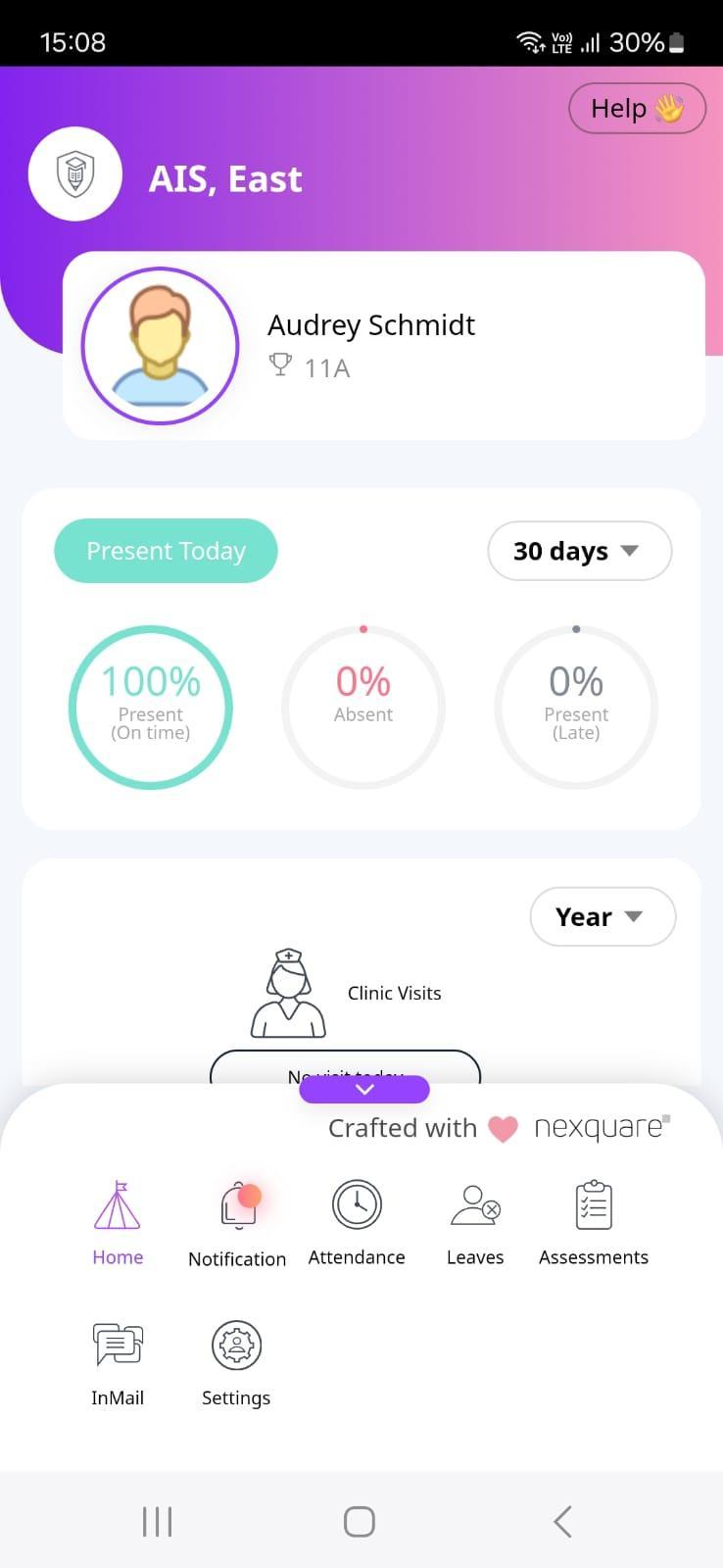
Zenda ParentApp Guide Homepage Yourhomepageprovidesacompleteoverviewofyourchild'sacademicjourneyatschool, witheasyaccesstoimportantfeaturesandactions.
Atthebottomofthepage,you’llfindvariousschoolmodulesforyouruse,alongwiththe optiontomanageyourpersonalprofileunderSettings.
Youcanreviewyourchild'sattendance,bothcurrentandhistoricusingthedropdown menu.
Furtherbelow,you’llseedetailsofanyclinicvisitsandbehaviorincidentsinvolvingyour child.
Additionally,photosuploadedbytheschoolwillalsobevisibleforyoutoview.
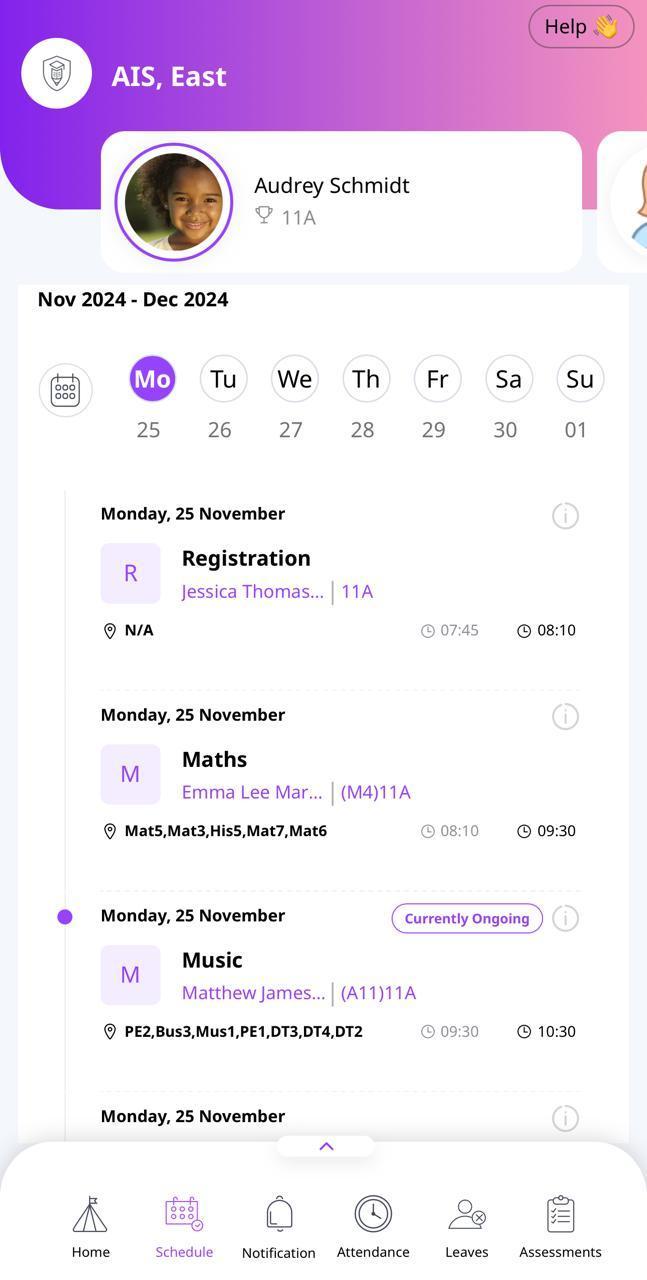
Schedule ThissectionDisplaysyourchild’scustomscheduleforeachday.
Youcanchooseaspecificdatetoviewtheday'sschedule,includingdetailedinformation aboutthetimings,teachers,andclassroomswhereeachlessontakesplace.
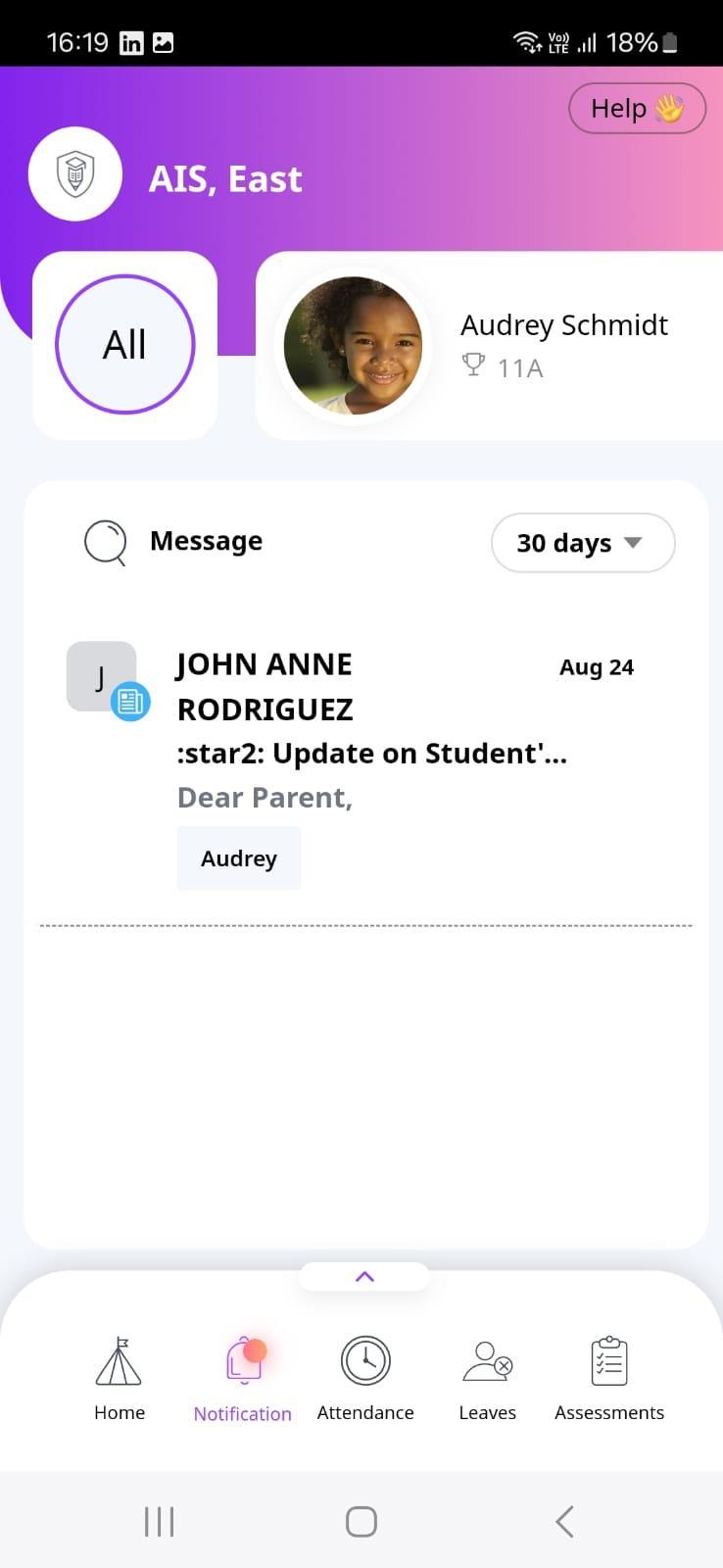
Notifications Thissectionactsasyourcentralhubforreceivingallalertsandnotificationsfromthe school.
Youcantaptoaccessmessagessentdirectlytoyouandrespondwhennecessary.
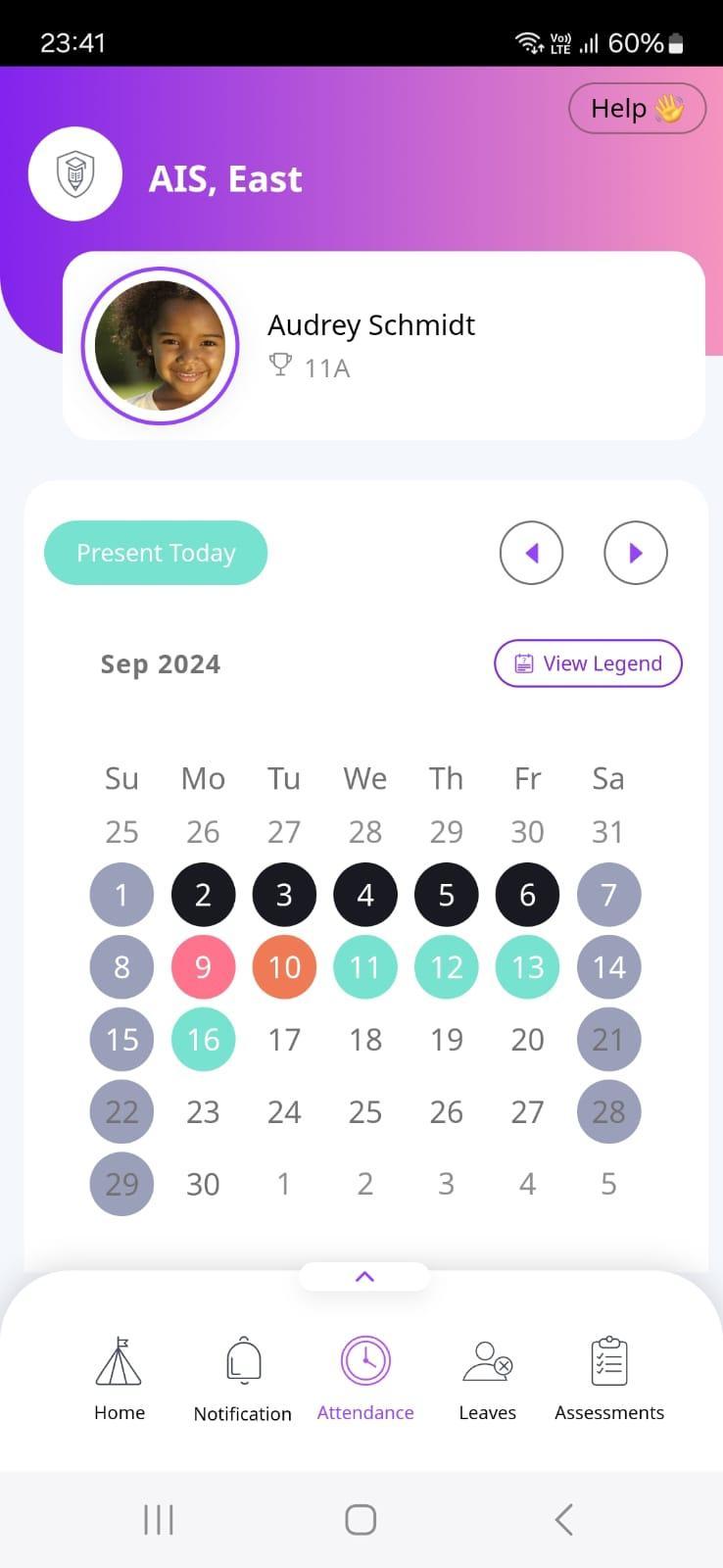
Attendance Thissectiondisplaysyourchild'sattendanceinformation.
Thecalendarhighlightsdailyattendance,withaViewLegend optiontoexplainthemeaningofeachcolorandthe correspondingattendancestatus.
Toviewpastorfutureattendancerecords,usetheleftorright arrowslocatedabovetheViewLegendoption.
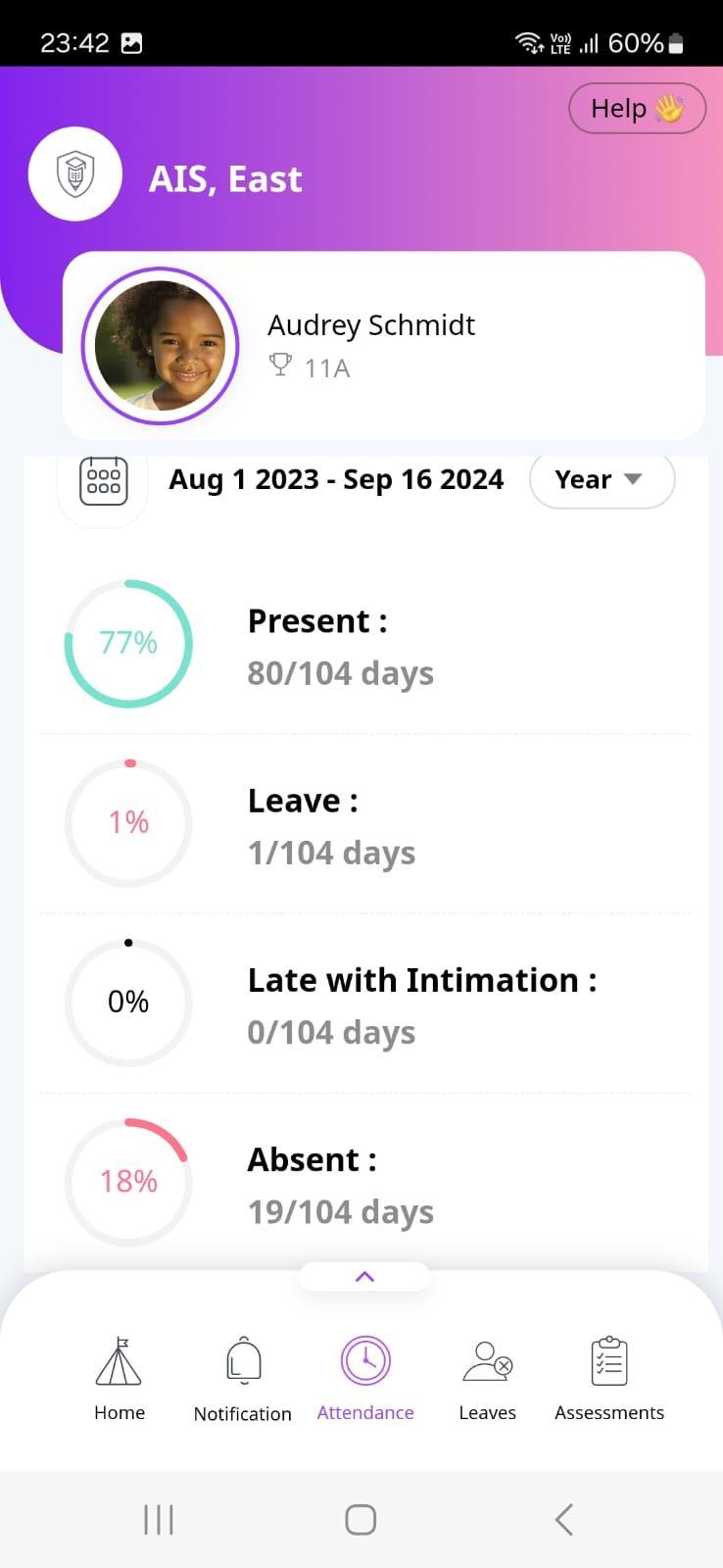
Scrollingdown,you'llfindabreakdownofyourchild's attendancestatistics,showingpercentagesforeach attendancestatus.
Youcanviewthisinformationforayear,term,month,or week.
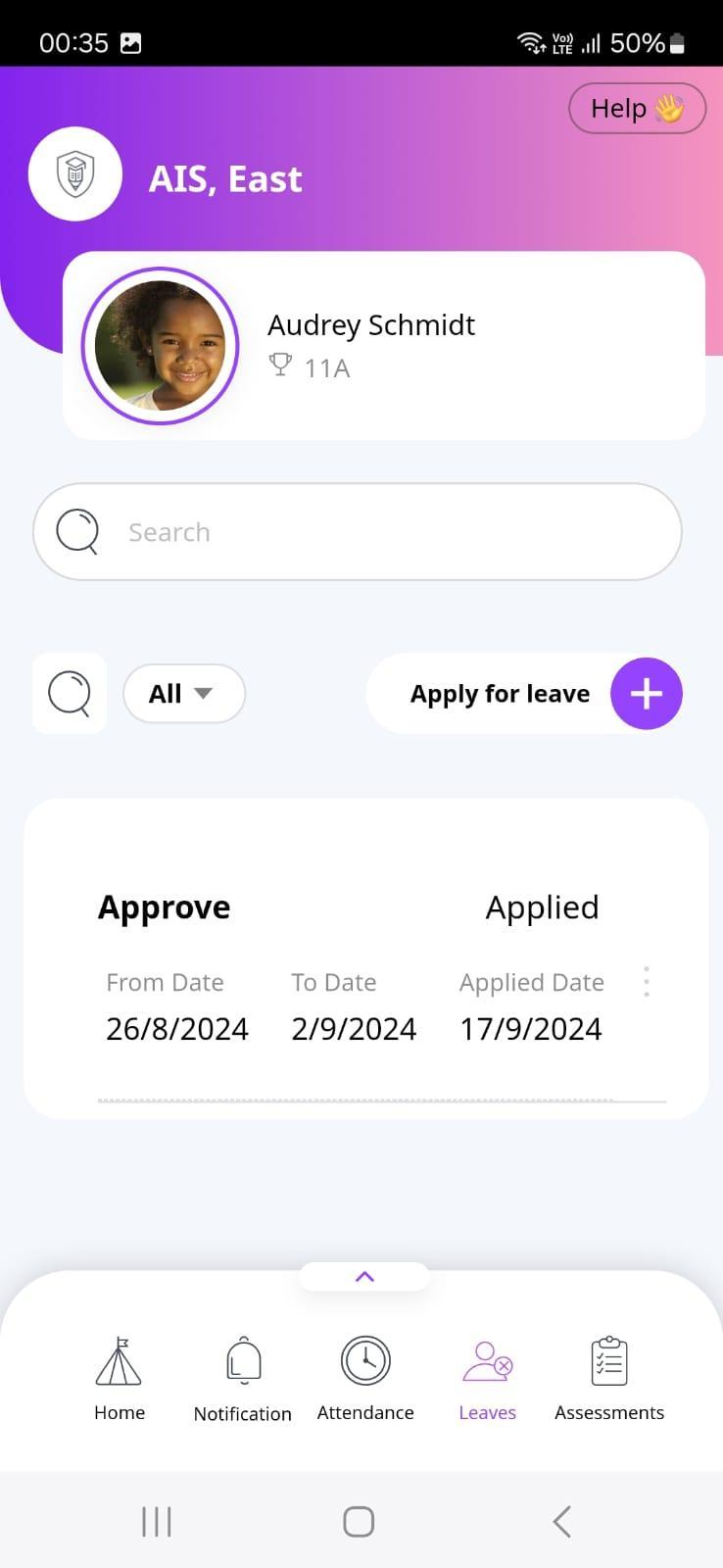
Leaves In this section, you can view previously applied leaves or apply for new leave for your child by clicking the "+" icon next to the Apply for Leave option.
To view leaves by status, use the filter option to view by categories such asApproved, Rejected, In Review, etc. You can also use the search option to search for specific leave application from the list.
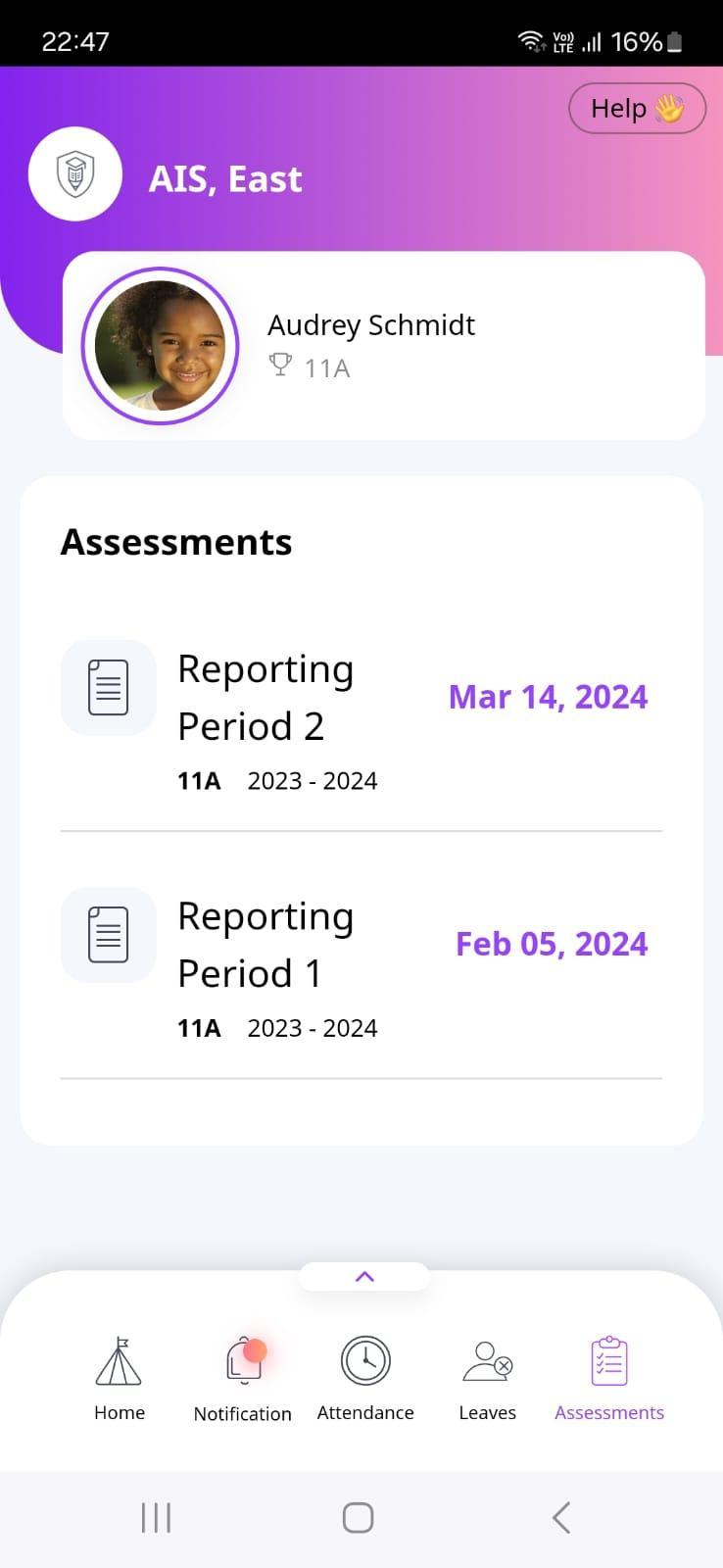
Assessments Oncereportcardsarepublished,youcantaptoaccessanddownloadyourchild's assessmentreportsfromthissection.
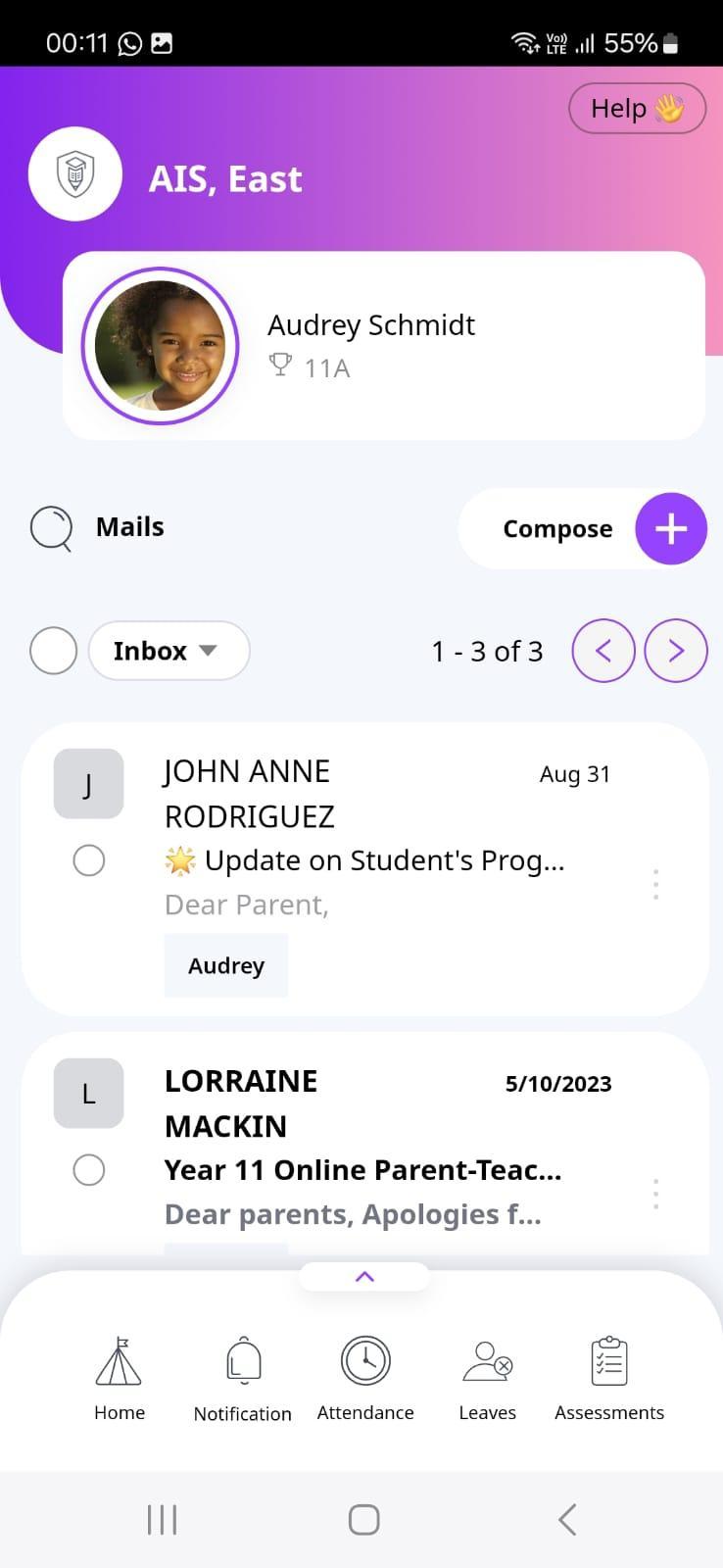
InMail In this section, you can view and respond to communications from the school.
To compose a new communication to the school, click on the “Compose +" icon.
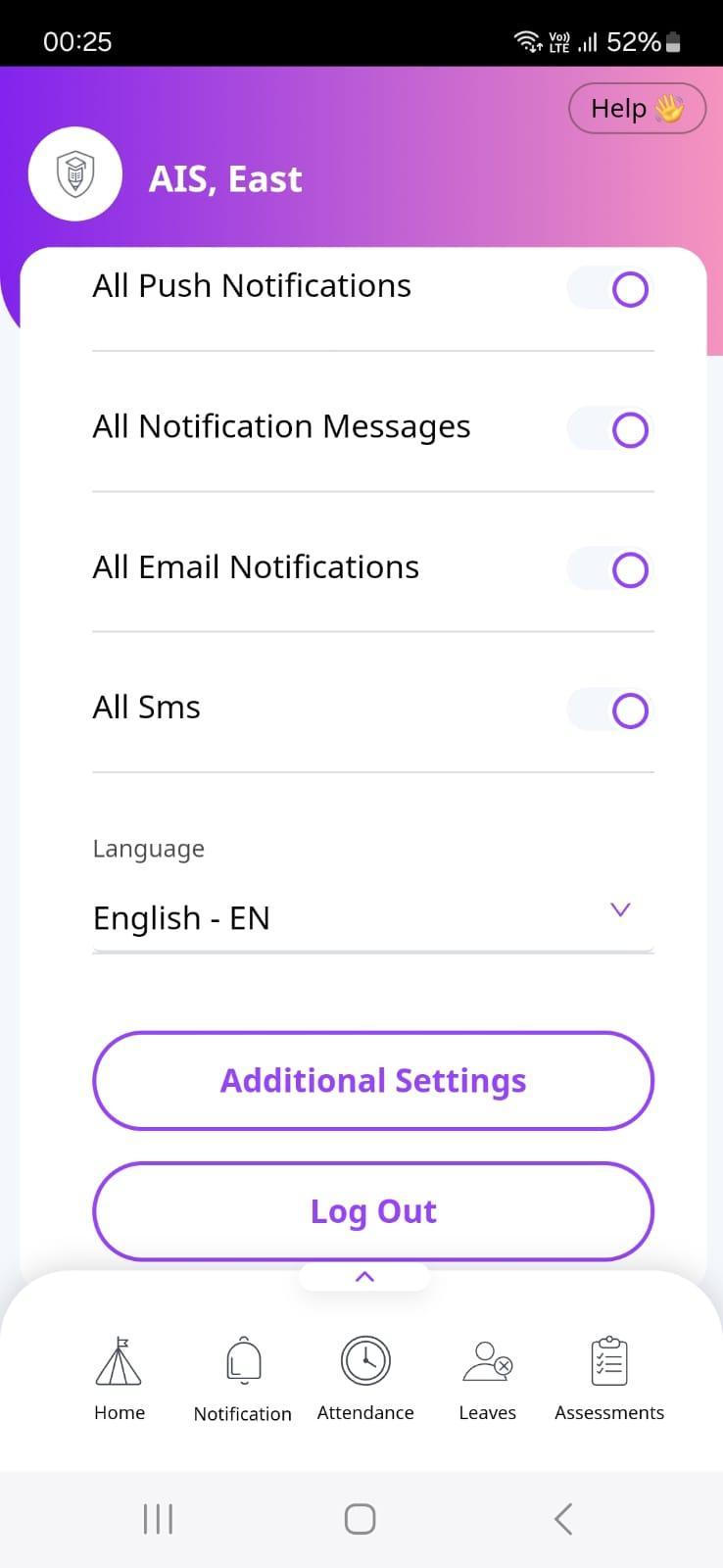
Settings Inthissection,youcanmanageandcustomizeyourcommunicationsettings,allowingyou totailoryourin-appinteractionstosuityourpreferences.
Werecommendturningonallpushnotificationssoyoustayintheloopwitheverystepof yourchild’sacademicadventure! Don’tmissasinglemomentoftheirgrowthand achievements!