MoviestormFilmmaker &
PhotoPea
★ WhatisPhotoPea?
Photo Pea is an advanced image editing software thatcanworkwith both raster and vector graphics. This software uses a web browser as its base of operations. It can be run using any electronic device, including:Phones,Tablets,Laptops or other Computers. A stylus is recommended for phone and tablet usersforprecisepointing.
While a web browser (Google Chrome, Bing, etc.) is needed to run Photo Pea, it canbeusedofflineoncePhotopea.comloads.Allfilesaresavedtoyourdevice.
PHOTO PEA DOES NOT UPLOAD ANY OF YOUR FILES TO THE INTERNET OR ANY INTERNET SERVERS
★ HowCanYouUsePhotoPea?
○ CreatingGraphicPosters
○ Advertisements
○ PhotoEditing(ProfessionalandPersonal)
○ CreatingPresentations
★ FeaturesAvailablePhotoPea
○ DifferentLayerTypes(LayerBasedEditing)
○ LevelsandCurves
○ BlurStyles(Gaussian)
○ LiquifyandWarpTools
○ CreateandEditVectorGraphics
○ VectorTools
○ PerspectiveManipulation
○ LocalFonts
★ PhotoPeahasvarioususes,including:
○ ResizingImages
○ DesignWebpages
○ CreateIllustrations
○ ProcessPhotographs
○ Blending
○ Layering
○ Masking
★ WhoUsesPhotoPea?
○ Students
○ Teachers
○ GraphicDesigners
○ SocialMediaInfluencers
○ Entrepreneurs
★ IsPhotoPeaStillRelevant?
While Photo Pea is not an industry standard, it still has many users and is often compared to Adobe Photoshop. Some features of Photo PEa are very close to that of Adobe Photoshop, however, seeing that Photo Pea is free, and accessible via a web browser AND can be run on any electric device it remains a well used, relevantphotoeditingtool.
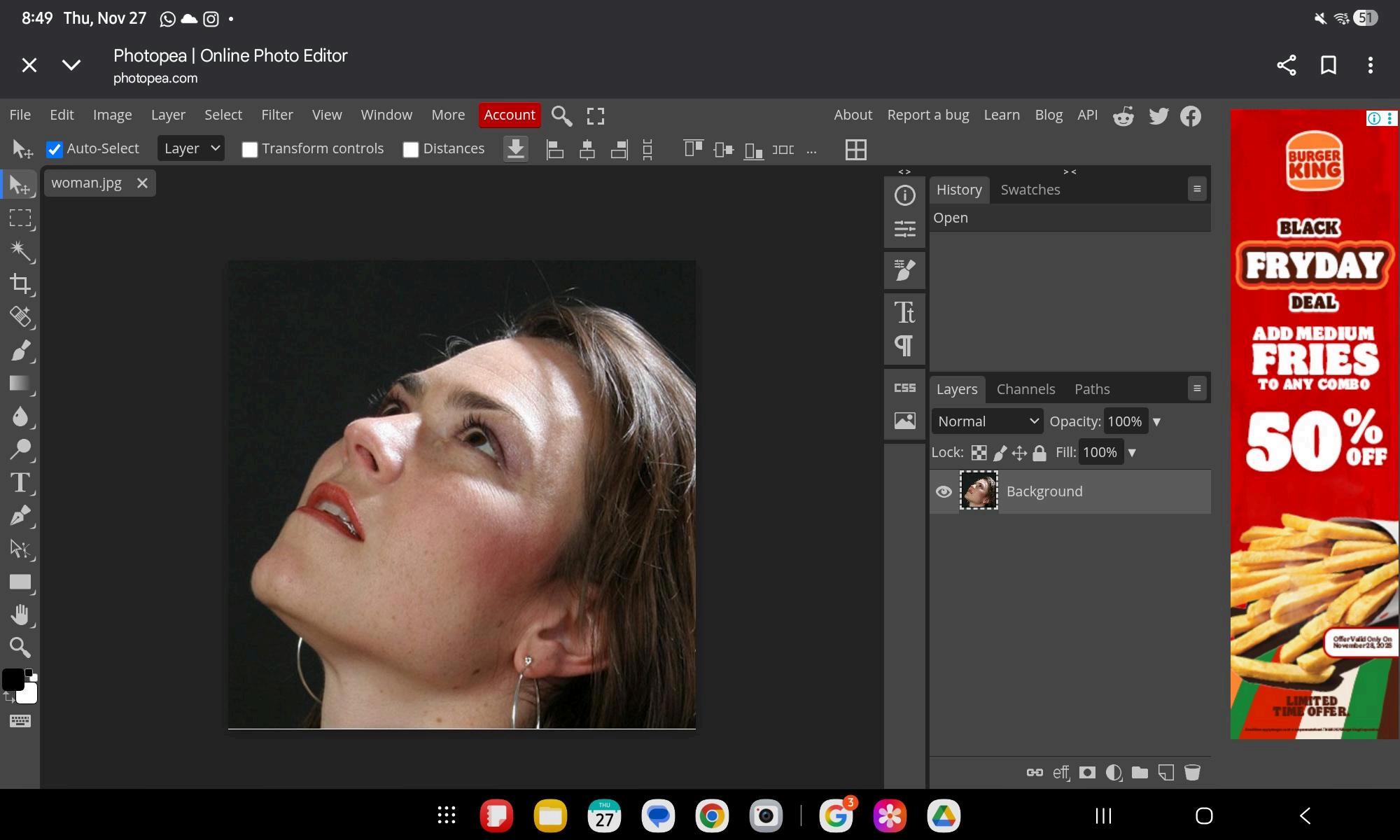
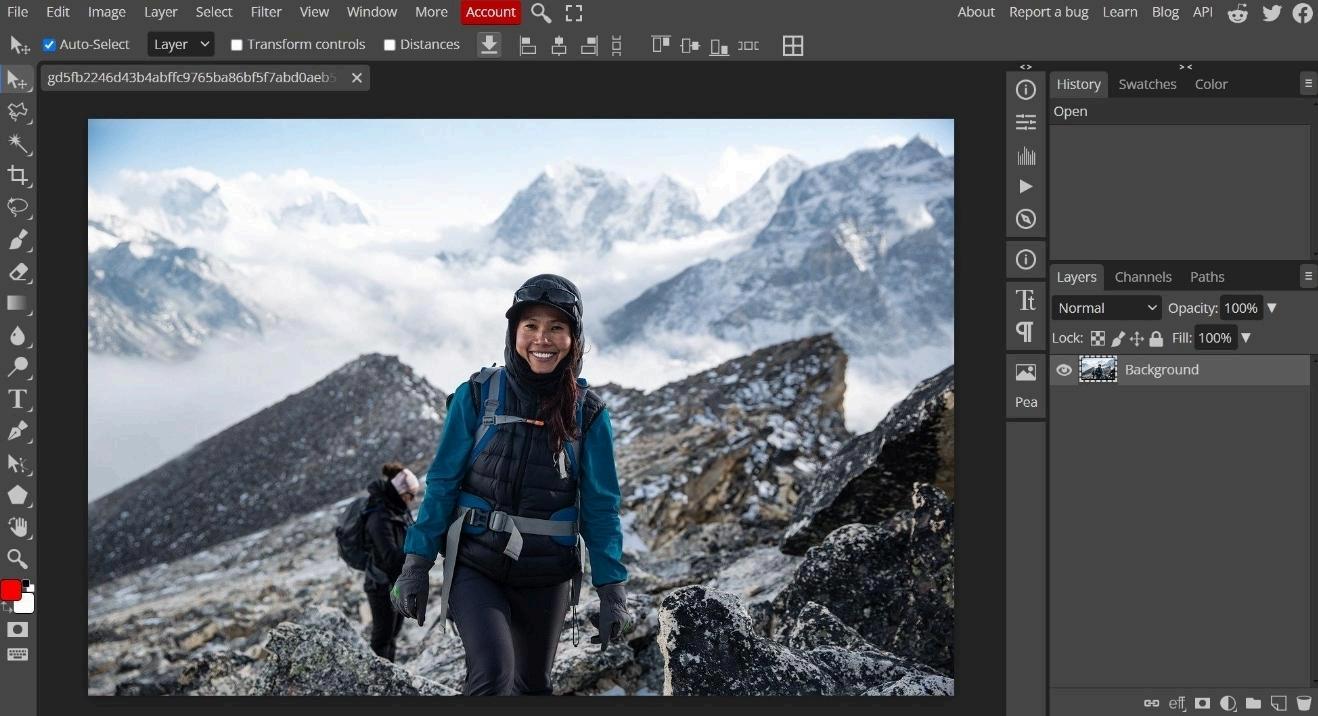
InterfaceonComputer(TakenfromthePhotoPeaWebsite)
★ Moviestorm Filmmaker is a 3D animation software designed to help users create digital movies easily, from pre-visualizing scenes to producing finished films. It is used by hobbyist filmmakers, students, educators, and businesses for tasks like developing storyboards, pitching ideas, creating low-budget animations, and teaching filmmaking. The software provides a suite of tools for building sets, animating characters, and controlling cameras within a virtual environment.

★ HowtouseMovieStormFilmmaker?
○ Practicefilmmakingtechniques
○ Previsualizelive-actionshoots
○ Buildaportfolio
○ Makelow-budgetprojects
★ FeaturesonMovieStormFilmmaker
○ SetandAssetCreation
■ SetWorkshop
■ PropLibrary
■ Lighting
■ AssetImport
○ Characterandanimation
■ DressingRoom
■ AnimationControls
■ Gesturizer
■ LipSync
■ ImportAnimations
○ Cinematographyandediting
■ Director'sView
■ PhysicalCameraSupport
■ CuttingRoom
■ TimelineEditing
○ Audioandoutput
■ SoundEffectsandMusic
■ VoiceRecording
■ PublisherView
○ Otherfeatures
■ ScriptImport
■ Real-timePreview
■ CollaborationTools
★ WhousesMoviestormFilmmaker?
○ FilmmakersandCreatives
○ Businesses
★ IsMoviestormFilmmakerstillrelevant?
○ Moviestorm Filmmaker is still relevant as an accessible and low-cost tool for specific use cases, but it is no longer a major player in professional, high-end animation production. The software is still offered and used, but its original desktop version is no longer being activelydeveloped.
○ Several modern software options have emerged that offer features similar to or more advanced than Moviestorm Filmmaker, catering to different user needs from beginners to professionals. The best replacement depends on your specific goals(e.g.,easeofuse,specific typeofanimation,budget).
■ Wondershare Filmora: A versatile video editor with a simple user interface that includes animation and motion graphics tools, suitable for beginners looking to create various types of videos.
■ Blender: The top recommendation for anyone on a budget. Itis a completely free, open-source 3D creation suite that includes modeling, rigging, animation, simulation, and even video editing tools. It has a large, active community and manyonline tutorials.
■ Cinema 4D (by Maxon): Popular in motion graphics due to its relatively user-friendly interface compared to Maya and excellentintegrationwithsoftwarelikeAdobeAfterEffects.
MoviestormFilmmakerUI