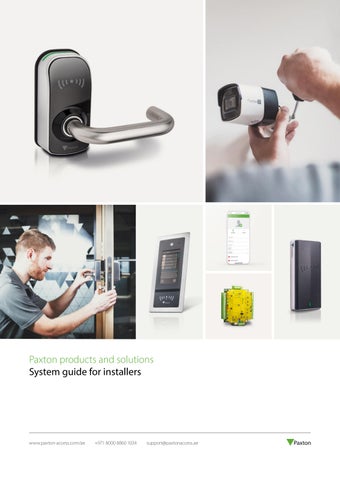
Paxton products and solutions System guide for installers
www.paxton-access.com/ae
+971 8000 8860 1034
support@paxtonaccess.ae
Security made simple. With 40 years of experience in designing and manufacturing market-leading access control security solutions, we are passionate about technology. We harness the latest available technologies to deliver elegant, useful and practical solutions for our customers. We are constantly striving to make our products simple to buy, install, and use. We are a manufacturer committed to offering free training and ongoing support to our installers, all backed by our 5-year warranty for peace of mind.
Easy to quote
Easy to install
Easy to work with
•
Build your system one door at a time
•
Plug and play solutions that connect directly to the network
•
Industry-leading technical support
•
A range of products to suit any site requirement
•
•
5-year warranty and three step returns policy
•
Scalable system – add doors when the budget is available
Mix and match Net2 products – they are all designed to work together seamlessly
•
•
Clear instructions and colour coded wiring labels
Free software upgrades and no multiple licence fees
Contents 04 Our solutions 06 Access control 06 07
Our access control systems Solutions by feature
08 Net2 – Networked access control 10 12 14 16 17 18
Net2 - How it works Net2 software features Apps for Net2 Net2 products Net2 readers and keypads Net2 integrations
20 Paxton10 – Access control and video management 22 24 26 28 30
Paxton10 - How it works Paxton10 software features Apps for Paxton10 Cameras & video management Paxton10 products
32 Solo – Phone-based, cloud-hosted access control 34 37
Solo - How it works Solo products
38 Compact and Switch2 – Standalone access control 40 41
Compact - How it works Switch2 - How it works
42 Door entry 44 46 48
Entry - How it works Apps for Entry Entry products
50 Wireless door handles 52 54
PaxLock Pro - How it works PaxLock products
56 Useful information 56 56 57 57
Free installer training Industry leading technical support Sales brochures How to buy
58 Demonstration equipment
Our solutions
Access control
Wireless door handles
A secure and flexible way of controlling who has access to a building and when that access is allowed.
Security built-in, these can be installed by themselves or as part of a networked system for greater flexibility.
Unlike locks and keys, access control can offer more functionality when integrating with other systems like CCTV, fire and intruder alarms for a complete solution.
Electronic handles communicate wirelessly, reducing cabling and making them straightforward to fit an existing door, saving installation time.
www.paxton-access.com/ae 4
+971 8000 8860 1034
support@paxtonaccess.ae
Door entry
Video surveillance
Allow users to validate their visitors at their entry panel before they grant them access. Our door entry system comprises three simple components that auto-detect on set-up; external panel, door control unit and internal monitor.
Capture site activity on camera. Cameras can provide users with an increased sense of security and reassurance that their site and assets are protected. In the case of an incident or security breach, footage can provide you with evidence and possible identification.
Door entry can be installed standalone or as part of an access control system.
www.paxton-access.com/ae 5
+971 8000 8860 1034
support@paxtonaccess.ae
Access control How does it work? Once an access control system is installed, all doors controlled by the system will automatically lock when the door is closed. Anyone without a PIN code or access token is unable to enter. If necessary, doors can be set to unlock during a designated time frame. Access control also offers flexible control over users’ access rights. For example, all staff can gain access through the main door of a building, but access to internal areas may be restricted to those who have a specific need to be there. Access may also be restricted by time, only granting access to particular users at certain times of day or night.
Our access control systems Networked Net2
Web-based Paxton10
Designed to make the management of any building very simple. Net2 is our networked access control system. It can be administered using one or more PCs and can be monitored and managed from a central location. It is a complete solution that encompasses wireless door handles and door entry.
A single solution combining access control and video management, Paxton10 is an elegant solution to meet market demands. With intuitive and easy to use online software and the option to use your phone or smartwatch as a key, for free, the system provides simple, futureproof security.
www.paxton-access.com/ae 6
+971 8000 8860 1034
Phone-based, cloud-hosted Solo
Standalone Compact and Switch2
With Solo your phone is the system and the key. Use your phone to create and manage the system, then use it to open the door. With the simplicity of standalone, and the power of a networked system, Solo is infrastructure-free with no onsite data network needed.
Standalone access control is the simplest way to secure and control access through doors around a building. If you’re looking to step up security, protect your staff and assets and save money, then standalone access control is for you.
support@paxtonaccess.ae
Solutions by feature Compact & Switch2
Solo
Use with door entry
-
Use with wireless door handles
-
Net2
Paxton10
Number of doors
Unlimited
Unlimited
Up to 1,000
Up to 1,000
Number of users
Up to 5,000
Unlimited
Up to 50,000
Up to 50,000
Cloud-hosted
-
-
-
-
-
Wide range of readers, cards and tokens Hands free compatible
Switch2 only
-
No network required Web-based user-interface
-
-
With Pro software
Remote access from anywhere
-
With Pro software
Free suite of mobile applications
-
With Pro software (Paxton Connect only)
Single app for system administration and access
-
-
Smartphone credentials
-
-
Integrate your system - CCTV, intruder and fire alarms
-
Biometrics*
-
Security lockdown
-
-
Timesheet and timeline - to log working hours
-
-
Anti-passback to prevent token sharing
-
-
With Pro software
Embedded video management software
-
-
-
Customisable dashboards to suit any user requirements
-
-
-
Visual site plans
-
-
-
Multi-site management from a single server
-
-
-
Occupancy Management
-
-
With Pro software
-
Checkpoint Control
-
-
With Pro software
-
Email notifications of events
-
-
Encrypted credentials
-
With integrated 3rd party biometric readers
7
+971 8000 8860 1034
Paxton Key app
With Pro software -
With integrated HID Signo readers
*
www.paxton-access.com/ae
-
support@paxtonaccess.ae
Using built-in biometric authentication functionality in users’ smartphones
01- Net2
Net2 Networked access control Net2 is our user friendly and flexible networked access control and door entry system, which is managed from a central PC. Net2 access control is easy to install and designed to make the management of any building very simple. Net2 offers a range of IP, battery powered, door entry and wireless or wired door controllers to suit any site requirement, making installers’ lives easier.
Case study - Net2 Huntsville, AL, USA An integral part of the Huntsville School Districts sports complex, the activity center serves as the hub for student activities across the district. It is located on a remote site that includes a football and track stadium, baseball facilities, the activity center, and other buildings. Net2 allowed the district a lot of granular control over their security, especially when it came to access permissions. They are able to easily determine who has access to which doors at specific times. The addition of the wireless PaxLock door handles has also been beneficial in areas where it’s not convenient or feasible to run cabling. Net2 products used: • Net2 Plus • Net2 Pro software • PaxLock Pro • Proximity P series readers Read the full case study here:
01- Net2
Net2 - How it works Our networked access control system, Net2, is administered using one or more PCs and can be monitored and managed from a central location. Our door controllers come as wired, wireless or battery powered. Net2 is designed with simplicity in mind and is easily scalable. Paxton’s one door controller philosophy means you only quote for doors that require access. You can build your Net2 system one door at a time using wired and wireless controllers and door entry for versatile security and building management.
LAN/WAN Net2 door controller
• Modular approach for simplicity and scalability • Simple intuitive software • Range of features that move beyond basic access control • A complete solution that encompasses wireless and door entry
Reader
Net2 server PC
www.paxton-access.com/ae 10
+971 8000 8860 1034
support@paxtonaccess.ae
Net2 software overview There are two versions of the software: Net2 Lite, which is ideal for most sites and is free of charge, and Net2 Pro, which offers extra features for more flexible and advanced access control. Developed to be straightforward and intuitive, the Net2 software is easy to learn.
Net2 door controller
Net2 door controller
Feature
Net2 Lite
Net2 Pro
•
•
Free upgrades
•
•
CCTV integration
•
•
Site graphics
•
•
Multiple clients
Reader
Reader
Triggers and actions
•
•
Intruder alarm integration*
•
•
Entry compatible
•
•
Biometric integration
•
•
Timesheet & Timeline*
•
•
Card designer
•
•
Multi Factor Authentication for system login****
•
•
Landlord Tenant
-
•
Roll call and muster reporting*
-
•
Fire alarm integration*
-
•
Anti-passback*
-
•
Security lockdown*
-
•
Multi-zone intruder alarm integration*
-
•
Custom days*
-
•
Areas
-
•
Customisable welcome page
-
•
Paxton Connect app**
-
•
Net2Online***
-
•
Checkpoint Control
-
•
Occupancy Management
-
•
* Not available with wireless products ** Paxton Connect app only works with Net2 Pro v6.00 or above *** Net2Online only works with Net2 Pro v6.01 or above **** Availalble from Net2 v7
Discover the potential of Net2 Designed to make the management of any building very simple, Net2 is a complete solution that encompasses wireless and door entry.
www.paxton-access.com/ae 11
+971 8000 8860 1034
support@paxtonaccess.ae
Learn m e
01- Net2
Net2 software features Tailor access privileges to groups or individuals quickly and easily using our intuitive, user-friendly software. Event reports can be generated in a few clicks and the advanced features such as site graphics, IP camera integration and triggers and actions further extend the capabilities of the system.
• Lite software is free and suitable for most needs
Net2 software is compatible with Windows 10 and 11. operating systems and is designed to feel familiar to any Windows user.
• Multiple operator levels
• Unlimited client workstations
• Integrations available for a complete solution
Lite and Pro Free upgrades Software upgrades are always free of charge, allowing system users to benefit from new features as they become available.
Site graphics Import 2D images of your site to give a graphical view of door open or alarm status for operators or security personnel.
Live events View events in real time full event logging - review historical events.
Triggers & actions Administrators can easily create rules based on system events. These include sending emails and SMS, controlling doors and relays in response to access events or alarms.
Unlimited client workstations Net2 software does not restrict the number of operators who can have access and it can be installed free of charge on multiple PC’s.
User image verification This enables the system administrator to visually confirm the identity of the user.
Reporting Pre-defined reports allow you to review the most relevant data quickly. Build custom reports based on individuals, departments or doors.
Integration Easily integrate with other security systems and offer your customers a complete solution. Integrations allow your customers to enjoy more streamlined building management.
Multiple operator levels An unlimited number of people can administer the system with different levels of security applied.
Temporary access rights Temporary access permissions can be used to automatically upgrade or downgrade a user’s access permissions for a set period of time.
Open door function Utilise the software to open individual doors or groups of doors from a workstation.
Turnstile mode Control bi-directional turnstiles with a single door controller saving wiring time and hardware expense.
Timesheet and timeline You can use Net2 to log the working hours of employees. Also note periods out of the office for reasons such as vacation, appointments, unpaid leave, etc.
Card designer Personalise access control cards with employee pictures, details and company information.
www.paxton-access.com/ae 12
+971 8000 8860 1034
support@paxtonaccess.ae
Pro only Landlord tenant / Advanced operator permissions Manage operators in various ways to limit access and enhance security. Restrict operators to only administer users and apply specific access level permissions.
Who’s in? Displays the last known location of a user based on the last reader they presented a token to.
Roll call & muster reporting Create reports listing all users currently within a specified area. Primarily used in the event of an emergency, such as a fire alarm to check that everyone is out of the building.
Security lockdown Ideal for sites that need to secure the premises in the event of an emergency, allowing specific security personnel free movement during a lockdown.
Areas Make it easier to set up access levels on larger sites by grouping multiple doors into a single access controlled area. Also allows advanced features such as anti-passback.
Customisable welcome screen Customise the welcome screen with their logo and contact details. This ensures that the customer knows who to contact if they need support.
Occupancy management Control social distancing with Occupancy Management. Manage the flow of people around your building to control the maximum number of people in any area.
Checkpoint control Create checkpoints for people to be validated before they can access areas, helping to follow health and safety guidelines.
Anti-passback Use anti-passback to prevent a user from passing their token to a second person to gain entry into the same controlled area; for example, a car park.
Custom days Allow users to create a time period for special events and occasions. This is useful when organising events such as school open days, or extended store opening hours.
View our video tutorials
Watch our tutorial videos and learn how you can get the very best from the Net2 software and offer your customers more from their access control system.
www.paxton-access.com/ae 13
+971 8000 8860 1034
support@paxtonaccess.ae
01- Net2
Apps for Net2 Paxton Connect Paxton Connect for Net2 makes remote site management even more simple and flexible from any location. The updated version features a brand-new design, easy site search functionality, and improved biometric login. Download free now from the App Store or Google Play.
Features of the app: Open door Open a door directly from your phone, wherever you are.
User administration Add, delete and edit users for easy management.
Roll call Quickly establish whether users are safe in an emergency.
• Doors you have access to will appear
• Add tokens to users via access denied events
• Mark users as safe/missing
• Visual feedback – green flash for opened doors and red for access denied
• Add & edit images of users from your camera • See users’ last known positions or album • Call users via the app • Manage anti-passback, intruder alarm and • View a user’s image as stored within your user rights system
• Open a door for default seven-second open time
www.paxton-access.com/ae 14
+971 8000 8860 1034
support@paxtonaccess.ae
Events and reports Real-time updates provide live information on users’ locations.
Lockdown Secure the site at the touch of a button.
Timezones Set doors to lock and unlock during specified timezones
• Default Net2 reports appear in the app
• Protect your site in the event of emergency*
• View live events
• Quickly disable access through selected doors
• Create new, update and manage existing timezones
• Dynamically search events and reports
• Confirmation required to prevent accidental lockdown
• Reports default to the last 365 days
• Easily edit timezones with simple sliders set to 5-minute intervals • Easy editor lets you set timezones at oneminute intervals
*Lockdown feature will trigger one lockdown scenario within the Net2 software. Configuration of lockdown scenario must take place in the Net2 software, this cannot be managed in Net2Online or Paxton Connect. www.paxton-access.com/ae 15
+971 8000 8860 1034
support@paxtonaccess.ae
01- Net2
Net2 products
Door controllers All Net2 door controllers can be used alongside each other, making it easy for installers to find the best solution for each individual site. Net2 Plus door controller Net2 Plus is Paxton’s most powerful door controller, which uses TCP/IP technology to allow direct connection to the IP network, saving time with minimal wiring needed.
Net2 Plus door controller with PoE Power over Ethernet (PoE) is a technology that allows both power and data to be streamed along the same Ethernet cable. Net2 Plus with PoE as a power source makes installations quick and easy.
Net2 Nano door controller Net2 Nano is a wireless door controller, using secure wireless technology to communicate to the server PC.
• Use existing LAN or RS485 infrastructure on a site
• Enjoy all the benefits of Net2 Plus, with a single cable for power and data
• Easy installation with minimal wiring
• Choose to use mains or PoE
• Communicates using Net2Air technology, Paxton’s secure and reliable wireless protocol
• Future proof and easily scalable
• Installation is more efficient and convenient
• Create more site opportunities
• Save time and money on extra cabling
www.paxton-access.com/ae 16
+971 8000 8860 1034
support@paxtonaccess.ae
• Minimal wiring needed • Easy installation and configuration
Net2 readers and keypads Due to the wide range of site requirements, we offer a variety of readers and keypads suitable for use with Net2. This includes readers and keypads with vandal resistant, energy saving and longrange capabilities. Most of our readers can read HID™ 125kHz Proximity tokens, when enabled with an activation licence card. If required these readers can still be enabled to have Wiegand, via a separate activation licence card. P-series The P-series range of readers is Paxton’s most popular and comprises four readers ranging in size from the P38 to the P200. A P38 fits neatly onto a door frame while the size of the P200 creates a longer token read range.
Long range reader The Long range reader is designed for hands free access, its read range of 5m means that the token can be detected from within a vehicle, for car parks, barriers and wheel chair user access.
Energy saving reader The Energy saving reader is used to ensure that electrical equipment is only switched on when an authorised user card is inserted and retained, ideal for energy saving and safety.
KP75 MIFARE® keypad The KP75 MIFARE® keypad has a durable, metal frame design and is suitable for both exterior and interior use.
Marine reader The Marine reader is made of marine grade stainless steel and is built to withstand the elements as well as look stylish.
TOUCHLOCK vandal resistant metal keypad The keypad is manufactured using a cast metal housing and is supplied with a choice of a metal mounting plate or a metal surface mounting box.
www.paxton-access.com/ae 17
+971 8000 8860 1034
support@paxtonaccess.ae
01- Net2
Net2 integrations Net2 software is designed to easily integrate with other security systems, so you can offer your customers a complete solution. By integrating with other security systems your customers can enjoy more streamlined security for their building. Bespoke integrations The Paxton RESTful API is easy to integrate with and free to obtain a license. Any development with the API is supported via a dedicated software development forum. You can start your application process here: www.paxton.info/5788
Intruder alarm
Fire alarm
• Save time by integrating Net2 with your intruder alarm and reduce false alarms
• Integrate Net2 with your fire alarm and program your system to automatically open fire doors in the event of an emergency to improve safety
• Control your intruder and access systems as one, across different areas of the building • Auto set alarm when last person leaves
CCTV
Biometrics
• Streamline your Net2 system with CCTV for a quick, efficient way to view footage linked to specific access events or doors
• Net2 integrates with leading biometric readers, allowing enrolment of biometric data within Net2
• Review CCTV footage from within your Net2 system
• Open up new opportunities from high security sites by offering biometric integration with Net2 access control
Our integration partners For the full list of our approved integration partners visit: https://www.paxton.info/3215
www.paxton-access.com/ae 18
+971 8000 8860 1034
support@paxtonaccess.ae
02 - Paxton10
Paxton10 – Web based access control & video management Paxton10 is a single platform solution combining access control and video management. It is a versatile solution that supports multi-site management and remote access. Paxton10 allows you to expand your system on a global scale, up to 100 sites on a single server. Scalable from 1 to 1000 doors, and 1 to 1000 cameras, Paxton10 is suitable for all building types.
Case study - Paxton10 X+Why: Chiswick Works, London, UK Chiswick Works is a collaborative community workspace based in Southwest London, UK. It is managed by X+Why, who offer flexible daily passes for collaborative workspaces and short or long-term memberships for dedicated offices. Chiswick Works is part of a larger group of similar flexible offices nationally. “For a collaborative workspace it is just the ideal solution. It is the only system I know of that enables the use of a smartphone or smartwatch as access tokens, that can be setup and emailed to the user quickly and easily. Paxton refer to these as smartphone credentials and they are completely free of charge with Paxton10.” Sam Rodway, Ambush’s Technical Sales Director (installer) • 117 users • 50 doors Paxton10 products used: • Paxton10 server • Paxton10 door controllers • Slimline readers • Keypad readers Read the full case study here:
02 - Paxton10
Paxton10 - How it works Paxton10 has been built using a modular design with ultimate simplicity in mind, utilising the latest technology to deliver powerful features with only a small number of components required. Easy to quote, install and use, Paxton10 provides simple, futureproof security. Paxton10 allows you to expand your system on a global scale, to manage up to 100 sites, with 50,000 users, from a single point of management. The web-based user interface supports global, remote access to the software from anywhere, at any time. The Paxton Connect app is also available to simplify system management from a smartphone or tablet.
LAN/WAN
Camera
• Modular approach for simplicity and scalability • Access control and video management in one system • Bluetooth smartphone credentials • Compatible with PaxLock Pro and Entry • Multi-site management
Web-based Paxton10
www.paxton-access.com/ae 22
+971 8000 8860 1034
support@paxtonaccess.ae
Paxton10 software overview
Paxton10 door controller
A web-based user interface that is intuitive and easy to use. The webbased user interface supports global, remote access to the software from any device with an internet connection, Paxton10 software makes remote, multi-site management simple. The software has a range of intelligent features to combine access control and video management in one, easy to use solution. Feature
Paxton10
Online user-interface Video management Multi-site Remote access Free mobile app Bluetooth® smartphone credentials* Customisable dashboards Software permissions Building permissions Reporting & events Control device function Server
Reader
Site plans Custom rules Custom days Anti-passback Roll call & muster reporting Lockdown Email notifications * Requires the Paxton Key app
Combined access control and video management With all the benefits of complicated integrated security systems, Paxton10 makes it easy to build a complete solution.
www.paxton-access.com/ae 23
+971 8000 8860 1034
support@paxtonaccess.ae
Learn m e
02 - Paxton10
Paxton10 Software Paxton10 software supports remote access from anywhere, at any time, from any device. It is intuitive, simple to use and easy to learn. Paxton10 software is free of charge, with no license fees, making it a cost-effective solution ideal for a range of sites. Offering access control and video management features for advanced surveillance and flexible management of access and people movement around your site.
• No licence fees • Online user-interface • Remote access • Free mobile apps • Reporting & events
Features The software has a range of intelligent features making it easy to tailor your security system to your specific needs. Manage building security and video surveillance with your own customised dashboards, run event reports, view live and recorded video, and create and manage users all in one place. Dashboards Customise dashboards to suit any user requirements.
Web-based software No installation, plug-ins or upgrading required.
Reports Powerful reporting engine where all system events and videos can be reviewed.
Free of charge Simple online updates with no licence fees.
Site plans For the visual management of the system.
Multi-site management systems can span multiple sites and/or subnets, with one server and one user-interface.
People Manage user permissions, credentials and information.
Suitable for touchscreen and desktop devices Complete flexibility for user management.
Rules Set permissions, time profiles, building control and much more.
Shows low battery alerts Easy-to-monitor back up battery state.
Devices Configure and manage the devices in a building.
Flexible and secure remote access Connect to a system from anywhere in the world with an internet connection.
Apps Free apps for iOS & Android devices.
Lockdown Instantly secure the premises in the event of an emergency
www.paxton-access.com/ae 24
+971 8000 8860 1034
support@paxtonaccess.ae
Installation made simple. Watch our installer tutorials to become a Paxton10 expert.
Did you know that there are exclusive Paxton10 installation tutorial videos available to help you install our products quickly and easily? The videos have been created specifically for you, our installers, and can be accessed when you log in to the Paxton Portal. Scan the QR code above or visit https://paxton.info/6755
02 - Paxton10
Apps for Paxton10 Paxton Connect Paxton Connect for Paxton10 makes remote site management flexible from any location. Download free now from the App Store or Google Play.
Open door Open a door directly from your phone, wherever you are.
User administration Add, delete and edit users for easy management.
Roll call Quickly establish whether users are safe in an emergency.
Events and reports Real-time updates provide live information on user locations.
• Doors you have access to will appear
• Add tokens to users via access denied events
• Mark users as safe/missing
• Default Net2 reports appear in the app
• Visual feedback – green flash for opened doors and red for access denied
• Add & edit images of users from your camera or album
• Open a door for default sevensecond open time
www.paxton-access.com/ae 26
• Manage anti-passback, intruder alarm and user rights
+971 8000 8860 1034
• See users’ last known positions • Call users via the app • View a user’s image as stored within your system
support@paxtonaccess.ae
• View live events • Dynamically search events and reports • Reports default to the last 365 days
Paxton Key Utilise smart devices as access tokens. The Paxton Key app allows system users to make use of their smartphone, Apple Watch or tablet in place of electronic tokens or traditional keys. These are called smartphone credentials. Utilising the built-in Bluetooth® wireless
technology in Paxton10 readers, the smart device can securely communicate with the Paxton10 system to grant or deny access. Paxton Key also enables the user to carry out predefined building management functionality, such as setting the intruder alarm.
Download free
now from the App Store or Google Play
Paxton Connect
www.paxton-access.com/ae 27
+971 8000 8860 1034
Paxton10 Key
support@paxtonaccess.ae
02 - Paxton10
Cameras & video management
Video management
Paxton10 cameras
The Paxton10 video management software features a range of functionality, including remote access, dynamic video quality with Ultra-HD support, smart search and hard drive management.
Paxton10 includes Paxton’s own video management solution and range of CORE & PRO cameras, providing a single point of management for system users. A Paxton10 system can manage up to 1000 cameras including integration with third party IP cameras.
Providing a single point of management for system users, Paxton10 is scalable up to 1000 doors and 1000 cameras. The Paxton10 CORE & PRO cameras are suitable for more installations than ever before, allowing you to mix and match to tailor your own solution, with the latest technology embedded at the edge. Paxton10 cameras are embedded with the latest technology and Paxton’s own video management software with zero configuration required.
• Industry leading low light performance (0.003 Lux) • IP67 rated for internal and external use* • IK10 rated robust metal construction** • Edge and centralised recording capability • Simple configuration
The Paxton10 video management software includes an extensive range of functionality and features. • View live and recorded video
• Motion detection
• Video export
• Site maps
• High-speed scrubbing
• Video wall support
• Disk management
• Up to 1000 cameras
• Pan/tilt/zoom support
• Multiple client support (up to 10 clients streaming video concurrently)
• Bookmarking • Smart search
*Paxton10 Vari-Focal Bullet Camera – PRO series is IP66 rated ** Paxton10 Vari-Focal Bullet Camera – PRO series and Paxton10 Mini Dome Camera – CORE series only
www.paxton-access.com/ae 28
+971 8000 8860 1034
support@paxtonaccess.ae
High performance PRO series cameras
High value CORE series cameras
The PRO series provides 256GB of in-built memory to create a professional edge storage solution, with a range of camera options to provide a discreet surveillance solution or an effective visual deterrent. 8MP resolution and a vari-focal option provides market leading features and performance.
The CORE series provides the same high build quality as the PRO cameras, with the specifications required to deliver a simple and scalable system at a competitive price. With 64GB of edge storage and 4MP resolution, the CORE series are also available in a range of styles to suit any environment to create a cost-effective video surveillance solution
• Paxton10 Mini Bullet Camera – PRO series
• Paxton10 Mini Bullet Camera – CORE series
• Paxton10 Turret Camera – PRO series
• Paxton10 Turret Camera – CORE series
• Paxton10 Vari-Focal Bullet Camera – PRO series
• Paxton10 Mini Dome Camera – CORE series
www.paxton-access.com/ae 29
+971 8000 8860 1034
support@paxtonaccess.ae
02 - Paxton10
Paxton10 products Paxton10 uses single door architecture for ease of install and flexibility, with distributed intelligence to increase resilience. The system includes a range of Paxton’s most powerful multi-format readers and supports free of charge Bluetooth® smartphone credentials with the Paxton Key app. Paxton10 is fully compatible with Entry, our award-winning door entry solution, and PaxLock, our wireless door handle range to offer more choice.
Paxton10 readers All Paxton10 readers read Paxton, MIFARE®, HID™ Prox, EM, FeliCa, NFC and DESFire token technology, as well as Paxton10 encrypted credentials. Built-in Bluetooth® wireless technology, allowing the use of smart devices with three Bluetooth® range options – token, touch-to-enter and long range. They use encrypted RS485 communication with the Paxton10 controller. Paxton10 Keypad Reader Supports two factor authentication, using PIN/code and token. The keypad is fully backlit with hardened silicon buttons to ensure longevity. Capacitive wake up and low power sleep mode reduces energy consumption. Externally rated, IK09 and IP67.
www.paxton-access.com/ae 30
Paxton10 Vandal Resistant Reader IP67 rated for ultimate impact resistance. The ideal option for sites where the reader may be exposed to heavy use and risk of damage. IPX5 rated for external use in all conditions.
+971 8000 8860 1034
support@paxtonaccess.ae
Paxton10 Slimline Reader Combining multi-format technology with compact design (48mm width mullion mount). Capacitive wake up and low power sleep mode reduces energy consumption. Externally rated, IK10 and IP67.
Paxton10 Server The hub for the entire system, providing simple connection to your network with support for remote access. No software install or configuration required, simply browse to the weblink on the unit. 32GB USB back-up – for added peace of mind. Also automatic back-up and flexible system restore.
Paxton10 Door Controller Each controller manages a single door with a port to allow support for up to three Paxton10 connectors for additional functionality. Mains or Power over Ethernet (PoE) powered and PCB only options available with a 12V lead acid battery back up.
Paxton10 Connectors The Paxton10 connectors are available in four versions: as a miniature alarm connector to support fire and intruder alarm integration, I/O connector (with 8 inputs and 4 outputs), Input connector (with 16 inputs) and Output connector (with 8 outputs). These are always supplied as separate PCBs.
Paxton10 Universal Desktop Reader Supports all token formats with no additional configuration required. Simple USB connection. Reads Paxton, MIFARE®, HID™ Prox, EM, FeliCa, NFC and DESFire token technology, as well as Paxton10 encrypted credentials. Please note, the Universal reader is required to add encrypted credentials to Paxton10.
Paxton10 Encrypted Cards & Keyfobs Designed specifically for Paxton10, these credentials offer the highest level of defence against unauthorised cloning. Available in packs of 10.
Paxton10 Bluetooth® Hands Free Keyfob Uses Bluetooth® wireless technology to support hands free range of up to 10 metres. Long lasting battery life with backup RFID token.
www.paxton-access.com/ae 31
+971 8000 8860 1034
support@paxtonaccess.ae
03 - Solo
Solo – Phone-based, cloud-hosted access control Solo is a smart, convenient, connected access control solution. Use your phone to create and manage the system, then use it to open the door. With the simplicity of standalone and the power of networking; Solo is designed to make access control a simple, cost-effective option for sites where traditional systems might not be possible. Solo is infrastructurefree with no on-site data network needed. A mobile app-based solution with software, hardware, and cloud services built to the highest security standards.
Solo solutions Limitless opportunities Solo fundamentally changes the game, making access control a genuine option for sites where it wasn’t before. • Significantly cheaper per door than a traditional system • No wiring, only power required • The easiest install. Fit quick, fit more • Cloud-hosted, no centralised PC or server required
Solo provides the ideal solution for: The small business, with an easy and affordable system. The remote site. No infrastructure? No problem. The holiday rental. Hand out keys from anywhere. The commercial space, by avoiding IT disruption. The secure facility. Meet the highest cyber security standards. The construction site. Secure materials and assets at temporary sites.
See how Solo provides the opportunity to offer something new:
03 - Solo
Solo - How it works Our phone-based, cloud-hosted access control system, Solo, is administered from the free Paxton Solo smartphone app. Solo is designed with ultimate simplicity and flexibility, to make it effortlessly scalable. The single door controller architecture means you can grow your system one door at a time. Unlike traditional access control systems, the brains of the system are contained within your smartphone. The Solo – DoorTag uses NFC technology to allow the user’s phone to make the access decision, then the phone communicates with the controller via secure Bluetooth® Low Energy (BLE) to grant or deny access.
• Your phone is the system and the key • Simple, user friendly system administration • No network infrastructure required • A complete solution that offers recurring revenue options
www.paxton-access.com/ae 34
+971 8000 8860 1034
support@paxtonaccess.ae
Solo features • Smart, convenient, connected
Solo requires one app to manage all elements of the system. From system setup and hardware configuration to ongoing reporting, adding users and setting access rights, and even gaining access through a Solo controlled door. Everything is handled in the Paxton Solo app.
• Door access and system administration from the same simple app • The simplicity of standalone with the benefits of a networked system • Cloud-hosted with minimal system maintenance
Unlimited doors and users An unlimited number doors and users can be added to a Solo system.
Centralised administration Manage all sites, systems, users and access permissions in one place. With real-time updates available to all system administrators, on their own devices.
Smartphone access No need for physical cards or fobs. Get more from the tech in your pocket with simple smartphone access through Solo controlled doors. Use the built in biometric ID for an additional layer of authentication.
Live events View events in real time or as a full event log so that you can review historical events. Access levels Quickly and easily apply the same access permissions to groups of users.
Offline access No internet? No problem. Solo works to allow access through a controlled door even if your phone has no connection.
Time profiles Define active time periods for simple access management, then apply to access levels to control when users can move around the site.
Get the Paxton Solo app Learn m e
www.paxton-access.com/ae 35
+971 8000 8860 1034
support@paxtonaccess.ae
03 - Solo
High security, for today and tomorrow We have worked with leading cyber-security experts to bring you a system that you and your customers can trust.
“The Solo product is a different architecture from traditional access control systems. The controller-to-cloud communications approach lets access control logic use more modern encryption than is available on traditional access card technology.” Pentest Partners
UL Verified IoT Device Security Diamond
IASME IoT Cyber Assurance Level Two
Aligned with ETSI EN 303 645
Value & flexibility – you choose 80% of Paxton security installers want repeat business made simple. With Solo we’ve delivered: • Simple recurring revenue opportunities • The option to fit and forget The simplicity of the Solo single door architecture extends to simplify Solo subscriptions. Free mode allows a Solo system with a single door and single user to run without a subscription indefinitely.
Subscriptions can only be paid using Solo credits. These are available to purchase from all approved Paxton distributors. Each credit is charged at £/€/$1 (RRP); every Solo controlled door requires 6 credits per month to remain active. Solo – Credits (sales code 150-099-EX) can be purchased in any quantity. If you choose not to provide the credits for your customer, Solo system engineers can also use in-app purchases in the Paxton Solo app to acquire the relevant credits for their system. Credits are available in blocks of 10, 20, 50, 100, and subsequent iterations of 50 up to a maximum of 850. Credits are charged at £/€/$1 (+ VAT) each.
For single door systems with multiple users, or for any subsequent doors, a £6 per month (RRP) per door/per month subscription applies. With Solo, it’s easy to generate ongoing revenue opportunities with your customers.
www.paxton-access.com/ae 36
+971 8000 8860 1034
support@paxtonaccess.ae
Solo products With only three components, Solo is so simple to install. Less kit means you can fit quick, and fit more. Paxton Solo app With Solo your phone is the system, your phone is the key. Use your phone to create and manage the system, then use it to open the door. The Paxton Solo app is available to download for free from the App Store and Google Play.
Solo - Door controller The Solo - Controller is a compact device that supports Bluetooth communication with a smartphone installed with the Paxton Solo app. The Controller is responsible for opening a Solo controlled door when a user with appropriate access permission presents their smartphone to the Solo - DoorTag.
Solo - DoorTag The Solo - DoorTag is an NFC device that replaces a traditional access control reader. When a smartphone, installed with the Paxton Solo app, is presented to the DoorTag, authorised personnel can gain access through the Solo controlled door.
To ensure the best possible experience and up-to-date security, Paxton mobile apps support the latest major versions of iOS and Android, as well as the two preceding releases. Devices running older versions may remain compatible, but are not officially supported.
4 options available:
• Passive device, requiring no power or wiring
• PCB only or with plastic housing
• Mount on a clean, smooth surface using the self-adhesive pads
www.paxton-access.com/ae 37
• 12V 1A PSU, with plastic housing • 12V 2A PSU, with plastic cabinet
+971 8000 8860 1034
support@paxtonaccess.ae
• Mount on brick or other porous surfaces using the included screw
03 - Compact and Switch2
Compact and Switch2 – Standalone access control Our simplest access control solution. This type of system may be used to control access on one or many independent door in a building. Access is gained by using a PIN or token. There is no need for a PC or network. Unlike a networked system, a standalone system is programmed at each door. If tokens need to be barred or codes changes, this action must be completed at every door in the system. Great for smaller sites with relatively small number of users. Token management is simple and can be extended easily as a sites requirements change. Great for: • Small businesses • Storage units • Sites with limited users
Did you know..? Entry works standalone Our video door entry system works in standalone mode for a quick, simple installation and easy user management with our standard enrolment and shadow cards. Offer a flexible system that can grow in line with your customers’ requirements and be upgraded to work with Net2 or Paxton10, with no hidden costs.
PaxLock works standalone PaxLock Pro is our wireless access control solution in a battery operated door handle. It can be installed in standalone mode for use on sites not requiring the additional functionality of an online system. It’s flexible upgrade path from standalone to networked creates a solution which can evolve with the needs of your customer.
Learn more here:
03 - Compact and Switch2
Compact - How it works Feature
A simple access control solution for internal doors. Our Compact range is an ideal solution for smaller sites that don’t need the additional functionality of a PC-based system. The system comprises an integrated reader and control unit, which are quick and easy to install: simply connect to a power supply and a lock.
Compact
Use with door entry Use with wireless door handles Simple card and token administration Number of users
Up to 5,000
Vandal resistant options
Simple token management using our card packs makes administration of the system very easy. Staff and visitors are issued with electronic tokens instead of keys. If someone loses their token, it can be simply barred from the system by presenting a shadow card to a reader. This ensures that if the token was found, it could not be used to gain entry and compromise the security of the secured room.
Wide range of readers, cards and tokens No network required
Compact systems are combined readers and control units and so are ideally suited to controlling access on a low-security door.
Power source
Card or Token
Reader
• Simple card administration • Suitable for internal doors only • Cost-effective solution for smaller sites
Compact
A simple access control solution for internal doors. Learn m e
www.paxton-access.com/ae 40
+971 8000 8860 1034
support@paxtonaccess.ae
Switch2 - How it works Switch2 is a standalone system that comes as a separate single door controller and reader. Switch2 offers a secure solution for customers wishing to control door access, who do not need the reports on users’ movements provided by a PC based access control system.
Feature
Switch2 systems are a scalable, easy-to-manage access solution ideal for small to medium sites. Being a standalone system, there is no need for a PC network, and you don’t need to install it on all your doors, only those you wish to. User tokens can be added to the system in seconds by presenting an enrolment card to the door. The administration is straightforward and can be done in a matter of minutes.
Vandal resistant options
Switch2
Use with door entry Use with wireless door handles Simple card and token administration Number of users
Up to 5,000
Energy saving options Wide range of readers, cards and tokens Hands free compatible No network required
Switch2 door controller
Staff and visitors are issued with electronic tokens instead of keys. If someone loses their token, it can be simply barred from the system by presenting a shadow card to a reader. This ensures that if the token was found, it could not be used to gain entry and compromise the security of your building.
Card or Token Reader
• Simple card administration • Suitable for internal and external doors • Cost effective solution for smaller sites • Compatible with a range of readers
Switch2
Great for sites not needing the extra functionality of a networked system. Learn m e
www.paxton-access.com/ae 41
+971 8000 8860 1034
support@paxtonaccess.ae
04 - Door Entry
Door entry Simple visitor verification Door entry allows you to recognise a visitor calling at the main entrance before granting them access to your building. Our door entry system comprises three simple components: external panel, door control unit and internal monitor. Door entry systems can provide a great addition to an existing access control system or be used as a standalone solution.
Case study – Entry Touch Panel Regency Town House Museum, Brighton, UK The Regency Town House is a Grade 1 listed terraced home in the heart of Brunswick Town, a Georgian estate in the City of Brighton & Hove, UK. The Entry Touch panel at the front door, and the touchscreen monitor in the management office, allows visitors to the site can be granted access following a two-way video conversation with the office staff. Shortterm volunteers, contractors and relevant volunteers can be issued with a temporary PIN to allow them to gain access through the main entrance. 18 users 1 doors Products used: • Paxton10 server • Paxton10 Door Controllers • Paxton10 Slimline readers • Paxton10 desktop reader • Net2 Entry – Extension switch • Entry Standard monitor – with handset • Entry – Touch panel, flush mount Read the full case study here:
04 - Door Entry
How does Entry work? Entry is our straightforward door entry system that works as a standalone solution, with Net2, networked access control or with our combined access control and video management system, Paxton10. Entry allows a person inside a building to identify a visitor via a video or audio monitor before they decide whether to grant or deny entry via the external door.
LAN/WAN
The versatile grouping feature enables smart management of multi-tenant buildings and sites with fenced perimeters. The intuitive panel allows you to set up the display to show occupants by name, for straightforward building management. The system is a highly scalable solution, allowing expansion of up to 100 panels and 1000 monitors. • Just three components - monitor, panel and control unit • Truly scalable system - expands using standard PoE extension switch • Intuitive user interface • Customers can easily add a secondary camera for extra security Monitor
• Quick and easy installation • Easy to extend via an IP network • Smart, simple user experience
www.paxton-access.com/ae 44
+971 8000 8860 1034
support@paxtonaccess.ae
Feature
Entry
Easy plug and play technology, just 3 simple components Works with Net2 and Paxton10 Quick visitor verification Add a secondary camera for greater security Advanced sound processing with echo cancelling Door controller
Vandal resistant options Pan/tilt camera functionality Reads EM, Paxton & MIFARE® token technology IP & PoE technology for easy expansion SIP compatible IPX5 rated for external use in all conditions 3 Bluetooth® range options – token, touch-to-enter, long range* Site grouping T-Loop antenna for users with hearing aids Free concierge management in a networked system * Only available with Paxton10
Entry panel
Entry
Unlock the benefits of our stylish and versatile system. Learn m e
www.paxton-access.com/ae 45
+971 8000 8860 1034
support@paxtonaccess.ae
04 - Door Entry
Apps for Entry Paxton Entry Open the door, anytime, anywhere. The highly-anticipated Paxton Entry app is out now! Users can now answer the door and grant access to their building on a smartphone or tablet, from anywhere in the world!*
*Internet connection required
Benefits of the app: Open the door to total convenience.
Open the door to recurring revenue.
Open the door to more opportunities.
• Answer video calls from an Entry panel on a smartphone or tablet*
• Generate regular recurring revenue from your Paxton door entry installations
• Simple online management with the myPaxton portal
• Grant or deny access with a simple screen tap
• Simple, low cost licence fee
• Use monitors and the app, or choose a monitor-free solution
• Exclusive discounted pricing available to Paxton Rewards partners
• Answer calls from multiple Entry systems from one device • Fully compatible with existing Entry sites**
*Internet connection required for both the Entry panel and the smartphone/tablet. **To use the Paxton Entry app your Entry panel will need the Entry Configuration Utility v4.0 or higher installed. www.paxton-access.com/ae 46
+971 8000 8860 1034
support@paxtonaccess.ae
The Paxton Entry app offers an exciting additional benefit to Paxton installers. For the first time ever, you can generate regular recurring revenue from your Paxton Entry installations. Provide your customers with a flexible, low-cost, convenient solution and make additional revenue from the monthly licensing fee. The Paxton Entry app is chargeable per user, per month, with valuable discounted pricing available up to 40% off RRP via Paxton Rewards, your
Paxton loyalty programme. Flexible 30 days credit is available to all Registered Paxton Installers by default. The new app is fully compatible with existing Entry systems**. Offer your existing customers even more from their system, with no additional installation or disruption. Simply update the existing panels to the latest version of the Entry firmware and your customers can use the app the same day.
Paxton Rewards Partner Discount
10%
20%
30%
myPaxton The user-friendly myPaxton online portal provides simple administration of the Paxton Entry app, including user and site setup, and payment management. Utilising your existing Registered Paxton
40%
Installer login credentials, your myPaxton account can be setup in minutes. Get help from Paxton’s expert Support team directly from the online portal or by phone, with cloud diagnostics available when you need it.
The Paxton Entry app is available for your customers to download for free from the App Store and Google Play.
Please note, the app will only work for users who have been set up in your myPaxton portal and sent a ‘New user registration’ invitation via email. www.paxton-access.com/ae 47
+971 8000 8860 1034
support@paxtonaccess.ae
04 - Door Entry
Entry products Comprising just three simple components: external panel, door control unit and internal monitor, our Entry system provides a true plug-and-play solution for your door entry needs. Entry is compatible with Net2 and Paxton10, or works in Standalone mode.
Entry monitors There are three door entry monitors available. Depending on your requirements you can choose from video or audio, with or without a handset, and wall or desk mounted for extra flexibility.
Entry Standard monitor Smart, sleek design with an enhanced user experience. More features, new look, better price.
www.paxton-access.com/ae 48
Entry Audio monitor Cost-effective monitor fully supporting all system functionality, where video is not required. Action buttons configurable to activate an intruder alarm or switch on external lights.
+971 8000 8860 1034
support@paxtonaccess.ae
Entry Premium monitor Free concierge management and several personalisation options available with built in themes.
Entry panels Three designs of door entry panels are available; standard, vandal resistant and touch screen. All three designs are available to install, flush, on the surface or on the surface with a rain hood depending on a site’s requirements. Entry Vandal Resistant panel* IK10 impact rated - made from marine grade stainless steel to meet the most demanding environments.
Entry Standard panel* The anthracite grey standard panel suits a range of environments with simple and robust IK08 rated design.
Entry Touch panel* Capacitive 7-inch colour touch screen with customisable options and two way camera when used with the Entry Premium monitor.
Door controllers The Net2 Entry control unit is the central interface between a panel and the door and provides data and PoE to the monitors. The ports can also be used to expand the network of panels and monitors through Net2 Entry extension switches. Net2 Entry controller Conduit between the monitor and the panel in the system.
Net2 Entry extension switch The Net2 Entry extension switch allows more monitors to be connected to the Net2 Entry system, making it a more scalable solution.
*Indicates readers that have functionality to read HID™ 125kHz Proximity or HID™ Wiegand tokens, when enabled using Genuine HID Technology™ 125kHz. Proximity activation licence cards or Wiegand activation licence cards, sold separately
www.paxton-access.com/ae 49
+971 8000 8860 1034
support@paxtonaccess.ae
05 - Wireless Door Handles
Wireless door handles Easy to install access control in a door handle Wireless, electronic battery-powered door handles are a simple solution which can be easily installed to existing doors with minimal cabling. PaxLock Pro is compatible with Net2 and Paxton10, or can work in Standalone mode for ultimate flexibility.
Case study PaxLock Pro2 Twickenham Film Studios, UK TFS reached out to their new installer to take over the maintenance of an existing Net2 system, supporting their facilities team with system upgrades and general system maintenance and support. The studios comprise over 200 doors utilising Net2, P50 readers and PaxLock Pro2s to secure offices, stages, sound theatres and general spaces. The nature of their business means that security and privacy are critical to their success. Keeping people and expensive equipment safe and secure is of the utmost importance, whilst also ensuring the privacy of the artists and their work. • 200 doors Products used: • PaxLock Pro2 • Net2Air bridge • P50 reader • Net2 software • Net2 Plus controller
Read the full case study here:
05 - Wireless Door Handles
PaxLock Pro - How it works As part of a Net2 or Paxton10 system PaxLock Pro communicates wirelessly to the server the Net2Air Bridge or Paxton10 Wireless Connector, reducing cabling and installation time. The design is compatible with any DIN standard locks for a quick and simple installation. Its smart, compact appearance and standalone or networked operation mean it is suitable for a variety of applications.
LAN/WAN
• Standalone/Networked wireless access control system • Simple upgrade path from standalone to networked
Wireless bridge
• Dual-frequency proximity reader Paxton, MIFARE®, EM, HID®Prox* • IK10 impact rated • EN179 certified for emergency exits • Fire tested with FD30 and FD60 doors to EN16434-1 standard • NEW! Privacy button
www.paxton-access.com/ae 52
+971 8000 8860 1034
support@paxtonaccess.ae
Feature
PaxLock Pro2
Works with Net2 and Paxton10 or standalone Suitable for interior or exterior doors Energy efficient Dual frequency RFID reader with support for Bluetooth® Low Energy (BLE) mobile credentials* Online monitoring of events and battery status EN179 compliant Fire tested with FD30 and FD60 doors to EN16434-1 standard NEW! Privacy button * Only available with Paxton10
PaxLock Pro2
PaxLock Pro2
PaxLock Pro2
Stylish and energy efficient Unlock the benefits of our stylish and versatile system.
www.paxton-access.com/ae 53
+971 8000 8860 1034
support@paxtonaccess.ae
Learn m e
05 - Wireless Door Handles
PaxLock hardware The PaxLock range is our collection of wireless, electronic battery powered door handles. Easy to install on existing doors, PaxLock suits a variety of locations. PaxLock Pro is compatible with Net2 and Paxton10, or works in Standalone mode. The new re-engineered PaxLock Pro2 is our wireless access-controlled door handle that is compatible with Net2 and Paxton10 and it works in standalone mode. Engineered to withstand the most demanding environments while maintaining a contemporary, professional design.
www.paxton-access.com/ae 54
+971 8000 8860 1034
support@paxtonaccess.ae
PaxLock Pro2 – Euro Suitable for interior or exterior doors. Fire tested with FD30 and FD60 doors to EN16434-1 standard. The PaxLock Pro2 is also impact resistance rated – IK10.
Paxton10 Wireless Connector for using PaxLock Pro with Paxton10 It’s a sleek and discreet interface to support wireless functionality within the Paxton10 system, it can be wall or ceiling-mounted. The connector plugs directly into a port on the Paxton10 Door controller. Connectors are powered by the controller. Each connector can register up to 10 PaxLock Pro units.
Net2Air Bridge for using PaxLock Pro with Net2 The Net2Air Bridge uses Paxton’s Net2Air wireless technology to communicate with the Net2 software. The Net2Air Bridge provides the wireless communication link between the PC running Net2 and wireless control units such as the PaxLock Pro.
Standalone – for use on sites not requiring the additional functionality of an online system. With a flexible upgrade path from standalone to networked, allowing your system to grow to suit your needs.
• Cascade up to three connectors from a single controller
• Plugs into the existing LAN/WAN
Networked – to provide the advantages of a wireless, networked access control system, PaxLock Pro works with: • Net2: communicating with the Net2 server PC using the low power and secure wireless technology of Net2Air.
• Sleek design for discreet ceiling or wall mounting • Built-in Bluetooth® wireless technology, to support the installation of PaxLock Pro • Intelligently controlled through Paxton10 software • Connects to any Paxton10 controller
• Paxton10: communicating with the Paxton10 server using Bluetooth® frequency-hopping technology. PaxLock Pro supports multi-token technology, including Paxton, MIFARE® and HID®Prox. Please note: HID® requires the purchase of an activation license.
www.paxton-access.com/ae 55
+971 8000 8860 1034
support@paxtonaccess.ae
• Wireless bridge from Net2 to wireless control units • Gives more flexibility on installing wireless control units • Power over Ethernet (PoE) • Multiple Net2Air Bridges can be placed around a site
Useful information
Free installer training - in person or online
Industry leading technical support
We offer practical training for installers for our complete range of networked, standalone and door entry products. Sessions are designed to provide you with the essential knowledge needed to install Paxton products quickly and efficiently.
Call Paxton and you will be put straight through to our expert support team, based at Paxton House. Our friendly team are available from 7am-7pm Monday-Friday, and 9am-1pm on Saturdays.
• Ensure accurate installation
Call : +971 8000 8860 1034
• Reduce time on site
E-mail : support@paxtonaccess.ae
Courses are free of charge. Materials and equipment provided. For more information and to book a session, go to: http://paxton.info/1940 or scan the QR code. End-user training is also available; for more information and pricing, contact: training@paxton.co.uk.
www.paxton-access.com/ae 56
+971 8000 8860 1034
support@paxtonaccess.ae
Sales brochures
How to buy
We offer an range of brochures and sales guides to support you every step of the way, from sales to specification. All documentation is available to view and download from our website at: https://paxton.info/474 or scan the QR code.
To find your local distributor go to: https://paxton.info/5787 or scan the QR code. To ensure the quality of your Paxton system, we advise that you purchase only through an authorised distributor.
www.paxton-access.com/ae 57
+971 8000 8860 1034
support@paxtonaccess.ae
Demonstration equipment The demonstration units can be taken to a customer’s premises and used to demonstrate the each of our systems. Seeing and using the system can significantly increase the chance of the customer placing an order. The cases are supplied ready to use and ordered directly from Paxton.
Net2 Plus - demonstration case
Entry - Touch panel, demonstration case
Includes:
Includes: • Net2 Plus
• Touch panel
• Net2 Pro software
• Premium monitor
• Net2 desktop reader
• Desktop stand
• Sample pack of Net2 demonstration tokens
• Sample pack of demonstration tokens
Entry - Standard panel, demonstration case PaxLock Pro2 - demonstration case, Euro Includes:
Includes:
• Standard monitor
• PaxLock Pro2
• Standard panel
• Standalone token pack with 2 tokens
• Monitor stand
• Batteries
• Sample pack of demonstration tokens Our Demonstration kits are available to buy here: Learn m e
www.paxton-access.com/ae 58
+971 8000 8860 1034
support@paxtonaccess.ae
5 year warranty and hassle free returns policy ﻀ保证
5 -Y
rancja Gara Gwa nzi a
Garantía G tie ara n a r nt Ga
εγγ ύ η ησ
i
ﻤﺎن uu Tak
ear Warranty
We offer a five year warranty on all our products*. If a problem arises, follow these three simple steps and we will get your return sorted:
1
Call into Support if a problem arises on site, Support will then troubleshoot the issue.
2
If the issue cannot be solved, you will be supplied with a returns number.
3
Within 30 days you can either: a. Send the product directly to Paxton with the returns number for an exchange b. Return to your distributor for an exchange
*Unless otherwise stated
All information and specifications correct at the point of publication, but may be subject to change without notice. MIFARE® is a registered trademark of NXP B.V. and is used under license. The Genuine HID Technology logo is a trademark of HID Global Corporation/ASSA ABLOY AB. Used with permission. The Bluetooth® word mark and logos are registered trademarks owned by the Bluetooth SIG, Inc. and any use of such marks by Paxton Access Ltd. is under license. FeliCa is the contactless IC card technology developed by Sony Corporation. FeliCa is a trademark of Sony Corporation. The N-Mark is a trademark or registered trademark of NFC Forum, Inc. in the United States and in other countries.
Please recycle responsibly. This guide can be viewed digitally on our website.
ibp-isg-AE
L62I03