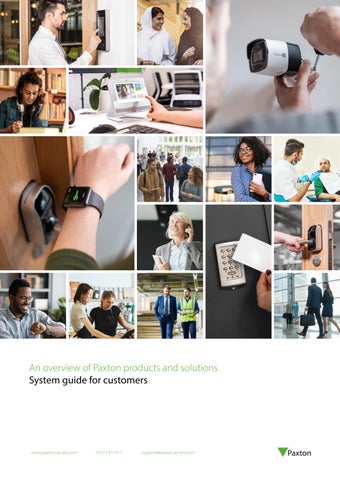
An overview of Paxton products and solutions System guide for customers
www.paxton-access.com
01273 811011
support@paxton-access.com
Security made simple. With 40 years of experience in designing and manufacturing market-leading access control security solutions, we are passionate about technology. We harness the latest available technologies to deliver elegant, useful and practical solutions for our customers. We are constantly striving to make our products simple to install, learn, and use. We are a manufacturer committed to training installers so that you receive the best experience backed by our 5-year warranty for peace of mind.
Simple to use
5-year warranty
Carbon neutral organisation
British manufacturer
Unrivalled technical and sales support
Access Control
Wireless Door Handles
Door Entry
Video Surveillance
Access control offers a secure, convenient and flexible way of controlling who has access to your building and when that access is allowed.
Our range of wireless door handles are designed with security built-in and can be installed by themselves or as part of a wider solution to offer you more flexibility.
Video surveillance provides increased site security with a visual overview of what is happening at your premises.
Unlike locks and keys, access control can offer you more functionality by integrating with other systems like CCTV, fire and intruder alarms for a complete solution.
The electronic handles communicate wirelessly, reducing cabling and making them straightforward to fit on an existing door, saving installation time.
Door entry allows you to validate a visitor at your entry panel before you grant them access via your internal monitor. Our door entry system comprises three simple components; external panel, door control unit and internal monitor.
Page 4
Page 6
Door entry systems can provide a great addition to an existing access control system or be used standalone.
A camera system can offer an increased sense of security and reassurance that your premises are protected. In the case of an attempted breach, video footage will provide you with evidence and possible identification.
Page 8
Page 10
Integrations.. . . . . . . . . . . . . . . . . . . . . . . . . . . . . . . . . . . . . . . . . . . . . . . . . . . . . . . . . . . . . . . . . . . . . . . . . . . . . . . . . . . . . . . . . . . . . . . . . . . . . . . . . . . . . . . . . . . . . . . . . . . . . . . . . . . . . . . . . . . . . . . . . . . . . . . . . . . . . . . . . . . . . . . . . . . . . . . . . . . . . . . . . . . . . . . . ... Page 12 Smartphone credentials.. . . . . . . . . . . . . . . . . . . . . . . . . . . . . . . . . . . . . . . . . . . . . . . . . . . . . . . . . . .. . . . . . . . . . . . . . . . . . . . . . . . . . . . . . . . . . . . . . . . . . . . . . . . . . . . . . . . . . . . . . . . . . . . . . . . . . . . . . . . . . . . . . . . . . . . . . . . . . . . . . . . . . . . . . . . . . . . ... Page 12 Apps... . . . . . . . . . . . . . . . . . . . . . . . . . . . . . . . . . . . . . . . . . . . . . . . . . . . . . . . . . . . . . . . . . . . . . . . . . . . . . . . . . . . . . . . . . . . . . . . . . . . . . . . . . . . . . . . . . . . . . . . . . . . . . . . . . . . . . . . . . . . . . . . . . . . . . . . . . . . . . . . . . . . . . . . . . . . . . . . . . . . . . . . . . . . . . . . . . . . . . . . . ... Page 13 Solutions by feature.. . . . . . . . . . . . . . . . . . . . . . . . . . . . . . . . . . . . . . . . . . . . . . . . . . . . . . . . . . . . . . . . . . . . . . . . . . . . . . . . . . . . . . . . . . . . . . . . . . . . . . . . . . . . . . . . . . . . . . . . . . . . . . . . . . . . . . . . . . . . . . . . . . . . . . . . . . . . . . . . . . . . . . . . . . . . . . . . . . . . . ... Page 14
.03
www.paxton-access.com
01273 811011
support@paxton-access.com
Access Control
Why do I need it?
How does it work?
Access control offers a secure, convenient, flexible and cost-effective way of controlling who has access to your building and when that access is allowed.
Once an access control system is installed, all doors controlled by the system will automatically lock when the door is closed. Anyone without a valid access credential is unable to enter. If necessary, doors can be set to unlock during a designated time frame.
It is essential for businesses to protect assets and employees whilst allowing people to move freely in the areas that they need. It is common in buildings that are secured by locks and keys for doors to be left unlocked all day. This opens up the possibility of opportunist theft and malicious damage. Installing an access control system means that you will never have to change a lock again. Access credentials (cards, keyfobs, PINs, and/or smartphone apps) are issued to allow access through the controlled doors and are easily barred from the system if they are lost or stolen.
.04
www.paxton-access.com
01273 811011
Access control also offers flexible control over users’ access rights. For example, all staff can gain access through the main door of a building, but access to internal areas may be restricted to those who have a specific need to be there. Access may also be restricted by time, only granting access to designated users at certain times of day or night.
support@paxton-access.com
Standalone (offline) access control Compact & Switch2
Networked access control Net2
Web-based access control Paxton10
Phone-based, cloud-hosted access control Solo
This type of system may be used to control access on one or many independent doors in a building. Access is gained by using a PIN or electronic token, and there is no need for a PC or network. Unlike a networked system, a standalone system is programmed at each door. If tokens need to be barred or codes changed, this action must be completed at every door on the system.
Networked access control offers centralised control of your building from a PC. This means that commands given at the PC are sent to each of the doors instantly, such as opening doors, barring tokens and building lockdown. Other benefits of this type of system are flexible control and allowing different permissions for individuals or groups of users.
Access control with a webbased user interface means a system administrator can access the software remotely, from anywhere with an internet connection. Paxton10 combines access and video management on one system with all the functionality of a networked system, without the need for a centralised PC to host the software. The system can manage up to 100 sites from a single server, with free Bluetooth smartphone credentials, encrypted credentials and a range of RFID token technologies.
A phone-based access control system gives you flexible security that can be managed from anywhere. Cloud-hosting removes the requirement for a centralised PC or server for system management. Solo is infrastructure free with no on-site data network needed, providing the simplicity of standalone with the benefits of networked systems. The Paxton Solo app provides simple system administration and the ability to gain access through a Solo controlled door, all from one place.
Great for: • Smaller sites • When a network isn’t available • Simple management • Compatibility with a range of readers
Great for: • Multi-sites, doors and users • Reporting • Energy saving • Integration possibilities
Great for: • Camera and access management • Up to 1,000 doors and cameras • Up to 100 sites and 50,000 users • Using your smartphone for access
Great for: • Smaller budgets • Premises without network infrastructure • Temporary users • Remote sites
.05
www.paxton-access.com
01273 811011
support@paxton-access.com
Wireless Door Handles The new re-engineered PaxLock Pro2 is available with Net2, Paxton10 or as Standalone
Impact resistance rated - IK10
Fire tested with FD30 and FD60 doors to EN16434-1 standard
NEW! Privacy button – enjoy extra peace of mind. One touch locks your room for complete privacy
For internal or external facing doors
How does it work?
Networked
PaxLock Pro2 is our wireless access-controlled door handle. Engineered to withstand the most demanding environments whilst maintaining a contemporary, professional design. Designed to work straight out of the box on all standard doors, PaxLock Pro2 can be installed internally or externally* in minutes.
PaxLock Pro2 can be used as part of one of our networked or webbased systems. PaxLock Pro2 is compatible with both Net2 and Paxton10. This means centralised management from a PC or the online user interface, and the benefit of a range of additional features including event reporting, remote management and integration with other systems like your fire alarms.
Installing an access control system means that you will never have to change a lock again. Tokens are issued to allow access through the controlled doors and are easily barred from the system if they are lost or stolen.
Standalone
*For exterior doors, the internal side must be installed on the inside of your building.
Watch the video
.06
www.paxton-access.com
01273 811011
PaxLock Pro2 can be fitted without a network in standalone mode, ideal for smaller sites or those not requiring the additional functionality of an online system. This simpler solution just requires a PaxLock Pro2 and a pack of access cards or keyfobs. Unlike a networked system, a standalone system is programmed at each door.
support@paxton-access.com
Case Study - PaxLock Pro2 Twickenham Film Studios, UK TFS reached out to their new installer to take over the maintenance of an existing Net2 system, supporting their facilities team with system upgrades and general system maintenance and support. The studios comprise over 200 doors utilising Net2, P50 readers and PaxLock Pro2s to secure offices, stages, sound theatres and general spaces. The nature of their business means that security and privacy are critical to their success. Keeping people and expensive equipment safe and secure is of the utmost importance, whilst also ensuring the privacy of the artists and their work.
Read More
Door Entry - works standalone, with Net2 or Paxton10
How does it work?
Networked
Standalone
Door entry allows you to recognise a visitor calling at the main entrance before granting them access to your building. Our Entry system can work standalone or alongside our access control systems Net2 and Paxton10.
The Entry system can be installed alongside Net2 or Paxton10 access control, combining door entry with the key features of each system. Users can unlock additional features such as intruder alarm and centralised management from a PC. Installing on a network is particularly beneficial for larger sites wanting additional reporting features. Install with a secondary camera for increased security.
Entry can also be used standalone for quick, simple installation and easy user management. The system is flexible and works with our other standalone products, such as wireless door handles, to build an easy to-use system. The system can grow with your needs and be upgraded to a network, to unlock features within our software such as reporting, with no additional hardware costs.
Watch the video
With the Paxton Entry app you can answer the door and grant access to your building from a smartphone or tablet from anywhere in the world!* Providing total convenience, you can see
New
and speak to your visitors on the go with a simple screen tap. The Paxton Entry app works with both networked and standalone door entry, making it a flexible solution for any premises. For a low monthly licence fee, the Paxton Entry app is cost-effective way to manage visitors to your building.
To use the Paxton Entry app your Entry panel will need the Entry Configuration Utility v4.0 or higher installed. *Internet connection required for both the Entry panel and the smartphone/tablet.
.08
www.paxton-access.com
01273 811011
support@paxton-access.com
Please note: to use Entry panels with the Paxton Key app and Paxton10 v3.3 software onwards, the Entry Configuration Utility v2.2 must be installed. Paxton Key v1 continues to support earlier versions of the Entry firmware.
Case Study - Entry Marino Institute of Education Martin Lynch, IT Manager at Marino, made the decision to develop the site’s existing security system in order to better control the movement of staff and students around the campus. Due to the open nature of the college, there was also a potential issue with unauthorised personnel gaining access to restricted areas of the campus, that needed to be resolved. Integration with the college’s in-house student management software was also required, to simplify student management and enable the tokens to be used to gain access to the site, as a student ID card, for library usage, and photocopy and print services.
Read More
Video Surveillance
Watch the video
Why do I need it?
How does it work?
Video surveillance offers increased security with a visual overview of your premises. Convenient and flexible, video surveillance goes hand in hand with access control to provide a complete security solution for your building.
Users can access their system via the online web user interface from anywhere in the world with an internet connection, or manage their system on the go with the Paxton Connect app. The video management functionality of Paxton10 collects and stores the video captured by the cameras installed on site, and provides an interface to view both live video and access recorded footage.
Installing a video surveillance system means that you can see a visual overview of events at your premises. Watch real time footage or export historical video files to maintain complete peace of mind that you have a visual record of any access attempts or potential breaches of security. Our Paxton10 system combines access control and video management to give you a versatile security system that supports global remote access.
.10
www.paxton-access.com
01273 811011
The software makes it easy to access video footage with an extensive range of functionality, including motion detection, video export, bookmarking and smart search. The footage can also be linked to access events to provide a comprehensive record of the movement of users, visitors and vehicles around the site.
support@paxton-access.com
Access control & video management Paxton10 combines access control and video management to make overseeing the security of your site perfectly simple. From one easy to use platform, you can restrict access to your building and control your video surveillance system. Video footage from your Paxton10 cameras will provide you with a comprehensive visual overview of your site, linking access events to relevant recorded video. Paxton10 futureproofs your site’s security with ultimate simplicity built in. A range of free Paxton apps are also available to help you access your system and your building from a smartphone or tablet.
• Manage your site remotely • Effectively control the flow of people around a building • Fully compatible with Paxton’s award-winning door entry solution and wireless door handle range • Includes a range of readers that work with a variety of different electronic token technologies - from encrypted tokens for enhanced security to free-ofcharge Bluetooth® smartphone credentials to work with your smartphone or smartwatch • Generate and run reports with ease • Use site plans to visually manage your building • Instantly lockdown your premises in the event of an emergency
Integrations Our Net2 software is designed to easily integrate with other security and building management systems. By integrating with other systems, you can enjoy more streamlined security and management of your building.
Intruder
Fire
CCTV
Biometrics
Save time by integrating Net2 with your intruder alarm and reduce false alarms. Control your intruder and access systems as one, across different areas of the building.
Integrate Net2 with your fire alarm and program your system to automatically open fire doors in the event of an emergency to improve safety.
Streamline your Net2 system with CCTV for a quick, efficient way to view footage linked to specific access events or doors.
Net2 integrates with leading biometric readers, allowing enrolment of biometric data within Net2. Open up new market opportunities from high security sites.
Smartphone credentials A smartphone credential is an access token that is stored on your smartphone or wearable technology, that can be used in place of physical access tokens. The benefit of these credentials is that they are stored on a device that we carry with us every day, making it more convenient for users to access a secured site. With Solo, the Paxton Solo app provides both system administration and the user credential for access. Access can only be gained with a smartphone. With Paxton10, smartphone credentials can be issued from the online software to system users. To gain access, users need to install the Paxton Key app on either their smartphone or smartwatch, or both. For both systems, the use of a smartphone as an access credential is completely free of charge, providing further cost-saving benefits as there is no need to purchase new tokens when old ones are lost, stolen, or not returned.
.12
www.paxton-access.com
01273 811011
support@paxton-access.com
Apps
Paxton Connect
Paxton Key
Paxton Solo
Straightforward to use, the Paxton Connect app provides easy and flexible site management for your Net2 or Paxton10 system, and enables you to manage multiple sites remotely from a smartphone or tablet.
The Paxton Key app allows you to make use of your smartphone, smart watch or tablet in place of electronic tokens or traditional keys with your Paxton10 system. These are called smartphone credentials.
With Solo, your phone is the system and your key. The Paxton Solo app provides simple system administration from your smartphone, providing flexible security that can be managed from anywhere, meaning you get more from the tech in your pocket.
Features include the ability to open doors remotely from wherever you are; add, delete and edit users; quickly establish where users are in the event of an emergency; and view default Net2 or Paxton10 reports live or from the last 365 days, wherever you have an internet connection.
Utilising the built-in Bluetooth® wireless technology in Paxton10 readers, your smart device can securely communicate with the Paxton10 system to grant or deny access. Paxton Key also enables you to carry out predefined building management functionality – such as setting the intruder alarm.
.13
www.paxton-access.com
01273 811011
support@paxton-access.com
To gain access through a Solo controlled door, the Paxton Solo app makes the access decision and then communicates this to the cloud via secure Bluetooth® communication, with end-toend encryption, providing the most cyber secure system from Paxton to date.
Solutions by feature Compact & Switch2
Solo
Use with door entry
-
Use with wireless door handles
-
Paxton10
Number of doors
Unlimited
Unlimited
Up to 1,000
Up to 1,000
Number of users
Up to 5,000
Unlimited
Up to 50,000
Up to 50,000
Cloud-hosted
-
-
-
-
-
Wide range of readers, cards and tokens
-
Hands free compatible
Switch2 only
-
No network required
.14
Net2
Web-based user-interface
-
-
With Pro software
Remote access from anywhere via the web user-interface
-
-
With Pro software
Free suite of mobile applications
-
With Pro software (Paxton Connect only)
Single app for system administration and access
-
-
Smartphone credentials
-
-
Integrate your system - CCTV, intruder and fire alarms
-
Biometrics*
-
Security lockdown
-
-
With Pro software
Timesheet and timeline - to log working hours
-
-
With Pro software
Anti-passback to prevent token sharing
-
-
With Pro software
Embedded video management software
-
-
-
Customisable dashboards to suit any user requirements
-
-
-
Visual site plans
-
-
-
Multi-site management from a single server
-
-
-
Occupancy Management
-
-
With Pro software
-
Checkpoint Control
-
-
With Pro software
-
Email notifications of events
-
-
Encrypted credentials
-
www.paxton-access.com
01273 811011
*Using built-in biometric authentication functionality in users’ smartphones
-
With integrated 3rdparty biometric readers
With integrated HID Signo readers
support@paxton-access.com
Paxton Key app
-
“We are still discovering the possibilities of Net2, there have been so many benefits. I know exactly who has what access and generally I feel safer.”
.15
www.paxton-access.com
01273 811011
support@paxton-access.com
ﻀ保证
Garantía G ara ntie a r nt Ga Please recycle responsibly. This guide can be viewed digitally on our website.
ibp-pcg
L62I03
5 -Y
rancja Gara Gwa nzi a
All information and specifications correct at the point of publication, but may be subject to change without notice. The Bluetooth® word mark and logos are registered trademarks owned by the Bluetooth SIG, Inc. and any use of such marks by Paxton Access Ltd. is under license.
εγγ ύ η ησ
i
ﻤﺎن uu k a T
ear Warranty