

Asimpleshortac�vityusing2Temperaturesensors.Findoutwhocanputmoreenergyintoatemperature sensoroveraoneminuteperiod.Thedatacanthenbeusedtoexplorethevariousanalysisanddisplay toolsintheEasySense2so�ware.
2SmartwirelessTemperaturesensors
2volunteers
Beakerofcoldwater.
Whatyouneedtodo
1.ConnecttheTemperaturesensorstoyourBluetoothenableddevice.
2.Usethedefaultse�ngsandagraphtemplatefortherecording.
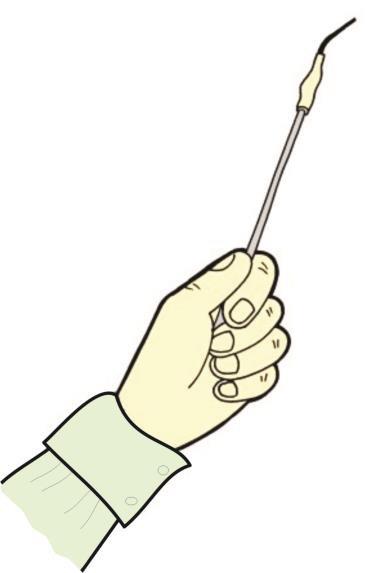
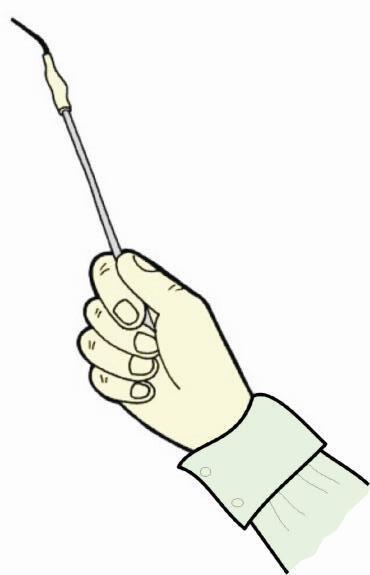
3.Eachvolunteershouldpickupatemperaturesensorandholdthe�pintheirhand.Theyshouldthinkofhow theyaregoingtowarmthe�poverthenextminute.A�erafewmomentsthinking�me,starttherecording.
3.Tostartthedatarecordingclickonstart,tostoptherecordingclickonstop.
4.Stoprecordinga�er1minutemaximum.
5.Repeatasnecessaryorwithanewpairofvolunteers.Ifyouwantthedatafrommanyvolunteerstobeon thesamegraphmakesureoverlayisselected,otherwiseeachrunwillappearonaseparategraph Tip.Watchoutforanyonerubbingthe�pofthesensor,itcangenerateenoughheattocreateaburntothe skin.Havecoldwaterreadyforthedaredevilcompe��vevolunteers.
Results
•UseValuestoexplorethedataandfindthe maximumtemperatureforeachline.
•UseDifferencetofindthechangeofvalue fromthebeginningtotheendofthegraph foreachline.
•UseAreatofindtheareaunderthewhole graphforboththesensors.
•Shadinglineswillmarkthesec�onunder thegraphforwhicheversensoriscurrently selectedontheY-axis.
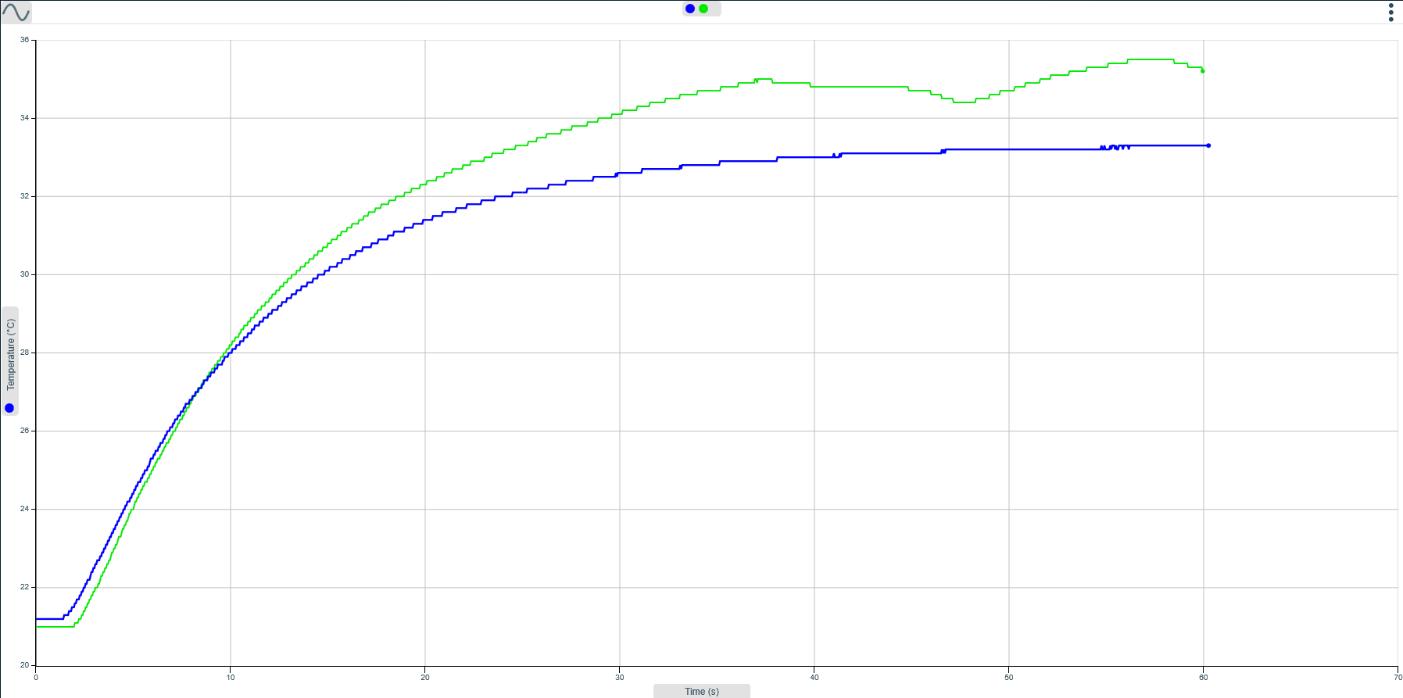
•Theareavalueforbothsensorswillbeshowninthedatavalue boxes.
Thisexperimentshowstheprocessbywhichthetemperatureofaliquidcanbechanged (evapora�on).ItintroducestheuseofOverlayintheEasySense2so�ware.
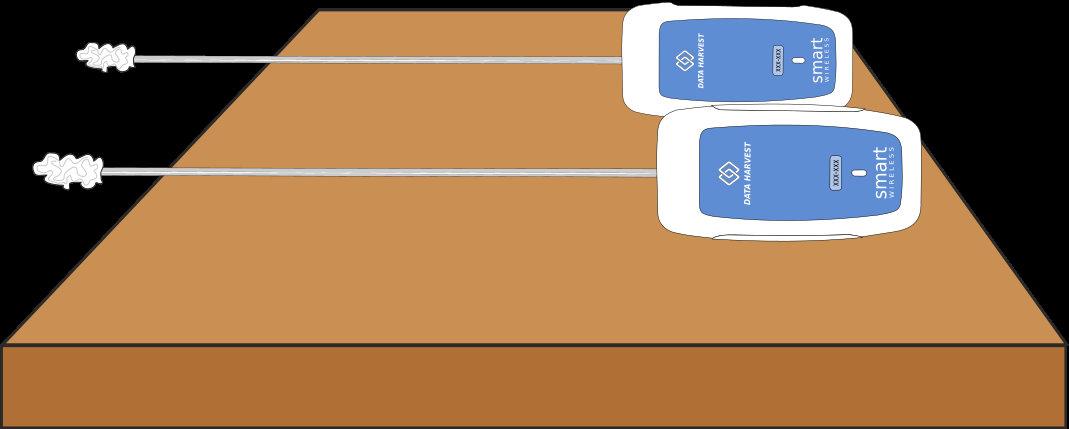
Temperaturesensorstapeddownbutprotrudingwithends coveredwithsmallwadsofco�onwool
Whatyouneed
2SmartwirelessTemperaturesensors
Verysmallpiecesofco�onwool,orstripsofabsorbent�ssue Vola�leliquidsuchaspropanol,a�er-shaveorcologne
Dropperorpipe�e
S�ckytapetosecuretheTemperaturesensorstoabench
Whatyouneedtodo
1.Assembletheapparatusasshown.
2.Windverysmallpiecesofco�onwooltotheprotrudingendofeachTemperaturesensor.Thepieces shouldbethesamesizeandshape.
3.ConnecttheTemperaturesensorstoyourBluetoothenableddevice.
4.UseSetuptochangethe�mebetweensamplesto1secondandselectOverlay
5.Clickstarttobeginrecording.
6.Place2dropsofofthevola�le liquidononetemperature sensor,leavetheotherdryasthe control.
7.Stoprecordinga�er3minutes.
8.Replacetheco�onwoolusedfor thevola�leliquidwithanother samesizedpiece.
9.Selectoverlay.
10.Repeatusinganotherliquid.
Results
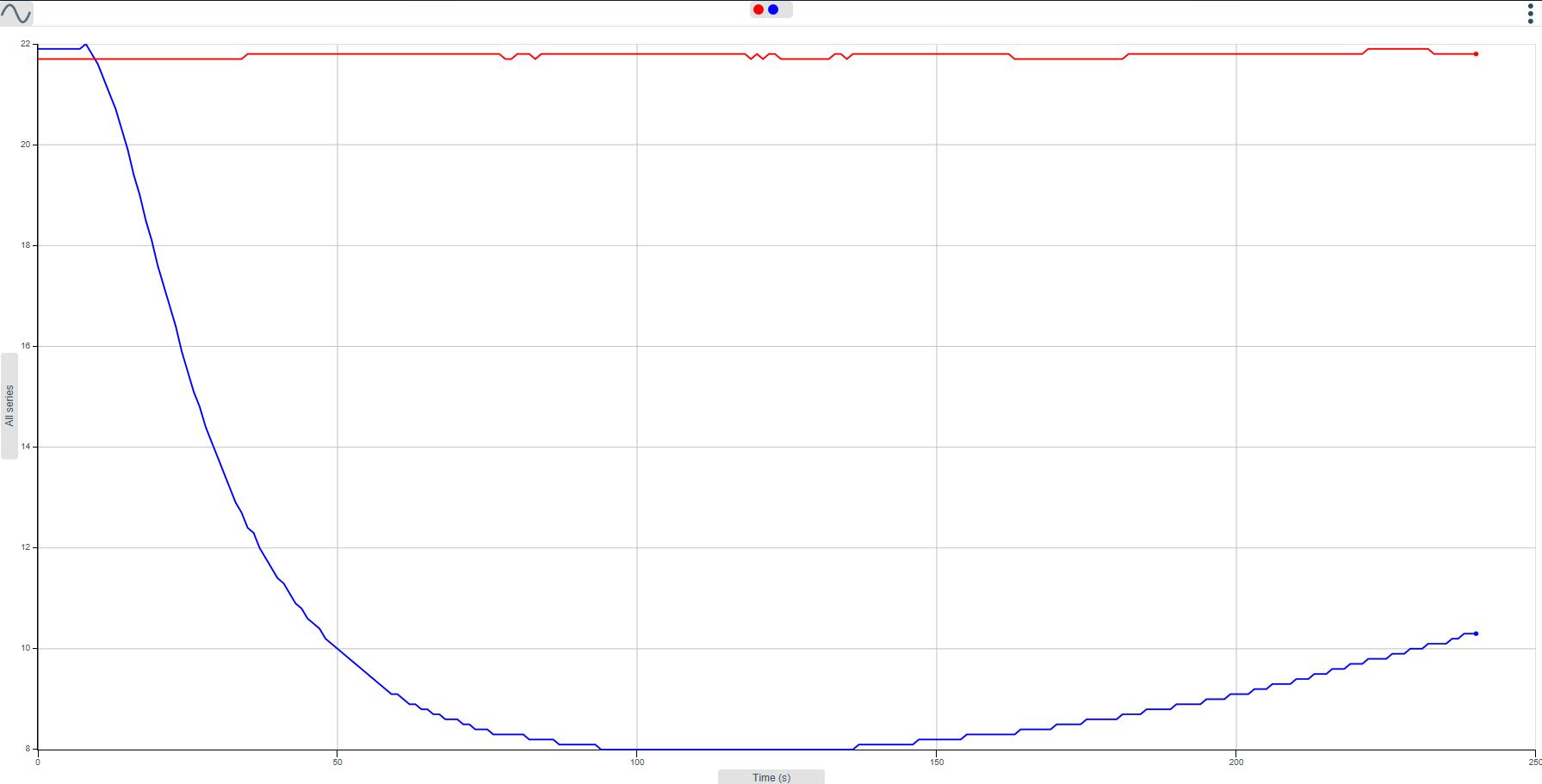
UseValues,differenceandinterval, tofindouthowmuchthetemperaturechanged,howlongittookandthe peaktemperaturechange.
Thisac�vityintroducesSnapShotandusesaLightsensortomeasuretheamountoflightblockedby avarietyofmaterials.
Whatyouneed
Lightlevelsensor(settothe0–1,000Luxrange)
Lightsource(torchormainslamp)
Varietyofmaterials(transparent,translucentandopaque materialse.g.clearpolythene,colouredfilm,paperorcard)
Whatyouneedtodo
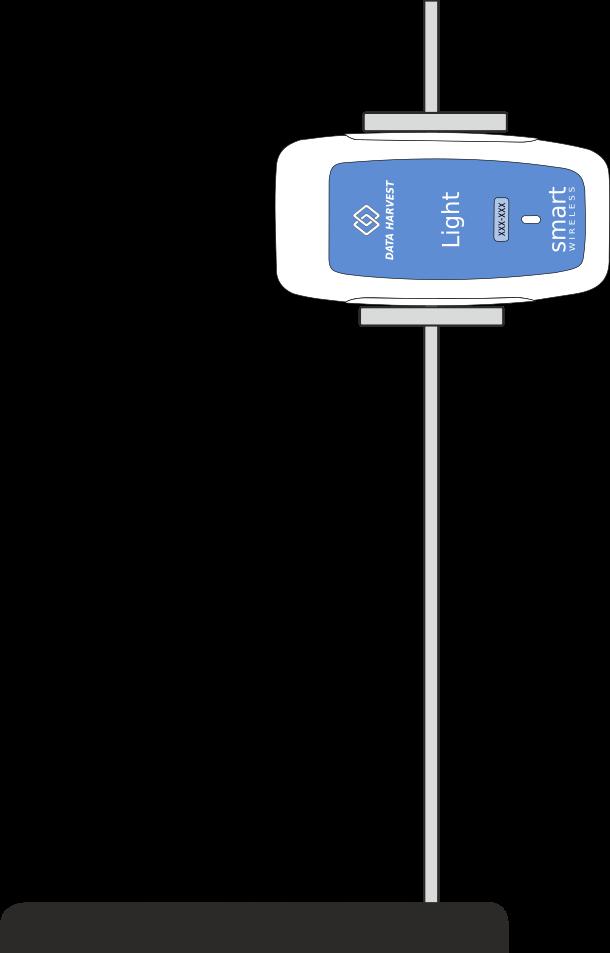
1.Setuptheapparatuswiththelightsourcepoin�ngtowards theLightsensor.
2.ConnecttheLightsensortoyourBluetoothenableddevice.
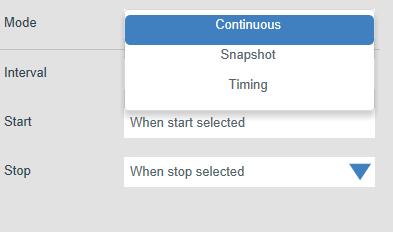
3.UseSetuptocreateadataloggingsessionthatusesSnapshot datarecording.
4.Setthescreenlayouttohaveagraphpanelandatableofresultstable.
5.Startthedatacollec�on,aboxwillappearatthetop centreofthecentrescreen.Thistellsyourecordingis ac�ve(greendiscwinks)andtellsyoutoclickthe“Take asample”bu�ontorecordthedata.

6.Clickthe“takeasample”bu�ontotakethefirstmeasurementwithnomaterialbetweenthelightsource andsensor.Thiswillbethecontrolreading.
7.Placeasampleofmaterialinfrontofthelightsourceandtaporclickinthegraphareatotakethesecond measurement.

8.Repeatun�lallthesampleshavebeen tested.SelectStop
Thisac�vityintroducestheconceptsthatsoundtravelsbe�erthroughsomematerialsthanothersandthat somematerialsarebe�ersoundinsulatorsthan others.
Whatyouneed
SmartWirelessSoundsensorsettothedBArange
Largeboxandavarietyofmaterialse.g.crumpled newspaper,polystyrenechips,fabric,wadding,bubble wrap,etc.
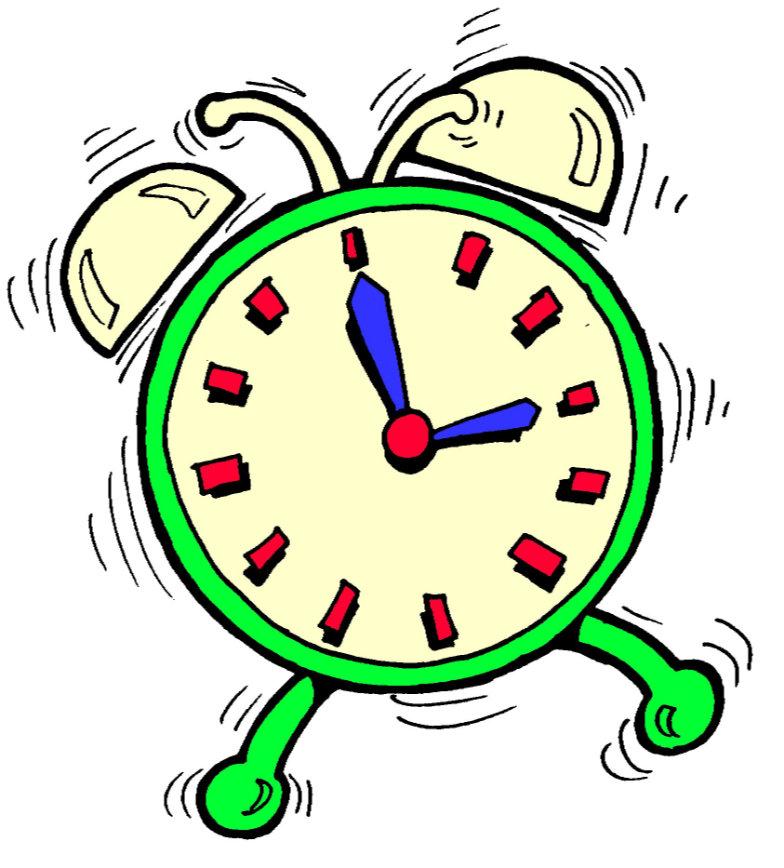
Noisemakere.g.Alarmclock.
Whatyouneedtodo
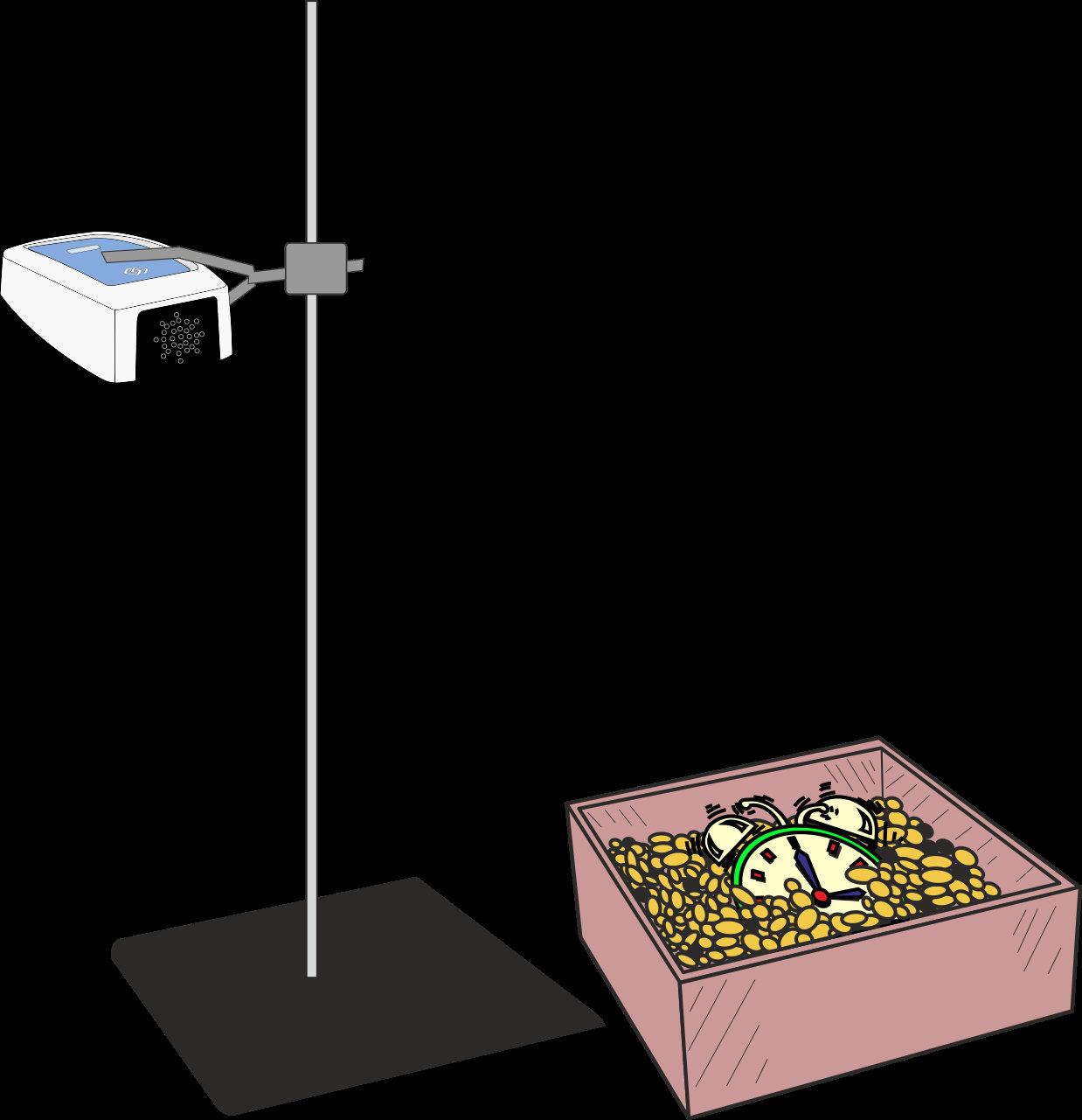
1.ConnecttheSoundsensortoyourBluetoothenableddevice.
2.ThesoundsensorhasseveralrangeschecktherangeissettodB.
3.Posi�ontheSoundsensoraboveanemptybox(useaclamptoholdinplace).
4.Usethedefaultrecordingsetupoftheso�wareandasinglegraphlayout.
5.Clickstarttorecordanda�er30secondsstoptherecording.Thiswillbeyourcontrol/baseline.
6.Placeanoisemaker(clock,buzzeretc)intotheemptybox.SelectOverlayandrecord30secondsofnoise.
7.Coverthenoisemakerwithsomesoundabsorbingmaterialandrepeattherecording.
8.Con�nuewithasmanytypesordesignsofsoundproofingyouhave available.
Thisac�vityintroducestheInfraredsensoranditsabilitytomeasureradiatedheatasenergy.Whenseekingliving personsburiedunderrubblearescueworkermayuseaninfrareddevicetolocatewarmareassotheyknow wheretodig.
Inthisac�vity,aboxofpolystyrenechipsrepresentsrubbleandthechallengeisto‘findthebody’(abo�leofhot water).
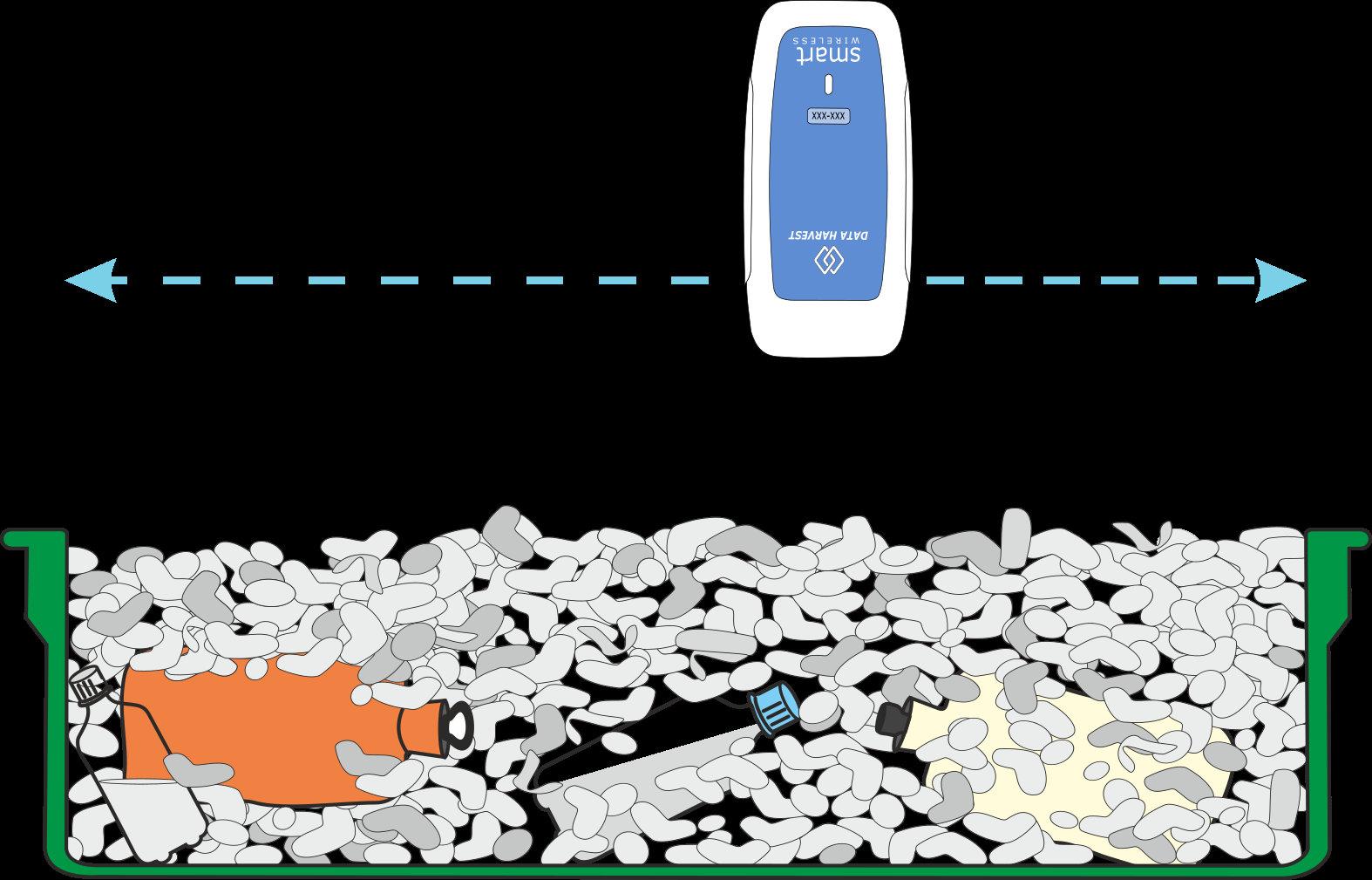
Whatyouneed
SmartwirelessInfraredsensor–settotheirradiancerange
Boxofpolystyrenechips(orcrumplednewspaper)
Severalsmallsealedbo�lesofhotwater
Severalsmallflagstoactasmarkers
Whatyouneedtodo
1.ConnecttheInfraredsensortothedatalogger.Opentheso�wareandconnectthedataloggertoyour Bluetoothenableddevice.
2.TheInfraRedsensorhasmul�pleranges.Forthisprac�caltherangeneedstobesettoirradiance,but experimentwithotherrangesforsensi�vity.
3.Setuptheapparatusandhidethehotwaterbo�lesunderthe‘rubble’.
4.Useameterschartintheso�ware.
5.Clickstartandthenscanthesurfaceofthe‘rubble’tolocateaperson–the measurementswillrisesignificantlyifahotbodyisdetected.
6.Markthe‘hot’areawithaflagandcon�nuethesearch.
7.WhenyouhavesurveyedthewholeapparatusSelect Stop.

8.Digatthemarkedareastoseeifyouhavecorrectlylocatedanypeople(hotbo�les).
Thissimpleac�vityintroducestheInfraredsensoranditsabilitytomeasureradiatedheatas energy.NASAsatellitesuseinfraredsensorstocreateathermalimageoftheearth.Youwill produceagraphoftheresidualheatradiatedfromahandprint onthelaboratorybench.
SmartwirelessInfraredsensor–settoIrradiance
Chalkormaskingtape
Whatyouneedtodo
1.Layoutasampleareatothedimensionsshowninthe diagram.
2.ConnecttheInfraredsensortothe datalogger.
3.Opentheso�wareandconnectthe dataloggertoyourBluetooth enableddevice.
4.Youwillusethedefaultrecording setupandagraph.
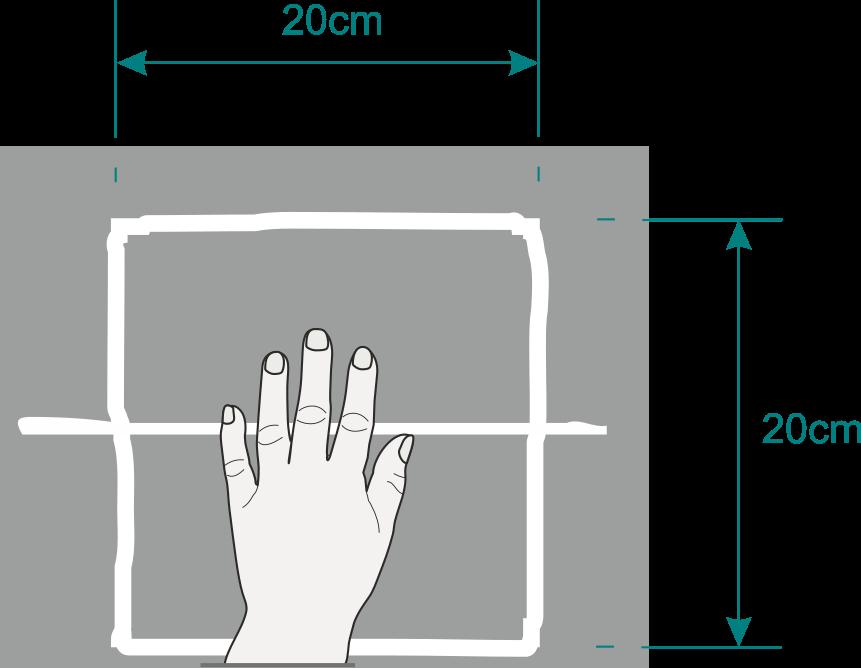
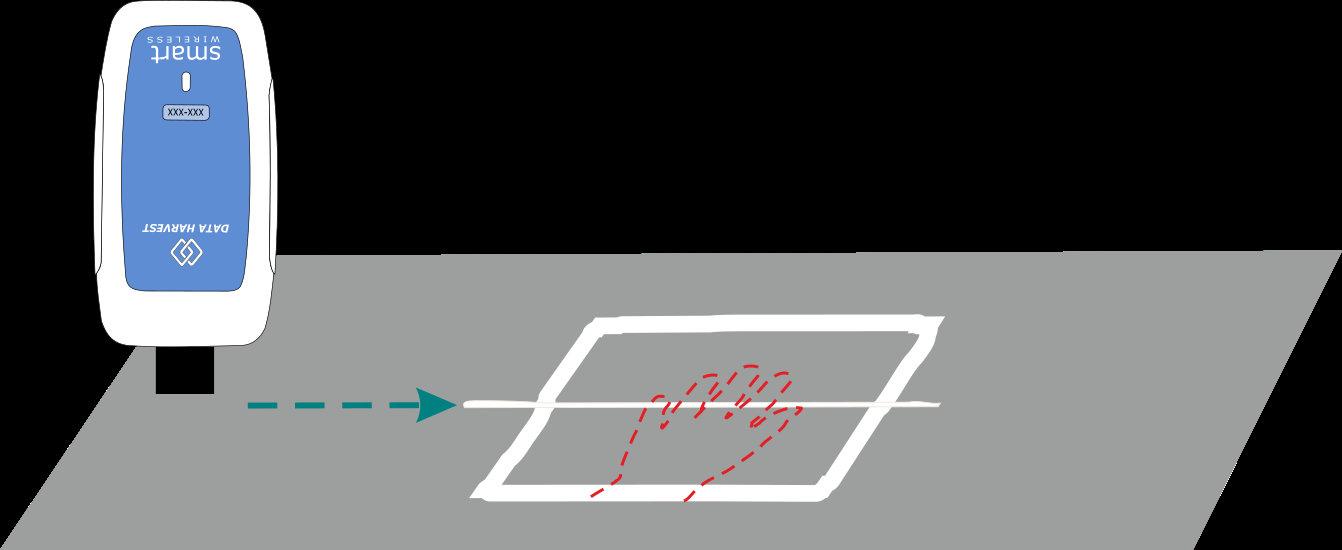
5.Restthepalmofyourhand onthebenchasshown, usingthecentrelineas guidetoplacethehandin thecentreofthe20cmx 20cmsquare.
6.Leaveyourhandinplace forabout30-40seconds, thenremove.
7.Immediatelypressstartand scanthesensoralongthe centrelinetakingabout20 secondstocompletethe scan.
8.Stoprecordingonceyouhavereachedtheend.
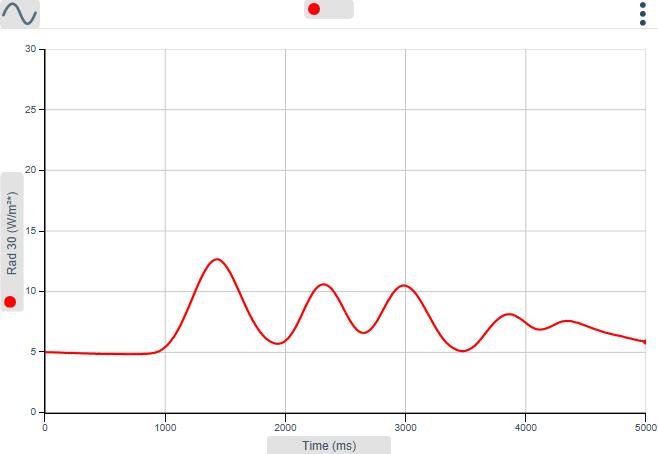
Thisac�vityintroducesthepHsensor,asamethodoffindingoutwhetherasolu�onisacid,alkalineor neutralandalsotheuseofSnapShot,torecordindividualreadingsforcomparison.
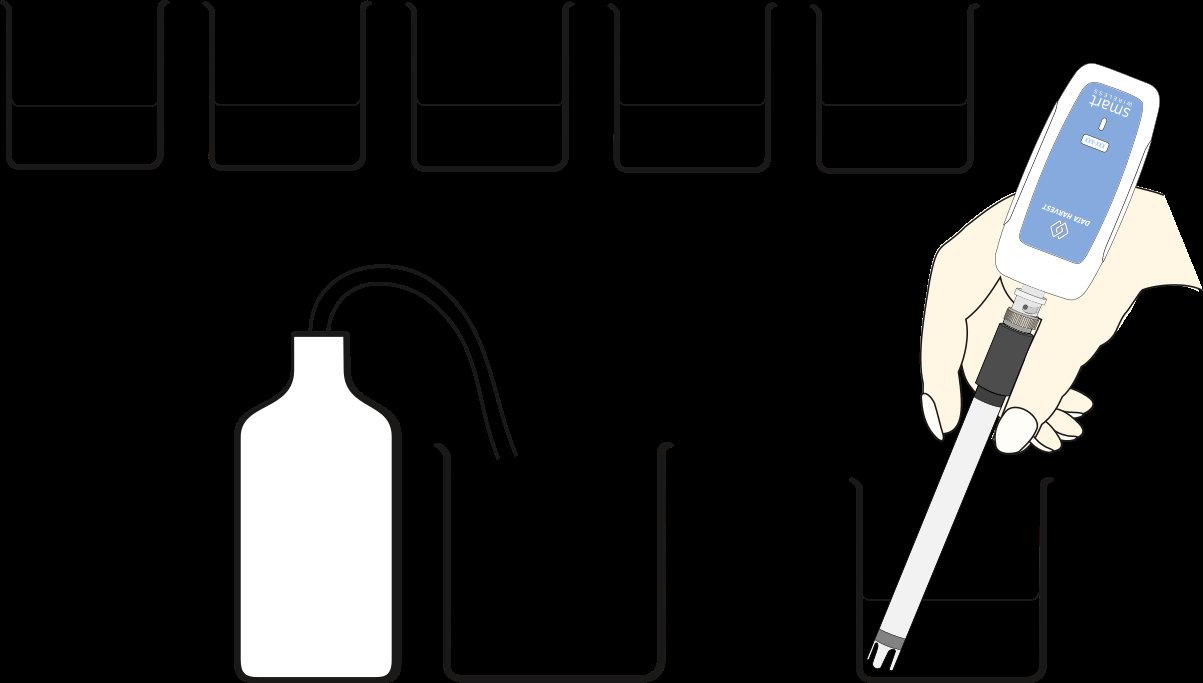
TestsamplesAtoE
Whatyouneed ASmartWirelesspHsensor
6beakersandvarioussolu�ons(allat roomtemperature)toteste.g.A=soda drink,B=soapsolu�on,C=vinegar,D= saltsolu�on,E=lemonjuiceandF= sodiumbicarbonate
Abeakerandwashbo�leofdis�lled water
Whatyouneedtodo
1.Opentheso�wareandconnectthepHsensortoyouBluetoothenableddevice
2.UseSetuptoselectSnapShot.
3.Changelayouttoshowtotwocharts.Setonetobarsandonetoatable.
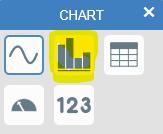

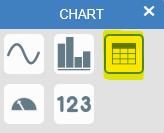
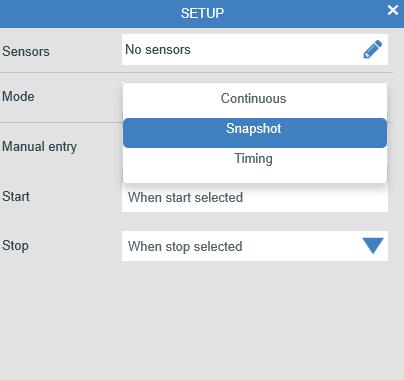
4.Starttherecording.Youwillsee openup.
5.CarefullyputthepHsensorintothebeakercontainingsolu�onA.
6.Whenthereadingfromthesensorhasstabilised,clickthetakesamplebu�onatthetopofthechartto recordthedata.
7.Removethesensorandrinsetheelectrodewithdis�lledwater,Repeatfortheothersamplesyouhave beengiven.
8.Clickstopwhenyouhaverunalltests
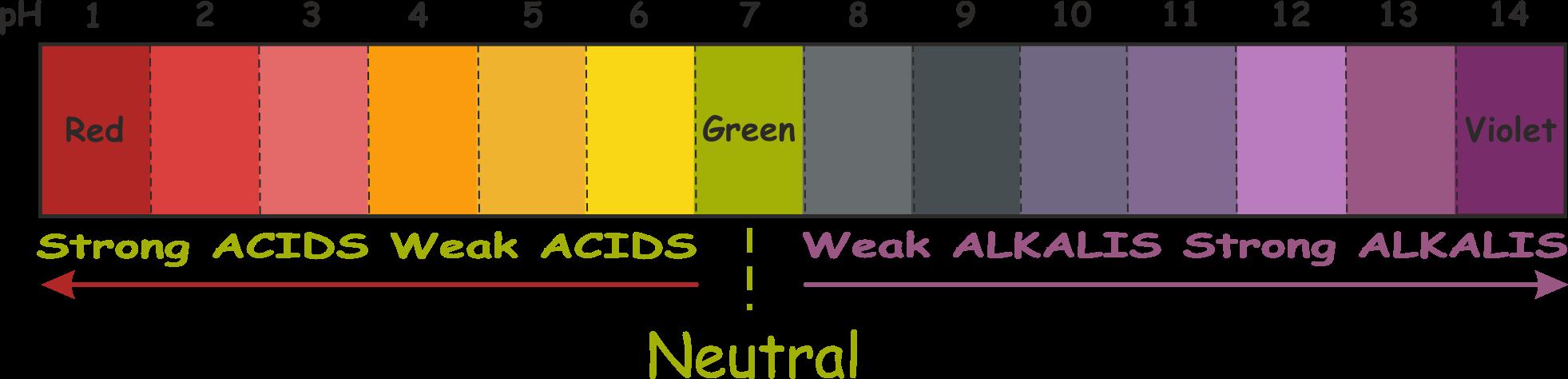
ThisexperimentusestheTemperaturesensortomeasureasmallchangeduringachemicalreac�on.
Whatyouneed
AsmartwirelessTemperaturesensor
Beaker–250cm³
Warmwater(37°Capprox.)
1teaspoon(5cm³)ofcitricacid
2teaspoons(10cm³)ofbicarbonateofsoda
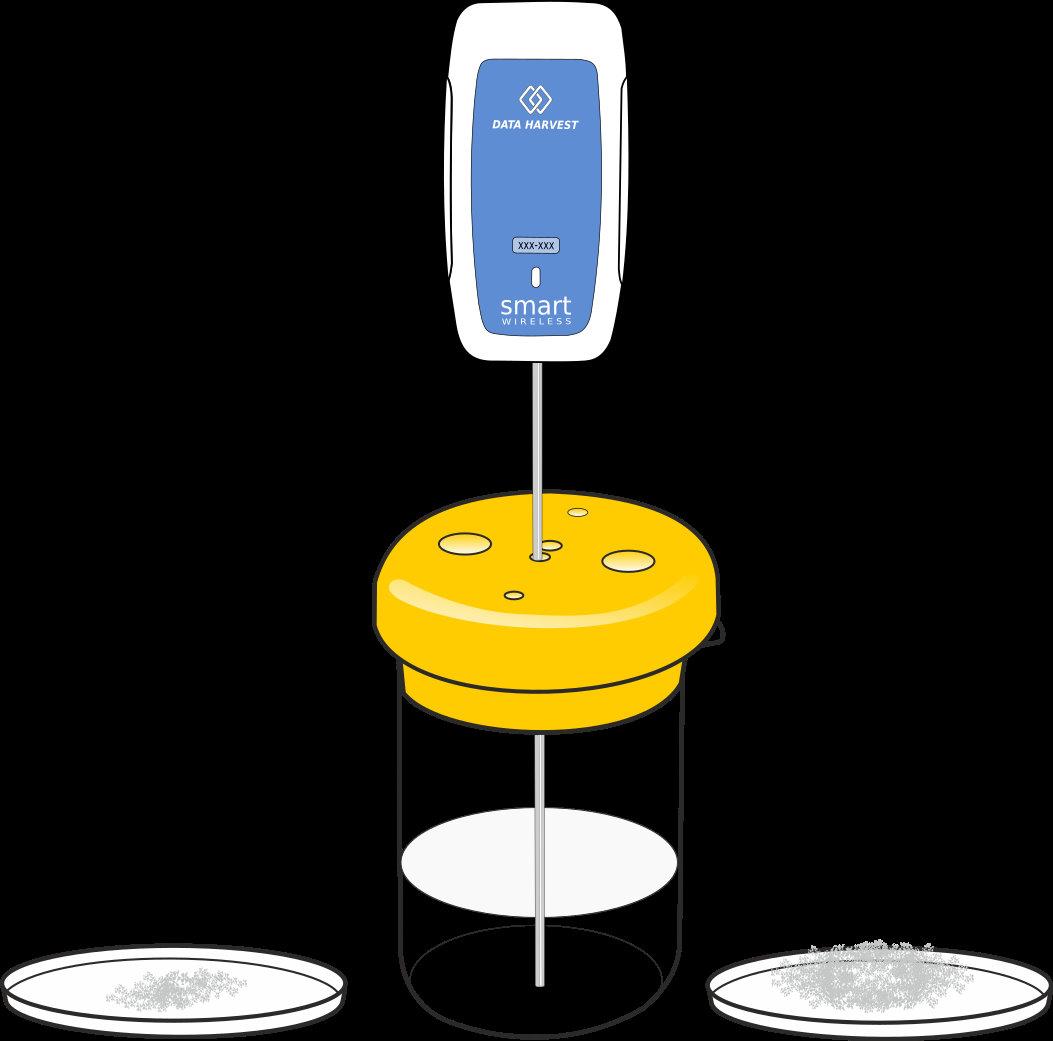
Whatyouneedtodo
1.Opentheso�wareandconnecttheTemperaturesensortoyourBluetoothenableddevice
2.Usethedefaultse�ngs.
3.Pourthewarmwaterintoabeakerandposi�onthetemperaturesensorinthewater.Usealidora standtoholdthesensorinplace.
4.Starttheloggingandletitrunforabout20seconds.
5.Addthebicarbonatetothewater.
6.Addthecitricacidtothebeaker(itwillfizzup,itmayreachthetopofthebeaker).
Results
UseValuestoexplorethedata.
UseDifferencetofindouthowmuchthetemperaturechanged.
AlkaSeltzereffervescentAntacidtabletsaretakentoneutralizeanacidstomach.Inthisexperiment,you willusethecolatorepresentan‘acidstomach’andcomparetheeffectofasolidtabletagainsta crushedtablet.
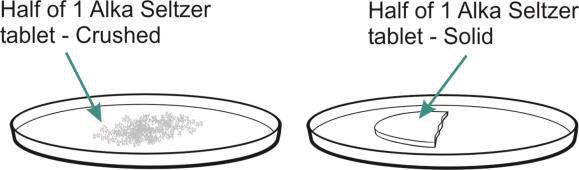
Whatyouneed
ASmartwirelesspHAdapterandElectrode
Beaker250cm³
100cm³ ofcola
½AlkaSeltzertablet-solid
½AlkaSeltzertablet–crushed
Dis�lledwater
Whatyouneedtodo
1.Starttheso�wareandconnectthepHsensortoyourBluetoothenableddevice.
2.Usethedefaultso�warerecordingse�ngs.
3.Add100cm3 ofcolatothebeakerandposi�onthepHelectrodeinthecola.
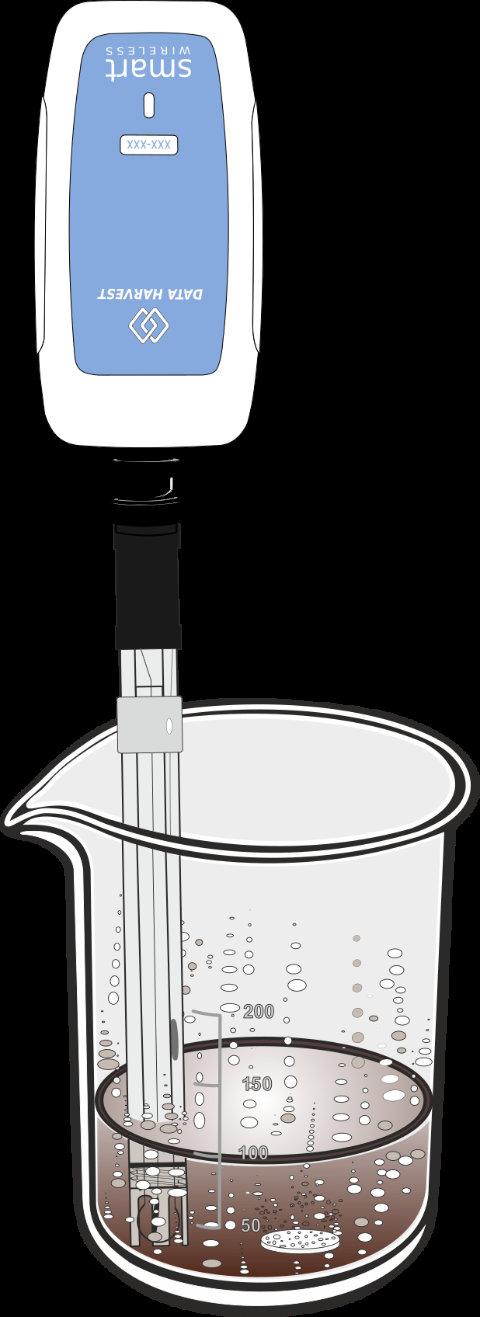
4.Starttherecording,leaveitforafewsecondstogetthebasepHlevelofthecola,thenaddthe uncrushedsampleofAlkaSeltzer.
5.Recordun�lthepHnolongerchanges.
6.Stoprecording.
7.SelectOverlay.
8.DiscardthecolaandseltzermixandwashthepHsensor.
9.Addanewsampleofcolatothebeakerandrepeatusingthecrushedsample.
Result
Use ZoomorAutoscale tomakethegraphdisplayfillthescreen.
Use Gradient todeterminetherateofreac�on.
Thisquickac�vityintroducestheheartwaveformrangeoftheHeartRateSensorandistheidealintroduc�onto anyheartrateinves�ga�on.
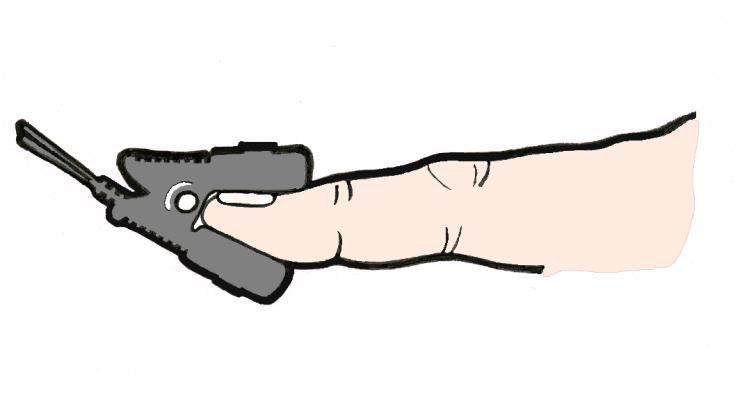
Whatyouneed
V-serieswirelessdatalogger
Heartratesensor–settotheHeartwave(mV)range
Whatyouneedtodo
ConnecttheHeartratesensortothedatalogger.
1.Clipthesensorontoyourfingerorearlobe,waitun�ltheLEDonthesensorflashesonandoffregularly.
2.SelectStart tobeginloggingandstayass�llaspossible.
3.WhentherecordinghasfinishedselectOverlay.
4.Clipthesensorontoanothervolunteer’sfingerorearlobeandrepeat.
Results

1.Usetheseriesbar tohideanyaddi�onalsetsofheartwavedatabyturningthecoloureddotsonandoff. Youwanttohaveonlyonegraphlineshown.
2.Countthenumberofpeaksoverthe10seconds,mul�plyby6tofindthefirstperson’sheartbeatsper minute.
3.Repeatwiththesecondperson’sdata.
Extensionac�vity
Repeatthisac�vitya�erexercisetocompareres�ngheartratewithexercisingheartrate.
Note: Thereisawidevaria�oninpeople’sheartrates.Ifyouhavecoldhandsrubthemtogethertoimprove thebloodcircula�oninthefinger�psbeforea�achingthesensor.
Thisac�vityintroducestheHeartRatesensor,whichcancliponeitheryourindexfingerorearlobe.This simpleheartratesensorworkswellaslongasitiskepts�llandyouareindoors.
Whatyouneed
V-serieswirelessdatalogger
HeartratesensorsettoHeartrate(bpm)range
Whatyouneedtodo
1.Connectthesensortothedatalogger.ConnecttheloggertoyourBluetoothenableddevice.
2.Clipthesensorontoyourfingerorearlobeandwaitun�ltheLEDonthesensorflashesonandoff regularly.
3.Sitcomfortablyandthenselectstarttobeginlogging.
4.Stays�llfor20secondsandthenraiseyourrighthandfor20seconds.
5.Loweryourrighthandandstays�llfor20seconds.
6.Withoutmovingyourle�hand,standupandstands�llfor20seconds.
7.Raiseyourrighthandandwaveitaroundfor20seconds.
8.Loweryourrighthand,sitdownandstays�llforafinal20seconds,thenstoptherecording.
Results
Usescale(minmax) tomakethegraphdisplayfillthescreen.
Ques�ons
1.Doesyourheartalwaysbeatatthesamerate?
2.Whendidyourheartbeatfastest?
3.Whatwasyourheartrateatthestart?
4.Wasyourheartrateattheendthesameasatthestart?
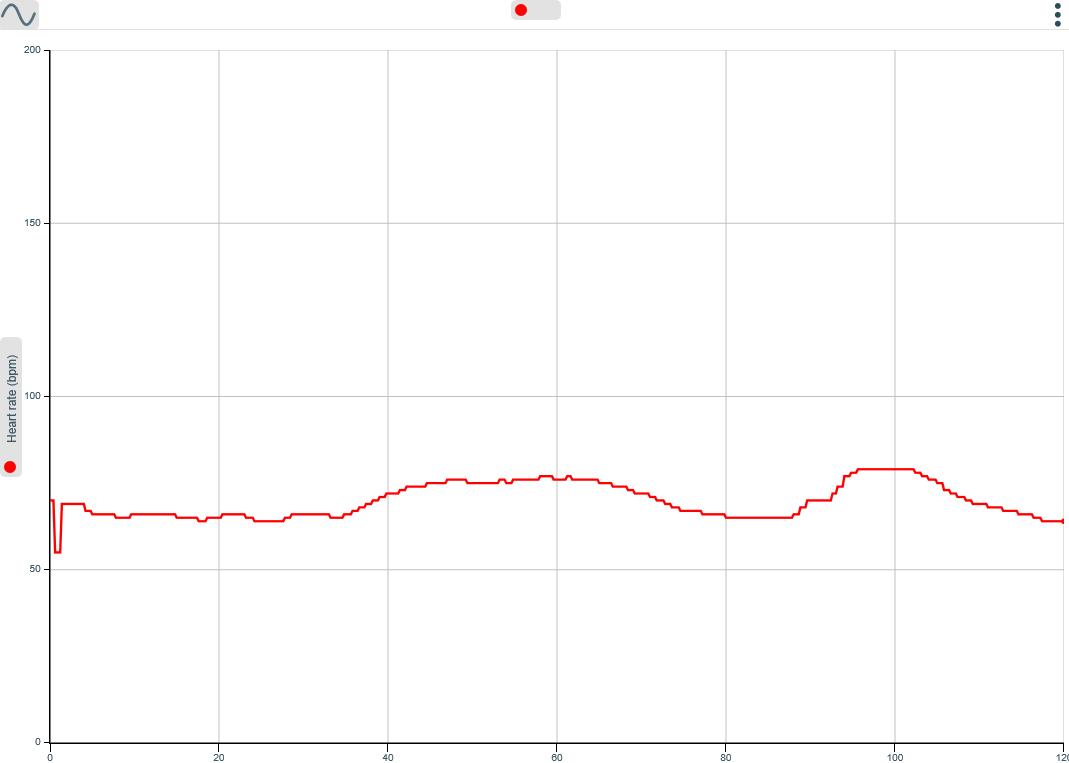
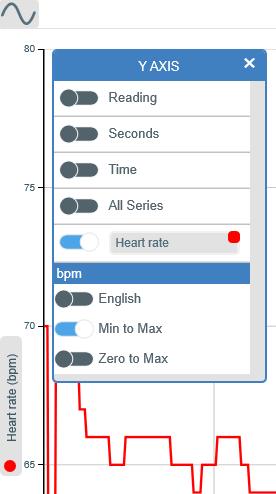
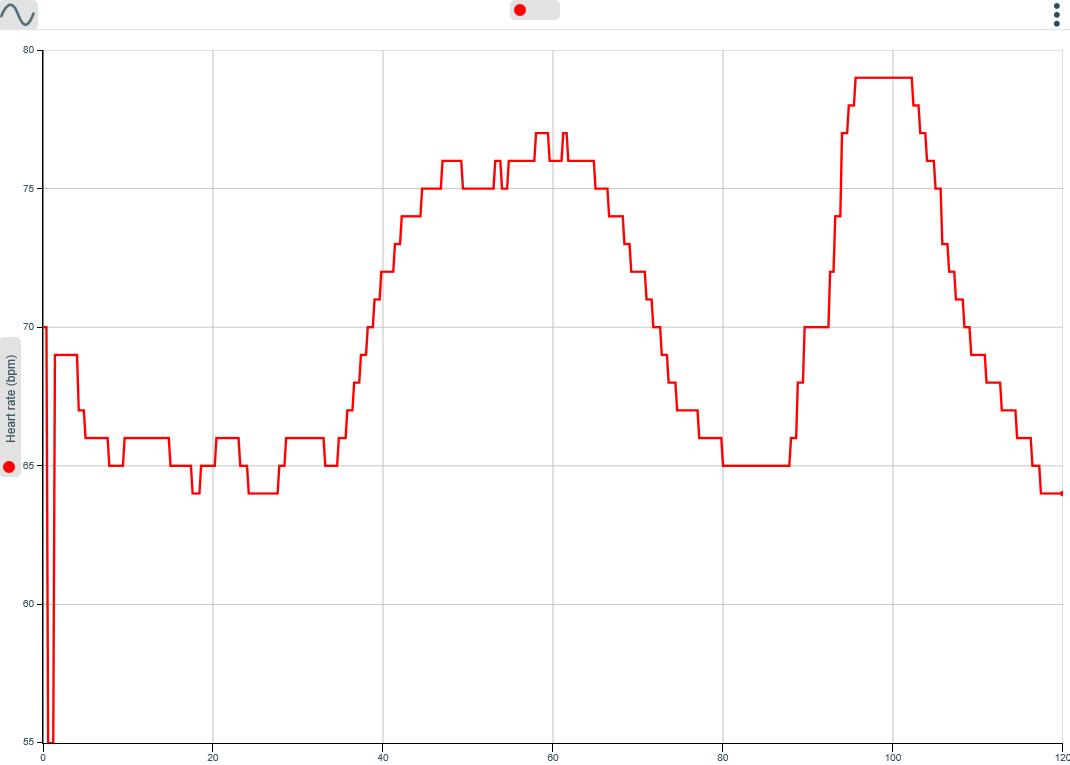
Thisisafunac�vitybasedontheHeartratesensor.Weknowthatourheartratealtersasweexercisebutthis ac�vityexploressomethingelsethatcanalterourheartrate–ea�ngchocolate!
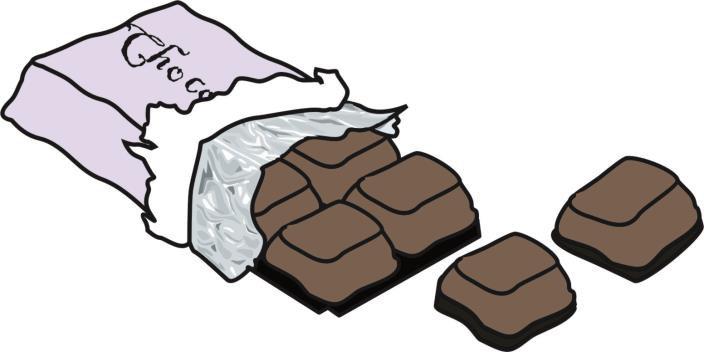
Whatyouneed
V-serieswirelesslogger
HeartratesensorsettotheHeartrate(bpm)range
Chocolate(withawrapperthatrustles;itworksbe�erifitisobviouswhattheyarege�ng!)
Whatyouneedtodo
1.ConnectthesensortothedataloggerandtheloggertoyouBluetoothenabledevice.
2.Clipthesensorontoyourfingerorearlobeandwaitun�ltheLEDonthesensorisflashingonandoff regularly.
3.SelectStart tobeginlogging.
4.Keepyourfingers�llandsitquietlyfor30secondstorecordyourres�ngheartrate.
5.Takeabiteofchocolate.Enjoy!
6.Lettheheartratereturntoitsres�ngrateandthentakeasecondbiteofchocolate.
7.Stoptherecording.
Results
Usescale(minmax)tomakethedatafitthescreen.
UseValues toreadtheinforma�onfromthegraph.
Ques�ons
1.Byhowmuchdidyourheartratechangewhenyouwereea�ngchocolate?
2.Didyourheartratechangeasmuchduringthesecondbiteofchocolate?
Extensionac�vity
Tryanothers�mulante.g.caffeineincolaorRedBullorhotdrinkssuchasteaandcoffee.
Thisac�vityintroducestheOxygensensormeasuringtheoxygencontentofair.Youwillfindout howmuchoxygenisconsumedwhenyoubreatheinandoutwhilstsi�ngquietly.Youmaythen goontocomparetheresultwiththeoxygenconsumeda�erashortburstofexercise.
Warning!
Onlyasinglebreathshouldbecaptured. Donotre-breathetheairfromthebag. Makesurethebaghasbeencompletelyemp�edbetweenuses topreventre-breathing.
Whatyouneed SmartWirelessOxygen. Mediumsizedbagforbreathinginto
Whatyouneedtodo
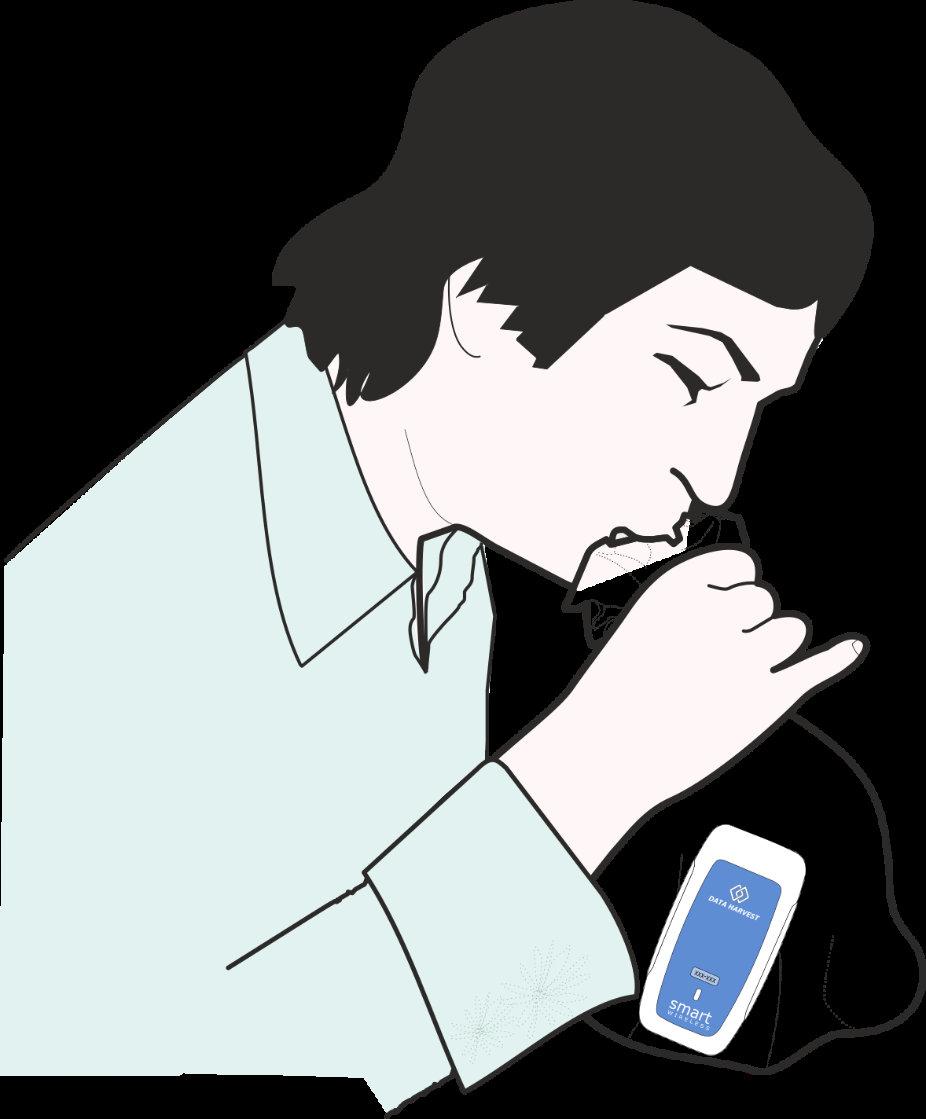
1.Youneednoprepara�onfortheSmartWirelessoxygensensor,simplyconnecttoyourBluetoothenabled device.
2.Useameterdisplaytochecktheoxygenreading.Ifnecessaryusecalibratetosetto21%.
3.PlacetheOxygensensorinsidethebagandselectstart tobeginlogging.
4.Takeadeepbreathandholditforaslowcountof20thenbreatheoutslowlyintothebagandthenhold thebagshut.
5.WhentherecordinghasfinishedremovetheOxygensensorfromthebag.
Results
UseValues tofindtheminimumvalueordifferencetofindouthowmuchthe oxygenlevelchanged.
Ques�ons
Howmuchdifferencewastherebetweenthestartandthelowestvalue? Howmuchoxygendidyouconsumeduringonebreath? Whatothergasesareexhaledwhenyoubreatheout?
Extensionac�vity
Dosomevigorousac�vitye.g.runningupanddownstairs,thenrepeatthe ac�vityandcompare results.
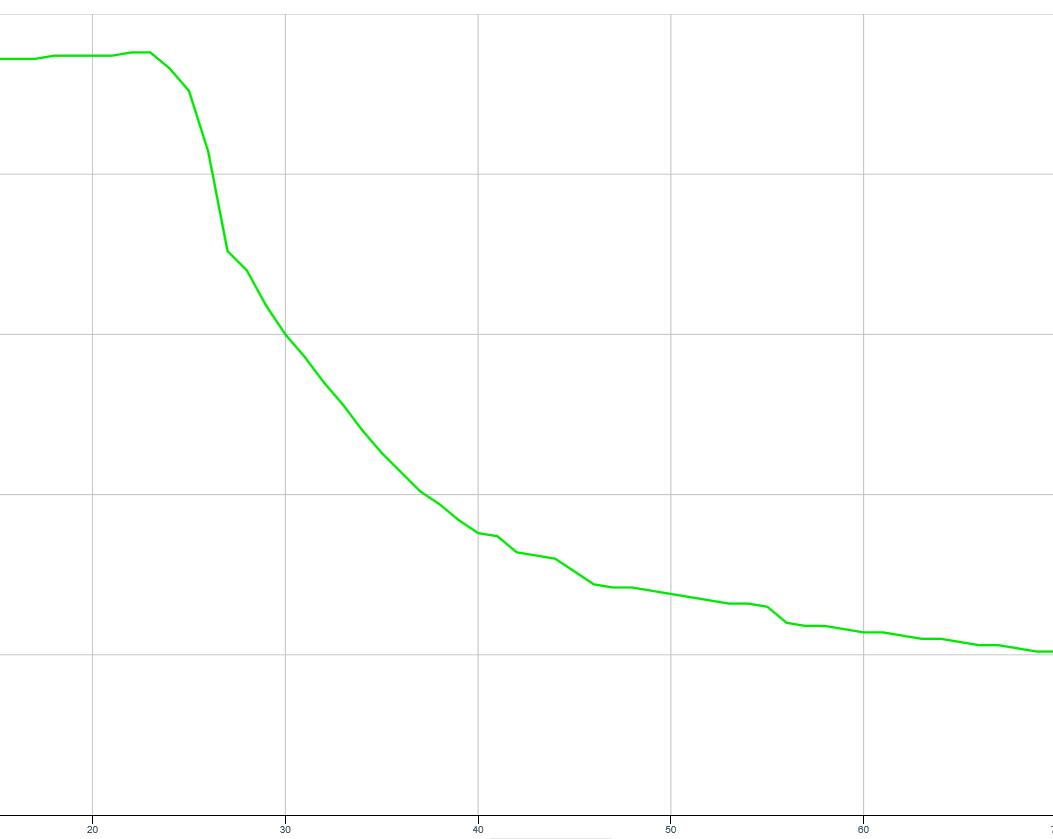
WhentheHumiditysensor/cupisplacedagainsttheskinitwillrecordthechangeofhumidity causedbyswea�ng.Oncethiseffecthasbeenexperienced,youarereadytoinves�gatewhether an�perspirantsareeffec�ve.
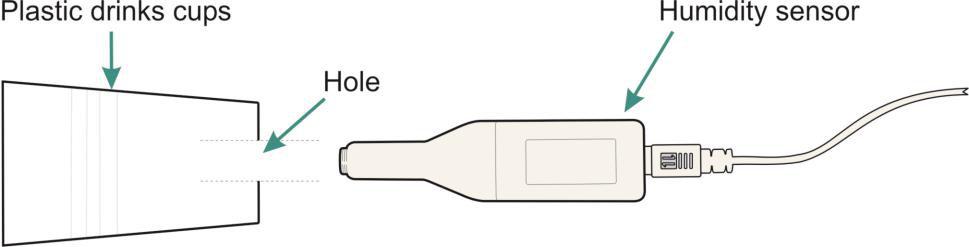
V-serieswirelessdatalogger
Humiditysensor
Plas�cdrinkscup(e.g.fromwatercooler)withaholeinitsbase
Rangeofproductstoteste.g.DeodorantorAn�perspirant–rollonliquidorcream HazardInforma�on: Donotapplyproductstobrokenskin.Ifyouknowyouaresensi�vetoanyofthe productsbeingpresenteddonotusethem.
Whatyouneedtodo
1.FitthecupontotheHumiditysensorandconnectthesensortothedatalogger.Starttheso�wareand connecttheloggertoyourBluetoothenableddevice.
2.Clickstarttorecordthehumidityintheroomforthefulltwominutes.Thisisyourcontroldatawhichyou willuseforcomparison.
3.Wavethecupandsensoraroundtoemptythe“stale”airfromthecup.
4.Clickonoverlayandplacetheopenendofthecupfirmlyeitheragainstthepalmofyourhand,oragainst theinnerlowerarm,
5.Clickonrunandrecordforthesamelengthof�me.Thissetofdatawillbethemeasureofswea�ngbefore anytreatments.
6.Wavethecupandsensoraroundtoemptythe“stale”airfromthecup.
7.Repeattherecordingun�lyougetaroom,bareskin,an�perspiranttreatedanddeodoranttreatedskin graph.
8.Placeandholdthecupfirmlyovertheareawherean�perspiranthasbeenappliedandselect Start.
9.Repeatwithanyotherproductssupplied.
Results
Usescale(mintomax)tomakethegraphdisplayfillthescreen.
Usevaluestoexplorethedataandusegradienttocomparetherateofchangeofeachline.
Ques�ons
Whichproductperformedbest?Explainyouranswer.
ThisexperimentusestheHumiditysensortocomparetranspira�onfromleavesofdifferentplants. Transpira�onistheenginebywhichwaterisdrawnthroughtheplantandupintotheleaves.Plantsusethe waterforphotosynthesisandstructuralsupport.Alackofwaterwillleadtowil�ngoftheplant.Someplants wiltinthemiddaysunasaprotec�onagainstwaterlosse.g.Beetplants.
Whatyouneed
V-seriesdatalogger
Humiditysensor
2xPlas�cbeakers,onewithaholeinthebase
2xCarddiscswithholeinthecentre,orclingfilm
Severalleavesofsimilarsize
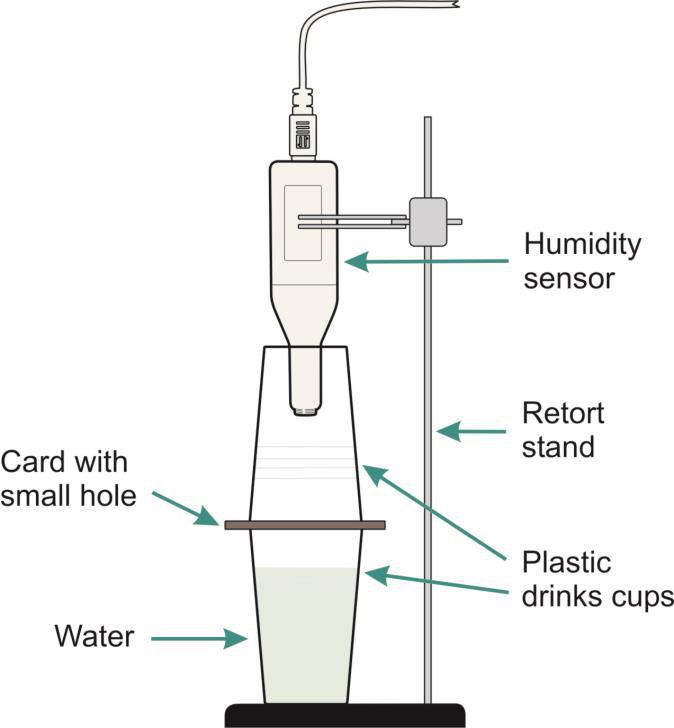
Control apparatus
Whatyouneedtodo
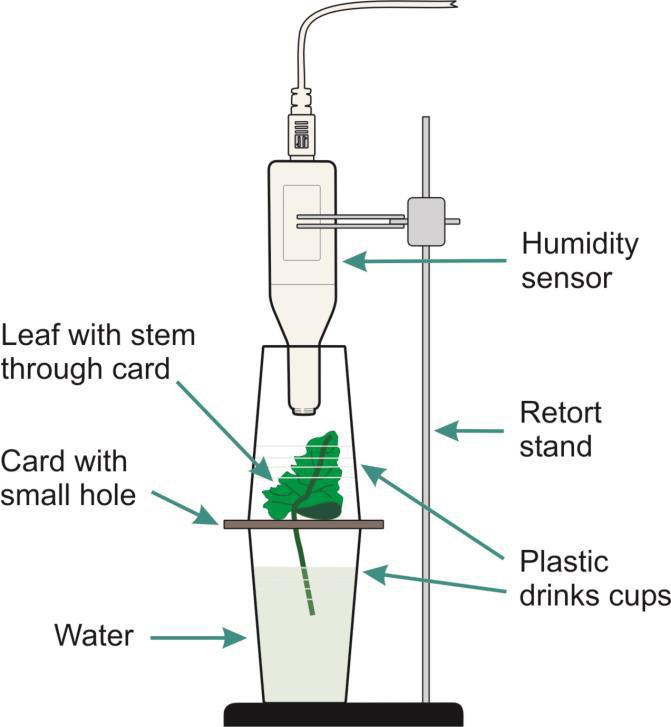
Experimentapparatus
1.AssembletheapparatuswithouttheHumiditysensororleafinplace.Ifclingfilmisusedinsteadofcard, makeasmallholeinthecentresuitableforaleafstem.
2.ConnecttheHumiditysensortothedatalogger.Opentheso�wareandconnecttheloggertoyour Bluetoothenableddevice.
3.Posi�ontheHumiditysensoroverthecardwithaholeonly,clickonstart andrecordforatleast2minutes (thisisthecontrol)
4.Attheendoftherecording,removetheupperchamberandwavethesensorsandcuparoundtoremove the“staleair”andreturnthecondi�onsinthecupbacktotheroomcondi�ons.
5.SelectOverlay.Placethestalk(pe�ole)ofLeaf1throughthesmallhole,placetheupperchamberand Humiditysensorinposi�on,selectStart torecordanothersetofdata(usethesamerecordingperiod).
6.Repeattotestleaves2and3(orforasmanyleavesasyouhaveavailable).
Results
UseValues andDifference tofindthelowesthumidity,highesthumidityandthedifferencebetweenthelowest andhighestreadingforeachleaftype.
Ques�ons
1.Howdoesthesizeoftheleafchangehowquicklythehumiditychangesinsidethechamber?
2.Doesthetypeofleafhaveanyeffectonhowquicklythehumiditychangesinsidethechamber?
Extensions
Usethesamesetupto:
•Inves�gatetheeffectoflightontherateoftranspira�on.
•Inves�gatefromwhichsideoftheleaftranspira�onisgreater.Youwillrequire3iden�calleaves.Smear Vaselineonthetopsurfaceofoneleaf,onthelowersurfaceofthesecondleaf,leavingthethirdclear.
•Inves�gatewhetherthetranspira�onrateisthesamefordifferenttypesofleafe.g.shinyleaves,silver leaves,hairyleaves,etc.
•Doesthecolourofthelighthaveanyeffect?Placeacolouredfilter(gel)betweenthelightandtheleaf. Whichcolourhasmosteffect?
Thisinves�ga�onwilllookatreac�on�mesandfactorsthanmayalterthem.Areac�on�meis thequickest�meanindividualcanrespondtoas�mulus.
Whatyouneed
V-serieswirelesslogger
2PushBu�onReac�onSwitches(oneofwhichmusthave an LED)
Variousitemstouseasdistrac�onse.g.soundsource, mobiletelephoneetc.
Whatyouneedtodo
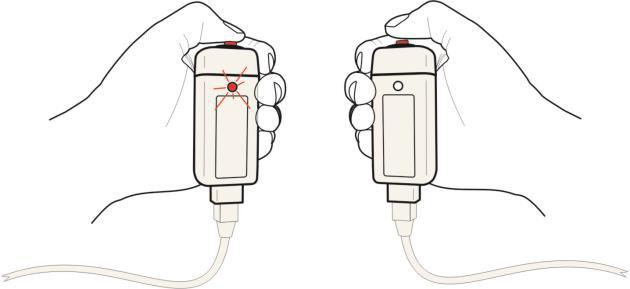
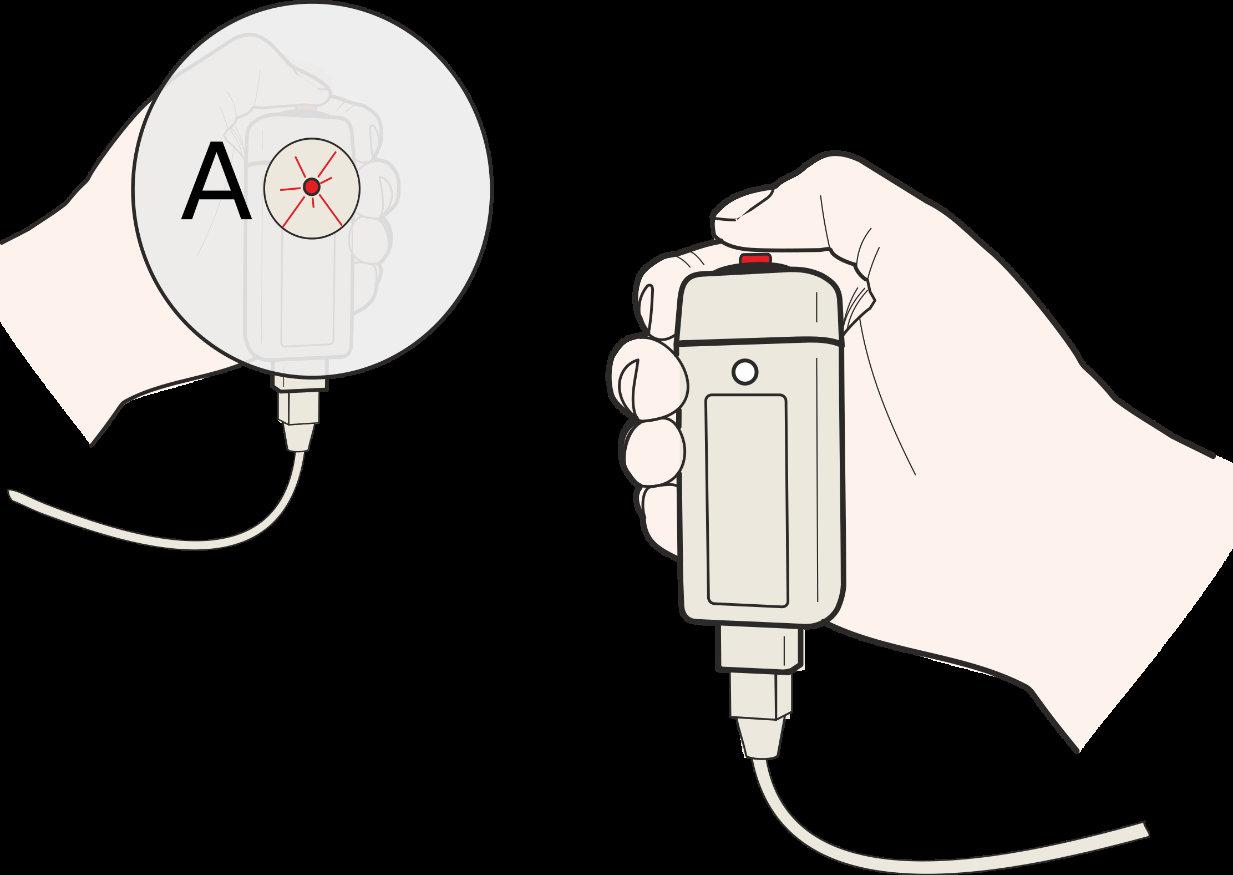
Thetesterandtherespondereachholdaswitch.Thetesterpressestheirswitchandtheresponderpushesthe secondswitchassoonashe/sheseestheLEDlightonthetesters switch.Thisproducesa�medresponseandtheso�warerecords thereac�on�mesasthe�mefromAtoB.
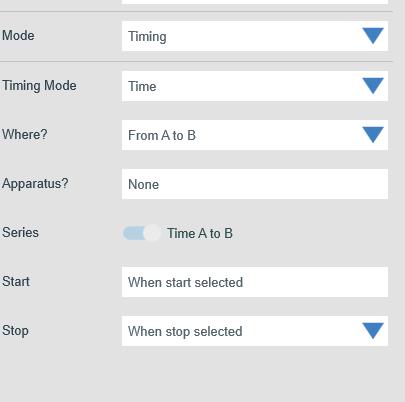
1.ConnecttheswitchestotheinputslabelledAandBonthedata logger(switchAisforthetester,switchBfortheresponder).
2.ConnecttheloggertoyourBluetoothenabledevice.
3.UsesetuptosettheTimingup.
4.MakesuretherespondercanseetheLEDonthetestersswitchbut cannotseeanymovementofthetester’shandorfingers(ACDROM stuckonthefrontoftheswitchwiththeLEDshowingthroughthe centreholeworkswell).
5.Clickrun.Thetestershouldpresstheirswitch;theresponder shouldthenpresstheirswitchassoonastheyseetheLED onthetester’sswitchlightup.
6.Repeatseveral�mestoenableanaveragetobe calculated.
Extensions
•Lettheresponderlistentosomemusiconapairofheadphonesandrepeattheexperiment.
•Lettheresponderlistentoatapeofinstruc�onsthatneedfollowingandrepeatthetest.
•Lettheresponderhaveadrinkcontainingcaffeine,e.g.Colaorcoffeetoseeifthereac�on�mesvary.
Theresultswillbepresentedas�mefromAtoB.Thisgivesadirectvalueofthespeedofreac�on.Beawareof therangeofthe�mescaleused,asitisnormaltoexpressreac�on�mesastenthsorhundredthsofasecond.
1.Howdoesyourreac�on�mecomparetothevaluesprintedintextbooksorontheweb?
2.Collecttheaveragesfortherestofthegrouporclass.Calculatetheaveragefortheclass.Howmany peoplefallbelowtheaverage?Isthereadifferencebetweengenders?Calculatetheaverageforfemale, andaverageformaleresponders.
3.Findoutaboutstoppingdistancesfromatextbook.Knowingyourreac�on�mes,howfarwillyoutravel beforestoppingusingthestoppingvaluesintheHighwayCodeat30mph,40mphand50mph?
4.Thetestusingtapedinstruc�onssimulateaphonecallwhendriving.Howdidthistestaffectthereac�on �meandul�matelythestoppingdistance?
5.Ifyouhaveaccesstoascien�ficcalculatorandhavesufficientdata,youcandoasta�s�caltestcalled standarddevia�on.Ifyoucalculatethes.d.thiswillallowyoutocomparedatafromotherreac�on�me experimentswithmorecertainty.
Iden�fyingerrors
Makealistofthepossiblesourcesoferrorinthisexperimentandthena�empttoquan�fytheerrorsinterms ofhowmuchtheyhaveaffectedtheresults.
Discusstheerrorsiden�fiedwithotherstoseeiftheyarerealis�corcomefrompreconceivedideasabout reac�on�mes.
NotesonStandardResponse: Thegapbetweentwoneurons(thesynapse)hasphysicalproper�esthat introducea�medelay(latency)ofapprox.10mspersynapse.Theneuroncancarrythemessageata maximumspeedof30metrespersecond.Takingboththesefactorsintoconsidera�on,itwouldbeunlikelyto seeareac�on�meofbelow0.02seconds.
This‘reac�on�me’inves�ga�onprovidesasimplemodelforthe�metakentodepressthebrakepedalofa cara�eras�mulus.
Whatyouneed
V-serieswirelessdatalogger
PushBu�onReac�onSwitch
TimingMat
Variousitemstouseasdistrac�onse.g.soundsource,mobiletelephone
Whatyouneedtodo
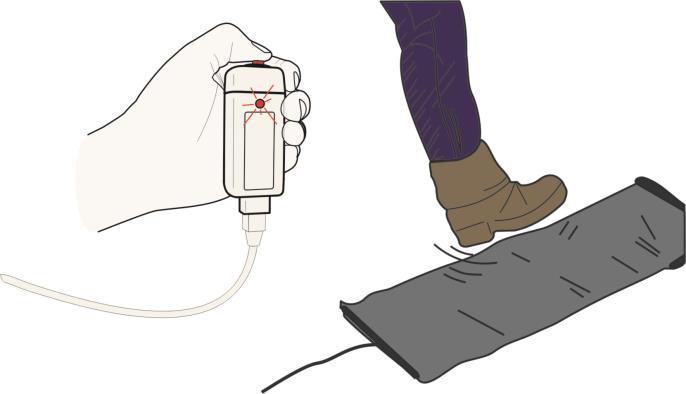
1.Reac�on�mesarerecordedbythetesterpressingthePushswitchand therespondersteppingontheTimingmattoproducea�medresponse.
2.Connectthetester’spushbu�onswitchtoinputAonthedatalogger. Connecttheresponder’s�mingmattoinputB.
3.ConnecttheloggertoyourBluetoothenableddevice.
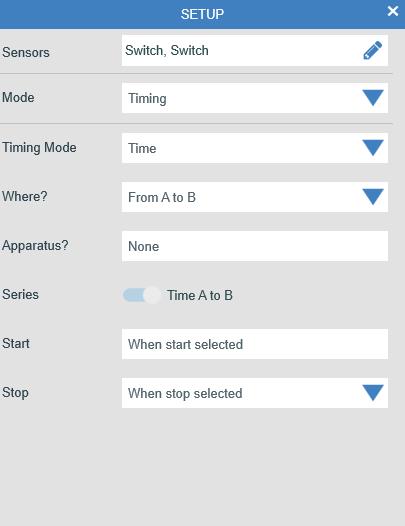
4.Usesetuptoset�mingtorecord�mefromAtoB.
5.MakesuretherespondercanseetheLEDofthetester’sswitchbutcannot seeanymovementofthetester’shandorfingers(aCDROMstuckinfront oftheswitchwiththeLEDshowingthroughthecentreholeworkswell). Therespondermayneedtostandinordertoexertsufficientpressureon theTiming mat.
6.Select Start. Thetestershouldpresstheir switch;therespondershouldstandonthe TimingmatassoonastheyseetheLEDon thetester’sswitchlightup.
7.Repeatseveral�mestoenableanaverage tobecalculatedthenselectStop.
Extensions
•Lettheresponderlistentosomemusiconapairofheadphonesandrepeattheexperiment.
•Lettheresponderlistentoatapeofinstruc�onsthatneedfollowingandrepeatthetest.
•Lettheresponderhaveadrinkcontainingcaffeine,e.g.Colaorcoffeetoseeifthereac�on�mesvary.
•Comparetheaverage‘hi�ngthebrakes’�mestothesimple‘reac�on�me’test.
Theresultswillbepresentedas�mefromAtoB.Thisgivesadirectvalueofthespeedofreac�on.Beawareof therangeofthe�mescaleused,asitisnormaltoexpressreac�on�mesastenthsorhundredthsofasecond.
1.Howdoesyourreac�on�mecomparetothevaluesprintedintextbooksorontheweb?
2.Collecttheaveragesfortherestofthegrouporclass.Calculatetheaveragefortheclass.Howmany peoplefallbelowtheaverage?Isthereadifferencebetweengenders?Calculatetheaverageforfemale, andaverageformaleresponders.
3.Findoutaboutstoppingdistancesfromatextbook.Knowingyourreac�on�mes,howfarwillyoutravel beforestoppingusingthestoppingvaluesintheHighwayCodeat30mph,40mphand50mph?
4.Thetestusingtapedinstruc�onssimulatesaphonecallwhendriving.Howdidthistestaffectthereac�on �meandul�matelythestoppingdistance?
5.Ifyouhaveaccesstoascien�ficcalculatorandhavesufficientdata,youcandoasta�s�caltestcalled standarddevia�on.Ifyoucalculatethes.d.thiswillallowyoutocomparedatafromotherreac�on�me experimentswithmorecertainty.
Iden�fyingerrors
•Makealistofthepossiblesourcesoferrorinthisexperiment,andthena�empttoquan�fytheerrorsin termsofhowmuchtheyhaveaffectedtheresults.
•Discusstheerrorsiden�fiedwithotherstoseeiftheyarerealis�corcomefrompreconceivedideasabout reac�on�mes.
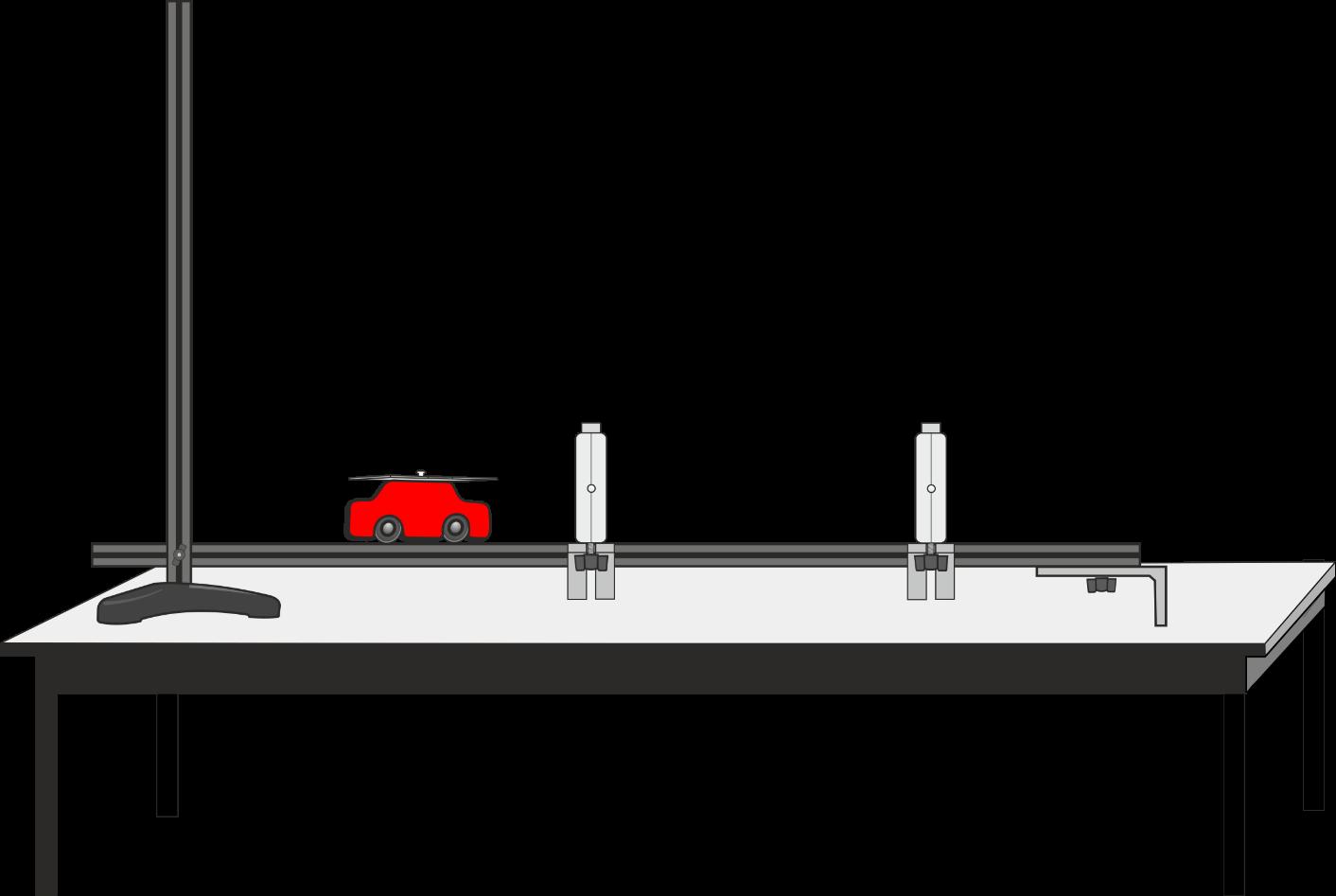
Thisinves�ga�onintroducestheuseof2Lightgatestorecordaccuratelythe�metakenforacartotravel fromLightgateAtoLightgateB.Theso�warewillcalculatethespeedfromAtoB.
V-serieswirelesslogger
2Lightgates
Dynamicstrack,cartandsingleinterruptcard
Whatyouneedtodo
1.Setthedynamicsrampupwithaslightslope,checkthecartrunsdown thetrackeasilybutnottoofast.
2.TimingstartswhenthecartpassesthroughlightgateA
3.ConnecttheLightgatethecargoesthroughfirsttoinputAandtheone itgoesthroughsecondtoinputBonthedatalogger.Measurethe distancebetweenthetwoLightgates.MarkaStartlineforthecars.
4.ConnecttheloggertoyourBluetoothenableddevice.
5.Usesetup toset�mingtorecordspeed/velocityfromAtoB.
6.Clickstart.Letthefirstcartrundowntheslope,repeatseveral�mesto getagoodaverage.
Extensions
•Trychangingtheheightofthetrackandrepea�ngtheexperiment.
•Tryaddingmasstothecarsandrepeattheexperiment.
Results
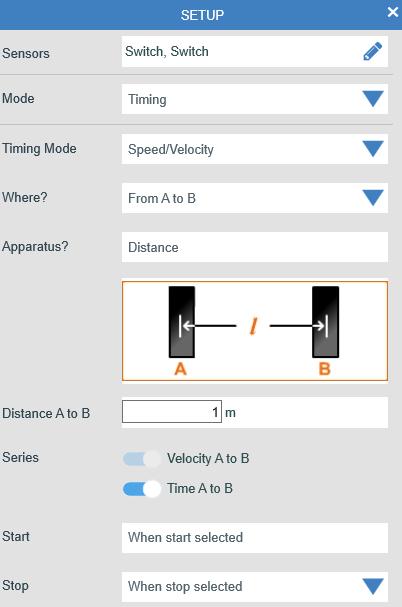
Recordinatablethe�meandspeedfromAtoBforeachcarplusthedistancetravelled.
1.Whywasitimportanttomarkastartline?
2.Whichcarhadthefastest�meandwhichhadtheslowest�me?
3.Canyouofferanexplana�onastowhatmadethedifference?
4.Doesmakingtheinclinedplanesteepermakeanydifferencetotheresults?
5.Isthereapa�ernwhencomparingthedifferentheightsandtheaveragespeeds?
Whenatrolleyortoycarmovesfreelydownaslope,itappearstogetfasterasitnearsthebo�om.Inthis experiment,youwillmeasurethespeedofthetrolleyatdifferentpointsalonganinclinedplaneby movingtheposi�onoftheLightgate.
Aninterruptcardfi�edtothecarwillbreaktheLightgate’sbeam.Theso�warerecordsthe�methat thebeamisbrokenbythecard.Thelengthofthecardisenteredintheso�ware,whichwillthen calculatethespeed.
Speed = Distance (lengthofcard)
Time (togothroughtheLightgate)
Whatyouneed
V-serieswirelessdatalogger
Lightgate
Dynamicstrack,cartandsingleinterruptcard
Whatyouneedtodo
1.Assembletheapparatus,constructa catcherforthecartattheendofthetrack.
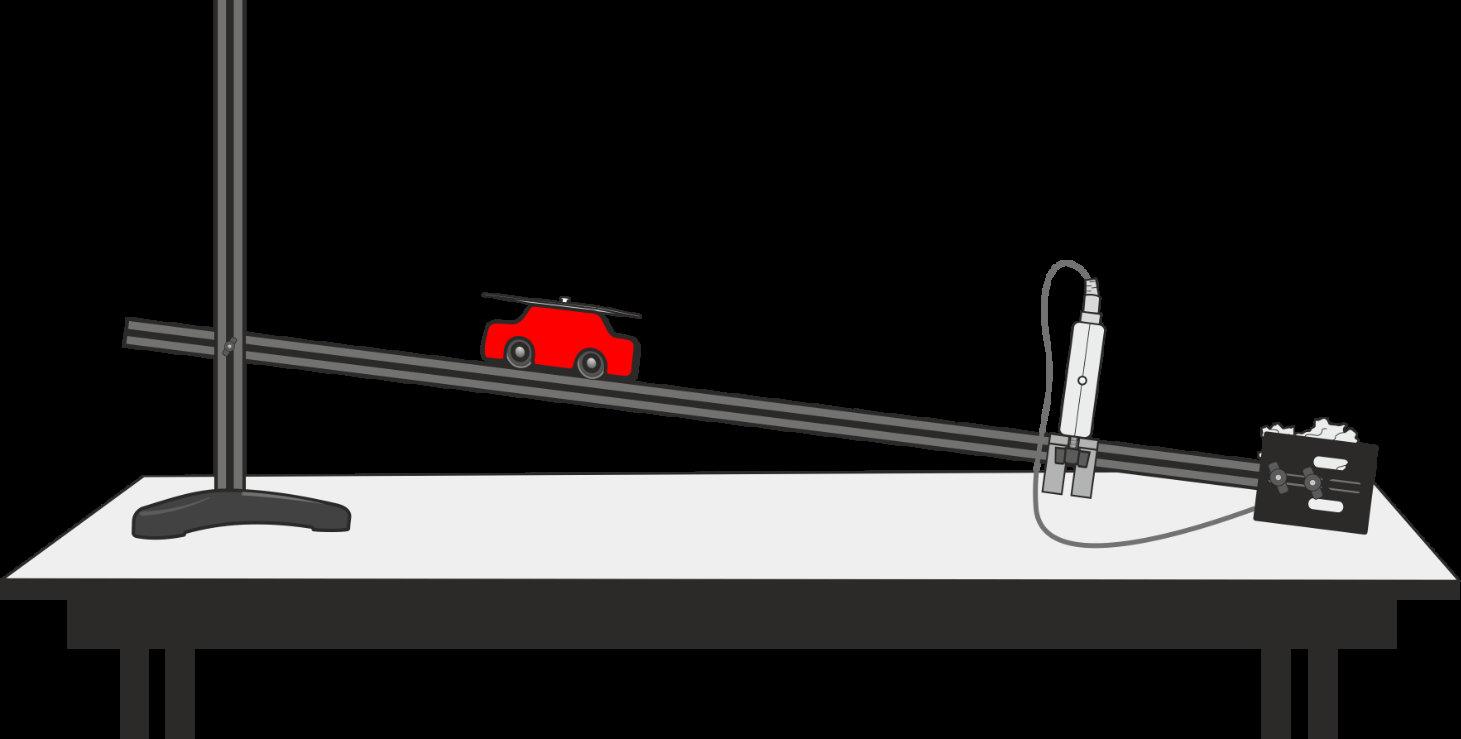
2.FixtheLightgateclosetotheendofthetrack,makesureyouhaveenoughspacea�ertheLightgatetolet thecartgoallthewaythrough.
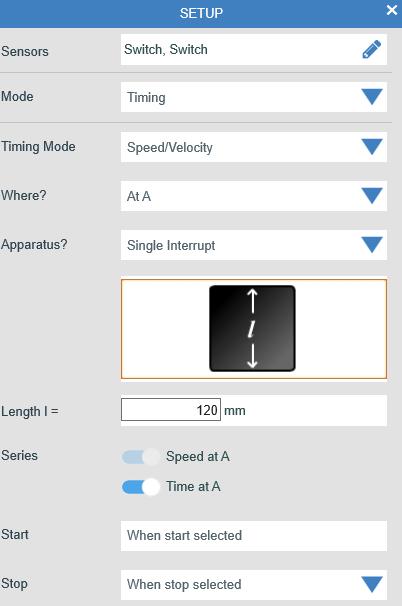
3.ConnecttheLightgatetoinputAonthedatalogger.
4.ConnecttheloggertoyourBluetoothenableddevice.
5.Select Timing fromsetupandsetuptherecordingtomeasure speed/velocityatA.Youwillneedtoenterthelengthofthesingle interruptcardonthecart.
6.Posi�onthecart10cmawayfromtheLightgateandclickonrun. Releasethecart,itisbesttostopthecarta�erithasgonethrough thelightgateandnotrelyuponthecatchertostopthecart.
7.Thespeedwillbeshownonthegraph.
8.Placethecartatthesecondposi�onontheslope(20cmfromthe lightgate),andrepeattheexperiment.
9.Repeattogetspeedsfromatleast4distances.
Distancefrom Lightgate Speed/Velocity TimeatA
1.Comparethespeedvaluesat10,20,30cmetc.Isthereapa�erninthewayspeedchangeswithdistance? Extensions
•Repeattheexperimentwiththeslopeatdifferentheights.Doestheshapeofthegraphchange?
•Doesthemassofthetrolleyorcarchangetheresult?Loadmassesontothetrolleytofindout.
Thisinves�ga�onusesadoubleinterruptcardandasingleLightgatetomeasureaccelera�onduetogravity. Thecardhastwoequalwidthsegments.Timingmeasurestheini�alvelocityasthefirstsegmentpasses throughtheLightgateandthefinalvelocitywhenthesecondsegmentpasses.Theso�warecalculates accelera�onfromtheresul�ngchangeofvelocity.
Whatyouneed
V-serieswirelessdatalogger
Lightgate
Retortstandandclamp
Doubleinterruptcard
Ruler(mmdivisions)
Whatyouneedtodo
1.Setuptheapparatusasshown,connec�ngtheLightgateto inputAonthedatalogger.Markupto7startposi�onsonthe retortstand(posi�on1shouldbeasclosetheLightgateas possiblewithoutbreakingthebeam).
2.ConnectthedataloggertoyourBluetoothenableddevice. Changethedisplaytotwopanels,oneforthe�mingbarsand oneasatableofresults.
3.Setup�mingtorecordaccelera�onatAwithadouble interruptcard.
4.Clickonstart.
5.Holdthe�mingcardatposi�on1anddropitthroughtheLight gate.
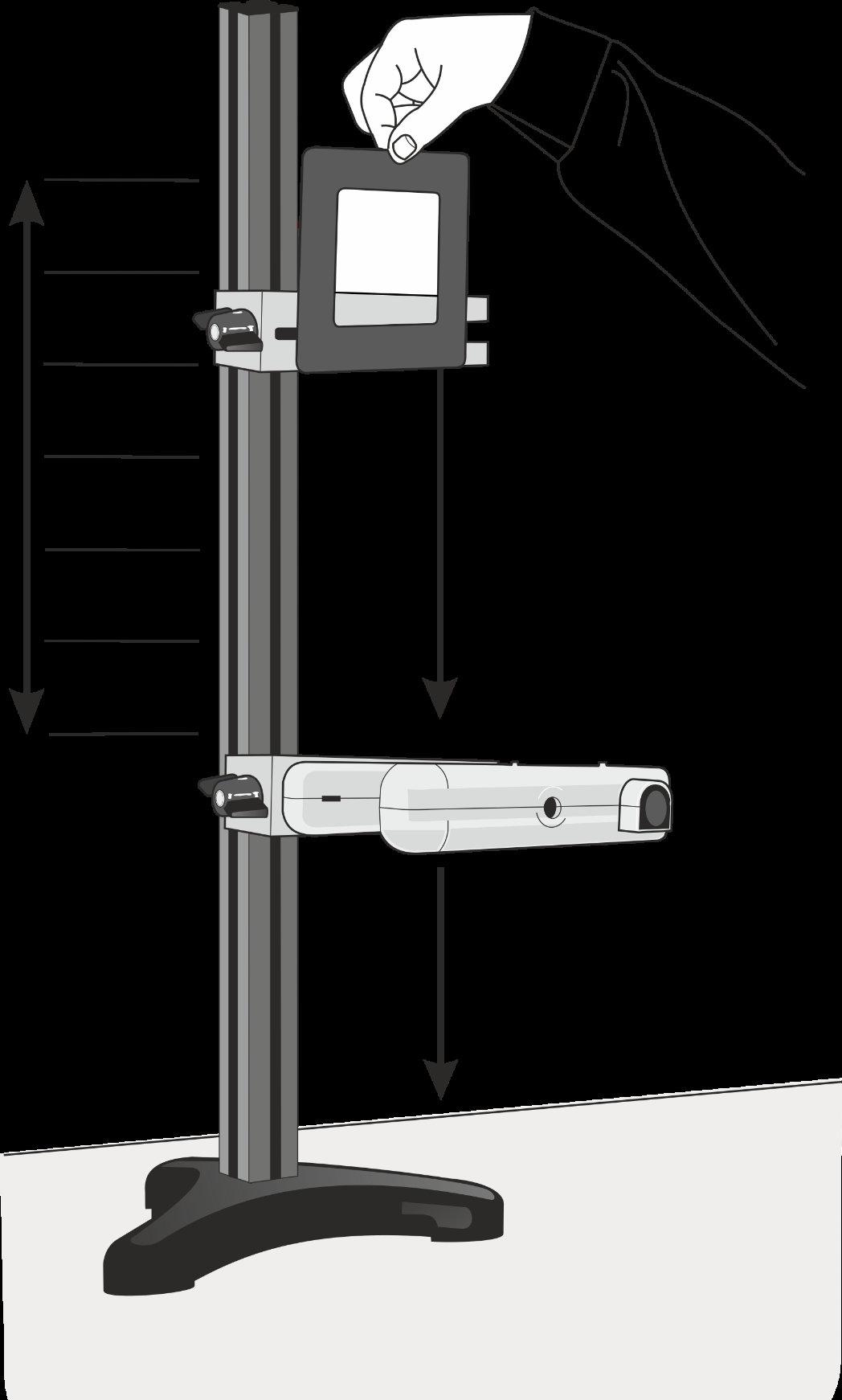
6.Repeatforeachposi�on,ideallydothreedropsateachposi�on.
7.Transfertheresultstoyourowntableofresultsandcalculatetheaverageaccelera�onforeachposi�on.
1.Doestheaccelera�onofafallingobjectchangeasitfallstoearth?
2.Asthe�mingcardwasdroppedfromdifferentheights,theini�alandfinalveloci�esmeasuredbythe so�warewouldhavebeendifferent.Explainhowdifferentini�alandfinalveloci�escanleadtothesame calculatedvalueofaccelera�on.
InthisexperimentaVoltagesensorisusedtoshowtheeffectofspinningamagnetinsideawirecoil–asimple dynamo.
Whatyouneed
Smartwirelessvoltageandcurrentsensor WireCoil
Strongmagnetsuspendedonastringorrubber band
1.Assembletheapparatusasshowninthe diagram.Checkthatthemagnetrotatesin thecentreofthecoil!
2.Connectthevoltageandcurrentsensorto theso�wareonyourBluetoothenabled device.
3.Twistthemagnetby20–30turnsandholdit.
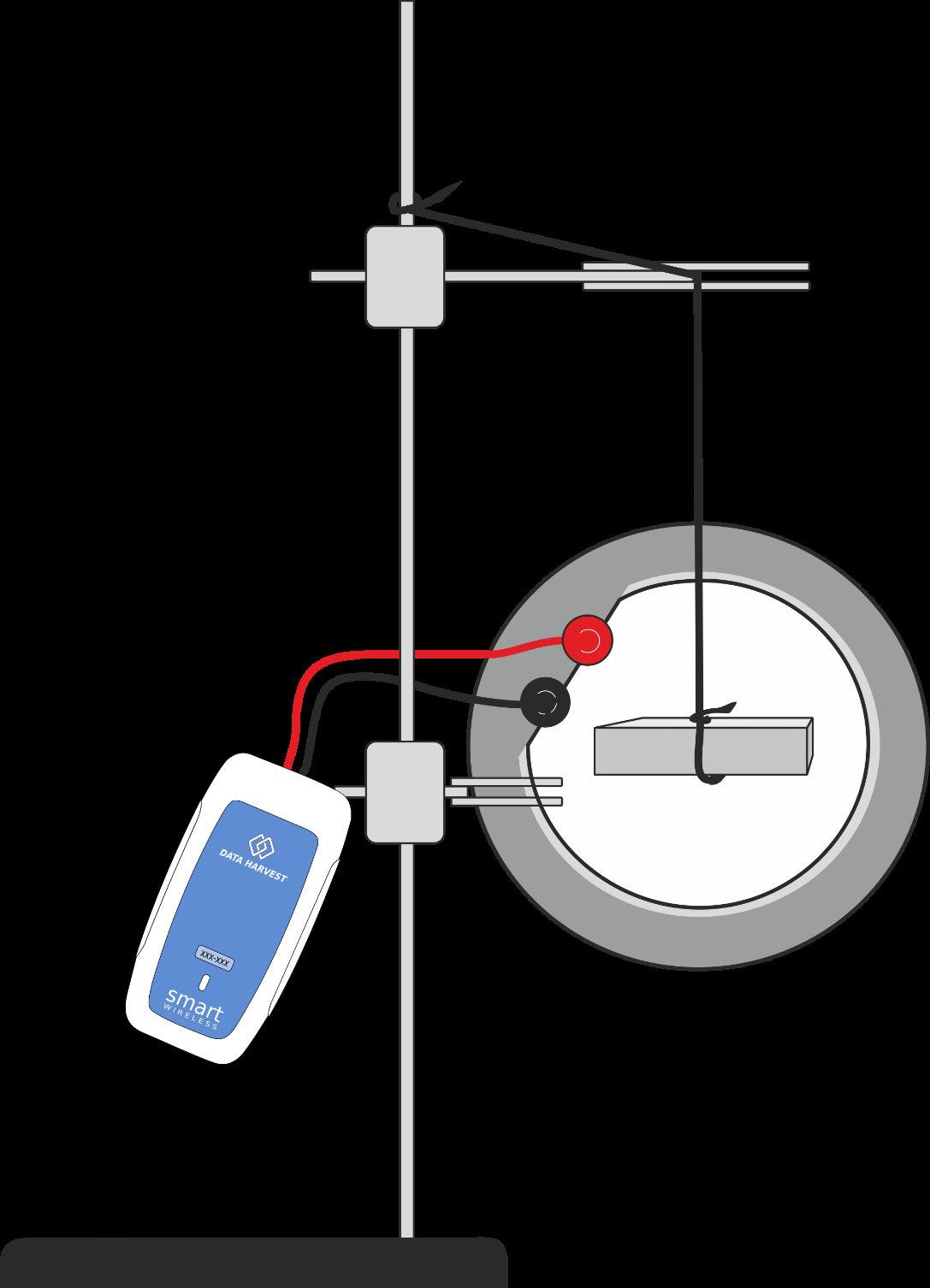
4.Selectstartandreleasethemagnet(ifthemagnettouchesthesideofthecoil,adjustits’posi�on,and restartdatacapture).
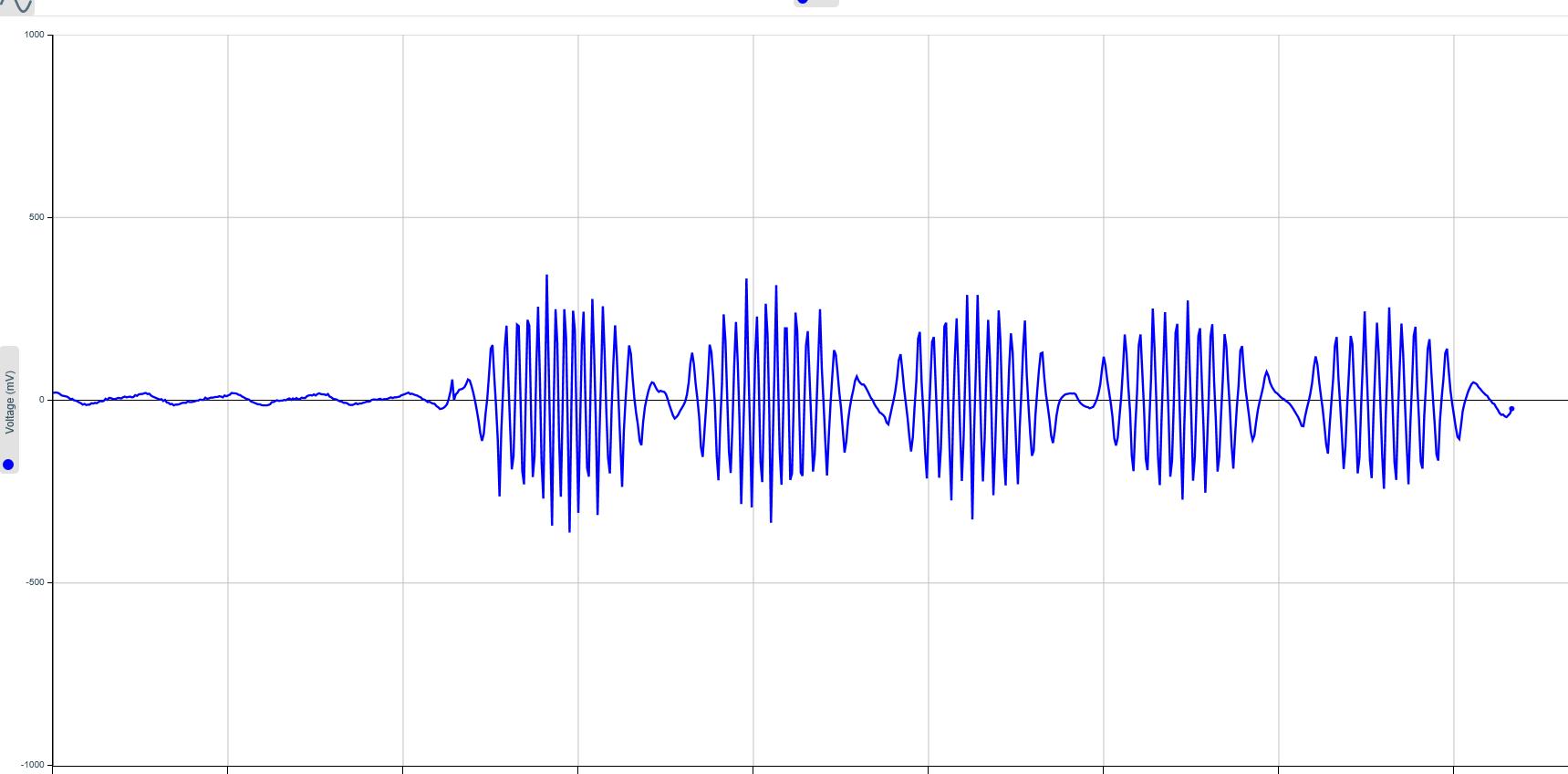
1.Whatwasthemaximumvoltagecreated?
2.Howwasthevoltagerelatedtothespeedofrota�onofthemagnet?
3.Howmanyrevolu�onsdidthemagnetmake?Explainyouranswer.
4.Whatdescrip�onisgiventoavoltagewhichchangeslikethis?
5.Howfastwasthemagnetspinning(howmanyrota�onspersecond?)
Thissimpleandveryfastac�vityintroducestheneedforfastdatalogging.
Whatyouneed
Smartwirelessvoltageandcurrentsensor
Wirecoil
StrongAlNiComagnet
Aso�matforthemagnettolandon
Whatyouneedtodo
1.Assembletheapparatusasshown.
2.Starttheso�wareandconnectthewireless voltageandcurrentsensortoyourBluetooth enableddevice.
3.Makesurethereissomethingso�forthe magnettofallonto.
4.Usesetuptogiveanintersampleperiodofless than50μs.
5.Whenyouareready,clickstartanddropthe magnetNorthpolefirstthroughthecoil-take noteofwhichpoleyouusedfirst.
6.SelectOverlayandrepeat.Makesureyoudrop themagnetfromthesameheighteach�me.
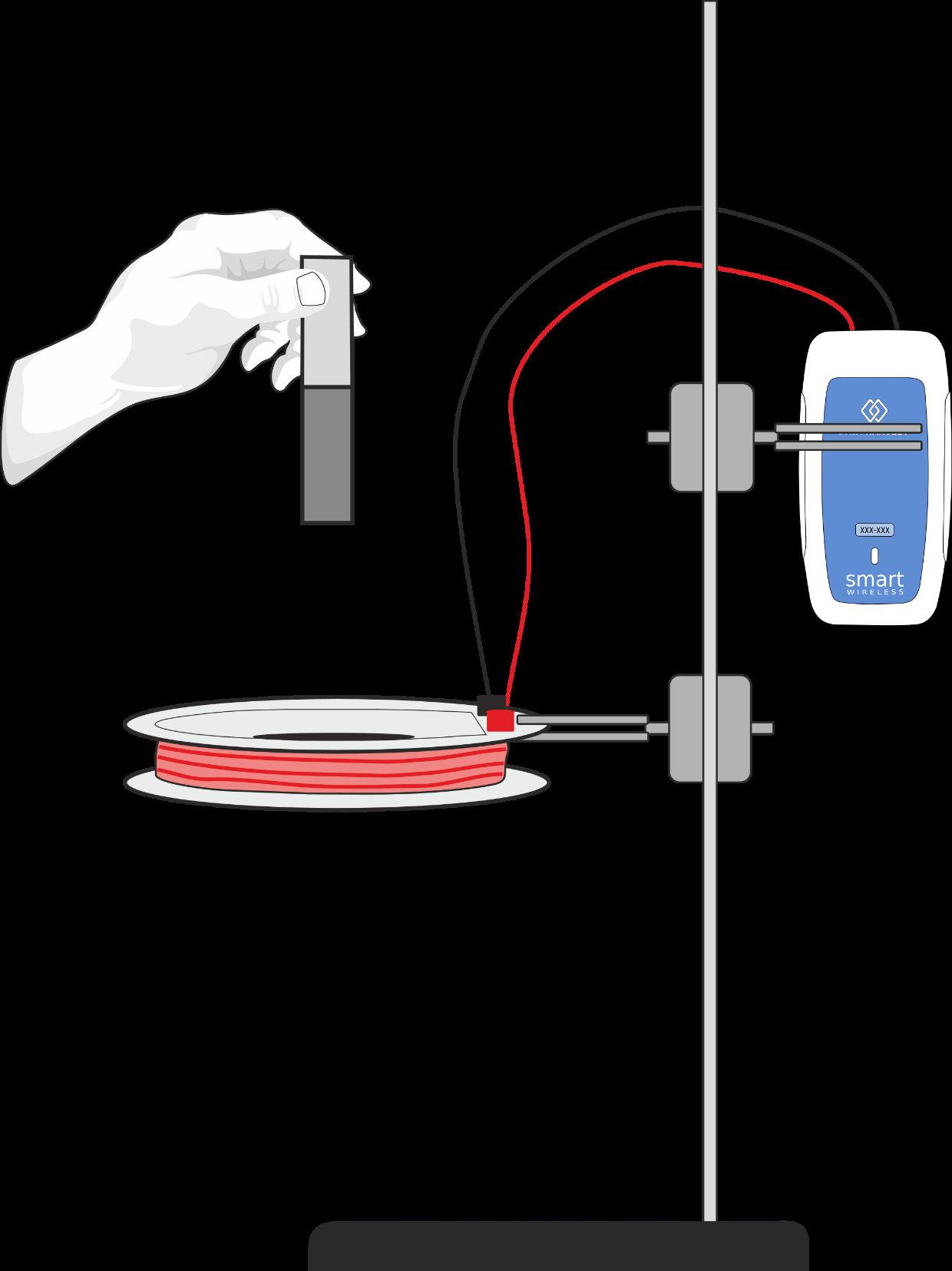
7.RepeatthemagnetdropwiththemagnetSouthpolefirst Results
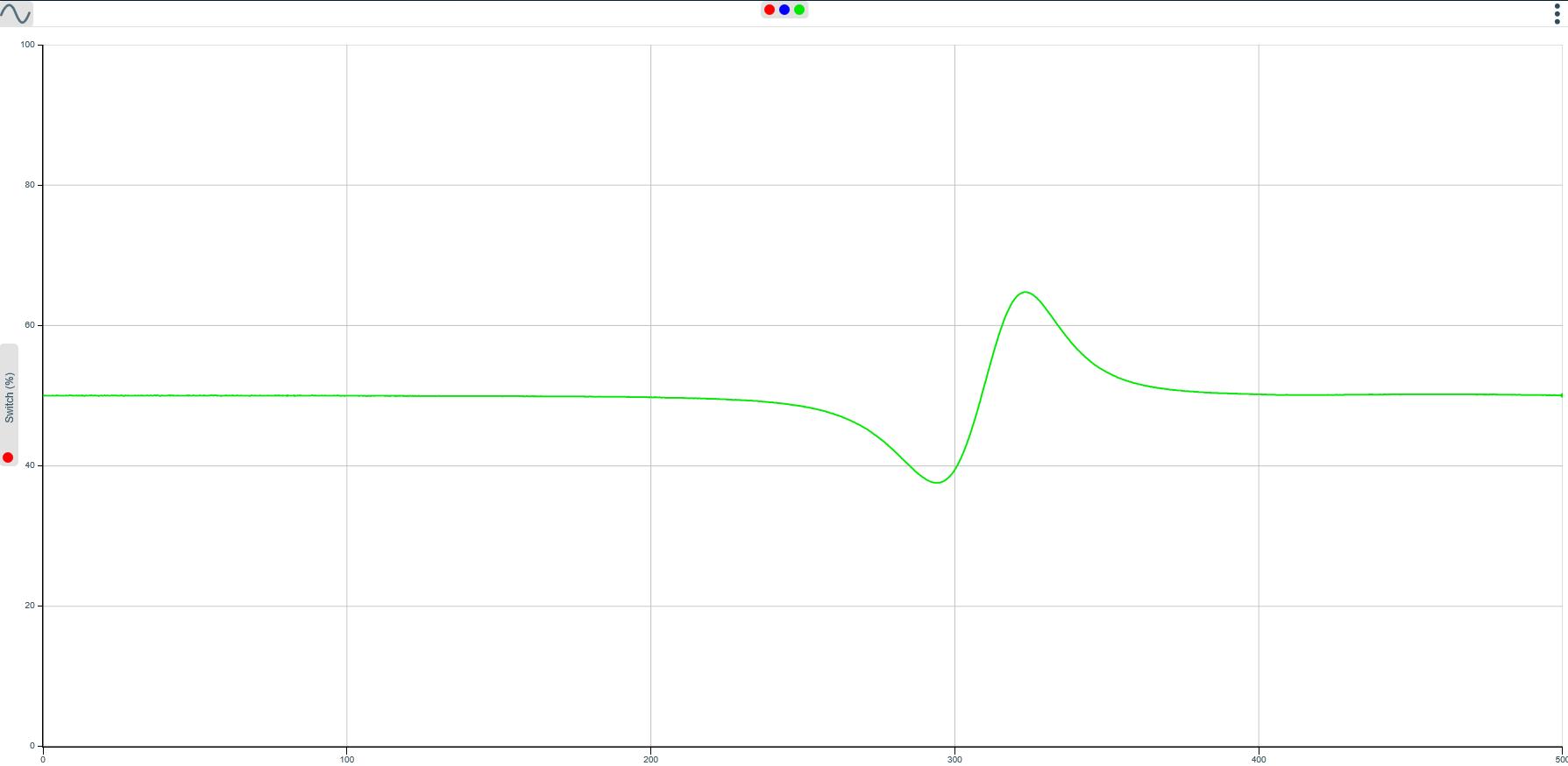
Usetoolstofindthevalueofthemaximumandminimumpeaks.
Ques�ons
1.Whyarethepeakvaluesnotthesame?
2.WhatisthedifferencebetweenthegraphsoftheNorthpolefirstandthesouthpolefirst?
3.Explainwhythegraphshowsthetwopeaksasthemagnetfallsthroughthecoil.
Extension.
Keepthepoleyoudropthrough thecoilconstant,butchangethe heightfromthedroppointtothe coil.Whathappenstothepeak voltagevalue?
Usethesameapparatusand measurethecurrentinduced.
Measurecurrentandvoltageat thesame�me.
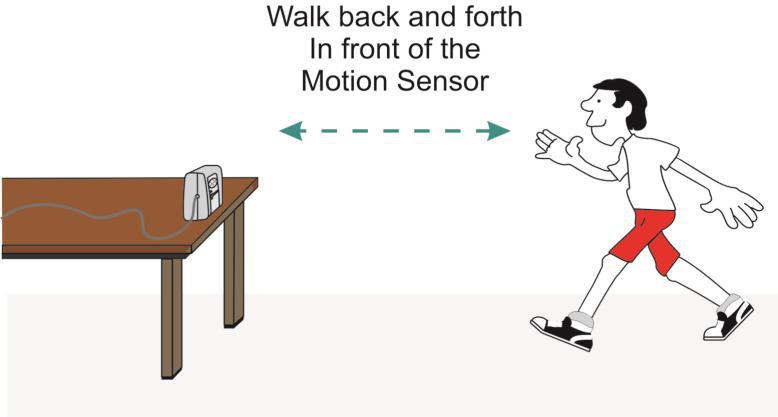
Thisinves�ga�onintroducestheMo�onsensorwithasimplewalkingac�vity.TheMo�onsensorisan ultrasonicsensor.Itsendsoutanultrasonicpulseand�meshowlongeachpulsetakestoreturntothesensor.
V-serieswirelessDatalogger
Mo�onsensorsettoadistancerange(1morwalk)
Whatyouneedtodo
1.SetuptheMo�onsensorasshowninthediagramandconnectittothedatalogger.Makesureyouhave enoughspacetomovebackwardsandforwardswithoutbumpingintoanything.
2.ConnecttheloggertoyourBluetoothenableddevice.
3.Standabout1metreawayfromthefrontofthesensor,andaskapartnertoselectstart.
4.Moveforwardslowly,stands�llandthenmovefastertowardsthesensor,thenmovebackwardtoyour startposi�on.
5.WhenlogginghasstoppedselectOverlay.Askyourpartnertocopyyourmovementsusingyourgraphasa guide.Whentheyareinposi�onselectstart.
6.Repeatwithothervolunteers.
Results
Usescale(mintomax) todisplaythegraphsmoreclearly.
Selectwhichgraphstodisplayorhideusingthecolouredseriesdotsatthetopofthegraph.
UseValuestoviewthedistancereadings
1.Whosegraphmatchedbestwiththeoriginalline?
2.Whenyoumovefaster,howdoesthedistance-�megraphchange?
3.Ifyoustands�ll,whatdoesthedistance-�megraphlooklike?
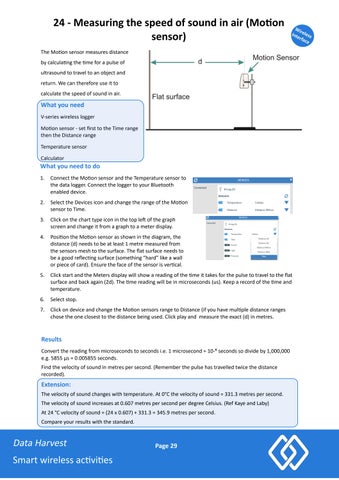
TheMo�onsensormeasuresdistance bycalcula�ngthe�meforapulseof ultrasoundtotraveltoanobjectand return.Wecanthereforeuseitto calculatethespeedofsoundinair.
Whatyouneed V-serieswirelesslogger
Mo�onsensor-setfirsttotheTimerange thentheDistancerange
Temperaturesensor
Calculator
Whatyouneedtodo
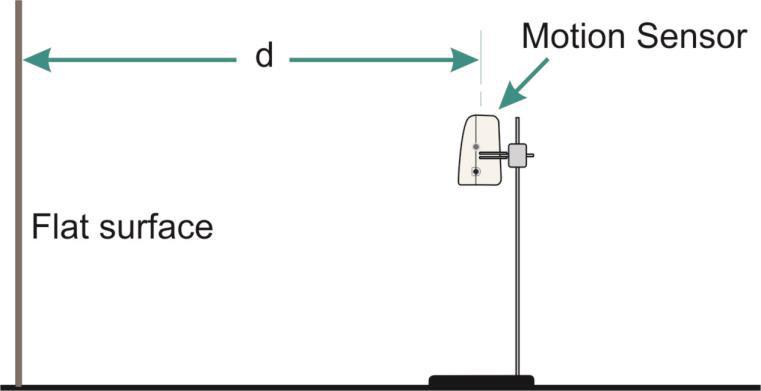
1.ConnecttheMo�onsensorandtheTemperaturesensorto thedatalogger.ConnecttheloggertoyourBluetooth enableddevice.
2.SelecttheDevicesiconandchangetherangeoftheMo�on sensortoTime.
3.Clickonthecharttypeiconinthetople�ofthegraph screenandchangeitfromagraphtoameterdisplay.
4.Posi�ontheMo�onsensorasshowninthediagram,the distance(d)needstobeatleast1metremeasuredfrom thesensorsmeshtothesurface.Theflatsurfaceneedsto beagoodreflec�ngsurface(something“hard”likeawall orpieceofcard).Ensurethefaceofthesensorisver�cal.
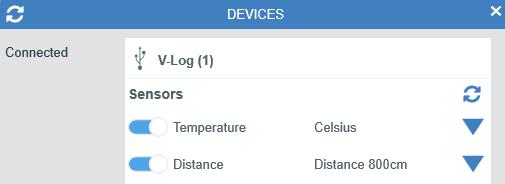
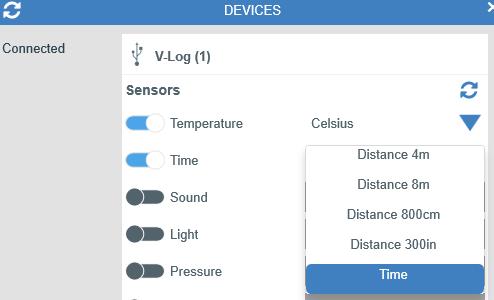
5.ClickstartandtheMetersdisplaywillshowareadingofthe�meittakesforthepulsetotraveltotheflat surfaceandbackagain(2d).The�mereadingwillbeinmicroseconds(us).Keeparecordofthe�meand temperature.
6.Selectstop.
7.ClickondeviceandchangetheMo�onsensorsrangetoDistance(ifyouhavemul�pledistanceranges chosetheoneclosesttothedistancebeingused.Clickplayandmeasuretheexact(d)inmetres.
Convertthereadingfrommicrosecondstosecondsi.e.1microsecond=10-⁶ secondssodivideby1,000,000 e.g.5855μs=0.005855seconds.
Findthevelocityofsoundinmetrespersecond.(Rememberthepulsehastravelledtwicethedistance recorded).
Extension:
Thevelocityofsoundchangeswithtemperature.At0°Cthevelocityofsound=331.3metrespersecond. Thevelocityofsoundincreasesat0.607metrespersecondperdegreeCelsius.(RefKayeandLaby) At24°Cvelocityofsound=(24x0.607)+331.3=345.9metrespersecond. Compareyourresultswiththestandard.