Joe Kannapell – The Last Word: Rural Cousins in the Truss Business — The Last Chapter
A dverti $ er Component manufaCturing
Serving the Structural Building componentS induStry
New & Used Equipment
Saws
Truss Equipment
Panel Equipment
Trucks & Trailers
Misc. Equipment
Modular Manufacturing
Door | Stair | Window Equipment
Safety First
Calendar of Events
TheJobLine - Jobs & Candidates
Industry News
Directory
Hiring Zone + Subcontract Designers Available
4Ward Solutions Group A-1 Industries
Acceptance Leasing & Financing
Acer, Inc
All Points Technical
Alpine BuyMetrics
Clark Industries, Inc.
Eagle Metal Products
Eide Machinery Sales, Inc.
Element Equipment
Fitzgerald Group
HOLTEC USA
Hundegger USA
LFT Strategies
LimTek Solutions
MiTek
Panels Plus
Paragon
Precision Equipment
ROGworx Automation
Simpson Strong-Tie
Spida USA
Stiles Machinery
The Hain Company
TheJobLine
Timber
Todd Drummond Consulting,
Triad | RUVO | Merrick Machine
Truss Builder Parts
Vekta Automation
Wasserman & Associates
West
Wolf X Machina
Wood Tech Systems
Published Monthly
Publisher
Thomas McAnally twm@componentadvertiser.org
Editor Anna L. Stamm 800-289-5627 x 3 anna@componentadvertiser.org
Distributed FREE Via e-mail subscription Download PDF or Read on line at www.componentadvertiser.com
News of Interest and Advertising inquiries can be submitted to: anna@componentadvertiser.org
An Open Forum for many sources.
Deadline 20th of each month. Articles, Trade Names, and Logos are the property of their respective owner or creator unless otherwise noted
Disclaimer: We reserve the right to refuse any advertisement or material that we deem not in the interest of the industry or the Advertiser. Permission to use content is the responsibility of the contributor including permissions to use any likeness of persons.
The Advertiser is provided “As Is” including typographical errors, omissions, and mistakes both intentional and unintentional.
Believe it at your own risk!
Copyright 2008-2025
Component Manufacturing Advertiser
The Advertiser 7586 Becks Grove Road Freetown, Indiana 47235 no reproduction in whole or in part without permission from the component manufacturing advertiser
Archive Copies Available On Line www.componentadvertiser.com
Anna L. Stamm Director of Communications and Marketing Component Manufacturing Advertiser.
Advertiser F Forum
The Hardest Days of Our Lives
Anyone who reads my column knows I’m always looking for the bright side in a challenge and the lesson that can be learned. Unfortunately, sometimes there is no bright side for us, and the lesson is merely that life is too short and too bittersweet.
For My Sister, Susan
When I left home for graduate school thirty years ago, my sister asked to join me so she could look for a better job in a new city. Getting an apartment together was temporary, as was our upgrade to a house for more space – but our relationship grew as we grew older, and eventually we could not fathom “settling” on other relationships that brought us less joy and less comfort. Instead, we had many outstanding times together, and we expected to have many more.
As I have written here, my sister was diagnosed with ovarian cancer in the spring of 2022. In the months since, I have shared some tales of our journey – always looking for the bright spots, even as that path became more difficult. Now, as I write this, I am hoping that these will be the hardest days of my life and there will be none harder. As with all of our life choices, we have remained independent and rely only on each other, so I alone have cared for her at home in the final weeks as the cancer wins.
For those looking for the bright spot and/or the lesson from me this month, please let it be this – tell someone that you love them, right now, while you have the chance. Your work obligations really will wait – and if they can’t, then maybe they are the wrong obligations on which to build your life.
Susan C. Stamm passed away on December 29 from ovarian cancer. Forever humble and unassuming, Susan always put the needs of others above her own. She is survived by her older sister Christine and her little sister Anna. Memorial donations may be made on her behalf to The Peregrine Fund in Boise, ID.
Monet DeSauw FWA 500 Floor Web Cutter
• Push Button Powered Blade Angulations
• Single Push Button Setting for 2 Blades per Side
• Servo Positioning on Infeed, Angle & Outfeed Pusher
• Over Travel Protection
• Ink Jet Printer
• Lumber Optimization Program
• Belt Waste Conveyor
• 480 Volt / 3 Phase / 60 Amp
• Includes 5 Day Onsite Installation & Training
• Optional Monet DeSauw Live Deck, Bunk Feeder & Incline Belt Waste Conveyor FOB MO Call For Pricing
• Touch Screen User Interface with Backup Mechanical Controls
• 3 Operating Modes: Auto, SemiAuto & Manual
• All 20 Axes of Movements are Computer & PLC Controlled
• Comprehensive Setup Screens Display Each Piece with Setup Data
• Anti-Collision & Optimizing Programming
• Auto Calibration Productivity & Time Tracking
• Maintenance Diagnostics
• Variable Speed Conveyor (0-50 Flights per Minute)with Powered Hold Downs
• (1) 30” x 80 Tooth Blade (27 3/4” Scarf on PAE)
• (4) 16” x 40 Tooth Blades (13 1/2” Scarf on Centerline)
• Pneumatic Blade Brakes on all 5 Blades
• 16 1/2” to 20’ Length Capacity (11” Minimum on Square End Blocks)
• Vibrating Waste Conveyor Under Saw
• 480 Volt / 3 Phase
• Includes 4 Day Onsite Installation & Training
• Add $2,900 for Extra Set of Blades
• Optional Live Deck, Label Printer, Ink Jet Printer, Catcher Display & Incline Belt Waste Conveyor.
Monet DeSauw DeRobo Linear Saw
Monet DeSauw DeSawyer 2000 Automated Saw
EZ-SET AUTO JIGGING EXCLUSIVE & PATENTED DESIGN
Automatic Truss Jigging System to drastically reduce setup times. Allows for 100% embedment on the table, with top & bottom chord pucks in the same slot. TopSider or standard configurations available for conventional kick-leg, walk-thru, or our new trackless 8' and 10 table systems. Systems for other roller & hydraulic gantries are coming soon. Available in new machine installations or for retro-fitting your existing table. The TopSider is exclusively applicable for “kick or flip leg” style truss presses such as the Tri-Axis & Lumbermater
FEATURES / APPLICATIONS
• Capable of 100% On-Table Nail Plate Embedment
• Two Pucks Per Slot
• 24", 26", and/or 30" Spacing
• Compatible with all current major design software
• Multiple Simultaneous Layouts
By Joe Kannapell
Home Building Technology, Part I: Wall Panel Beginnings
As we start 2025, we have surpassed the 125th year of offsite wall technology, so it seems fitting to return to the beginning and describe its early progression. Surprisingly, this includes the Ready-Frame® technology that is currently being marketed by Builders FirstSource, as well as the offsite panelization that is commonplace today around the country.
In the early 1900s, when all cutting on site was done with hand saws, the savings realized by precutting materials and providing panelization were far greater than they are today. A 1918 Pacific Homes Catalog described the advantage this way, accompanied by an illustration of a man operating a pull saw:
“If a rafter that requires from 5 to 10 minutes of carpenter labor to prepare ready for nailing can be measured, sawed, notched and beveled by machine in 12 seconds, then surely there must be a saving of labor.”
Back then, the only equipment capable of notching and beveling were large woodworking machines. Once such machines were set up, they could produce large volumes of identical pieces very efficiently. Consequently, this same catalog included dozens of uncomplicated model home designs that could yield this kind of work. Moreover, Pacific Homes was just one of the many homebuilding companies that arose at the turn of the century to take on such work, and they grew rapidly with the advent of motorized transport.
Panelization – Pre-built building sections began to be offered around 1900 by Earnest F. Hodgson’s company, which had been building small cottages in New England. When Hodgson was overwhelmed by the demand for automobile stables (garages), he turned his attention to mass producing them. He realized that they could be prebuilt in six-foot sections in his small factory. Over the next several years, Hodgson expanded into home production, following a similar six-foot modular approach, offering house widths of 12 ft., 18 ft., and 24 ft., and add-on porches, dormers, door and window panels, and other customization.
The North American Construction Company in Michigan began similarly to Hodgson, offering the Aladdin knocked-down (panelized) homes in 1906. The name Aladdin implied that their ability to cut twenty feet of lumber from a sixteen-foot board was magical, as shown in this excerpt of their 1915 catalog. Of course, this capability would not have been “magic” to experienced carpenters of that day.
Precut Packages –
The Gordon-Van Tine Co. of Davenport, IA had begun selling millwork in the late 1800s and started offering Ready-Cut house packages right after the turn of the century. They advertised a “savings of 18% of the lumber and 30% of the carpenter’s time,” combined with the jobsite savings that would result from their bundling of boards according to their end use. By 1926, they had five large factories churning out the parts of complete homes and they offered nearly 100 standardized house plans.
Chicago-based Harris Homes’ Cut-to-Fit packages were also bundled by their end use, and were advertised in their 1918 catalog as, “35 Bundles or 368 Pieces! Which would you prefer.” They also offered “Sectional Houses” which were prebuilt in Harris’ factory. Lewis Homes and Sterling Homes of Bay City, MI and Bennett Lumber of Towanda, NY were among others providing similar packages. But all of these builders would ultimately face fierce competition from the pages of the ubiquitous Sears Catalog.
From its first publication in 1888, the Sears Catalog continued to expand its offerings, and in 1895 it added a separate building materials catalog. By 1908, when sales of lumber, hardware, and millwork failed to grow as fast as the items in their general merchandise catalog, they offered a “$100 set of building plans free,” and invited customers to write in and ask for a copy of Sears’ new “Book of Modern Homes and Building Plans.” That catalog contained 40 different house designs. Initially, if you ordered one of those homes, like the Chelsea, you’d receive two boxcars containing 30,000 pieces of lumber that were required to construct that plan. And by 1914, you could order an “Already cut and fitted home,” in which all the framing members were precut and marked.
With 50 million catalogs being distributed annually, Sears’ precut homes had a tremendous advantage over competing offerings, and by the early 1920s, they became the dominant vendor. Then, Sears turned their attention to their much more formidable competitor, the journeyman carpenter. Just as Lenny Sylk would do sixty years later, Sears staged a build-off at their Cairo, IL precutting facility. The fact that this location was too remote to attract onlookers enabled them to conduct a couple of practice build-offs prior to reporting results. So, when they included this double-page spread in the front of their catalogs throughout the 1920s, they surely reached more potential buyers than any competitor. Coincidentally, their savings of 231 hours in 1921 is nearly identical to the SBCA’s build-off’s savings of 223 hours in 2015, nearly 100 years later.
Ready-Frame® – The practice of pre-cutting and marking wall framing material was resurrected by BMC in the early 2000s, nearly a century after it was developed by the Gordon-Van Tine Co. and others. BMC had observed one of their customers, a framer in the Pacific Northwest, having success providing precut packages, even while he was using a conventional pull saw and hand marking materials. BMC began marketing what they called “Ready-Frame®” through several of their outlets and installed several Virtek LaserMCs to automatically cut and mark wall parts. Later, BMC’s Jeff Radich, now a partner in ROGworx, recommended that an ink-jet marking system would greatly expedite production, and BMC proceeded to develop their own proprietary saws using that technology. By 2016, BMC had deployed 32 proprietary inking and marking saws. In 2021, when BFS acquired BMC, they expanded the offering of Ready-Frame® technology across the nation.
At the turn of the last century, the invention of the automobile facilitated migration from the cities and greatly stimulated demand for suburban housing. Over the next decades, this increased volume created the opportunity for local entrepreneurs to create cost-effective and easy-to-order house packages. After the end of the First World War, returning veterans added to the housing demand, which enabled these local enterprises to become regional and eventually national providers. Through these first decades of the twentieth century, offsite wall building technology thrived, providing the foundation for the component industry of today.
Next Month: Mass Production Technology
Reinvest In What Works Best For Your Business!
Don’t let aging equipment slow you down. With Eide’s Machinery Exchange, breathe new life into your trusted truss manufacturing machines. We specialize in complete upgrades and reconditioning, transforming outdated or discontinued equipment into like-new performers.
Since 1927, Eide has been your partner in productivity; offering the right equipment, parts, services, and support to keep your business thriving. Contact Eide Today to discuss how we can help you upgrade, recondition, and optimize your operations!
Comprehensive Rebuilds: Everything mechanical is replaced, including controls, electrical, and drive systems.
Superior Warranty: Warranty on an exchange meets or exceeds the original OEM coverage.
No Downtime: Keep your old machine running until your new machine arrives.
Expert Installation & Training Available: Seamless integration and skilled operator training for a confident start.
Rediscover the potential in your machinery!
Alpine EasyRider
Robbins No Rail
Klaisler Recessed
Alpine Finish Press
MiTek TOF
Klaisler Finish Press
Plates. Hangers. Fasteners. Connect
Over the years, many truss and component manufacturers have come to rely on code-listed truss connector plates from Simpson Strong-Tie. Known for strength, quality and reliability, they’re part of a total solution that can help your operation run even more efficiently. Choose from a wide selection of framing angles and straps. Specify heavy-duty girder hangers. And secure them all with speed and ease using our Strong-Drive ® structural fasteners. Backed by industry-leading product availability and service, you can take truss components — and your business — to the next level.
Find out what a total solution can do for you. To learn more, visit go.strongtie.com/componentsolutions or call (800 ) 999-5099.
SCALE YOUR BUSINESS
Get the industry-leading software and automation technology you need to scale your business. Overcome market challenges, boost productivity, and confidently meet demand when you choose MiTek as your solution partner.
Are you ready to scale your success?
EXTENDABLE TRUSS TRAILERS
Our people focused approach means you’re integral to everything we do...
Design Philosophy based on Simplicity Expertise & Innovation
Reliable, High Quality Machinery
Market Leading Software & Automation
Global Manufacturing Capabilities
Local Responsive Service & Support Partner with us
Wendy Boyd Chief Customer Officer Machinery Group Spida Machinery
Full Steam Ahead for 2025 with Spida
It’s no secret that 2024 brought a number of challenges for the construction sector across the world. However, as I’m writing this, I’m reflecting with pride how the expertise, hard work, and adaptability of our team ensured we continued to deliver high-quality machinery with exceptional customer service last year. With 2024 having been a time of growth for us, I’m excited about the year ahead and the great things we have planned at Spida Machinery in 2025 – so stay tuned!
Always Expanding, Always Looking at Ways to Improve
At Spida Machinery, we never sit still. We’re constantly pushing boundaries, looking at ways to improve and ensure the products we manufacture meet and exceed customer and market demands. We’re also focused on providing the best customer experience we can. There are some wonderful things happening in 2025 within our sales team which will benefit you too. We’ll be sure to keep you updated throughout the year on our progress and the improvements we introduce.
Working Alongside Our Customers
While machinery is what we manufacture, it’s our relationships with our team and our customers that’s integral to everything we do. We take our people-focused approach very seriously, and we appreciate the trust and partnerships we embarked on together with our customers over the last 12 months. We’re looking forward to strengthening those relationships, and building new ones, in 2025.
We are truly thankful for the privilege to supply machinery into so many factories. As we embark on the year ahead, the opportunity to work with those in the structural building components industry is something we never take for granted.
Growth in Our Service Division
We offer a complete solution to our customers. This means we partner with you from your first point of contact until long after we install your machine. We place huge importance on service, maintenance, and support, so that you can get optimal performance and results from our machinery and minimize any downtime in your factory.
As we enter a new year, we’re proud of all the hard work and commitment we put in last year and the growth in our service division. We can share knowledge, expertise, and resources more effectively than ever before – allowing us to provide a consistently high quality of service to our customers. With a dedicated Service Manager for the US and Canada and local on-the-ground service agents, plus those back at base, you can rest assured we are equipped to handle all your machinery, software, and parts queries.
Enhanced Production Capability
Our new fit-for-purpose manufacturing facility in Jacksonville, Florida is over 33,000 sq ft. Not only are we busy building high-quality machinery for fabricators all over North America, but we also have a great amount of stock available, ready to go out the door when you need it!
Another exciting addition to our production capabilities is our new cobot welder, which is up and running and is amazing! This machine provides value to our customers through increased efficiencies. Our operator benefits from maximum versatility, can maintain consistent high-quality production, and is able to make repeatable welds in a just a few clicks. This is one super-impressive welder!
The US market is expecting more from their machinery purchases and we’re delighted at the opportunity to provide this. The team has kicked off 2025 with ‘Roller Plants’ in their sights! We will be installing a number of Roller Plants across the US in the coming months. It’s exciting to see the growth in this space and it gives us greater opportunities to show you our machinery in action in a factory.
Our Talented Workforce
Okay, I understand I might be a little biased here, but our personnel are integral to what we do and the service we provide for our customers. This means we’re committed to having the right people in the right positions.
Growing our local team in the US has been paramount to us and we’re proud to have hired those with extraordinary capabilities with strong backgrounds and experience in the industry.
Our team is 160 people strong across the globe and continuing to grow, to make sure we can consistently deliver high-quality machinery and high-quality customer service.
What are YOUR manufacturing goals for 2025?
I’ve outlined some of our key focus areas, but what about you? The start of a new year is always an opportune time to take a moment and reflect on the year gone by and plan for the year ahead. Have you identified what your manufacturing goals are for the next 12 months? Are you looking to elevate operational efficiency through automation? Are you wanting to expand your manufacturing capability? Are you adding a new line to your factory? Are you replacing old and tired machinery? Are you moving into a new building and need fit-for-purpose machinery for your new operation?
Whatever your needs, at Spida Machinery we work alongside you each step of the way to provide you a complete solution that’s right for you!
With the strengthening of customer relationships, the growth of our service division, our enhanced production capabilities, our expert people, and our drive for continuous improvement, I’m really looking forward to what we can collectively achieve this year. Personally for me, I love nothing more than working alongside our customers to help them achieve their goals and seeing the wonderful results we can help them accomplish.
Thank you to everyone who chose Spida as your machinery partner – we look forward to continuing to work with you in 2025. And for those who have never spoken to us about your machinery requirements, we encourage you to reach out and get in contact. We’d love to learn more about you and have the opportunity to partner with you too on your journey!
DESIGN SOLUTIONS
DESIGN
Elevate Your Wall Panel, Floor Truss or Roof Truss
Manufacturing with 4Ward Design Solutions’
Precision Component Design Services!
When you work with us, you get: and
Speed and Scalability
Adjustable Hours
No Need for Training
Reduced Regulatory Burdens
Reliable Timelines
Excellence
Extend your existing capabilities with 4Ward's design expertise. Without the hassle and expense of training your own designers, partnering with us guarantees that each wall panel, floor truss or roof truss will be designed for structural integrity and production and field efficiency.
Achieve cost efficiency without compromising on excellence. Our costsensitive approach ensures maximum value for your investment.
Leverage our expertise, ensuring every component is attentively designed for optimal performance and durability.
We understand that every component project is unique. At 4Ward, we create custom designs, tailored to your exact specifications. Contact us today for a complimentary consultation.
• Servo Driven Single Blade Linear Saw
• Automated Cutting with Software Download to Operator Console/ Computer
• 20' Capacity Loading Conveyor System
• Automated Infeed Wheel
• Automated Clamping & Positioning System
• Angle & Bevel Drive for Truss Cutting
• 20' Capcity Outfeed Table with Ink Jet Printer
• 6 Arm Storage Deck (adjacent to saw outfeed table)
• Waste Conveyor (under saw, waste/ small parts to the rear)
• Incline Waste Conveyor
Waste Conveyor (under outfeed conveyor)
Extra Programmed Computer
New L1 and L2 Belt
2 Extra Blades
The Enventek Collated Plate Dispenser
Truss Plate Specifications
12 inch Maximum Plate Width
20 inch Maximum Plate Length
20ga, 18ga, 16ga and High Strength Plates
Expandable and Customizable
16 Truss Plate SKUs per Module
8 SKUs per Side
Customizable in Multiples of 16 SKUs Includes Touchscreen Computer (left end), Overhead Status
Displays (each side), Label Printer and Hundreds of Bins
Customizable Bin Exits
Plates Dispensed to Bins in Layers Based on Number of Joints per Truss
Plate Dealing Schemes: Left-Right, RightLeft, Top Joints then Bottom, Bottom Joints then Top, By Truss Table Quadrant, etc.
Build More Trusses On Your Million Dollar Tables
Distribute Truss Plates Around Every Truss Build
Table Just Like Dealing Cards
Speed Up Truss Build Crews, and Ensure Quality
Standardize Truss Plate Organization and Distribution With the Enventek Plate Dispenser
√ Accurate Productivity, Written Reviews, and Videos.
√ Not All Systems Work As Advertised.
ATen Commandments for Improvement
s we all start the New Year, we see the road ahead and the challenges we must face. This is part of the life experience: as time moves forward, markets change, and competition will always try to take what you have built. Many difficulties may look daunting, but with the right attitude, we can improve upon all areas over which we have influence. Just as in our personal lives, there are rules or commandments we can use to guide us to avoid the pitfalls that keep us making the same mistakes. Here is the lean manufacturing list of ten commandments for overcoming the difficulties of implementing changes within your groups.
(1) Abandon Fixed Ideas — Change should always be sought for improvement. This sounds easy in principle, but we all get fixated on thinking we know what must be done for most things in life. A practical example of that is using board foot to measure roof truss manufacturing. At least 80% of the industry still uses that inconsistent and thoroughly flawed method for pricing and manufacturing measurements. Maybe it is time to abandon fixed ideas.
For further explanation of BF versus time standards, see my previous articles:
• Better Than 10% Labor Savings Proven Method Endorsement by Scott Arquilla
• How One Wood Truss Industry Leader Uses Industrial Engineering Practices of Work Minutes to Excel.
(2) Think of Creative Ways of How It Would Be Possible — It is important to ignore feasibility and think of possibilities first. When I do my work helping people with their operations, it is so common for people to be fixated on costs, traditional methods, and what they consider practical methods. When I start talking about moving equipment, making new doors in walls, or even lifting material or equipment onto an elevated platform, people’s minds start turning with possibilities. Of course, some of the ideas are not cost-effective, but one does not know until the idea has been thoroughly vetted for the problem you are trying to resolve or improve upon.
(3) Do Not Accept Excuses — The 80/20 rule is very applicable here, which means 80% do not know how, and 20% refuse because of other reasons, such as ego. Keep in mind that most people would change their work environment if they had the power and know-how. Take the time to show people how to make the changes, and most are eager to embrace this new idea. The other 20% of people present internal culture challenges that are too long to explain in this article.
Todd Drummond
(4) Keep It Simple — Do not get caught up in trying to achieve the perfect solution from the beginning. Time and again, people are afraid of making an error when implementing something new. When I provide time standards (work minutes, man-minutes, R.E. or S.U.) for truss labor estimation, most feel overwhelmed by all the new numbers and practices. In reality, when you have someone like me guiding people and providing the actual numbers, it is not difficult at all. No matter what new practice you put into place, it will not be perfect from the get-go, and you can plan on continuous improvement and refinement.
(5) Correct the Mistake Immediately — Mistakes are part of life, and the sooner you fix them, the easier it will be to move past them. The most important thing to remember is not to assign blame and point fingers at individuals. Fix the process, do not point fingers, and create a culture of trust.
“Every system is perfectly designed to get the results it gets.” — Edwards Deming
(6) Money Does Not Resolve All Your Problems — When I provide a final written summary report for each company, the list of the most needed areas for improvement has nothing to do with needed investments. As Edwards Deming stated, “Every system is perfectly designed to get the results it gets,” which means if you keep getting errors or want different results, you will have to change the system or process. Many of the suggestions I give my clients are all about process improvement ideas that need refinement and do not require capital investment.
(7) Problems are Normal and Should Be Viewed as an Opportunity — Shocking as it sounds, the same problems your group is dealing with, such as poorly drawn prints, unrealistic customer expectations, software limitations, and so on, are all too familiar to everyone else in the industry. Most companies are using the same equipment, software, and practices to process their work orders to one degree or another. It is all about their effectiveness with the processing and methods that make the difference compared to the competition. If you want to best your competition, implement better practices and processes embedded in a company culture of constant improvement.
(8) Ask “WHY” — Many times, a practice or methodology is used because it was what they were taught to do. They may think there is the only one way, or no one allows them to make a change. When we start asking the question, “Why?,” usually by the third “why” we get to the root of why something is happening in the first place. It is very difficult to implement change when we don’t know the reason why something is being used/done in the first place.
(9) Ask for Solutions from Many People — Asking for solutions from the people affected by any change creates teamwork and acceptance among a group. No matter the size of the group, people want to be heard and have their ideas vetted. The larger the group or company, the harder it is to adhere to, but it is necessary if you wish to create a culture of inclusion and belonging. Those who don’t make this part of the company culture have high employee turnover, dissatisfaction, and vacancies.
(10) There is Never Going to be an End to Improving, so Embrace Change as the Norm — When implementing lean manufacturing practices, it is all about continuous improvement, or the Japanese term Kaizen. Let’s face facts: People, in general, want to keep doing what they do the way they know how and are familiar with. It provides them with a sense of comfort, especially in challenging times. Yet, as we progress through the years, everything will eventually be altered somehow. If you don’t embrace a culture of continuous improvement, your company will ultimately be added to the list of the many failed businesses that no longer exist.
“For I know the plans I have for you,” declares the Lord, “plans to prosper you and not to harm you, plans to give you hope and a future.” — Jeremiah 29:11
TDC is your best source for learning about proven and practical lean manufacturing best practices combined with industrial engineering principles to keep your company competitive. 20+ years for time standards (MM, RE, or SU) development and refinement for wood trusses. No one is better at providing your team with proven results for best-in-class practices. Please do not take my word about TDC’s services, though. Read the public testimonials many current and past clients with decades of expertise and experience have been willing to give: https://todd-drummond.com/testimonials/
Hundegger leads the way in automation innovation for the truss component industry. Our advanced CAMBIUM software offers cutting-edge automation and digitalization solutions, revolutionizing operations, boosting productivity, and driving sustainable growth for manufacturers like you.
We go beyond standard mechanization; we champion true Automation. The Hundegger TD-II isn't just a saw-it's a transformative, comprehensive solution designed to streamline your production process. From retrieving lumber to optimizing, nesting, stacking, destacking, sorting, buffering, and precise delivery, our system ensures peak efficiency and productivity, tailored specifically to truss component manufacturing.
REVOLUTIONIZE YOUR TRUSS MANUFACTURING WITH THE HUNDEGGER TD-II
Harness the power of data with Hundegger's advanced CAMBIUM TACTICAL software. It meticulously tracks and optimizes your production, ensuring more automated operations and significant productivity gains.
We provide state-of-the-art automation and control solutions that set the industry standard. Our focus on industrial automation and robotics positions Hundegger as the leader in enhancing performance and efficiency in truss component manufacturing and beyond.
Hundegger products are essential for future-proofing your business. Elevate your productivity and secure your competitive edge with our advanced technologies and automation solutions, meticulously designed to meet the unique demands of component manufacturers today and tomorrow.
Don't get left behind. Invest in the future with true automation from Hundegger and see your business thrive.
TRUSS JIGGING TABLES
• Servo Controlled Single Blade Linear Saw
• 7.5 HP Motor (230 Volt/3 Phase) with 20" Blade
• Touch Screen Computer
• Ink Jet Printer
• Powered Infeed Roller Tables & Outfeed Queue System
• (2) Manual Bunk Feeders (saw can be used with or without bunk feeders)
• Waste Conveyor (includes new belt which needs to be installed)
• 240 Volt / 3 Phase
• Motion Control Upgrade in 2018
• New Computer with Touch Screen in 2019
• T1 Axis Rod and Pillow Bearings replaced in 2023
• (4) T1 Linear Bearings replaced in 2023
• (4) Z1 Linear Bearing replaced in 2023
• (8) Be lt Drive Linear Bearings replaced in 2023
• Several Belt Drive Wheels replaced in 2023
• New Z1 Actuator in 2023
• Spare Parts: 2 White Drive Belts, Spare Power Cable, Rebuilt Z1 Actuator
• Video available upon request
BCE-MASTER
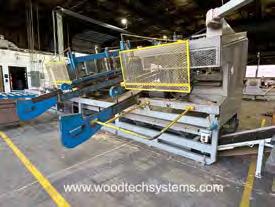
2003 Alpine AutoMill RS Component Saw, Model 344
Computer controlled saw sets up in 2 to 19 seconds and downloads from a network or by using a touch screen for ease of operation. Five-head automated component saw works in both automated (downloading files) and semi-automated control via touchscreen input. It has [23] axes of automated movement, enhanced diagnostics, auto management reporting. The RS cuts from 13″ to 20′ long material in size ranging from 2×3″ through 2×12″, includes [3] 18″, [1] 22″ and [1] 32″ blades with air brakes, shaker pan waste conveyor to incline scrap conveyor, one set of spare blades and any available spare parts. (Infeed conveyor needs electrical service). 480v/60Hz/3Ph power.
$17,997 FOB AZ
Wood Tech Systems
765-751-9990
www.woodtechsystems.com
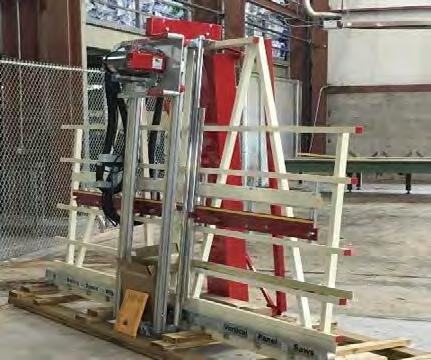
Striebig Optisaw, model Optisaw Automatic (Type # 5164) vertical panel saw station, with angled frame supporting material being cut: Max. cutting height (vertical) 5′-4″, max. cutting length (horizontal) 15′-1″, max. cutting thickness 2.36″. Both vertical and horizontal analog measuring scales on frame. Cutting head manually rotates from vertically to horizontally for rip vs. cross-cutting, adjustable spacers for repetitive cuts, 5.25 HP saw motor, 9.84″ diameter blade, guide bearings for travel , push button controls, e-stop button and dust extraction hose (no vacuum included). Overall footprint of station 19′-1″ wide x 4′7″ deep x 7′-10″ height. Sold for $36,000 new. 208 volt, 3 phase electrical required.
$14,490 FOB AZ Wood Tech Systems
765-751-9990
www.woodtechsystems.com
2000 Alpine AutoMill Component Saw
2000 Alpine AutoMill model 343H, (5) blade component saw, cuts lumber from 2×3 through 2×12, from 18″ to 20′, 4-angle floor webs from 18″. Includes powered length and angulation, digital readouts, (1) 32″, (3) 18″ & (1) 20″ blade, shaker under-saw scrap conveyor, incline, PC with Windows 98 o/s, and outfeed conveyor. Decommissioned in 2018. Stored indoors. 480 volt ,3 phase electrical required.
$10,497 FOB ON Wood Tech Systems 765-751-9990 www.woodtechsystems.com
Idaco Webmatic Saw
• Roof & Floor Web Saw
• Four 5 HP Saw Motors
• Cuts 2x4, 4x2 and 2x6 up to 16'
• Manual Angulation
• Waste Conveyor (under saw)
• Incline Waste Conveyor (adjacent to saw)
$8,500 FOB CO Wasserman & Associates 800-382-0329 www.wasserman-associates.com
NEW!
New SpeedWorx Automated Sheathing Station
New SpeedWorx Automated Sheathing Station by Safety Speed Manufacturing- Reduce labor and operator fatigue by taking advantage of the SpeedWorx automated vertical panel saw. This one-person station cuts wood sheathing sheets up to 50-inches x 10-feet, and up to 2-inch thickness, using a fast 1-button cutting setup with CNC accuracy to 1/32 of an inch (0.03125″). The photos of raw materials illustrate the drastic reduction of scrap material thanks to implementing the Rogworx saw station.
Visual user interface makes choosing the job and sheet cutting order easy to determine. Files are downloadable allowing for minimum waste. Saw station reads WBX file format (Alpine) or EHX file format (MiTek) or CSV files with manipulation.
Automated sequencing of sheets provides optimum usage of each sheet. The cutting chamber changes from ri to cross-cutting automatically. All this in a very small machine footprint, so it can fit easily into your existing building.
Visual user interface with standard ‘Auto Fill’ feature makes choosing the job and sheet cutting order easy to determine. System offers full optimization and sequence panel parts looking ahead through the job based on your specification. The cutting chamber changes from rip to cross-cutting automatically. All this in a 100 square foot footprint, approximately 25′ long x 4′ deep, so it can fit within existing facilities.
Includes advanced dust collection. Integrated Printing for labeling parts is available as an option. 208-230V volts, 3-Phase, 25 Amp electrical required, 5 CFM at 100 PSI air required.
Price Based on Configuration FOB
NM
The truss industry relies on 3rd party quality assurance services to provide random visits to review the plants Quality Assurance program along with their operations. If your plant needs to comply with the IRC, IBC and to those who depend on solid, experienced QA expertise, we ask you to consider selecting Timber Products Inspection, Inc. (TP) as your choice for 3rd party inspections.
Proudly serving the forest products industry for over 50 years, TP brings the expertise you need to ensure your business is successful. As a responsible partner, TP delivers to clients, employees, and the industries we serve the confidence to drive value through the effective use of our diverse professional team.
TP would like to welcome the following authorized agents to our inspection team, each of whom have many years of experience in the truss industry! • Al Coffman
Jean Hart
Curt Holler
Chuck Ray
Glenn Traylor
Elliot Wilson
If you have questions about how you can make this selection, please contact your authorized agent above or Glenn Traylor at 919-280-5905 or trusguy@gmail.com. https://www.tpinspection.com/ https://www.tpinspection.com/auditing-services/truss
By Glenn Traylor
TDoes Your Design Software Always Make the Best Selection of Materials to Use?
russ design software simply uses the lumber inventory to determine the least expensive solution when designing a truss simply based on price. Although this is a convenient function, there are several issues the software does not consider – and for these issues a designer should be making the determination. To illustrate this, here are two similar examples.
In the first example, shown in Figures 1 and 2, a top chord bearing 2 x 4 truss calls out for a bearing block to be plated in the bearing. The bearing block selected is a 2 x 8. Unfortunately, due to the short length of the member, the material must be carefully selected to prevent the splitting of the material when pressing. Even careful selection does not guarantee the member will survive pressing, much less installation, without breaking into multiple pieces.
2: The 4 x 6 plate is installed and is ready to be pressed. The quality of the block will determine if that piece of lumber can survive pressing and installation.
Figure 1: Design calling for a block under extended top chord at panel point 1.
Figure
In the second example, it is apparent that 80% of the trusses suffered damage when pressing. Each time the truss was pressed, disaster resulted. So, what would be a better solution?
One solution would be to carefully select lumber with significant figuring (grain pattern) resulting in a stable web member.
A better solution would be to utilize laminated veneer lumber suitable for pressing. This lumber needs to be 1-½” thick like the truss members and be approved for truss use. The concern might be that some products are too dense to be pressed. This needs to be approved by your engineer.
A third solution might be to use a hanger or device to achieve the design connection.
A fourth solution might be to require field-installed bearing plates to raise the truss to the required elevation.
The Bottom Line
The worst solution is to depend on lumber to achieve the impossible. Small blocks do not have the strength parallel to the grain to handle this sort of application and should not be used.
It is important to remember that design software needs to be used by qualified individuals in order to perform effectively. The software is not autonomous, nor should it be expected to provide the best answers without any human input. Especially when it comes to quality, brain power can be more important than computing power.
An ANSI/TPI 1 3rd Party Quality Assurance Authorized Agent covering the Southeastern United States, Glenn Traylor is an independent consultant with almost four decades of experience in the structural building components industry. Glenn serves as a trainer-evaluator-auditor covering sales, design, PM, QA, customer service, and production elements of the truss industry. He also provides project management specifically pertaining to structural building components, including on-site inspections and ANSI/TPI 1 compliance assessments. Glenn provides new plant and retrofit designs, equipment evaluations, ROI, capacity analysis, and CPM analysis.
Glenn Traylor Structural Building Components Industry Consultant
http://www.linkedin.com/in/glenntraylor
IntelliVIEW Suite Manage. Design. Build.
The industry’s most powerful integrated component design, engineering, and management software for steel and wood-framed structures.
The IntelliVIEW Suite is a fully integrated software solution for the layout and design of a building’s rough framing elements—including roof and floor trusses, wall panels, solid sawn, EWP, sheathing and various ancillaries.
The IntelliVIEW Suite provides the industry’s most complete analysis of the design, cost information and bill of materials—promoting increased profits by reducing plate and lumber use.
Ask those who know. They’ll tell you about the people at Alpine who make a difference.
•
• • Automated Setup via Download or Semi-Automated Setup via Touch Screen Input
• 23 Axes
• Sets up in 2 to 15 Seconds
• Five Blades cut 2x3 thru 2x12 up to 20'
• Waste Conveyor (under saw)
• Excludes (adjacent to saw) and Live Deck (in
enclosed counterweight system, adjustable vertical and horizontal rules. Quick changes
Hain Systems Framer
Safety Speed Cut Model 7000 Panel Saw
Safety Speed Manufacturing model 7000, vertical panel saw, 3 HP induction motor, 64 inch crosscut, 2 inch maximum thickness, accuracy within 1/64th of an inch, 10 foot welded steel frame with integrated stand and linear V-guides, enclosed counterweight system, adjustable vertical and horizontal rules. Quick changes from vertical to horizontal cutting. Includes machined aluminum material rollers, hold down bar, wheels, quick stop gauges and material hold downs. Dust collection ready. Options available include lower frame extensions, digital readouts, laser guide, stop bar, vacuum and midway fence. 208-230/460 volt, 3 phase electrical (208-230 single phase, 2 HP power optional +$100.00). $10,199 Base, FOB MN.
The Hain Systems Framer (HSF) will help you build square and accurate wall panels for residential or commercial construction applications. It will help you cut building costs by saving time and improving your quality. It’s a reliable, efficient and proven system that features a ruggedly simple design. The HSF is based on a proven design with over 20 years of actual production use and maintenance experience. It comes fully assembled and is designed for portable job site framing or in-plant permanent installation. The table has many optional attachments and will support Mylar Tape wall layout or any other type of layout. The optional gun rails can also be retro-fit to any table.
Aluminum
Details:
Internal Components: Hardened, Ground and Polished Steel and Billet Aluminum
Dimensions:
Table Construction: Thick-wall Structural Steel Tubing, Jig Welded for Accuracy
Length: 5 feet (60”) to 60 feet (720”)
Height: 12 inches
Air Supply: 90 psi (10 CFM Air Flow Recommended)
Depth: 12 inches
Electrical Supply: 120 VAC
Powder Coat: Industrial Gray
Dimensions: Height: 43”
Length: 16’ or 20’
Width: Adjustable 8’ to 10’ or 8’ to 12’
Shipping Weight: 3000 lbs
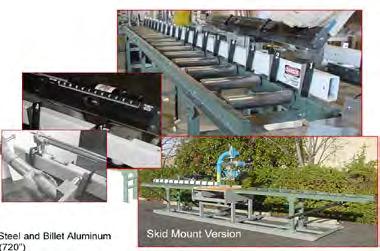
If you are looking for the fastest, most consistent way to measure and cut your product, then the Hain Measuring System (MEA) is your answer. The MEA changes from one length t any length instantly, up to 60’, without changing the operator’s position on the line. It is also highly accurate (+/- .010) and quickly moves from one length to the next in seconds. The MEA is designed for quick and easy setup and is simple to use. Even a first time user will be productive with little or no training required. It can adapt to any saw and can be mounted to any surface so that you can integrate the MEA with your existing setup. The MEA is versatile allowing “left” or “right” handed operation and measurement in “feet and inches” or “inches” depending on your preference. The MEA is also available in a “Skid Mounted” version.
Building on Better
Off-site construction solutions built around your business.
.
Build higher-quality components and modules more efficiently.
Stiles has been a trusted name in the U.S. woodworking industry for over six decades. Today, we continue to lead the way with a consultative approach to off-site construction, partnering with you to increase speed, precision, and productivity, while providing ongoing parts and service support when you need it.
Invest in equipment built to perform—and last.
Stiles is the exclusive North American provider of WEINMANN, the world’s leading machinery and equipment manufacturer for off-site construction. Whether it’s an individual machine or fully automated system, German-engineered WEINMANN machines provide innovative solutions that revolutionize your production.
Make your good decisions work even better. Learn More
Frustrated by your current wall panel line’s limited output and inconsistent quality?
Integrate our WALLTEQ automatic sheathing station into your existing line and experience less rework, reduced effort, and enhanced flexibility.
• Fully customizable, software-driven nail patterns with precise nail depth control
• Easy to operate with one-click execution by a single operator
• Versatile fastening options (nailing, stapling, and screwing) within one machine
Think Big . Start Small. Act Now.
Schedule a call to explore a custom and comprehensive strategy to boost your production and revolutionize your work.
Achieve Excellence with LFT Strategies
At LFT Strategies, we empower truss plant owners to elevate their business by delivering customized solutions and unmatched expertise.
Streamlined Operations: Cut costs, eliminate inefficiencies, and boost productivity.
Enhanced Design Accuracy: Achieve precision and maintain exceptional quality in every project.
Innovative Strategies: Stay ahead with forward-thinking solutions tailored to industry trends.
We’re more than consultants—we’re your trusted partner in driving sustainable growth, fostering strong relationships, and positioning your business to thrive in an ever-changing industry.
START FROM PARTNER WITH LFT STRATEGIES.
TOGETHER, WE’LL BUILD THE FOUNDATION FOR YOUR LONG-TERM SUCCESS.
Visit www.lft-strategies.com or call 515-585-6877. Let’s redefine success together!
The Art of a Lumber PickLine
Of course, if you’re starting a truss plant from the ground up, it’s a snap to include an Enventek Lumber PickLine in your plans. The real beauty of the Lumber PickLine, however, is that it can be easily configured for existing truss plants – whether inside the plant or outside in the yard. Greenfield or existing truss plant, at the end of the shift, it is all about picking lumber to better organize cut lumber in front of the truss build tables – Feed the Beast!
Sometimes, adding a Lumber PickLine to a plant is very easy because we can utilize existing driveways and well-traveled forklift paths. It does not always have to be an extreme plant makeover, however, this too can be relatively easy and the productivity gains are substantial and well worth the effort. For an example of that, please see my article from last May, “An Extreme Plant Makeover in Pictures.”
Interestingly, all of the greenfield truss plants that I have had the pleasure of outfitting with PickLines also decided to anchor their truss production with the wood processing efficiency of the fully loaded RetroC with SpeedCatch auto-fill carts. For greenfield truss plants, starting with a PickLine and the fully loaded RetroC provides a state-of-the-art foundation for efficient truss production with scalability as additional PickLines can be added to feed future saws from the same bunks of lumber. For examples of this, see “A Lumber PickLine Buys Time” and “Feed Any Component Saw with a Lumber PickLine.”
Shown in the photos is a recent greenfield truss plant that had in their start-up budget a 24 ft wide x 40 ft long concrete pad under the SmartConveyors and a 16 ft wide x 140 ft long concrete pad under the PickLine trough. If there was no budget left for concrete, the SmartConveyors and PickLine trough could have been placed on the yard gravel.
This greenfield truss plant poured the minimum 8 ft wide concrete pad for the entire PickLine length, which provides a 2 ft sidewalk on either side of the PickLine trough that can be readily shoveled by hand or by snow blower. Plus, they saved money by placing the SmartConveyor legs onto railway ties.
When a truss plant has the luxury of under-roof lumber storage, columns can be problematic. But, the PickLine trough simply follows the column line.
Of course, for an existing truss plant with under-roof lumber storage and fantastic clear spans, the addition of a PickLine is a “no brainer,” especially when considering the significant reduction of forklift activity with a PickLine.
The majority of our PickLines are placed on existing yards, whether it is asphalt, aggregate, concrete, or a combination. Not that all truss plants are the same, but all truss plants have existing truck paths that are also the forklift paths to existing saws. Most truss plants can benefit from the addition of a PickLine to eliminate inefficient forklift lumber picking and reclaim saw idle time.
The final photo shows the winner of the accelerated ROI contest (if there were to be one). A 7 ft wide concrete pad was added to the existing asphalt yard and main truck entrance. Then a fully loaded RetroC was placed in the existing truck loading dock! The material handling improvement along with increased sawing and better organized lumber at the tables was way beyond this happy customer’s expectations.
The Enventek Lumber PickLine is a costeffective and practical forklift replacement solution for truss plants looking to enhance efficiency and productivity in their lumber picking process. Whether it’s a simple integration into existing paths or a more ambitious reconfiguration, the PickLine’s adaptability and proven picking and sawing productivity gains make it a sound investment.
When you’re ready to Feed Your Beast and see these efficient and effective systems for yourself, let us know! Inside and out, LimTek Process Organization Technology will help you squeeze out more truss production and deliver quality trusses with shorter lead times to better service your customers by organizing your truss fabrication processes to maximize your investment in automation. https://limteksolutions.com/#solutions
and Auto-Nesting and Auto-Nesting
AutoFill button for Maximum Material Utilization
Labels parts as they cut. (printer optional)
Easy manual cuts and re-cuts
Import files from most major design suites
Industry-first sheathing saw that cuts angles.
Cuts OSB, CDX, Zip, Dense Glass and more.
Minimal airborne dust, even while cutting gypsum.
SAWS
2021 Powermatic Model 511 Panel Saw 2021 Powermatic model 511 panel saw. Vertical panel saw features a powerful 3HP worm-drive motor which rotates in the carriage, adding the versatility to perform rip cuts. The solid aluminum rollers assure smooth feeding of stock and perfect 90° cuts every time. This saw will handle panels up to 5-ft tall in unlimited length. Includes horizontal and vertical scales and casters for mobility, the counterweight system keeps the saw carriage in the desired position when loading or unloading panels. Features dual 4″ dust collection ports with nylon brush surrounding the blade for superior dust collection from the front and the rear side of the panel. 115v, 1-phase electrical required.
$6,799 NOW $1,999 FOB AZ
Wood Tech Systems
765-751-9990
www.woodtechsystems.com
2023 Northfield Model 410 Upcut Saw NEW 2023 Northfield model 410 upcut saw available for immediate shipment. 90/90 degree cuts to 4″ x 10″ capacity (fence forward position) to 2″ x 14″ (fence rearward position). Saw is configured for material from left to right, with 3″ x 6″ air operated cylinder, filter, regulator, lubricator, 10 HP motor, enclosed steel base with cast iron table, magnetic starter and adjustable operating speed from 20 to 60 CPM. Includes optional two-palm controls, additional 4″ dust outlet, NEMA 12 electrics with fused disconnect and two 18″ diameter 60 tooth blades with 1″ diameter bore. 460 volt, 3 phase electrical required.
$18,630 FOB MN Wood Tech Systems 765-751-9990
www.woodtechsystems.com
Whirlwind Model 1000 Cut-Off Saw
• 5 HP Motor with 14" Blade
• 2 3/16" x 8 1/4" Capacity
• Pneumatic Blade Guard/Lumber Clamp
• Foot Pedal Control
• Dust Collection Outlet
• 460 Volt / 3 Phase
• 1 Left Hand & 1 Right Hand Model
Available
$3,500 NOW $2,800 Each FOB NC Wasserman & Associates 800-382-0329
www.wasserman-associates.com
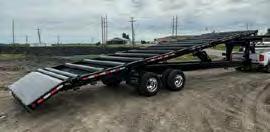
GOOSENECK ROLL OFF TRUSS TRAILERS
26’, 32’ & 36’ sizes available, Split Rollers available too! 2 YEAR WARRANTY
Scan the QR Code to take you directly to our website. For more information or to request a quote Call or Email: 1-800-237-5161 sales@precisionequipmfg.com
1982 SpeedCut MetraCut
Centerline Saw
1982 Speed Cut Metra Cut, model SSA-11, centerline saw, 16″ blade, maximum cutting depth of 6″, maximum cut length of 31″, 164 deg. cutting range and 5 HP motor. Includes push-button on/off controls and analog angle measure on turntable with air stop, 20′ long infeed conveyor with OEM SpeedMeasure, 20′ long outfeed conveyor and one (1) spare blade. 208 volt, 3 phase electrical required (can be converted to 240v/440v).
$6,990 FOB WY Wood Tech Systems 765-751-9990 www.woodtechsystems.com
New Monet DeRobo Linear Saw
New, DeRobo linear saw by Monet organizes "fill" boards to increase optimization of each board, can produce unlimited scarf cuts, cuts 1 or 2 boards at a time and cuts webs, chords, wedges, rafters and open-stair stringers. Works with all major connector plate manufacturer's software. Features include 22 inch blade, left-to-right feed direction standard, lumber push and pull grippers for more accuracy, ink marking on the 1 1/2" face of the incoming boards and small piece capture and delivery to the front of the saw for easy access. Infeed deck and bunk feed are shown as options only. 480 volt, 3phase.
$239,000, FOB MO.
(Shown with Additional Top Roller option)
VALUE PACKAGED WITH PIN LOCKS, LOAD CONTROL, LED LIGHTS, STROBE LIGHTS & MORE!
$330,000
Location: MO
New, Monet DeSawyer 2000, computerized, five-bladed component saw, sets up in 15 to 17 seconds, can run in manual mode, downloads projects from a network or manually using display screen controls. Features all powered movements, cuts from 15" 90/90 cuts to 20 foot length, 2 x 3" to 2 x 12" lumber depths and internal brakes are standard. Options include enhanced servo controls featuring autocalibration, catcher's display and either shaker or belt scrap conveyor and incline. 440 volt, 3 phase electrical.
By Stephen Keller, PE Director, Design Engagement
Penetrating the Shallow Depth Floor Market: How Posi-Strut® Can Be Your Best Solution
In today’s light-frame construction market, wood web floor trusses are commonly used in many multifamily projects. Builders, structural engineers, and general contractors often view wood web trusses as the default floor system for projects requiring 18 inches or greater depth.
However, for projects with depths of 16 inches or less, the use of wood web trusses declines, and more traditional framing materials, such as I-joists or sawn lumber, are typically chosen.
The shift is due to multiple factors, including the ease of specification and lower cost per foot, typically found with these materials. Additionally, as wood web trusses become shallower, the joint between the metal connector plate and web patterns occupies more critical space between the chords and webs. This can lead to complications or collisions when utility lines need to pass through, as there is simply less space for these runs.
Fortunately, many of these headaches can be avoided with proper utility coordination and Building Information Modeling (BIM). For example, a chase can be designed in specific areas of the truss, allowing optimal use of the space between the chords. However, without early planning, this space can fill up quickly with trunk lines or, more often, with whichever trade shows up first, especially in single-family homes where early utility coordination is less prevalent. As a result, builders tend to choose I-joists or sawn lumber at these shallow depths, requiring soffits or dropped ceilings to conceal these elements. This approach adds additional costs for the necessary materials and requires extra work for the framer and drywaller.
While some component manufacturers have successfully promoted wood trusses at shallow depths or encouraged the use of deeper floor systems, there remains an untapped market for most component manufacturers to provide an open web solution for the shallow depth market.
Fred Johnson, Project Manager at Reno Truss, and his team have identified an effective engineered solution to address this gap for their clients: the MiTek® Posi-Strut® metal webbing system, which offers lightweight construction and high performance.
Recently, I sat down with Fred to hear his perspective on what has made the Posi-Strut a valuable addition to Reno’s offerings.
How and Why Reno Truss Switched to Posi-Strut
Reno Truss has been building wood web trusses for a long time, so what prompted you to consider adding Posi-Strut to your offerings?
Actually, we have been supplying metal web trusses for a long time. We originally started with the SpaceJoist system, and when they exited the market, we switched to the MiTek Posi-Strut system. We began with SpaceJoist before we had a floor machine because they came premade. After we got a floor machine, we started manufacturing metal web trusses with the Posi-Strut system, which allowed us to control lumber quality and design, leading to a better truss.
Have there been specific projects where the Posi-Strut system is the best choice?
In our market, the best application for the Posi-Strut web is in multi-family construction with top chord bearing. With the top chord bearings, we can significantly cut costs by eliminating the need for rim material and hangers. Additionally, the reaction limits with metal webs are better than with a single top chord. We’ve also had great success with hotels, some success with track builders, and several one-off custom homebuilders.
How did the market react when you started offering Posi-Strut?
Once a framer uses them, they realize the benefits. At first, they can be a hard sell, but after completing their first job, they appreciate their lightness compared to wood web floor trusses and their stiffness compared to I-joist. One guy can handle the joist when laying them out, which saves time and money for the framer. With I-joists laid flat, they can become flimsy, and it takes at least two guys to keep them straight, whereas a Posi-Strut is stiffer and lighter, making installation easier.
What barriers did you have to overcome?
Like any new product entering the market, there was a lack of knowledge. It took a lot of wordof-mouth promotion and getting in front of engineers to show off the product. Once the engineers were on board with the specifications and had spoken with their clients, we worked with the framers to ensure they were prepared for the installations.
What pricing comparisons did you see between Posi-Strut, wood webs, and I-joists of the same depth?
This is a tough question because they aren’t apples to apples. I-joists come in many series, but when comparing based on strengths, Posi-Struts come out about even. Now, when you factor in the savings a framer gets from labor, favorable fire ratings, and no dropped ceilings for HVAC—plus no hole cutting—the savings start to stack up. Right now, compared to wood trusses, Posi-Struts tend to be slightly higher in material costs. The benefits materialize for the component manufacturer in terms of labor savings and the speed at which we can build over wood web trusses.
How has Posi-Strut affected your production numbers?
After 24 years in the metal web market, we have proven time and again that we use 50% fewer man-hours with the Posi-Strut system than with wood web trusses.
What advice would you give to a component manufacturer considering adding Posi-Strut to their offerings?
Be dedicated to the product. It will build slowly at first, but as word spreads or it’s used in local projects, more customers will ask for it. I would also add: don’t be afraid to lean into the advantages of Posi-Struts over I-joists, like the fire rating and open web capabilities.
Adding Posi-Strut to Your Lineup
As Fred mentioned, the Posi-Strut metal webbing system has become a staple in Reno Truss’s product lineup. It offers many advantages over traditional wood webs in shallow depth applications and stacks up favorably when compared with I-joists, too. Especially if you’ve been considering expanding your product offerings, you need to consider the benefits that this system can provide.
When you’re interested in learning more about Posi-Strut and discussing how to incorporate it into your offerings and market, please contact your MiTek Sales Representative or reach out to me at skeller@mii.com.
Pointer
Auto Return -Bridge Tilt at Sheathing Seams -Programmable Fastener Patterns -Pop-Up Skatewheel Conveyors
to 12’-5” Wall Heights
Squaring Stops
Floor Rails
The Auto-Feeding RetroC
The Amazing RetroC by Enventek
A complete wood processing system proven to profitably feed cut lumber to truss plants of all sizes.
Easy to use, simple robust automation that is scalable with less labor. A RetroC holds calibration.
Out Produces Any Saw in Batch Cut or Cut by Truss Mode
Auto-Feeding, no upper hold-downs (just 15 automation axes) with electronic braking. Efficient material handling that will significantly increase cut piece production with reduced operating costs and improve truss build times with consistently accurate cut pieces.
Catching labor is eliminated with our optional SpeedCatch cart system. Sophisticated SpeedCatch software enhances the efficiency of truss production by effectively collating and organizing the lumber at the truss tables. SpeedCatch upgrades the RetroC to a comprehensive one-person (sawyer) wood processing system.
Training. Support. Partnership. Experience service as a solution.
Strong businesses thrive on solid relationships. Working with Simpson Strong-Tie, you have direct access to dedicated professionals who are focused on customer success.
As part of our services, experienced designers and licensed engineers take the time to listen and understand your unique project challenges. We also offer accredited training on truss connectors and comprehensive training on our design and management software. Plus, our innovative products are widely available and backed by expert service and support. It all adds up to solutions that are every bit as reliable as the people behind them.
Team up with a proven industry partner. To learn more, visit go.strongtie.com/componentsolutions or call (800 ) 999-5099.
2006 Alpine Speed Rafter Cutter
• Simplified compound cutting for hip, valley and jack rafters (double & single compound cuts)
• Two Worm-Drive Circular Saws (110 Volt / 30 Amps)
• Saw Turntable (for angle cutting)
• Saw Carriage (for up to 45 degree bevel cutting)
• Infeed & Outfeed Roller Conveyor with Stands
$4,900 NOW $4,250 FOB CA Wasserman & Associates 800-382-0329 www.wasserman-associates.com
Used - Metra Cut Radial Arm Saw (2x) Parts Machine
$500 – Make Offer
Eide Machinery Sales, Inc. 612-521-9193 www.eidemachinery.com
Used - 2005 Model 305 Infeed Conveyor Designed for use with all component saws. To include: Soft Start ~ Soft Stop Inverter System. Programmable load sensing; Overload / Jamb sensing shut down feature. Gear motor providing conveyor speed of 36' per minute. Forward and reversing controls for location at both ends of conveyor unit. Material capacity range - 4' through 24' lumber. Chain deck pedestals 20' long with cross bracing. Staging area at the saw independent of the live deck system. 30,000lb. Deck capacity. Call for pricing
Eide Machinery Sales, Inc. 612-521-9193
www.eidemachinery.com
New Monet FWA 500 Floor Web Saw
New, Monet five-head, floor truss web saw, cuts 4-angle, 4×2 floor truss webs from 13 inches and 90-90 blocks from 7 inches, to 4 foot long maximum length. Features 10-board magazine feed, powered, fixed-quadrant angulation, manual carriage standard, scrap conveyor and cut-off blade. Options available for longer carriage length, incline scrap conveyor, and choice of shaker or belt scrap conveyor. 440 volt, 3 phase, 60 Amp electrical. 50 PSI air at 5 CFM required.
$75,000 FOB MO Wood Tech Systems 765-751-9990
www.woodtechsystems.com
Electric Portable Crosscut Saw
Transcut II Portable Crosscut Saw, Cut through an entire bunk of lumber in about 1 minute, 3/8" Kerf Stellite Armored Guide Bar, 63" Effective Cutting Length (40" x 44" Package Size), 3/8" Stihl Chipper Chain or Locally Available Equivalent Chain, 10 HP Siemens Electric Motor with Integrated Starter, Electrically Driven Automatic Chain Oiler with Sight Glass, Trigger Switch for Saw Motor Shutoff on Return, Dual Purpose Kickback Safety and Stabilization Bar, Squaring Frame, Automatic Tensioning and Chain Return Assembly, Pneumatic Tirers
$5,950 NOW $5,250 FOB AZ Wasserman & Associates 800-382-0329
www.wasserman-associates.com
Holtec
Alpine
Ask
“We’ve worked with Alpine in creating top quality products surpassing customer expectations since 1984. Over the years Alpine team members have become more like family and we couldn’t do this without them!”
— Tolga Adak Florida Quality Truss Inc.
and
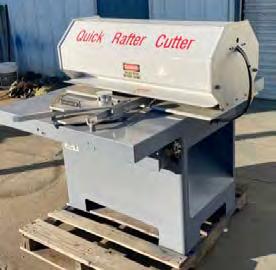
Used Hain Quick Rafter Cutter
• Reconditioned in December 2020
• Board Sizes: 2x4 and 2x6
• Motors: Two 1 HP / 220 Volt or 440 Volt / 3 Phase
• Angle Adjustment: Manual Rotation with Air Brake
• Air Supply: 90 PSI
• Carriage: Steel Rails with Steel Dual V Rollers
• Pedestal: 3/16" Formed Steel
• Saw Housing: 1/2" Billet Aluminum
• Covers: 10 Gauge (1/8" thick) Steel
• Fully Enclosed for Safety
$12,500 NOW $9,900 FOB AZ Wasserman & Associates 800-382-0329 www.wasserman-associates.com
Work Smar ter
Speed Cut Saw with Hain Measuring System
• Speed Cut Metra-Cut Centerline Saw
• 5 HP / 3 Phase Motor with 16" Blade Saw
• Saw Barrier Guard
• 22' Hain Powered Measuring System
• Infeed/Outfeed Roller Conveyor with Stands
$15,000 NOW $13,900 FOB AZ Wasserman & Associates 800-382-0329
www.wasserman-associates.com
In answer to the demands of high-volume customers comes the Monet DeSauw FWA 500 CA (Automated Controls) floor web saw. The 500 CA is perfect for component manufacturers who routinely run floor trusses in high volumes with variable web geometry. Another primary feature is enhanced safety through automation which eliminates the need to open the saw motor cabinets other than for periodic service. The 500 CA includes automation for all blades, including the fixed cut-off blade for minimal waste. Lumber infeed speed is variable up to sixty (60) boards per minute, while the powered carriage utilizes rack and pinion drive with airlock for set accuracy throughout the production run. Your operator will easily download batches to the 500 CA saw from your design software via an ethernet connection to a MS Windows 10 industrial PC with a 17″ monitor housed in a stand-alone console. If you frequently batch floor web cutting, and if enhanced safety with increased productivity are a concern, then an automated Monet FWA 500 CA may be the right selection for you. More information Here
Free Your Mind, Free Your Factory: The Hidden Upside of Lean Frame Manufacturing
What do a former First Lady and today’s most forward-thinking frame fabricators have in common? More than you might think. Consider this quote,
“The more we simplify our material needs, the more we are free to think of other things” – Eleanor Roosevelt
Eleanor Roosevelt’s statement offers timeless wisdom that foreshadowed the principles of lean manufacturing and the high-performing aspirations of businesses today. By eliminating waste and streamlining processes, lean manufacturing frees up resources, reduces costs, and improves overall efficiency. In essence, lean manufacturing is the practical application of Roosevelt’s philosophy, enabling organizations to focus on value-added activities, innovation, and improvement.
Traditional frame fabrication and handling can be convoluted, time-consuming, and prone to errors, leading to bottlenecks and inferior results. So, how can manufacturers in today’s competitive market embrace this former First Lady’s philosophy and take the thinking out of frame building? By investing in flexible modular systems, enhanced with intelligent software, manufacturers can focus on innovating, expanding, and paving a way to long-term success.
Rather than frequent capital outlays on new machinery, a more sustainable approach is to invest in equipment that evolves alongside your business. Opting for modular systems that can be upgraded and adapted allows you the flexibility to meet your changing needs.
Vekta Advanced Automation’s fully customizable, holistic approach to frame fabrication enables this kind of simple scalability. Vekta’s machines work harmoniously to deliver solutions for every facet of frame manufacturing and conveying. This allows manufacturers to maximize speed, accuracy, and productivity while being flexible enough to embrace the lean methodology’s quests for continuous improvement and minimizing waste.
How the DNA of Vekta’s framing line products align with lean manufacturing principles
Vekta enhances your ability to maximize the benefits of lean manufacturing with these features:
Intelligent guidance systems reduce the learning curve for new employees, leading to faster training times and less downtime – which means less overproduction and fewer delays.
One-touch clamping and nailing streamlines the production process, reducing cycle time and eliminating waste from unnecessary motion and waiting.
Flexible component delivery and buffer systems reduce main line stoppages with a flowing, ergonomic process.
Small footprints minimize the required floor space and reduce waste in terms of space utilization.
Minimal maintenance and upkeep help reduce downtime and increase overall equipment efficiency – which means fewer delays from breakdowns and defects.
Variable frame size output options increase flexibility and reduce the need for multiple machines.
Ongoing modular upgrades and support will optimize production quality, speed, and safety –backed by expert engineering support, we offer both remote and on-site assistance.
Full integration with a range of conveying, finishing, and stacking options allows for a customized and efficient workflow, reducing waste from overproduction and underutilization of resources.
By focusing on efficiency and reducing waste, Vekta’s approach to framing solutions fully embodies the core principles of lean manufacturing, granting fabricators the freedom to “think of other things.” Continued
Vekta’s Framing Line Equipment
As an entry-level framing machine, the Standard Nailer is a great option. It is ideal for those who trench their plates or use the Vekta Razer’s stud-marking ability. Variable clamps allow you to adjust for any frame height, and the quick clamping and nailing times, paired with safe and reliable operation, produce frames in no time.
When you’re ready to increase your output, the Standard Nailer can be upgraded at any time to the Auto Nailer. With customizable progressor legs and intelligent touch-screen guidance, your frame builders will be trained in record time. The progressors move your top and bottom plates to the next required position for the component. Once placed, a single operation clamps, nails, and progresses the frames to the next position.
The Component Master – the newest development in our framing line – can complete stud and nog assemblies as well as cut and nail door and window opening components. With the addition of a cross-over conveyor or a powered curved conveyor providing a simple delivery buffer, you can ensure the nailing operator has the right components in the right order, every time.
Placed at the end of a framing line, the StakPro Frame eliminates injury risk and excessive manual labor requirements to safely lift and stack your assembled frames – all at the touch of a button.
As we start a new year, Vekta remains steadfast in its commitment to providing cutting-edge automation solutions that empower our customers and the wider industry to achieve greater efficiency, productivity, and success for years to come. By working closely with our clients, we ensure that our solutions deliver maximum value and meet their evolving needs. Please contact us to learn more about what Vekta can offer you.
Lauderdale Hamilton 24" Up-Cut Saw with 24' TigerStop
• 10 HP (3 Phase) Up-Cut Saw with 24" Blade
• 6" x 13 1/2" Capacity
• Foot Pedal Operation
• Dust Outlet (excludes dust collector)
• 2015 TigerStop 24' Programmable Stop
• Automatic Positioning of Stop via Simple and Intuitive Controls
• Infeed/Outfeed Roller Conveyor with Stands
• Video available upon request $16,900 NOW $15,900 FOB WI Wasserman & Associates 800-382-0329 www.wasserman-associates.com
Safety Speed Manufacturing Model 7400 XL Panel Saw
Safety Speed Manufacturing, model 7400 XL*, vertical panel saw, 3 HP induction motor, 64 inch crosscut, 2 1/8" maximum thickness, accuracy within 0.005 inches, 13 foot long welded steel frame with integrated stand and linear V-guides, enclosed counterweight system, adjustable vertical and horizontal rules. Quick changes from vertical to horizontal cutting. Includes machined aluminum material rollers, hold down bar, wheels, quick stop gauges and material hold downs. Dust collection ready. Options available include digital readouts for vertical cuts, automated length measuring, laser guide, stop bar, vacuum and midway fence. 208-230/460 volt, 3 phase electrical (208-230 single phase, 2 HP power optional +$100.00). $14,499
We create transformative website and app experiences
Since 2006, we've been helping businesses of all kinds build their online presence. We make websites and software for the construction industry to empower companies to reach a wider customer base and engage their audiences. Companies all around the world work with us to make websites and apps that people actually want to use. Reach out to Wolf X Machina if you're a business and you want a website that actually drives results. WOLF X MACHINA www.wolfxmachina.com info@wolfxmachina.com
STANDARD TRUSS TRAILERS
HUNDEGGER
lnnovationen fur den Holzbau
HUNDEGGER
Hundegger leads the way in automation innovation for the truss component industry. Our advanced CAMBIUM software offers cutting-edge automation and digitalization solutions, revolutionizing operations, boosting productivity, and driving sustainable growth for manufacturers like you.
We go beyond standard mechanization; we champion true Automation. The Hundegger TD-II isn't just a saw-it's a transformative, comprehensive solution designed to streamline your production process. From retrieving lumber to optimizing, nesting, stacking, destacking, sorting, buffering, and precise delivery, our system ensures peak efficiency and productivity, tailored specifically to truss component manufacturing.
REVOLUTIONIZE YOUR TRUSS MANUFACTURING WITH THE HUNDEGGER TD-II
Harness the power of data with Hundegger's advanced CAMBIUM TACTICAL software. It meticulously tracks and optimizes your production, ensuring more automated operations and significant productivity gains.
We provide state-of-the-art automation and control solutions that set the industry standard. Our focus on industrial automation and robotics positions Hundegger as the leader in enhancing performance and efficiency in truss component manufacturing and beyond.
Hundegger products are essential for future-proofing your business. Elevate your productivity and secure your competitive edge with our advanced technologies and automation solutions, meticulously designed to meet the unique demands of component manufacturers today and tomorrow.
Don't get left behind. Invest in the future with true automation from Hundegger and see your business thrive.
New Monet DeSawyer ESC (Servo Controlled) Component Saw
Monet DeSauw model Desawyer ESC enhanced servo-controlled ( ESC) component saw with touch screen user interface with backup mechanical controls. Includes three operating modes: Auto (download setups from LAN or USB), Semi-auto (touch screen setup entry), and Manual (backup push-button switches for powering all movements). Includes over-travel protection, comprehensive setup screens, auto sequencing, auto-calibration and pneumatic brakes on all five () blades. One (1) 30” blade and four (4) 16” blades. Manual cut limits are 18” min., 11” min. square edge blocks, 20’ max cut. Belt under-saw waste conveyor. Voltage: 480 volt/3 phase/60 Amp. Air: 50 PSI at 5 CFM. One-year warranty included. Can be paired with a model PD-6 lumber feed system at an additional cost. Heavy duty 80 RIV chain feed system. 16’ wide x 20’ long x 36” deck height. Transfers 3’ to 20’ lumber. Includes auto-feed control, foot pedal override, forward & reverse, variable speed control with HD double-bearing construction. Other additional-cost options include, inkjet marking, label printing, backside screen display, spare blades and incline scrap conveyor.
$360,000 FOB MO
By Casey Harless, Off-Site Construction National Sales Manager
Building on Better with Advanced Automation
The beginning of a new year is a great time to consider optimizing your production line, and Stiles Machinery is here to help. Stiles has been at the forefront of the United States woodworking industry for over six decades, partnering with manufacturers to provide efficiency-focused solutions built around them. A proud member of the HOMAG Group, we are the exclusive provider of WEINMANN machines in North America, offering best-in-class German engineering for off-site construction.
I recently had the opportunity to sit down with Blake Schwieters from JL Schwieters Construction. As the plant manager of Schwieters in Hugo, Minnesota, Blake plays a critical role in implementing continuous improvement strategies. The success story of JL Schwieters, an industry leader in turnkey framing solutions, is a great example of the benefits automation can bring to off-site construction.
My Q&A with Blake Schwieters
How did you learn about Stiles and WEINMANN equipment for your business?
Before engaging with Stiles, I had limited knowledge about WEINMANN equipment. JL Schwieters has been producing wall panels for 20 years and has been in the industry for 40 years. I became a part of the team in 2013, and being an engineer, I was naturally interested in the machines and equipment we use. I researched to find the best wall panel line. However, limited options were available in the market. Although some US manufacturers had been around for a while, I didn’t find their level of automation to be on par with what we had in our facility. Then, I found WEINMANN through an internet search on wall panel lines and watched several videos about the equipment. That’s when it all began.
Blake Schwieters, JL Schwieters Construction
When you first connected with Stiles, what were your impressions of us as a distributor of WEINMANN equipment?
My initial perception of Stiles was based on the equipment. To me, I don’t differentiate between Stiles and WEINMANN. In my mind, they are the same, and I associate the quality of the WEINMANN equipment directly with Stiles. Unlike some equipment distributors who take an arm’s length approach, selling you the product but refusing to support it, Stiles stands out as different. Regarding the product, it was clear that Stiles is the only one doing that level of service and automation. I wasn’t entirely aware of the scope until I entered the sales cycle and understood how big WEINMANN is in Europe and how many lines are operating there. But after talking to people in the industry, it was evident that if you want that level of quality and precision, WEINMANN is the answer.
How did you compare different equipment brands before selecting WEINMANN?
Our new manufacturing facility comprised seven buildings, covering almost 500,000 square feet. Half of the facility was constructed before the recession, while the other half was built postrecession in the spring of 2019. We expanded into truss manufacturing and added another wall panel line. Unfortunately, we didn’t have the budget for a WEINMANN line then, so we opted for a local wall panel line instead. It is a great entry-level line with good value for the price. However, I always knew I wanted to invest in a WEINMANN line for additional automation. I know that many other manufacturers are in a similar position when considering taking the next step in the automation curve.
Based on Stiles’ service and the reputation of the WEINMANN brand, the decision was easy to make, despite other equipment options available on the market. Other equipment suppliers lack a significant presence in the US, and we wanted a well-developed support structure for our equipment. Schwieters has been in manufacturing for many years, and we understand the importance of having a solid support structure. At the end of the day, we are carpenters and wall panel manufacturers dedicated to producing highquality products for our customers. We prioritize our craftsmanship and rely on Stiles for support and service to ensure our equipment runs smoothly.
The Benefits of Partnering with Stiles
The partnership between Schwieters and Stiles, featuring WEINMANN wall panel equipment, marks a significant boost in Schwieters’ offsite construction capabilities. By partnering with Stiles Machinery and integrating automated WEINMANN equipment, the company has set itself up for success now and many years into the future.
The benefits of this partnership are clear:
• Labor requirements reduced by 25%
• Performance outputs increased by 20%
• Improved quality and less rework through higher automation
• Higher safety standards through eliminating manual processes.
These advantages Schwieters has experienced can be yours, too. It’s never been a better time to consider new automated solutions for your manufacturing processes, and it all starts with a conversation. We at Stiles Machinery are dedicated to working alongside you, understanding your specific challenges, and delivering technology that propels your business to the next level. With Stiles’ expertise and WEINMANN’s state-of-the-art equipment, we’re ready to help you build a smarter, safer, and more efficient future for your business.
Visit StilesMachinery.com/OSC to learn more or call us at (616) 698-7500.
Inspired by ten years of intensive field experience and the ample and detailed feedback of numerous customers, we’re pleased to introduce the most advanced, most enhanced and high-performance Terminailer yet-Terminailer V.8. Drawing on invaluable time in the trenches closely evaluating Terminailer’s performance under varying conditions, our engineers have incorporated critical learning and insight to enhance simplicity, performance and operator control. Just part of what V.8 offers includes:
•Vastly enhanced operator control for even greater productivity
•A redesigned nail-feed supplying EverWin PN90-PAL industrial nail guns
•Simplified pneumatics featuring direct air-supply to all six nail guns
•Even more sub-component profiles for wall design flexibility
•Rugged durability with pharmaceutical grade assembly
Developed by people who know well the mechanics, safety considerations and business aspects of wall-panel production, Terminailer V.8 combines more enhancements & operator-friendly features than ever to take your productivity to the next level and beyond. Contact us to learn even more and to put the V.8 performance in motion at your facility.
ACTUALLY, WE CAN SAY QUITE A LOT WITH LASER ACCURACY.
To see meaningful labor savings, quality improvement and production gains, SL Lasers with their easy-to-see green light are nothing short of illuminating. They enhance worker accuracy and productivity, regardless of experience or primary language. They can reduce tedious setup time by up to 70%. No complex training or costly service agreements are required. And SL Lasers integrate seamlessly with any component design software and are quickly installed over existing equipment. We’ve been trailblazers in wood component laser projection since its very beginning, and we’re still delivering more rapid ROI for roof truss, wall and floor panel producers every day. Contact our enlightening team at Wood Tech Systems to see how SL Laser can deliver for you.
productivity of any
•
•
•
Gantry Style C-Clamp System
Hydraulic clamp press-head with overhead beam, hydraulically-powered A-Frame gantry that travels on a floor-mounted V-rail. System includes (20) pedestals with “Uni-Strut” for positioning and jigging. 60’x18′ OAL with approximately 14’x 50′ production (can be expanded in length with additional track and tables that are included). Single press with large 10” X 15” platen, s/o cord feed to 15HP, hydraulic unit. 480V, 40 Amp, 3 phase electrical required. System is available in April of 2025.
$28,297 FOB NC
Wood Tech Systems
765-751-9990
www.woodtechsystems.com
Mid-90's Mitek 14' Finish Roller
• 14' x 24" Diameter Rollers
• 208/230/460 Volt - 3 Phase
$38,900 FOB FL
Wasserman & Associates
800-382-0329
www.wasserman-associates.com
•
1998 Robbins Fat Man
Floor Truss Gantry
Floor truss system builds trusses up to 40’ in length and 12″ to 24” in depth. Riding Gantry with 24” roll with 1” wall, 4” shaft, 10 h.p. inverter drive, (2) parking tables, under-table valves and manifolds, pop-up ejection. This unit is functioning but all the push to connect air lines need to be replaced. Wired for 480 volt, 3 phase electrical.
$69,490 FOB MN Wood Tech Systems
765-751-9990
www.woodtechsystems.com
2001 MiTek RailRider Floor Truss Machine – Model 82500, Sideeject, single-head system, 42 foot working length, 54 foot overall length, includes one head with a 24 inch diameter roll and push-button controls. The minimum depth truss capacity is 12 inches and the maximum depth is 24 inches. The clamping fence is actuated by air cylinders mounted under the table. System includes end stop jigging, optioned with B-side pneumatic pop-ups, operator’s riding platform, electrical s/o cord, masts and wire cable. 480 volt, 3 phase electrical service required.
$52,997 FOB PA
Carl Villella, CLFP President, Acceptance Leasing & Financing Service
AArtificial Intelligence in the Equipment Finance Industry
rtificial Intelligence (AI) has been getting a lot of attention lately. While many of us are still trying to wrap our hands around its many pros and cons, we would like to let you know how it’s affecting our business specifically.
Improving Customer Service—The AI chatbots can answer a number of customer questions quickly, correctly, and authoritatively. AI can also identify specific client needs and tailor products to assist them from the start, based on their preferences.
Efficiency—AI is all about automation, so as data is being presented and contracts are being prepared, the algorithms go to work to analyze the vast amounts of information provided. Credit decisions can be made much more quickly with a wider breadth of knowledge about the borrower.
Risk Management—AI can identify patterns that can reveal fraudulent activity, protecting lenders and borrowers alike. When lenders can mitigate their risk, it can only help the industry overall.
Equipment Maintenance—Internet of Things (IoT) devices are hardware that can connect and share data with other devices and systems over the Internet or other networks. They comprise sensors, software, processing ability, and other technologies. These devices can monitor the health of equipment (our collateral for the loan). This capability can predict necessary maintenance, avoiding equipment failure and downtime which can be costly to businesses.
Are you considering purchasing new or used equipment? Call us at 412 262-3225 to learn how we can help. We offer several financing programs for all types of borrowers.
We are Acceptance Leasing and Financing Service, Inc. We were established in 1992, which puts us in our 33rd year of business. We pride ourselves on our Certified Leasing and Financing Professional designation. We are a member of SBCA and a frequent attendee of the BCMC tradeshows. We can provide financing for any new and, regardless of age, used equipment.
Existing CMF Tables with WizardPDS® Automation
Line Expansions
Built To Grow With You.
» Universal™ Gantry or New - Legacy Gantries
» Universal™ Table to expand any system
» WizardPDS® Retrofits
» Material Handling Upgrades
Keep up with the latest press lines, without the hassle of overhauling your entire system. Our line expansions allow you to scale your production using your existing equipment. Add industry-leading WizardPDS® Automation to your current system with our line of Retrofits. Extend your automated line with WizardPDS® - ready Universal™ Tables. Upgrade or expand your material handling systems with the latest lifters, conveyors, and more. Add a Universal™ Gantry or New-Legacy Gantry, built perfectly, for your newly upgraded or expanding line.
We have the solutions to help you keep pace with the ever-changing trends in the industry. Maximize your capabilities and scale your production with ease—without starting from scratch.
New Side Off Transfer Rolls & Truss Exiting Conveyors
Two C-Clamp Presses with Unistrut Jig Table
• Hydro-Air Mark-8 Mono Press (C-Clamp, Hydraulic Power Unit, Boom Assembly & Trolley)
• Panel Clip TK C-Clamp Press (C-Clamp, Hydraulic Power Unit, Boom Assembly & Trolley)
• Unistrut Jig Table/Stands (up to 80' long trusses)
• Electric Feed Rail
• Overhead Steel Beam
• Price is in US Dollars
$20,900 NOW $18,500 FOB MB Wasserman & Associates 800-382-0329 www.wasserman-associates.com
2021 CMF Floor Truss FRP with Conveyors
2021 CMF floor finish roller press for 3×2 and 4×2 floor trusses. Features 7-ft wide throat, with dual-sized rollers one half larger diameter rolls to press 3×2 material, the other half presses 4×2 material. Press includes 4″ diameter guide rollers, Dual (2) 5 HP drive motors, (2) safety bars, push button controls and e-stop button. Included are (19) 4″ diameter x 6-ft long, stand alone idler conveyors and (6) 6-ft long manual floor-truss stacking racks. 240 / 480 volt, 3 phase electrical required. $29,997 FOB ON Wood Tech Systems 765-751-9990 www.woodtechsystems.com
2007 Clark Industries
Horizontal Truss Stacker
Model HVS, Two Unit, 2-Zone, 14’ Horzontal Stacking System. Two lifting units (one master and one slave) with integral electrics. A truss sensing system consisting of adjustable laser sensors mounted on slide rails. One indoor electric control enclosure & panel w/PLC and manual controls. A stacker-conveyor interface package comprised of (1) mounted 3-push button enclosure and (1) remotely mounted 2-push button enclosure (pause/ emergncy stop). Hand-held Wampfler Remote Control System. 8 stacking rails and 4 stripping posts. Stack 1 5/8” thick x 14’ tall trusses up to 30 high. Stack a truss in approximately 40 seconds (cycle time). Stack up to 55’ or longer trusses on each side of the conveyor with minor assistance for truss sag, shorter lengths can be stacked unassisted. Excludes 77’ Walk Through Conveyor System. Two systems available at $25,000 NOW $19,900 Each. FOB NE. Wasserman & Associates 800-382-0329
www.wasserman-associates.com
The
HEAVY DUTY TRUCK ROLLER BED
CUSTOM BUILT TO THE SIZE YOU WANT FOR ALL MAJOR TRUCK BRANDS
Component manufaCturing
EMSI Field Repair Press
EMSI 10 Ton Field Repair Truss Press System. Complete with: 1/2 HP, 115 Volt, 50/60 Cycle Universal Motor – Operates at voltage as low as 60 volts. 10,000 PSI Portable Power Pack with Two Speed Operation – 200 cu in/min @ 0–200 psi, 20 cu in/min @ 200–10,000 psi and Externally Adjustable Relief Valve (unit weight 55 lbs.). C-Clamp Assembly with 8" Maximum Reach, 4" x 5" Pressing Platen (optional platen available for 4” x 2”). Independent 10 Ton Hydraulic Cylinder. 10’ Hydraulic Hose Assembly with Quick Disconnect Coupling. Handle with 24 Volt Remote Electrical Pendant. Call for Price Eide Machinery Sales, Inc. 612-521-9193 www.eidemachinery.com
• 14' Long x 4" or 5" (Inside Diameter) Schedule 40 Pipe
• Tube Steel Stands (7" Height Adjustment - Height to be Specified)
• 4 Bolt Flange Bearings
• Idle and Motorized Rollers
• 1/4 HP Motors (240/480 Volt-3 Phase) with Controls
• 1" and 1 1/4" Cold Rolled 24" Shafts Baffled
• 6 to 8 Week Delivery
From essential components to custom solutions, we’ve got everything you need to build trusses with precision and confidence. Our inventory includes parts for all leading truss jigging tables, OEM replacements, and custom components tailored to your needs. Choose from high-quality materials in custom lengths and widths, including durable plastic, unistrut, and steel.
We work with a nationwide vendor network, ensuring fast delivery. Don’t waste time searching – call us first to keep your projects on track.
Dave Walstad - Panama City Beach, FL
$217,997 FOB AR
2005 Alpine RAM Easy-Rider Roof Gantry
2005 Alpine RAM Easy-Rider roof gantry model 756A, side-eject, 14′ x 70′ working length table, slotted steel building surface with (9) ejectors, (1) 6-ft long parking station, electrical supply cord runs in trough, and all available jigging hardware. Gantry head with 24″ diameter gantry roller, 7.5 HP drive motor with gearbox, operator riding platform with joy-stick control, and (2) safety bars. (8) stand-alone receivers included. No finish-roller or exit conveyor included. 230/460v, 3 phase, electrical required.
• Tee-Lok Gantry Roller with Safety Bars
• New 18" Diameter Rollers with Removable Shaft (not installed, paid $25,000)
• 7.5 HP Motor with Variable Frequency Drive (230/460 Volt - 3 Phase)
• Steel Floor Rail
• Fixed Steel Table with Fire Hose Clamping
• Tables have Pin Ejectors (never used by seller)
• Floor Truss Depths from 12" to 32" Deep
• Spare Parts
• Video available upon request
2003 Pacific Automation TR-14 Gantry Equipment
Side-eject system 14’X70′ working length includes Auto Roll TR14 gantry head with 24″ dia. Roller, and inverter drive. Featuring a total of (9) J-Slot (slotted-steel) tables with (7) skate-wheel ejectors and (10) skate-wheel receivers. System includes 170′ (85′ per side) track and base plates, 33 ejector covers, available J-Slot jigging hardware. No conveyor or final roller included. 230V 3Ph./25 Amp. Controls – 120v 1Ph (equipment available as soon as replacement equipment is installed in December ’24).
$109,700 NOW $98,997 FOB MT
By Steph Karlstad
Impact and Market Drivers for 2025 and Beyond
Welcome to 2025! This year isn’t just another page on the calendar — it’s a pivotal season for growth and strategic foresight. Are you prepared for the economic shifts, interest rate impacts, and key market drivers that could shape your business strategy? When you’re tuned into industry patterns and trends, you’re positioned to make smarter decisions about new structures, capital investments, and long-term forecasts.
With 26 years of industry experience, I’ve had the privilege of working at Midwest Manufacturing, leading 12 Truss Divisions in various locations across the U.S. Over the years, I’ve gained a comprehensive understanding of what it takes to navigate and lead in this industry. One key takeaway? Companies that stay focused on the bigger picture are best equipped to anticipate and adapt to external shifts that affect their business year after year. By driving daily cost reductions and fostering strong industry relationships, these companies create a proactive, growth-focused culture that stays ahead of change rather than reacting to it.
In addition to leading operational excellence, I’ve been a pioneer in material handling systems and robotics, collaborating with multiple vendors and fostering growth alongside them. This hands-on experience with automation and innovation has allowed me to drive efficiency, streamline production, and implement solutions that future-proof business operations.
My mission is to help truss plant owners, builders, and industry leaders stay ahead of the curve. By focusing on strategic planning, operational excellence, and proactive decision-making, I’m here to ensure you’re prepared for every challenge and opportunity that 2025 has to offer. Let’s take a look at the critical factors every truss plant owner should have on their radar this year.
Key Market Drivers to Watch
Interest Rates — Stay ahead by understanding how rate changes impact new housing starts and large development projects.
Tax Changes on New Facilities — Don’t get caught off guard; understand what’s available to you.
Material and Technology Advancements — Technology moves fast, and new materials and automation tools can change how you design and produce trusses. Stay informed and ahead of your competitors.
Demand Trends — Where is the demand highest? Which regions are growing? Knowing this will drive your production strategy.
Market Segmentation — Understand which customers and project types to prioritize.
The Opportunity is Now
The U.S. faces a shortage of over 4 million housing units. There aren’t enough truss plants, builders, or developers to keep pace. Housing affordability is also a major issue, with first-time buyers unable to enter the market due to high costs. Meanwhile, the aging home market presents renovation opportunities.
Homes are no longer timeless. Trends evolve faster than ever, and the 8-foot flat ceiling ranch home with a simple 30’ 4/12 truss is an example of a design that could make a comeback for costconscious buyers.
Production Solutions for 2025
To grow production capacity and meet demand, your plant must produce more board feet of trusses daily and streamline jobsite efficiency. Builders can’t afford to wait. So, how do you achieve this?
Train from Within (1, 2, 3, 4 Method) — Your top designers are already within your team. In the truss industry, it’s common for individuals to grow with the business before eventually leading their own.
Design Smarter Trusses — The first step to boosting production is optimizing truss design for cost and efficiency. Trusses should be designed to reduce material waste and assembly time.
Eliminate Bottlenecks — Assess your material flow. Where are the delays? Where is labor standing idle? Where do mistakes repeat? Every point of inefficiency adds cost. The goal is to identify choke points and ask one key question: “How do I take costs out?” It doesn’t take a lot, and small shifts matter.
Are You Ready for 2025?
To succeed, you’ve got to understand how these economic factors will affect your business. Running a truss plant is like playing chess — every move you make has a ripple effect on your income statement. Smart moves create growth; poor moves cost you time and money.
Plan ahead, leverage your team, and move with intention. Growth is here — are you ready to capture it?
If you’d like help preparing for 2025, reach out to me at steph@lft-strategies.com. Together, we’ll build the foundation for your long-term success.
$389,795 FOB PA
2021 MiTek 40-ft Auto-10 with Wizard PDS Automated Jigging
(Video available here.)
2021 MiTek 40′ Auto-10 with Wizard PDS® automated pin system (commissioned Jan. 2022). The Auto-10 features a fully integrated 50 Ton hydraulic press with a 10’x24″ pressing platten (overall Gantry width 14’10”). Gantry features 4-Wheel Drive, and an operator platform with joystick control that travels up to 4.5′ per second. The Auto-10 press is capable of handling 2”x4”-12″, 4”x2”, and it is further optioned for 6″x2″ material with no adjustment. No finish press required, this system features a HDPE plastic/steel T-slot tabletop and includes a substantial quantity of auxiliary T-Slot jigging hardware. This state-of-the-art production system features (18) Wizard PDS® @ 16″ O.C. spacing with 36 jiggingpins covering 24′ of automated setup. Set up capabilities are further enhanced by manual T-Slot positions on either side of the Wizardsetup area , System is complete with (5) electrical control boxes, all cabling and gearbox drive components, main control box, computer kiosk, and system computer. System sold for $442, 300 new.
Buyer must provide appropriate voltage/amperage: Auto-10 – 230v, 3Ph , Wizard – 208v, 3Ph, 40A (3-phase transformer included), 120v AC clean power supply to control computer. Professional installation by OEM representatives required.
1995 MiTek
Tracked Gantry with Spida FRP
1995 MiTek tracked roof gantry, 14′ x 95’ working length, end-eject, with floor mounted rail including two 7’-0” park stations (109’ overall length). One (1) MiTek gantry head with a 24″ dia. roll, riding platform, and pendant control. Gantry presses a production area featuring (12) 6′-4″ x 14′ slotted, 3/4″ steel-top tables with (12) ejectors. Includes a 2022 Spida Final Roller –15′, Model 69B0000-15. Dual 24” Diameter Rollers, 1” Wall Minimum Rollers, 4” Diameter Stub Shafts Supported By 4 Baffles, Spherical Roller Bearings, Twin 10 Hp Sumitomo Gear Motors, 20 HP Total, 1” X 4” Steel Support Frame, 32″ Working Height, 114’ Per Minute Fixed Working Speed, Front & Rear Emergency Shut Off Bar, Emergency Stop Button, Emergency Stop Interlock, Chain & Sprocket Guards, Integral Mechanical Brakes, Variable Frequency Drive, low hours, 480v 3ph (Mii Gantry: 230v/460v, 3 ph power), air required for lift outs.
$224,820 FOB IN
Tee-Lok Roller Gantry System
• Tee-Lok 14' Gantry Roller with Track on Floor
• 9 Each - 6'-0" x 13'-11" Steel Slotted Top Tables with Ejectors
• 7 1/2 HP Motor (460 Volt / 3 Phase)
• E xcludes: Inside Powered Exit Conveyor, Finish Roller and Outside Conveyor
• Add $39,500 for Reconditioned Klaisler 14' x 18" Finish Roller $85,000 NOW 79,900 FOB AZ Wasserman & Associates 800-382-0329
www.wasserman-associates.com
A dverti$er
S erving
Component manufaCturing
New Wescana floor truss machine, available in side-eject or end-eject models. Builds floor truss depths from 12 inches to 26 inches, to 40-ft long. Features under-table cylinders powering the clamping system, built-in camber, truss flip arms, truss pop-ups, control valves for clamps, flip arms and pop-ups, with parking stations at each end of the table, and emergency shut-off bars on each side of the press head.
A PRIL 30 — MAY 2
Coeur d’Alene, Idaho
The Coeur d’Alene Golf & Spa Resort
115 S. 2nd St.
Coeur d’Alene, ID 83814
Hotel Deadline: March 31
2025 WORKSHOP
Wednesday, 4/30
Golf Outing
Social Hour
Independent Dinner Thursday, 5/1
Educational Sessions
Tour: Mercer Mass Timber
Hosted Dinner
Friday, 5/2
Educational Sessions
Roundtable
“The Workshop puts you in front of the right people in one place to get answers to your questions about MSR, whatever they might be.”
—Ross Harter, Drexel Building Supply, Wrightstown, WI
“Sometimes we don’t know what we don’t know. Getting together at an event like the Workshop gives everyone a chance to keep their ears open for new opportunities and ways to become more efficient.”
—Mike Momb, Hansen Pole Buildings, Browns Valley, MN
“Lumber is your #1 used item –you need to know what you’re buying and using. The knowledge I gain about the lumber market and the forecast for the coming year is invaluable to my business.”
—Sean Kelly, Automated Building Products, Marshfield, WI
2023 Panels Plus Single-Tool Sheathing Station
Featuring precision Gen. 2 controls, this system squares and sheathes wall panels ranging up to 16′ in length and up to 12′ -3″ wall height with dimensional material from 2×4 through 2×10. This late-model system includes a servodriven bridge with joy-stick controlled motion on the operator’s riding platform. The single, large-coil capacity tool carriage travels across the wall frame inserting sheathing fasteners at the spacing set by the operator. The stitchers will automatically insert fasteners through the sheathing into the top and bottom plates at your chosen spacing during the auto-return process. The bridge has 9 programmable presets for fastener spacing. Other features include: Single Beam Bridge, top and bottom plate stitchers, Operator Platform with Windows industrial touchscreen, and joystick control. Squaring table features a squaring edge, footswitch & push-button controls for telescoping side and horizontal outfeed rollers. 120 PSI at 60 CFM air.120 volt AC electrical required. Utilizes large-coil 15º wire-collated nails. (No nail tools included).
Increase Your Market Share by Adding Floor Truss Manufacturing
We have a range of products suitable for floor truss manufacturing and we offer floor truss solutions customized to your requirements too! Choose from side or end eject options to suit your operation and space.
Get in touch to learn more about adding floor trusses to your production line and how it could benefit your factory!
By Thomas McAnally TheJobLine.com
How We ‘Serve Two Masters’ at The JobLine
People often ask what makes The JobLine unique compared to other industry recruiters. It’s a straightforward question, but the answer is far from simple.
While most recruiters rely heavily on resumes to gauge a candidate’s fit, The JobLine takes a completely different approach. Resumes often misrepresent a candidate’s true abilities and experience. Some are polished to perfection, crafted by professionals to showcase the candidate in the best light, while others are hastily written by individuals who may not know how to present themselves effectively. A flawless one-page resume may seem like the hallmark of a qualified candidate, but it doesn’t always tell the full story. Conversely, a candidate who has stayed with one employer for 20 years might produce a lackluster resume that fails to highlight their extensive experience and dedication.
That’s why, from day one in 1992, The JobLine decided to go beyond resumes. Instead, we created the JobLine Candidate Profile, a comprehensive document that provides detailed insights into a candidate’s skills, experience, and employment history. Spanning 5 to 10 pages, the profile is structured to give employers everything they need to make informed decisions when selecting candidates to interview. Page one adheres to a “five-second rule”—if the employer isn’t interested after a quick glance, they can move on. However, if the profile captures their attention, the following pages offer an in-depth look at the candidate’s career, often more detailed than a first interview. This standardized format ensures consistency across all candidates while allowing their unique attributes to shine.
Unlike most recruiters, who focus solely on the employer, we serve two masters: the employer and the candidate. To build the best presentation possible, we ask candidates to provide extensive information and undergo testing. At the same time, we ask employers to share details about their company, job requirements, and compensation range. Discussing the compensation range upfront is especially important. We help candidates understand where their qualifications place them within that range and highlight potential growth opportunities. This transparency allows candidates to envision their future with the company, which is critical to long-term satisfaction. Without a clear path forward, candidates often look elsewhere for better opportunities.
The JobLine possesses the direct experience with job search and fulfilment that most companies do not have. Although some of our clients are large multi-plant truss manufacturers, most are mediumsized facilities that don’t have a lot of experience writing job descriptions or posting ads on the internet. Most employers don’t know about the specific steps, formatting, and language they will need to be found with Google searches on their listings. And, they don’t know how to provide the additional information about their business that will get them recognized by prospective new hires.
That’s where we come in. When working with employers, we request “Their Story”—a narrative that helps candidates understand who the company is, their culture, and what it’s like to work there. This includes company values, workplace dynamics, and benefits. We believe candidates deserve a clear picture of what they’re stepping into so they can make informed decisions about their future.
The JobLine operates more like a recruiter “down the hall” than an adversarial contractor. We focus on building close relationships with employers, acting as an extension of their team. While we are a contingency-based recruiter that only charges when a candidate starts, most of our employers treat us like part of their team. We don’t just focus on current needs—we assist with future planning, ensuring we’re ready when hiring needs arise. The more informed we are about an employer’s needs, the better prepared we are to deliver pre-vetted candidates when the time comes.
Confidentiality is the cornerstone of our business. Whether working with employers or candidates, we disclose sensitive information only when permitted. Our strict adherence to confidentiality has earned us a reputation for trustworthiness. In short, The JobLine is more than a recruiter. We’re a partner who bridges the gap between employers and candidates, ensuring both sides have the tools and information they need to succeed.
Element
TruStance Portable Field Repair Press
This is the first, self-contained, truly portable FRP unit used to press metal truss plates into dimensional lumber at virtually any location. Wood component (roof and floor truss) manufacturers, as well as builders, frequently require a tool to repair metal plate connected, wood truss components. The complete unit is mounted to a wagon built from square tubular steel. Extremely compact at only 28” wide and about 32” long the wagon features four wheels on soft-rubber solid tires, and a steering axle on the front with a handle that makes the unit easily maneuverable. The wagon contains the hydraulic power unit and an area for a portable gas generator. A rack in the back securely stores the C clamp, a standard 25′ hydraulic hose, and an electric power-supply cable. The clamp is manufactured from T1 steel, cut into a C-shape with a steel tube welded to the front that securely holds the hydraulic cylinder. Pressing is easily performed with a 4×4 magnetized steel platen that holds and presses the truss connecter plates. The C-clamp that weighs less than 30 pounds, features a throat that opens to 4-1/2” inches to accept either 4 x 2 or 2 x 4 lumber. It has a push on and release off switch to cycle the unit. A 10,000-psi electric-over-hydraulic power unit pumps hydraulic fluid through a 10,000-psi hose to activate a 10-ton hydraulic cylinder with a 3.9 inch stroke. The unit can be powered by 120v electric power or an optional 120v, 2200-amp, gasoline powered generator, which can also act as a portable power supply out in the field for other single-phase equipment.
• Pressing Capability: 4.5” throat opening presses 2×4 through 4×2, includes a standard 25-foot, HD 10,000 PSI hose, with a 10 TON, 4”x4” magnetized pressing plates
• Electric/Hydraulic: SPX Hydraulic Technologies – Rockford, IL USA 10,000 PSI / 700 BAR. 10 ton pressing capability
• Power Source: 110V Dual Power via outlet plug in and/or optional gas-powered inverter generator at an additional price. Optional generator is a Honda EB 2200i Industrial, inverter motor, manual start, GFCI Protected,120 VAC at an additional cost of $1,450.00.
• Warranty: One year from date of purchase on manufactured unit, OEM warranties on hydraulic and gas motor.
New Wescana Roof Finish Roller Press
New Wescana roof finish roller presses, available in either a 14-ft or 16-ft throat models. Travel speed of 2-ft per second. Both models feature 24″ diameter steel rolls with 3 1/2″ diameter shafts with baffles, (2) 5-horsepower drive gear motors with controlled motor drive systems for starting and stopping, along with taper-lock sprockets, sealed flange roller bearings and reversing magnetic starters.. Includes safety shutoff bars, electric eyes, amber running light, red reversing light with buzzer, and e-stop module. 240 / 480 /575 volt, 3 phase electrical required.
Price based on configuration
TRUSS EQUIPMENT
1989 80′ Side Eject Jager Travelmatic Model 1450 Double Jig System
100 ton hydraulic gantry with 15 HP motor, and two stage pump. Drives on four 8″ dia. steel wheels with two individual hydraulic motors on two drive wheels running on 60# crane rail. Gantry speed up to 300 fpm. (2) 7″ x 5″ hydraulic cylinders. Pressing platten 24″ x 14″, 2″ thick steel. Includes (10) 14′ x 3′ 5″ tables with 1/2″ thick drilled and tapped steel tops. 5 ejectors included. 240v, 3 phase, 100 amp power. $87,990 FOB MN Wood Tech Systems 765-751-9990 www.woodtechsystems.com
• Checked, Repaired & Painted
• 30 Day Major Parts Warranty
• Available in December 2024 or January 2025
www.wasserman-associates.com
NEW!
Terminailer
Price: $237,900
FOB: ND
The Terminailer all but shatters the stereotypical myth that sub-component equipment is essentially peripheral – unimportant. And it does so by quickly and accurately driving far more framing nails in your wall panel jobs than ever before. Whether in your shop or in the field, one operator sets the pace for production and quality, which reduces labor costs and other aspects of overhead.
The new Terminailer V.8 improves on the previous generation Terminailer in several key ways:
All new HMI/Software
• Siemens Pivoting HMI Touchscreen display to operate from either side
• On-screen tutorial for all menu items
• Operator now controls functions such as process speed, nail spacing, nail patterns, etc.
• Simplified input commands
Nail Feed Complete Redesign
• All new frame to allow for redesigned nail coil placement with direct feed path
• EverWin PN90-PAL industrial tools now standard equipment
• New nail guides with spring-loaded tensioners
• Nail coils move with vertical travel of the nail guns
Reengineered air system
• SMC “Soft–Start” Pneumatics
• Simplified air for control to all components: lift–cylinders, triggers, stop–gate, etc.
• Direct air supply to each nail gun for improved nailing performance
• All pneumatic elements are clearly labeled for EZ service and adjustment
• “Block–wheel” redesign for 3X increased applied force
• Approximately 1,200# of applied clamping force resulting in straighter finished
• Subcomponents from even the poorest lumber
• Larger doors for easier access to interior elements including coil–nail spools
Terminailer is an event-driven, sub-component assembler that will quickly and accurately drive 30% to 70% of the framing nails in any wall panel job. In your shop or in the field, one operator sets the pace for production and quality. The Terminailer functions independent of design software, requires zero set-up time when switching between any configuration, and requires no special operator training.
The Terminailer is easy to move around the shop so its location can evolve as your shop evolves. With all of the nailing occurring in the closed main chamber, nail injuries and nail location misfires are eliminated, making your plant that much safer.
With nearly ten years of development from people that know machinery, it is assembled to exacting standards, well supported, and it is easily maintained with shelf-item parts. Terminailer: vetted, tested, and ready to drive maximum productivity for you. Be sure to check out our videos below for a quick review of this revolutionary machine!
240 volt, 1-phase, 30 (full load) Amps, 60 Hz electrical required. 50 SCFM @ 120 PSI air required. Net weight 7,000 lbs.
2022 EstiFrame Wall Panel Processing Station with Container Housing
$148,995 FOB AZ
2022 EstiFrame Technologies model 120-016-ECA24-MP-TDM wall panel processing saw: EasyCut Angle 24 saw with 16’ material capability on the infeed side to a 10’ outfeed accumulation area (Right material IN to Left cut material OUT). Features a high-resolution inkjet printer, with optional top-down printer. EstiFrame utilizes an angulating upcut 24” saw blade that cuts up to 4 boards that can be optimized, pushed, cut, and printed on all at the same time. 0° +/- 76° cut angles. Capable of material sizes from 2×4 to 4×16; 6×14; and 8×8, including EWP square cut at 90°. Operator controls via a Dell computer utilizing a 24” touch screen display that works with all major design platforms. Software license is transferable with one-time payment direct to OEM. Includes (1) spare blade and all available spare print cartridges.
This state-of-the-art wall panel saw is installed in a modified 40’ high-cube (HC) shipping container with roll-up steel doors on three sides for ease of access and ventilation, including easily-stowed heavy-duty sun-fabric overhangs. Housing is completed with a high-efficient vacuum system including internal cleaning blade & remote control fob, electrical panels, air tank and a window a/c unit. 480 volt, 3 phase/120 VAC electrical required.
• Wall Lengths to 20' / 6' to 12' Wall Heights
• Length Stops Position the Top & Bottom Plates for Nailing (as directed by Wall Panel Design Software output)
• Transfers Wall Panels from the Wall Extruder to the Squaring Table STUD EXTRUDER
• Nail C, L, U Sub-Assemblies and Double/Triple Studs
• Touch Screen Computer/Enclosure
• 2 Everwin PN80PAL Coil Feed Nail Guns
CURVED CONVEYOR
• Transfer Sub-Assemblies & Studs to the Wall Extruder Operator
SQUARING TABLE
• Squaring the Wall Panel before attaching Sheathing
Excludes:
from Fidelity Leasing
$249,000 NOW $239,000 FOB AZ
Design Connections
The Personal Side of The JobLine
Past articles by Thom and myself have discussed some of the things that make The JobLine stand out from other recruiters. In fact, Thom’s article in this issue also focuses on what makes us different. But, I’d like to shed a more personal light on this difference by sharing my own experience in searching for a new opportunity through Thom – because I am in the unique position of having been a JobLine candidate as well as a JobLine recruiter.
In 1996, I was working in sales for a company that produced connector plates and engineered wood products. My role was largely to support our customers and to promote our EWP products to the design and building communities. I had been happily working for the company for about four years when I began to be concerned about changes that seemed to be coming – changes to my compensation package and changes to my work location.
I decided that if I were going to have to move for work, it would be to a location of my choosing – somewhere warmer than Northern Ontario seemed like a good idea – and so I began my search. Of course, at that time the internet was little more than a novelty, so I turned to ads in Don Carlson’s Automated Builder magazine and contacted a few recruiters.
Some recruiters ignored that my experience was largely in sales and design and sent my resume off to companies looking for production managers. Others ignored my desire to stay somewhere in eastern North America. One recruiter convinced me to interview with a company in Florida, although I had reservations from the outset. I had a good conversation with the general manager though, and that evening we went to dinner with the owner. The first words out of the man’s mouth, even before hello, were “If you are coming to work for me you will have to sign a non-compete agreement.” Shocked, I told him I hoped we would enjoy a pleasant meal and some good conversation, but if his first concern before any discussion about my skills or their plans was protecting himself after I left his company then I probably was talking to the wrong company. I later learned, and found that my recruiter knew up front, that the company had turned over their complete office staff twice within the last two years, often with the help of the same recruiter that sent me there. Obviously, he wasn’t looking out for me or any of the other people he had placed, just looking for his next placement fee.
On the contrary, when I dealt with Thom and The JobLine, he had a very different approach. We talked at length about my experience, my skills, my goals, my then-young family, and what I was looking for in my next employer. Rather than firing my resume off to everyone in his rolodex (yes, we used those then), he took the time to consider my skills against the needs of one of his clients. When I interviewed with that company, I felt like they already knew a lot about me, and I certainly knew a great deal about them. Although I didn’t end up being hired – the company had put a freeze on hiring non-U.S. residents – I felt like everything had been aligned before I ever set foot in their door.
Ultimately, talks between Thom and I led to a business partnership and the creation of Component Systems Institute, where we trained truss designers from across North America. And now, 27 years later, we are working together again. As I talk with candidates now, I recall how some recruiters worked compared to The JobLine, and how that impacted my experience. And when I speak to component manufacturers, I work hard to be sure I understand what makes them different and what they are looking for, so I can be confident that the candidates I present are a good fit.
When you’re looking to make a change and want to work with someone who’s interested in working with you, I hope you’ll give us a call. We want a great match between employee and company, so that everyone benefits from the results.
If you want help finding that next perfect component designer or design job in Canada, please contact me. If your work is in the mass timber world anywhere in North America, I’d love to talk to you about connecting you to that next great job or candidate. You can reach me at secord@thejobline.com, or 800-289-5627 ext. 2. I’m also happy to engage at: LinkedIn.com/in/geordiesecord. www.thejobline.com
The Industry-Leading Manufacturer of Panelized Wall Panel & Floor Cassette Equipment.
FLOOR CASSETTE STATION
The Panels Plus Floor Cassette Framing Station is designed to hold joists in a square position for fastening decking. This model can be stand-alone or integrated into a full production line. Dimensional lumber, I-joists, and open web floor truss configurations are all compatible with this floor cassette table.
The Panels Plus floor cassette system is developed at a lower working height, so fall protection is not required when fastening decking. The floor cassettes also pop up upon completion and can be rolled out or picked up with a crane for easier product transfer.
2007 VIKING 16' X 12' SQUARING TABLE WITH SHEATHING BRIDGE
• 16' x 12' Squaring Table with Powered Width Adjustment & Powered Chain Conveyor
• Wall Panel Lengths up to 16', Wall Panel Heights from 4'-0" to 12'-2"
• Swing Gates at Both Ends of Squaring Table
• Automated Field & Edge Nailing Driving by Panel Pro Event Software & Your Programmed Nailing Patterns
• Simple Touchscreen Controls
• 2 Tool Carriages for Sheathing Nailing with Tilt Function for Seams
• 2 Paslode Nail Guns with High Load Coil Tray
• Auto Sheathing Bridge Return
• Includes 4 Pallets of Magnum Coil Nails (2 3/8 x .113)
• 480 Volt / 3 Phase
$29,900 FOB KS. Wasserman & Associates 800-382-0329
www.wasserman-associates.com
IBS Tilt Table
• 16' Length Capacity
• 7' to 12' Wall Heights
• Hydraulically Powered (3 Phase)
• Video available upon request
$22,500 NOW $26,500 FOB WI
Wasserman & Associates 800-382-0329
www.wasserman-associates.com
• Programmable Fastener Spacing with PLC Touch Pad Entry
• One Touch Selection for Field or Seam Pattern
• Gun Tilt at Sheathing Seams
• Laser Pointer for Stud Location
• Sensors to Detect Sheathing
• Nail/Staple 8' Wall in 6 to 8 Seconds
• Quick Tool Changeout
• Weight: 150 Lbs
• Extra Gun Mounts & Spare Parts
• Excludes Nail or Staple Guns
• 120 Volt / 1 Phase
• Includes Custom Pneumatic Supports (adjustable from 35" to 47" above floor)
• 2 Available at $18,500 Each Wasserman & Associates 800-382-0329
www.wasserman-associates.com
New 2022 Triad Mobile Framing Table
• 2022 Triad Mobile Diamond Quad Framing Table (never used)
• Wall Lengths up to 16', Wall Heights from 6'-9" to 10'-3"
• 2 Tool Dollies with Senco FP752XP Nail Guns
• Stud Locators at 16" and 24" Centers
• Pop-Up Skatewheel Conveyors
• Squaring Stops
• Telescoping Hitch System (pivots out of the way when framing)
• 4 Down Riggers
• Not DOT certified (to be shipped to the jobsite and moved around)
• Video available upon request
$79,500 FOB HI
MiTek Canada Autoroll – Roll-splicer type with 2-button operation, air supply quick disconnect with air gauge, 10-ft idler roller infeed and 20-ft idler roller outfeed. Splices 2×3 and 2×4 lumber. Includes (5) racks for storing spliced lumber. 575 volt, 3 phase electrical required. 90 PSI at 5 CFM air required. $25,997 FOB ON
DO SOMETHING BRILLIANT WITHOUT HAVING TO BANG YOUR HEAD AGAINST THE WALL.
Stacking wall panels at the end of your production line can be a real labor-intensive and safety-challenging task. But it doesn’t have to be now, thanks to ProStack . This innovative wall panel stacker literally stacks from the bottom up, reducing awkward overhead lifting & placement, and the risk of head injury. Plus, ProStack frees up at least one worker to return more productively to your core task—building wall panels. Enhanced worker safety and productivity is what ProStack is all about.
ProStack
By: DAK Automation
Setup and installation is easy too, without the need for complex training or disruption to workflow. So, free up your team to do what they do best, and you need to do most, and let ProStack stack your wall panels instead. Contact us to learn more today. For a ProStack demonstration video, scan the QR code below.
2014 TRIAD RAKE WALL TABLE
• Wall Lengths to 12'
• Wall Heights to 40'
• Powered Height Adjustment
• Manually Adjustable Rake Side (0 to 12/12 pitch)
• Adjustable Squaring Stop
• Pop-Up Skatewheel Conveyors
• Stud Locators at 16" and 24" Centers
• Center Support Bar with Stud Locators
• Excludes Tool Doilies
• Price is in US Dollars
The Single Beam Sheathing Station offers flexibility in fastener spacing both in the field, on seams, and while stitching the top and bottom plates. This Sheathing Station fastens sheathing to wood wall panels to ensure quality panels every time.
BENEFITS
• Ergonomic working height
• Flexibility with fastener spacing
• Fastens consistently and accurately
• Reduces the risk of “shiners”
2019 Triad Steel Interior Framing Line
Wall framing line with model DQSF Diamond Quad framing station, RO-CAT tables and conveyors, designed to frame steel stud wall panels from 6′-9″ to 10′-3″ in height, to 16-ft long. Framing station includes two (2) twin-tool dollies with optional outlets and monitors, stud locators at 16″ and 24″ o/c spacing, and four (4) Senco SG2510 tools. Station clamps and includes pop-up skatewheel conveyors. Pair of RO-CAT tables include squaring lip, tool rest and pop-up skatewheel conveyors. Line includes two (2) 10-ft long stand-alone skatewheel conveyors and two (2) 15-ft long x 36″ wide, stand-alone idler roller conveyors. 100 PSI air required. 120 volt, 1 phase electrical required. 765-751-9990
www.woodtechsystems.com
Consider the BENEFITS of Membership
The MSR Lumber Producers Council (MSRLPC) represents the interests of machine stress rated lumber producers in the manufacturing, marketing, promotion, utilization, and technical aspects of MSR and MEL lumber. Suppliers, customers, and professionals may join as Associate members to enjoy:
• Online Marketing
• Networking Opportunities
• Reliable Market Data
• Education
“There is no question that the MSR Lumber Producers Council meetings are worth your time to attend. The information you will receive from the guest speakers and members of the Council is unparalleled!”
—Sean Kelly,
Automated Products Inc.
• Model SRDE6.5 Stock Reel
• Model RS35-4-12" Roller Straightener
• Model FR5-12 Feed Roll
• Hydraulic Press System with Three Feature Dies (36" Feeds)
• 22' Powered Entry Conveyor
• M odel 420 STR Rollformer (10 Forming Stations)
• Roll Tooling
• Beck Automation Controller
• Citronix CIJ Ink Jet Printer
• 3 5/8" and 6" R-Stud
• Coil Inventory
• Refer ence Uploaded PDF for Additonal Details & Layout
By MiTek Staff
Using the Roof Live Load Reduction
Consider a roof with a live load of 20 psf (pounds per square foot). This load is intended to account for construction loading (workers, materials, and equipment placed on the roof during construction or maintenance). If the roof has a large surface area, like a post-frame building, is it really likely that the entire roof area would be loaded with 20 psf of load at the same time? If we could design with a smaller roof live load, we could build more efficient and cost-effective trusses.
Because a large roof area will likely never experience the full design load across its entire area, the roof live load may be reduced using the ASCE live load reduction. ASCE 7, Minimum Design Loads for Buildings and Structures, is a standard published by the American Society of Civil Engineers. This document, representing a consensus of engineering judgment, provides the minimum load requirements that Truss Designers, Truss Engineers, and Building Designers must use when designing truss components. One of the provisions of ASCE 7 is the uniform roof live load reduction, which allows a Truss Designer to use a smaller roof live load when designing a roof truss with a large tributary area.
Tributary area is the area that a particular truss (or other structural component) is responsible for supporting. A common roof truss, spaced at 2 ft. on-center, with a 40 ft. span, has a tributary area of 2 * 40 = 80 ft2, while a 7 ft. jack truss has a tributary area of only 14 ft2. A 60 ft. pole barn truss, spaced at 6 ft. on-center, has a tributary area of 360 ft2.
Calculating the ASCE Roof Live Load Reduction
The formula for finding the reduced roof live load is fairly simple. The nominal roof live load, Lo, is multiplied by two reduction factors, R1 (based on the tributary area of the truss) and R2 (based on the roof slope). The result is Lr, the reduced roof live load.
Lr = LoR1R2 where 12 ≤ Lr ≤ 20 psf
Lr = reduced roof live load per ft2 of horizontal projection supported by the truss.
Lo = unreduced design roof live load per ft2 of horizontal projection supported by the truss.
1 for AT ≤ 200 ft2
R1 = 1.2 – 0.001 AT for 200 ft2 < AT < 600 ft2
0.6 for AT ≥ 600 ft2
AT = tributary area in ft2 supported by the truss.
1 for F ≤ 4
R2 = 1.2 – 0.05 F for 4 < F < 12
0.6 for F ≥ 12
where F is the slope.
Let’s look at an example. Consider a 50 ft. roof truss for a post-frame building. The truss is spaced 6 ft. on-center, and the slope is 4/12. First, the tributary area AT is calculated as:
AT = 50 ft. * 6 ft. = 300 ft2 .
Since this is greater than 200 ft2 but less than 600 ft2, we use the second equation for R1:
R1 = 1.2 – 0.001 AT = 1.2 – 0.001 * 300 = 0.90
Now we calculate R2, the reduction factor for roof slope. Since the slope (F) equals 4, R2 is equal to 1. The code-required roof live load (Lo) is 20 psf. Our reduced live load (Lr) would then be:
So, we could design this truss for 18 psf instead of 20 psf.
Now let’s consider a residential roof truss with a 30-ft. span, 2-ft. on-center spacing, and a roof slope of 8/12. The tributary area is less than 200 ft2 (30 * 2 = 60 ft2), so R1 is 1. Because the slope is between 4 and 12, the reduction for slope, R2, is:
R2 = 1.2 – 0.05 F = 1.2 – 0.05 * 8 = 0.8
The reduced roof live load (Lr) is:
Lr = L0R1R2 = 20 psf * 1 * 0.8 = 16 psf
So, this residential roof truss could be designed for 16 psf roof live load instead of 20 psf.
There are a few important points to remember. First, this reduction can’t be used if the specified roof live load is greater than 20 psf. Some building departments may require a roof live load of 30 psf, so you couldn’t use this reduction in those jurisdictions. Second, the slope reduction factor only applies to the sloped section of a truss. So, if you have a mansard truss (like a fast-food restaurant) with sloped sections at the ends of the truss but flat in the middle, you couldn’t use the slope reduction on the entire span. If you have a hip truss, the flat section isn’t really flat; it’s sloped in
the transverse direction (perpendicular to the plane of the truss). For this section of the truss, you must use the slope of the hip to calculate the slope reduction factor.
Another important point is that roof live load is not the same as snow load. Roof live load is intended to account for construction loading (including maintenance like re-roofing). The building codes generally require a roof live load of 20 psf. Snow load is intended to account for snow on the roof and can be as low as 5 psf or higher than 50 psf, depending on the local climate. If snow loading is required in your area, follow the load combinations in the applicable building code.
IBC & IRC Roof Live Load Reduction
If you are designing using the IBC (International Building Code), not the IRC (International Residential Code), you must use the formulas given above to calculate the reduced roof live load. If you’re designing residential buildings with the IRC, you must use Table R301.6, Minimum Roof Live Loads in Pounds-Force per Square Foot of Horizontal Projection, shown below:
Tributary Loaded Area in Square Feet for Any Structural Member
IRC Table R301.6
Minimum Roof Live Loads in Pounds-Force per Square Foot of Horizontal Projection.
For additional information, or if you have questions, please refer to ASCE 7, Minimum Design Loads for Buildings and Structures, or contact the MiTek Engineering department.
Pointer
Auto Return -Bridge Tilt at Sheathing Seams -Programmable Fastener Patterns -Pop-Up Skatewheel Conveyors
to 12’-5” Wall Heights
Squaring Stops
Floor Rails
Wall Panel Lift
* 8’- 12’ Wall Height
* 1,000 LB Capacity
* Easy Adjustment
* Hoist and Crane Sold Separate
Handle Bar Router
* 8’ - 12’ Wall Height
* 2 Person Operation
* 3 ¼ hp Production Router
* 120 Volt /1 Phase/15 Amp
Lay-Up Tables
* 10’ x 10’ Working Area
* Lift & Extend Rollers
* Squaring Lip
* Nail Tray
Skate Rollers
* 15’ Standard Length
* Adjustable Height
* Sturdy Stands
* Custom Lengths Available
$13,900.00
$3,500.00 $3,000.00 $1,950.00
New Component Table with Skatewheel Conveyors
Lift & Extend Skatewheel Conveyors. 10' x 10' Work Area with Squaring Lip. Gun Holster & Nail Tray.
$13,900 FOB NE
Wasserman & Associates
800-382-0329
www.wasserman-associates.com
• 8' to 12' Wall Heights
• 1,000 Lb Capacity
• Weight: 120 Lbs
• Excludes: Electric Hoist & Freestanding Bridge Crane
$1,950 FOB NE
Wasserman & Associates
800-382-0329
www.wasserman-associates.com
New Panels Plus Wall Panel Framing Equipment
Consider Panels Plus wall panel assembly equipment for manufacturers of wood or steel wall panels, floor-panels, and related framing components. Panels Plus is an employee owned, ISO certified, manufacturing company that builds state-of-the-art equipment featuring durable construction, with fit and finish second to none in the structural building component industry. The referenced base framing table allows you to assemble from 7-12 foot wall heights, at industry standard 16 foot lengths, at a working height of 29 to 32 inches. This framer design includes controls at each end of table, squaring stops and pneumatic clamping for consistent wall panel quality. Frames 2x4 or 2 x 6 walls, with color-coded, steel stud locators at 16 and 24 inches O.C. spacing. Includes pop-up skate wheels for easy transfer of completed wall frame. Framing table can be configured to receive wall framing light bars, other options include custom buildable wall heights, lengths and auto-indexing of optional 2 or 3 tool carriages.
Additionally from Panels Plus are sheathing tables with features that include foot pedal control at squaring end of table, with squaring stops, roller conveyors at both sides, single pendant controls for bridge, tool spacing at 6 inch centers with 3 inch bridge shift for offset nailing. Tool bridges can accommodate from 2 x 4 to 2 x 8 walls, with seam tilt being standard equipment Panels Plus Tool Bridges are available with single beam or dual beam design for two different tool mounts on one bridge. Squaring stations, sub-component tables, conveyors and panel lifts are also available to complete the configuration of the wall panel assembly line. Price includes factory installation and training. 50 CFM at 120 psi air. 120 or 230 volt, 1 phase electrical.
765-751-9990
ProStack Wall Panel Tilt In-Feed Conveyor
Solving the problem of missed fasteners on exterior sheathing remains one of the primary reasons for call back charges and exceptions noted during jobsite building inspections. Clearly finding and resolving missed fasteners or “shiners” becomes mission critical before a sheathed wall panel leaves the production line. Our shop-proven, tilting conveyor makes the process safe, fast, and labor efficient. The ProStack tilt in-feed safely lifts wall segments to 45º in 5 seconds for inspection and on to 75º for easy to reach repairs. This tilt system is also excellent for installing blocking , windows, and other details in your wall panel segments. More information click here. 72,657 FOB ND
$37,525 FOB ND
ProStack Wall Panel In-Feed Conveyor
ProStack powered in-feed conveyor was engineered to deliver wall panel segments at a matched speed and height into the ProStack automated wall panel stacker. Built for smooth operation and assembled with laser cut, powder-coated finish steel. Base model conveys wall panel segments up to 12’ in height and up to 16’ in length for wall segments up to 1,600 lbs. Extended length systems come in standard 20′ and 24’ length capacity. All models come with adjustable working heights and variable conveyor speeds.
Powered in-feed conveyor section, synchronized chain drive under top and bottom plate for open access, 5-HP, 208v, 3Ph power. Adjustable working height from 28” to 34”. 16′ length capacity.
New Wall Panel Lift
• Pop-up Skatewheel Conveyor
• Powered Height Adjustment (6'-11" to 12'-5" wall heights)
• Fixed Squaring Stops
• Excludes Tool Dollies
• 110 Volt / 20 Amps
• Add $6,000 for Stud Locators at 16" & 24" O.C.
• Add $2,750 for 1 Pair of 15' Skatewheel Conveyor with Stands
• Add $11,900 for Sub-Component Layup Tables with Pop-up Skatewheel Conveyors
• EQUIPMENT FINANCING available from SLS Financial Services $38,750 FOB NE
2021 Panels Plus Light-Gauge-Steel Framing Station
2021 Panels Plus light gauge steel (LGS) framing station, builds steel stud wall panels from 6′-9″ to 12′-3″ heights, from 1′-0″ to 20′0″ long. includes four (4) Graber SuperDrive tools with mounts, two tools per dolly, adjustable top and bottom plate stops, squaring stops and pop up conveyors. 110 volt, 1 phase, 30 Amp electrical required. 80 PSI at 10 CFM air required.
$71,993 NOW $59,000
ProStack Wall Panel Stacker
Reduced labor, increased safety, the benefits just keep stacking up. Stacking wall panels at the end of your production line can be a real labor-intensive and safety-challenging task. But it doesn’t have to be now, thanks to ProStack. This innovative wall panel stacker literally stacks from the bottom up, reducing awkward overhead lifting & placement, and the risk of head injury. Plus, ProStack frees up at least one worker to return more productively to your core task—building wall panels. Enhanced worker safety and productivity is what ProStack is all about.
Developed for commercial wall panel production facilities this is the remarkable ProStack, fully automated wall panel stacker. The ProStackrelieves your build team from creating a stack of wall panels and keeps them building walls instead. Stacks 2×4 through 2×8 walls up to 20′ in length and up to 12′ in height (taller by special order). The ProStack will automatically center or left or right justify each layer including multiple wall segments on the same layer. For ease of loading in your yard or on the build site, fork pockets are created in two ways: The operator can attach blocking up to 5″ tall to the last wall of the stack prior to entering the stacker, or two shorter walls can be spread apart prior to the second to last row of the stacker. Designed without any overhead frame or apparatus, so no crane inspections are required. The ProStack is “event driven”, so there is no need to read a file. Setup and installation is easy too, without the need for complex training or disruption to workflow. So free up your team to do what they do best, and you need to do most, and let ProStack stack your wall panels instead. ProStack can even operate with your existing powered conveyors or select our optional matching conveyors (see the video shown below). 208 volt, 3 phase, 43 Amp base model electrical required. No air required. Footprint is 26′-5″L x 19′-3″W.
Panels Plus LightGauge-Steel Framing Station
2021 Panels Plus light gauge steel (LGS) framing station, builds steel stud wall panels from 6′-9″ to 16′-0″ heights, from 1′-0″ to 20′-0″ long. Includes four (4) Graber SuperDrive tools with mounts, two tools per dolly, adjustable top and bottom plate stops, squaring stops and pop up conveyors. 110 volt, 1 phase, 30 Amp electrical required. 80 PSI at 10 CFM air required. $71,993 NOW $59,000 FOB PA
One of the features of using Simpson Strong-Tie’s Component Solutions® CS Truss Studio™ software is the ability to add Attic Tie-Beam functionality.
To create an attic truss:
1. Create a new truss or open an existing truss and click Attic. To access this dialog from the Layout view, go to Truss Modifications > Attic.
The Attic dialog displays.
2. Define attic settings. See Attic Options below for information.
Note that you can select an existing Attic setting, make changes and click Save New to save it as a new setting.
Attic Options
Room Info
●Enter a dimension in the first box to indicate where the attic room is located, from the left end of the truss. For example, 16-00-00. To locate the attic room from the right end of the truss, enter the < symbol before the dimension. For example, <16-00-00.
● Center, Left, Right – Select the relative location for the attic room from the dropdown list.
●Width – Define the width of the attic room by selecting a dimension from the drop-down list or by entering a dimension in ffiiss. The max width is 80% of span.
●Height – Define the height of the attic room by selecting a dimension from the drop-down list or by entering a dimension in ffiiss. You can also choose the Auto option to automatically place the tie beam (uses left side wall and double cuts tie beam at that location and goes straight across to the right).
●Left wall Size / Right wall size – Define the size of the side walls by selecting a board size from the drop-down list. Available sizes are: 02-08, 03-08, 05-08, 07-04, 09-04, 11-04. For Right wall Size you can select Same to match whatever is selected for the left wall.
●Left RFM / Right RFM (Room Filler Member) allows you to add structural room filler members (sometimes called haunch or reinforcing blocks). Add RFMs by selecting a dimension from the drop-down list(s). RFMs are plated to the top chord(s) per the dimension set in EnvData > Geometry > PanelLengths_2xW_ParallelMembers > StackedChords –Max length between plates. Note: In order to place a non-structural RFM, use Filler or Add Board. Non-structural plates (NS+) are required to be placed at certain intervals along the new member.
●Apply Attic Load to this space – Turn attic loading on/off using this check box. The attic loading values are set in the Load Template Manager window.
●Apply Mech Load to this space – Turn mechanical loading on/off using this check box.
● Attic space designed as sheathed – When unchecked, Truss Studio designs the attic space to require bracing and indicate the required number of braces, as needed; on the TDD it will indicate that either sheathing or bracing is required. The default (and preferred setting) is False (unchecked). When checked, the assumption is that the attic space will be sheathed during construction. A note displays on the TDD indicating that the space must be sheathed.
Note that you define attic loading on the Load Template Manager window and apply attic loads on the Attic window.
Tie Beam Options
● Add Tie Beam (Collar Tie) – Choose whether to add a tie beam by clicking the check box. To delete a tie beam, you must uncheck this box.
● K-Web Lt. / K-Web Rt.
○ For Tie Beam Joints on Sidewall – If the tie beam is low enough to intersect the side walls instead of the top chords, k-webs can be added for triangulation.
○ Checking one box also works well for symmetrical attics.
○ Max Gap for merging TB joint with TC/SW joint – If the tie beam ties into the top chords instead of the side walls, you can set a max gap distance between the two joints. If the gap distance, based on the vertical projection, is less than the setting, the two joints are treated as one for plating and engineering purposes.
Note: When the vertical webs forming the attic space walls share the same joint as the collar tie/tie beam, the joints may combine, adjusting the room size. If this occurs and is not desired, adjust the Env Data setting for Test Limit for merging TB join with TC/SW joint to 0 in order to maintain the room size.
●Tie Beam size – Define size of the tie beam by selecting a board size from the drop-down list. Available sizes are: 02-08, 03-08, 05-08, 07-04, 09-04, 11-04.
●Tie Beam Profile – Add additional webs to tie beam area. For example, you can vault a tie beam to a top chord peak joint. This option is generally used for mechanical rooms, but can be used for any attic as long as the resulting truss passes analysis.
Define tie beam options in this section of the dialog. Continued
Tie beam profile options include:
● Connect wall tops (SC) = TTS command for single cut
All commands provide automatic symmetry as long as the description does not go beyond the centerline of the room. Incomplete descriptions will automatically be completed with a flat member.
●Web Profile – Defines how webbing over the beam is handled:
○ None – Use this option if webbing over the tie beam is not desired.
○ Auto – For this option, Truss Studio determines the best way to web over the tie beam.
○Web pattern – Define the webbing over the tie beam by selecting a web pattern from the drop-down list or by entering it manually. You can define the tie beam by inputting the number of panels in each segment, starting with the top left segment, and moving clockwise.
○ Max Gap for merging TB joint with TC/SW joint – If the tie beam ties into the top chords instead of the side walls, you can set a max gap distance between the two joints. If the gap distance, based on the vertical projection, is less than the setting, the two joints are treated as one for plating and engineering purposes.
Floor of Attic Space
Define the floor of the attic using these options:
● Stacked Chord – If this is selected, the Chord Size option is enabled and you can select a chord size for the stacked chord or the top chord of the floor truss.
●Webbed Truss – If this is selected, the K-web, Chord Size, Depth, and Web Profile options are enabled
○ Chord Size – Select a Chord Size from the drop-down list displayed.
○Depth – Select a depth for the floor truss by selecting a dimension from the drop-down list or by entering a dimension in ffiiss.
○Web Profile – Select Auto or another option from the drop-down list
○K-Web Lt. / K-Web Rt. – Check to K-web to the floor member on the left or the right
● Opening – Used to add a stairway opening to the attic space. Specify a start and ending location for the opening and add bearings.
Note: When defining an attic space floor opening for the entire section of the attic space, no room loading is applied, while wall and ceiling loads remain. A warning message displays, Attic floor has been removed – no room loading is applied.
Room Adjustments
You can make adjustments for drywall, sheathing and other items by selecting a dimension from the drop-down list. Any values entered are added to the room dimensions.
● Floor Sheathing – This adjustment is added to the room height
● Wall Sheathing – This adjustment is added to both sides, so the value is multiplied by two and added to room width
● Ceiling Sheathing – This adjustment is added to the room height
Deflection Limits
Note that these settings apply only to the floor section of the attic. For overall truss deflection control settings, see the Env Data settings for Deflection Control Roof and Deflection Control Floor. Adjust loads for attic:
● Live: L / - live load limit
● Total: L / - total load limit
3. Click Apply to apply changes and keep the window open so you can continue working. Click OK to close the window.
You can also display attic living space loads can be displayed inside the attic area of the truss on-screen and in reports.
Notes:
●You can easily flip attic webs by selecting the webs and clicking .
●When creating multiple attic spaces, the order in which they are input is important. The first space input takes precedence over subsequently defined attic spaces.
● When the Attic command has been added to Additional Cmds
● When you create an attic room using the Attic dialog, Truss Studio clears out any webs in the designated space and creates an attic room and webbing as specified on the dialog. This means you can create a truss and later add an attic room; Truss Studio will make all the necessary adjustments for the newly added attic space. The attic command is added to Additional Cmds.
Benefits of the Attic Tie-Beam Functionality
●Improved plating of joints when using an automated sloping tie-beam instead of a flat tiebeam or manually added tie-beam
● Options for either single or double-cut tie-beam ends
●Vault-to-Peak option allows k-webbing at specified room height with tie-beam sloped to the peak joint
●Ability to describe slope and profile desired for other vaulted tie-beams
Contact your Simpson Strong-Tie Representative or email CSHelp@strongtie.com for more information on Attic Tie-Beam functionality.
You can have it all with the EZWALL® Innovative Framing Solution™ from A-1 Industries. Our precision-cut, pre-labeled wall framing kits revolutionize construction, ensuring faster builds with minimal waste. Reduce on-site cutting and unexpected delays, and realize 20% faster cycle times than conventional framing methods. That means more homes and more profit for builders and framers.
2022 Peterbilt 579 S/A Day Cab Truck #1
Paccar MX-13 / 12.9L / 405 HP Engine
249,300 Miles / 5,566 Engine Hours Auto Transmission Engine Brake
12,000 Lb Front Axle / 22,700 Lb Rear Axle / 34,700 Lb GVWR Air Trac Air Ride Suspension
148 Inch Wheelbase Dual Fuel Tanks Tires are Very Good
1997 Lakeside JDH Trussmaster 36′51′ – Lakeside trailer features 5th-wheel connection, sliding tandem axle, locking rollers and hydraulic lift neck. Current DOT inspection September 2023. 50% brakes and 50% tire tread remains. 26,000 GVWR $28,997 NOW $24,997 FOB MO Wood Tech Systems 765-751-9990
www.woodtechsystems.com
life remaining, tires have an estimated 50%+ life remaining (no locking rollers). GVWR 68,000 lbs.
$27,850 FOB MI Wood Tech Systems 765-751-9990 www.woodtechsystems.com
Fit for purpose manufacturing facility in Jacksonville
We’ve expanded our global manufacturing capabilities with a new facility in Jacksonville, Florida. Our customers in America and Canada now benefit from even greater, local responsive service and support.
Used - 2014, R157 48” Roll -Off Precision Trailer
Tandem Axles | Air Ride Suspension : Air Operated Load Control, Air Operated Pin Locks | Mesh Between Rollers | Beaver Tail | Strap Locks and Winches | LED Lighting | 11.4 Ton Self Contained Power | (1) Heachache Rack
$29,900 NOW $17,500 Eide Machinery Sales, Inc. 612-521-9193 www.eidemachinery.com
Used - 2014, R156 48” Roll -Off Precision Trailer
Tandem Axles | Air Ride Suspension : Air Operated Load Control, Air Operated Pin Locks | Mesh Between Rollers | Beaver Tail | Strap Locks and Winches | LED Lighting | 11.4 Ton Self Contained Power | (1) Heachache Rack
$29,900 NOW $17,500 Eide Machinery Sales, Inc. 612-521-9193 www.eidemachinery.com
2015 JLG G10-55A Telehandler Lift
• 10,000 LB Capacity
• 55' Lift Height
• 4 Wheel Drive
• 3 Way Steer
• 72" Fork Carriage
• 60" Pallet Forks
• Foam Filled Tires
• Cummins QSB 4.5 Turbo Diesel
• 4,350 Hours
$59,900 FOB CA Wasserman & Associates 800-382-0329
$19,900 NOW $13,900 FOB IN Wasserman & Associates 800-382-0329 www.wasserman-associates.com
2000 Haulin 36' Truss/Panel Roll-Off Trailer
• Bed Length: 36'
• GVWR: 26,000 Lbs
• Battery Operated Hydraulic Tilt
• Electric Brakes
• Locking Rollers
• Trailer Inspection is current
• One location needs steel plate/weld repair (reference photo)
$19,900 NOW $11,900 FOB PA Wasserman & Associates 800-382-0329
www.wasserman-associates.com
Several cross member have rust holes and need to be replaced
$12,500 Each or $24,000 for Both Trailers Wasserman & Associates 800-382-0329 www.wasserman-associates.com 1995 ASI 48'-70' Stretch Roll-Off Trailer
• Slanted Profile
• No Hydraulic Lift (has been removed)
• Fixed Tandems
• Spring Suspension
• New Landing Gear and New Springs/ Shackles on the rear axles within the last year
• Tires are Good (4 new tires in Summer of 2024)
• Roller Locks
• Headache Rack
DOT is current (February 2025) $12,800 FOB WI Wasserman & Associates 800-382-0329 www.wasserman-associates.com
2003 JDH TRUSSMASTER SIDEOFFLOADING TRUSS TRAILER
10,000 Lb Tandem Axles (Dual Wheels).
GVWR.
2005 JDH Trussmaster 48' Roll-Off Trailer
• Hydraulic Front End
• Sliding Tandems
• Roller Locks
• Headache Rack
• DOT is not current
• Additional photos & video are available upon request
2 Available at $23,900 NOW $21,000 Each Wasserman & Associates 800-382-0329
www.wasserman-associates.com Used - R158 Roll -Off Precision Trailer Tandem Axles | Air Ride Suspension: Air Operated Load Control, Air Operated Pin Locks | Mesh Between Rollers | Beaver Tail | Strap Locks and Winches | LED Lighting | 11.4 Ton Self Contained Power | (1) Heachache Rack | Available in October Call for Pricing Eide Machinery Sales, Inc. 612-521-9193 www.eidemachinery.com
Alpine Lumber Carousel
• 7 Bunk Capacity (up to 12' Lumber)
• Pushbutton Control Station
• 10 HP / 3 Phase Motor
• In working condition when removed in August 2023
2017 Hain Sub-component Nailer SCN5 Hain SCN sub-component nailing station. This model SCN5 will eliminate cumbersome setup. There are no length limitations and the machine will work in “Just-In-Time” or “bulk” production plants. The setup is instant with a multiple position switch to assemble 2×4 & 2x6 corners, channels, trimmers, king jack stud, double-studs, or to any other configuration desired. The fully enclosed SCN is easy to maintain and filling the nail gun is simple and accessible. The machine is computer designed and is efficiently built using the highest quality materials. The pneumatic logic and advanced circuitry makes the machine accurate and failsafe. With easy adjustments and a one touch operation using a foot pedal, you will experience a dramatic increase in your productivity while working safely and can be producing sub components. Includes (2) Paslode model F350S stick-nailers with extended magazines, 10 foot long heavyduty infeed and outfeed roller conveyors with legs, skate-wheel outfeed transfer arms. 125 PSI air required (No electrical required).
$13,997 FOB AZ
Wood Tech Systems 765-751-9990
www.woodtechsystems.com
SL-Laser Model ProDirector 7 Projection System
Improved model ProDirector 7, green-color laser projection system from SL-Laser. Projects roof truss, floor truss and wall panel design images accurately onto building surface for faster setup and fabrication times. New employees are productive more quickly, with less training required. Each laser head provides 21′ projection length (at 15-foot ceiling heights). New model PD7 projector heads are smaller in size than previous models, have diodes that are easier than ever to swap out and maintain, and project an even clearer line onto the building surface.
System includes projector heads, cables, mounting hardware for attachment to customer’s structure, factory installation, training, and options for computer controls. Works with each connector plate manufacturer’s design software. Modular nature of the laser heads allows for easy future expansion of system length. 120 volt, 1 phase.
FOB NC Wood Tech Systems
765-751-9990 www.woodtechsystems.com
New Monet Power Deck Infeed Decks
Heavy-duty, 5-chain feed system to bring material to the infeed of the component saw. 16′ wide x 20′ long x 36″ high. Transfers 6′ to 20′ lumber lengths. Option for 6-arm Power Deck available at an additional cost. Features auto-feed advance, foot pedal override forward and reverse, variable speed control, double bearing construction, softstart and soft-stop and e-stop cable. Base price shown. 480 volt, 3 phase, 15 Amp electrical required. (Prices start at $31,000.)
Wood Tech Systems 765-751-9990 www.woodtechsystems.com
2002 Atlas Copco Rotary Screw Air Compressor
• Model GX11FF
• 15 HP Rotary Screw Air Compressor (230/460 Volt - 3 Phase)
• 13,443 Hours
• 51.7 CFM at 128 PSI
• 80 Gallon Tank
• Built-in Air Dryer does not work
• Includes separate 2012 Pneumatech AD-50 Air Dryer (1 Phase)
$4,250 FOB TX Wasserman & Associates 800-382-0329
www.wasserman-associates.com
2021 All Lift Stand-Alone Jib Crane
2021 All Lift 3-Ton floor mounted jib crane with 18-ft span, 16-ft reach and 10′-6″ working height, with a 360° rotating boom, this heavy-duty jib crane can provide service to large areas. All Lift jib cranes feature a heavy wall structural steel pipe mast with a 78″ diameter reinforced base plate, allowing for continuous alignment and minimal deflection. The rolled steel I-beam features a tapered flange for smooth trolley travel, and safety end stops at both ends of the boom. (must be mounted on a 4′ deep cement foundation with rebar). System includes an electric 3-Ton capacity hoist with a trolley connecting to a Panels Plus panel lift with 12′ wall height capacity. New, this complete system costs approx. $25,000 (with “soft costs” that included freight and install, approx. $30k total). 230 volt electrical required.
$19,997 NOW $8,500 FOB AZ
Wood Tech Systems 765-751-9990
www.woodtechsystems.co
2016 5-Bay Ranger LRS,
with (4) Magazines
2016 Ranger LRS designed to fit the MiTek Blade linear saw, includes (5) lumber carts, (4) lumber magazines, overall beam length of 50-ft with end column supports, footprint of 50′ x 52′. Pick head is screw-type. Includes light-curtain perimeter beam, operator’s console, perimeter safety fencing and rails for carts.
$81,995
EMSI Teeter Cart
Width – 46” / Length – 73” / Load Capacity – 2850 pounds / Pneumatic tires – 14.5 inch / Maximum utility in truss plants, panel plants, and lumber yards / Quick Assembly by bolting parts together / All hardware is supplied / Upright 2 x 4’s not supplied / Medium duty tires rated at 1500 lbs each are included. Call for Price
Eide Machinery Sales, Inc.
612-521-9193
www.eidemachinery.com
Used - Quincy
NEW GALVANIZED STEEL STRAPPING
1 1/4" wide x .035 thick. $95 per coil. $1,900 per skid (21 coils). FOB PA. Wasserman & Associates 800-382-0329
www.wasserman-associates.com
AMI Industrial Floor Carts
AMI's industrial floor trucks (material carts) are designed of hardwood construction, fitted with space-age phenolic, roller-bearing wheels, and ball bearing swivel casters for strength and durability. AMI's phenolic wheels resist shock without chipping. They are non-sparking, non-marking, and can be operated continuously between -50℉ and 260℉. They are unaffected by grease, oil or debris on your shop floor.
Series "B" AMI Industrial Floor Truck
Our swivel casters are precision built with perfectly aligned raceways. All cold-form parts are made to exacting tolerances from heavy-gauge steel, and are hardened for severe service and long wear. Series B-4 carts include four casters, one at each corner, to prevent "tri-cycling" of long lumber loads.
2005
(For Repair or Parts)
6 detection zones to locate missing plates. Horn & zone lights indicate missing plates. 12" to 60" adjustable height from floor. 110 Volt / 1 Phase. New control panel switches & lights in 2014. Needs circuit board repair or replacement and new tower light. Includes 4 extra detection zone boxes.
$2,500 NOW $1,500 FOB NE
Wasserman & Associates 800-382-0329
www.wasserman-associates.com
Hain 20' Powered Measuring System Adapts to Any Saw. Left or Right Hand Operation. Feet & Inches System (Stops at 12” Centers) or Inches System (Stops at 10” Centers). Motor: 1/4 HP Linear Actuator (110 Volt). Stop Rail: 2 x 4 x 1/4” Aluminum Extrusion. Stops: Jig Bored Steel. Stop Blocks: Machine Billet Aluminum. Optional Lengths from 5’ to 60’. Optional Gang Stop. Add $890 per 10’ Section of Heavy Duty Roller Conveyor with Stands $8,990 Wasserman & Associates 800-382-0329 www.wasserman-associates.com
Sweed Scrap (Band) Chopper with Stand
1/2 HP Motor (115/208-230 Volt)
$1,900 NOW $1,750 FOB NE. Wasserman & Associates
800-382-0329
www.wasserman-associates.com
Standard Models Available Max Load Weight (lbs.)
2748 27" x 48" Series "B" & "C" 2500
3248 32" x 48" Series "B" & "C" 2500
3260 32" x 60" Series "B" & "C" 2800
3660
4000
*Other models and sizes are available on request. FOB NC. Wood Tech Systems 765-751-9990 www.woodtechsystems.com
Koorsen Connector Detector
ACTUALLY, WE CAN SAY QUITE A LOT WITH LASER ACCURACY.
To see meaningful labor savings, quality improvement and production gains, SL Lasers with their easy-to-see green light are nothing short of illuminating. They enhance worker accuracy and productivity, regardless of experience or primary language. They can reduce tedious setup time by up to 70%. No complex training or costly service agreements are required. And SL Lasers integrate seamlessly with any component design software and are quickly installed over existing equipment. We’ve been trailblazers in wood component laser projection since its very beginning, and we’re still delivering more rapid ROI for roof truss, wall and floor panel producers every day. Contact our enlightening team at Wood Tech Systems to see how SL Laser can deliver for you.
productivity of any
New ASI Ink Jet Plate Marker
• Automated Wall Panel Parts Cutting & Marking as directed by Wall Panel Design Software Output
• 20' Roller Conveyor with Servo Motor Controlled Length Stop/Plate Pusher
• 10' Infeed Roller Conveyor
• 24" Lenovo Touch Screen Computer (Windows 11 Pro OS)
• ASI Bas ic L Plate Cutting/Marking Operating Software
• 4 Head Ink Jet Plate Marker (marks 2 plates on edge)
FC Curtis CA Series Compresso FC Curtis model E-15 two-stage, piston drive, air compressor with dryer and 80 Gal. horizontal storage tank, 175 PSI, and 5 HP drive motor. Sold for $4,200 new. 480 volt, 3 phase electrical required.
$2,495 FOB AZ Wood Tech Systems 765-751-9990 www.woodtechsystems.com
• 110 Volt / 1 Phase
• Includes Onsite Installation & Training
• Excludes Saw & Dust Collector
• Approximately $50,000 USD with DeWalt Sliding Miter Saw including Freight, Customs Brokerage Fees & Installation
• Other Saw Options Include: Existing Saws, ASI Radial Arm Saw, Lauderdale Hamilton Up Cut Saw & Vista Angle Boss Saws
• Video available upon request
Hain 210" Powered Measuring System
• Powered (1 Phase) Measuring System
• Inches System (21 Stops at 10" Centers)
• 15' Roller Conveyor with Stands $6,225 FOB CA Wasserman & Associates 800-382-0329 www.wasserman-associates.com
Electrical Supply: 110 VAC
Motor: 1/4 HP, 110 VAC, Linear Actuator
Highly Accurate: +/- .010 Inches
Stop Rail: 2 x 4 x 1/4 Aluminum Extrusion
Stops: Jig Bored Steel
Stop Blocks: Machine Billet Aluminum
Internal Components: Hardened, Ground and Polished Steel and Billet Aluminum
Dimensions:
Length: 5 feet (60”) to 60 feet (720”)
Height: 12 inches
Depth: 12 inches
If you are looking for the fastest, most consistent way to measure and cut your product, then the Hain Measuring System (MEA) is your answer. The MEA changes from one length t any length instantly, up to 60’, without changing the operator’s position on the line. It is also highly accurate (+/- .010) and quickly moves from one length to the next in seconds. The MEA is designed for quick and easy setup and is simple to use. Even a first time user will be productive with little or no training required. It can adapt to any saw and can be mounted to any surface so that you can integrate the MEA with your existing setup. The MEA is versatile allowing “left” or “right” handed operation and measurement in “feet and inches” or “inches” depending on your preference. The MEA is also available in a “Skid Mounted” version.
2021 Triad Floor Cassette System
TRIAD GENERATION 3 FRAMING TABLE
Lengths to 76'
Powered Width Adjustment (6'-9" to 18'-3")
Joist Locators at 16", 24" and 19.2" Centers
Accommodates 2x8 through 2x12 Lumber, LVL, I-Joists & Open Web Floor Trusses
TRIAD STUD STITCHER WITH MATERIAL BRIDGE
Programmable Touch Screen
3 Tool Mounts on Each Side (Excludes Nail Guns)
Bridge Auto Return
4,000 Lb Capacity Material Bridge (joists, studs or drywall)
$339,000 NOW $289,000 FOB CO
TRIAD TRIDENT NAIL BRIDEG WITH ROUTER Programmable Touch Screen
3 Tool Mounts with Tilt Capacity (Excludes Nail Guns)
Router Mount (Excludes Router Motor)
Auto Sizing Plate Fire
Bridge Auto Return
Accommodates Horizontal & Vertical Decking
Needs replacement sensors
208 Volt / 3 Phase
New price was $481,488
Installation is available at additional expense
Champion Valve Plus Compressor
2023 Atlas Copco Compressor in Container Housing
2023 Atlas Copco type G7FF rotary screw compressor with internal dryer and external tank. Compressor capacity is 145 PSI, has a 10 HP motor, external air tank includes bleed valve and manual output valve. System comes contained in a custom shipping container with locking entry door, thermostat controlled electric fans, throughwall induction vent grills, interior lighting, electrical panel and utilities for a second compressor. Container size is 8′ width x 10′-6″ long x 8′-8″ height. Hours as of 19 September ’24 were 986. 480 volt, 3 phase / 120VAC electrical required.
$34,490 FOB AZ Wood Tech Systems 765-751-9990 www.woodtechsystems.com
Champion Valve Plus – Reciprocating twostage compressor, model 7.5–V80E, with Eaton controls, 7.5 HP motor, 80 gal vertical tank, rated for 22 cfm @ 175 PSI. 208/230/ 460 volt, 3 phase electrical required.
$2,495 FOB AZ Wood Tech Systems
765-751-9990
www.woodtechsystems.com
2023 Triad Flow Through Component Nailer
• Assembles Trimmers, Partition Leads, Corners, Headers, Ells, Jack Studs
• 10' Infeed & 10' Outfeed Roller Conveyor with Stands
• Excludes Nail Guns
$19,900 FOB ON Wasserman & Associates 800-382-0329
www.wasserman-associates.com
• 2 Each - 35' Span Gantry Bridges with 1 Ton Harrington Electric Hoists
• 20' Height
• Internal Electric Bus Bar (eliminates festoon system) $45,000 NOW $39,900 FOB AZ
MEP Racks
Overall, MEP racks are an essential component in modular construction, contributing to faster, safer, and more efficient building processes.
As you know, Triad MEP Racks (Mechanical, Electrical, and Plumbing racks) are used in modular construction to streamline and organize the installation of mechanical, electrical, and plumbing systems. Here are some key functions and benefits of MEP racks:
Efficiency: By organizing the mechanical, electrical, and plumbing systems into a single, coordinated rack, installation becomes more efficient. This can lead to significant time savings on the construction site.
Space Optimization: MEP racks are designed to optimize the use of space within a building. They allow for the systematic placement of pipes, conduits, and ducts, reducing the need for additional adjustments and rework.
Coordination: MEP racks ensure better coordination among the mechanical, electrical, and plumbing systems, reducing conflicts and interference between them. This coordinated approach helps in avoiding is.sues during installation and operation.
Safety: Making use of MEP racks in a controlled environment reduces on-site risks, such as accidents and exposure to hazardous materials, leading to a safer construction site.
Quality Control: Manufacturing MEP racks off-site allows for stringent quality control measures, ensuring that all components meet the required standards before being installed in the building.
A higher-end MEP Rack: 8 wall bays - 9 hydraulic work platforms (each 72 feet long)
Alpine Lumber Carousel
Alpine lumber carousel, model LCA 7000, 29-ft diameter footprint, (7) lumber stages, holds lumber up to 18′ in length (when overhanging adjacent stage). Includes 3 HP electric motor driving a self-contained hydraulic pump unit, toggle control, steel tubing construction, urethane-coated wheels with guards, steel base plates and center pivot assembly. 480 volt, 3 phase electrical required.
$7,997 FOB AZ Wood Tech Systems 765-751-9990 www.woodtechsystems.com
• Automated Big Red Tool Carriage with Four Large Coil Nail Guns
• 8' Home Table, 32' Column Capacity Assembly Table & 4' End Table
• Pop-up Conveyor for Column Removal
• Column Planer (top edge) with Chip Collector
• (5) Conveyor Stands with Automatic Column Stacker
• Column Stacking/ B anding Cart with
Flanged Wheels & Floor Track
• Finger Joint System with Jib Crane, Electric Hoist, Vacuum Lifter, Mobile Scissor Lift, Mobile Lumber Pusher, Finger Joint End Press & Chip Collector
• L ightly Used (approximately 200 columns since installation in Summer 2021)
$195,500 FOB ND
BAM “Ovation”
Door Machining Center (DMC)
New Builders Automation Machinery
“Ovation” series, door machining center (DMC). Fully programmable, two-stage door machine featuring (27) axes of operation. Can be specified with either two or four front machining heads. Machine is side-eject, direct-drive with helical gear racks and gear protection from dust. The door loader is driven by an absolute encoder; no stepping motors, belts or exposed ball screws are used.
More information Click Here Price based on configuration Wood Tech Systems 765-751-9990 www.woodtechsystems.com
Trucks & Trailers
• Automated Component & Linear Saws (2010 & Newer)
• Monet DeSauw or TimberMill Manual Component Saws
If you want an Independent Guide that has your bottom-line results as the #1 priority, Call Me. If the salesman will do - we'll talk later...
Also, don't let Financing Deals influence your best solution. FitzGroup can arrange – Zero down & No payments for 90 Days!
Please be assured that your investment with any of our selected partners will not cost one penny more with the Fitzgerald Group as your purchasing contact. In addition, you will receive the full advantage of our Partner Relationships and Services NOT offered elsewhere.
• Stretch Roll-Off Trailers
• Go oseneck Roll-Off Trailers
Modular Equipment
• Pacific Automation or MiTek Mobile Home Press Contact Wasserman & Associates for a Fair Market Value Assessment of your Used Equipment
Operational, Needs Work, and Parts Only equipment will be considered!
Builders Automation
Machinery (BAM) door loader, model 2001. Allows you to stack door slabs horizontally and feeds them into a horizontal door machine like the BAM model 996E-TS. Mechanically adjusts door stack height vertically as slabs are fed into machine. Clamp automatically adjusts to type and size of door slab: steel, solid-core or hollow-
controller manages the
adjacent to the door machine
and heavy-duty drive train
approximately (30) seconds per
• Sources for MSR Lumber
Filter by species, grade and dimension to locate products from MSRLPC members.
• Educational Resources
Find helpful information for current and potential MSR lumber users.
• NEW! Design Values
Comparison Tool
Compare MSR lumber reference design values with visually graded dimensional lumber by species. The MSRLPC website is a
to make informed purchasing decisions as well as those exploring design optimization with MSR Lumber. Check it out!
BAM Stair Wedge Saw
Builders Automation Machinery (BAM) model 2220, stair wedge saw station automatically produces wood wedges used to lock stair treads and risers into slots cut into the stair stringers…
Price based on configuration FOB FL
765-751-9990
www.woodtechsystems.com
BAM Pre-Hung
Door Machine
Titan Series
Builders Automation
Machinery (BAM) Titan series pre-hung door machine. Designed to produce between 150 and 250 doors per day. Multi-function door machine capable of doors 1′-6″ to 4′-0″ in width, and both 6′-8″ or 8′-0″ door heights. Processes both 1 3/8″ and 1 3/4″ thick door slabs. Machines the door, hinge jamb and strike jamb all at the same time. Capable hinge sizes include 3 1/2″ x 3 1/2″, 4″ x 4″, 4 1/2″ x 4 1/2″ with 5/8″ radius. Cycle time with flush hinge routing is 45 seconds. 10′ long x 7′-6″ wide footprint. Shipping weight 4,000 lbs.
More information Click Here
Price based on configuration
765-751-9990 www.woodtechsystems.com
BAM Staircase
Assembly Clamp
Builders Automation
Machinery (BAM) staircase assembly clamp, model 2210, accommodates up to 20 foot long stringers with a maximum width of 54″…
Price based on configuration FOB FL
Inspired by ten years of intensive field experience and the ample and detailed feedback of numerous customers, we’re pleased to introduce the most advanced, most enhanced and high-performance Terminailer yet-Terminailer V.8. Drawing on invaluable time in the trenches closely evaluating Terminailer’s performance under varying conditions, our engineers have incorporated critical learning and insight to enhance simplicity, performance and operator control. Just part of what V.8 offers includes:
•Vastly enhanced operator control for even greater productivity
•A redesigned nail-feed supplying EverWin PN90-PAL industrial nail guns
•Simplified pneumatics featuring direct air-supply to all six nail guns
•Even more sub-component profiles for wall design flexibility
•Rugged durability with pharmaceutical grade assembly
Developed by people who know well the mechanics, safety considerations and business aspects of wall-panel production, Terminailer V.8 combines more enhancements & operator-friendly features than ever to take your productivity to the next level and beyond. Contact us to learn even more and to put the V.8 performance in motion at your facility.
Safety First!
Safety Meeting Topics
From State Fund CA.
Personal Protection Against Workplace Violence
Each year in the workplace, an estimated 1.7 million workers are injured in assaults and approximately 800 homicides occur. Workplace violence incidents include verbal assault, simple or aggravated assault, robbery, rape and homicide. Anyone can become the victim of a workplace assault, so it is important to know the risk factors.
Factors that increase the risk of workplace violence include contact with the public; the exchange of money; and guarding or delivering valuable property. Other factors include mobile workplaces (cars or trucks); working in high-crime areas, and working late night or early morning hours. Finally, workers that have contact with unstable and volatile persons in health care, social services, and criminal justice settings can be at risk.
If you are at risk for workplace violence, know and follow the safety guards in place at your worksite. Respect requirements for restricted access to the public. Ensure that visitors are screened when entering the workplace and escort them throughout the building. Physical separations like glass walls, partitions, and deep counters can provide distance between you and the public, so use them. Security measures like video cameras, two-way mirrors, and personal or desk panic alarms can help you communicate if you are in distress.
Protección Personal Contra la Violencia en el Sitio de Trabajo
Se estima que cada año 1.7 millones de trabajadores resultan lesionados en su sitio de trabajo por asaltos y que ocurren aproximadamente 800 homicidios. Los incidentes de violencia en el sitio de trabajo incluyen confrontaciones verbales, asaltos simples o agresiones con daños físicos graves, robo, violación y homicidio. Todos podemos ser víctima de la violencia en el trabajo, por lo que es importante estar conscientes de los factores de riesgo.
Los factores que aumentan el riesgo de violencia en el sitio de trabajo incluyen el contacto con el público, el intercambio de dinero, y la vigilancia, resguardo o entrega de artículos de valor. Otros factores incluyen sitios de trabajo móviles (autos o camiones), trabajo en áreas de alto crimen y trabajo tarde por la noche o temprano por la mañana. Por último, los trabajadores que entran en contacto con personas inestables y volubles en el cuidado de la salud, servicios sociales y justicia penal pueden correr riesgos. Si usted corre el riesgo de ser víctima de la violencia en el sitio de trabajo, conozca y observe los resguardos de seguridad que existen en su sitio de trabajo. Respete los requerimientos de acceso limitado al público. Asegúrese de que los visitantes sean revisados al entrar al sitio de trabajo y actúe usted como escolta por todo el edificio. La separación física, como por medio de paredes o divisiones de vidrio y mostradores anchos pueden proporcionar mayor distancia entre usted y el público; úselos. Medidas de seguridad tales como cámaras de video, espejos falsos o unidireccionales y alarmas de pánico personales o en el escritorio pueden ayudarle a comunicarse si tiene problemas.
Know and follow the policies for opening and closing your place of business and handling and transporting cash and valuables. Make it a rule to work with a backup employee or enough staff coverage if you will be dealing with a potentially hostile person. Keep possible offensive weapons like sharp or heavy instruments locked away and out of the public eye.
Get training on recognizing and reporting the signs of a disturbed coworker, customer, or member of the public. You should also seek training on handling hostile customers and diffusing violent situations. Immediately report violent incidents and threats to management; often, violent threats can escalate to become violent acts.
When faced with a hostile person, respect their personal space and be aware of your body language, movements, and tone of voice. Stay calm and diffuse the situation. Try to keep a barrier like a desk between yourself and the person, but don’t block yourself into a corner. If there is no barrier available, stand at an angle and 4 to 6 feet from the person; this keeps you at arms length and gives you a means to escape. Have plans should a dangerous situation arise; note exits, phones, and potential defensive weapons. Use physical force as a defense only.
Conozca y cumpla las políticas para abrir y cerrar su sitio de trabajo, y para manejar y transportar dinero en efectivo o artículos de valor. Establezca, como regla de trabajo, tener a otro empleado como refuerzo, o suficientes empleados si usted tiene que tratar con una persona potencialmente hostil. Mantenga todas las armas ofensivas potenciales, tales como instrumentos filosos o artículos pesados guardados bajo llave y fuera de la vista del público.
Entrénese sobre cómo reconocer y reportar los indicios de un compañero de trabajo, cliente o integrante del público con trastornos emocionales. Usted también debe recibir entrenamiento sobre cómo tratar a clientes hostiles y calmar situaciones violentas. Reporte de inmediato cualquier incidente de violencia o amenaza contra la gerencia; a menudo las amenazas de violencia pueden intensificarse y convertirse en actos de violencia.
Cuando encare a una persona hostil, respete su espacio personal y esté consciente de su propio lenguaje corporal, movimientos y tono de voz. Permanezca tranquilo y calme la situación. Trate de mantener una barrera física, tal como un escritorio, entre usted y la persona, pero no quede acorralado en una esquina. Si no hay una barrera disponible, párese en ángulo y a unos 4 a 6 pies de la persona; esto le mantiene alejado a más del largo de un brazo y le brinda una vía de escape. Planifique cómo actuar si surge una situación peligrosa; observe las salidas, teléfonos y armas defensivas potenciales. Use la fuerza física sólo como defensa.
The above evaluations and/or recommendations are for general guidance only and should not
They are based solely on the information provided to us and relate only to those conditions specifically
or implied, that your workplace is safe or healthful or that it complies with all laws,
CalENdar of EvENts
JANUARY 2025
January 13–30 University of Minnesota Annual Institute for Building Officials Brooklyn Ctr, MN
January 14 BLD Connection Conference—2025 Wisconsin Wisconsin Dells, WI
January 20–22 Metal Construction Assoc. (MCA) Winter Annual Meeting Cape Coral, FL
January 22–24 AGC—The Construction Assoc. Safety & Health Conference Jacksonville, FL
January 28–29 BLD Connection—BizCon North 2025 St. Cloud, MN
FEBRUARY 2025
February 5–6 Bldg Mat Suppliers Assoc (BMSA) Learning Exchange & LBM Expo Hickory, NC
February 18–19 BLD Connection—BizCon South 2025 Altoona, IA
February 20 IDEAS Show 2025 King of Prussia, PA
February 20–22 Orgill 2025 Spring Dealer Market New Orleans, LA
February 24–26 American Institute of Architects (AIA) Leadership Summit 2025 Washington, D.C.
February 24–26 University of Texas Building Professional Institute (BPI) Houston, TX
February 24–28 EduCODE 2025 Las Vegas, NV
February 25–27 Associated Builders and Contractors (ABC) Convention Las Vegas, NV
February 25–27 National Assoc. of Home Builders (NAHB) Intl. Builders Show (IBS) Las Vegas, NV
MARCH
2025
March 2–4 Multifamily Executive (MFE) Leadership Summit Vail, CO
March 4–6 Ace Hardware Spring Convention San Antonio, TX
March 5–6 2025 Lean Summit Atlanta, GA
March 5–7 Southeastern Lumber Mfr Assoc (SLMA) 2025 Spring Meeting & Expo Savannah, GA
March 6–8 Lumbermens Merchandising Corp (LMC) Annual Meeting Phoenix, AZ
March 10–12 LBM Advantage 2025 Annual Buying Show Lake Buena Vista, FL
March 10–13 North American Wholesale Lumber Association (NAWLA) University of Innovative Distribution Indianapolis, IN
March 11–13 Structural Building Components Assoc. (SBCA) & National Framers Council (NFC) Open Quarterly Meeting (OQM) Charleston, SC
March 13–14 American Institute of Building Design (AIBD) Design & Build North Myrtle Bch, SC
March 18–20 National Hardware Show 2025 Las Vegas, NV
March 21–23 Do it Best Spring Market Orlando, FL
March 21–23 True Value Reunion 2025 Orlando, FL
March 25–27
CalENdar of EvENts
Atlantic Builders Convention (ABC) 2025 Atlantic City, NJ
March 25–28 2025 Global Forest Investment Conference Luxembourg City, LUX
March 26–27 PA Housing Research Center (PHRC) Housing Conference Harrisburg, PA
March 27–29 JLC LIVE Residential Construction Show Providence, RI
Don’t see your event? Increase attendance and participation by listing your industry focused events here! E-mail details and event web-link to Anna@componentadvertiser.org. We can’t guarantee space for all events, but all industry related events will be added on a space available and interest to our reader priority.
The truss industry relies on 3rd party quality assurance services to provide random visits to review the plants Quality Assurance program along with their operations. If your plant needs to comply with the IRC, IBC and to those who depend on solid, experienced QA expertise, we ask you to consider selecting Timber Products Inspection, Inc. (TP) as your choice for 3rd party inspections.
Proudly serving the forest products industry for over 50 years, TP brings the expertise you need to ensure your business is successful. As a responsible partner, TP delivers to clients, employees, and the industries we serve the confidence to drive value through the effective use of our diverse professional team.
TP would like to welcome the following authorized agents to our inspection team, each of whom have many years of experience in the truss industry!
• Al Coffman
• Jean Hart • Curt Holler • Chuck Ray
Glenn Traylor • Elliot Wilson
If you have questions about how you can make this selection, please contact your authorized agent above or Glenn Traylor at 919-280-5905 or trusguy@gmail.com. https://www.tpinspection.com/ https://www.tpinspection.com/auditing-services/truss
TheJobLine.com
Full Time 32hrs
4x10 or Flexible With Full Benefits!
Are you a skilled Truss Designer or Wall Panel designer seeking a better work-life balance? Look no further! Our client is offering a unique opportunity for talented designers like you to thrive in an environment that respects your personal and professional needs.
In this position, you'll have the flexibility to choose from various working arrangements to accommodate your lifestyle. Some of our employers offer a 32-hour workweek with full benefits, allowing you to strike a perfect balance between your career and personal life. You can work in the office, remotely, or in a hybrid setup, depending on your location and skill level.
More Details Here
STRICTLY CONFIDENTIAL!
Measures 9 areas of Skills and Experience
Compairs Results to National Averages Identify Strengths and Areas For Improvement
Remote Wall Panel Designer - Production Builder Market J14107
Remote Indiana
Truss Designer-J15299
Eastern Ontario
TheJobLine.com, inc.
Available Candidates
800-289-JOBS www.thejobline.com
ID: C10122
Designer/Design Manager - Truss
Relocation: Iowa
Senior Designer. - Advanced. Candidate has 24 years Truss Ddesigner experience and 5 years Truss Design Manager experience. Products include floor trusses, roof trusses, I-Joists, and hardware. Markets include single family, custom, high end, multi-family, light commercial, and agriculture. Primary duties include design, layout, optimization, cutting/production documents, and takeoff. Secondary duties include checking others work, repairs, customer service, inside sales, software maintenance, training, and filling in for the Design Manager as needed. Software experience includes MiTek and Keymark. Training received includes WTCA Level 2. Education: High School Graduate and Batchelors degree.
Motivating factors: advancement, compensation, benefits, work location, job security, and relocation.
ID: C18604
Truss Designer - Remote (MiTek)
Relocation: Alberta
I currently design & layout roof trusses, floor trusses, I-Joists and EWP from PDF plans and specifications for pricing. Also does engineering using MiTek, then uploads to Management or MBA in the past. Once sold, and field measurements are provided, I update the project and clean up the layouts, trusses and release them to the shop. I also answer questions from sales and the shop as needed as well as training newer designers. Most of my projects are single family, but I have also done several apartments, hotels, assisted living centers, and other commercial projects. I want to grow, learn, and become a better designer to be a valued team member.
ID: C18698
Wall Panel Designer / Modular Designer
Relocation: Georgia
Highly-skilled and detail-oriented with over 20 years of experience in creating precise and comprehensive technical drawings and plans for architectural and engineering projects. With a keen eye for detail and a strong command of drafting software such as AutoCAD and Revit, I excel in translating design concepts and specifications into accurate and detailed drawings that meet industry standards and project requirements. I am dedicated to delivering high-quality drafting solutions, optimizing project workflows, and supporting the realization of innovative and sustainable design solutions. Eight years modular (residential and commercial) plus 4 years of wall panel design experience. Single and multi-story modular and residential wall panel focus.
ID: C10968
Senior Wood Truss Designer - Part Time
Relocation: Florida, Alabama, Georgia, REMOTE
Candidate desires to use his career long industry experience to be the best Part Time
Remote Designer you have. Prior truss plant owner for 10 years, strong production and operations management background, and JobLine Senior Designer rating in truss design using MiTek software. Also has FASTBeam experience. Products: floor & roof trusses. Markets: Single family custom, multi family, tract and light commercial. Was successful in creating strong teams in production, design and customer service, but the local economy and overwhelming competition was more than he could overcome from a small plant perspective. Degree: BSEE
Compensation: Based on employee or 1099 status.
Thom's Notes: I have worked with this candidate as an employer for years. Very detail oriented. Fair, honest, and customer service oriented. Very design/liability conscious. Scored 98
One of my best CFS designers, the candidate has 20+ years experience in commercial, multifamily, and pagoda style structures. Want to know more, give me a call or make an inquiry.
ID: C10853
Remote Design Manager | Remote Offshore Design Project Manager Relocation: Texas, Georgia, USA - South
Top level Engineering/Design Management candidate, 14+- years experience Truss, 4+- Panel experience. Has experience building and integrating offshore design resources with internal design departments and training design managers to better utilize offshore capabilities. Large volume manufacturer experience. MiTek Sapphire design/layout proficient. Too confidential to go into more detail.
Compensation: $120k+
ID: C18549
Remote Wall Panel Designer
Relocation: USA - ALL States
Wall panel designer with 10 years' experience including production builders, single family custom and small to medium multifamily projects. MiTek Sapphire software experience.
ID: C18426
Remote Truss Designer
Relocation: Colorado, Illinois, Indiana, North Carolina, South Carolina, Texas, Utah, Maryland, Florida, Georgia, Nebraska, REMOTE, Costa Rica, Pennsylvania, Tennessee, Virginia, Wisconsin, Wyoming, Washington DC, Rhode Island, Saskatchewan, Oregon, Ontario, North Dakota, New York, New Mexico, New Jersey, New Hampshire, Nevada, Montana, Mississippi, Minnesota, Massachusetts, Kentucky,
Delaware, Conneticut, California, Arizona, Alaska
Offshore Truss Designer with MiTek experience. The candidate is a civil engineer with 6 years' truss design experience for companies in Texas and Florida. Prior work for BFS and smaller manufacturers. Bilingual Spanish/English with a company set up to make paying easy. Scored 89 on our truss design skills evaluation, which is near the senior designer level. He is also SBCA I & II certified. He is willing to go to work immediately.
Compensation: $65-75k as a subcontractor, no benefits or taxes.
We haven't represented offshore candidates in the past but feel this candidate is worth a shot. Please contact Thom for additional details.
ID: C11370
General | Plant Manager/OperationsTruss/Panel/Framing Package Relocation: Texas, Arizona
20 years' experience. Started in production, advanced to Saw Supervisor, Production Manager, Plant Manager, now General Manager. As General Manager operated a $125M truss plant. Tripled output and reduced errors and labor cost. Developed and implemented standards and procedures to manage quality and costs. As Plant Manager (4 years), manage all the operation of the manufacturing plant, such as Productivity, logistics, efficiencies, costs. As Production Manager (12 years), manage all the areas of the manufacturing across the plant. Safety, quality control, efficiencies, HR, etc... Software: MiTek, Word, Excel, OptiFrame. Products: R & F Truss, Panel, Framing package. Markets: Single Family, Multifamily, Custom Homes. Bilingual English/Spanish spoken and written. Degree in Industrial Engineering.
30 year industry veteran, started as a Truss Designer, earned his way to Design Manager over 20+ designers. MiTek - Advanced, AutoCAD proficient. BSCE - PE.
Compensation: Open??
Thom's Notes: PE with Mid Atlantic seals ID: C18565
Designer: Truss/Panel, Wood/Steel, BIM Relocation: North Carolina Material take-offs, proposals, job-site meetings, Submittal Tracking, Excellent Problem-solving Skills, Material Ordering, Field Measuring, 3-D Modeling Program (3-D and 4-D BIM in-house), Generated material take-offs from the BIM model, Coordinated RFI's thru the BIM model,
Time To Hire?
We’re here when you need help! visit: www.thejobline.com email: twm@thejobline.com STRICTLY CONFIDENTIAL!
Clash detection between wood trusses, structural steel and LVL's. 3-D Scan's of job-sites. Scheduled / Distributed work to 6 designers Cross-trained all designers in roof floor and wall panels for whole-house design.
ID: C18370
Plant | Location | General ManagerTruss/Panel
Relocation: California, Nevada Highly experienced (20+ years) roof and floor truss, and wall panel manufacturing manager. Started in the plant as builder, then sawyer, supervisor, truck driver, maintenance manager, designer, outside sales, plant manager, operations manager, and general manager. OSHA trained, developed and implemented safety programs. Successful turn around experience, hands on ability to work with departments to combine individual strengths into one team effort, lower costs, and meet quality and volume expectations. Past experience negotiating better vendor programs to lower costs and improve inventory turns.
I am a Diverse driven individual seeking a position in the fast paced construction component industry where my professionalism in sales, business and leadership skills along with a strong proven background in, General Management, Operations, Sales Management, strategic alliances, business development, team building, P&L experience and Customer Satisfaction will play an integral part in growing new business, nurturing existing business or developing company operations to meet the highest level of efficiencies, standards and safety while having fun doing it!
As District Manager: Responsible for the financial performance of three wood truss and wall panel plants, two Millwork and door assembly facilities and one installed labor location in multiple states. Group revenues increased from $50 million/year in to $70 million per year. Devised a “buy versus make” purchasing protocol in to ensure that internal truss and Millwork plants were operating at capacity before using outside vendors that supplied similar products. Spearheaded a “hub and spoke” organizational structure for three truss plants. This plan optimized scarce design talent, reduced clerical expenses, and synchronized output at each plant. Restructured the installed labor division to include material estimators, lumber salespeople and cost accounting methods in 2005. The changes resulted in a 400k gain in profits. Drafted corporate training material for fall protection and new hire safety orientation.
As General Manager: Won “Gold Store” award for exceeding company goals in profits, sales growth, and ROA. Served on a corporate manufacturing audit and operating performance team that made recommendations to under performing truss plants. Two of the facilities audited became “Gold Stores” the following year. When the sales of three district stores were allocated to the truss plant, the lost business ($1.5 million/year) was made up and organic sales grew by over 10%. Sales volume grew from $11 million per year to over $15 million per year.
ID: C18387
Division Manager, VP Operations, President - Truss | Panel | Building Materials | Pro Dealer
Relocation: Arizona, Colorado, Florida, Georgia, Hawaii, Maryland, Texas, USA - South, Virginia, Washington DC, Wisconsin
Executive level manager, VP, President with $1+B P&L responsibility. Lumber, building materials, trusses, wall panels, and CFS background. Inquire to discuss this candidate.
Prepare and distribute estimates to competing bidders. Calculate labor, time, and material estimated per individual job. Read, analyze, and interpret residential and commercial blueprints. Ensure projects meet the proper building codes and standards for the industry. Communicate with prospective bidders both over the phone and in person. Design and engineer roof trusses, floor trusses, pre-fabricated wall panels, and EWP. Gained first-hand experience setting
trusses in the field during prior construction job. Design roof systems to be most efficient and inexpensive when being constructed in the field. Design complete models in MiTek Sapphire. Design and engineer roof trusses and transfer loads throughout the structure as need. Also design and engineer beams and hangers when necessary.
Engineered panel and truss design, developed material take off for turnkey build up, worked in coordination with multiple plants and design teams, worked closely with material suppliers on take offs and estimating.
I've worked for decades in the construction industry. Not only in new construction, but additions and remodels as well using innovative designs for added value and to drive down cost. In addition to experience with MiTek, Wallbuilder and other design software packages, I have extensive manual trig/math skills. I use these to back check questionable loads as well to design from scratch in the field when needed. I have also written tutorials for the training of others and checked other designer's work as a Design Manager at a Panel Plant. All things being equal, I love working in components whether designing, cutting, building or setting components at the site.
ID: C18430
Truss Designer | Remote Truss Designer Relocation: USA - South, USASouthwest, USA - ALL States
Extensive experience in truss estimating and design. Proficient in designing roof and floor trusses for a variety of projects including: custom homes, track homes, multi-family, mega-multifamily, and light commercial projects. I always get everyone involved with the project like architect, engineers, homeowners, and sales personnel Many times I go to the job site for the convenience of the framer and see what kind of condition or changes they might have; this way we will be working on the same page. Also included in my experience is purchasing material, negotiating contracts, setting up deliveries, steel and cmu detailing for steel columns and beams, with almost 25 years of experience in the construction business. MiTek Sapphire.
ID: C18412
Plant | Production | Operations Manager - Truss/Panel Relocation: Georgia, South Carolina, Florida
Oversaw all aspects of the manufacturing and shipping of wood truss component systems for the building industry: roofs, floors and wall panels; 2 shift operation; 8 million in sales.
Managed the master schedule based on sales orders, plant volume, and lead time
through the Mitek Management Business Application System.
Followed all orders through the process to insure OTD (on time delivery).
Handled all phone communications from the customer as it related to changes in the delivery schedule.
Batched jobs through the engineering software to the component saws and truss building tables
Remote wall panel design for medium to large scale MF. Remote estimating using MiTek Sapphire to get a more accurate material count. 100,000 - 500,000 sq ft MF projects primarily in the New England Market with the panel plant being in New Brunswick. Also worked on projects in the Arizona, Texas, and California markets.
Compensation: $70's+ (45+- hours)
ID: C18365
Intermediate Canadian Remote Truss Designer - Sapphire Relocation: Ontario
Remote Truss Designer available.. Currently provides technical support and designs to lumber distributors for roof systems for residential and commercial applications. Provides technical assistance and support to the distribution staff to meet client demands for engineered wood structural applications. Ensures that wood truss fabricators, lumber distributors and specifiers have adhered to established building standards, codes and practices. Maintains extensive knowledge of structural analysis programs such as MiTek SAPPHIRE Structure design software. Analyze/prepare engineered wood designs and details for Design Engineer review and approval. Generate manufacturing information and quotations for sales team and management. Prepares the job for production. Canadian codes and standards experienced.
30 years' experience starting in production and advancing to multi-plant operations manager. Door experience includes managing three Production Managers and five Production Supervisors, consisting of 300 hourly employees producing 11,000 doors and 10,000 face frames per day. Responsible for the manufacturing functions of all mill operations, five frame component machining cells, three frame assembly operations, four door component machining
cells, three door assembly clamps, three door profiling lines, two wide belt sanding lines and specialty machining and assembly cells.
Flooring experience: Responsible for all plant functions including budgeting and P&L. Managed six Department Managers: two Production Departments, Quality Assurance, Materials, Human Resources including SHE, and Plant Engineer/Maintenance Manager including the CI program. Their staffs consist of eleven Supervisors and 330 hourly employees. The door plant operation dries lumber, cuts dimension stock, assembles and sands the doors. The panel plant produces the veneered flat and raised center panels, by cutting engineered wood and veneer from flitch and pressing the veneer to the substrate. Both plants are equipped with finishing lines.
ID: C15995
Truss Designer - MiTek
Relocation: Florida
Truss Designer. Primary duties: design, layout, optimization, and cutting/production documents. Secondary duties: checking others work. Software used: MiTek and AutoCAD. Component experience includes floor trusses and roof trusses. Market experience includes single family, multifamily, light commercial, and agriculture. My volume was varied depending on projects. 2 years experience, MiTek software.
Relocation: Maryland, Minnesota, North Carolina, Pennsylvania, South Carolina, USA - Eastern, Virginia, Washington DC
Experienced and successful professional engineering manager with over 25 years experience in improving productivity and resolving structural problems for engineered wood product and truss manufacturers and developing innovative design software programs. Also skilled in building outstanding teams and relationships among sales, manufacturing, and engineering stakeholders. Highly educated with exceptional employment history & experience.
Top level Light Gage Steel Senior Remote Designer with Truss and Panel and well as metal frame commercial project experience. Alpine, Truswal and Keymark experience.
My objective is to be part of a team/company and prove I am reliable, show my ability and my willingness to learn! In addition to being
The
Component manufaCturing m
A dverti $ er
a newer wall panel designer, I have learned software such as Mitek Sapphire, Revit 2017, Bluebeam Revu 2016. I have recently done jobs such as designing garages and adding on additions to homes. Jobs I have worked in wall paneling include a massive wall panel job for the US (500,000+ SFT) and designed units for a senior complex. In addition to wall panels...I also add in blocking, windows, doors, etc. I also do bundling and paperwork as well.
ID: C16152
Mega-Multifamily General Manager
Relocation: Florida
Mega-Multifamily General Manager. Apply to discuss this candidate. Highly confidential.
ID: C11781
Truss Design Manager
Relocation: New York
Worked on the most complicated custom projects, commercial buildings, and apartment complexes. Quickly became a team leader and was considered company wide as an expert in truss framing and computer applications. Provided training for a group of 30 experienced component designers in topics including load tracking, truss and layout optimization, and hardware specification. Optimization training helped to reduced material costs by 5%. Developed departmental procedures to increase consistency and accuracy of all designs and estimates. Reduced errors on repetitive projects by 25% by creating the master project file database, which organized and provided fast and easy access to project information. Streamlined estimating process for commercial construction projects. Analyzed the final cost of completed projects and applied results to new estimates. Reduced estimating time by 75% Managed up to 10 designers/sales reps. Software: MiTek, AutoCAD.
Relocation: Alabama, Georgia, Kentucky, North Carolina, South Carolina, Tennessee, Virginia
16 years' experience in outside sales of trusses, wall panels, engineered wood components, stairs and other building materials. Projects range from tract to high volume multifamily apartments. Has developed new territory, improved sales in lagging markets, and met or exceeded sales goals in most years. Has turn key installed sales experience, and has limited design skills from the past. Please inquire for additional information. Easy relocate.
Truss Designer. Primary duties: design, layout, optimization, cutting/production documents, and takeoff. Secondary duties: checking others work, scheduling, repairs, customer service, inside sales, and field
measurements. Software used: MiTek and AutoCAD. Component experience includes floor trusses, roof trusses, I-Joists, EWP, and hardware. Market experience includes tract, single family, single family custom, multifamily, and light commercial. My volume was varied depending on projects. Has used MiTek, Alpine, AutoCAD, and Microsoft Office programs.
The candidate has been out of the industry, working in parallel jobs, and wants to return to a design position. Scored Senior Designer using an HP calculator, 8 years after his last truss design job. Speed was faster than average too. It may take a little time for him to get up to speed on the latest software. Ranked 5 out of 5 in our system.
ID: C10810
Designer/Inside Sales - Truss Relocation: Virginia
6 years design experience, 1 inside sales. Primary duties: design, layout, optimization, cutting/production documents, and takeoff. Secondary duties: scheduling, repairs, customer service, inside sales, and field measurements. Software used: MiTek, AutoCAD, and CAD - Other. Component experience includes floor trusses and roof trusses. Market experience includes tract, single family, single family custom, multifamily, light commercial, and agriculture. My volume was varied depending on projects. Past carpenter and framer. Has an engineering related associates degree/ drafting
Compensation: $45k+
ID: C15679
LGS Truss & Panel PE
Relocation: USA - Eastern, USA - South
As Engineering Manager I was responsible for oversight of all technical and engineering engagements. Design of light gauge metal trusses, wall panels, shear walls, for hotels, retirement homes and other commercial and residential structures. Making jobs viable by replacing red-iron with light gauge metal was key to solidifying more projects. I was actively engaged in computer software development of truss design and coordinating overseas programming efforts into truss layout.
As Senior Technical Services Engineer, I held the nation-wide responsibility for all light gauge cold-formed steel truss engineering including field applied repair design. I provided technical advice and counsel to our staff and functioned as a subject matter expert (SME) for all three product divisions. As a result, I augmented my professional registrations to include 38 States, 1 District, and 1 Canadian Province.
ID: C14490
General Manager | Operations Manager | Turn Around Relocation: Colorado, Delaware, Illinois, Indiana, Iowa, Kentucky, Maryland, Michigan, New Jersey, New York, North Carolina, Ohio, Pennsylvania, Tennessee,
Virginia, Washington DC, West Virginia, Arkansas, Massachusetts, Minnesota, Missouri, Montana, North Dakota, Rhode Island, South Carolina, South Dakota, Texas, Wisconsin, Florida, Georgia, Idaho, Kansas
Full P&L turnaround of a family owned light gage steel panel manufacturing company. Turned it form a mom and pop, into a large, functioning manufacturing company that had systems, KPI programs, personnel development, and a growing customer base. Ready to help take your company to the next level.
ID: C11976
Design/Estimating/Sales - Truss/LGS
Relocation: New York
Experienced wood & cold formed steel truss designer with 12 years experience using MiTek Industries and Aegis Metal Framing products and software. Seasoned sales professional with 8 years experience selling; wood roof & floor trusses and accessories, metal roof trusses and accessories, and the sale of component design and engineering services. A highly motivated designer and sales person with a proven track record for achieving excellence, building long term business relationships, and providing impeccable service to contractors, engineers, architects, and developers throughout New York and New England. Specialize in design build and defense contracting from early pre-bid/qualification stages through installation.
ID: C11895
Designer - Truss/I-Joists, EWP
Relocation: California, USA - ALL States, Texas, Alaska
Designer. Primary duties: design and cutting/production documents. Secondary duties: checking others work and field measurements. Software used: Alpine and MiTek. Component experience includes floor trusses, roof trusses, I-Joists, EWP, and hardware. Market experience includes single family, single family custom, multifamily, and light commercial. BS Civil Engineering. Software: Alpine, MiTek, AutoCAD, Word, Excel.
As Location Manager, managed one estimator, four designers, a secretary/ data entry person, and a shop of 40 truss production employees. As Senior Designer, primary duties: design, layout, optimization, and takeoff. Secondary duties: checking others work, scheduling, repairs, customer service, and training. Software used: Alpine and AutoCAD. Component experience includes floor trusses, roof trusses, wall panels, framed openings, I-Joists, EWP, hardware, lumber, and complete framing package. Market experience includes tract, single family, single family custom, multifamily, and light commercial.
Thom's Notes: Very experienced, willing to wear many hats.
Fed Cuts Rate But Signals Slowing Pace of Easing Ahead
Posted December 19, 2024 on NAHB Now | The News Blog of the National Association of Home Builders Reprinted with permission.
In a widely anticipated move, the Federal Reserve’s Federal Open Market Committee (FOMC) reduced the short-term federal funds rate by an additional 25 basis points at the conclusion of its December meeting. This policy move reduces the top target rate to 4.5%.
However, the Fed’s newly published forward-looking projections also noted a reduction in the number of federal funds rate cuts expected in 2025, from four in its last projection to just two 25 basis point reductions. The new Fed projection envisions the federal funds top target rate falling to 4% by the end of 2025, with two more rate cuts in 2026, placing the federal funds top target rate to 3.5% at the end of 2026. One final rate is seen occurring in 2027.
The Fed also increased its estimate of the neutral, long-run rate (sometimes referred to as the terminal rate) from 2.9% to 3%, which is reflective of stronger expectations for economic growth and productivity gains. For home builders and other residential construction market stakeholders, the new projections suggest an improved economic growth environment, one in which there is a smaller amount of monetary policy easing, leading to higher than previously expected interest rates for acquisition, development and construction (AD&C) loans. Thus, more economic growth but higher interest rates.
The statement from the December FOMC summarized current market conditions as:
“Recent indicators suggest that economic activity has continued to expand at a solid pace. Since earlier in the year, labor market conditions have generally eased, and the unemployment rate has moved up but remains low. Inflation has made progress toward the Committee’s 2 percent objective but remains somewhat elevated.”
NAHB Chief Economist Robert Dietz provides further insights in this Eye on Housing post
A Significant Boost in New Home Sales
Posted December 24, 2024 on NAHB Now | The News Blog of the National Association of Home Builders Reprinted with permission.
In November 2024, sales of new single-family homes reached a seasonally adjusted annual rate of 664,000, according to newly released data from HUD and the U.S. Census Bureau. This marks a 5.9% increase from October’s revised figures and an 8.7% rise from November 2023.
Regionally, compared to one year ago, new home sales are up 13.6% in the South and 10.0% in the Midwest. However, sales declined 1.4% and 11.5% in the West and Northeast, respectively.
The median new home sale price in November edged down 5.4% to $402,600 and is down 6.3% from a year ago.
New single-family home inventory in November remained elevated at a level of 490,000, up 8.9% compared to a year earlier. This represents an 8.9-month supply at the current building pace. (A measure near a 6-month supply is considered balanced.)
Although an 8.9-month supply may be considered elevated in normal market conditions, there is currently only a 3.8-month supply of existing single-family homes on the market. Combined, the 4.5-month supply of new and existing homes remains below historic norms. However, this measure is expected to increase as more home sellers test the market in the months ahead.
NAHB economist Danushka Nanayakkara-Skillington provides additional insights in this Eye on Housing article
Single-Family Starts Post Solid Gain in November as Multifamily Falters
Posted December 18, 2024 on NAHB Now | The News Blog of the National Association of Home Builders Reprinted with permission.
Ongoing lean levels of single-family existing home inventory helped to boost single-family production last month, while overall housing production fell because of a double-digit percentage drop in multifamily output.
Overall housing starts decreased 1.8% in November to a seasonally adjusted annual rate of 1.29 million units, according to a report from the U.S. Department of Housing and Urban Development and the U.S. Census Bureau.
The November reading of 1.29 million starts is the number of housing units builders would begin if development kept this pace for the next 12 months. Within this overall number, single-family starts increased 6.4% to a 1.01 million seasonally adjusted annual rate. On a year-to-date basis, single-family construction is up 7.2%. The multifamily sector, which includes apartment buildings and condos, decreased 23.2% to an annualized 278,000 pace.
“While single-family starts were up in November, single-family permits were flat as builders face mixed market conditions that include an election result that promises a focus on regulatory relief, but ongoing elevated mortgage rates,” said Carl Harris, chairman of the National Association of Home Builders (NAHB) and custom home builder from Wichita, Kan.
“NAHB is forecasting single-family starts to post a slight increase in 2025 as the financing conditions for builders improve modestly,” said NAHB Chief Economist Robert Dietz. “The significant decline for apartment construction is forecasted to end, with that market stabilizing during the second half of next year.”
On a regional and year-to-date basis, combined single-family and multifamily starts are 7.3% higher in the Northeast, 2.4% lower in the Midwest, 5.8% lower in the South and 5.9% lower in the West.
Overall permits increased 6.1% to a 1.51 million unit annualized rate in November. Single-family permits increased 0.1% to a 972,000 unit rate and are up 8.0% on a year-to-date basis. Multifamily permits increased 19.0% to an annualized 533,000 pace.Looking at regional data on a year-to-date basis, permits are 3.2% higher in the Northeast, 4.8% higher in the Midwest, 2.5% lower in the South and 7.0% lower in the West.
The number of single-family units under construction is down 6.3% from a year ago, declining to 637,000. The number of multifamily units under construction is down 20.5% from a year ago, to 797,000 units.
In November, there were two multifamily units completed for every one unit starting construction. Two years ago, there were just 0.7 multifamily units being completed for every 1 unit starting construction. The count of multifamily units in 5-plus unit properties units completing construction is up 36.1% on a year-to-date basis for 2024. In contrast, single-family completions are up 3.6% on a year-to-date basis.
2024 Home Building in Review: A Year of Careful Resilience
Posted December 31, 2024 on NAHB Now | The News Blog of the National Association of Home Builders Reprinted with permission.
The 2024 residential construction market was marked by a mixture of cautious optimism and ongoing challenges. Single-family starts are seeing a slow yet steady recovery after the pandemic-driven slowdown, but the pace remains below historical norms.
Housing affordability continues to be a significant concern, influenced by both the cost of construction and higher interest rates, which dampen buyer demand. However, the demand for housing remains strong in many areas, fueled by demographic shifts and the continued need for new housing stock.
According to NAHB estimates, the nation continues to struggle with a housing deficit of 1.5 million homes. This deficit is the result of a decade of under-building that began in the year following the Great Recession. The scarcity of construction was due to persistent supply-side constraints, including costly and inefficient tax, land, and construction policies.
Home builder confidence has remained relatively stable but low, with builders cautiously moving forward, balancing between optimism about long-term demand and concern over the immediate challenges. In particular, builder sentiment is constrained by financing difficulties, as many builders face the dual challenge of securing capital for new projects while navigating the uncertainty of a more volatile lending environment.
One of the key takeaways from 2024 is the continued tension between strong demand for housing and the challenges of delivering new homes at scale. Builders are facing a confluence of issues — higher borrowing costs, tight labor markets, and rising material prices — that makes it difficult to meet the growing need for housing. At the same time, the desire for more affordable, flexible housing solutions has led to the growth of townhouse developments, multifamily projects, and built-for-rent models.
As the market adapts to these challenges, the residential construction industry remains in a delicate balancing act, striving to meet demand while managing the constraints of an unpredictable economy and a constrained labor market.
This post has been excerpted from an article by NAHB Chief Economist Dr. Robert Dietz in the December 2024 issue of Builder & Developer magazine. Read the full article here
Statistics Canada: Investment in Building Construction, October 2024
December 18, 2024 – Overall, investment in building construction decreased 1.1% (-$243.3 million) to $21.4 billion in October, after a 2.6% increase in September. Year over year, investment in building construction grew 3.4% in October.
In October, investment in the residential building construction sector decreased by $312.3 million to $14.9 billion, while investment in the non-residential sector rose by $69.0 million to $6.5 billion.
Investment in multi-unit construction was the only component to post a decrease (-5.1%; -$423.2 million) in October, dragging down gains posted in the other components.
On a constant dollar basis (2017=100), investment in building construction decreased 1.1% compared with the previous month to $12.9 billion in October, but was up 0.3% year over year.
Ontario multi-unit component drags down residential sector in October
Investment in residential building construction declined 2.1% to $14.9 billion in October. Monthly decreases were recorded in six provinces and two territories, led by Ontario (-$315.8 million), British Columbia (-$67.7 million) and Nova Scotia (-$42.6 million). These declines were moderated by upward movement in four provinces and one territory, with Quebec (+$76.5 million) leading the gains.
Investment in multi-unit construction was down 5.1% to $7.8 billion in October, following the record high of $8.2 billion reached in the previous month. The monthly decline in October was driven by Ontario (-$434.9 million), marking its first decrease after four consecutive monthly gains.
Single family home investment rose 1.6% to $7.1 billion in October.
Non-residential investment increases in October
Investment in non-residential construction increased 1.1% (+$69.0 million) to $6.5 billion in October
The industrial component increased 1.9% (+$25.9 million) to $1.4 billion in October, with Ontario (+$15.0 million) and Manitoba (+$14.6 million) leading the way. These gains were moderated by declines in four provinces and one territory.
Commercial construction investment edged up 0.3% (+$11.1 million) to $3.2 billion in October. Gains in Ontario (+$26.2 million) were tempered by declines recorded in seven provinces and two territories.
In October, institutional construction investment rose 1.8% (+$32.0 million) to $1.9 billion, with eight provinces and three territories posting increases. Only Quebec (-$5.2 million) and New Brunswick (-$0.7 million) recorded decreases in institutional construction investment in the month.
For more information on construction, please visit the Construction statistics portal. For more information on housing, please visit the Housing statistics portal.
StrongPro Community Brings Together Deck, Pergola and Fence Builders for Learning and Connection
December 3, 2024, Pleasanton, Calif. — Simpson Strong-Tie, the leader in engineered structural connectors and building solutions, has launched the StrongPro community, where backyard builders can learn and connect alongside one another. On joining the community, members can network, share insights and learn from industry experts and peers.
Members of StrongPro can take advantage of numerous resources, including an expert Simpson Strong-Tie support team; an exclusive email newsletter, with topics ranging from project design ideas to installation tips to business advice; a private Facebook group (and close-friend designation on Instagram) with other StrongPro members for sharing issues and insights; in-person events; and early access to new product information.
“With all the challenges professional decking, pergola and fence builders face, knowledge-sharing in the StrongPro community can help break down barriers and foster solutions,” said Mike Wright, residential construction director for Simpson Strong-Tie. “Whether they want to enhance their craft, build high-performing structures or streamline business operations, StrongPro helps members discover new opportunities and elevate their skills.”
New StrongPro members receive a complimentary limited-edition T-shirt. They can join at https://www.strongtie. com/strongpro
About Simpson Strong-Tie Company Inc.
Simpson Strong-Tie is the world leader in structural solutions — products and technology that help people design and build safer, stronger homes, buildings, and communities. As a pioneer in the building industry, we have an unmatched passion for problem solving through skillful engineering and thoughtful innovation. Our structural systems research and rigorous testing enable us to design code-listed, value-engineered solutions for a multitude of applications in wood, steel, and concrete structures. Our dedication to pursuing ever-better construction products and technology and to surrounding our customers with exceptional service and support has been core to our mission since 1956. For more information, visit strongtie.com and follow us on Facebook, Twitter, YouTube and LinkedIn.
NEWs
Builders FirstSource Announces Definitive Agreement to Acquire Alpine Lumber
Expands Geographic Reach in Colorado and New Mexico
Dallas, TX, December 23, 2024— Builders FirstSource, Inc. (“Builders FirstSource” or the “Company”) announced that it has entered into a definitive agreement to acquire Alpine Lumber Company (“Alpine”).
Founded in Englewood, Colorado, by the Kurtz family in 1963 and subsequently converted to a 100% employeeowned and operated company, Alpine has 21 locations serving homebuilders and contractors in the Front Range of Colorado, western Colorado and northern New Mexico with a broad product range including prefabricated trusses and wall panels and millwork.
“Alpine has long-standing customer relationships and a proven track record of profitable growth in highly attractive markets,” said Peter Jackson, President and CEO of Builders FirstSource. “This acquisition aligns with our strategic pillar to deploy capital to high-growth investments, and it enhances our footprint in our West Division. The complementary nature of our businesses and shared cultures of delivering exceptional customer service will provide significant benefits to our customers, employees, and shareholders. I am looking forward to welcoming the Alpine team members to Builders FirstSource.”
Hamid Taha, Chief Executive Officer of Alpine, will remain with the business for a transition period to help ensure a successful combination of the Alpine and Builders FirstSource businesses in Colorado and northern New Mexico. Mr. Taha stated, “This transaction rewards the long history of dedication by Alpine’s employee owners and positions the combined business to provide a wider range of product categories and superior service to our customers. We are thrilled to join the Builders FirstSource team, and I know we have a bright future together.”
Alpine reported TTM sales of approximately $500 million as of November 2024. The acquisition is expected to be accretive to the Company’s adjusted earnings per share in 2025 and will be funded through a combination of existing cash and credit facilities. It is expected to close early in the first quarter of 2025 subject to customary closing conditions.
About Builders FirstSource
Headquartered in Irving, Texas, Builders FirstSource is the largest U.S. supplier of building products, prefabricated components, and value-added services to the professional market segment for new residential construction and repair and remodeling. We provide customers an integrated homebuilding solution, offering manufacturing, supply, delivery, and installation of a full range of structural and related building products. We operate in 43 states with approximately 580 locations and have a market presence in 48 of the top 50 and 90 of the top 100 MSAs, providing geographic diversity and balanced end market exposure. We service customers from strategically located distribution and manufacturing facilities (some of which are co-located) that produce value-added products such as roof and floor trusses, wall panels, stairs, vinyl windows, custom millwork, and pre-hung doors. Builders FirstSource also distributes dimensional lumber and lumber sheet goods, millwork, windows, interior and exterior doors, and other specialty building products. www.bldr.com
Atlas Engineered Products Announces Acquisition of 42 Acres of Land in Colborne, Ontario to Support Automation of Trusses and Wall Panels
December 17, 2024— Atlas Engineered Products (“AEP” or the “Company”) is pleased to announce that the Company has acquired 42 acres of land at 281 Purdy Road, Colborne Ontario, which has been secured to provide a new Greenfield location to support truss and panelization automation.
The total purchase price for the land was $2.8M, including all fees and the transaction closed on December 12, 2024. This land package sits just South of the 401 Highway and enables AEP to serve the Ontario, Western Quebec and cross border U.S. markets. Automated facilities are operating in the U.S. and European markets, with proven capability of increasing capacity by 100200%, depending on numbers of shifts, and at a >50% reduction in operating costs.
Hadi Abassi, President and CEO of AEP, commented: “We are preparing for a future in automation and this is a strategic acquisition for the Company. While Clinton, Ontario will be our first hub to serve surrounding markets for trusses, Colborne will be critical in providing both trusses and wall panels to the market. Both truss and panelization automation are proven economic models in the U.S. and across Europe. We are engaged with vendors in Europe that have been executing on automation in our industry for several years. The competitive landscape in Canada is about to change and we are leading the charge in reducing exposure to labour unavailability, improving efficiencies and increasing output. In the meantime, our quote book for 2025 continues to grow, setting up for a healthy 2025. These are the early signs of a recovery following consecutive 50 bps rate cuts in Canada and pave the road to closing the structural supply gap in the Country.”
About Atlas Engineered Products Ltd.
AEP is a growth company that is acquiring and operating profitable, well-established operations in Canada’s truss and engineered products industry. We have a well-defined and disciplined acquisition and operating growth strategy enabling us to scale aggressively and apply new technologies, giving us a unique opportunity to consolidate a fragmented industry of independent operators.
McCoy’s Building Supply Acquires Rio Truss
December 11, 2024—McCoy’s Building Supply, one of the nation’s largest privately held building supply retailers, recently acquired Rio Truss in a transaction completed on December 5, 2024.
“We are pleased to announce our expansion into the roof and truss market,” said Waylon Walker, Senior Vice President – Operations and Merchandising. “This is an opportunity that we have examined for the past few years as we sought the perfect fit for McCoy’s and our customers. Rio Truss has proven to be an excellent match for McCoy’s, given their outstanding reputation and specialization in complex homes and designs.”
Founded in 2004 and headquartered in McAllen, Texas, Rio Truss manufactures structural components for both commercial and residential builders throughout the Rio Grande Valley. McCoy’s Building Supply has several retail locations in South Texas and the Coastal Bend that have been working with Rio Truss for years. The team at Rio Truss is well respected throughout the industry and has strong relationships with its many customers.
As a result of this acquisition, Rio Truss will become a wholly owned subsidiary of McCoy’s, continuing to operate under the familiar Rio Truss name. Rene Reyna will remain in his role as Plant Manager, while Mary Davis will continue to serve as the company’s Account Executive.
“This purchase represents a significant opportunity for growth at Rio Truss as we embrace new ideas and innovations,” said Reyna. “Our goal is to enhance our operational capabilities, streamline production processes, and maintain consistent success as we become stronger and more efficient.
MANS Lumber & Home Acquires Michigan Timber & Truss
December 13, 2024—MANS Lumber & Home, a leading supplier of quality lumber and building materials serving southeastern Michigan, announces the acquisition of Michigan Timber & Truss, a highly regarded manufacturer of custom roof trusses based in Flint, Mich. This strategic acquisition marks a significant expansion of MANS capabilities and positions the company to better serve its growing customer base in the construction and building sectors.
Michigan Timber & Truss will continue to operate under its existing name following its merger into the MANS Lumber & Home family of companies, while expanding its reach through MANS’ existing market presence throughout the southeast Michigan region. This acquisition reinforces MANS’ position as a market leader and signals its continued commitment to innovation and growth within the construction industry. The move follows the company’s previous acquisition of Dillman & Upton in 2021 and Kurtis Builder Supply in 2024. Going forward, MANS Lumber & Home looks forward to further enhancing its partnerships with builders, architects and contractors by providing an expanded range of products and services.
“By integrating Michigan Timber & Truss’s expertise in roof truss design and production, we are enhancing our product offerings and increasing the efficiency of the building process for our clients,” said Pete Mans, VP of Operations for MANS Lumber. & Home “This acquisition aligns with our mission to provide exceptional building materials, while supporting the evolving needs of both our builder and homeowner customers.” Tom VanEvery, former owner of Michigan Timber and Truss, adds, “I’ve personally known the Mans family for over 40 yrs, and while it’s with mixed emotions for me to step down as owner, I’m confident both companies will complement one another very well, which will add significant value for our customers. Both companies are family-owned and share similar cultures which will help make for an easy transition for all of our associates.”
Michigan Timber & Truss has built a strong reputation for delivering precision-engineered trusses tailored to the specific needs of each homebuilding project. The company’s skilled workforce and state-of-the-art facilities will now complement MANS extensive distribution network, allowing for faster lead times and seamless integration of services, Mans said. “With this acquisition, the MANS family of companies will now offer a comprehensive range of roof and floor trusses, as we continue to strive to offer the absolute best solutions, services and products for builders, contractors, developers and homeowners across the greater metropolitan Detroit area,” Mans added.
About MANS Lumber & Home
Headquartered in Trenton, Mich., and with offices and retail locations across southeast Michigan, MANS Lumber & Home is a trusted supplier of premium lumber, building materials and related products serving builders and homeowners. Established in 1900, the company serves the residential, commercial and industrial construction markets, offering a wide range of products and unparalleled customer service. Learn more at www.manslumber.com
About Michigan Timber & Truss
Flint, Mich.-based Michigan Timber & Truss specializes in designing and manufacturing high-quality roof and floor trusses for residential, commercial and industrial projects at their 18-acre, 80,000 square foot manufacturing facility. Known for its precision engineering and customer-focused solutions, the company has been a trusted partner in the building industry since 1956. Visit the company to learn more at www.mitimber.com.
INdustry NEWs
The AWC Makes Progress for Wood Products at Building Code Hearing
December 19, 2024—In late October, staff at the AWC traveled to Long Beach, California, for the International Code Council’s (ICC) Group A Committee Action Hearing 2 (CAH2), the second public hearing for the development of the 2027 I-codes. The I-codes are developed through a multi-year process of consensus building and several rounds of public comments and hearings. The AWC is highly involved in the development of the I-codes to ensure that wood products and wood construction are treated fairly and not impaired in the building codes.
CAH2 results were overall positive and favorable for wood use. The AWC’s proposal to incorporate the 2024 Fire Design Specification for Wood Construction (FDS) was approved, recognizing the use of the FDS as an acceptable method for fire protection of wood connections and providing designers additional options to meet code requirements.
Additionally, another AWC proposal was approved that removed the requirement for sealants and adhesives in joints and intersections of mass timber (Type IV-A, IV-B and IV-C) construction where they are unnecessary for fire performance, allowing reduced construction costs. The AWC also successfully testified in support of disapproval of a proposal to consolidate wildland urban interface (WUI) construction classes from three classes to one, maintaining more material choice depending on the extent of defensible space and severity of WUI fire hazard.
However, CAH2 results included an unfavorable approval of a proposal to the International Wildland-Urban Interface Code (IWUIC) that will potentially limit construction material options for lower-severity WUI hazard areas. The AWC is already preparing to submit public comments in response to this approval by the March 14, 2025, deadline.
The results of CAH2 will be made available for public comment in December, and a public comment hearing that includes a vote on Group A and Group B changes will take place in 2026.
The SLB Generated 360 MM BF of Incremental Demand in Q3 2024
By expanding and diversifying demand for softwood lumber, the SLB and its funded programs create steady industry growth through a variety of economic cycles. Explore the Q3 Report to see how the SLB’s results last quarter demonstrate the impact of that approach with significant gains in lumber demand.
Key Q3 highlights include:
• 360 MM BF of incremental demand generated in Q3 and nearly 1.3 BBF year-to-date.
• The SLB sponsored Build Fest, a unique initiative that allowed postsecondary students to not only conceptualize but also physically construct designs using wood, giving them hands-on experience.
• The AWC released three regional EPDs for U.S. softwood lumber, which marks the first time the U.S. lumber industry has developed and published regional EPDs; previous industry EPDs have been North American in scope. The updated EPDs represent the AWC and the wood products industry’s response to continued requests for more granular carbon data.
• A new Think Wood webinar, Mass Timber 2030: Preparing Your Practice, was hosted for an audience of architects from the 26 largest AEC firms in the U.S. Think Wood will use an ondemand version of the webinar for future lead nurture and continuing education both on the Wood Institute and with media partners, where it will help push existing leads further toward specification and generate new contacts to educate and inform
• WoodWorks hosted a tour of a factory using 3D computer modeling to manufacture light-frame wood wall panels and trusses, followed by a visit to a large affordable housing project where the panels are being used. The tour sold out within days of the invitation, signaling that the design community is not just interested in touring mass timber projects, but light-frame manufacturing and sites too.
• The SLB and USDA Forest Service announced the $1.8M Mass Timber Competition: Building Sustainable Schools, the first competition focused on a sector or building type: K-12 education. Of the education market’s 1.7 BBF annual opportunity, according to an FEA outlook, K-12 projects are the largest sub-category by area and also the category with the most projected growth. The competition is designed to increase the use of mass timber, deepen industry experience with wood construction, strengthen the supply chain, and showcase the benefits of biophilic design.
For more information, comprehensive program updates, and additional SLB news, view the Q3 2024 Report. We always welcome industry feedback, which can be sent to info@softwoodlumberboard.org
Mass Timber Requirements Added to Free Heights & Areas Calculator
LEESBURG, VA, December 16, 2024 – The American Wood Council (AWC), International Code Council and WoodWorks have joined together to release an updated version of the free app to calculate maximum allowable heights and areas for buildings of various occupancy classifications and types of construction. The Heights & Areas Calculator is based on the provisions in the 2021 and earlier editions of the International Building Code (IBC), which includes the Type-IV mass timber construction types. The app now also includes the heights and areas specific to the 2019 California Building Code, including mass timber types of construction.
Users can input the proposed building height and area for any occupancy, and the app shows allowable types of construction that are permitted. The “basic” version of the calculator limits building input to a single occupancy and equal floor areas for the entire building. An “advanced” option permits multiple occupancies and different floor areas.
“Determining allowable heights and areas for building code compliance can often be a tedious and time-intensive task for designers, builders and code officials,” said Phil Line, AWC Vice President of Codes & Regulations. “Making this free app available on so many platforms helps make the process more user-friendly and streamlines the process for identifying compliant types of construction.”
“Building safety is always at the core of what we do, and we’re proud to partner on a project that helps building safety professionals accurately and quickly understand the maximum allowable heights and areas in the IBC,” said Mark Johnson, ICC Executive Vice President of Content and Services.
“Wood construction offers distinct design advantages and this app makes its use more accessible,” said Bill Parsons, WoodWorks Chief Operating Officer. “The app can be especially useful for designers dealing with mixed occupancies or looking to increase the size of their mid-rise projects, maximizing the value of their buildings.”
Earlier this year, AWC and ICC also released a joint publication, the 2021 Code Conforming Wood Design (CCWD), that concisely summarizes the most important provisions related to the use of wood and wood products as they appear in the 2021 IBC.
The Heights & Areas Calculator is available on Android, iOS and Windows devices as well as directly on the AWC website at: awc.org/calculators/heights-and-areas-calculator.
About AWC
The American Wood Council (AWC) represents 87 percent of the structural wood products industry and the more than 450,000 men and women working family-wage jobs in mills across the country. From dimension lumber to engineered wood products, we champion the development of data, technology, and standards to ensure the best use of wood products and recognition of their unique sustainability and carbon-reduction benefits. We are leaders in providing education to the design, code and fire official communities who view AWC as a trusted and credible resource. www.awc.org
For Information on Any of these Job Opportunities Visit:
The Hiring Zone
Structural Designer HZ24-1024
Posted on Thursday, October 24, 2024
Employer: FrameTec
Under the direction of the Design Manager, the Structural Designer at FrameTec is responsible for creating structural designs and project estimating for Camp Verde, AZ Operations (FrameTec Alpha). You will be part of a team of Structural Designers responsible for the complete design of structural framing components (wall panels and trusses), lumber and hardware estimates and turnkey framing bids. You will be part of the team that creates the front-end design and quoting process for FrameTec Alpha, including estimating, pre-construction coordination, value engineering and quality control. This position requires both technical design and estimating.
General Manager - Truss Division 24-1002
Posted on Wednesday, October 02, 2024
Employer: Honsador Truss
Manages 3 Truss locations throughout the Hawaiian Islands. Responsible for the branch business results, including sales, profit margins, inventory, expenses and ultimately the profitability of the branches. Directs and coordinates activities of the organization to obtain optimum efficiency and economy of operations and maximize profits by performing the following duties personally or through subordinate supervisors.
Senior/Lead Designer 24-0902-1
Posted on Monday, September 02, 2024
Employer: Con-Tech Building Components
A Manufacturer of Structural Wood Components is seeking a Lead/Senior Designer
This in-house position must possess the ability to use computer design software to design, estimate and bid component systems; for rapid sales growth, shop production and placement plans to enable accurate jobsite installation. 5 skilled designers are on staff and the company seeks leadership.
Compensation and benefits shall be superior for the right candidate with the abilities outlined above, a strong work ethic and the commitment to accomplish the company objectives.
Interested??? Have questions???
Contact Keith Parker at 612: 239. 1089
More Details here: 24-0902-1
Truss Designer J15339
Posted on Thursday, August 01, 2024
Employer: Client Confidential
We seek Truss Designers to join our client's team and support their New England office. In this role, you will design various truss products, focusing on floor and roof trusses for single-family custom projects. Experience with MiTek software is highly desirable, and panel experience, while not required, is a valuable asset.
Truss & Wall Panel Designer 20-1130-1
Posted on Friday, April 12, 2024
Employer: Woodhaven Lumber
Located in central coastal NJ is a growing truss and wall panel manufacturer looking for an experienced truss & wall panel designer. The ideal candidate would be local to our central NJ market, but remote design is also a possibility. Previous experience with the Mitek suite of software is a plus.
We offer a competitive salary, paid holidays, paid time off, medical/dental/ life/disability insurance, 401k and profit sharing.
You want to be an important member of a strong team of other makers who take pride in their work and support each other. As a Territory Sales Representative (TSR) – Component Manufacturing, you will be responsible for growing Truss sales in the Kansas, Missouri, Oklahoma, and Northern Arkansas Territory while creating and maintaining effective relationships with component manufacturing customers. If career growth is important to you, we not only know how to help you with that, it’s what we love to do.
ZoNE
SCALE YOUR BUSINESS
Get the industry-leading software and automation technology you need to scale your business. Overcome market challenges, boost productivity, and confidently meet demand when you choose MiTek as your solution partner.
Are you ready to scale your success?
Joe Kannapell, P.E.
ITheLastWord Rural Cousins in the Truss Business — The Last Chapter
n 1990, when Dickie Vail traveled from his shuttered Virginia plant to his job interview in Burlington, NC, he didn’t have much going for him. He was 35 and broke, and he was meeting Carroll Shoffner, a 57-year-old mega-millionaire who owned over a dozen highly efficient truss plants. Yet, in demeanor, they could have passed for father and son. Their small-town southern mannerisms, and their faith in God, overcame any differences in their attainments. Carroll, who passed away in 2017, may be the least-appreciated truss business entrepreneur, and that was the way he wanted it. The reason he was so secretive was that, shortly after a Dick Rotto visit in the mid-1970s, Carroll “lost” his head engineer, Jim Meade, to Trussway. From then on, Carroll kept Shoffner Industries largely isolated from the rest of the truss industry while he grew his business with militaristic discipline and mainly by promoting from within his ranks.
Fortunately for Dickie, Carroll was expanding his footprint beyond the Carolinas, and he saw in Dickie someone who had the tenacity to go from humble beginnings to truss plant ownership, like he had in 1964. He needed a hardworking, driven man to run the uncharacteristically large plant that he had acquired from Ryan Homes in Jefferson, GA. That’s where Dickie found his new home, not drastically different in character from whence he came. Most importantly though, Dickie got his first opportunity to see from the inside how a tightly knit, professional organization ran.
Meanwhile, as Larry Rogers saw his delivery charges to Nashville escalate, he realized that he could justify building trusses there. So, he bought an existing building, 30 miles downstream from Nashville on the Cumberland River, and set up his first satellite plant. From this location, he could easily access the increasing number of central-city projects, as well as those around the periphery. His new building offered considerable room for expansion and had a large flat yard for lumber and truss storage. And his timing couldn’t have been better, as the economy was expanding rapidly.
Over the next decade, Larry added to his capacity in Nashville and recruited experienced people, while leveraging Derek Moody’s staff in Monroe, LA for training and support. Like most surrounding plants, Rogers Manufacturing Corp. (RMC) was flush with work until the onset of the recession in 2008–2009, when demand for apartment trusses collapsed, nearly as badly as it had in Louisiana for Dickie Vail and him. Then, on May 1, 2010, a record 20-inch rainfall fell on Nashvile, unleashing a torrent of water that flooded the historic Grand Ole Opry, the Gaylord Hotel (site of 1997 BCMC show), and headed for the plant.
On Sunday morning, May 2, Jennifer Cummings was one of several RMC associates who were watching their plant from a distance while the flood waters gradually rose up the stairs to the plant office, across the stair landing, up the walls of the office, and into the plant, inundating everything inside. This occurred so rapidly that there was not even time to turn off the power to the plant, or to retrieve any of the job files or business records. Imagine the dismay of these folks as they watched their livelihoods swept away in the Cumberland River.
Larry Rogers immediately drove over from Monroe to direct rescue operations, but a week elapsed before the site could be accessed. When he was unable to get support from the power company, he found a contractor who was able to restore power to the site. As he and his staff entered the silt-covered premises, they walked among sticks of lumber strewn across the yard and saw full bundles of lumber that had washed up against the surrounding tree line. Inside the plant, they found mud caking the tops and sides of truss tables and all the peripheral equipment. Even so, with little hesitation, Larry reassured his people that their pay would continue, and that they would work together rebuilding their business.
Surprisingly, after power washing, one truss line quickly came to life. Thousands of boards were reclaimed by power washing, while expending dozens of gallons of Clorox. Under Larry’s leadership, and with the tireless work of the entire crew, RMC of Nashville was fully operational by the Spring of 2011. From then onward, the trajectory of the business proceeded steadily upward, such that Larry embarked on a second expansion to Mexia, TX in 2015. With that location in the prosperous triangle formed by Dallas, Houston, and San Antonio, Larry Rogers solidified his position as a major regional truss supplier close to some of the most prosperous truss markets. And in 2016, Larry sold Rogers Manufacturing Corp. to his employees and left it in the experienced hands of Derek Moody and his team.
During this same period, Dickie’s sales savvy boosted production at the Jefferson, GA plant, setting the stage for construction of four additional plants. After Carroll Shoffner sold his plants to Universal Forest Products Incorporated (UFPI) in 1998, Dickie became the General Manager of Operations, ultimately managing six UFPI facilities and consistently exceeding corporate goals. From there, Dickie took on an even greater leadership role, as VP of Operations for Trussway’s eastern plants. After three years, he took over eastern operations for Panel Truss, where he multiplied their sales by opening two additional plants in the Carolinas during his tenyear tenure.
In a prescient conversation Dickie and I had at the 2021 BCMC show, Dickie let me know that his cousin Larry had endured a serious health scare, but that he had emerged from it with a renewed faith in the Lord. Dickie’s characteristic selflessness gave no hint that he was carrying an equally serious affliction that would take his beautiful life less than four months later. And, as attested by the immense outpouring in this magazine afterwards (see In Memoriam, The Lasting Impression of Dickie Vail), few in this industry have had a more positive influence on so many. In the words of Bo Powers, owner of Panel Truss and Dickie’s last boss, “I’ve never met a better man.”
From nearly nothing, these rural cousins from Bastrop, Louisiana rose to transformative industry leadership roles. Larry was recognized by the White House and Department of Agriculture for his “Manufacturing Success in Rural America” and Dickie still holds the world record for truss production. Yet their untold influence continues in the lives of the people they have so enriched over a combined 90 years of service.
4WARD’S SOLUTION FOR YOUR FACTORY
Rapid Development - New and existing manufacturing capabilities
Your Competitive Edge – Get your ideas, plans and products to market while reducing costs and enhancing operational flexibility
Virtual Development – Scale your factory in a virtual environment before physically building it
Operational Flexibility – Designed for your production needs allowing for greater adaptability