
1million+active traders
Upgradetheway youtrade
Tradewiththeworld’slargestretailbrokerandbenefitfrom better-than-marketconditions.
Register Try free demo
Multipleregulatory licenses
24/7customer support
LATAMRegional Partner
Thriveinthegold,oil,indices,and cryptomarkets
Tradingconditionscanmakeorbreakastrategy,that'swhyyouneedthebest.
Withdrawals
Instantwithdrawals
Depositsandwithdrawalsapprovedin seconds.¹ Spreads
Unmatchedspreads
Tradewithspreadsthatremaintightand stable,evenduringmarketnews. Support
24/7livesupport
Getanswersinminutesviaphone,livechat oremail,in14languages.
Swaps
Swap-freetrading
Holdovernightpositionsforfreeonmost popularassets.T&Csapply.
Executionspeed Morespeed,lessslippage
Tradewiththemostpreciseexecution²in themarket. Accountsecurity
Best-in-classsecurity
Tradeknowingyourfundsarekeptsafein separateclientaccounts,withironclad dataprotection.


Tradeassetsfromglobalmarkets
Capitalizeoneveryopportunitywiththeworld’smostpopularassets.

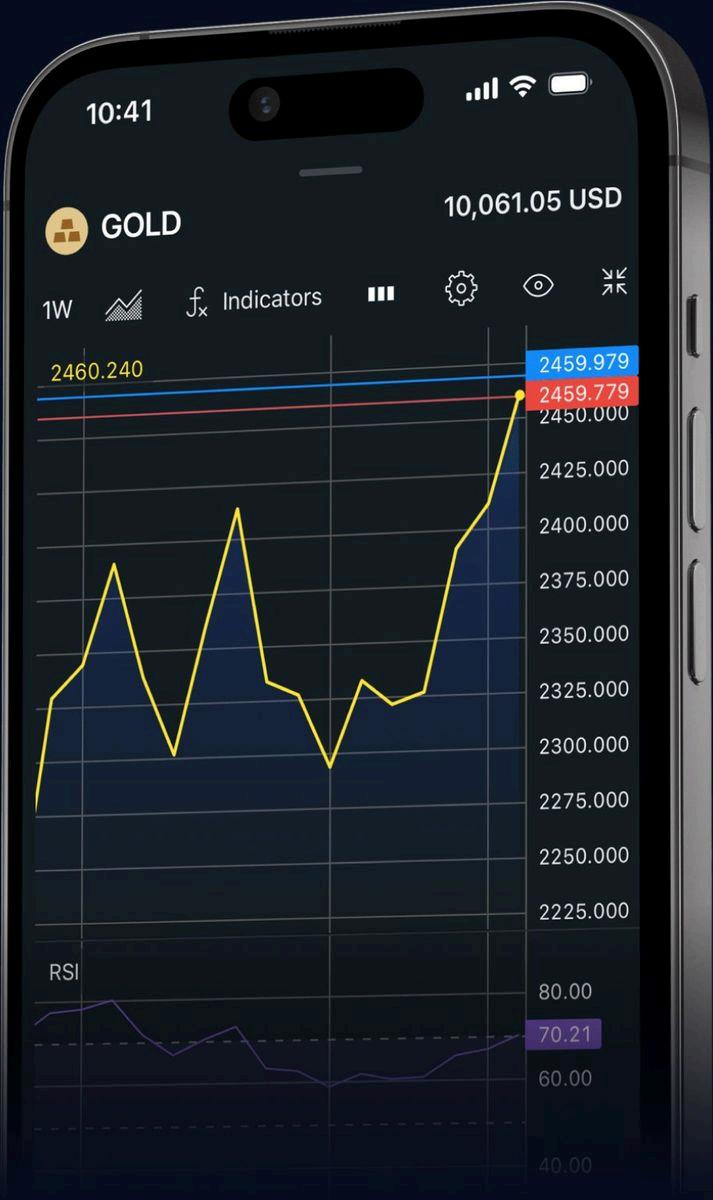
Tradeonlineanytime,anywhere.Onweb,mobileand desktop.
MetaTrader5
ExnessTerminal
ExnessTradeapp
Yoursecurityisour priority
Fromsecurepaymentstonegativebalanceprotection, youarecoveredfromeveryangle.
Clientprotection
WhyExness

Getinsidethemindsofrealtraderswithuntoldstories,bold conversations,andpracticalinsights.

1 "Mostprecise"referstoExnessslessthan1%slippageratenotedindatacollectedbetween2024-09-06to2024-09-12and2025-01-24to2025-01-29,forGoldSpot,onExness Standardaccountvssimilaraccountsin3otherbrokers
AtExness,over98%ofwithdrawalsareprocessedinstantly(under1minute).Onceyourfundsleaveourcustody,itsuptoyourchosenpaymentprovidertoprocessthefundsandcredit youraccount
2 Spreadsmayfluctuateandwidenduetofactorsincludingmarketvolatility,newsreleases,economicevents,whenmarketsopenorclose,andthetypeofinstrumentsbeingtraded. 3
Accounts
Standardaccounts
Professionalaccounts
Demotradingaccount
SocialTradingaccounts
Conditions
Depositsandwithdrawals
Fees
Clientprotection
Orderexecution
Markets
ForexCFD
CommoditiesCFD
StocksCFD
IndicesCFD
CryptoCFD
Platforms
MetaTrader5
MetaTrader4
ExnessTradeapp
MetaTrader5mobile
MetaTrader4mobile
ExnessTerminal
MetaTraderWebTerminal
Resources
Analyticaltools
Economiccalendar
Tradingcalculator
Currencyconverter
Tickhistory
VPShosting
ExnessInsights
About Aboutus
WhyExness
Exnessreviews
Contactus
HelpCenter
Exnessinthemedia
Exnessinthecommunity
ExnessTeamPro
Blog
Corporate Regulation
Legaldocuments
Compensationfund
Solutions
PremierProgram
SocialTrading
Exness(SC)LtdisaSecuritiesDealerregisteredinSeychelleswithregistrationnumber8423606-1andauthorisedbytheFinancialServicesAuthority(FSA) withlicencenumberSD025.Exness(SC)LtdisalsoauthorizedasanOver-The-CounterDerivativesProvider(ODP)bytheFinancialSectorConductAuthority (FSCA)inSouthAfrica.TheregisteredofficeofExness(SC)Ltdisat9ACTHouse,2ndfloor,Providence,Mahe,Seychelles.
ExnessB.V.isaSecuritiesIntermediaryregisteredinCuraçaowithregistrationnumber148698(0)andauthorisedbytheCentralBankofCuraçaoandSint Maarten(CBCS)withlicencenumber0003LSI.TheregisteredofficeofExnessB.V.isatEmancipatieBoulevardDominicoF.“Don”Martina31,Curaçao.
Exness(VG)LtdisauthorisedbytheFinancialServicesCommission(FSC)inBVIwithregistrationnumber2032226andinvestmentbusinesslicencenumber SIBA/L/20/1133.TheregisteredofficeofExness(VG)LtdisatTrinityChambers,P.O.Box4301,RoadTown,Tortola,BVI.
TheentitiesabovearedulyauthorizedtooperateundertheExnessbrandandtrademarks.
RiskWarning:Ourservicesrelatetocomplexderivativeproductswhicharetradedoutsideanexchange.Theseproductscomewithahighriskoflosingmoney rapidlyduetoleverageandthusarenotappropriateforallinvestors.UndernocircumstancesshallExnesshaveanyliabilitytoanypersonorentityforanyloss ordamageinwholeorpartcausedby,resultingfrom,orrelatingtoanyinvestingactivity.Learnmore.
TheentitiesabovedonotofferservicestoresidentsofcertainjurisdictionsincludingtheUSA,Canada,Iran,NorthKorea,Europe,theUnitedKingdom,Russia, Belarusandothers.
Theinformationonthiswebsitedoesnotconstituteinvestmentadviceorarecommendationorasolicitationtoengageinanyinvestmentactivity
Anyinteractionwiththiswebsiteconstitutesanindividualandvoluntaryoperationonthepartofthepersonaccessingit Thiswebsiteanditscontentshould notbeunderstoodasaninvitationforthecontractingand/oracquisitionofExness financialservicesandproducts
TheinformationonthiswebsitemayonlybecopiedwiththeexpresswrittenpermissionofExness.
ExnesscomplieswiththePaymentCardIndustryDataSecurityStandard(PCIDSS)toensureyoursecurityandprivacy.Weconductregularvulnerabilityscans andpenetrationtestsinaccordancewiththePCIDSSrequirementsforourbusinessmodel.
RiskDisclosure
PreventingMoneyLaundering
PrivacyPolicy
PAIAManual
©2025Exness