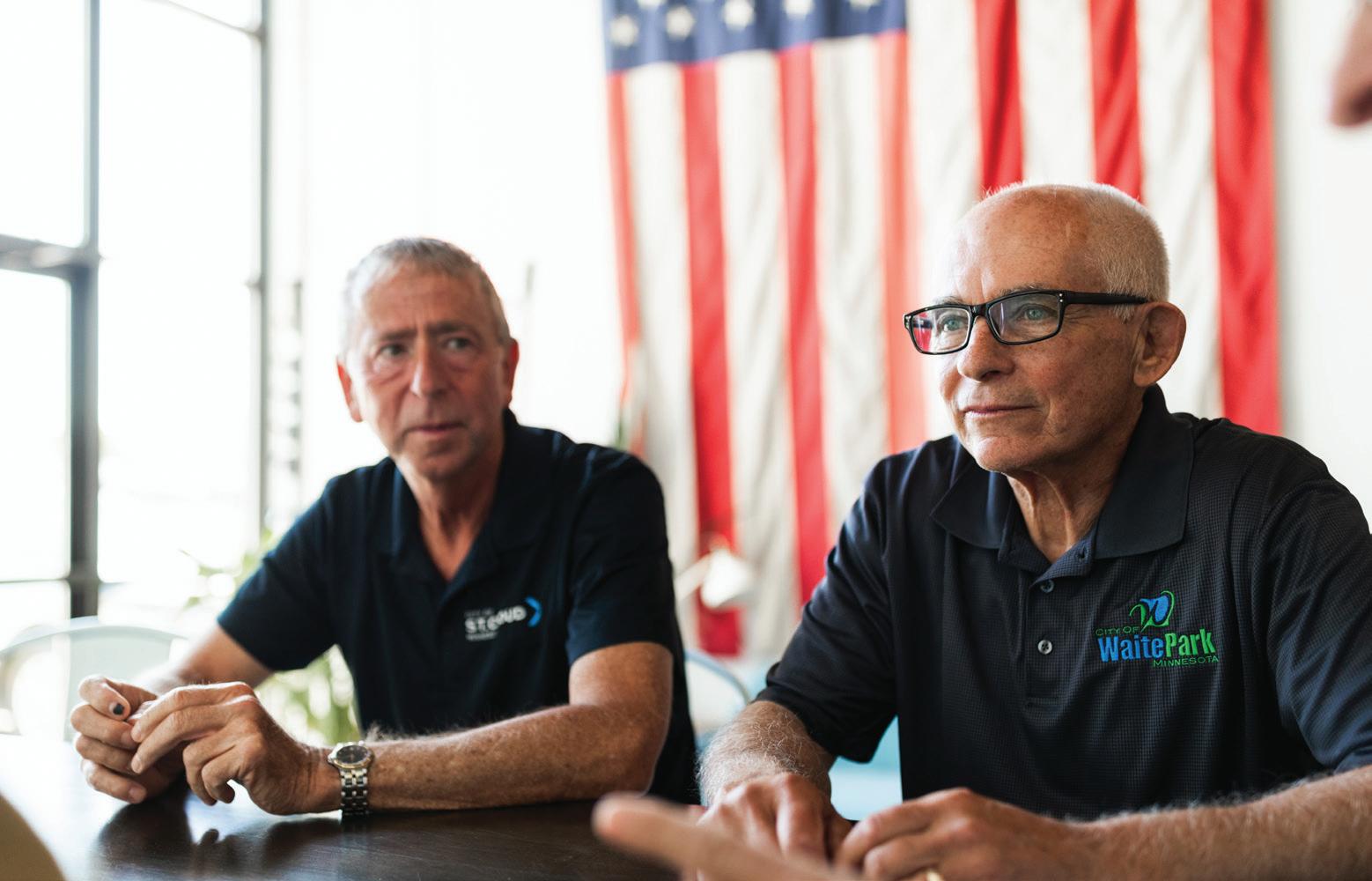
Business Central Editor Emily Bertram chats with the outgoing mayors. From left: Dave Kleis, Rick Miller, Kurt Hunstiger and Rick Schultz
Grateful for the Ride
The scene is a familiar one. “I want a pony!” the little girl exclaims to Santa Claus, often met with an eye roll or a scoff from mom and dad. Sure you do, sweetie. It’s not often that the begging and pleading pays off, but I was one of the fortunate few.
I started taking riding lessons at Fieldstone Farm in St. Joseph when I was about eight years old. Once a week I got to spend a few hours at the barn, learning all about horse care, the basics of Western riding, and falling deeper in love with these giant creatures. After a few months of lessons, I began leasing horses from the barn a few months at a time. Cheyanne, Dare, Jackson — these gentle old horses taught me all the basics.
Leasing horses came at a cost, so I started working at the barn to pay for it. My first job was mucking out stalls on Sunday mornings and bringing in horses every Sunday evening. It was a huge responsibility for a kid, but I learned a lot and loved every second that I got to spend at the barn.
When I was about 11 years old, I got my first horse. Wheeler was a chestnut gelding with the calmest demeanor. We boarded him at Fieldstone so that I could continue to use the arena and trails behind the barn. Tragically, just over a year later, Wheeler passed away very suddenly from a condition called colic. It was gut-wrenching and horrific, but a lesson on life.
I continued to spend time at the barn for the next few months, until Buddy came along.
Similar in appearance to Wheeler, Buddy was a chestnut quarter horse who loved trail rides and snacks.
Thrive at 25!
Business Central Magazine is celebrating 25 years in 2025!
Founded in 2000 by Gail Ivers and Teresa Bohnen at the St. Cloud Area Chamber of Commerce, there have been 150 issues published (and counting), celebrating business and community in the St. Cloud area.
Soon after getting Buddy, we decided to move him home with us in Avon. We added a stall to our existing shed and created two different pastures for him.
For the next 13 years, Buddy was a constant source of entertainment. My favorite times were riding in the woods, giving him a good bath on a hot summer day, and smooching the soft spot of his nose any chance I got.
Horses have long been an important part of my life, and I feel so fortunate to have spent so much time with them. You’ll find that four area retired mayors feel similarly about their time in public service. It was a labor of love and a commitment to community, and they are all grateful for having had the opportunity. While the decision to retire wasn’t one that any of them took lightly, sometimes it’s just time. You can read more about each of their stories starting on page 38.
In the summer of 2017, we made the difficult decision to find somewhere for Buddy to spend the rest of his days. Through an organization called This Old Horse, we met the owner of a hobby farm in Nisswa, Minn., who had several other horses and was looking for a companion horse. Buddy, now 31 years old, was the perfect fit for their mix and still lives with them today. Though it was time to move forward, I will always look back at my horse years with great fondness. Who knows? Maybe one of my daughters will want a pony someday…
Until next time,
Emily Bertram, Editor
WHAT ELSE WAS HAPPENING IN 2000? HERE’S A FUN FACT FOR YOU.
"Weird" Al Yankovic performed at St. Cloud State University’s Halenbeck Hall in February 2000, during his "Touring with Scissors" tour. Over 3000 fans attended the concert. Source: St. Cloud State University
Thank you for your continued support, it’s an honor to tell the stories of Central Minnesota.
Lynn MacDonald and Alli Bily St. Cloud State University
Megan Pflipsen, Gate City Bank
Karen Pundsack, Great River Regional Library
Garrett Weber, Moss & Barnett
ADVERTISING
Associate Publisher/Sales
Melinda Vonderahe, Marketing Consultant
Ad Traffic & Circulation
Yola Hartmann, Hazel Tree Media
ART
Design & Production
Yola Hartmann, Hazel Tree Media
Cover Story Photography
Guytano Magno, Switchboard
WEBSITE
Vicki Lenneman, St. Cloud Area Chamber of Commerce
1411 West St. Germain Street, Suite 101, St. Cloud, MN 56301
Phone: (320) 251-2940
Fax: (320) 251-0081
BusinessCentralMagazine.com
For advertising information contact Melinda Vonderahe, (320) 656-3808
Editorial suggestions can be made in writing to: Editor, Business Central, 1411 West St. Germain Street, Suite 101, St. Cloud, MN 56301 or emailed to ebertram@stcloudareachamber.com Submission of materials does not guarantee publication
THIS ISSUE: You Do What? / Digging History / Your Voice in Government / The Trouble with Business / Do it Now!
BOOK REVIEW
Making the Most of Your Time
Improving business productivity is not a one-size-fits-all endeavor.
By Karen Pundsack
Chris Bailey is a business productivity guru. His blog is focused on researching time management methods and personally experimenting with them. The Productivity Project is a compilation of his experiences in a helpful, easy-to-read exploration of personal productivity.
The author took a year out from his life and dedicated
what you’ll get out of it. Some of the challenges are the PrimeTime Challenge, the Rule of 3 Challenge and the “Zenning Out” Challenge.
Bailey shares his successes and failures. From tackling procrastination to working 24-hour workweeks, he tried a wide range of tactics and measured his work output. The only productivity
QUOTEABLE
“When you have more to do than ever before, less time to do it, and unparalleled freedom and flexibility with how you get it done, productivity is no longer about how efficiently you work. Productivity is about how much you accomplish.”
it to trying various time management techniques. His honest storytelling helps make them all approachable. Each chapter focuses on a different method, with challenge exercises for the various methods scattered throughout the book. They are broken down by time required, energy/ focus needed, value, fun and
experiment that he completely failed, he said, was eating only “soylent” for a week. With Bailey’s humor intermixed with research and expert voices, it is the kind of book that you can read from cover-to-cover or easily jump between the subjects that interest you most.
The book is divided into eight parts and 26 chapters.
The parts of the book are divided into subjects such as values, health, and focus. At the beginning of every chapter there is a brief synopsis that includes takeaways and a handy estimated reading time.
Part One: Laying the Groundwork
Part Two: Wasting Time
Part Three: The End of Time Management
Part Four: The Zen Productivity
Part Five: Quiet Your Mind
Part Six: The Attention Muscle
Part Seven: Taking Productivity to the Next Level
Part Eight: The Final Step
Ebert honored by Minnesota Lawyer
Dylan Ebert, Quinlivan & Hughes, P.A., was recognized as one of Minnesota Lawyer’s Top Women in Law for 2024. This honor highlights women who have made significant contributions to Minnesota’s legal community through leadership, professionalism, and dedication to public service and mentorship.
Two attorneys join Rinke Noonan
CHECK IT OUT!
Karen Pundsack is the executive director at Great River Regional Library.
The book is available for checkout at the public library. Reserve your copy at griver.org.
Two new attorneys joined Rinke Noonan. Martha Ames practices in the areas of estate planning, business law, and real estate law.
Sean Meginness practices in the areas of agricultural and environmental law.
Learn more about Bailey’s Time and Attention podcast at BusinessCentralMagazine.com
Jules’ Bistro part of Goldman Sachs’ cohort Goldman Sachs partnered with St. Cloud Technical and Community College to bring its 10,000 Small Businesses program to Minnesota. The three-month program aims to help small mom-and-pop shops grow and become more profitable. The first class of 32 includes Jules’ Bistro owner Donella Westphal, who has operated the St. Cloud restaurant since 2017.
The Productivity Project: Accomplishing More by Managing Your Time, Attention, and Energy; Chris Bailey, 2016, Crown Business, New York
PEOPLE TO KNOW
Rachael Sogge
Eyecon Graphics • (320) 237-3695
Chair: Marketing Committee
The Marketing Committee is responsible for the overall marketing efforts of the Chamber of Commerce, including communication materials, advertising, publications, the website, promotional programs, and organizational research.
Jenna Binsfeld
St. Cloud Orthopedics Associates • (320) 259-4100
Chair: Chair Development Committee
The Chair Development Committee is responsible for all marketing and membership activities, including workforce development, networking programs, and all the Chamber’s special events.
Paula Capes
Falcon National Bank (320) 223-6301
Chair: Business Development Committee
The purpose of the Business Development Committee is to provide training and education for Chamber members and their employees to help their businesses grow and thrive. Programs include Lunchtime Learning, and a variety of seminars, workshops, and certificate programs.
Brenny receives safety award
Brenny Specialized Inc. received the Motor Carrier Safety Award from Great West Casualty Company. The award program recognizes motor carriers similar to Brenny with awards based on their year-end preventable accident results. This is the fourth consecutive year that Brenny has won the Platinum Safety Award and seventh time overall.
St. Cloud Orthopedics hires Binsfeld
Jenna Binsfeld joined St. Cloud Orthopedics as human resources director. Binsfeld, a St. Cloud State University graduate, has over 20 years of experience working locally in human resources.
PleasureLand
RV donates trailer
The St. Cloud PleasureLand RV team donated a 22-foot-long, $25,000 trailer to the Stearns County Sheriff's Department to help educate families about teen drug use. The department plans to transport the trailer to different locations around town, including schools and community events.
Crew Carwash donates
$22,000
Crew Carwash provided a free ultimate wash with any donation to Animal Humane Society during a two-day event at all four of its Minnesota locations, raising over $22,000 total. Donations from the St. Cloud location will benefit Tri-County Humane Society.
What’s Your Job Maggie Rivera?
VICE PRESIDENT CORPORATE SOCIAL RESPONSIBILITY & INCLUSIVE GROWTH, STEARNS BANK
What is your previous work experience?
I started as a teller, worked several different customerfacing bank jobs, and was eventually promoted into a community development banking role. Working on revitalizing low to moderateincome communities, the role served as my springboard to the world of diversity, equity, and inclusion (DEI). I served in that role at several different organizations. It all served as the path to my role leading corporate social responsibility (CSR) and inclusive growth strategy at Stearns Bank.
What drew you to your current position?
I’m the product of a challenging upbringing where my family faced poverty, homelessness, and other obstacles. I know firsthand the power that effective community development and revitalization can have. My role at Stearns Bank is the combination of my community development, DEI, and bank experiences.
What does an average workday (or week) look like for you?
I oversee our community development banking team, client experience, specialty lending, our inclusive go-to-market strategy, and our CSR function. My day includes a mix of interactions with teams, community partners, and executive leadership to monitor the progress of ongoing initiatives and aligning the company’s operations with social and corporate responsibility goals.
What is something you want people to know about your job?
Prospective employees and customers are seeking authenticity. Do companies truly walk the walk? Do their internal actions mirror their public statements? Real alignment between CSR and inclusion enriches and empowers the people doing the work.
What is your favorite part of your job?
It is humbling and inspiring to see the scale and scope of impact that can be made when a diverse group of people leverage their knowledge and talents for a specific purpose.
What should someone who is interested in a position like yours do to get started on the right path?
Volunteer at non-profits and community support centers. Pursue a relevant degree in business, urban development, community development, environmental studies, or sustainability. Build your network, hone your skills, and attend related conferences. You don't have to wait to find a job in this field to do great things. Passion, initiative, and perseverance will take you a long way.
MAGGIE RIVERA
Business Central asked: If money weren’t an issue, what would you be doing right now?
Stephanie Dickrell, St. Cloud Live
Traveling, reading, writing and meeting new people.
Brian Jarl, Advantage 1 Insurance Agency
Spending time in Hawaii, Florida, the East Coast — traveling wherever I want.
Julio Garcia, Palmer
Traveling somewhere historical and tropical — probably South America.
Jim Gruenke, Traut Companies
Breanne Fruth, Great River Regional Library
Going on a Caribbean Cruise.
Hanging out with my Chamber friends every day.
Stearns Electric linemen aid in hurricane outages
Stearns Electric linemen Luke Gilbertson and Jacob “Mittens” Ronning spent two weeks in the southern U.S. helping restore numerous power outages caused by back-toback hurricanes. The linemen provided assistance to Blue Ridge Electric Cooperative in Pickens, South Carolina, following the devastation left behind by Hurricane Helene, and with Peace River Electric Cooperative in Wauchula, Florida, to help with restoration efforts post-Hurricane Milton.
Putnam named Superintendent of the Year
St. Cloud School District 742 Superintendent Laurie Putnam was named the Minnesota Superintendent of the Year by the Minnesota Association of School Administrators.
Nominees are evaluated on how they demonstrate leadership for learning, communication skills, professionalism, and community involvement. As Minnesota's honoree, Putnam is now a candidate for National Superintendent of the Year.
ConnectAbility
expands to Rochester
ConnectAbility of MN opened a new location in Rochester, Minn., expanding services for individuals with disabilities.
The Rochester office will create six jobs and offer services for people with physical and invisible barriers.
DIGGING HISTORY
Recycling History
Deconstruction efforts at the Great River Children’s Museum focused on preservation and sustainability.
By Ann Marie Johnson
Even before its anticipated opening in early 2025, the Great River Children’s Museum has become a vital force in Central Minnesota. Emerging from a glimmer of an idea to an active, engaging presence, the museum’s impact can be seen in everything from the economy to community health and well-being. One piece of its past that helped lead to its success — the reuse and salvage of existing structures and building materials — reflects a growing trend across the country. The following is an edited version of an article originally published in 2022 by Rethos: Places Reimagined (Issue 1) highlighting this trend.
On a bright sunny afternoon in early January 2022, a small group of volunteers got together at the Great River Children’s Museum in downtown St. Cloud to help with deconstruction and salvage. Donated to the nonprofit organization in December 2018 by Liberty
Bank Minnesota, the site is a compilation of structures dating to the early 1930s. The location’s rich history shows the key role it has played in the community, housing everything from a chicken hatchery and grocery store to a car dealership, print shop and bank.
The determined efforts of the museum’s board and staff to disassemble and salvage as much of the building’s material assets as possible serves as a role model for other property owners and developers. Their success in keeping thousands of pounds of materials in use and out of landfills highlights the value of building reuse and the often unrecognized structural sustainability that is typically found in many older and existing buildings.
Among the tasks for volunteers were hauling diffusers and other metal pieces from the reworked HVAC (heating, ventilation, and air conditioning) system
to an outside container destined for metal recycling; disassembling fluorescent ceiling light fixtures; hauling and stacking fluorescent tube lights; bundling electrical wire for recycling; and removing electrical panels and conduit boxes. Museum board members and volunteers were onsite helping organize the efforts and were eager to get things done.
The volunteer project resulted in four loads of salvaged building materials that were later hauled to recycling, generating $1,350 in revenue. Added to the over 35,000 tons of materials that had already been salvaged and recycled, the event showed how, with a little effort and determination, a lot can be saved. The wire, metal and other deconstructed materials that were recycled instead of landfilled had a positive impact, helping encourage understanding of deconstruction and salvage as a viable option. Building disassembly and material
Volunteers at GRCM remove conduit boxes during deconstruction
Left: GRCM volunteers bundle electrical wire for recycling
salvage keeps useable materials out of landfills, helps protect the environment and provides jobs and job training.
Other repurposed buildings in the area have helped to encourage the level of care for community and the environment showcased by the Great River Children’s Museum’s deconstruction and salvage efforts. With St. Cloud’s location along the Mississippi River and its well-loved green spaces, it’s great to see local stakeholders playing an active role in preserving both the environment and local history.
A Beacon of Discovery
With eight core exhibits spanning over 31,000 square feet, the Great River Children’s Museum will be the second largest children’s museum in the state of Minnesota, serving 12 counties and annually welcoming over 125,000 children and adults through the doors.
The idea for the museum started in 2012 and was pushed forward by the donation of the Liberty Bank building at 111 7th Ave. S., St. Cloud in 2018, $1 million in funding in 2021 from The Coborn Family Foundation and Barbara and Rollie Anderson, over $8 million more from other generous local donors, and $7 million in general funds from the state in 2023. With construction well underway, it is expected to open in spring of 2025.
Ann Marie Johnson works in community engagement at the Stearns History Museum.
The museum’s mission is “To shine a bright light on the power of play to spark children’s learning, strengthen families, and build community connections.” It will serve as a major downtown St. Cloud attraction for both locals and visitors, and a community gathering place that all ages can enjoy. For more information, visit BusinessCentralMagazine.com.
Future main entrance of the Great River Children’s Museum
UP FRONT
KVSC earns national recognition
St. Cloud State University’s studentrun radio station KVSC earned third place in the 2024 National Student Production Awards in the audio division for best sports play-byplay. Hundreds of submissions were narrowed down to four finalists in each category based on judging criteria administered by media professionals and student media advisors across the country.
AIS Planning hires, promotes
Dafne CarmonaRios joined AIS as the executive assistant to the CEO.
Sydney Meyer was promoted to associate advisor. Meyer brings dedication and expertise to her new role, where she will continue to support clients in achieving their financial goals.
YOUR VOICE IN GOVERNMENT
Your 5-Star Chamber
St. Cloud Area Chamber of Commerce Earns Prestigious Five-Star Accreditation—One of Only Two in Minnesota!
TBechtold recognized nationally Boys and Girls Clubs of Central Minnesota’s Vice President of Operations Geri Bechtold received the Tom Burt Pacesetter Award at the Boys and Girls Clubs of America Midwest Leadership Conference. The award is presented to a non-CEO leader who inspires and contributes to the personal growth of coworkers and children enrolled in the program.
Franklin Outdoor Advertising expands Franklin Outdoor Advertising acquired the billboard assets of Houck Outdoor. The purchase includes 38 static (traditional) billboards along the I-94 corridor from Clearwater to Rogers, Minn., and along the I-90 corridor near Fairmont, Minn.
here are over 7,500 chambers of commerce in the United States, and only 194 of them are FiveStar Accredited by the U.S. Chamber of Commerce. Of those 194, only two of them are located in Minnesota. St. Cloud Area Chamber of Commerce is proud to be one of them … again!
The St. Cloud Area Chamber has been an accredited chamber since 1975. The accreditation process is done every five years, and St. Cloud has maintained a five-star designation since 2006, when the tiered accreditation status was first introduced.
To achieve this status, we completed an extensive submission process that analyzed all the major areas of our organization:
Governance: Focuses on organizational basics like our
mission, bylaws, and board/staff structure.
Finance: Reviews compliance with accounting rules, budget approval, audits, and insurance.
Government Affairs: Evaluates our role in public policy, grassroots efforts, and communication with officials and members.
Technology: Verifies our tech readiness, including phone, internet, data security, member database, and online presence.
Communications: Confirms marketing efforts, including target audience understanding, messaging, and communication frequency.
Program Development: Assesses goal-setting, member feedback, and why we offer certain opportunities to our members.
Ensures we follow employer regulations, offer professional
and Facilities, with small suggestions made in each of the other categories. As it relates to government affairs, the Chamber was specifically recognized for “fostering a strong working relationship with elected officials and for its dedication to facilitating meaningful connections between lawmakers and the region’s business community. It is noted for its St. Cloud Area Evening at the Capital and its Regional City Priorities breakfast events.” We were commended for our work in supporting pro-business legislation and our efforts in growing voter engagement.
We were also recognized for our strategic planning process, the management of Waite Park and Sauk Rapids Chambers and our relationship with local media outlets. The accreditation committee was also
impressed with the variety of special events we offer, specifically the Leadership Program, Central MN Farm Show, Supervisor Development Certificate Program, the Rock the River Expo, as well as the Unite for Success Scholarship Program.
The report from the U.S. Chamber closed with this final remark:
“The chamber has demonstrated a good track record of operating successfully and achieving desirable results for its members. The U.S. Chamber of Commerce is proud to accredit the St. Cloud Area Chamber of Commerce with our Five-Star designation. Congratulations on this remarkable achievement.”
We are so honored to continue to serve you as your Five-Star Chamber. Thank you to our members for your commitment to business growth and success in Central Minnesota. You should all be proud, because we are your Chamber of Commerce, the voice of business in Central Minnesota.
NEWS BRIEFS
Award Winners
CAIRO RECOGNIZES NOVAK
St. Cloud realtor
Nick Novak received an award of Community Appreciation from CAIRO (Center for African Immigrants and Refugees Organization). The award recognizes his significant efforts to improve access to homeownership for immigrant families. His dedication and work have contributed to creating a stronger and more supportive community.
GSDC PRESENTS AWARDS
The Greater St. Cloud Development Corporation announced the winners of the 2024 Innovation Awards and Employer of Choice Award.
• St. Cloud Technical and Community College was recognized for launching the Advanced Manufacturing Center, providing cutting-edge training that prepares students for careers in the rapidly evolving manufacturing sector.
• DeZURIK was named the 2024 Employer of Choice for its focus on employee satisfaction, development, and safety. DeZURIK has a 95 percent employee retention rate.
NEWS REEL
Falcon National Bank adds staff, partners with local organizations
Brittany Haycraft joined Falcon National Bank as vice president of human resources. She has over 10 years of experience in human resources; is a member of the Greater St. Cloud Development Corporation; and serves on the HR committees of the St. Cloud Family YMCA and Boys and Girls Clubs of Central Minnesota.
During Minnesota Bankers Association’s Community Impact Month in September, Falcon National Bank employees in St. Cloud and Foley volunteered with several local organizations, including:
• Quiet Oaks Hospice House
• ConnectAbility of MN
• Big Brothers Big Sisters of Central Minnesota
• GREAT Theatre
• Central Minnesota Habitat for Humanity Its locations in Ham Lake, Richmond, Isanti and Maple Grove also gave back throughout the month.
Clara’s House expanding CentraCare’s Clara’s House is expanding, adding approximately 5,785 square feet to accommodate services for children ages 3-5. This will be the first early childhood Partial Hospitalization Program in the Midwest, and it is expected to open in February 2025. Clara’s House has served the region for 20 years.
Got News?
Send news releases, announcements, or anything you think is newsworthy to Emily, ebertram@ stcloudareachamber.com, and we will try to include it.
THE TROUBLE WITH BUSINESS
The Right Stuff
Before you use that trendy song or post that celebrity photo, make sure you’re in the clear.
By Jessica Brigman and Garrett Weber
Publicly available content is not necessarily in the public domain. By using materials found online, you could be placing your organization at risk of liability for intellectual property (IP) infringement. When you want to use a cool Banksy painting picture on your website, or maybe include that super trendy new song you heard on
TikTok in a commercial for your business, you must make sure that all of the licenses and permission required are in place.
To do that, you must go through the “rights clearance” process. This is a two-step process in which you determine whether content you want to use is protected, and then secure permission to use it. These steps are vital, because using
Contributors
content without permission could subject you to claims based on copyright, trademark, or other laws. Similarly, if you do not protect your own content through internal controls and proper internal security, your IP rights could by violated by others. It is typically easier and cheaper to follow proper procedures to avoid these problems.
Rights Clearance Process
Most rights clearances involve two types of IP rights: copyright and trademark. Generally, you should think of copyright as covering creative expression such as writings or drawings, while trademarks are the brand name or logo: Copyright law covers creative content such as written materials, user manuals, books, newsletters, blog posts, music, paintings, illustrations, and photographs. Copyright ownership is usually with the creator of the original work, unless it was created by an employee of a company as part of their job.
Jessica Brigman is a certified information privacy professional (CIPP-U.S.) by the International Associate of Privacy Professionals, and an attorney at Moss & Barnett. Garrett Weber is an intellectual property attorney at Moss & Barnett.
Trademarks cover words or designs used to identify the source of products or services, such as words, slogans, symbols, logos, or a combination of these. Trademarks are owned by the first person to use the mark to identify a product or service.
For any piece of content you have identified, you need to evaluate if the use requires a license or other permission, and obtain such permissions. Both trademarks and copyrights can be registered federally, but that is not a requirement for someone to own those rights. To use content subject to copyright or trademark protections, you need to get permission from the owner to use that content, which is commonly referred to as a “license.” This permission should be in writing and should state specifically what you have the right to use and for how long.
There may be instances where use of copyrights or trademarks may be allowed under “fair use” laws. For trademarks, fair use typically applies when you are using the trademark to provide an opinion or information about the product. For content subject to copyright, fair use might apply when you use only a small portion of the work or do not use the work for commercial purposes. The issue of fair use, however, is a highly fact-specific analysis for which you should seek legal counsel.
To protect your own content, you need to have policies in place regarding use and access, and train your employees on those policies. You should have policies restricting access to certain information from people who do not need access. It is also a good idea to consider what happens if individuals
leave your business, and have a process for ensuring all of your confidential information is returned to you. In addition, you should make it clear in your employee contracts, new hire agreements, and/or your employee handbook that any content or marks they create while employed by your company is owned by your company. There is specific language that should be used, and it is best to involve your attorney.
Digital media has made it easier than ever to use content found online in your materials, but it is important that you have rights to the materials and that you have safeguards in place to protect your own materials. As with anything when it comes to the law, you are encouraged to seek legal counsel if you have any questions on your internal policies and rights clearance needs.
Find
the right financing
for
your
big
At Magnifi Financial, we understand that no two businesses are the same. Whether you’re launching a new venture or expanding your operations, our commercial lending solutions are tailored to fit your needs. We help you unlock new opportunities and navigate challenges.
dreams. Your success is our priority.
Flexible terms, competitive rates, and a commitment to exceptional service.
Our condolences to the family and friends of Doug Bischoff, who passed away in November 2024. Bischoff was the owner of Design Electric. Under his leadership, he grew the business from 10 employees and $2 million in annual sales to over 100 employees and $30-plus million in sales. In 2017 he received the Chamber’s Business Central Mark of Excellence: Entrepreneurial Success Award and was featured on the cover of the September/October issue of Business Central Magazine.
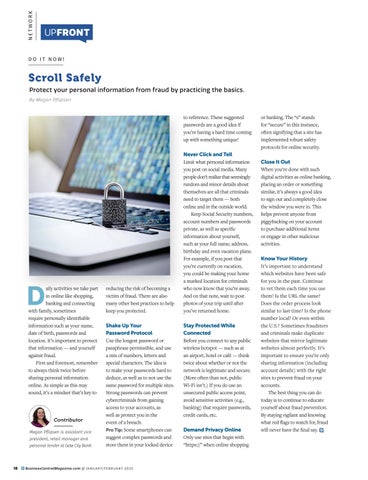
Scroll Safely
Protect your personal information from fraud by practicing the basics.
By Megan Pflipsen
Daily activities we take part in online like shopping, banking and connecting with family, sometimes require personally identifiable information such as your name, date of birth, passwords and location. It’s important to protect that information — and yourself against fraud.
First and foremost, remember to always think twice before sharing personal information online. As simple as this may sound, it’s a mindset that’s key to
Megan Pflipsen is assistant vice president, retail manager and personal lender at Gate City Bank
reducing the risk of becoming a victim of fraud. There are also many other best practices to help keep you protected.
Shake Up Your Password Protocol
Use the longest password or passphrase permissible, and use a mix of numbers, letters and special characters. The idea is to make your passwords hard to deduce, as well as to not use the same password for multiple sites. Strong passwords can prevent cybercriminals from gaining access to your accounts, as well as protect you in the event of a breach.
Pro Tip: Some smartphones can suggest complex passwords and store them in your locked device
to reference. These suggested passwords are a good idea if you’re having a hard time coming up with something unique!
Never Click and Tell
Limit what personal information you post on social media. Many people don’t realize that seemingly random and minor details about themselves are all that criminals need to target them — both online and in the outside world. Keep Social Security numbers, account numbers and passwords private, as well as specific information about yourself, such as your full name, address, birthday and even vacation plans. For example, if you post that you’re currently on vacation, you could be making your home a marked location for criminals who now know that you’re away. And on that note, wait to post photos of your trip until after you’ve returned home.
Stay Protected While Connected
Before you connect to any public wireless hotspot — such as at an airport, hotel or café — think twice about whether or not the network is legitimate and secure. (More often than not, public Wi-Fi isn’t.) If you do use an unsecured public access point, avoid sensitive activities (e.g., banking) that require passwords, credit cards, etc.
Demand Privacy Online
Only use sites that begin with “https://” when online shopping
or banking. The “s” stands for “secure” in this instance, often signifying that a site has implemented robust safety protocols for online security.
Close It Out
When you’re done with such digital activities as online banking, placing an order or something similar, it’s always a good idea to sign out and completely close the window you were in. This helps prevent anyone from piggybacking on your account to purchase additional items or engage in other malicious activities.
Know Your History
It’s important to understand which websites have been safe for you in the past. Continue to vet them each time you use them! Is the URL the same? Does the order process look similar to last time? Is the phone number local? Or even within the U.S.? Sometimes fraudsters and criminals make duplicate websites that mirror legitimate websites almost perfectly. It’s important to ensure you’re only sharing information (including account details) with the right sites to prevent fraud on your accounts.
The best thing you can do today is to continue to educate yourself about fraud prevention. By staying vigilant and knowing what red flags to watch for, fraud will never have the final say.
Embracing Land, Life, & Legacy: Growing the Future
of Agriculture Together
FEBRUARY 25 & 26, 2025
RIVER’S EDGE CONVENTION CENTER
Welcome to the 2025 Central Minnesota Farm Show
Embracing Land, Life & Legacy: Growing the Future of Agriculture Together
Thank you Champion Sponsor:
TRAVIS THEIS
Dick’s Nuisance Animal Control of St. Cloud (320) 252-5259
Co-Chair, Central Minnesota Farm Show Committee
ALLEN BRINKMAN
Forever Young Two Wellness and Skincare (763) 272-1500
Co-Chair, Central Minnesota Farm Show Committee
LAURA WAGNER
St. Cloud Area
Chamber of Commerce (320) 656-3831
2024 Farm Show Coordinator
The Central Minnesota Farm Show, hosted by the St. Cloud Area Chamber of Commerce, is the largest indoor event of its kind in the region. Why hold such a show in this growing metropolitan area? Because agriculture remains a cornerstone of the local economy! The St. Cloud Metropolitan Statistical Area has 1.5 times as many people working in agriculture as other regions in the state.
For over 50 years, the Farm Show has been an important community event, welcoming everyone from beginners to industrial ag operators. Whether you’re here to explore new technology, connect with experts, or simply gather inspiration, this show has something for all levels of agricultural enthusiasts. Inside this program, you’ll find a detailed map and a list of vendors to help you make the most of your visit.
The St. Cloud Area Chamber of Commerce is proud to support area farmers by organizing this annual event and is dedicated to fostering the future of agriculture. Each year, a portion of the show’s proceeds is directed toward student scholarships, helping to inspire the next generation of agricultural leaders.
A dedicated team of volunteers has worked hard to create an event that’s both valuable and enjoyable. We hope you have a great experience, and if you have questions or feedback, please stop by the information booth — we’d love to hear from you.
Sincerely,
1/4 page Program Ad for Central MN Farm Show- $450 less 10 percent earlybird
Travis Theis, Allen Brinkman and Laura Wagner
Protect your farm equipment with a quality Northland building, featuring a 50 year snowload warranty!
The Next Generation!
Growing the next generation of ag leaders starts here.
Careers in agriculture are often misunderstood — it’s far more than just tending to livestock or harvesting crops. This is a dynamic, fast-evolving industry driven by innovation and technology. Today, we are planting the seeds for tomorrow’s ag leaders.
A student interested in technology could excel as a programmer working with GPS-based precision farming. Those passionate about engineering might focus on machinery efficiency, environmental sustainability, or power solutions. Students drawn to biological sciences can find their niche studying invasive species, plant health, entomology, or genetics — all vital for ensuring crop and livestock well-being. The possibilities are truly endless.
The St. Cloud Area Chamber is proud to contribute to educating students about the vast opportunities in agriculture. Each year, a portion of the proceeds from the Central Minnesota Farm Show goes toward student scholarships. Since 1998, we’ve awarded $104,000 in scholarships, investing in over 150 students as we support the future of agriculture.
Congratulations to our Scholarship Winners!
In 2024, we awarded six $1,000 scholarships. The recipients were:
High School Recipients
Preston Welling, Paynesville Area High School
Shelby Swanson, Hutchinson High School
Chase Dahler, Foley High School
Alicia Holtz, Little Falls High School College Recipients
Kalie Ritter, South Dakota State University
Eva Moore, North Dakota State University
2024 Scholarship Recipient Chase Dahler, Foley High School
TIDBITS
Ag Jobs
There are many well-paying jobs in Central Minnesota’s ag industry.
Central Minnesota agriculture, food, and natural resource occupations with high median hourly wages:
TIDBITS
It’s a Minnesota Thing
Agricultural production and processing in Minnesota plays a significant role in the nation’s economy. Compared to other states, Minnesota ranks high in many areas.
$21.3 BILLION
Minnesota ranks 7th in the nation in total agricultural production
in the nation in livestock
2025 Farm Show Keynote Speakers
Growing Great Garlic in Minnesota
JERRY FORD
Living Song Farm
Learn the basics for growing garlic in Minnesota, whether you’re a home gardener or a farmer looking to add another cash crop.
SPEAKER: Jerry Ford has been growing and selling garlic from Living Song Farm since 2002. He is the director of the Minnesota Garlic Festival, coordinator of the Upper Midwest Garlic Growers Group, and a co-author of the Extension publication, “Growing Garlic in Minnesota.”
Maximizing Nutrients from Dairy Manure: Strategies for Fully Utilizing this Fertility Resource
DOUG VOSS
Sustainable Farming Association
With low commodity prices and rising input costs, farms need to maximize every resource to stay profitable. Manure is often seen as a unique advantage in cropping systems, but are we truly capturing its full nutrient potential? Not all manure is created equal. SFA Senior Advisor Doug Voss will explore how different manure handling systems impact nutrient retention and how to maximize the fertility benefits from your cows.
SPEAKER: Doug Voss farms in Central Minnesota with a dedication to regenerative agriculture. He collaborates with organizations and farmers alike, providing consultation and education on improving soil health and the transformative benefits of regenerative practices.
Key Questions and Practical Tips for Successful Implementation
KENT SOLBERG
Sustainable Farming Association
Many farmers are interested in cover crops but aren’t sure where to start. By asking the right questions, you can identify cover crop options that best fit your operation’s goals. SFA Senior Advisor Kent Solberg will share essential tips and strategies to help you assess, select, and successfully implement cover crops on your farm.
SPEAKER: Kent Solberg farms in northwestern Minnesota and has over 30 years of experience working with farms on soil health, cover crops, and grazing management. He has also served as adjunct faculty on these topics and has consulted with farms nationwide.
Scholarships Available
Again this year, there will be scholarships awarded to both high school and college students. Businesses that are interested in supporting our agricultural scholarship program are encouraged to donate to the fund. The Chamber of Commerce is committed to offering the Central MN Farm Show Agriculture Scholarships to support students who explore fields of study and careers in agri-industry .
For more information, or to apply for a scholarship, visit CentralMNFarmShow.com.
APPLICATION DEADLINE IS FEBRUARY 3, 2025
Thank You Sponsors
Many thanks to the following sponsors for supporting the 2025 Central Minnesota Farm Show:
CHAMPION SPONSOR
PARTNER SPONSORS
Tractor Supply
Farm Bureau Financial ServicesAdam Tabberson
SPECIALTY SPONSOR
First National Bank of Milaca
2025 Exhibitor List by Name
AA.M. Maus and Son & LINEX of St. Cloud
Adam Tabberson – Farm Bureau Financial Services
ADM Fertilizer
All Energy Solar
Ameribuilt Buildings Inc.
American Family Insurance –Ehlinger & Associates Inc.
American Family Insurance –Peichel & Associates Inc.
American Pressure Inc.
American Waterworks
AMPI
Anez Consulting Inc. of Willmar
Arnold’s of St. Cloud
Arnzen Construction Inc.
Aslan Health
Auto Value Parts Stores and BENCO Equipment
AzTech Ag
B
Base Camp Leasing
Batteries Plus
Beck’s
Benton County American
Dairy Association
Boss Supply of Janesville Inc.
C
Compeer Financial
Complete Grain Systems Inc.
Country Acres/Benton Ag
Cutco
D
Dairyland Supply
Dooley’s Petroleum Inc.
DSC Communications
E
EASYFIX USA
Everlast Industry
F
Farm Bureau Financial Services – Paynesville/ Willmar
Farm-Rite Equipment of St. Cloud
Farmers & Merchants
State Bank
Feed Stuff Bagging
Finken Companies
G
Garage Door Store
Growers Mineral Solutions
Gutter Shutter of St. Cloud
H
Hartung Sales & Services Inc.
HearingLife
HYDRO ENGINEERING
I
Isaacson Sales & Service Inc.
J
Jordan Ag Supply Inc.
K
KASM- AM & KDDG- FM Radio
Kyle Hedtke
State Farm Insurance
L
LeafFilter Gutter Protection
Legend Seeds Inc.
LG Seeds
Litzau Farm Drainage
M
Magnifi Financial
Midwest Machinery Co.
Minnesota Agricultural Water Quality Certification Program
MN Tarp and Liner
Momentum Truck GroupFreightliner Western Star
N
Nelson Agri Structures
Northland Buildings
O
O’Reilly Auto Parts
OK Track Solutions
Osakis Silo Repair
2025 Farm Show
Keynote Speakers
Estate Planning and How to Effectively Implement It
Planning for the future is critical for farmers looking to preserve their legacy and protect their assets. This session, led by a financial planner and attorney, offers best practices for safeguarding your farm, minimizing taxes, and ensuring a smooth transition of ownership to the next generation.
SPEAKERS: Keith Olander is the executive director of AgCentric, a Minnesota State Agricultural
Center of Excellence. He focuses on enhancing agricultural education from K-12 to industry, building partnerships, and promoting sustainable workforce development in agriculture.
John Wenker assists clients with estate planning, probate, real estate transactions, and business matters such as formation and contract review. Actively involved in the community, Wenker frequently speaks on topics like estate planning, real estate, and guardianships for organizations across Central Minnesota.
KEITH OLANDER AgCentric JOHN WENKER Quinlivan & Hughes
2025 Farm Show
Keynote Speakers
The Dairy Grazing Apprenticeship Program: What It Is and How It Can Benefit You
ANGIE WALTER
Sustainable Farming Association
Discover the Dairy Grazing Apprenticeship (DGA) Program and its benefits for both current and aspiring grazing dairy farmers. Learn how DGA supports climate-smart initiatives and how its programs can enhance sustainability and profitability on your farm.
SPEAKER: Angie Walter is an organic grazing dairy farmer. Along with her husband Nate, she has been farming in Villard, Minn., for over 20 years. For the past five years, Angie has worked with the DGA through SFA, and together they have hosted multiple apprentices on their farm over the past eight years.
JARED LUHMAN
Cutting Winter Feed Costs for Beef Cows: Practical Approaches for Sustainable Feeding
Ranching Returns Podcast Host
After taking a hard look at the numbers, Luhman realized the high costs of traditional winter cattle feeding were unsustainable. In this workshop, he shares his journey to reduce winter feed expenses and explores the strategies he’s tested, from shipping cows south to grazing local corn stalks, bale grazing, stockpiling cover crops, and more. Join him to learn practical methods for lowering feed costs and building a more sustainable beef operation.
SPEAKER: Jared Luhman farms with his wife Valerie and dad Jon in Goodhue, Minn., raising 230 registered Red Angus and 80 Black Angus cattle, bred to thrive without costly inputs. They practice no-till, cover cropping, and livestock integration, aiming to enhance land health, profitability, and quality of life. Jared also hosts the Ranching Returns podcast, where he interviews farmers and ranchers across the U.S. about improving financial returns, land health, and lifestyle through ranching.
The
| NETWORK | PROFIT
EVENTS AROUND THE ST. CLOUD AREA
MORE ON EVENTS : For information on these or other business events, call 320-251-2940 or visit StCloudAreaChamber.com and click on “Calendar.”
Chamber of Commerce Annual Chamber Celebration on October 8th celebrated the hard work and dedication of Chamber volunteer leaders. Photos by
Shining Star honoree Caitlyn Heglund, State Farm Insurance-Kyle Hedtke (L) and Kelly Doss, Great River Children’s Museum
Lance Barthel, Batteries Plus and Melody Vachal, Arise Cares and Rise with Melody Vachal
Bo Nelson (L) and Tyler Anderson, SERVPRO Team Hickman
Aaron Haakonson, Security Lock Technology (L) and Ray Herrington, Pioneer Place on Fifth
The evening’s emcees: Jason Miller, Premier Real Estate Services and Brook Stephens
Tanja Goering, Celebrate MN (L); Michelle Henderson, BadCat Digital Marketing; Julie Lunning, St. Coud Area Chamber of Commerce
Chase Larson, St. Cloud Financial Credit Union; Dave and Pam Faust, Stonehouse Resources
2024 Shining Star nominees: Melinda Pedersen (L), Melinda Pedersen Coaching; Caitlyn Heglund, State Farm Insurance-Kyle Hedtke; Mo Philippi, Moxie Creative; Casey Krafnick, United Way of Central Minnesota; and Meagan Simonson, Lamar Advertising
Rachael Sogge, Eyecon Graphics (L); Ann Schumacher, Offroad Campers; Paul Ravenberg, Central MN Council — Scouting America; Rachel Layton, First American Title
Troy Cameron, Paula Capes, Mark Nettescheim, Brandon Voit and Ann Thelen, Falcon National Bank
St. Cloud Area
YuppyPhoto
Allison Baatz, St. Coud Financial Credit Union (L); Bernie Perryman, Batteries Plus; Debbie Clausen, Thrivent Financial; Megan Schwirtz, St. Cloud Financial Credit Union
BUSINESS TOOLS
GROW | NETWORK | PROFIT
MANAGEMENT TOOLKIT
Economic Powerhouse
RESOURCES THAT HELP YOUR BUSINESS GROW
Central Minnesota’s agribusinesses help anchor a robust local economy.
By Lauren Heers
To be a resident of Central Minnesota is to be part of one of Minnesota’s strongest agricultural powerhouses. This is an industry that anchors a robust local economy, with the agricultural sector across Stearns, Benton, and Sherburne Counties generating billions of dollars annually. In 2019, Stearns
Contributor
County alone produced over $2 billion in total agricultural output, as reported by the Minnesota Department of Agriculture (MDA).
But how exactly do farming communities contribute to global markets, and what impact does this have locally? Products such as grains, oilseeds, dairy
Lauren Heers is a University of Minnesota extension educator for small farms & local foods, serving Stearns, Benton, Morrison and Sherburne Counties.
and livestock are integral to worldwide food and commodity supply chains. This connection ties small farming towns to the broader economy, fueling revenue streams that flow back into the community.
Agriculture’s Economic Ecosystem
For farming communities, agriculture drives demand for a diverse range of services and industries. Farms rely on a network of businesses that, in turn, benefit from the patronage of farmers, farm workers, and their families. Feed stores, equipment suppliers, veterinary services, and skilled trades like mechanics and electricians are essential to farm operations, while restaurants and other service industries thrive on economic activity generated by the agricultural workforce and greater community.
Agriculture supports over 388,000 jobs across Minnesota — approximately 10 percent of the state's employment, according to the MDA. And the Minnesota AgriGrowth Council reports that for every dollar generated by Minnesota's agricultural production, an additional $1.70 in related economic activity is created, amplifying the sector's influence on local and regional
economies. This ecosystem benefits farms of all sizes, with small farms playing a particularly unique role in fostering vibrant local food systems — a growing component of resilient agricultural communities.
The Rise of Small Farms
While farmland consolidation dominated past decades, the resurgence of small farms is sparking renewed vitality in rural economies. These farms use direct marketing strategies like farmers markets and agri-tourism, including on-farm stands and u-pick operations. According to the 2022 USDA Census of Agriculture, direct-to-consumer sales grew by $2.4 billion between 2012 and 2022, with agri-tourism income rising 33 percent from 2017. The growing interest in local foods reflects a shared desire to support agriculture at all scales, and initiatives like farm-to-school programs highlight community investments in strengthening food systems and educating future generations.
Personal Connections
For many, the connection to agriculture is deeply personal, rooted in the desire to know their food, the land it’s grown on, and the farmers who produce it. Community-
INSIDE THIS ISSUE: Entrepreneurism / Doing Good / Tech Strategies / Economy Central by Falcon Bank
supported agriculture programs, local food events, and agri-tourism opportunities not only provide access to fresh, locally produced goods, but also nurture meaningful relationships between consumers and producers. These connections strengthen community ties and foster deeper appreciation for the role of agriculture in daily life.
Shared Prosperity
Agriculture is more than an industry — it’s the backbone of Central Minnesota, shaping the economy and communities for generations. While challenges remain, its strength lies in the diversity of its contributions, from large-scale dairy operations to small vegetable farms. Investing in agriculture — in all its forms — is essential for fostering long-term growth and resiliency in our farming communities.
TECH NEWS
HEye in the Sky
igh-resolution satellite photos are no longer just for spy movies. Thanks to Israeli-based Prospera, farmers are using tools like Plant Insights and Irrigation Insights to take highly detailed photos and videos of their cropland. These images are then analyzed by artificial intelligence to determine any issues with the crops, from how well the irrigation system is working to pest infestations, nutrient deficiencies and more. Source: Successful Farming
Everybody Wins
Whether you’re a mentor or mentee, the benefits are mutual.
By Darold Berreau
Having a mentor is a significant asset for any business owner, especially new entrepreneurs. Mentors provide expert guidance, practical tools, and resources tailored to individual needs, helping business owners navigate complex challenges.
A Mentor Network Service Corps of Retired Executives (SCORE) is the nation's largest network of volunteer expert business mentors. Mentors provide their services at no cost to the business, while bringing a
Contributor
wealth of real-world knowledge to the table. Nearly half of SCORE mentors are actively running their own businesses, ensuring their advice is current and relevant.
Mentors guide entrepreneurs through various stages of business development, from the initial concept to growth and expansion. According to research done by the Small Firms Enterprise Development Initiative, 70 percent of small business owners who receive mentorship make it through the first five years successfully — which is twice the rate of business
owners who don’t receive any mentoring at all. Mentorship helps reduce the likelihood of business failure, especially during the critical early years.
Sharing is Caring
Mentors gain several benefits by guiding other business professionals. Many mentors feel a sense of satisfaction from giving back to the community and helping others succeed. Mentoring keeps individuals engaged with the latest trends and challenges in the business world and enhances communication, leadership, and interpersonal skills, which are valuable both professionally and personally. Additionally, mentors expand their professional network through their interactions with mentees and other mentors.
Making an Impact
One example of a successful mentor/mentee relationship can be seen in the story of Minnesota SCORE. Dedicated volunteers played a crucial role in creating 747 new small businesses and adding 3,830 jobs to Minnesota’s economy in 2023. This showcases how effective mentoring can lead to significant economic growth and the fulfillment of entrepreneurial dreams.
Communicating through holograms? No, it’s not a science fiction movie, it’s the Proto Epic Box. Using shadows and reflections, users can stream “3D” videospre-recorded or live - to the Proto Epic box. This experience allows events to host offsite speakers, doctors to do telehealth visits, and families to connect cross-continent. It even most recently allowed William Shatner to present at an event he was unable to attend in person.
Source: CNN Beam me up, Scotty.
INNOVATING TECH
Tatted Up
To learn more, request a mentor, or volunteer to be one, visit BusinessCentralMagazine.com
Iowa State University plant scientist Patrick Schnable is developing a tiny, low-cost, graphenebased sensor that can be attached to plants, much like a human tattoo. This sensor can measure the time it takes different plants to absorb water, helping researchers and farmers learn which breeds of plants are more efficient in using water.
Source: Successful Farming
Darold Berreau is a certified SCORE mentor and leader of the St. Cloud branch.
The Path to Inclusion
Central Minnesota’s inclusive workforce designation is building belonging.
Minnesota has been in a labor shortage for some time and with the population continuing to age out of the workforce, the shortage will only continue. There are traditionally marginalized populations that have been overlooked for recruitment into the labor force. These individuals need to be encouraged to apply and, once on the job, helped to understand that they are welcome and that they belong. Central Minnesota offers the Inclusive Workforce
Employer (I-WE) Designation to help employers navigate this process. I-WE is a statewide initiative in partnership with the Central Minnesota organizations Career Solutions and Central MN Jobs & Training Services.
What is I-WE?
I-WE was created to reduce disparities and raise awareness of the value of, and methods for, increasing diversity by creating a designation to recognize and promote inclusive employers.
I-WE Employer Criteria:
To attain the designation, employers submit a short application and must:
Express a commitment to an inclusive workplace in their stated values, mission, or policies
Assess how diversity, equity, and inclusion influence their work and culture
Provide diversity, equity, and inclusion education for staff and leadership
Allocate resources to support and sustain an inclusive and equitable workplace
Local Businesses with I-WE Designation:
So far there are five local
companies that have participated in this initiative and have received the Inclusive Workforce Employer Designation:
• Nahan Printing
• Boys & Girls Clubs of Central Minn.
• Anna Marie’s Alliance
• Sherburne County
• Stearns Bank
The I-WE designation is an important tool for employers’ DEI toolkits. Become an Inclusive Workforce Employer today!
— Compiled by Angie Dahle, Career Solutions
Climbing the Ranks
Search engine optimization requires patience for better visibility, traffic and conversions.
By Emily Bertram
It’s become second nature to use search engines to answer all our questions. What’s the name of that one actor in that one movie? Ask Google. Who is hosting the 2025 Super Bowl? Google it. Coffee shops near me? Google Maps to the rescue.
Approximately 5.94 million Google searches are made every minute, according to Hubspot. With a well-planned and consistently maintained SEO (search engine optimization) strategy, your business can be part of those search results. SEO is the effort to make your website more visible in search engines without paying for ads. It’s a long-term strategy that requires attention to detail.
By improving your SEO rankings, your website shows up higher in search engine results, driving more traffic to your website and possibly converting some of that traffic into customers.
“The goal of an SEO campaign is to increase your visibility, organic traffic, brand credibility and conversion,” Kinzel said.
On-Page Optimization
“On-page is anything you’ve built into your website or established in the back end of your website,” Kinzel said. The way your website is laid out and labeled matters to your SEO ranking.
Site maps need to be relevant, user-friendly and structured in a way that makes sense. Page titles, title tags, descriptions of photos, and even text on buttons need to be detailed and organized.
websites that are relevant to your product or service is important in building authority.
Authentic Google reviews are also a great way to improve off-page optimization. It is also beneficial to have consistent branding, bios, company names and links on social media. The information on your social media should match the information on your website.
Location also plays a big role in SEO, because of its relation to a Google My Business account. “If you’re trying to optimize within a market where you don’t have a physical location, it’s going to be more of an uphill battle,” Kinzel said. Check and update your Google My Business listing often to avoid confusion.
Technical Setup
This includes things like: URL structure: The parts of a URL that specify the location of a web page on the internet (page name, location on website menu, etc.)
Tami Kinzel, director of strategic partnership at WhiteBox Marketing, recently discussed SEO at a Lunchtime Learning session sponsored by the St. Cloud Area Chamber. “Ninety-one percent of Google search traffic stays on the first page of results,” Kinzel said. The key to getting your website on that first page is to attract relevant customers (think quality, not quantity) through four elements: On-page Optimization
Google Analytics and Google Search Console should be linked correctly. On-page optimization focuses on the minutia of a site — the things that often get overlooked. It’s important to get on-page optimization in order, because it is the foundation of an SEO campaign.
Off-Page Optimization
“Off-page is going to be backlinking, directories, your Google My Business — anything that’s off your website,” Kinzel said. Essentially, this is how your website builds authority as a reliable source in Google’s eyes. Backlinks are links to your website from another source on the internet. Gaining backlinks from guest blogs and other
Internal linking: Links on your website to other pages within your website
Structured data: The format in which a page’s content is organized that helps a search engine understand the page’s content and context
“It’s all about credibility,” Kinzel said. “Google wants to see things very well aligned and put together.” This is often the behind-the-scenes of a website that is handled by a developer, which is why it’s important to
partner with someone who understands SEO strategy when building your website.
Content Strategy
Anything front-facing on your website that you are updating often is considered content. It includes blogs, videos, guides, general information, and more. Content should be engaging, relevant, and contain keywords that relate to your business and that clearly explain your calls to action.
“Just driving them to your website is one thing,” Kinzel said. “We need to have those conversion conversations so that we’re also converting consumers.”
Timeline
The key word is patience when waiting for results from an SEO strategy. “It’s a long-term strategy,” Kinzel said. “It’s going to take a good three to six months to get where you want to be, and then there’s maintenance.”
Know your data, stay informed about Google algorithm changes, and don’t be afraid to ask for help with your strategy. (Or you could always Google it.)
Remote learning, improved
Emily Bertram is the director of marketing and communications at the St. Cloud Area Chamber of Commerce and editor of Business Central Magazine.
PLAN TO CELEBRATE YOUR LIFE
When children are absent from school for an extended period due to medical or mental health issues, it takes a toll on them, both academically and socially. The AV1 robot, developed by Norwegian company No Isolation, seeks to change that. With the appearance of a head and torso, the robot has a camera, speaker, microphone, and can rotate 360 degrees. Students can control it remotely using an app, allowing them to take part in classroom discussions and remain engaged in their schoolwork. With no screen (to protect student privacy) and a lightweight build, the AV1 is the next phase of remote learning. Source: CNN
MARKETING SOLUTIONS THAT GET RESULTS
What Workers Want
Amid a labor shortage, economists explore the deeper motivations behind why employees stay or leave.
By Alli Bily and Lynn MacDonald
In October 2024, the U.S. Chamber of Commerce reported that there were eight million job openings and only 6.8 million unemployed workers. With more job openings than the number of people looking for work, the U.S. is experiencing a shortage of workers. As of November 2024, The Bureau of Labor Statistics (BLS) reported the U.S. unemployment rate as 4.1 percent, while Minnesota’s unemployment rate is 3.4 percent. Low unemployment is considered a sign of a strong economy, but
many businesses are struggling to fill open positions.
In 2022, more than 50 million workers quit their jobs — an increase over the 47.8 million people who quit in 2021. The BLS defines quit rates as the number of quits during the entire month as a percentage of employment. According to the BLS, in September 2024, quit rates for positions in the hospitality and food services sectors were 2 percent higher than quit rates for positions in the information and financial services sector.
Contributors
The labor shortage is particularly pronounced in low-wage jobs. According to the Minnesota Department of Employment and Economic Development, the median wage by occupation in Central Minnesota for the first quarter of 2024 was:
Healthcare support: $18.05
Food preparation and serving related: $14.80
Sales and related: $17.92
This data from Central Minnesota suggests that wages in traditionally low-wage jobs are rising. When studying wages on a national scale, economist David Autor and a team of researchers found that the earnings ratio between the highest 10 percent of earners and the lowest 10 percent of earners decreased by 8 percentage points from 2020 to 2023. The lowest paid workers are moving closer to the highest paid workers. Real hourly earnings for the bottom 10 percent of income earners increased by 7.8 percent.
A Pew Research Center survey of individuals who quit their jobs in 2021 found that, in addition to compensation (cited by 63 percent of respondents), a lack of opportunity for advancement was equally significant. Approximately 50 percent cited childcare issues as a reason they quit, while 45 percent of respondents identified lack of workplace flexibility as a significant factor (though this
Alli Bily is a 2019 economics graduate from St. Cloud State University (SCSU), and a 2020 graduate of University of Illinois. Lynn MacDonald, Ph.D., is associate professor of economics at SCSU.
varied by education level). Among those with some college education or less, 49 percent cited a lack of flexibility as a reason for quitting, compared to 34 percent of those with a bachelor’s degree or higher.
The value of flexibility at work is echoed by finance professor José María Barrero and team whose research found that “... on average Americans value the option to work from home two or three days a week at 8 percent of pay.” These findings suggest that, while competitive wages remain important, career growth opportunities and workplace flexibility are increasingly influencing workers’ decisions to stay or leave a job.
When there’s a shortage in a market, the simplest answer from economists is to raise the price. For a worker shortage, this approach implies raising wages to attract workers, but that approach is most effective when those looking for work have the necessary skills required for the job openings. If there is a skills mismatch, training and education opportunities may be able to help. When thinking about attracting and retaining talent, workers may be looking for additional value beyond just higher pay. While offering competitive pay is still crucial, research suggests that providing clear pathways for advancement and addressing the growing demand for flexibility — especially as childcare challenges persist — could help employers attract workers in a highly competitive job market.
Building Permits
Compiled by Shelly Imdieke, St. Cloud Area Chamber of Commerce
Among the 252 urban areas participating in the third quarter of 2024, the after-tax cost for professional/managerial standard of living ranged from more than twice the national average in New York (Manhattan), NY to more than 20 percent below the national average in Decatur, Illinois.
Most Expensive Cities to live in the United States
SEA CHANGE
WITH A COMBINED 123 YEARS IN PUBLIC SERVICE, FOUR AREA MAYORS RETIRED IN 2024— CLOSING CHAPTERS, BUT NOT THEIR IMPACT.
Scratch a politician and find an extrovert. Not necessarily the kind that is the life of the party. Or the one who has to be the center of attention, but the kind of extrovert who thrives on learning about people, talking about the issues they care about, and finding ways to make the seemingly impossible, possible.
St. Cloud Mayor Dave Kleis is well known for his 1000+ town hall meetings and his open invitation for “Dinner with Strangers,” where the only requirements are that you apply and you can’t be someone he already knows. “Access is key,” Kleis said. “It helps you develop relationships and that makes all the difference.”
“You need to go out and meet people and listen to the issues,” Rick Schultz said. Schultz recently stepped down as major of St. Joseph after 14 years in the leadership role. “I love meeting people. I meet and greet. I talk to people. I’m investing in the people of the community and making sure they know they have someone they can talk to.”
Scratch a little harder, and you’ll find someone who is deeply committed to public service. Kurt Hunstiger started his public service career in 1995 on the Sauk Rapids Joint Planning Board. His tenure
included work on the Sauk Rapids HRA Board and the St. Cloud Regional Airport Authority. After eight years as mayor, he stepped down in January, completing 30 years in public service.
“People who get elected need to remember that not everyone voted for you. Let’s say you got 60 percent of the vote,” Hunstiger said. “But you still have to represent everyone — even those who didn’t vote for you. Their votes count, too.”
Waite Park Mayor Rick Miller had over 33 years in public service before retiring in 2024. Miller spent years on the Waite Park police reserve and rescue squad and as a volunteer fire fighter before serving on the Waite Park City Council and as mayor. “We built The Ledge Amphitheater, a new public works building, Riverside Park and the Little League Baseball fields,” Miller said. “I have no regrets, but I’m going to miss knowing what’s going on from an inside perspective. And I’m going to miss the people.”
CHANGE IS COMING TO CENTRAL MINNESOTA.
Hunstiger, Kleis, Miller and Schultz have a combined history of local public service of more than 120 years. “I think it’s going to be hardest on the city administrators,” Miller said. “Seriously.
Some of them have hardly worked with anyone else in this role.”
“I’m not going anywhere,” Hunstiger said. “I’m staying here in Sauk Rapids. I’ve already told the city council I’ll be watching the agenda. I’m not afraid to talk during the two-minute public hearing sessions.”
After a break of several months for travel, Kleis fully expects to become involved at a different level. “I want to engage young people in civic service,” he said. “Politics have become so divisive. I want to find people who want to serve because they are service-driven — not single-issue driven. People who are driven for a broader cause than self-interest. I still strongly believe in service.”
“I’ve taken the city as far as I can, or as far as I want to,” St. Joseph’s Schultz said. “It’s time for a new set of eyes and ideas. Don’t get me wrong,” he added. “It’s been a tremendous amount of fun.”
When all four mayors look back on their years of services, they agree that they’re going to miss the people, the work, the city staff, the inside knowledge, the successes, and even the challenges. Although their departures are coincidental, in the end their reason for leaving is the same. “It just feels like the right time,” Miller said.
STORY BY GAIL IVERS / PHOTOGRAPHY BY SWITCHBOARD
Kurt Hunstiger
Rick Schultz
Dave Kleis
Rick Miller
PERSONAL PROFILE
KURT HUNSTIGER
Hometown: St. Cloud
Family: Wife, Ruth; children: Michael, married to Emily; daughter: Emillee, married to Gray; four grandchildren
Education: Attended college for financial planning; Certified Financial Planner (CFP)
Work History: 40 Years in the financial services industry in the St. Cloud area as a senior wealth advisor; retired in January 2021
Hobbies: Spending time with family at the cabin in northern Minnesota; listening to music/bands; reading; college football
PUBLIC SERVICE
In Sauk Rapids:
MAYOR: 2017-2025
CITY COUNCIL: 2013-2017 and 2001-2007 PLANNING COMMISSION: 2003-2011 and 1995-2001
JOINT PLANNING BOARD: 1995-2007
HRA BOARD: 2011-2013
ST. CLOUD METROPOLITAN TRANSIT COMMISSION BOARD OF COMMISSIONERS (METRO BUS): 2014-present
ST. CLOUD REGIONAL AIRPORT AUTHORITY BOARD: 2020-2024
CENTRACARE FINANCE/ AUDIT COMMITTEE: 2020-2024
KURT HUNSTIGER, 65
MAYOR OF SAUK RAPIDS FOR 8 YEARS
I’M NOT A POLITICIAN.
“I
’m the kid who ran away from my mom when the car came to pick me up to go to kindergarten,” Kurt Hunstiger said. “I’m an introvert.” Perhaps, but Hunstiger, who recently retired as mayor of Sauk Rapids, is also the one you will find strolling around the park on Rock the Riverside concert nights so he can sit and chat with attendees. He’s the one who drops in on constituents with complaints so he can discuss the problem in person. He’s the one who thinks a great afternoon is when he can stop by three or four local companies just to ask how business is going.
“I like to surprise people — drop in on a local business or visit a resident with a complaint,” Hunstiger said. They say, ‘The mayor is here?’ And I say, ‘Why the hell not?’”
With 30 years of public service in Sauk Rapids, Hunstiger has a long list of highlights. Certainly, The Clearing Park and Riverside Terrace are high on his list. But so is tearing down the Sauk Rapids Bridge, building a new one, and the downtown revitalization that accompanied what he
calls “the bridge fiasco.” He’s referring to the current Sauk Rapids bridge which was originally designed with cloverleaves.
Benton County wanted a plan that would have eliminated a large portion of the Sauk Rapids downtown. “We took them to court,” Hunstiger said. Today, Stearns County owns one-half of the bridge and the City of Sauk Rapids owns the other half. “That bridge was the best thing that ever happened to us,” Hunstiger said.
“The bridge became part of our downtown redevelopment plan.”
A retired banker, Hunstiger is particularly proud of the city’s strong financial position. “We didn’t spend all of our half-cent sales tax money,” he said.
“We’ve banked it and still have some left. It’s nice to have money in reserve in case something comes up unexpectedly — you can pay for it, rather than bond for it.”
Hunstiger never thought he would run for office. “I don’t like arguing,” he said. But after attending one meeting where he was the only citizen who showed up, he found himself drawn into the process, starting with a seat on the Sauk Rapids Planning Commission. “I don’t know why I did it. I never planned on doing it,” he said. “It kind of got in my blood where I like to know what’s going on around town.”
The decision to retire from public office was not an easy one for Hunstiger. “I’ve been thinking about whether or not I should run for another term as mayor for two years,” he said. He and his wife want to get away more often. “I know other mayors go away for periods of time every year, but I was elected to represent the people of Sauk Rapids and do it here. I don’t want to miss meetings. I had two more terms in me, but in the back of my mind I kept thinking ‘I’m elected to be here. To represent the people here.’”
In conversations with City Administrator Ross Olson, Hunstiger admitted how much
he was going to miss going to the concerts and talking to the people about the city. “He told me I can still go to the concerts and wear my city logo shirt and he’s going to get a new name tag for me and I could still represent the city,” Hunstiger said. “I said, ‘You mean like an ambassador?!’ So, you haven’t seen the last of me.”
KURT'S ADVICE TO SOMEONE CONSIDERING RUNNING FOR OFFICE: Remember that wherever you go, you represent the people who elected you and they know who you are. Don't forget where you came from.
PERSONAL PROFILE
DAVE KLEIS
Hometown: Litchfield
Family: Five sisters and three brothers; a number of nieces and nephews. “I’ve hosted eight exchange students over the years.”
Education: Double major (Magna Cum Laude) in history and political science from St. Cloud State University
Work History: Established Central Minnesota Driving Academy in January 1991, and remains the sole owner.
Hobbies: Travel and hiking
PUBLIC SERVICE
MAYOR OF ST. CLOUD: 2005-2025
MINNESOTA SENATE: 1995-2005
U.S. AIR FORCE AND USAF RESERVE: 1981-1991
FUN FACT
Kleis was starting pitcher for an Air Force (Kadena Air Force Base, Japan) vs. the cast of Happy Days and Leave it to Beaver softball game.
“Unfortunately, I walked Henry Winkler and Tony Dow.” He has also met every U.S. president and major presidential rival since he could vote.
I RAN. I
LOST.
I LEARNED A LOT.
The first time Dave Kleis ran for public office, he came in eighth out of seven candidates. One of the original candidates dropped out before the election. He still beat Kleis. “I campaigned hard,” Kleis said. “It just didn’t result in votes.” That was in 1989.
Kleis’s interest in politics began when he was in the Air Force and stationed at the Pentagon in Washington, D.C. Following active duty, he moved to St. Cloud, attending St. Cloud State University. There he became active in party politics, because, he said, “I wanted to date a girl in the College Republicans.” His interest in politics grew. He volunteered on Joanne Benson’s campaign for Minnesota Senate, and later as
the finance director for Arlan Stangeland, who was a member of the U.S. House of Representatives from Minnesota’s 7th District. “That was the year he lost,” Kleis said, with a self-deprecating laugh.
All that grassroots work paid off. In 1994, he ran in a special election for the Minnesota Senate and won. In 2005, with a year left in his senate term, he was encouraged to run for mayor of St. Cloud. “I said no,” Kleis
recalled. “For the next two days I got lots of calls, there was a petition … . An hour before the filing deadline I announced I’d be a candidate.”
His tenure as mayor included some tough times: The 2016 stabbing at Crossroads Mall, which brought in national media. The 2020 stabbing of George Floyd, where anger spilled over into St. Cloud when the wrong information went out about what was happening in the city. The Great Recession of 2008 and COVID-19 in 2020, when public funding dried up.
Those events would have been harder, Kleis said, if the city hadn’t developed
PERSONAL PROFILE
Hometown: Waite Park
Family: Wife, Laurel; Children: David married to Carla with two children; Jennifer, married to Ben, with two children
Education: Tech High School; 2 years at St. Cloud State University
Work History: 32 years as a network technician for Northwestern Bell, now Century Link
Hobbies: Fishing, traveling, hunting
PUBLIC SERVICE
In Waite Park
MAYOR: 23 years
CITY COUNCIL: 10 years
FIRE DEPARTMENT: 20 years
POLICE RESERVE AND RESCUE SQUAD : 10 years
LIONS CLUB MEMBER AND PRESIDENT
BOOSTER CLUB MEMBER AND PRESIDENT
such strong relationships with other community groups. “I am most proud of those relationships,” he said. “They were crucial in overcoming significant challenges. Our collaborative approach allowed us to maintain stability and unity during tough times, and to achieve things we wouldn’t have been able to do alone.” He cited the city’s investments in infrastructure, including parks and recreation facilities. “Our partnerships with nonprofits, state and federal agencies, and the private sector made these things possible,” he said. “They have enhanced the quality of life in our community.”
To prove his point, Kleis points to the awards the city has won. In 2019 St. Cloud was selected as The Most Livable City in the World at the annual International Awards for Liveable Communities. “We
have won the most awards of any other city in the world at this competition.”
Now, 20 years later, Kleis is looking forward to some extended travel and adding a few countries to his existing list of 131 that he has visited. “When you travel as mayor, you’re never really ‘away,’” he said. “I’m always checking email, I’m always available. The responsibility is always there. Not this time.”
But that doesn’t mean we’ve seen the last of Dave Kleis, the activist. “I still strongly believe in service and I’ll still be involved in service,” he said.
“The comprehensive plan for the city is coming up. That’s a bottom-up visioning process and I’ll be part of that.” He has a particular interest in veterans’ issues and he loves history. He’s on the Campaign Finance Board for the State of Minnesota, and he’s thinking about ways to encourage
RICK MILLER, 76
U.S. NAVY: 2 years active duty; 10 years in the reserves
MAYOR OF WAITE PARK FOR 23 YEARS
RICK MILLER
youth to become involved with their communities. “I want to engage young people in civic engagement,” he said. “I’m not sure yet what that means, yet, but I know I want to help make it happen.”
After 20 years in the top leadership role for the city and more than 1,000 town hall meetings, it’s not surprising that Kleis says he’s going to miss the people. “There are great folks who work at the city,” he said. “I’m going to miss working side-by-side on common challenges and opportunities.”
DAVE'S ADVICE TO SOMEONE CONSIDERING RUNNING FOR OFFICE: Prioritize service over personal ambition. Politics should ultimately be about people and their well-being. Be a public servant!
campaigning he knew how to do. “I pounded every door in Waite Park,” he said. In the end he was successful, starting a 23-year run as mayor of Waite Park in 2001.
SHE HAD TO GO.
Rick Miller was mayor of Waite Park for six years before Carla Schaefer defeated him in an election. Then Schaefer served as mayor for six years before Miller decided he’d had enough. He would do what was needed to defeat her in the next election. He would campaign for a different candidate, or he would run again if needed. “She lied,” Miller said. “She got into trouble related to city business. She fired all the leadership in the city.”
Just before Miller filed to run for mayor, someone else stepped up. Miller told the new candidate that he, Miller, would help in any way to ensure the new candidate was elected. Immediately after the filing date passed, that new candidate stepped aside, leaving the path open for Schaefer to be re-elected. Because he missed the filing deadline and his name would not be on the ballot, Miller decided to run a write-in campaign, accompanied by every bit of
“If I want to do something, I want to do it today,” Miller said. “I don’t want to do it tomorrow, I want to do it today. In city or government work — it takes years to get anything done. It just drags on.” Despite that, Miller retired as mayor with a healthy list of accomplishments, including The Ledge Amphitheater, River’s Edge Park, a new public works building, and the orderly annexation of St. Joseph Township.
“We spent six or seven years trying to figure out what to do with the property where the amp is now,” Miller said. “No one remembers who it was, but someone said ‘How about an amphitheater?’ What the hell? What’s an amphitheater? So for a couple of years we went around and looked at different amphitheaters in different states. Got some money from the state and now we have an amphitheater.”
In 2000 the city built Riverside Park with the little league baseball fields. “In those days things were good,” Miller said. “I went to Bernick’s and asked for $60,000 for a little league baseball field and they said sure. I went to Anderson Trucking and Anderson Trucking said sure. I went to Jim Miller and Jim Miller says, ‘You want $60,000? I don’t know.’” This was at the end of the year. Jim Miller excused himself for a few minutes and when he returned he asked the mayor “If I can write that check for you right now,
will you take $100,000 for two fields?”
Rick Miller recalled. “I said, ‘Hell yes!’ I’m no fool! That park has turned out really good.” Today there is a splash pad, eight little league fields, and pickleball courts at Riverside Park.
Mayors like to point to public projects when discussing highlights — things that show taxpayers how their money is being spent. But Miller’s list of highlights includes officially determining Waite Park’s boundaries. “When I became mayor, what is now Waite Park was Waite Park, St. Cloud Township, St. Joseph Township, and Rockville Township” he said. Today the city boundaries are confirmed.
After serving 23 years as mayor, Miller says he’s going to miss all the social interaction. “You get to cut a lot of ribbons,” Miller deadpans, then adds, and means it, “That’s always fun.” And tasty. “In the good old days when you cut a ribbon for a restaurant — that was the best,” he said. “They always invited you to pre-opening meals where they were training their servers and their cooks. When McDonald’s opened up, they had Champagne.”
On a more serious note, he said, “I’m going to miss knowing what’s going on from an inside perspective. That ‘B.S.-ing’ part of it. I come down to city hall when I feel like it. Talk to people and then I can leave. I’m going to miss the people.”
RICK'S ADVICE TO SOMEONE CONSIDERING RUNNING FOR OFFICE: Don’t take the job too seriously, have fun doing it.
PERSONAL PROFILE
RICK SCHULTZ
Hometown: Osakis, Minn.
Family: Married for 43 years to his wife Tammy; three grown daughters; three granddaughters
RICK SCHULTZ, 68
Education: Education degree from St. Cloud State University; computer science from St. Cloud Technical and Community College.
Work History: Worked in information technology for 42 years with various companies, including Fingerhut, Creative Memories, and U.S. Bank.
Hobbies: Flower gardening; tinkering with engines; planting trees in the parks for the city; refinishing furniture
PUBLIC SERVICE
In St. Joseph
MAYOR: 2010-2024
CITY COUNCIL: 2007-2008
PARK BOARD: 1994-2001
FUN FACT
Schultz has bought and planted trees, bushes, or flowers in almost every park in St. Joseph.
MAYOR OF ST. JOSEPH FOR 14 YEARS
I CAN MAKE DECISIONS.
Several years ago, the City of St. Joseph, Minn., found itself without a mayor. The four remaining council members couldn’t decide which of them should fill the position. Rick Schultz, disgusted at the inaction, went to a meeting and said, “You need to make a decision and move forward. You can’t be mayorless in this city as it grows.” When the council finally appointed a new mayor, Schultz applied for the now open council position and was selected.
“I can make decisions,” he said. “It’s not that difficult. All you have to do is get people to agree, right or wrong. But you have to move.” In 2008 he ran for mayor and lost. He ran again in 2010 and was elected.
Schultz’s public service started with the St. Joseph City Park Board, but he never planned to step into a government role. “The Park Board is as far as you can get from government.
You’re dealing with parks, playground sets, trees … it doesn’t have anything to do with big decisions. It’s the simplest form of government I can think of.”
Then came the indecision about who should be mayor and Schultz decided he was more interested in city government than he realized. “The growth for the city was coming. Not being prepared from a transportation … housing … business development perspective was crazy.”
Those are the very things that Schultz points to as accomplishments as he retires from public office after 14 years as mayor. “One of the biggest things we did was establish a convention and visitors bureau,” he said. They heard a presentation from the St. Cloud Area Convention & Visitors Bureau (CVB) about how lodging tax dollars were spent. Learning that the money collected in the City of St. Joseph was not necessarily spent in the City of St. Joseph, drove the council to establish a dedicated CVB.
“Our CVB members are this cohesive, wonderful working group
that absolutely, totally sells St. Joe. Vibrant downtown. Walkable. Entertainment. A place to eat. All those things you want to see in a small town. I think that was one of the smartest things we did.”
Less visible to the general public, but high on Schultz’s list of accomplishments was building the new city hall. “That took a couple of years. Getting the citizens to understand why we needed it — that was a struggle. The council chambers were terrible, the police were out of room. It was a good decision. Once we started giving tours of the old building it became evident we needed to make a change.”
When it comes to business development, Schultz proudly points to their industrial park. Expanded in 2017, it is now full and the city is looking at expanding on adjacent land. “You just
don’t see a lot of open industrial park land anymore,” he said. “That was very successful.”
On his short list of regrets is that the city was unable to build a community center during his tenure. “We started looking at it ten years ago,” Schultz said. “Different sites, different sizes, different partners, so many changes over the ten years. That’s the next big piece the city needs to focus on.” Still, he feels like he’s leaving at a good time. The city has completed their long-range strategic plan. “Having that in place eases my leaving,” he said.
Like the other mayors, Schultz talked about missing the people, adding “I’ll miss communicating and interacting with mayors. There truly is a bond between mayors which is tough to describe. As
past president of the Minnesota Mayors Association I’ll miss the many mayors I’ve come to know and appreciate.”
Schultz calls serving as mayor “a tremendous amount of fun. I’m humble and grateful that the residents have backed me every two years for the last 14 years.”
RICK'S ADVICE TO SOMEONE CONSIDERING RUNNING FOR OFFICE:
It’s the best, most rewarding and most frustrating service you can do. The more comfortable you become in the role, the more you realize how much fun this is. And you get access to people you’d never meet otherwise.
Gail Ivers retired as vice president of the St. Cloud Area Chamber of Commerce in 2022. She is the founding editor of Business Central Magazine.
It Starts from Within
Hiring and retaining a diverse workforce starts with building an inclusive workplace culture.
By Randy Krebs
WWhether it’s finding and retaining qualified workers, reflecting your community and customers (internal and external), or growing your reach and revenues, the benefits of having a diverse workforce are well-known and well-documented. They are paramount to success in today’s ultra-competitive professional landscape — be that private, nonprofit or public.
Achieving and maintaining a diverse workforce takes more than just talking about it at the annual strategic planning summit, developing a policy for pronouns, or thinking that legal compliance checks the box. Area professionals make it unequivocally clear that leaders who weave the DEI (diversity, equity and inclusion) mindset into their organization’s culture 24/7/365 are giving those organizations the best chance to succeed with their workforce, customers and communities.
“Work hard and be nice people. That’s our motto, and it’s on our wall,” Susan Roberts, human resources manager at Eye-Kraft Optical in St. Cloud, said. “It’s really that simple. It’s all about how you treat each other.”
“Hiring a diverse workforce is really great for companies,” according to Gina Acevedo, cultural sensitivity and health equity supervisor with CentraCare. “You have different voices, perspectives and experiences. The more diverse, the more bright ideas, the more variation. And when a company hires people who look like the community they are in, it builds trust. It’s important for organizations to know their communities and hire in ways that reflect that community.”
Part of the Culture
Making such hires doesn’t happen without doing a lot of work and visioning long before extending an offer. Every organization’s leaders must define what a diverse workforce means to them, determine what it takes to get there and commit to achieving and maintaining that vision.
“Employers first have to ask themselves, ‘What is diversity?’” Roxanne Ryan-Layne said. Ryan-Layne is a job developer with WACOSA, an organization providing services to adults with various disabilities. “What does that mean to employers? Helping employers figure that out is often our first step, and there are many resources out there that companies can use. For us, we
“Employers should modernize all aspects of their employment process. I frequently suggest employers walk through their employment process and make sure diverse candidates can navigate it.”
— TAMMY BIERY, EXECUTIVE DIRECTOR OF CAREER SOLUTIONS
listen to what employers need and what people with disabilities want to do, and then we try to marry them.”
Tammy Biery, executive director of Career Solutions, an employment and training organization serving Central Minnesota, agrees. “Employers feel they have to have all the answers,” she said. “They don’t. Being open to brainstorming solutions with employees or connecting with people outside their organizations can help them find solutions together.
Employers should modernize all aspects of their employment process. I frequently suggest employers walk through their employment process and make sure diverse candidates can navigate it.”
Ryan-Layne said businesses that work with WACOSA in hiring people with disabilities learn about a variety of resources available to help the business and potential candidates. Those range from financial assistance for reasonable accommodations to a job coach, provided by
WACOSA, to help a new employee learn the job.
Biery’s Career Solutions offers an Inclusive Workforce Employer initiative, or I-We, which starts by helping organizations with visioning and carries through to marketing the designation to potential job seekers.
Recruiting and Hiring
An organization’s marketing of its commitment to DEI should be a major part of its recruiting efforts. “The up-and-coming generations are looking for more
than a job. They are looking to belong,” Acevedo of CentraCare, said. That’s is why it’s important for employers to use all their platforms to show DEI is part of their culture.
In the recruiting and hiring phases, those messages can be delivered in a number of ways. For instance, what job seekers see and don’t see in a potential employer’s website or recruiting materials can make a powerful impression on whether they apply. The application itself can be very telling. How does it address an applicant’s pronouns? The same goes for eligibility information in benefits packages.
“Businesses should be really up front about what you do to
support LGBTQIA+ folks,”
Charlie Curtis, director of the LGBT Resource Center at St. Cloud State University, said. “A DEI environment is the future of the workforce and employment. Be direct about it and don’t wait to be asked about it because most people, when they are job searching, are looking for whether or not an employer is going to be supportive.
Inclusion Boosts Retention
Amid high demand for qualified workers and knowing all the costs associated with rapid turnover, arguably the key to successfully building and maintaining a diverse workforce is the commitment employers make to an inclusive
workplace. After all, the more a person feels included, respected and valued at work, the more likely they are to stay. “Supporting LGBTQIA+ supports the future of your workforce,” according to Curtis. “Being forward thinking and direct will help your organization by strengthening your workforce and retaining good workers.”
CentraCare’s Acevedo explained that employee resource groups (ERGs) are a popular way for employees with similar demographics to feel connected and valued. The ERGs are voluntary, employeeled groups designed to create a supportive community where the employees can connect to share experiences, network and expand their knowledge base. Participants meet regularly on the clock, with the ERG leader touching base as needed with a CentraCare executive.
“Essentially, ERGs are a place to come together to help you grow personally and professionally. They promote belonging and connectedness, which helps with retention and employee satisfaction. It’s a positive snowball effect,” Acevedo said, noting that the ERGs also build support from employees who might not be part of an ERG, but support their colleagues in it.
BACKED BY PROVEN RESULTS
After starting with four ERGs in 2008, CentraCare now has seven representing African Americans, HOLA (Hispanic o Latinix + Allies), LGBTQ+Allies, single parents, ElevateHER (women’s ERG), veterans, and millennials.
Eye-Kraft, which employs about 90 people, takes a hands-on approach, according
to Roberts. In addition to that sign on the wall, “Work hard and be nice people,” managers and leaders are expected to engage with workers to promote accountability as well as equity. “When people feel they belong, they are better workers, better co-workers and better people,” Roberts said. “We make sure people are walking the walk and following up on our expectations of showing respect and being accepting of others. Everybody has a different learning curve. Our managers are there to help each person and give them what they need to do their jobs.”
In her 30-plus years of matching people with disabilities with employers needing help, WACOSA’s Ryan-Layne knows the value of a tailored approach rooted in DEI. One approach she’s found successful is job carving, which basically adjusts tasks among a group of employees to allow the strengths of each person to be used. “Every place is looking for employees based on their needs, which is very understandable,” she said. “We encourage employers to look at openings differently. Think outside of the traditional box for who can help you and how they might do that.”
And you know, if employers do just that — look outside the traditional box — they not only may find the right employees, but those employees just may help diversify the workforce and flourish amid a workplace culture that embraces DEI.
Randy Krebs is a freelance writer and editor living in Sauk Rapids. He can be reached at randykrebs@charter.net.
DIVERSITY IN ACTION SCSU Hosts 2025 Power in Diversity Conference
St. Cloud State University Multicultural Student Services continues to lead efforts in inclusion and equity by hosting its 16th annual Power in Diversity Leadership Conference (PIDC). Taking place from January 30 to February 1, 2025, this event, in partnership with the Minnesota State Office of Equity and Inclusion, is guaranteed to be a cornerstone of leadership development for students from institutions across the region and beyond. Benefits of the conference include:
The Power in Diversity conference theme Empowering Self, Uplifting Community invites students to engage with their career and personal growth through dynamic speakers, interactive workshops, and career and graduate school fairs.
• Engaging experience with dynamic keynote speakers
• Interactive workshops
• Activities design to build leadership skills
• Career development and personal growth
• Exhibits from local and regional community organizations
Included with the conference is the Diversity Job and Internship Fair hosted by the Career Center which will take place on Friday, January 31 from 1-4 pm. These events are an excellent avenue for all students, whether attending the conference or not, to explore post graduate education and employment options, whether looking to apply for graduate school, internships, parttime or full-time jobs or make connections for the future. This job and internship fair is one of the largest SCSU has to offer each year with more than 130 employers present.
Granite Partners continues to support St. Cloud State’s efforts by partnering with them again at this year’s event. Granite Partners is a private investment and holding company founded in 2002 in St. Cloud, Minnesota, with a mission to grow companies and create value for all stakeholders. With locations throughout Minnesota and beyond, the Granite Companies are earnestly seeking diversity, inspiring talent, and fostering wellbeing; their teams are eager to engage with MN State institutions and students. •
THINKING ABOUT ATTENDING?
For more information the 2025 Power in Diversity Leadership Conference including information on keynote speakers and the full schedule, visit www.stcloudstate.edu/ powerindiversity.
Why St. Cloud State? We are a welcoming community who values the differences all of us bring to our learning experiences and our Husky Life. Whether an undergraduate, transfer, or graduate student, a returning adult learner, from the region or around the globe, Our Husky Experience builds toward your future.
BUSINESS SPOTLIGHT
CHEERS TO MANY MORE YEARS
Business Central Magazine was founded by Gail Ivers and Teresa Bohnen at the St. Cloud Area Chamber of Commerce in 2000. We are thrilled to be celebrating 25 years of delivering high-quality business news and stories to the Central Minnesota community. For the next six issues, we are taking a look back at the companies that graced the cover those first few years.
VIKING COCA-COLA BOTTLING CO.
—————
Michael Faber (MF),
Owner and CEO
SEPTEMBER/OCTOBER 2000
The issue featured a friendly cheers between two local beverage giants, Viking Coca-Cola Bottling Co. and Bernick’s. We caught up with them to learn how business has changed in the last 25 years.
BERNICK’S
What has been the most significant change you’ve seen in the past 25 years?
MF: The labor force has transformed over the last couple of decades. People are less likely to invest in their careers with the same company and obtain the in-depth knowledge of the industry they’re participating in. Remote work has expanded domestic and global reach, and automation has increased process efficiency.
What has your growth looked like?
MF: Since the last article 25 years ago, The Faber Family of businesses has expanded its geographic reach, now covering the majority of Minnesota, a large part of Wisconsin and into Michigan. In addition to expanding its Coca-Cola footprint, it entered the beer industry, mainly aligning with
the Molson Coors breweries, and successfully created Armada Coffee, Warrior Energy Drink and Avalanche Ice slush beverage. The Faber Family has more than quadrupled their business over the last two decades.
You’ve been in St. Cloud this whole time. What do you like best about the business community here?
MF: In this local business community, a person’s word still means something, character still has value and people still care about one another. What we know as the norm in this area has actually become something that’s unique in America.
What does the future look like for Viking?
MF: The brands we represent have been and will remain part of our customers’ lives and happiness. It’s a responsibility we’re proud to embrace going into the future as we continue to invest in the local communities we serve.
What has been the most significant change you’ve seen in the past 25 years?
DB: Our business is nearly unrecognizable compared to 25 years ago. Consumers have changed, customers have evolved and team members have different priorities. We have expanded our geographic territory with beer, soft drinks and full line vending. Through organic growth and strategic acquisitions, Bernick’s has continued its history of growth.
JH: One of our top changes has been the innovation from our suppliers and the demands from our consumers for new products.
You’ve been in St. Cloud this whole time. What do you like best about the business community here?
JH: The St Cloud business community has always been great for partnerships, with businesses from all industries coming together to help out and work together to grow the surrounding area.
What is something innovative you are doing?
DB: Consumers today want products that are better for you and additional variety, so we have much more to offer than ever before. We have added craft beer, seltzers, and spirit-based ready-to-drink beverages. Our latest efforts include the addition of THC/CBD products and liquor/spirits.
Dean Bernick (DB), Board Chairman
Jason Hinnenkamp (JH), CEO
St. Cloud State University’s Multicultural Student Services presents the 16th annual Power in Diversity Leadership Conference, which supports the transformational impact diversity brings to an organization’s creativity, adaptability, responsiveness, prosperity, and innovation. In collaboration with the conference, SCSU’s Career Center hosts the Diversity Job and Internship Fair, an excellent networking opportunity for students and employers from across Minnesota to explore potential internships, part-time positions, and full-time employment.
POWER IN DIVERSITY LEADERSHIP CONFERENCE
DIVERSITY JOB & INTERNSHIP FAIR
720 FOURTH AVENUE SOUTH | ST. CLOUD, MN 56301
JANUARY 31-FEBRUARY 1, 2025
JANUARY 31, 2025
GROWING COMPANIES ENHANCING COMMUNITIES
Granite Partners is a long-term private investment and holding company founded in 2002 in St. Cloud, Minnesota, with a mission to grow companies and create value for all stakeholders. As trusted partners, innovative leaders, and responsible stewards, we are committed to 100-year sustainability, and we aspire to world-class wellbeing for all people in and around the Granite community.
BUSINESS ONLINE
Sweep account balances, remotely monitor transactions, and view statememts online.
ACH - Pay your vendors and employees electronically.
Wires - Pay businesses or individuals the same day.
Positive Pay - Protect your account from check fraud.
Remote Deposit - Remotely scan and deposit checks.
Enhanced Security - Delegate multi-factor access. and health savings accounts. direct deposits, retirement plans, Payroll Services - HR support provided for employee
Our Business Cash Managers can help customize your Business Online today!