AutoCAD
by: Rose Barfield
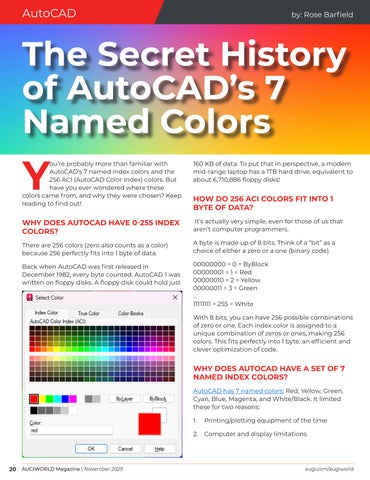
The Secret History of AutoCAD’s 7 Named Colors ou’re probably more than familiar with AutoCAD’s 7 named index colors and the 256 ACI (AutoCAD Color Index) colors. But have you ever wondered where these colors came from, and why they were chosen? Keep reading to find out!
Y
160 KB of data. To put that in perspective, a modern mid-range laptop has a 1TB hard drive, equivalent to about 6,710,886 floppy disks!
WHY DOES AUTOCAD HAVE 0-255 INDEX COLORS?
It’s actually very simple, even for those of us that aren’t computer programmers.
There are 256 colors (zero also counts as a color) because 256 perfectly fits into 1 byte of data.
A byte is made up of 8 bits. Think of a “bit” as a choice of either a zero or a one (binary code).
Back when AutoCAD was first released in December 1982, every byte counted. AutoCAD 1 was written on floppy disks. A floppy disk could hold just
00000000 = 0 = ByBlock 00000001 = 1 = Red 00000010 = 2 = Yellow 00000011 = 3 = Green … 11111111 = 255 = White
HOW DO 256 ACI COLORS FIT INTO 1 BYTE OF DATA?
With 8 bits, you can have 256 possible combinations of zero or one. Each index color is assigned to a unique combination of zeros or ones, making 256 colors. This fits perfectly into 1 byte, an efficient and clever optimization of code.
WHY DOES AUTOCAD HAVE A SET OF 7 NAMED INDEX COLORS? AutoCAD has 7 named colors: Red, Yellow, Green, Cyan, Blue, Magenta, and White/Black. It limited these for two reasons:
20 AUGIWORLD Magazine | November 2025
1.
Printing/plotting equipment of the time
2.
Computer and display limitations.
augi.com/augiworld