While aRTISaN SPIRIT makes every effort to ensure accuracy in our content, the information is deemed reliable but not guaranteed. We urge our readers to consult with professional service providers to meet their unique needs.
At aRTISaN SPIRIT, we take the opportunity to enjoy many different craft spirits and adult beverages. However, it’s also our responsibility, and yours, to always drink responsibly. Know your limit, and never drink and drive.
aRTISaN SPIRIT’s number one goal is to share and celebrate the art and science of artisan craft distilling. But please remember to follow all the laws, regulations, and safety procedures. Be safe, be legal, and we can all be proud of the industry we love.
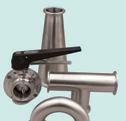
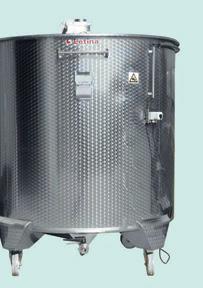
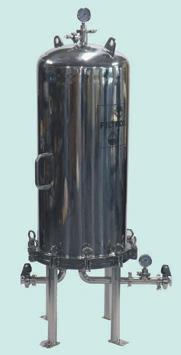
Your Process Experts in Beer, Wine & Spirits
THaNK YOU TO all OUR SPONSORS.
Our mission at Artisan Spirit Magazine is to share and celebrate the art and science of artisan craft distilling. We are humbled by the support of our sponsors. With their help, we can further our common goals of supporting creativity, innovation, and integrity within the industry we all love so much.
The American Spirits Exchange is a national importer and distributor serving the alcoholic beverage industry (spirits, wine, and beer). We provide domestic and international companies with access and support to the U.S. market. Regardless of your size — from micro, craft distiller to publicly traded multinational — our focus fuels your growth. Our flagship Foundations™ program provides companies with access to the U.S. market. We handle your business-to-business functions from start to finish: permitting, brand approvals, purchase order processing, invoicing, and compliance.
Every element of Cage and Sons equipment is designed and crafted to provide you with the very best distilling experience at an affordable rate because we know that bottom line matters, but so does function. At Cage and Sons, adequate is never an option, and we continue to develop and design new high functioning, cutting-edge distillation systems that enhance the distillation industry. Cage and Sons works every day to bring you the very best distillation systems for the very best value.
For nearly 50 years, CF Napa Brand Design has set the standard for alcohol beverage branding.
Led by Owner & Creative Principal David Schuemann for the past 22 years, we focus on translating brand ethos visually, never using a one size fits all approach for projects. The result is a bespoke solution rooted in strategy and, most importantly, a design that sells.
CF Napa’s expertise lies in the intricacies of our process — from project conception to conclusion, our team brings a strategic yet thoughtful eye to every detail. We understand the market and target audiences on a global stage. We balance listening with leading to execute a design that the client loves, and the consumer buys again and again.
The Distilled Spirits Council of the United States (DISCUS) is the leading voice and advocate for distilled spirits in the United States. Representing producers and marketers of distilled spirits, DISCUS advocates on legislative, regulatory, and public affairs issues impacting the distilled spirits sector at the local, state, federal, and international levels; promotes the distilled spirits sector, raising awareness and opening markets in the United States and around the globe; and encourages responsible and moderate consumption of distilled spirits as part of a healthy adult lifestyle based on evidence-based research and policy. DISCUS also powers Spirits United, a grassroots platform for the distilled spirits industry. Spirits United is comprised of a community of advocates united with a common goal: to ensure adult consumers can enjoy distilled spirits where they want, how they want, and when they want. Learn more at distilledspirits.org and spiritsunited.org.
Haskell is a diversified Architecture, Engineering, and Construction (AEC) firm with the resources to serve our clients across more than a dozen unique markets. Our worldwide team offers an unmatched depth of expertise, leveraging 2,600 subject matter experts across more than 20 design disciplines. With a dedicated beer, wine, and spirits team, Haskell provides integrated solutions for clients, specializing in sustainable facility design and complex manufacturing systems. Our team brings years of industry experience to breweries, wineries, and distilleries of all sizes. Whether it’s a turn-key can line, engineering expertise for a winery, or the design of a distillery, our team will work alongside you to determine the right solution.
Learn more at www.Haskell.com.
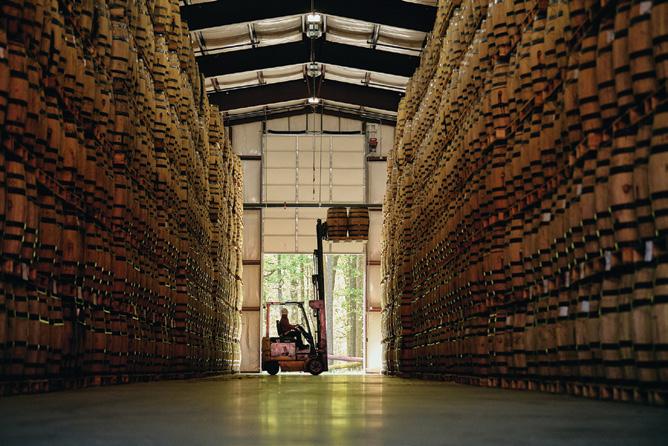
We’ve been in this industry for over 100 years, during which time we’ve learned a thing or two about what makes a great barrel to age great spirits. Our R&D team and account managers have hundreds of barrels currently in experimentation. Partnering with distillers, we think outside the box to develop new products that push your vision forward.
Our Mission: To craft world-class oak barrels and other cooperage products so our employees, customers, and communities flourish.
With an impressive legacy spanning over 30 years in the printing and label domain, Jack Vogel stands as a respected authority in the Spirits industry. For the past 23 years, he has been a steadfast and trusted advisor, contributing significantly to the evolution of label standards and practices. Jack's journey includes leadership roles at top label printers within the Spirits sector. Having transitioned into an independent consultant, he continues to channel his wealth of knowledge towards empowering brands to achieve excellence. As an original founding sponsor and advisor to organizations such as ADI (American Distilling Institute), ACSA (American Craft Spirits Association), and Artisan Spirit, Jack has played a pivotal role in shaping industry standards. At the core of Jack's professional philosophy is the belief in industry education as a catalyst for stability and growth. By imparting knowledge and insights, he contributes to the overall advancement of the Spirits label landscape.
Lallemand Biofuels & Distilled Spirits is the industry leader in supplying fermentation products and valueadded services to the distilled spirits industry. We specialize in the research, development, production, and marketing of yeast and yeast nutrients as well as a solid belief in education of the distilled spirits industry.
A vital part of the alcohol production process, fermentation products from Lallemand Biofuels & Distilled Spirits have been designed and selected to create value by tailoring objective solutions to distillery needs.
Moonshine University is located in Louisville, Kentucky on the Beverage Campus with its sister company, Flavorman. Moonshine University offers a variety of classes for enthusiasts, entrepreneurs, industry professionals, and those seeking careers in the distilling industry. Our distillery was designed as part of our classroom, and all classes incorporate hands-on learning and sensory evaluation in order to provide a complete and comprehensive education. In addition to its knowledgeable instructors, Moonshine University hosts a range of renowned industry experts for specialized instruction and training.
For more than 40 years, Phoenix Packaging has worked to realize each client’s unique vision to best represent their story through their unique branding imagery. We provide our clients with options from around the world in a variety of materials such as glass, ceramic, plastics, paper, aluminum, and more. We help to coordinate everything from bottle design, manufacturing, decoration, and logistics. Our goal is to produce your packaging vision to help you achieve success.
Responsibility.org is a national not-for-profit that aims to eliminate drunk driving and work with others to end all impaired driving, eliminate underage drinking, and empower adults to make a lifetime of responsible alcohol choices. Responsibility.org is funded by the following distillers: Bacardi USA, Inc.; Brown-Forman; Campari Group; Constellation Brands; DIAGEO; Edrington, Hotaling & Co.; Mast-Jägermeister US, Inc.; Moët Hennessy USA; Ole Smoky, LLC; Pernod Ricard USA; Suntory Global Spirits; and William Grant & Sons. For more than 33 years, Responsibility.org has transformed countless lives through programs that bring individuals, families, and communities together to inspire a lifetime of responsible alcohol choices. To learn more, please visit www.Responsibility.org.
Since 2013, Statesville Contract Distilling has been producing award-winning, quality spirits at scale and doing it sustainably. Combining the artistry of distilling with cutting-edge technology and unparalleled customer service, we offer a diverse range of standard and custom new fill whiskeys, extensive aged barrel inventory, warehouse barrel storage, private label production, and co-packing for more than 150 brands globally. Partner with us to create spirits you can't get anywhere else, that you'll be proud to call your own. To learn more about our proven track record, visit statesvillecontractdistilling.com or call us at (704) 798-3447.
Stave & Thief Society was founded in 2014, and is the first bourbon certification program recognized by the bourbon industry and the only to be recognized by the Kentucky Distillers Association as its “Official Bourbon Education Course.” The programs were developed by professional distilling and spirits educators and advised by a panel of experts in the bourbon and hospitality industries to provide a premium, standardized bourbon education that is accessible and holds real value.
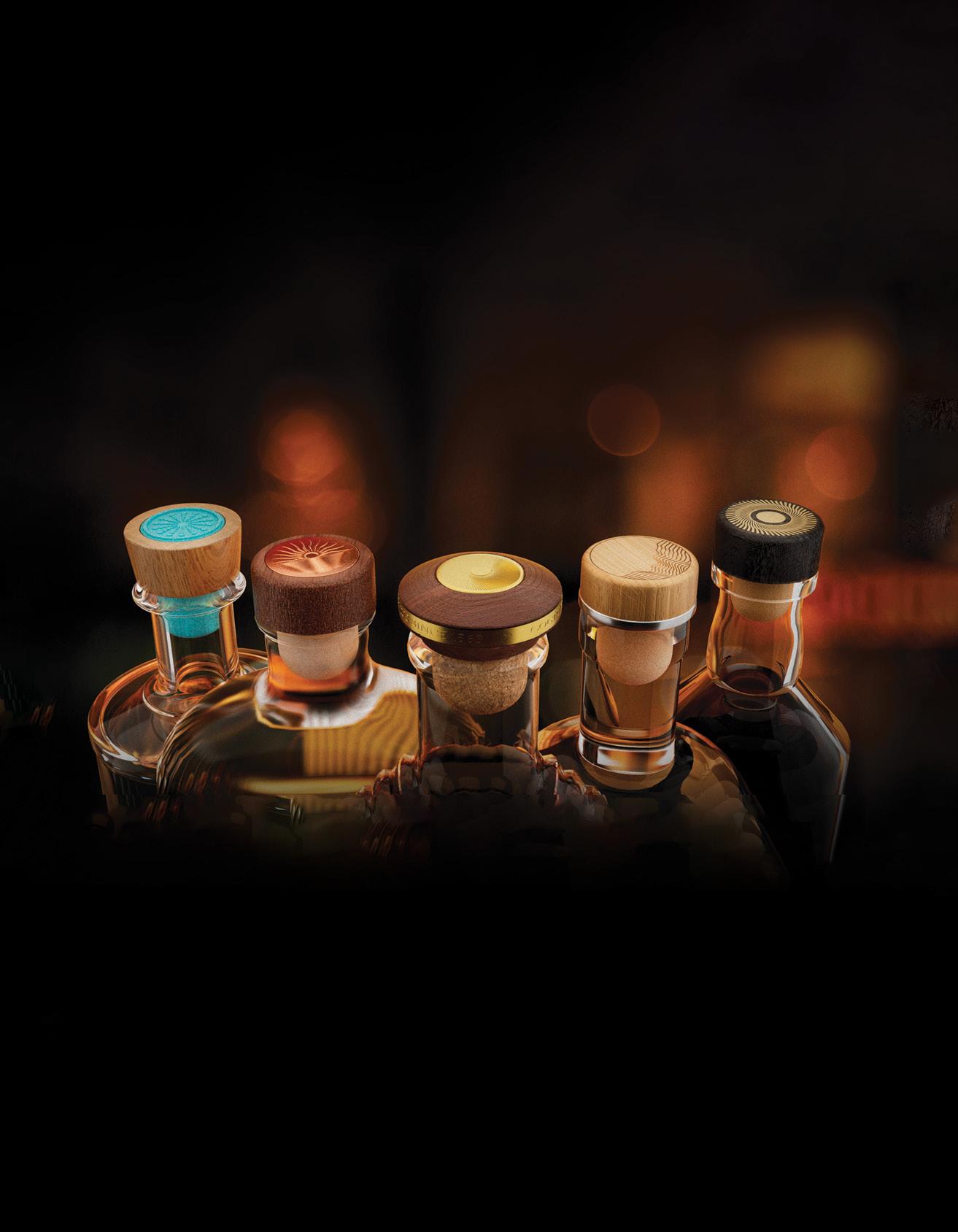
For over 60 years Tapi USA has produced cork stoppers and a wide variety of bottle closures. Family-owned and operated since its inception, our company continues to develop new products and enter new markets. Tapi USA is proud to support the growth of the artisan distillery industry and is honored to be the Bottle Closure Sponsor for Artisan Spirit Magazine.
Total Wine & More is the country’s largest independent retailer of fine wine, beer, and spirits. Our strength is our people. We have over 5,000 associates, who must demonstrate comprehensive beverage knowledge before they are invited to join our team. After coming on board, all of our team members undergo an extensive initial training program. We believe that an educated consumer is our best customer. We want to demystify the buying experience for our customers so they will feel confident in choosing the bottle that is perfect for them. Total Wine & More works closely with community and business leaders in each market it operates to support local causes and charitable efforts.
BENEFaCTOR SPONSORS
Led by Director of George Dickel & Luxury American Whiskey, Nicole Austin, the team at Cascade Hollow Distilling Co. continues the tradition of producing award-winning whisky at our historic distillery with high standards of authenticity and craftsmanship. George Dickel is behind some of the most beloved whisky of our time including Dickel Bourbon, George Dickel x Leopold Bros Collaboration Rye, award-winning Bottled in Bonds, the Cascade Moon series, and a variety of luxury variants like the rare, premium offering — Dickel Bourbon Aged 18 Years. Learn more about the incredible history and creativity that lives at Cascade Hollow at GeorgeDickel.com.
a lETTER FROM THE EDITOR:
In the last issue of Artisan Spirit Magazine I wrote that chaos is a ladder, and that if we can hold on through the struggle, we’ll find opportunities to climb. I’m still a silly optimist, but I’ll admit — it’s hard to keep that tone when the ladder keeps falling on everyone’s head.
The past few months have been brutal. I’ve watched close friends drastically scale back, and others close their distillery doors for good. Some of these operations have been around for more than a decade, starting right around the same time we launched ASM. Seeing them go under is a gut punch, and a stark reminder that the distilling industry is in a rough spot, and will be for a while longer.
And yes, it’s fair to ask: How is ASM holding up? I’m thankful to say we’re okay. Like you, things are tighter than they were a few years ago. Cash flow is leaner, costs are higher, and the ground keeps shifting under our feet. But we’re still here. We’re independent, debt-free, and incredibly lucky to have a community of readers, advertisers, and sponsors who continue to support us and the industry as a whole. (Seriously, the vendors and suppliers in this business go above and beyond every single day.)
We’ve also learned not to be afraid to ask for help when we need it. Individuals and businesses have stepped up as sponsors and benefactors to keep ASM, the Society of Spirit, the Journal of Distilling Science, and the Still Talking podcast alive. For that, I am endlessly grateful. As long as there are distillers, operators, producers, and passionate nerds like you, we’ll keep doing the work.
I don’t have a rousing William Wallace speech for you yet. It’s not that moment. We still have to take a few more punches and watch a few more friends fall before we rally. But that moment will come. And when it does, I hope to see you all standing right there beside us, ready to climb whatever ladder’s left.
Cheers,
Brian Christensen
(509) 944-5919 /// brian@artisanspiritmag.com /// PO Box 31494, Spokane, WA 99223
PROVIDING PACKAGING COMPONENTS SINCE 1980 Roots in the packaging industry stretching back nearly 100 years
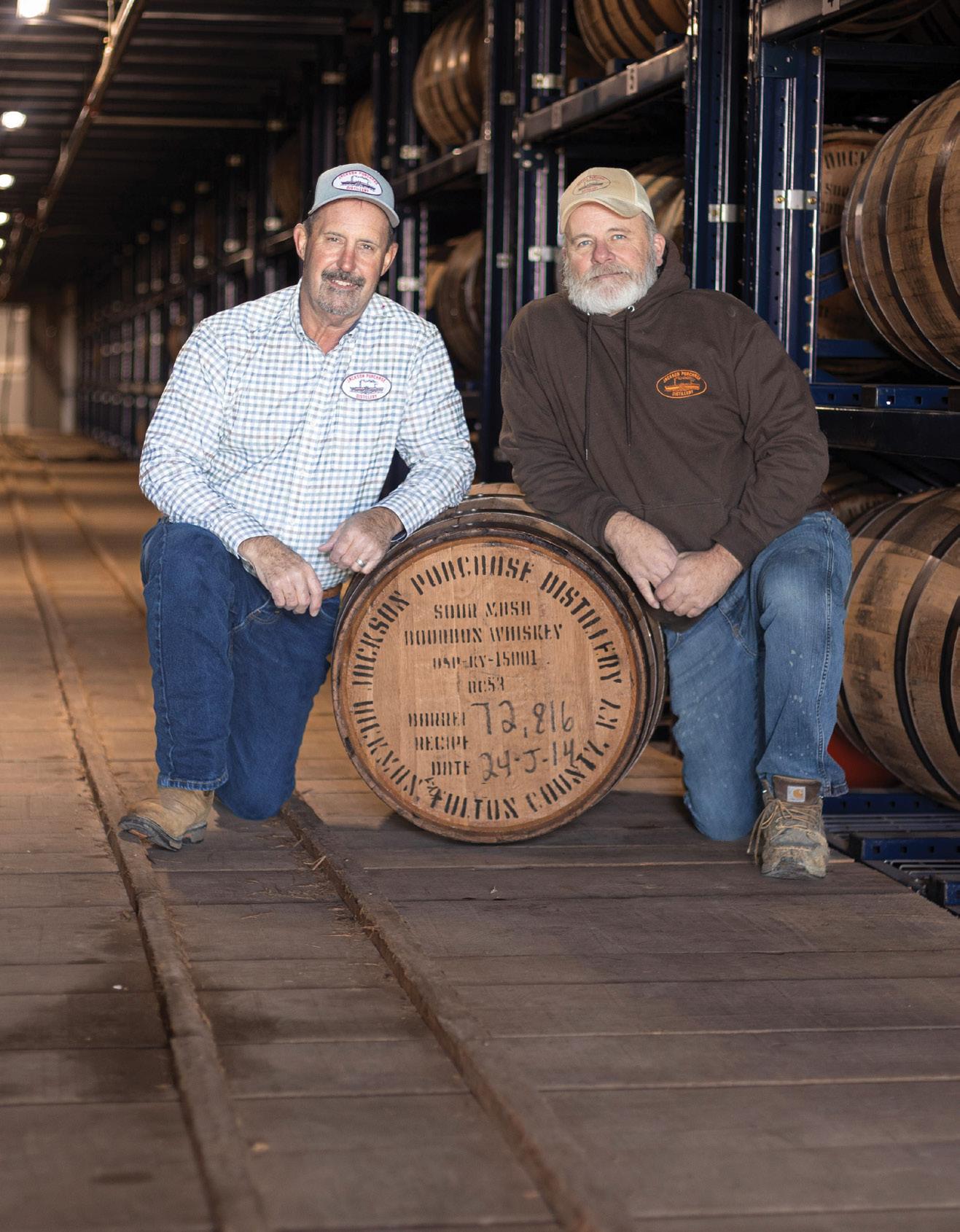
“Here at Jackson Purchase Distillery, we partner with Malteurop because most importantly the quality and consistency. Their ability to always offer the best product and deliver 24/7 without hesitation is what allows JPD to offer the best bourbon to our customers.”
–Craig Beam, Master Distiller
“Malteurop is a staple in the making of great alcohol for years! Tradition, quality, and dependability are the key elements Malteurop has stood on so they are a must for Jackson Purchase Distillery. They do it and do it well!”
–Terry Ballard, Assistant Master Distiller
For generations, Malteurop Malting Co has partnered with distillers to shape the whiskey enjoyed today. Our legacy is built on a deep passion for malting and a commitment to unmatched quality.
learn more about our Distilling Malts
QUaRTERlY REPORTS
QUARTERLY GUIlD & INDUSTRY REPORTS
This season’s Guild Update highlights the momentum and collaboration happening across the country’s craft distilling community: from Florida’s newly forged partnership with the brewers to advanced industry education, to Missouri’s strides in legislative recognition with the new Missouri Straight Bourbon Whiskey classification. Guilds are also building stronger connections and fighting for fairer regulations. New York’s digital distillery trails and experiential promotions are driving consumer engagement, while Oklahoma and South Carolina distillers continue advocating for balanced industry standards and long-term sustainability. Together, these updates showcase the perseverance and creative spirit that fuel our industry
Brian Christensen Editor, Artisan
AMERICAN DISTILLING INSTITUTE
I hope I got the chance to connect with many of you at ADI’s 22nd annual Craft Spirits Conference and Expo in San Antonio this summer. The opportunity to network with distillers, learn something new, and see old and new friends in person is always a highlight of my year. If you weren’t able to make it, I hope to see you there next year — visit our website, distilling.com, to sign up for our weekly newsletter, The Heartbeat, to stay in the loop.
ADI’s next big event is hosting Nancy Fraley’s ever-popular Blending, Maturation and Warehousing workshop
Denison, Texas, once again in December 2025. This workshop is an unparalleled opportunity to gain practical, hands-on experience with some of the most challenging aspects of spirits production under the guidance of one of the industry’s leading experts. This workshop always sells out, so don’t delay your registration. We also have a packed roster of engaging webinars all year long on topics ranging from dealing with distributors and marketing in tough times to technical deep dives on three-chamber stills and fermentation techniques.
at Ironroot Republic Distillery in
We’re also pleased to share that submissions for the ADI International Spirits Competition are now open. Since 2007, ADI has upheld the highest standards in the industry by giving our judges the freedom to only award the very best and being the first competition to provide written feedback for every entry. We accept entries in all classes and
categories of distilled spirits, RTDs, cocktail bitters, no/low spirits, mixers, aperitifs, and fortified wines. In addition to written feedback from our judges and free entry into our Excellence in Packaging Awards, competition winners receive a number of additional benefits including placement opportunities with distribution and retail partners and
DISTILLED SPIRITS COUNCIL OF THE UNITED STATES
2025 Export Promotions Support U.S. Distillers in Navigating Challenging Trade Environments
The Distilled Spirits Council of the United States has been awarded $1,032,601 by the U.S. Department of Agriculture’s (USDA) Market Access Program (MAP) to promote American spirits in international markets in 2025 through its 2025 Export Promotion Plan. DISCUS’ MAP initiatives aim to enhance export opportunities for U.S. distillers and promote American spirits, with an emphasis on American whiskeys, in key international markets. In addition to the $1.03 million grant, DISCUS received $1.25 million in Regional Agricultural Promotion Program (RAPP) funding from USDA to be used over a five-year time period. We plan to use these funds to host programs in South America, India, and Singapore. If you are interested in learning more about DISCUS’ MAP initiatives, please contact our manager of export promotions Joel Matticks at joel.matticks@distilledspirits.org.
DISCUS Releases New Visitor Safety and Site Security Best Practices Guide
The new Visitor Safety & Site Security Best Practices Guide developed by DISCUS member company experts is now available to all industry members. Distillery tours and tasting rooms have become an incredibly important part of the visitor experience. This resource can be used for distilleries, large and small, to help reduce the likelihood of visitor-related incidents and protect the health and safety of
their guests and employees. The guide covers how to begin welcoming guests, establish a security framework, assess risks and vulnerabilities, identify appropriate security measures, and respond to visitor incidents. For more information and to request a printed copy, visit the DISCUS Publications and Resources page or email membership@distilledspirits.org.
Help Us Promote All Your Distillery Has to Offer on Destination Distillery Fall is the perfect time for travelers to explore scenic views, crisp weather, and rich, handcrafted spirits. Make sure your distillery is on their map! DISCUS’ DestinationDistillery.com is a free marketing tool for all distilleries. By adding your distillery, you’ll attract curious visitors eager to sip, tour, and experience your craft distillery during the busy fall travel season.
We Don’t Serve Teens Back-to-School Campaign
As we at Responsibility.org say, “Informed kids make better decisions,” and we are seeing these decisions in action. More youth than ever are choosing to stay alcohol-free, with 67 percent reporting to have never tried alcohol in their lifetime.
As we get ready to send children back to school — and maybe they are already back
importers. Remember, ADI members get discounts on submissions. Visit our website, www.distilling.com, for all the details.
Wishing you a fun, busy, and prosperous OND,
Erik Owens President, American Distilling Institute
— we as parents prep our kids, tweens, teens, and college-aged youth for success. With a new school year comes new opportunities for making new friends, new memories, and new decisions. Conversations for success start at home. Parents, we are our kids’ first teachers, and this responsibility extends into elementary, middle, high school, college, and beyond. Talking to children from a young age about alcohol and discussing ways to say “NO” to peer pressure to drink underage empowers good decision-making that lasts a lifetime. Parents, however, are not the only line of defense. Educators, communities, and people throughout the alcohol industry should all take steps to keep alcohol out of the hands of anyone below the legal drinking age. I encourage you to become an active participant in the We Don’t Serve Teens campaign, which unites us all in the commitment to never serve, supply, or sell alcohol to teens. Nothing justifies it, and we must do all we can to enforce the laws to keep kids and teens safe. Visit www.wedontserveteens.org and consider becoming a partner. Responsibility starts with each of us, and together, we will see more progress towards eliminating underage drinking.
SAVE THE DATE:
DISCUS Annual Conference March 2026
The 2026 DISCUS Annual Conference is heading back to the Omni Louisville Hotel, Kentucky, from March 3-5, 2026, and we would love to see you there. For more information, contact events@distilledspirits.org.
Chris R. Swonger President & CEO, Distilled Spirits Council of the United States
Read the 2025 Export Promotion Plan
Read the Visitor Safety & Site
Join the We Don’t Serve Teens campaign
Join Destination Distillery
JAMES B. BEAM INSTITUTE FOR KENTUCKY SPIRITS
Expanded Workforce Education Offerings
It's been an exciting time for workforce education programming at the Beam Institute! Our third cohort of apprentices is our biggest group yet, and they are only a few months from completing the training. We're excited to begin with our next class of trainees in the Whiskey Specialist Registered Apprenticeship Program.
The past year has seen a lot of growth for our workforce programs, including hiring a new Educator Coordinator, Dr. Kevin Baldridge, who has previously served as the instructor for the engineering section of the Whiskey Specialist Program. We launched our Bourbon Professionals Training Workshop with the team from Heaven Hill Springs Distillery last fall. We also hosted the hospitality team from the Jim Beam American Outpost for a Short Course, a one-day format for a concise program that included a crash course in the science and engineering of bourbon manufacturing and a lunch-andlearn session focused on storytelling as a powerful tool for hospitality.
We're looking forward to exciting new avenues for helping the spirits workforce grow stronger with plans to expand our offerings in the coming year, as well as collaborations with industry stakeholders to develop a framework for unifying workforce education efforts across the country. Keep an eye on our website for updates, and don't hesitate to email Kevin (k.b@uky.edu) if you want to connect about workforce education.
The Latest from Our Research Team
> Li, Y.; Bettenhausen, H., Tailoring Malt for Brewing and Distilling: Characteristics and Uses of Brewer's Malt, High-Diastatic Power Distiller's Malt, and Pot Still Malt. Master Brewers Association of the Americas, Technical Quarterly, 2025.
The growing diversity of malt products enables a skillful brewer and distiller to fine-tune the characteristics of both the production process and the
final product. Beam Institute researcher Dr. Harmonie Bettenhausen collaboratively describes the opportunities presented by modern malt varieties for innovative alcoholic beverages.
> Sarhan, R.; Berron, B. J.; Crofcheck, C.; Joyce-Welsko, G.; Barzee, T. J., Comparison of Laboratory-Scale Bourbon Whiskey Mashing and Fermentation to Pilot-Scale. Journal of the Institute of Brewing, 2025, 13 (2).
Consistent, representative mash is essential for lab scale fermentation research. Researchers from the Beam Institute developed several lab scale protocols for bourbon fermentation research. Then they compared the mashing and fermentation characteristics to the Beam Institute’s 450-gallon cooker and fermenters. These findings enable researchers to study the fermentation of American whiskey without direct access to bourbon mash.
> Roy, K. R.; Byrd, Z.; Sama, M. P.; Barzee, T. J., Valorization of bourbon stillage through production of tunable pure mycelium materials. Fungal Biology and Biotechnology, 2025, 12 (1), 1-11.
Beam Institute researchers are aggressively pursuing beneficial reuse opportunities for distillery coproduct, including stillage and spent grains. This study explores the stillage as a substrate for the growth of fungi into novel leather-like materials.
> Ristola, K. J.; Messer, T.; Crofcheck, C.; Barzee, T. J.; Sanderson, W., Wetland Treatment Systems for Municipal Wastewater at a Bourbon Distillery and Potential Value of Incorporating Stillage for Water Treatment Enhancement. Journal of Natural Resources and Agricultural Ecosystems, 2025, 3 (2), 89-99.
Distilleries produce a diverse range of wastewater streams. This study evaluates the use of wetlands tailored for the remediation of different distillery effluent streams, and specifically looks at the implications of including stillage as a portion of this wastewater stream.
Brad J. Berron James B. Beam Institute for Kentucky Spirits, Chemical and Materials Engineering, University of Kentucky, Lexington, Kentucky
2025 Spring Education Abroad Program: Japanese Whisky, Whisky Culture, and the Art of Distilling
In May, students from the University of Kentucky participated in a two-week education abroad program in Japan titled Japanese Whisky, Whisky Culture, and the Art of Distilling. Led by Drs. Harmonie Bettenhausen, Doug Slaymaker, and Akiko Takenaka, the interdisciplinary course combined fermentation science, cultural history, and immersive field experiences to explore Japan’s unique approach to spirits and traditional foodways.
The group visited major production sites including Kirin Brewery in Yokohama, Kirin Fuji Gotemba Distillery at the base of Mt. Fuji, and both of Suntory’s flagship distilleries — Hakushu and Yamazaki — as well as Suntory’s Tokyo headquarters. These visits offered students firsthand insight into Japanese whisky production, innovation in brewing, and the broader business infrastructure behind global spirits brands. The itinerary also included a stop at Seven Cedars Winery and a tour of Matsumoto Craft Soy Sauce in the Saitama region, highlighting the diversity of Japan’s fermentation landscape beyond distilled spirits.
Cultural immersion played a central role in the program. Students participated in a formal tea ceremony, visited iconic sites such as Fushimi Inari, explored historic neighborhoods, and completed a hands-on koji-making workshop in Kyoto. These experiences deepened their understanding of the cultural, historical, and sensory contexts that shape fermentation and distillation practices in Japan.
The program provided a rare opportunity for students to connect scientific learning with lived experience — tasting, observing, and engaging directly with the people and processes behind Japan’s world-renowned fermented and distilled products.
Carter Akers, undergraduate researcher at the James B. Beam Institute, said about the trip, “We were fortunate to get such an exclusive inside look into the world of Japanese spirits. Seeing the differences in philosophy behind spirit production gave me new appreciation and understanding of my own culture in Kentucky bourbon.”
Harmonie Bettenhausen
James B. Beam Institute for Kentucky Spirits, University of Kentucky, Lexington, Kentucky
2025 Summer Education Abroad Program: Interdisciplinary Experience in Scotland’s Signature Industry
In June, 15 University of Kentucky (UK) students participated in the “Interdisciplinary Experience in Scotland’s Signature Industry” program. The three-week program taught students about Scotch whisky, its brand and production standards, and the students visited several distilleries and supplier sites. Because of the interdisciplinary nature of the University of Kentucky’s Distillation, Wine and Brewing Studies certificate, students were assigned into teams to develop real-world solutions with local partners in Scotland.
The team at The James Hutton Institute is working to develop a marketing strategy for the institute to engage the community and industry interested in barley research and their work to develop more climate resistant, flavorful, high-quality barley. The team sponsor at the institute’s International Barley Hub is Dan Langford, and students participating
in this are:
> Alexandra Smith, Finance, DWBS Certificate
> Mia Gonzales, Marketing, Honors
> Lauren Rawlins, Marketing, DWBS Certificate
> Abigail Krooner, Chemical Engineering, DWBS Certificate
The team at Heriot-Watt University is working on “Mapping the Future of Sustainable Scotch Whisky through Systems Thinking,” a proposal advised by Dr. Nathan Skillen and Dr. Dawn Maskell at the university’s International Centre for Brewing and Distilling. Students are tasked with taking a holistic view of any transition to net zero to gain a more cohesive understanding of where strengths, weaknesses, opportunities, and threats exist. This project will address that point by taking a “systems thinking” approach to map what the future of sustainable Scotch whisky could look like. Students participating in this work are:
Team SWA at the Scotch Whisky Association is taking a look at shifting attitudes toward alcohol among those who are just now reaching drinking age. While this is typically associated with the shift in consumer behavior, this is also becoming apparent in recruiting talent. The team is advised by Kirsty Summers at the Scotch Whisky Association and consists of:
> Jett Stewart, Marketing, DWBS Certificate
> Polly Jett, Human Nutrition/Pre-Med
JOURNAL OF DISTILLING SCIENCE
Publishing relevant papers for distillers has slowed. As the industry experiences a slight decline, there is a growing need for solid information and a quality control mindset to
help distillers become the best spirits producers possible. That was the basis for creating the Journal of Distilling Science (JDS), dedicated to a single field. While it took off
> Josie York, Political Science
> Ruby Gonzales, Nursing
Team SWRI at The Scotch Whisky Research Institute tasked students with a life cycle analysis of bourbon casks. The team will research the “conversion rate” of ex-bourbon casks into Scotch casks and help SWRI consider better disposal routes for casks that do not meet the Scotch standards before they are shipped. The team’s members are:
> Duncan Gregory, Chemical Engineering, DWBS Certificate
> Jacob Morgan, DWBS Certificate
> Joe Stachnik, Biomedical Engineering, DWBS Certificate
Besides visiting and working with our partners, as well as touring distilleries such as Glenkinchie, Port of Leith, and Holyrood Distillery, the group also got a behind-thescenes look at Baird’s Malt and learned about hospitality at Johnnie Walker Princes Street and Scotch Whisky Experience. The group also met with Young Spirits, an innovator in blending and contract bottling, and participated in cultural activities. The program, led by Beam Institute and Honors College staff members, also supported students’ professional development and teamwork skills through classes taught before and during the program.
Our Distillation, Wine, and Brewing Studies Certificate students were generously supported by the Kentucky Distillers’ Association’s Lifting Spirits Foundation, and the James B. Beam Institute for Kentucky Spirits and the Lewis Honors College at the University supported the programs with staff and resources.
slowly during the COVID-19 pandemic, it has remained a steady work in progress and, like other journals, has experienced its own ups and downs. At the time, it was to be associated with the newly emerging Society of Distilling Scientists and Technologists. Now
Ilka Balk
James B. Beam Institute for Kentucky Spirits, University of Kentucky, Lexington, Kentucky
it is the new Society of Spirit (SOS) that is linked to the journal. We have a growing body of members dedicated to promoting the best within the industry and assisting each other to attain that goal.
The world of scientific publishing has been fraught with controversy in recent years. Some lead editors have resigned from mainstream journals because they lost confidence in their committees and rejected the publishing houses’ big-business, profit-driven ideologies. Moreover, many journals today suffer from poor peer-review integrity, if any at all. This is made worse by the “publish or perish” mentality, which has grown out of proportion. Even with open-access journals, some publishers demand large payments from authors to publish their work. That approach used to have to be labeled “as (an) advertisement” in some key U.S. journals.
When I published my own work, colleagues in the industry noted that for some biochemical journals, only 10 percent to 15 percent of submitted manuscripts conveyed significant new findings or insights. That was in the 1980s! One wonders if that is even less these days. With AI now taking a more dominant role in searching the burgeoning/ voluminous literature, it is easy to draft papers without one’s own thought going into the process. Sadly, we are seeing this happen more frequently, including withdrawals of published material when it turns out cited articles do not exist. Even without any apparent involvement of AI, this journal’s resolute and esteemed (and unpaid) reviewers have
rejected several “original content” papers based on poorer than expected entries. If you persist with a “publish or perish” mentality, please publish elsewhere.
The JDS is for publishing high-quality original material. We also seek reviews; however, a review without critical input, insight and commentary from author(s) is simply a base summation of the literature and studies involved in that topic’s discovery. It becomes a simple citation list only. It needs more, much more. Original works need to be clear, succinct, and relevant to distillers. A few submitted — and later rejected — manuscripts were strong in parts but rambling elsewhere or tried to tie too much together.
A key concern for the distilling industry is the clear lack of quality control methodology manuals for distillers. Brewers and winemakers have volumes of information to assist them in producing quality beverages. The Society of Spirit and several other bodies are getting set to introduce a program of quality control oversight and a need for solid, vetted methods of analysis could well form a critical part of publishing within the JDS. Fully peer reviewed of course. If you can thrive without the “publish or perish” imperative and wish to contribute valuable work that better serves distillers — your most relevant audience — then please publish with us. Papers are now published online on an “as accepted and revised as necessary” basis and may also appear in print, either as individual articles or in special topic editions. Advertorial articles are not permitted. It is free to publish your original
works and reviews here. The journal is sponsored in part by usually three companies at a time. No advertisements are allowed, though a simple call-out of thanks is made to them for supporting our industry and publication.
When first appointed as “Chief Editor,” I chose to drop the “chief” moniker and go with “Lead Editor” instead — grounding us in service to our community, not elevating ourselves above others. Our team of reviewers is far more worthy of reviewing many of your manuscripts than I. So, I hereby thank all the current and former review body members for their input and reviews to date. If you would like to join the board, please let us know. If you would like to author a paper or a coherent review, please reach out to us, or help us build the methods manual section — join in.
Finally, I would like to encourage reviewers to step up and assume the role of joint editors and to take over any lead role when called for. We have already brought on Dr. Harmonie Bettenhausen as a joint editor and hope she will continue in that role. With volunteer reviewers and editors, the idea is to avoid bias so we can truly review and vet all manuscripts, and allow only the best in educational and relevant content for our distilling audience. If that means only 10-15 percent is publishable, then so be it.
Respectfully,
Gary Spedding Lead Editor, Journal of Distilling Science
aMERICaN STaTE GUIlDS
FLORIDA
FLORIDA CRAFT SPIRITS ASSOCIATION
This year marks the first year of a new coalition between the Florida Craft Spirits Association (FCSA) and the Florida Brewers Guild (FBG) to promote continuing
education for professionals in the alcohol beverage industry. FBG has invited FCSA to participate in their annual conference and trade show July 28–30 in Tampa, which we are very excited to do.
The two groups have worked closely
together the last few years to try and get state regulations loosened and more in line with other states. Our collective goal is to continue elevating the people who work in the industry through education and community-building.
Allison Gorrell
MISSOURI
MISSOURI CRAFT DISTILLERS GUILD
The Missouri Craft Distillers Guild, founded by five distilleries in 2018, is 30-plus members strong seven years later. In the past year, the guild launched an app for our Missouri Spirits Expedition, a digital trail with various features highlighting all distillery members and their unique places, products, and purpose. Growing followers and engaging ongoing and tourist customers continues to be a focus. Within the state legislature we continue to work on excise tax parity, direct-to-consumer shipping, and franchise laws that often hinder our members. There is one bright spot in Missouri legislation that we are pleased to announce: Missouri Straight Bourbon Whiskey classification has been passed. To
NEW YORK
NEW YORK STATE DISTILLERS GUILD
This summer’s travel season saw the New York State Distillers Guild help our members connect with consumers by promoting our new NY Distillery Trails App, available in app stores and at NYDistilled.com.
The guild has spearheaded a promotional campaign on the trails app featuring an experiential event with visits to five New York City distilleries for business, food and drink, and hospitality writers. The effort led to coverage in several publications, including Forbes. The event featured remarks from senior officials at the New York State Liquor Authority, which notably has an economic development mandate alongside its regulatory responsibilities. The app recommends regional “Trails”
MISSOURI CRAFT DISTILLERS GUILD OFFICERS
The current board of directors responsible for promoting and advocating for Missouri’s growing craft distilling industry are:
PRESIDENT & MEMBERSHIP/ EDUCATION COMMITTEE CHAIR
Alex Lindsey West Bottoms Whiskey Co., Kansas City
VICE PRESIDENT & LEGISLATIVE COMMITTEE CHAIR
Greg Pope, Missouri Ridge Distillery, Branson
meet the Missouri law designation, the whiskey must meet all federal standards for bourbon but must also be mashed, fermented, distilled, aged, and bottled in Missouri, using Missouri corn grown in-state and aged in oak barrels manufactured in Missouri. The
TREASURER & FINANCE COMMITTEE CHAIR
Michael Stuckey, Lifted Spirits, Kansas City
SECRETARY
Russ Broker, Blacksmith Distillery, Lohman
MARKETING COMMITTEE CHAIR
Brandon Eckardt, Naked Spirits, Brentwood
MEMBER AT LARGE
Gary Hindegardner Woodhat Spirits, New Florence
array of spirits and whiskeys produced within Missouri continues to be diverse but also growing in national recognition.
OKLAHOMA DISTILLERS GUILD
The Oklahoma Distillers Guild continues to chart a course for recognition, creation of quality standards and sustainability. We meet quarterly to provide updates and offer
and has a custom trip-planning feature. Consumers can also search for distilleries by product category. Consumers can earn prizes as they collect visits by way of check-ins on the app. We have gained great insights from our counterpart craft beverage organizations in New York about things to do and to avoid in this type of program.
The guild is also coordinating member participation in consumer tasting and sales events like the Hoochenanny Whiskey & Music Festival in Rochester, the Erie Canal Bicentennial celebration featuring a voyage of the Buffalo Maritime Center’s replica of the Erie Canal boat Seneca Chief, with popup markets at key points along the journey, and a tasting and sales event at Grand Central Station.
When the guild held its annual meeting
in the state capital, members met with legislative leaders and their own representatives to thank them for the 2024 enactment of direct-to-consumer (DTC) shipping for distilleries and cideries. The guild won passage in both houses of a brand owner bill that will, when signed by the governor, make it easier for our members to contract distill for other New York companies.
The guild benefits from strong support from our regulators and agricultural and economic development officials, and we collaborate when it makes sense with other craft manufacturers in the state. We are also fortunate that our members — though they compete with one another — see that they can do more together to benefit the industry.
Teresa Casey Executive Director, New York State Distillers
support where needed. Our single most significant discussion and topic of concern is seeking a level playing field with similar industries, both politically and financially. We have recently undertaken the process of electing new officers, resulting in the position of treasurer going to Vicki Thorp of Castle
Spirits, secretary to Allyson Jones of Territory Distilling, VP to Tommy “Blue” McDaniel of Hochatown Distilling, and president to David Wood from Woodworks Distilling.
David Wood Founder and Managing Partner, Woodworks Distilling Co.
Alex Lindsey President, Missouri Craft Distillers Guild West Bottoms Whiskey Co.
Guild
SOUTH CAROLINA
SOUTH CAROLINA CRAFT DISTILLERS GUILD
The South Carolina General Assembly adjourned on May 8 without movement on the South Carolina Craft Distillers Guild’s key bill — S.355, which would allow Sunday bottle sales for distilleries. The delay was mainly due to the legislature’s heavy focus on liquor liability and tort reform.
However, a major win came on May 28, when Governor McMaster signed H.3430 into law — a significant reform
measure years in the making. This new law establishes fairer legal standards, reduces liability and insurance burdens, and strengthens the hospitality and tourism industries across the state. The guild worked alongside the Responsible Hospitality Reform Alliance and legislative allies to help make this happen.
With the 2026 session starting Jan. 13, the guild is focused on building support and preparing to continue our efforts in advancing S.355. In the fall, we’ll host distillery tours and meet with stakeholders
and lawmakers to grow awareness and momentum.
As we look to 2026, we’re prepared to advocate for our priorities and support the continued growth and leadership of South Carolina’s craft distillers.
Director,
Trenholm B. Hardison Executive
South Carolina Craft Distillers Guild
1 5 + Y E A R S
X P E R I E N C E
WRITTEN BY DAVID SCHUEMANN
THE CORE 4 SETTING THE FOUNDATION FOR YOUR SPIRITS BRAND
l
aunching a new spirits brand, or repositioning an existing one, is a daunting undertaking, no matter your strategy, business plan, or budget. Establishing these “Core 4” expressions of your brand will provide the marketing cornerstones for your brand’s success. The Core 4 of your spirits brand are:
1 BRAND STORY
Developing or refining your brand story is the first crucial step. Your story will establish your brand’s voice and essence. When done correctly, your story aligns your brand with your customer’s lifestyle and beliefs providing an emotional reward feedback loop that builds customer confidence and brand loyalty. Consumers interact with a brand that reflects their identity, which in turn validates their identity and drives them to continue to seek out the brand. They will seek out their preferred brand above all others and act as an ambassador, encouraging people to experience the brand.
“Customers define themselves through the brands they use. The branded clothes they wear, the cars they drive, the drinks they consume, the university they attended, favorite spots to hang out, and so on. ” 1
Packaging is one of the most integral parts of your brand. In many ways, your packaging will be one of the primary ways you attract customers, by identifying with them through an aesthetic that visually tells your brand’s story and reassures them of the quality of your product. Exceptional packaging has three key benefits:
> ENCOURAGES TRIAL OF YOUR BRAND OVER OTHERS IN THE MARKETPLACE :
According to Nielsen,2 the reason that 65% of customers are tempted to try new products is because of the packaging.
> REINFORCES THE QUALITY OF YOUR PRODUCT WHILE THEY ARE ENJOYING IT :
We are all aware of this phenomenon in food. Restaurants carefully plate their dishes to be visually appealing to create a feast for your eyes before you even pick up a fork. The same is true for packaging and alcohol brands. Consumer testing has proven that consumers prefer the taste — and they judge a product as a more premium offering — when it is poured from a package they identify with and love and will dislike the exact same product when it comes from a package they don’t like.
> ASSISTS RECALL OF YOUR BRAND WHEN THEY ARE READY TO BUY AGAIN :
Many of the visual cues that help your brand stand out on the shelf also help it stand out in the mind of the customer, helping them recall your brand when they are ready to buy again and when they want to recommend your brand to others.
Your packaging is the main expression of your brand and tangibly tied to your product. It is the component of your brand that interacts with the customer at the point of purchase.
While your package needs to stand out on a store shelf, your digital presence should be just as strong. It needs to be a continuation of your packaging and brand story as it will likely be one of the first ways a customer will discover your brand. According to a Provoke Insights3 consumer trends study, 66% of people engage with brands online, with the majority of the interactions happening with the brand’s website. The size and functionality of the site will depend on the needs of your brand and your
4
SOCIAL MEDIA
According to HubSpot,5 social media has become the primary way in which consumers discover new brands or brands that are new to them, with 63% of consumers intrinsically inclined to believe that what is posted on social media is authentic to the brand. It is imperative that you use this channel to continue to foster trust in your customers. Identify the key pillars of your brand story and abstain from posting anything that doesn’t fit within at least one of these pillars, and this will help ensure that your message remains consistent. Social media is also an opportunity to get more personal with your audience — 63% of people value authentic posts vs. overly polished posts. This is the outlet to generate excitement about your brand before you have launched and provide a behind-thescenes look into your brand.
Social media is a powerful sales tool. According to Sprout Social,6 80% of consumers are influenced by social media to make impulsive purchases multiples times per year. This influence can come directly from the brand’s account or from other users creating reviews or posting comments.
budget. If you can’t swing a full website build, develop a single page landing page with a brand statement, your contact information, and a way to collect information from interested consumers to allow you to build an email marketing list. Ideally, you will want to include a way to purchase your product directly through your website. How this is implemented will vary depending on the state from which you are selling your products. According to Statista,4 more than 75% of retail site traffic and about 66% of purchases came from mobile devices. Regardless of the size of your site, streamlining your path to purchase and mobile optimization should be top priorities for your website design.
Brands of all sizes can substantially increase their success rates at launch or when repositioning by focusing on the Core 4 expressions of the brand. Now more than ever, articulating a compelling brand story that connects with your consumer and then delivers on the brand promise through exceptional packaging, website, and social media is not merely an aesthetic exercise, but a commercial necessity.
David Schuemann is the owner and creative director of CF Napa Brand Design. Visit www.cfnapa.com or call (707) 265-1891 for more info.
At Independent Stave Company, we’ve always believed that the best distillers deserve the best partners.
Since 1912, we’ve proudly partnered with the world’s finest distillers united by shared values of quality, consistency, and creativity. We’re committed to what matters most to you, and building strong partnerships is one of our greatest strengths.
Building a Mighty Team
HIRING FOR IMPaCT
Written by Jason Barrett
An efficient, well-chosen team can deliver outsized results — if you get the hiring process right
In small organizations, every new hire can be a game-changer. With limited resources and headcount, it’s crucial to be deliberate about each addition to your team.
Let’s not overlook the cost of getting it wrong. According to the Society for Human Resource Management (SHRM), the average cost of hiring a new employee in the US is around $4,700, covering expenses like advertising, recruitment events, software, onboarding, and more. For a small organization, that’s a significant investment.
An efficient, well-chosen team can deliver outsized results — if you get the hiring process right. Here’s a guide to hiring with impact and building a small but mighty team:
Start with Core Values
Core values are the guiding principles that define who your company is, how it operates, and what it stands for. In a small team, these values take on extra significance because they:
> Shape the company culture
> Guide decision-making
> Attract the right talent
> Minimize misalignment risks
> Set clear expectations
Your core values should shine through at every stage of the hiring process, including:
> Job postings
> Interviews
> Candidate evaluation
> Onboarding
Hire for Attitude, Train for Skill
Skills can be taught, but attitude, enthusiasm, and resilience are much harder to instill. Prioritize candidates who show strong communication skills, a willingness to learn, and a proactive mindset. These individuals are more likely to become valuable contributors, adapt as the company grows, and stay motivated. How to assess attitude during the hiring process:
> Ask for examples of how they’ve handled challenges, setbacks, or learning something new
> Listen for curiosity and thoughtful questions about the role, company, or challenges you’re facing
> Observe their communication style — are they open, respectful, and collaborative?
> Use situational or behavioral questions that test for adaptability and initiative
Once you’ve hired for attitude, invest in training to help new hires understand your business and expectations. This combination — hiring for attitude and training for skill — will create a strong, agile team capable of delivering consistent value.
Build a Robust Onboarding Process
Don’t rush through onboarding. This is your chance to set the tone and make new hires feel valued and informed. It’s imperative to design an onboarding process that immerses new hires in your culture (including your core values), clarifies expectations, and sets them up for success from day one.
When you hire for impact, every team member becomes a vital contributor to your
Onboarding essentials:
> A presentation covering company history, brand story, core values, mission, vision, and operating principles
> Introduction to all team members, with clear explanations of roles and collaboration opportunities
> A role-specific training plan with 30-, 60-, and 90-day benchmarks
> Scheduled check-ins to discuss progress, challenges, and wins
> Introduction to all key tools, systems, and processes they will use in their role
> Overview of company policies and communication norms
While this might seem like a lot to include in the onboarding process, and even lengthen it, remember: It’s your responsibility to set new employees up for success. A strong onboarding process can improve new hire retention and productivity.
Hire Slowly, Fire Quickly, and Stay Adaptable
Even when you do all the right things (sharing core values, hiring for attitude, training for skill, and providing robust onboarding), there’s still the chance that someone just isn’t a fit — and that’s okay.
What’s essential is recognizing misalignment quickly, making a decision that supports your team’s long-term success, and remaining adaptable. Swift but thoughtful action will:
> Minimizes disruption
> Protect team morale
> Keep your focus on building a high-performing team that aligns with your culture and goals
Build a Team that Grows with You
In small organizations, every hire has an outsized impact on culture, operations, and customer experience. By being thoughtful about hiring, clearly defining your core values, fostering open communication, and investing in
growth and development, you’ll build a team that not only delivers exceptional results today but also scales with your business into the future.
A small but mighty team isn’t just possible — it’s essential for longterm success, resilience, and a strong company culture. When you hire for impact, every team member becomes a vital contributor to your business’s growth story. And remember: A tight-knit team is your secret weapon.
Jason Barrett is the founder/master distiller of Black Button Distilling, the first craft distillery in Rochester, New York, since Prohibition. This past summer, Black Button Distilling celebrated a decade of crafting grain-to-glass craft spirits. A New York State Farm Distillery, Black Button Distilling is the first distillery in New York to obtain the New York State Grown and Certified status for commitment to locally sourced ingredients and high standards of quality. Named New York Distillery of the Year (2016 & 2021) at The New York International Spirits Competition, Black Button Distilling has produced more than two million bottles of spirits and has been named to the Inc. 5,000 list of fastest-growing privately owned companies four times. To learn more about Black Button Distilling, visit www.blackbuttondistilling.com.
our commitment
Built for the Future
At Independent Stave Company, sustainability is not just a priority, it’s a responsibility we proudly carry.
As a vertically integrated company using 100% of the log, we ensure traceability from forest to barrel. Our American and French oak barrels are crafted from sustainably managed forests through certified programs including SFI and PEFC.
It’s (Not) Me
Password Security
In the distilling business, protecting your hard work and investments is second nature. Yet, many overlook how vital it is to safeguard the digital keys to that business and your personal life. We are talking about the keys to your kingdom: passwords. Most distilleries have one or more people who serve as a public face of the brand. This can be vital to building a community of fans, but it also exposes real personal information about you that makes you a target for digital attacks. That’s a reality of the job, so let’s have a proactive look at how to make yourself a little bit safer online.
A Close Call
The first time I was almost hacked was through my Steam account. For those who don’t know, Steam is an online store for computer games. It features many AAA titles, which often go on sale for a percentage off. If you play enough video games — or if you’ve been gaming long enough — you’ve probably spent a lot of money on games in that program, which makes an account valuable to an attacker. Some people might think this is just a gaming account and that having it hacked doesn’t matter. However, you’d be wrong.
Someone compromising the account proves they know your username and password.
What saved me from the Steam hack? Steam had automatically enrolled me in two-factor authentication (2FA), emailing a code to my email address on record. That email address — username@gmail.com — was uncannily close to the compromised account username. The password to that email account? I’d rather not admit how close to the same password it was
Reused
Passwords
I think I’m in a minority of people who, back in 2017, kept a spreadsheet of the usernames and passwords — as well as connected emails, addresses, phone numbers, and credit cards — that I’d ever made.
When I looked into it, I learned the following: I had just under 300 online accounts I’d made between 1998 and 2017. Many of those — almost 100 accounts — used the exact same username and password combo. That, in itself, is horrifying to me today. A few dozen of those had real potential value to an attacker (address, phone number, credit card, bank account information, etc.). Many more were tied to
the email address that basically matched my compromised username (username@gmail.com) and the same password. Many more beyond that were the same username with a small variation on the password (something obvious like putting “fb” at the end for my Facebook login). Some still beyond that had a different username or email and used either the same password or a small variation on it.
In total, a little over 150 of my nearly 300 accounts used the same or similar password, same or similar account name, or one easily guessed from my name. In addition, that password was weak to begin with — nine characters long and containing my initials and part of my phone number.
Imagine my panic as I realized how vulnerable I was.
I can tell you all of this now because I left that password long behind me eight years ago — which still doesn’t feel long enough. It’s still scary to me how irresponsible I was with my online account security posture.
I spent the next week changing all of my passwords and finally following my own advice about passwords — advice I already knew was good: never reuse a password. Even better, don’t reuse a password that’s even close.
We are talking about the keys to your kingdom: passwords.
Written by DOUG ILIJEV
What to Do About It?
First, let’s secure your accounts. This can be tough if you don’t have a list, but consider making this a project. I think of it as a scavenger hunt: What’s that website where you paid for an e-greeting card that one time? What about that site where you ordered your fancy printed wedding photo album? Go through the years in your mind, or old digital photos from your phone. Figure out what was going on in your life and think about your online activities around those times.
Enable two-factor authentication (2FA) or multi-factor authentication (MFA) — which mean basically the same thing — whenever you can. Most often this will be a texted (SMS) six- to eight-digit code of numbers or a mix of numbers and letters, or an email containing the same type of information.
Update your passwords. Use long, randomly generated passwords. Passphrases are great for any account where you might need to type in a password on a computer or phone you don’t own, without access to your password manager. Some accounts use legacy systems that require short passwords. For those, you must use a randomly generated password. A password that is eight
Good password habits aren’t just for tech specialists; they’re fundamental protection for your distilling business, your employees, your customers, and your personal life.
characters long should be considered already cracked — because it’s mathematically trivial for an attacker to guess with a modern computer.
Better than the short password is a passphrase. A passphrase is a series of randomly-generated words that together are longer than a traditional password but easier for you to remember. This approach is great for any account where you might need to type in a password on a computer or phone you don’t own, without access to your password manager. In priority order, you should consider:
Accounts that have real financial or identity value to you
The email account you use as the basis of many of your accounts — a great place to start
Banks or financial institutions
Any account that contains or allows you to access a lot of durable paid-for content (Steam, music libraries like Apple Music, e-books, audiobooks, etc.)
Any account that contains saved financial information, such as Amazon and PayPal
For any random online store that has saved your credit card information, think hard about whether they need that
information. Consider deleting it from those accounts whenever possible. But don’t assume that all records of that financial information are gone.
Password Managers
The job of a password manager is to generate, store, and automatically fill in your passwords and other login information, without you having to remember your passwords yourself. It couldn’t be easier!
Chrome’s built-in password manager (or equivalent in your web browser of choice) is fine and better than nothing, but I personally don’t recommend it because they won’t always roam cleanly between devices, and you may find yourself without an important password at some point.
I recommend using a service like 1Password or LastPass. I used to use LastPass, and it had a number of features I was happy with, but I didn’t like the set of free features or the paid scheme they offered. At the time I switched away from LastPass, I also wasn’t happy with the ownership (having been transferred from the original developers to a venture capital firm).
In Closing
Good password habits aren’t just for tech specialists; they’re fundamental protection for your distilling business, your employees, your customers, and your
personal life. If you’re serious about safeguarding your spirits, your story, and your livelihood, take the time to clean up your digital keys today. Your future self will thank you.
Doug Ilijev, also known as @DemiTastes around the internet, is a whiskey writer and the host of the Single Malt Frontier podcast. Doug started writing (and yapping) about whiskey in late 2020 as a pandemic hobby, and found he had a knack for tasting notes. As a day job, Doug works as a software engineer (formerly Microsoft) with a focus on security. On matters of computer security, Doug's advice comes with a decade of professional experience and the horror stories to back it up.
With four U.S. modern cooperages and a company owned stave mill network, our robust and responsive infrastructure is built for flexibility and resilience so you can count on us today and for generations to come.
GRANTSAWARDS GRANTS and AWARDS
How to get funding without selling a stake in your business
Funding is a hot topic in the spirits industry. Most people’s minds jump to venture capital, private equity, and even IPOs when they think of finding additional funding.
And while those may be the best routes to large cash infusions into your business, there are several types of non-dilutive funding available as well. Non-dilutive simply means that you don’t have to give up control or share of your business when you receive the investment. This can be especially appealing for craft distillers and those looking for smaller infusions of cash
Non-dilutive funding: Investment capital that does not require giving up ownership, control, or equity in your business.
Grants and awards are a non-dilutive funding opportunity to get additional capital for your business.
while allowing them to keep creative control of their business.
Grants and awards are a non-dilutive funding opportunity to get additional capital for your business. To obtain this type of funding, businesses need to fill out a detailed application.
First, distilleries need to find organizations that provide grants or awards. Places to start include your local chamber of commerce or state small business office for more local opportunities.
There’s one major task standing between you and grant or award funding: the application. While it can be daunting, here are a few tips for making your grant or award application stand out.
Understand the Purpose and Priorities of the Program
Different grants, awards, and even accelerators have different priorities — some are focused on local businesses, others support under-represented business owners within different industries. Aligning your story and application to those priorities rather than copy and pasting your usual “about” paragraph can make a big difference.
Craft a Clear Brand Story
Don’t just talk about what you do — highlight why you do it. Just like speaking to consumers, people reading your grant application want to know why they should believe in your business and support your growth.
Emphasizing what makes your brand stand out, the causes that your business supports, and who your product was created for can help strengthen your application. Don’t just share your founder story, explain how your story impacts the community.
Use Data and Detail to Build Credibility
When you can show your current impact and the opportunity for business growth, reviewers can clearly see how their business can help you.
Data and detail help you make your brand’s mission and differentiation tangible, which can be even more impactful when applying for grants outside of the spirits industry. Knowing the priorities of the organization hosting the application can help you decide what type of data to share. Those supporting local businesses may want to hear how much you’ve donated to local causes or how many people you employ. Others may want to hear that you’re growing at a sustainable rate or are hitting certain revenue milestones.
Focus on the Impact
After highlighting your current data and detail, highlight the impact the funding could have on your business — and on the organization providing the funding. Often, the organizations providing non-dilutive funding want to support businesses that will continue missions and causes that align with their own priorities.
Double Check Your Application and Know the Rules
Be sure to proofread your application before you submit to correct any errors or typos. Depending on the grant, make sure you’re not using words or concepts that are too specific or technical, or if you do, make sure to explain them. This is especially important for broader grants, where the reviewers may not have the same understanding of spirits industry jargon or processes.
Before you submit, make sure you also double-check the rules and next steps. You’ll want to make sure you’re prepared for additional pitching, panel interviews, or in-person events you may have to participate in.
Tying it Together
Sharing your story through award and grant applications is an opportunity to expand your reach. You may not win every grant that you apply for, but increasing the visibility of your business and getting your brand in front of more people can be an opportunity of its own!
You may not win every grant... but increasing the visibility of your business and getting your brand in front of more people can be an opportunity of its own!
Leah Keggi is a Brand and Marketing Strategist, currently leading marketing at Spearhead Global — a primary and secondary packaging company looking to build the future of how brands connect through packaging, and is the primary sponsor of DISCUS’s Innovation Showcase, which awards cash prizes to three growing companies that demonstrate innovation in the spirits industry. She has a decade of experience in alcohol marketing with small, scaling, and acquired brands both in-house and as part of an agency.
At Independent Stave Company, quality isn’t a checkpoint it’s a mindset.
From forest to barrel, we invest in craftsmanship at every stage, combining the expertise of our cooperage teams with industry leading quality systems, including ISO 9001, ISO 22000, and ISO 14001.
BEYOND the BOTTOM LINE
GREENBAR DISTILLERY
Founders Followed Their Tongues to Sustainability
Written by Gabe Toth
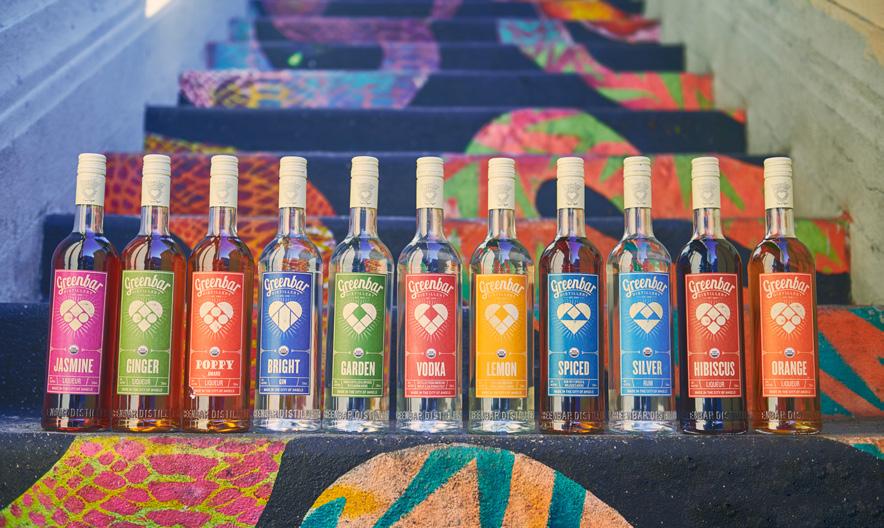
Greenbar Distillery in Los Angeles didn’t start off in 2004 with a focus on sustainability. It came about years later, purely by accident.
Co-founder Melkon Khosrovian said he and his wife, Litty Mathew, followed their tongues as their approach to sourcing raw materials evolved. Greenbar started off producing infused vodkas of the type that could be drunk straight with food, products that hearken back to his native country of Armenia.
“It was an attempt to make what my culture drank back in the homeland, liquor with food. What you would call today a botanical vodka, highly complex, very aromatic, multiple ingredients,” he said. “Wine is not the only thing that can go with food. Most people in most of the world drink liquor with food.”
They came at flavor profiles from a culinary perspective. “That's mostly from my wife, who is a trained chef, loves food, can cook anything. And I was the eater in the relationship,” he said.
“We took a culinary approach,” he continued, “just because it fit the bill in terms of complexity and captivating the drinker’s palate, aroma, and imagination. We had to somehow romance the mind and our path to the mind was through the nose and the taste buds.”
They saw an opening as American consumers were becoming more familiar with flavors from various immigrant cultures like theirs. The distillery was even invited to the James Beard House to host the renowned establishment’s first-ever distillery dinner, where Greenbar paired cocktails and straight pours to go with the food. Khosrovian said the trend still hasn’t really taken off, however.
“It was going in the direction where the spirits pairings that might make
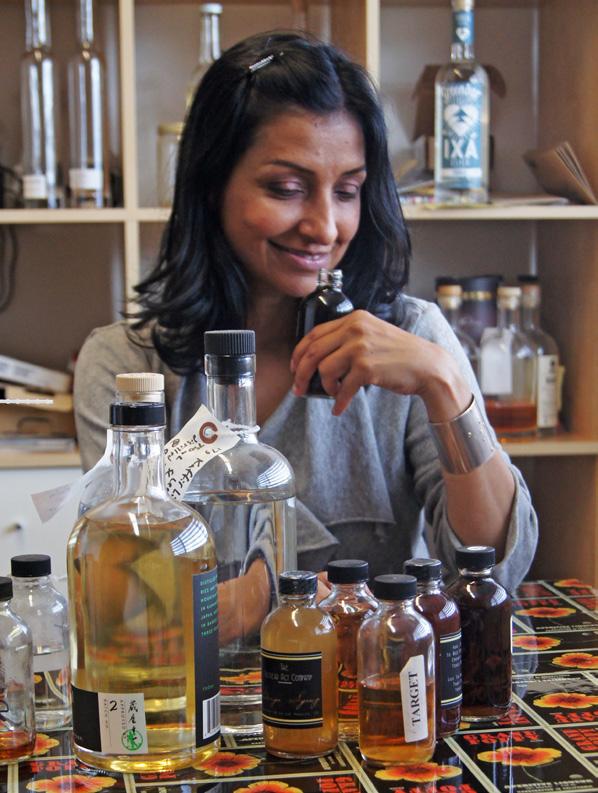
Litty Mathew, co-founder of Greenbar Distillery, formulating a new recipe.
sense in the home country might make sense here,” he said. “The initial line was mildly successful. Pairing spirits with food had a moment. I think the American audience really wasn’t ready. [It’s] still not there.” That first foray, though, gave them a framework to understand ingredients, flavor, extraction, and infusion.
In those early days, Greenbar signed a deal with a distribution partner, and he admitted it didn’t go well. As the end of their five-year agreement approached, he told the distributor that things were not working out to either party’s satisfaction and that they should part ways. That was when the distributor informed him that the agreement had automatically renewed and handed him a bill to sever their relationship.
“We ended up killing our first brand just to get out of the contract. We couldn’t pay their bill, and we couldn’t keep going,” he said. “We didn't have to liquidate the company, but we had to change the name, we had to change the brand.”
It was a costly mistake, but it coincided with having their eyes opened to the better flavor that organic ingredients offered.
“That was the exact moment when we're falling in love with the idea of organics, so we closed the old brand, started a whole new brand — a whole new company in a way — new liquid, new products, the whole nine yards,” Khosrovian said.
According to Khosrovian, using the best, most aromatic, the most flavorful fruits, herbs, vegetables, and flowers became Greenbar’s mantra. However, after four years of operations, Khosrovian said his farmers
had gotten tired of listening to that chorus and, one after another, began selling Greenbar ingredients that were throwing off the flavor balance of their products.
“Initially we thought we must be doing something wrong — put in too much of something, for example, because we’ve been making these products for four years, using the same ratios, coming from the same farms, month after month, but now everything tasted off,” he said. One ingredient would be too strong, and they would remake the batch only to run into the same issue. Frustrated, he went to them and asked what was going on.
“They said, ‘You've been harassing us for years about get[ing] me the most aromatic, the most flavorful, the most vibrant ingredients. And we've begun recently moving our farms to organic. And, being a longstanding customer we sold it to you without charging you more.
We thought you'd be happy,’” he said.
“That's when the veritable light bulb went off in our heads. We're like, oh, that's how we can make more flavorful and aromatic things: organics.”
At that point, they started going down that rabbit hole, learning about organic methods and ingredients, how they were different, and what made organic food more vibrant.
“The farmers were very patient in explaining that when they grew organically, they couldn’t use fertilizer the way they used to, so the plants have to dig deeper into the soil to pull out the nutrients they needed to protect themselves and grow, and those nutrients have flavor. All that extra flavor and aroma we think is cool is their way of fighting bugs,” Khosrovian said. “Because they don't baby these plants as much, they can’t, they have to be the healthiest plants in
“We had to somehow romance the mind and our path to the mind was through the nose and the taste buds.”
— Melkon Khosrovian
PHOTO BY MARC ROYCE
PHOTO BY MARC ROYCE
order to survive and be picked and sold.”
The switch flipped immediately once they understood the difference, he said. They went from one day buying whatever they could find, to the next day buying only organic. They also applied for organic certification, which took about six months. At first it was difficult finding suppliers who could offer what they were looking for, and prices for ingredients were up to 60 percent higher.
As consumers began to value organic ingredients, however, he said more supermarkets began to sell them — not just Whole Foods, but also outlets like Target and Walmart. That spurred more farmers to use organic techniques, and while he said the price remains higher than conventional, it’s closer to a 10 percent premium than 50 or 60 percent.
The extra cost was still worth it to them, as long as it delivered the best cocktail experience they could create for the customer. That was the reason they moved toward organic initially, and it was reinforced after more than a decade of relying on on-premise sales to keep the business afloat.
Up until COVID, Khosrovian said their sales were about 80 percent on-premise. They lived and died on bar menus, and he said bartenders were their primary audience and their best friends.
“We know for that kind of buyer, the emotional tug of organics didn't mean much of anything. They were curious about it, but ultimately their customers were buying cocktails that they made, it wasn’t like they walked in and asked for a brand,” he said. “They (bartenders) mainly, I would even say only, cared about the performance aspects of organics, which is what we touted to them and why we went into it to begin with.”
“We loved it because it was a validation of our approach. Here are spirits of all sorts, bitters of all sorts, that taste, smell so good that your cocktails can be better, which trained us to think about the stuff as performance-based sustainability versus ideal-based sustainability.”
That’s how they came to look at any move that offered sustainability
benefits. While those benefits had emotional value, they didn’t move the needle without a performance aspect. Khosrovian used the electric car market as an example: There were early adopters who bought electric vehicles as a statement of personal values, but it wasn’t until later generations of EVs with improved performance and lowered price tags that they offered real value to the average consumer. “Unless there's a point to your sustainability, don't bother trying. It doesn't matter. It's not going to make an impact. But if whatever you're doing can improve the experience, then you have a genuine chance to succeed, because you’re giving customers something better.”
Greenbar began to examine other aspects of their business after lengthy discussions with farmers about organics. Khosrovian said they were surprised that the farmers, who were mostly in their 70s, were transitioning their farms to organic at a time when they should be looking at retirement. When he asked about that, the farmers said they were doing it so they could pass on a viable operation to their kids and grandkids, rather than relying on an increasing regiment of chemical treatments that would deplete the land. It struck him how they were acting from a positive ulterior motive, not just cashing in on the latest trend.
“We began to look at everything with a different point of view,” Khosrovian said. “One aspect of our product that really stuck in our eye was our packaging. We had used, like a lot of companies in our segment, very fancy, very heavy, very chunky bottles. That’s what premium looks like, it has to be substantial. And with that new perspective, all of that had a different tinge to it. It looked wasteful.”
They looked at changing to lightweight glass and from laminated virgin paper labels to recycled paper. Neither was easy, as there were a few options available and they were expensive. In particular, it was stubbornly difficult to get bottles that were light but well-designed and beautiful, until they decided to spend the money on a custom mold. Khosrovian said they found the custom bottle was worth it — another value-add for the bartender/customer — when he visited a bar in Texas.
“One of the bartenders came to us and said, ‘Man, I love your bottles,’ and we started to talk about the liquid, the ingredients, and he stopped us right there. ‘No no no. I love your bottles. I work here and I have to turn a bottle over hundreds and hundreds of times a night. If the bottles are bottom-heavy, which a lot of bottles are, it torques my arms and I have elbow and shoulder pain at the end of the night. One of the reasons I love your products is the bottles are so light and balanced,’” he said.
“We’ve trained ourselves over the years to really think about every aspect of our product. From
PHOTO BY SHANE LOPES
ingredients, to packaging, to pricing from the point of view (of the) customer. We're also customers, and we think about things that way. We work hard for our money. We want something in return for it that’s better than what other people can offer.”
“It was not how we started, but following the best path we could find toward flavor ultimately led us to sustainability.”
— Melkon Khosrovian
Greenbar expanded from spirits and liqueurs into RTDs around 2017, initially focusing on spritzes and highballs. He said they tried over the years to get consumers on board with making cocktails at home, but realized that it was more of a pipe dream than an attainable goal.
“It was this focus on better cocktails for everybody. That's been guiding light since more or less the beginning. So the focus has not changed, it’s just the means to the end have changed a little bit,” Khosrovian said. “The cocktails that people were willing to make at home were really simplistic — rum and cola, gin and tonic, two-ingredient things. Anything more complicated than that was beyond anyone’s interest or skills.”
Since their on-premise presence was devastated during the COVID-19 pandemic, their sales have flipped from 80 percent on-premise to about 75 percent off-premise, with the RTDs having helped to make up for those lost cocktail drinkers. In 2021, they broadened the Greenbar portfolio further rolling out a selection of non-alcoholic canned RTDs.
“Most of our customers are drinking less or drinking intermittently, and using the non-alcs as kind of a filler — have one alcoholic cocktail, then have one nonalcoholic cocktail,” he said.
The non-alcoholic SKUs have grown to make up the bulk of Greenbar’s sales by volume, but it was a hurdle both in-house and working with retailers.
“It forced us to ask this very philosophical question, ‘What is the point of a cocktail?’ And we had to answer it in a way that would make the non-alcs work,” he said. “The conversation we often had with buyers, especially at liquor stores is, why can’t I just take some fancy soda and sell it as a non-alc cocktail? What is the difference? We had to make liquid that made that difference clear as day. Not shades of different grays, but different colors.”
They also expanded Greenbar’s sustainability focus by making an exception to the idea that there needs to be a consumer payoff. Khosrovian said they found themselves caught up in the conversations with farmers who were working to improve the land to ensure their family’s heritage would last longer. In both his and his wife’s cultures, grandparents typically planted a tree when a grandchild was born, so they decided to plant a tree for every bottle or 24-pack of cans sold.
“We don’t upcharge for it. We don’t try to make too much of a big deal out of it because it doesn’t make your cocktail taste better. It’s just something we believe in, so we pay ourselves less because we can afford to do it,” he said. “I don’t want to move to Mars. I want to do something personally to help people live on this planet longer. Everyone should try to do something to make the world better. This is our something.”
It added up to more than a million trees planted in Central America — hardwood trees that provide shade so that crops don’t get scorched.
“We know that the trees will be protected for a long time because they're not trees for trees sake. They’re trees that help farmers throughout Central America plant fair trade coffee and cocoa and get out of poverty,” he said.
Khosrovian said businesses exist to make money, but that’s not the be-all, end-all. They also bear some social responsibility. In Greenbar’s case, they simply took a strange path to figuring out how to make a difference.
“Most companies that have this mission-driven angle to their business start with the mission — I want to make the world better in a variety of ways, and I'm going to wrap my business around that. Ours was almost the exact opposite … We only wanted to make the best liquor we could, which led us to organics, which led us to lightweight packaging, which led us to planting trees. It was the reverse of what most people do. It was not how we started, but following the best path we could find toward flavor ultimately led us to sustainability.”
Greenbar Distillery is located in Los Angeles, California. For more info visit www.greenbardistillery.com or call (213) 375-3668.
our commitment
Innovation by Design
We design and produce bespoke barrels, pushing the boundaries of tradition with our extensive oak expertise.
Our R&D and sensory teams collaborate with distillers, offering tailored support and technical insights.
In-house engineers bring these innovations to life, delivering custom solutions.
ESSENTIAL SAFETY RULES FOR DISTILLERIES
PLAYING IT SAFE
WRITTEN BY RICH MANNING
According to the Kentucky Distillers’ Association, roughly 2.7 million people hit the Kentucky Bourbon Trail in 2024. On the one hand, that’s a lot of whiskey fans. On the other hand, that’s a lot of potential liability for a distillery that doesn’t provide a safe environment for its visitors. A single mishap with a guest could have devastating consequences. To wit: A single fall incident could result in a settlement ranging from $10,000 to $50,000 according to most law firms’ blog posts.
With so much potentially at stake, it’s imperative for craft distilleries great and small to develop a comprehensive safety strategy to keep visitors — and their bottom line — safe. This goal may seem obvious, but building the strategy to achieve a safe environment may be challenging, particularly for new craft brands.
“A new craft distillery may not have a lot of industry experience when they open,” explained Casey Scamporino, senior director of legal and regulatory policy at the Distilled Spirits Council of the United States (DISCUS). “They may be focused on preparing to make vodka or eventually their own bourbon, but their eyes may not be as open on preparing the visitor experience. When this happens, they may get caught off-guard by visitors and their behaviors.”
With that in mind, DISCUS’ Safety & Risk Management Committee created the Visitor Safety & Site Security Best Practices guide. The manual, which expanded from DISCUS’ existing fire protection guide in 2020, provides distilleries of all shapes and sizes with guardrails to mitigate the threat of mishaps among thirsty patrons. The committee members behind the guide hail from all corners of the industry, from craft distillers to big brand portfolios like Bacardi and Beam Suntory. They’ve pretty much seen it all when it comes to safety, and the guide provides ample insights from their collective experience.
“A lot of these guidelines are based on what we do at our own facilities and what we’ve seen others do,” explained Jessica Turner, committee member and maintenance manager for Louisville, Kentucky, distillery Angel’s Envy. “This makes a lot of sense. If there’s anything I’ve learned about the distilling industry, it’s that we’re all willing to share our best practices. When it comes to safety, nobody is hiding any dirty laundry.”
A SENSE OF PLACE
One of the first things the visitors’ guide establishes is a reminder that a distillery is technically a manufacturing plant. This may not always be top of mind for a craft distillery since they’re in the business of making spirits and creating conduits for good times. This is also likely to slip the minds of guests, even as they’re wandering past pot stills and peering into mash tuns.
“It is sometimes tough for us to remember that we’re manufacturing a craft product, but it’s important,” said Blake Huber, committee member and director of beverage operations for Borden, Indiana’s Starlight Distillery. “As a craft brand, we want to be transparent about our manufacturing process when we’re showing our craft to visitors. To properly do that, we have to keep guest safety a top priority."
Focusing on a safe visitor environment for guests has obvious immediate dividends for a distillery (read: it can protect them from lawsuits). It can also enhance the visitor experience in a way that could potentially boost brand reputation. “Keeping a safe environment is consistent with maintaining the highest level of quality,” Huber stated. “This leaves guests with a positive overall impression of the brand. If your guests see a clean, safe space during their visit, they’re going to leave with the impression that your brand is committed to quality.”
RULES TO LIVE BY
There’s a lot to pore over within the visitor safety guide’s 55 pages. Its comprehensiveness makes it worth a read, since it covers everything from risk assessment and security to building safety strategies for distillery event spaces and restaurants.
Unleashing the visitor safety guide’s full power begins with adhering to a few fundamental elements. What follows are several key building blocks that can allow a distillery to form a firm foundation of safety. Adhering to these rules can help cultivate a culture of safety that can evolve as a distillery grows.
> CLEARLY STATE SAFETY “HOUSE RULES” — A distillery that’s up-front with visitor safety guidelines can remind guests that they should conduct themselves appropriately on site. This form of communication can happen before visitors set foot on the distillery, such as discouraging open-toed shoes or loose-fitting clothing on a distillery tour on their website’s booking page. “If you put safety up front and out in the open, guests will understand that your workplace is serious about keeping its guests safe,” said Scamporino.
> NEVER MAKE ASSUMPTIONS — Safety vulnerabilities don’t announce themselves. They must be caught, and the best way to do so is to develop evaluation strategies that aim to spot anything that could turn into a guest safety concern. “Assess, re-assess, and re-assess again!” Scamporino stated. “For example, we recommend that tour operators walk the tour path every morning to check for anything that could result in a slip, trip, or fall.”
> INCORPORATE SECURITY MEASURES INTO A SAFETY PLAN — It’s just as important for a distillery to protect its own assets as it’s strategizing to keep its patrons safe. Building an environment that minimizes the threat of theft and criminal behavior during and outside of normal business hours can range from installing alarms and security cameras to hiring on-site security guards.
> UNDERSTAND YOUR ENVIRONMENT — Distillery safety is not a one-size-fits-all situation, and it’s crucial for a distillery to understand what makes them unique and build their safety strategy around these unique points. A distillery in the middle of a city’s downtown area will likely have vastly different security concerns than a distillery in the sticks. A distillery with an onsite restaurant should be mindful of proper food safety. A distillery holding a nighttime function in their event center may need to bring on additional security to compensate for staff that may have already left for the day. While safety is the end goal, the path toward that goal is seldom uniform.
> BE MINDFUL OF CHILDREN — Bringing kids to a distillery is not uncommon. This poses unique safety challenges, since it’s not too far-fetched to imagine a kid letting their curiosity get the best of them and wander into places they shouldn’t. As such, it can be just as critical to train staff to keep an eye on children as much as the potentially overserved guest.
> LEARN TO DE-ESCALATE — While distillery visitors tend to be well-behaved, a distillery may occasionally encounter guests who are rowdy, belligerent, or in places with dense clusters of distilleries, already intoxicated from other distillery visits. Because alcohol lowers inhibitions and self-control, the actions of such guests can result in things far worse than annoyance. It’s imperative that workers are trained to snuff the fuse. “One of the most important skills for a distillery employee to have is the ability to de-escalate a situation to ensure no violent, overthe-top behaviors happen,” Scamporino said. “This is true for any employee, from the tour guide to the still operator.”
In addition to these basic rules and the information established in the visitor’s guide, there is one guiding principle to constantly bear in mind above all else. A safety strategy only works if it’s treated as a fundamental part of a distillery’s business model by every distillery employee. While working at a distillery can be fun, that fun stops the moment a visitor gets hurt. Establishing and respecting a culture of safety that protects guests is the best way to keep the fun going.
Rich Manning is a freelance food and drink writer based in Fountain Valley, CA. He lives about 15 minutes south of Disneyland, but he hasn’t gone there in ages — he’d rather visit the nearby breweries and distilleries instead. You can check out some of his other written hackery by visiting richmanning.pressfolios.com. He can be reached at richmanning72@gmail.com.
Evolving with You
For 113 years the Boswell family has led Independent Stave Company with a steadfast commitment to the spirits industry.
As a family-owned business, we value long-term thinking, multi-generational relationships, and the trust we’ve earned from the world’s finest distillers.
We’re not just a supplier we’re a partner committed to your success.
Brad Boswell CEO & 4th Generation Cooper our commitment
Bittersweet Symphony
EFrom historic fruits to Monaco's first national spirits: the craft of La Distillerie de Monaco
Written by CARRIE DOW
very January, the principality of Monaco begins a harvest that has been happening since the House of Grimaldi took over the tiny nation in 1297. It’s something visitors might overlook during the slower tourist months of winter — the annual harvest of “bigaradiers,” or bitter oranges on centuries-old citrus trees that line the city’s narrow streets.
A BITTERSWEET HISTORY
It's a harvest that La Distillerie de Monaco founder Philip Culazzo knows well. That’s because he opened his distillery using Monaco’s agricultural past to make products from a county not known for producing much of, well, anything. In a place more famous for
scenes of immense wealth, like the mega yachts lined up in the harbor or celebrities exiting from luxury cars in front of the famous Monte Carlo Casino, Monegasques, as locals are called, come from surprisingly humble origins.
“From 1297 until probably the middle of the 1800s, the sole driver of the economy was agriculture,” explained Culazzo. “There were citrus fruits. There were olives, fish, subsistence kind of farming. The crown taxed the farmers on their produce. That was where the crown’s money came from.”
He also explained that Monaco was a much larger territory then, some 100 square kilometers that included the French cities of Menton and Roquebrune on the Italian border where most of the farmland was. Then throughout
Photos provided by LA DISTILLERIE DE MONACO
the Age of Exploration as European ships began sailing the world, Monaco’s port became a major starting and ending point for those journeys. Monaco’s oranges were vital to ships’ crews because the fruit’s vitamin C prevented scurvy during months at sea.
“Citrus was actually very valuable,” he continued. He said the principality even had “citrus police” to protect the fruits from theft and ensure their quality. Then in the early 1800s, the worst happened.
“There was an illness that hit the trees and stopped them from producing fruits,” Culazzo said. “It decimated the economy.” It was a domino leading to a horrible country-wide famine that eventually led the Grimaldi family to sell Menton and Roquebrune to France for four million francs in 1861.
After the sale, the monarch’s wife, Princess Caroline, struck a deal with a French entrepreneur to build a hotel and casino. Things didn’t go well at first — for both moral and business reasons, the princess barred locals from entering, a law still in effect today. Then the European railway arrived in 1867,
bringing the continent’s monied families from its farthest reaches.
“It was incredibly coincidental and lucky,” said Culazzo, “but suddenly you had the first mass tourism destination for people to come from the north in the winter to the gentle climes of the south of France.” The rest, as they say, is history. However, Culazzo has added something new to Monaco’s narrative by opening its first and only distillery in 2017 and producing the country’s first consumer goods.
FAMILY TIES
Born and raised in Dublin, Culazzo’s English has an unmistakable Irish accent. However, when a local enters the shop to make a purchase, he switches into flawless French. That’s because he has this region in his blood — his heritage is half Italian, and he spent summers with nearby relatives as a youth. He moved to Monaco permanently 15 years ago, working as an importer/exporter. A wine lover, Culazzo originally wanted
to cultivate grapes, but knew there wasn’t enough land for that, so he began looking for something else, something Monaco could call its own.
“So, I went through all this (history) trying to see if there was anything of Monaco that could be brought back in terms of production. I couldn’t find anything at all.” He then read an article about how the gardeners of Monaco’s Department of Urban Amenities harvest the bitter oranges from the roughly 600 remaining bigaradier trees, many lining the streets that visitors walk by daily without giving them a second thought, except maybe in the spring when Culazzo says their blossoms fill the air with a jasmine-like scent. According to the article, some locals turn a tiny amount of the annual harvest into marmalade; however, some 90 percent of the 1015 thousand kilos collected every year was simply thrown away.
“Incredible,” Culazzo remarked. “And the fruit is not treated with any pesticides or chemicals or anything, so it’s a completely natural fruit. Bitter oranges have this natural
protection. They have a very low pH, a pH of 2.4, so even pests or birds don’t eat the fruit because it’s too bitter for them.” Because the oranges were so bitter, he thought distilling them would be the way to go.
He got in touch with government officials — including the current monarch, Prince Albert II — to get their thoughts about making an orange liqueur. The government was thrilled by his idea because they didn’t want to throw the oranges away either. Coming away with a thousand kilos of oranges, he bought a small test still and hired an oenologist to help him get started.
The result is L’Orangerie, a liqueur that Culazzo believes rivals France’s more established orange liqueurs, Cointreau and Grand Marnier. The spirit starts with organic NGS from Italy, and then he and his staff of seven
“Bitter oranges have this natural protection. They have a very low pH, a pH of 2.4, so even pests or birds don’t eat the fruit because it’s too bitter for them.”
— PHILIP CULAZZO
wash, peel, and juice the oranges by hand. The zest is macerated in the wheat-based NGS and distilled. Culazzo then adds the minimum amount of sugar required by European liqueur regulations because he wants the orange’s flavor to come through. The spirit is bottled and labeled by hand in a larger space across town.
“It’s surprising to people, but everything is hand-made in Monaco,” he said. “Everything is collected by hand off the trees, we bring the fruit here, we wash and peel, we do everything by hand. When you see handmade (on the bottle), it truly is handmade here.”
The juice is fermented and distilled into an eau de vie. However, Culazzo said the yields are so low he can’t sell it. Instead, he bottles a modest amount each year as gifts for key business partners and distributors. They also make jars of orange marmalade with the liqueur added to sell in the distillery.
As Monaco’s first commercial product, the locals have embraced L’Orangerie. Culazzo says they often buy multiple bottles, one for themselves and one or two to give away to friends and family. Then there are the hordes of tourists who descend on Monaco every year, buying bottles to take home. He also exports to seven European countries. Producing more than 50,000 bottles a year makes La Distillerie de Monaco the principality’s largest manufacturer.
The FRUITS of HIS LABOR
While it started with oranges, Culazzo has tapped into other spirits to broaden the product line, all with ingredients from Monaco’s agricultural past. A friend who had moved to London and became part of the duo who created the UK’s popular Craft Gin Club asked Culazzo to make a gin for one of their monthly subscription boxes during the pandemic. Culazzo wasn’t all that interested, but between his friend’s enthusiasm for the distillery, the gin club’s massive success (more than 100,000 subscribers at the time, growing to more than 400,000 in 2023), and the unknowns of the pandemic, he decided to try. He created a citrus-forward gin using the bigaradiers and several other regional fruits: pink grapefruit, lemons, limes, bergamot, and citron. He says the gin was supposed to be a one-off, but after club members voted it as their “Best International Gin of 2020,” it became a regular product.
Then a Monegasque friend told him about carobs. “He said, ‘Do you know what this is?’ showing me a carob pod. I said, ‘I have no idea, but I see them on the ground.’ He said, ‘This is the national tree of Monaco. This saved the population from famine.’” The tiny little carob fruit did indeed save Monaco’s people from starvation more than two centuries ago by being crushed into flour or made into paste. To honor this history, it was named Monaco’s National Tree in 1987 by Prince Rainier III. Culazzo uses it in a carob liqueur called Carruba, the Italian word for carob. “It’s been endemic to Monaco and Nice (France) for 2,000 years. It’s tied to the terroir of Monaco if you like.”
“It’s difficult to work with,” he continued. “When you take the fruit that’s fresh, it has a kind of chocolatey flavor, but it also has a bit of olive, soy sauce. It has a vegetal side and a sweet side. We came up with the idea
of roasting, like coffee beans, and that really brings out the rich chocolate, coffee aromas.”
The distillery just released another spirit in collaboration with the prince that is tied to Monaco’s maritime history called Mother Mesccia (pronounced mə-sha), which means “mix” in Monegasque.
“Mesccia is an old Monegasques beverage,” he explained. “When I was talking about Monaco being a trading post, the sailors had a famous drink. What you had at the bottom of the (alcohol) barrels was the dregs, and the dregs were the cheapest part because there was a lot of sediment and impurities and whatnot. The sailors would mix all of the dregs together, ouzo, rum, vermouth, and bits and pieces of other things, whatever they could get their hands on. So, to make it a bit more palatable, they would put in some orange blossom, a bit of lemon, sugar, spice.”
He adds that the prince recently discovered a 100-year-old bottle of mesccia from his father’s collection in the palace cellars. The prince and some friends tried it. “Apparently, it was just terrible stuff,” Culazzo laughed. However, he said the prince thought, “Wouldn’t it be nice to make a modern-day version that was actually drinkable?”
Together they decided the spirit should be rum-based, and Culazzo came up with the idea of aging it in vermouth casks. “So, you’ve got the idea of mesccia,” he said. The rum is made from sugar cane juice from the island of Haiti, which adds to the product’s degree of difficulty.
“One of the people working on the product is our Italian distributor Luca Gargano (CEO of Velier). He’s world famous for (re)discovering Caroni distillery rum in Trinidad and Tobago. They call him the Indiana Jones of the rum world. He told me, ‘Look, if you want to do the best product for the Prince of Monaco, you’ve got to start with the best raw
materials.’” The best raw material in the world, according to Gargano, is a non-hybridized, Old-World sugar cane varietal called crystalline only grown in Haiti.
“It hasn’t been hybridized because Haiti is so poor. A lot of cane grown in the Caribbean is hybridized to resist different things,” Culazzo explained.
He said the sugar cane is pressed into juice on-site in Haiti because it would take too long to ship it to Monaco, risking mold growth. The juice is allowed to ferment in its own yeasts and then run through a wood-fired pot still since rural Haiti has no electricity. This first run is then shipped to Culazzo for a secondary distillation.
“It’s extremely difficult to get sugar cane juice out,” he noted. “(Haiti) has essentially collapsed … So, there’s moments of clarity where we can get the product out, but the port has been shut down by the gangs and only when there’s a loosening of control can they actually ship out.”
“The word ‘souvenir’ means memory in French... If [visitors] can leave here with a good memory, of something they’ve seen and tasted, that’s the key part of doing this.”
— PHILIP CULAZZO
SOUVENIR AMER
La Distillerie’s products have received buzz from outlets around the world, including Food & Wine, Fox News, and Travel & Leisure in the US even though it’s not available here. He’s working on exporting to the US and already has labels approved by the TTB, but says finding the right distributor will take time. Intriguingly, the US-EU tit-for-tat on tariffs doesn’t scare him much.
“In a very ironic twist, I think it’s going to take a lot of people out of the US market,” he said of European spirits producers. “If that happens, we’ve never been in the US, so they don’t know the base price of the products. And Monaco’s
see it as a negative, but as an opportunity.” Until then, he’s using his products to promote his adopted country of Monaco, especially to the millions of tourists who pass through every year.
“So many people come to Monaco and what do they buy?” he asked. “Cheap and tacky souvenirs? The hats are made in Vietnam and the ‘I Love Monaco’ T-shirts are made in China. If they can leave with a quality product that’s made here … ” He trails off wistfully for a second.
“The word ‘souvenir’ means ‘memory’ in French,” he rerouted. “If they can leave here with a good memory, of something they’ve seen and tasted, that’s the key part of doing this.”
O R GA N I C B L U E A G A V E
SURVEYING FaRM DISTIllING lICENSES aROUND THE COUNTRY
Diversity in approaches from state to state results in the diversity of farm distilling legislation
Farm distilling is a hallowed tradition in the United States, predating the founding of the country. While the practice fell out of vogue as the spirits industry became regulated and consolidated, a number of states have created farm distillery licenses in recent decades, with varying approaches and results.
As with many aspects of the spirits business, there is plenty of state-by-state variability among those that do allow for farm distilleries. Not all farm distillers are even farmers — some states craft their laws with a focus on supporting local agriculture and allow distillers who source locally to qualify for a farm distillery license.
The largest subgroup of farm distilleries — still amounting to only a small handful — reflects the vinicultural history in certain states.
In Minnesota, a farm winery is allowed to distill up to 5,000 gallons of “grapes, grape juice, other fruit bases, or honey” grown or produced in-state. To qualify as a Minnesota spirit, 50 percent of the distilled spirit must be processed and distilled on-premise.
Maryland is another wine-focused license, where a limited winery license allows vintners to avail themselves of Maryland agricultural products to distill and bottle a limited amount of pomace brandy. The operation must have 20 acres of grapes or other fruit in cultivation in the state for use in the production of wine, and at least 51 percent of ingredients used must be grown in-state.
Indiana allows for the issuance of a farm winery brandy distiller’s permit to an existing, permitted farm winery, which may produce brandy to use for fortification or sell on its own.
In Massachusetts, Nashoba Valley Winery, Distillery, and Brewery is located on a 52-acre farm, most of which consists of 80 different apple varietals. They also produce a wide variety of wines, ranging from cabernet sauvignon to cranberry apple.
Nashoba COO Justin Pelletier said they were issued the state’s first farmer-distiller license in 2003, with an eye on making better use of bountiful harvests.
“For us, what it means is that we are growing an agricultural product on-location, and then processing, fermenting, distilling all onsite here,” he said. “It just felt natural because our primary focus is on the agricultural side of things. We're doing everything start to finish right here on site.”
They’re not allowed to use wine or spirit imported into the Commonwealth, so they use estate-grown apples for their neutral spirit, which goes into gin and vodka, as well as apple brandy. Pelletier said he’s only allowed to bring in spirits from another farm distillery in the state, though he said others interpret the statute more liberally, particularly when bringing in neutral spirit for canned cocktails.
“We don't buy any sort of finished product at any point in time,” he said. The Massachusetts farmer-distiller license verbiage discusses “wine or fermented juice,” and “manufacturing or producing neutral spirits, brandy, gin, and other distilled spirits with or over fruits, flowers, plants, and pure juices therefrom.” This may seem to close the door on grain-based spirits, but Nashoba Valley has a workaround for their whiskies.
“Our brewery is a farm brewery,” he noted, “so we're making our whiskey washes and cereal washes up there and
Farm distilling is a hallowed tradition in the United States, predating the founding of the country.
then transferring it down to the distillery license.”
In Connecticut, a farm distillery must grow at least 25 percent of the fruit or other crop used to make their spirits, and the farm must be at least five acres and owned or controlled by the holder of the distillery permit or the backer of the farm distillery. They may not sell any distilled spirits they did not manufacture.
Mississippi has a “native spirit” law that mirrors some states’ farm distilling laws. The statute states that, “native spirit shall mean any beverage produced in Mississippi for sale, manufactured primarily by the distillation of fermented grain, starch, molasses or sugar produced in Mississippi, including dilutions and mixtures of these beverages. In order to be classified as native spirit under the provisions of this article, at least 51 percent of the finished product by volume shall have been obtained from distillation of fermented grain, starch, molasses or sugar grown and produced in Mississippi.”
Nevada’s estate distillery law requires that 85 percent of the ingredients used are grown on land in Nevada owned or controlled by the distillery, and the distillery
may use bulk wine and beer from Nevadalicensed brewpubs or wineries. Sales for an estate distillery is capped at 75,000 nine-liter cases in state and up to 400,000 cases for export out of state.
New York’s Class D farm distillery law — not the first on the books in the country, but possibly the one with the largest number of licensees — is open to distillers who source at least 75 percent of their ingredients from in-state. Farm distillery license holders face a 75,000 gallon production cap.
In Washington State, the craft distillery license is capped at 150,000 gallons and requires that a minimum of 50 percent of all raw materials used in production are grown in the state.
In Washington Scratch Distillery founder Kim Karrick, a former craft distillery license holder, said an unfortunate interpretation in the 50-percent rule has lead to her changing over to a full distiller’s license despite the increased license fee, and she sees new distilleries going in the same direction to prevent having to switch their license type down the road.
While the definitions and requirements of farm distilling licenses vary widely across the United States, the common thread remains a desire to strengthen the ties between agriculture and spirits.
“I’ve had no problem sourcing 95 percent of the stuff that I do within the state,” she said, potatoes and wheat being the drivers of many of her spirits. However, she brought someone onto the production team who loves rum and wanted to make a rum, but sugarcane doesn’t grow in the state. When she decided to add rum to the portfolio, she had to convert Scratch’s license over so that she could bring in sugarcane from elsewhere.
The difference lies in the way the lawmakers wrote the statute, intending it to apply to a distillery’s entire portfolio, she said, compared to the way the Washington State Liquor and Cannabis Board read the statute.
“The way that liquor control board can interpret it is 51 percent any one of your individual products,” she said.
An unfortunate knock-on impact is that the license change could actually encourage her to look outside the state for other ingredients, though producing a rum or changing her license type hasn’t impacted any of her sourcing practices yet. She said the price for her organic non-GMO wheat has doubled since COVID, but in the past her hands were tied on looking for a better price out of state.
Karrick’s instinct is that the craft distillers license has helped smaller distilleries around the state, but she added that as she learns more about how some of them operate — maybe making their whiskey with local grain, but sourcing bulk neutral spirit for gin — she’s realizing that fewer distilleries than she thought are operating within those confines.
“The more I’m learning, there's less of us than I thought,” she said.
North Dakota had a license that was previously classified as a “domestic distillery” that uses a majority of North Dakota farm products to make and sell spirits on-premises, but that license changed in 2023 and the agricultural requirement was struck from the statute. South Dakota offers an “artisan distiller” license for any manufacturer located in this state producing, rectifying, or blending up to 50,000 gallons of distilled spirits per year, as long as at least thirty percent of the raw materials, other than water, are grown or produced in-state.
In Virginia, a limited distillery license authorizes a distillery to manufacture distilled spirits. The distillery must be located on a
farm that is owned or leased by the distiller, and agricultural products used by the distillery must be grown on the farm.
West Virginia’s minidistillery license is available to an establishment that produces no more than 20,000 gallons of spirits with no less than 25 percent of raw agricultural products being grown by the owner of the mini-distillery on the premises of the establishment. In addition, the distiller is not allowed to bring in more than 25 percent of their raw agricultural products from any source outside this state.
In Michigan, producers with a small distillers license may register with the state for a qualified small distillers certificate. From there, the distillery may apply for a reduced markup on individual products that are made with at least 40 percent Michigan-grown grain.
As a control state, Michigan applies a standard 65 percent markup to all distilled products, as well as three different four-percent markups that go to dedicated revenue streams for the state. Distillery SKUs that are registered as qualified distilled products with the Michigan Liquor Control Commission are instead charged a 32.5 percent markup, half of the standard rate.
John O’Connor, president of the Michigan Craft Distillers Association and co-founder of Long Road Distillers, said the state’s markup is applied based on product cost rather than on volume (as excise tax is done), putting small producers with a higher cost of goods at a disadvantage. The change allows small distillers to get their products on the shelf at a lower price, or gives them the ability to maintain the same shelf price and help boost their profitability.
“On what would end up being a $30 shelfprice bottle, you have the ability to make five to six dollars per bottle,” he said, “or drop your price five to six dollars per bottle and keep your margins what they were but get your products to the shelf with a price point that’s more competitive with the national brands.”
He said the number of qualified products has increased as the program enters its second full year, and “the folks that are taking advantage of it certainly see the benefit in their bottom line.”
O’Connor said it took six years of work to get the current framework passed in July 2022. Support from the agricultural community and
organizations like the Michigan Farm Bureau was essential. Michigan was historically a rye-growing state, he said, but with the commodification of grain supply chains and the impact of climate change, it’s primarily grown now as a cover crop and few farmers are willing to invest and take the risk on food-quality rye.
“There’s lots of focus on value-added chains for agricultural products grown in Michigan,” he said. “They can grow other things that could potentially return higher profits to them. For Michigan distillers, it was: If I want to use good rye in a whiskey, I’m often buying it from Canada or some western state that has a bigger rye market.”
To create the incentive to spend those extra dollars on Michigan-grown grain, he said they had to overcome concerns about lost revenue to the state.
“Some of the initial arguments were (about) just how much this was going to cost the state in terms of lost revenue and the argument was always, you gotta see this as a bigger economic development,” O’Connor said.
With more than 100 registered DSPs in the state — not all of which are active, or primarily focused on spirits production — he said liquor control’s gross revenue is close to $2 billion, with $300 to $400 million returned to the general fund every year. Small distillers make up less than three percent of that market space, he added, and their investments impact Michigan agriculture and their local communities. Long Road owns three buildings in Grand Rapids that they’ve renovated, he said, creating jobs and helping to revitalize their neighborhood.
“Even if the liquor control department potentially sees a minuscule drop in revenue, the offset is redevelopment, property taxes, income taxes, jobs, things of that nature that are happening,” O’Connor said. “ The amount of money that it ultimately costs the state is nickels compared to the other economic development benefits that can be had by having a thriving craft beverage and distilling a community here in the state of Michigan.”
While the definitions and requirements of farm distilling licenses vary widely across the
United States, the common thread remains a desire to strengthen the ties between agriculture and spirits. Whether through acreage requirements, sourcing thresholds, or economic incentives, these licenses reflect the unique priorities and histories of their respective states. As more distillers seek meaningful ways to connect with local farms and communities, the evolution of farm-based legislation will continue to shape both the character and sustainability of American distilling.
Gabe Toth, M.Sc. is an accomplished distiller, brewer, and industry writer focusing on the beer and spirits worlds. With a background in journalism, he has written books on floor malting and fermented food, as well as numerous articles for Artisan Spirit, The New Brewer, Brewer and Distiller International, and several other publications. He holds brewing and distilling certificates from the IBD and a master’s from the Rochester Institute of Technology, where his graduate studies centered on supply chain localization and sustainability. When not working, he can be found gardening, messing around in the kitchen, or enjoying the mountains. He can be reached at gabetoth@hotmail.com.
a TALE of TWO MENTEES
BUILDING the NEXT GENERATION of BLENDERS
Written by MAGGIE KIMBERL
Nancy Fraley is perhaps best known for her blending philosophy and skill. But she’s also got another significant talent — identifying and mentoring up-and-coming blenders. Throughout the country she has had an impact on numerous brands’ blending philosophies, and there are at least two distilleries with lead blenders whose talents were discovered by Fraley. This is the story of Amanda Beckwith at Virginia Distillery Company and Nichole Martens at Wyoming Whiskey.
NICHOLE MARTENS
Lead Blender, Wyoming Whiskey Kirby, Wyoming
Nichole Martens went to George Mason University for hospitality and spent a few years working at hotels, restaurants, and a brewery. She developed an interest in craft spirits, and after a move from Virginia to Wyoming about five years ago she found a job at the gift shop at Wyoming Whiskey. She spent her days doing tastings with visitors and selling merchandise and bottles in the first shop. Early in her tenure she first met Nancy Fraley.
“My first time meeting Nancy was when I was still an associate,” Martens recalled. “And that was when our blender at the time, Derek Sproveri, was still there. Nancy would come out for a few weeks. Occasionally, she and Derek would drop in at the shop and check on us, and she would ask me questions like, ‘Hey, we're working on this blend right now. Can we get your opinion on it?’ And I was always happy to help. I've always really enjoyed doing sensory and things like that.”
PHOTO BY MAGGIE KIMBERL
In 2022, Fraley returned to do a faults workshop with all employees. After the 90-minute class there was a blind nosing test, and Martens identified nine out of the ten samples correctly. Martens was pleased with herself but didn’t think anything of it — that is, until Fraley pulled her aside a little later that day and told her they were looking for a new blender and Fraley thought Martens would be the perfect fit. But Martens herself wasn’t sure right away. After all, she’d been focusing on the front of the house and had not expected such a drastic career shift.
“She went to a board meeting at Wyoming Whiskey in Jackson, and she vouched for me, essentially, and said, ‘I think Nichole needs to be our next lead blender,’” Martens said. “Everyone approved it, and everyone was super happy. That was right before our 10-year anniversary. I was super excited and thrilled, but also terrified because I've never done that before.”
Fraley’s gift for identifying and mentoring the next generation of blenders completely took Martens by surprise, but since then she has kept in regular contact with Fraley.
“I texted her last night, and I said, "hey, I have this interview tomorrow, and they want to ask me some questions about you," and she immediately called me,” Martens laughed, “and I think we talked for about an hour. Seriously, I would not be here today if it wasn't for her.”
Martens’ responsibilities include analyzing water samples followed by grain checks, which consists of making teas with the various grains to check quality. She works on quality control using sensory samples of the distilled spirit. She’s also in charge of the distillery’s private barrel program.
She also explains that before this job, she would typically stay at a job for about two and a half years before moving on, but she just completed four years on the job at Wyoming Whiskey and has no plans of going anywhere.
“Sometimes I think I was meant to move to Wyoming to work at Wyoming Whiskey, and it's been one of the greatest experiences of my life,” Martens says. “Nancy has been such an inspiration to me. I just hope I can one day be the Nancy Fraley to the next generation.”
PHOTO BY CHRIS BEZAMAT
PHOTO BY MAGGIE KIMBERL
AMANDA BECKWITH
Lead Blender & Director of Liquid Development, Virginia Distillery Company
Amanda Beckwith had a background in nonprofits and tourism when she learned about the Virginia Distillery Company and their focus on malt whiskey rather than bourbon. She’d become quite the fan of blended malts and single malts, so she wrote them a letter expressing her interest in working with them, and they hired her to build their visitor experience. During this time she soaked up all the knowledge she could about the business, and it wasn’t long before she crossed paths with Nancy Fraley and began learning about sensory evaluation and blending.
“We had started distilling our own single malt in 2015, but we were waiting to age it up,”
Beckwith said. Knowing it was going to be five or six years before launching their own single malt, they brought over whiskey from Scotland for finishing and blending. “We sent samples to Nancy Fraley, and she agreed to come do training,” she continued. “I had been working to get the whole team educated. It was something I was passionate about with my education background and all the tourism I'd done. It was something I helped put on along with Marlene Steiner, who was our brand director at the time. And Nancy just immediately was a dream come true.”
Beckwith explains that Fraley showed up with her faults kit and whiskey samples and
sat in the distillery’s “whiskey war room” going through samples with the whole distillery team. Throughout the training session, Beckwith says Fraley kept encouraging her to say more and dig deeper, and afterward Fraley complimented Beckwith on her skills. She offered to help Beckwith hone her abilities, but she did not immediately take Fraley up on the offer, thinking she was just being kind. Then at the next visit almost a year later, Fraley repeated her offer, and after Steiner’s urging, Beckwith was ready to accept.
“She encouraged me to see myself as a blender and advocated for me with the owners of Virginia Distillery Company,” Beckwith recalled. Early on, Beckwith started an internal sensory panel focused on blind nosing and tasting, selecting a different spirit to explore each week. It was a self-driven effort that not only deepened her own knowledge but also helped educate a team with diverse backgrounds in beer, wine, and beyond. As the need for an in-house blender emerged, internal advocates like Nancy Fraley and Marlene supported her transition into the role. With the owners’ backing, she officially took on responsibility for blending and liquid development — an opportunity formally announced to the team by Nancy, marking a meaningful milestone in her journey.
Beckwith is now part of Fraley’s mentoring group called “Nancy’s Spirited Philosophers,” a group of blenders across various distilleries who Fraley has
Lovingston, Virginia
PHOTOS BY AMANDA JOY CHRISTENSEN
mentored. The group works together and learns together, even traveling to Europe to study cognac and Armagnac along with visiting each other’s distilleries.
Beckwith oversees the company’s single barrel program, and she also still works heavily on training and education. Her biggest task is relationship maintenance, which helps to ensure the distillery gets the best finishing casks from around the world, a task that has her planning strategically for five to ten years into the future.
Wanting to pass on the knowledge she gained from Fraley, Beckwith is part of a group called Spirited Sips that includes people like Ana Hinz from Westland, Caitlyn Bartlemay from McCarthy’s, Erin Lee from FEW Spirits, and Emma Crandall from Balcones.They meet, send each other
samples, and share what they are working on.
“It’s more of a fellowship than a mentorship,”
Beckwith explained. “I've been telling Nancy
about it, and she just loves it. It's fun to see the different iterations that the generosity and the no-gatekeeping mentality can have.”
Maggie Kimberl is the Content Editor of American Whiskey Magazine and the co-chair of the World Whiskies Awards. She is a freelance spirits journalist focusing on whiskey culture in the United States, though she considers herself to be “geographically blessed” to live in the epicenter of the bourbon world, Louisville, Kentucky. When
Nancy Fraley
PHOTO PROVIDED BY STILL AUSTIN
Custom Craft
Written by CARRIE DOW
One Company's Anti-Cookie-Cutter Philosophy
While many outlets offer up cookie cutter options, Canada’s Phoenix Packaging finds ways to make distillery packaging as unique as the spirits inside it.
Joel Miller, Phoenix Packaging’s CEO, says his company was founded some 45 years ago out of spite.
“That’s where things began,” Miller said with a chuckle on a Zoom call from his home in Montreal.
In a tale straight out of the HBO hit series Succession, the founder of Phoenix Packaging was originally part of a family-owned packaging company with a history dating back to the 1920s.
In the late 1970s, when the family patriarch died, his will was set to split the business equally between his son and son-in-law, with the patriarch’s brother having a couple of voting shares. After the son-in-law did some behind-theback maneuvering to gain his uncle-in-law’s voting shares, he kicked the son out of the family business. The son then made it his mission to “show them.”
Wanting to rise out of the ashes like the mythological bird, the son started Phoenix in 1980. However, taking what he had learned from his years in the family business, he decided to do things differently. Miller said the founder quickly built Phoenix into a strong company through business savvy and drive, while the big-spending brother-in-law and other family members drove the family’s packaging business into bankruptcy.
“Then after the family business went bankrupt, [the founder]
started to lose interest and motivation because he’d proven his point,” said Miller. Long story short, Miller, who was friends with the founder’s son, was invited to join Phoenix, eventually taking over in 1993.
Miller says he still uses the packaging principles that Phoenix was built on: skip the catalogs and warehouse stocks of cookie-cutter packaging to create something unique that stands out on a shelf.
“His basic concept wasn’t to do what most packaging companies were doing then, which is: ‘Here’s a standard item, we’ve got this nice big warehouse, buy it from our catalog, and that’s all we’ve got,’” Miller explained. “His concept was, ‘What is going to best help you sell your product?’”
“Most of what we do are unique, custom packages,” he continued. “It’s not that we don’t sell standard items. We do. But the majority of our business is creating what people want and what they think will help them tell their story.”
Phoenix is not a design firm, nor is it a manufacturer. You could say they’re more of a matchmaking service. Miller says what they do is partner with packaging manufacturers around
“The creativity comes from the clients, and we make suggestions and things, but ultimately what we’re really there for is to make clients’ ideas reality.”
the globe to find the companies that will best create a distillery’s vision, or in some situations, find a manufacturer willing to work on a project at all. Miller says that Phoenix is the client’s agent representing their best interests.
“The creativity comes from the clients, and we make suggestions and things, but ultimately what we’re really there for is to make clients’ ideas reality. They can come up with the craziest idea, and then we have to know who can do it. We have a resource network of manufacturers around the globe, and we can pick and choose who fits a project best.”
— Joel Miller CEO, Phoenix Packaging
“If it doesn’t exist, does it make sense to create it?” he continued.
“Can it be created? Some things people want, technologically we can’t do it. Or we can do it, but at such a ridiculous cost it doesn’t make sense.”
Now, if you think that creating something custom means expensive, you’re not wrong, but Miller says you might be pleasantly surprised.
“Sometimes we can create things that end up being cheaper than the stock items,” he explained. “People don’t realize that these [stock] companies have to buy hundreds of thousands of items, so they are putting the cash up to pay for it. It’s then sitting in a warehouse, so they’re financing it for X amount of time. If they don’t have warehouses, they end up paying for the space so, ultimately, they end
up charging prices that are crazier than creating something new, producing it, and shipping it directly to the client.”
It's that combination of vision and having a wide enough network to take chances that makes Phoenix an option for distilleries looking to do something different.
“We’re fully cognizant that for some of the smaller guys, it’s really hard for us to help them,” he noted. “We don’t have the one or two pallets that they would need to get started.” Instead, Miller says that the company’s “sweet spot” are upand-coming distilleries looking to take that next step.
One of those companies is Garrison Brothers of Hye, Texas. COO Lynn Hall said the company began working with Phoenix in 2017 after meeting them at an American Craft Spirits Association convention. The distillery’s longtime marketing director, AKA head marketing dude, Rob Cordes had a distinct vision for Garrison Brothers’ bottles and in those early conversations, everyone at Garrison quickly real ized that Phoenix was the only company with the capability to create Cordes’ specific
“Phoenix Packaging’s hands-on approach to client services and needs as well as their worldwide connections, were im mediately impressive to [us],” said Hall. Hall explained that Phoenix was able to capture Cordes’ unique spec ifications for the company’s packaging, details that included a custom bottle shape, the metallic Texas star and banding on each bottle, cork enclosures, and hand-dipped wax
“Phoenix’s ability to source what each Garrison Brothers custom bottle design needed was a streamlined experience,” she said. She added that as Garrison Brothers has grown and made updates to their packaging, Phoenix has matched and even expanded what Cordes has been able to create. “Phoenix Packaging has been an incredible partner.”
When asked his thoughts about the economic challenges businesses face today, Miller instead tells a story from the pandemic.
“How many people did you hear of during the pandemic that said, ‘Oh, we ran out of stuff?’” he asked. “Do you know how many of our clients ran out of product during the pandemic?” Miller holds up an index finger.
“And it was their own fault because we had warned them!” he laughed. “They chose not to order…As a result, most of our clients didn’t fall into the trap of running out and [then] over-ordering. For us, we did our job because our clients didn’t really suffer.”
Hall at Garrison Brothers vouched for this accountability. “Garrison Brothers never went out of stock,” said Hall. “They were able to meet every possible crunch or wrinkle during that time period.”
When it comes to navigating today’s uncertain manufacturing environment, where governments around the world keep going back and forth on product tariffs and trade barriers, his biggest concern is the decision paralysis that has gripped companies as a result.
“It doesn’t cost you anything to ask a question. The answer may be ‘no,’ but we’ll give you the honest answer and we’ll tell you what we think is possible.”
— Joel Miller CEO, Phoenix Packaging
“The effect of these challenges is more the lack of people’s willingness to make decisions,” he noted. “Hesitation. Waiting. Waiting to see if there’s going to be stability rather than, ‘Ok, we’re going to take a decisive action and do something.’”
While he believes his clients’ main industries — pharmaceutical, perfume, and spirits/wine/beer — will continue to be strong, individual businesses need to pay attention to the public’s buying habits to stay in the game.
“There’s an old adage in the spirits industry that goes along these lines,” he said. “People drink when times are good, and people drink more when times are bad. The question is, what are they drinking?” He posits that the folks who have money will continue to buy what they always buy, while those in the middle and lower rungs of the economic ladder might buy cheaper products or stop buying altogether. He says distillers need to ask themselves how their products will fit into this scenario.
Meanwhile, Miller says that Phoenix will continue to be there for clients now and in the future.
“We’re trying to be as proactive as we can in terms of informing and communicating with our clients,” he said, “as well as being in close contact with our resources and all the factories that we work with, and frankly many we don’t work with because you never know how things will evolve. We’ve got opportunities and possibilities, but, ultimately, clients have to make their choices.”
What’s the one thing he wants distillers to know when considering Phoenix Packaging for their products?
“We’ve always said, don’t let yourself be limited by a catalog or what someone has sitting inventory,” he said, and added, “It doesn’t cost you anything to ask a question. The answer may be ‘no,’ but we’ll give you the honest answer and we’ll tell you what we think is possible.”
For more info visit www.phoenixpackaging.com.
THE CHALLENGE:
Create a whiskey bottle that looks like a gold bar
Gold Bar Whiskey of San Francisco, California, was founded in 2013 by award-winning master winemaker Montgomery “Monty” Paulsen. It is a blended whiskey aged in former wine barrels from Napa Valley wineries to create a unique, premium product with a custom bottle intended for special occasions. The company approached Phoenix to work on this complex design.
Gold bars are designed to lie horizontally. Spirits bottles need to stand up vertically to go on a shelf and during the glass bottle manufacturing process, as the molten glass bottles are lifted by mechanical arms from inside a mold to cool, they need to have flat bottoms to ride on conveyor belts.
Said Miller of this challenge, “Their bottle is designed to truly look like a gold bar. That means the ends are slanted and it can’t stand up on its own … If your base is (angled) like this, that bottle is falling over and either deforming or shattering. We had to figure out how to manufacture that... We figured it out, but at a cost.”
In the end Phoenix used techniques from the perfume and cosmetics industries to come up with the idea of making the front and sides of the bottle’s bottom edge clear to create an optical illusion of a slant. Miller says the technique allowed them to avoid higher manufacturing costs, difficulties filling, and additional costs related to bottle stands. Other unique elements are the gold metallic covering on the bottles and caps, and a commissioned two-sided brass collector’s coin named “The Lady of Fortune” pressed into the glass of each bottle.
“Something like this was a challenge, but it wasn’t something that was not doable,” Miller said. “It’s the expertise we gained in other industries to be able to bring it to [the] spirits world.”
BY JOHNNY JEFFERY, M.S.
SCalING SUCKS
(But You Can Do It)
Scaling from a benchtop to a production line rarely works the way you hope it will.
Unfortunately, linear scaling isn’t really a thing, as all the cats and dogs do what they please once you push into higher volume equipment. Everything from fluid dynamics in a fermentation, to differences in reflux in a lab still versus a production still, to botanicals extracting differently at production volume can contribute to discrepancies that are impossible to anticipate. That said, we can absolutely work our way up and correct for things or meticulously run test modifications if we see quality drift.
Fermentation and Distillation
Test runs on a benchtop for fermentation are some of the easiest to scale. The factors we control for (pitch rate, grain-to-volume ratio, yeast type, fermentation temperature, fermentation time) are relatively simple to scale and if the control (temperature, agitation) you’re exercising on the bench mimic what you’re capable of at production, those should run up linearly.
Linear scaling isn’t really a thing, as all the cats and dogs do what they please once you push into higher volume equipment.
Two factors that are often overlooked are fermenter geometry and agitation rates. A cylindro-conical fermenter with a deep-angled cone at the bottom or a tall narrow fermenter can result in more pressure at the bottom of the fermenter that forces CO2 to solubilize as carbonic acid, acidifying the wash at a production scale more than you would find in a bench scale vessel. While this is something that is ideally controlled for in facility design, if these are the vessels you’ve got, then understanding the difference can explain sensory shifts when scaling up. It's often the case that stirrers on a benchtop give you more rapid agitation, better temperature control, and better dispersion of solids in the broth than you would see at greater volume.
Adequate agitation at the production scale is worth your attention, as hot pockets and uneven distribution of solids can lead to issues; however, when scaling up, it’s most important to mimic your conditions. It can also be tempting to overdose ingredients like enzymes, yeast, and nutrients at the bench, or be more attentive to yeast hydration in a way that’s dissimilar to how it would be handled on the production floor, but the dose rates and process should exactly mimic your scaleup so the fermentation rate, conversion rate, and yeast condition is parallel.
Lab stills for this kind of R&D should closely mimic the shape, style, heat-rate, and cooling of the production still if possible. Glass doesn’t interact with sulfur in the same way copper does in distillation, and reflux ratios and temperature of condensed spirit have great effects on the character of the finished product. Data collection and doing your best to mimic conditions is your best bet for accurately scaling from one to the other. A glass still with a lab condenser that cools well below what you are capable of at scale will skew the product qualities in ways that will be difficult to correct if you don’t have accurate information about how the lab still treated the spirit. From glass to copper, you’ll probably see improvements, but if your expectations are set by the glass still, you’ll need to anticipate the differences and do your best to keep conditions consistent. (Example: If your 2L still is putting out 100mL/hour during R&D, your 5,000L still should put out 250L/hour in your scale-up, i.e. both running at five percent still volume as output/hour.)
Glass doesn’t interact with sulfur in the same way copper does in distillation, and reflux ratios and temperature of condensed spirit have great effects on the character of the finished product.
Gin
Gin is one of the most difficult spirits to scale up because not only do the things I described above hold true, but you have the additional differences that result from still shape and heating differences changing the extraction qualities from the botanicals. Aromatic extraction is highly temperature-dependent, and small differences add up. The easiest solution would be to distill botanicals separately and blend them, but that isn’t often feasible at scale. The best case scenario would be intermediate-sized stills giving you a workshop scale, but again we don’t always have that option.
Here's where the effectiveness of your sensory staff or training will pay off. Understanding your botanicals and all the complexity they offer will give you your
best shot at rebalancing a production-scale recipe once you find your differences. Make sure the botanicals you’re using in the lab are representative of what you’ll be using at scale. Suppliers get their botanicals from all over the world, and that cute boutique botanical in 100-gram packages you used for testing may not be the same botanical from the bulk supplier you’ll be using at scale, resulting in noticeable differences. Use the same botanicals for both.
First, make sure you have individual labscale distillations of each botanical to compare the finished product against. Where you find differences in your scaled-up production, do some benchtop dosing from your individual distillates into small quantities of your production distillate. Look to correct your original lab standard by dosing up. If this works, calculating increases in the botanical recipe from there is straightforward. The next scaled-up distillation should represent the original scale-up, plus a calculated difference representative of the amount you added to get to the correction. Round 2 should be closer, maybe not perfect, and you get to decide whether perfect duplication of the bench distillation is the goal, or you have a new standard that you’re happy with.
Raw Materials/ Botanicals Sourcing
If the problem is a subtractive one (for example, if juniper contributes more heavily at production scale than it does at lab scale as determined by your excellent sensory analysis comparing to those individual distillates you made), then your only real option is scaling up again with a lower quantity of the over-contributor. It’s often most effective to significantly under-dose, then do your benchtop dosing tests to get back to your desirable balance at the small scale before moving on to a larger individual botanical distillate of your correction botanical. Then dose the scaled-up batch back up to proper. From there, you can calculate what the original scaleup should have contained and test that at scale
As I said above, the ingredients and sources you use in the lab should be exactly the same as what you use at scale. When you kick off R&D, the sourcing should consider your production forecast. Make sure you’re using a supplier that can scale with you in the first few years of production. If that’s not an option, make sure to have a conversation about what scaling up will look like when you need them to. You need to communicate your growth as it happens. A strong, transparent relationship with your suppliers early on will save you heartache when your good news of increased production becomes bad news because they can’t scale with you, or you need to rework your recipes for new sources that can’t give you the same materials, resulting in production differences.
For some, using small artisanal suppliers is the dream, and we want to grow together with our suppliers. Many of us launch products with the idea that we’re going to support local agriculture, and while that’s a noble cause, be aware that the availability of agricultural products is seasonal, so to make any adjustments in scale, suppliers need advanced notice. And if your growth doesn’t match the supply they’ve built for you, you’ll both need a backup plan.
Spirits Sourcing
As you scale your brand, sourcing aged spirits from different producers might be necessary and will give you exciting new challenges. The same mash bill, yeast type, and distillation style won’t always result in the same product once it’s aged. A distillery might have different cooperages, barrel styles, conditions for aging (average temperatures, humidity), buildings that create different barrel conditions, and all sorts of other fun nonsense that’s going to create variation in
your product that you will need to deal with. Blending will address these issues. Once again, your sensory and quality control processes will help you find the path to consistency. Mapping out the qualities you need in your product so you can quickly dial in what you’re correcting for will set you up for the win. This doesn’t need to be deep chemistry with sophisticated language and meticulous descriptors of every quality. Simplicity is key, for example naming five to seven qualities that are essential to your spirit and becoming an expert at finding them in your samples. This strategy is good for getting your products to 90 percent, making the final tweaks easier to wrap your head around.
It’s all achievable, and the more time you give yourself and the more information you collect, the easier it will be.
Final Note
Meticulous notes are your friend. Record everything that gets done on a benchtop — volumes, temperatures, accurate quantities, ABVs, flow-rates, etc. Detail everything you can so that when you test your scale-up, you can account for every difference and start correcting the easiest ones, working your way through them one at a time. It’s all achievable, and the more time you give yourself and the more information you collect, the easier it will be.
Johnny Jeffery, M.S. is a Food Scientist and Beverage Consultant who has been working in the spirits sector for over 15 years. Having started his career at Michigan State University conducting R&D and product development in the university incubator, he has built, operated, and trained staff for many distilleries nationwide and created products for many more. Check him out at WhiskeyMaker.com.
In 2023, a report furnished by
Insight Ace Analytic projected the value of the whiskey tourism market to hit $41.7 billion by 2031. The report also cited North America as the world’s fastest-growing region for spirits-related pilgrimages. While the report included whiskey festivals and other whiskey-related events, it noted distillery tours and tasting experiences were primarily driving this predicted uptick.
The Road To Recognition
Distillery tourism is indeed big business. If you’re a new craft distillery, taking steps to cut your own slice from this enormous pie can be essential for both brand recognition and economic growth and stability. The biggest step toward nabbing the slice is letting potential guests know the distillery exists. Actually taking that first step may be fraught with nervousness and intimidation for a new craft brand. This is of course understandable — putting yourself out there in any situation can be hard, be it distilling or dating. Fortunately, there are a few tactics you can use to ease into the process.
Use Your Resources
Getting your distillery into public consciousness takes work, but it doesn’t necessarily require a ton of heavy lifting. Getting involved with an organization focused on distillery promotion can be an essential way to lighten the load.
While industry-focused promotional sites like Destination Distillery can bring your distillery front and center to aficionados, bringing in other resources can help lure the casual imbiber. In Brooklyn’s Red Hook neighborhood, Widow Jane takes a full-court press approach to promoting their distillery — no small task considering New York City is home to some 9 million residents and has an avalanche of activities to consider. They have a profile on Destination Distillery, but they also work with resources like the New York City Tourism Board and Red Hook’s Committee and Commissions Board to help attract visitors.
HOW CAN A DISTILLERY GET ON THE NATIONAL RADAR?
One such organization is Destination Distillery, a free website-based initiative operated by the Distilled Spirits Council of the United States (DISCUS) allowing distilleries to share detailed information, stories, and any other elements that can garner the attention of potential guests. According to DISCUS communications manager Audrey Woods, the primary goal of Destination Distillery is to help distilleries — including those in the craft sector — take advantage of the post-pandemic rise in distillery tourism and travel.
WRITTEN BY RICH MANNING
“We know craft distilleries don’t always have robust marketing dollars, and we want people to know that they exist,” she explained. “We also want to help distilleries promote what makes them unique, whether it’s their location or if they’re using unique techniques or if they’re attached to history.”
“We try to have representation as much as we can out there, and there’s so many ways to do this,” explains Michelle Clark, vice president at Widow Jane. “Even a source like Yelp can help get the word out.”
Growing Locally
Distilling success often starts with owning your backyard. Establishing a healthy local or regional presence establishes connections and brand loyalty with locals, which can provide you with enough stability to expand your reach with confidence. “Building camaraderie with your community is worth its weight in gold,” explained Lucas Huff, national spirits ambassador for Minden Mill Distillery in Minden, Nevada. “Being part of the community is what brings in that second, third, and fourth visit. We can’t sustain our business if we’re just bringing in one-time visitors.”
Establishing local rapport takes on many forms, from operating an on-site cocktail bar and hosting cocktail
classes to hosting public on-site events. Your neighbors will let you know if you’re doing a good job by showing up. Then again, they may let you know ahead of time. “We have two big on-site parties every year, and we always invite our neighborhood,” said Jacob Melinger, Widow Jane’s head of experience and design. “I’ll be dropping my kids off at school, and I’ll have parents of other kids ask me about the party two months out.”
Dialing in with the community can also help forge connections with other like-minded businesses, such as local or regional wineries or breweries. This can lead to cross-promotional opportunities that could ultimately encourage guests to engage in a more holistic form of the tourist experience.
“A lot of people already know that North Carolina has a great beer scene, and we want to be part of that conversation, too,” said Jack Shute, vice president of commercial operations for Oaklore Distilling Co. in Matthews, North Carolina. “People that are into brewing will likely be into distilling, so it’s important that we make sure that we get on their radar.”
Embrace Your Uniqueness
Distilleries are fundamentally the same. They’re always cool, but the reality is that distilleries will likely feature similar equipment and tout familiar practices. If you want to put your distillery in the national consciousness, you’ll need to do more than tout your column stills or your mash tuns. This is where your storytelling comes into play.
“There are so many great stories out there to tell,” said Woods. “It’s important to educate visitors on these stories because they contain so much history and heritage.”
These stories can form the crux of the brand narrative from a distillery’s launch. This can be particularly critical for a fledgling label like Oaklore, which launched in 2022 and currently sources their critically acclaimed bourbon about an hour north of the property. The brand leans into North Carolina’s highly underrated distilling history to tell their own story, a strategy that adds a layer of intrigue and curiosity that expands past the bottle.
“North Carolina has a history of Scottish immigrants that settled here and brought their distilling knowledge with them,” says Oaklore co-founder Tom Bogan. “We have a whole sport that’s rooted in North Carolina built around distilling and bootlegging! There’s a lot of pain in this state’s history, but there’s still some great outlaw culture there, too. That culture, along with North Carolina’s incredible distilling climate, is part of the goal of getting people to enjoy our whiskey.”
Building a great story doesn’t necessarily have to reach back into history. It could just be a matter of understanding your surroundings. In the case of Minden Mill, they use their proximity to Lake Tahoe and Reno to attract visitors who may be in town to ski or hit the casinos. “Our geography is a built-in draw, and we try to double down on using it to build a sense of place,” said Huff. “One moment, you can be in the mountains. The next moment, you can be at our tasting room in the small town of Minden, looking at those same mountains.”
At Widow Jane, they utilize a partnership with the Century House Historical Society to amplify the promotion of the limestone mineral water from a historic upstate mine used in their spirits. They also highlight unique distillery features like its surrounding cobblestone streets and its quasi-secluded waterfront existence in a designated flood zone to craft a distinct, if not quirky, ambience. “There is such a unique hyper-local history to this neighborhood, which is one of the best things about being here,” said Clark. “When you walk through our doors, you really do walk into a whole new world.”
By combining effective use of promotional resources, engaging in your community effectively, and building a compelling narrative, you can forge a path toward bigger, broader recognition. You may not see immediate results, but if you’re patient, a slice of distillery tourism’s massive pie can come your way.
Rich Manning is a freelance food and drink writer based in Fountain Valley, CA. He lives about 15 minutes south of Disneyland, but he hasn’t gone there in ages — he’d rather visit the nearby breweries and distilleries instead. You can check out some of his other written hackery by visiting richmanning.pressfolios.com. He can be reached at richmanning72@gmail.com.
A deeper look at the federal study that contradicts “no safe level” alcohol guidance
RETHINKING RISK & ALCOHOL
As the American public digests a set of government-sponsored studies on the impact of alcohol consumption that were released back-to-back and appear to reach conflicting results, the chair of one of the studies spoke with Artisan Spirit to discuss his work. He shared the analysis he oversaw, the results he and his team reached, and how the two studies’ divergent goals and methodologies made differing results a near-inevitability.
The study that made a bigger splash publicly was conducted by the US Department of Health and Human Services’ Interagency Coordinating Committee on the Prevention of Underage Drinking, which echoed recent guidance from the World Health Organization and the thenUS Surgeon General that any level of alcohol consumption increases mortality risks. This was a departure from the longtime understanding that low levels of alcohol consumption provided small but statistically
identifiable benefits — the J-curve that shows a slightly decreasing risk of mortality at low levels and increasing risk at higher levels.
That study, released in draft form in January, was preceded by about a month by a separate study commissioned by Congress through the USDA, which directed the National Academies of Sciences, Engineering, and Medicine to conduct a review of existing data around alcohol and health. This study reinforced the existence of the J-curve, an apparent contradiction to the ICCPUD report. (Both studies are still in draft form but will be used to draft federal guidelines.)
Ned Calonge, associate dean for public health practice and professor of epidemiology at the Colorado School of Public Health and professor of family medicine at the University of Colorado School of Medicine, chaired the committee that produced the NASEM study, the Review of Evidence on Alcohol and Health. The
committee’s directive, or Statement of Task, was to examine the following questions and provide a report with conclusions based on the strength of the recent evidence:
1) What is the relationship between alcohol consumption and growth, size, body composition, and risk of overweight and obesity?
2) What is the relationship between alcohol consumption and risk of certain types of cancer?
3) What is the relationship between alcohol consumption and risk of cardiovascular disease?
4) What is the relationship between alcohol consumption and neurocognitive health?
5) What is the relationship between alcohol consumption and risk of all-cause mortality?
6) What is the relationship between alcohol consumption during lactation and postpartum weight loss?
7) What is the relationship between alcohol consumption during lactation and human milk composition and quantity?
8) What is the relationship between alcohol consumption during lactation and infant developmental milestones, including neurocognitive development?
Calonge said they took the directive to look at “recent” evidence to mean since the government last commissioned a comprehensive review of alcohol’s health impacts, in 2010 (and 2019 for the all-cause mortality question), so they focused on data that’s been produced since then. “One of the things we did under direction from the study sponsor was we didn't look at pregnant women and we didn't look at underage drinkers, because the dietary guidelines for Americans are never going to make recommendations other than: Don't do it,” he added. They produced a systematic review of the available evidence, consolidating all of that information into coherent results and providing three conclusions that met a high enough statistical level of certainty: Moderate alcohol consumption was associated with an increased risk of breast cancer, decreased all-cause mortality, and a decreased risk of cardiovascular disease mortality. He said there were other outcomes, such as decreased risk of demise from stroke or increased association of other cancers, for which they could not reach moderate certainty and therefore could not offer a statistically reliable conclusion.
“That may be true of other cancers, as well — colorectal cancer, and then all the kind of alimentary, oral, laryngeal, pharyngeal, stomach, liver. But as those risks get small, it’s harder to find them and you’re more likely to be wrong,” he said. “Your uncertainty just goes up. It doesn't mean they're not there. That being said, we didn't find anything that wasn't consistent with the conclusions that were drawn by the dietary guidelines back in 2010.”
A criticism that has developed since the 2010 study was done is the potential that a comparison using all non-drinkers as an undifferentiated group is introducing an abstainer bias, potentially relying on a cohort of former drinkers who are unable to drink due to health or medical concerns.
“In past literature, the ‘not drink at all’ category would be non-drinkers, which could include former drinkers,” he said. “By including them, you may be including a sicker group of people for the comparison that could account for why this improvement in cardiovascular disease outcomes and overall mortality, so one of the things we did in our study was we excluded all studies that the comparison wasn't made with ‘never drinkers.’ That I think is where our study adds something new to the literature.”
In addition to excluding studies that may have included former drinkers in the non-drinker data set, they had to weed out studies that didn’t provide nuanced information on the participants’ level of drinking.
“There's a lot of studies that just said ‘drinkers,’ so we excluded studies for that,” he said. “The one criticism that I've read from others is that we threw out a lot of studies, but we threw them out with very conscious reasons, to avoid this abstainer bias and to make sure that we are looking only at
moderate drinking.”
Calonge said the ICCPUD study differed from his committee’s work in significant ways. For one thing, they pulled data going back farther, with some studies and data sets reaching back into the late 1970s. They also specifically included the impact of underage drinking, going into age ranges that the NASEM study didn’t look at. Finally, he said the ICCPUD study wasn’t a systematic review or meta-analysis, but a statistical modeling study.
“They took all of those data and then they talked to experts and said, ‘We need a decision about this probability for this part of our model.’ And then they used [a] consensus of experts to create those,” he said. “This is a very valid modeling technique, but in no way would I expect it to ever give the same results as a systematic review.”
He noted that the modeling approach relies on finding a linear trend in a set of data, which can cloud any nuance that exists at different thresholds.
“I don't know the details of their model, but modeling almost always involves drawing a straight line through something. And a straight line will eliminate a J curve,” Calonge said.
He also pointed to the words behind “ICCPUD” and that committee’s underlying goal: the prevention of underage drinking.
“I think finding that underage drinking might have, because of the longevity of exposure, additional harms to it, that's certainly something that wouldn't surprise me,” he said. It’s not something that his committee looked at, nor were the potential impacts of long-term drinking habits or other complicating factors that could create an elevated risk level associated with underage drinking.
At the end of the day, the much-discussed divergence between the two studies may come down to the fact that they’re coming at different questions with different methodologies. Calonge said he and his committee stand by their findings — reduced risk of allcause mortality, reduced risk of cardiovascular mortality, and increased risk of breast cancer — which he said bring valuable data to the public.
“These risks and benefits, at least in the recent literature, appear to be real and consistent with research that’s been published in the past,” he said.
In the study’s preface, he observed that the country has “a long and complex relationship” with alcohol. He noted that more than half of Americans consume some amount of alcohol every year, and responsible consumption is widely accepted; the US Constitution even has two amendments regarding alcohol.
“For many, drinking alcoholic beverages is part of daily life and in many social scenarios, including watching sporting events, celebrating important life events and achievements, convening socially, as part of meals, and accompanying other activities pursued for entertainment and enjoyment,” he wrote. “There is also a major economy revolving around alcoholic beverages, ranging from farming to provide ingredients, industry for manufacturing and packaging, distribution, sales, and marketing efforts that support consumer access, and the service industry that provides public and social settings for consumption.”
Further on, he commented, “There are underlying physiologic reasons for both increased and decreased risk of disease at [moderate] levels. Beyond physiology, though, there may be other impacts that are more difficult to measure, but may also be associated with health outcomes, such as social connectivity. Joining others to interact “over a drink” in private and public settings is a common behavior that may well provide measurable social connectivity benefits. However, there are also potential harms related to alcohol and social connectivity.”
Calonge reinforced in his interview that the committee’s role wasn’t to make recommendations, but to help the public make informed decisions. He described the work as adding another data point as people make a personal risk/benefit assessment regarding if and how much they choose to drink.
“So what are you to do…? It depends on why you drink alcohol. If you don't perceive any benefit drinking alcohol, I would never drink alcohol,” Calonge said. “I eat red meat. There is an increased risk of cardiovascular disease that’s associated with eating red meat. I choose to do it because I
“ These risks and benefits, at least in the recent literature, appear to be real and consistent with research that’s been published in the past.”
— NED CALONGE
Chair of the NASEM alcohol and health study committee
enjoy it. And if the increased risk is one that I have strategies for trying to mediate, I'm okay with it.
“If I was a woman who is really concerned about breast cancer, I might make a completely different decision about whether or not to have a glass of wine occasionally, or a glass of wine at night, and it all comes down to those kind of personal decisions informed by science.”
Gabe Toth, M.Sc. is an accomplished distiller, brewer, and industry writer focusing on the beer and spirits worlds. With a background in journalism, he has written books on floor malting and fermented food, as well as numerous articles for Artisan Spirit, The New Brewer, Brewer and Distiller International, and several other publications. He holds brewing and distilling certificates from the IBD and a master’s from the Rochester Institute of Technology, where his graduate studies centered on supply chain localization and sustainability. When not working, he can be found gardening, messing around in the kitchen, or enjoying the mountains. He can be reached at gabetoth@hotmail.com.
How Ari Sussman helped shape Michigan spirits and why he thinks the best whiskey stories are still ahead
DISTILLER, BLENDER, STORYTELLER
WRITTEN BY MAGGIE KIMBERL /// PHOTOS PROVIDED BY ARI SUSSMAN
Ari Sussman can probably be best described as the Johnny Appleseed of Michigan spirits. He has lent his expertise to more than 100 brands in the production of more than 300 products and has worked directly with distilleries including Ann Arbor Distilling, which he co-founded, Mammoth Distilling, where he is the whiskey maker, as well as Traverse City Whiskey Co., Detroit City Distilling, Three Chord Bourbon, and Outsider Spirits. He’s also worked with Michigan farm distilleries and spent several years working at Michigan State University with Kris Berglund, a professor of food science, agriculture, and distilling, who Sussman considers his mentor.
“I was an itinerant bartender and occasional winemaker in my 20s,” Sussman recalled. “I discovered at a place called the Clements Library in Ann Arbor, Michigan, a collection called the Janice Bluestein Longone Culinary Archive, which contained many first-edition cocktail books from the 1890s, 1880s, even before, as well as menus from restaurants throughout the 20th century.”
As Sussman pored through the historic cocktail books, he began to wonder where he could find some of the long-forgotten ingredients. He eventually decided he would need to learn to make the ingredients himself and began searching for classes on how to make distilled spirits. His searches kept coming up with Dr. Berglund at MSU. He signed up for a
“I remember coming home and telling my wife after the workshop, ‘These are my people, I found them,’” said Sussman. “I went there with the intention of recreating old liqueurs and spirits, and I ended up leaving with a job. He brought me in as a project manager working with craft distillers and trying to bring their visions to life through his lab. It was an incredible opportunity to be mentored by Dr. Berglund for about five years.”
During his tenure there, Sussman and Berglund helped to shape the landscape of Michigan distilling through work with distilleries across the state. But it was in his role with Mammoth Distilling that he discovered one of Michigan’s almost-forgotten secrets: It was once the top rye producing state in the nation and the epicenter of a long-forgotten rye varietal once favored by distillers including Seagram’s, Schenley, and Michter’s in Pennsylvania: Rosen rye.
“We had decided at Mammoth that we wanted to focus on Northern spirits, and to us, that meant, among other things, focusing on rye whiskey,” Sussman said. “I went to Michigan State and started looking in the archives. We knew that Michigan State had a very long, 150-year tradition of agricultural
experimentation. And we thought we might find something about rye.”
What Sussman found was the detailed notes from Dr. Frank Spragg about his various agricultural experiments in the early 1900s, including a quest for crop improvement that included a study of “climate twins,” which led Spragg to request a sample of rye seeds from one of his students, Joseph Rosen. Rosen had been a political dissident who escaped Russian political persecution. He wrote to his father and asked his father to send a sample of rye seeds to Dr. Spragg. The seeds arrived after Rosen had moved on to a new university, but Dr. Spragg decided to name the varietal after Rosen. The improved Rosen rye varietal quickly became favored among Michigan farmers, and before long it was grown in several states, only to fall out of favor after just a few decades and disappear.
Sussman was able to work with Dr. Eric Olson at MSU, a professor of plant breeding and genetics, to turn a 30g seed packet from a seed bank into a growable amount of rye. The first round of growing was done at MSU, but then they knew they would have to move Rosen to a place where it could not cross-contaminate with other rye varietals. Sussman eyed the historic Hutzler and Beck farms on now-abandoned South Manitou Island, where Rosen once thrived. Thanks to part nerships with MSU and the National Parks Service, a plot the size of a horse blanket was planted on South Manitou Island in 2020. The first barrels of Rosen Rye whiskey were produced at Mammoth Distilling in 2023, and the project has continued to scale up. Since leaving his role at MSU, Sussman estimates he’s worked with about a dozen brands. He helped to set up the facilities for both Mammoth Distilling and Traverse City Whiskey Company, and he’s been on tasting panels for at least a dozen other distilleries. On top of that, he’s worked with Outsider Spirits and Three Chord.
“Neil Giraldo is the founder of Three Chord,” Sussman explained. “He's in the Rock and Roll Hall of Fame. He's probably most famous for being married to Pat Benatar. Three Chord is in the midst of a brand refresh, calling it Three Chord Volume Two, where it's really leaning into music and the entire music scene. We decided to lean heavily into that and create bottles that look like album covers that feature actual concert photography.”
“We had the first of our kickoffs in New York at a place called the Power Station, which is a legendary recording studio. Springsteen recorded ‘Born in the USA’ there and Madonna recorded ‘Like a Virgin.’
and Cyndi Lauper and on and on, an incredibly beautiful, historic place. So we decided to rent it out, to throw a party, and Gibson guitars helped out. They supplied a bunch of guitars and we had some drum sets, and we started with the whiskey tasting and it either evolved or devolved into a jam session, which was absolutely phenomenal to be in this space where so many songs that mean a lot to us were created.”
Sussman’s style is storytelling through whiskey, whether it’s utilizing a particular grain to tell a story or telling a story through blending. It’s all about connecting with the right audience and the right palate.
“Before I was a whiskey maker, I spent a lot of time as a bartender and had the great fortune of bartending in various places around the world and with some very talented bartenders. My blending philosophy has more to do with bartending and achieving balance of aroma and flavor and mouthfeel and profile and target intensity and all of these things than anything relating to distilling. There's this idea that distilling and blending have something to do with each other, but they're very distinct skill sets. You have to be very honest with yourself as you're evaluating spirits to figure out what are the strengths and the deficiencies of any
input. I think one great opportunity for whiskey blenders is to learn more about perfumery and how the great perfumes have been composed and the various techniques of perfume makers in different parts of the world, how they build scents and how they use aromas to work together.”
Sussman is also the co-founder of Mash Networks, a direct-to-consumer platform for whiskey brands to connect with the perfect client for their specific product.
“I've been incredibly fortunate to work on products that are meaningful to me, but also to a larger team as well,” Sussman said. “And that's honestly the most gratifying part of it. I want to create the kind of products that are distributed and sold through that infrastructure. If I create a shipwreck whiskey, there's
“I've been incredibly fortunate to work on products that are meaningful to me, but also to a larger team as well. And that's honestly the most gratifying part of it.”
ARI SUSSMAN
shipwreck enthusiasts in all 50 states.”
Sussman has many ideas for future projects and products he’d like to make, including a whiskey made from seeds saved by Russian botanist Nikolai Vavilov, a specialist in cereal crops whom he considers the patron saint of plant breeding. And he’s not worried about being able to scale up something like that
because he believes that the future of the whiskey world is going to be tiny limited offerings that get connected to the exact right consumer.
“If you can make ten bottles of the best thing ever, you can find the right ten customers and you can deliver it to their front porch,” said Sussman. “The generational shift, the main thing that will positively impact the American spirits industry, is direct-to-consumer. Every other industry has figured it out. We're in the process of figuring it out.”
So with all the products Sussman has worked on in his career, does he have a favorite?
“Dr. Bergland used to get asked this question all the time, and his stock response was, ‘They're all God's children,’ and that is my stock response as well.”
Maggie Kimberl is the Content Editor of American Whiskey Magazine and the co-chair of the World Whiskies Awards. She is a freelance spirits journalist focusing on whiskey culture in the United States, though she considers herself to be “geographically blessed” to live in the epicenter of the bourbon world, Louisville, Kentucky. When she's not covering the bourbon beat, you can find her browsing through vintage vinyl with her kids or tending to her homegrown tomatoes. Follow her on Instagram @ LouGirl502 and Facebook @LouGirl502, and check out her blog at LouGirl502.com.
MODERNIZING THE MASH
HOW AUTOMATION IS ELEVATING CRAFT DISTILLERIES WITHOUT SACRIFICING TRADITION
WRITTEN BY ALAN GREEN, PH.D.
When you think of a craft distillery, you probably imagine weathered wood floors, copper stills gleaming under warm light, and the hands of a passionate distiller working by feel, tradition, and instinct. What you probably don’t picture is automation — computer systems, sensors, and control panels orchestrating part of the production. But what if embracing a touch of automation didn’t mean losing your craft? In fact, integrating automation into your distillery can enhance your artistry, increase safety, and bring consistent quality to your spirits — without compromising the soul of your operation.
DEMYSTIFYING DISTILLERY AUTOMATION
At its core, process automation is about better control, consistency, and insight into your operations. I think of it as a digital assistant capable of monitoring, controlling, and recording aspects of the distillation process, thus freeing you to focus on the craft.
Key components of an automated system include:
→ SCADA (Supervisory Control and Data Acquisition): provides real-time visibility and control
→ HMI (Human-Machine Interface): user-friendly screens that show plant performance
→ PLC (Programmable Logic Controller): manages sequences like valve operations and recipe logic
→ Historian : collects and stores data for long-term analysis and batch comparisons
Together, these tools help you reduce manual labor, ensure safety, and retain critical data for improving consistency.
AT ITS CORE, PROCESS AUTOMATION IS ABOUT BETTER CONTROL, CONSISTENCY, AND INSIGHT INTO YOUR OPERATIONS.
WHY AUTOMATION FITS EVERY SIZE
One of the biggest myths in the industry is that automation is only for large-scale operations. There’s no size requirement — automation can be modular. You don’t have to invest in a full-blown distributed control system from day one. Start small: solve a pain point, improve a key area, or simply start recording useful data.
You might begin with just one temperature sensor tied to a PLC to prevent overheating or automate fermentation monitoring. Over time, you can add modules to expand functionality as your needs grow and budget allows.
SAFETY: THE UNSUNG HERO OF AUTOMATION
I almost titled this article “That Cup of Coffee Doesn’t Have to Kill You.” The point? Even in small distilleries, equipment hazards are real.
Automation can enhance machine safety (protecting operators from equipment), personnel safety (creating a safer workplace), and process safety (ensuring operations shut down safely if something goes wrong). From steam shutoffs triggered by high pressure to automatic fermentation controls, automation helps maintain peace of mind in a highstakes environment.
DATA ACQUISITION: UNLOCKING THE ‘GOLDEN BATCH’
Every distiller has had that one magical batch, but could you repeat it exactly? By turning analog indicators into digital transmitters, you can record temperatures, flow rates, and pressures with timestamped precision. With a historical database, you can track multiple variables and identify the trends that led to your best output, what I like to call the “Golden Batch.”
This data doesn’t just aid consistency — it fuels innovation. Want to tweak your mash bill or experiment with new fermentation profiles? Now you have the baseline data to guide those creative decisions.
Liqueur Development & Manufacturing
AUTOMATION ISN’T THE ENEMY OF CRAFT. IT’S A TOOL, ONE THAT CAN EMPOWER TODAY’S DISTILLERS TO STAY COMPETITIVE, MAINTAIN SAFETY, AND CREATE A LEGACY OF QUALITY.
CRAFT MEETS CONTROL
Automation isn’t the enemy of craft. It’s a tool, one that can empower today’s distillers to stay competitive, maintain safety, and create a legacy of quality. Understand your processes better with data acquisition and improve it with automation — all to enhance your craft.
Dr. Alan Green is a subject matter expert in process automation at The Haskell Company with more than 20 years of experience in process automation and engineering, including over a decade working with world-renowned distilleries like Tullamore DEW and Glenfiddich. He holds a PhD in electrical and electronic engineering. You can reach him at Alan.Green@haskell.com or (629) 335-2274.
Written by Rich Manning
SERVICE WITH A PURP OSE SERVICE WIT H A PURP OSE
Building a Culture of Mindfulness Can Keep Guests Safe
TThere are two ways to interpret data covering a specific time. The first way is to gauge progress during the time frame. The second way is to determine how much more progress can be made.
Drunk driving statistics demonstrate this duality. Responsibility.org reports the national drunk driving fatality rate in 2023 was 3.7 per 100,000 people. This represents a 59 percent decrease in drunk driving fatalities since the collection of such data began in 1982, which is excellent news. This data implies that most people practice vehicular responsibility when driving and is corroborated with other statistics. According to Responsibility.org’s 2024 Impact Report, 92 percent of people surveyed fully understand the risks of drunk driving, while 91 percent feel drunk driving is never acceptable.
“All of our research and data indicate that people that do drink do so mindfully and responsibly,” explains Responsibility.org VP of Communications Erin Hildreth. “Unfortunately, we only see the tragedy.” At the same time, the data demonstrates
these unnecessary tragedies do indeed still exist, and there is still work to be done to reduce this number to as close to 0.0 as possible. Achieving this goal is one of Responsibility.org's grand challenges. Working toward this mission is done through a series of campaigns, such as programs concentrating on the prevention of underage drinking and driving during the summertime — a period commonly known as the 100 Deadliest Days of Summer. Hildreth notes that while these programs technically address teens, they have a broader application.
“The 100 Deadliest Days isn’t just concerned about teens making smart choices,” she said. “It’s really about anyone that takes to the road to
According to Responsibility.org,s 2024 Impact Report, 92 percent of people surveyed fully understand the risks of drunk driving, while 91 percent feel drunk driving is never acceptable.
head to the beach, a barbecue, or a road trip. That choice to not drink and drive is there every time someone plans to get behind the wheel.”
This choice of getting behind the wheel certainly comes into play when a craft distillery is involved. While Responsibility.org’s data suggests mindful consumption of alcoholic beverages is the norm, there is no guarantee that deviations will not manifest. As such, it’s imperative that any distillery offering a tasting room experience or serves cocktails at their facility be on the lookout for such deviations and know how to handle them should they occur.
As your plan to safely serve guests starts evolving, it can be wise to reach out to your community to share your intentions of being a good neighbor by emphasizing responsibility.
A Culture of Mindfulness
For the typical spirits enthusiast, dropping by a craft distillery and getting the chance to see the magic happen creates a unique vibe ranging from fun to nerdy. That’s really the way things should be. “When you’re at a distillery, you should be there to mindfully taste and savor,” said Hildreth. “When you’re taking a tour, it’s all about exploring the agriculture and the science of spirits. What it’s not about is drinking irresponsibly.”
Hildreth notes that distilleries can foster this environment even more by leaning into the scientific and agricultural elements of their products during the tour. Doing so can instill a sense of responsibility to the guest, that they’re at the distillery to enjoy learning about the process, not to get drunk.
In addition to emphasizing the educational elements of distilling, distilleries can also encourage mindful behaviors among staff members. In St. Augustine, Florida, St. Augustine Distillery establishes this principle by enacting a zero tolerance policy for alcohol consumption at work as both a means of risk management and to ensure safety for everyone on its premises. “The only exception for this [rule] is during company-approved tasting sessions educating staff on new
“There is is a reason to talk about drinking responsibly every single day.”
— Will Hensler Chief Operating Officer, St. Augustine Distillery
releases, or changes to our product line,” explained St. Augustine Chief Operating Officer Will Hensler. “In these instances, management carefully curates and controls how much our staff will be sampling.”
The Power of Communication
Even if a distillery establishes an environment that clearly encourages responsibility and mindfulness for both their guests and employees, the potential for dealing with an intoxicated guest will, unfortunately, always linger. Part of the reason for this is due to elements usually beyond the distillery’s control. “Since our facility does not have a traditional bar or cocktail room, it is extremely rare for someone to become intoxicated in our facility,” Hensler said. “More commonly, we deal with guests arriving inebriated from previous stops during the day.”
When faced with an inebriated guest, whether they show up overserved or get to that point on site, it’s important for a distillery’s employees to learn how to quickly catch signs of intoxication and communicate with staff throughout the facility to mitigate situations before they get out of hand. For some distilleries, optimizing this response has compelled them to utilize old-school technology.
“We invested early on in quality two-way radios with earpieces. I can’t recommend these enough,” said Hensler. “We utilize these radios to communicate about guests who are under 21, or those that have been cut off [and] will not be served during their visit to their facility. Additionally, utilizing earpieces ensures this communication is private and does not impact the experience of other guests.”
Guidance For New Distilleries
Executing developed strategies on how to handle overserved guests may be a rote operation for existing distilleries. This may not be the case for new ones, particularly ones that concurrently build out a tasting room or onsite bar. The myriad balls a fresh distillery has to juggle while they’re trying to establish firm footing may make it initially difficult to fully focus their energies on coming up with concrete plans.
Fortunately, there are some tactics new distilleries can utilize to begin meeting this difficult yet essential challenge. The first step is to utilize as many resources as possible to start forming a plan. This could involve hopping onto a site like Responsibility.org and accessing educational information like standard drink sizes, responsible hosting, DUI data, and more. It could also involve talking to other distilleries in the area or region and asking questions about their overserving prevention strategies. This is information that any decent distillery will freely share.
As the distillery’s plan to safely serve guests starts evolving, it can be wise to reach out to the community to share their intentions of being a good neighbor by emphasizing responsibility. Doing so may put trepidatious community members at ease. “Since we opened our doors in 2014, we have maintained a commitment to being a responsible steward of St. Augustine,” Hensler said. “We understand and respect the concerns some may hold towards a facility that creates and serves hard alcohol. But over the last decade, we have shown great care in maintaining a safe, responsible environment for our guests and staff.”
Ultimately, these steps can help a distillery build a culture of mindfulness within the distillery that can permeate the entire guest experience. It’s a culture that, according to Hildreth, should be a routine part of a distillery’s lexicon.
“It’s important for a distillery to instill a sense of responsibility whether they use their resources or not,” she said. “There is a reason to talk about drinking responsibly every single day.”
Rich Manning is a freelance food and drink writer based in Fountain Valley, CA. He lives about 15 minutes south of Disneyland, but he hasn’t gone there in ages — he’d rather visit the nearby breweries and distilleries instead. You can check out some of his other written hackery by visiting richmanning.pressfolios.com. He can be reached at richmanning72@gmail.com.
The most popular yeast strain for Scotch and American single malt whiskies
ON MONDAY 8/25
“Assessment of fermentation and congener production on malt whisky and bourbon whiskey substrates with various yeast strains”
Pungent
Phenolic
Feinty
Cereal
Floral
Aldehydic ( grassy/leafy)
DON’T MISS OUR PRESENTATION AT ADI
SEEDS, SPIRITS, & SEASONS
Written and photographed by Jamie Burns
A DISTILLER’S GARDEN: SUMMER
There is always a week in June when my tomato plants seem to double in size every day. That’s when I know it’s officially summer in the garden. Summer is a season defined by growth; my miniature popcorn plants are keeping up the adage that corn should be knee high by the Fourth of July, and I’m doing my best to keep up with the weeding. The cool-season veggies are on their way out, and the summer crops begin to steal the show. The days are longer and hotter, leaving both me and my gardens ready for a cool drink.
While a tall cocktail sounds refreshing to me, my teetotaling plants prefer water, and a good amount of it. In the US, irrigation makes up more than 40 percent of our freshwater use. Living in a water stressed region, I do what I can to reduce water use in my gardens. Building up organic soil matter in my garden beds, using mulch, and using drip irrigation helps to reduce my water usage. Despite my efforts, individual actions in a hobby garden do little to move the needle for overall water usage. But what about the impact a craft distillery can have?
Distilleries use a lot of water. Between production, cooling, blending, and cleaning, the volume adds up. The cost of using all this water adds up as well. Anything a distillery can do to reduce water use is not only more sustainable but also saves money. The same can be true throughout the distillery supply chain. Working with farmers who are using regenerative agricultural practices that help to limit irrigation needs can reduce water usage significantly. These changes are the ones that really can start to move the needle.
I’m proud to work for a distillery that chooses to engage with and support local regenerative agriculture. I believe it contributes to a vibrant local food and beverage economy that has the power to grow sustainably. Nowhere is this more on display than at farmers markets.
At the farmers markets in Colorado, you can find everything needed for a summer dinner on the patio. Next to the fruits and veggies, the meats and cheeses, and the breads that make up the meal, you’ll often find vendors selling wine or spirits to pair with it. Colorado distilleries can both sample spirits and sell bottles at many of the markets around the state. I may be biased as a distiller and a gardener, but I love this form of direct-to-consumer access.
People who shop at farmers markets are predominantly those who are willing to pay a premium for local products. On top of that, markets develop a sense of community; Shoppers have significantly more social interactions than they would at a grocery (or liquor) store. This leads to happier, more engaged customers. If the happy, locally minded farmers market shopper isn’t a target demographic for your distillery, I encourage you to find a way to make it one.
Back home from the farmers market, the purple Oland wheat in my garden is ready to harvest. Once the stalks and spikes have dried and turned from bright green to golden brown, I collect the seed heads and thresh the seeds from the husks. Doing this with two buckets and a box fan makes me appreciate the modern miracle that is a grain combine. In the end, I’m left with about four pounds of purple grain. While this isn’t enough wheat to do anything with except bake a couple of loaves of bread, the experiment highlights the genetic diversity of landrace grains.
Landrace grains are grains that have been regionally grown and collected using traditional agricultural processes rather than being developed as part of a breeding program. Because of this, there is typically greater genetic diversity among landrace grains. Oland wheat is a landrace variety. In my experiment, I collected the few grains with genes that expressed the purple
color from the wider gene pool. Selecting for only these grains resulted in a predominantly purple crop. While this experiment visually showed the diversity of landrace genes, less noticeable genes may play an even more important agricultural role. The genetic diversity of landraces can help them adapt to new regions and changing climates. Individual plants with more drought tolerance or disease resistance may produce more wheat berries, changing the genetic makeup of a crop as it assimilates to a new environment.
Landraces can also serve as genetic reserves for breeding programs as they look to introduce valuable genes into named varieties. While I don’t expect my garden wheat breeding experiment to yield a scientific breakthrough, purchasing locally sourced landrace and heirloom grains for the distillery does help to support climate resilience on a regional level.
On top of water concerns, farmers markets, and my little experiments, summer is the time of growth in the garden. And growth in a garden or a distillery can feel at times like chaos. It’s important to remember that growth is a good thing and to find a time to enjoy it. And for me, it's time to enjoy my favorite summer cocktail, a basil smash.
At ClearSource, all of our grain neutral spirit production is done in-house at our world-class facility, which means quicker turnaround with higher standards and no middleman.
Basil Smash
2 oz contemporary style gin
1 oz lemon juice
1 oz (or a little less) simple syrup
A few basil leaves, preferably fresh from the garden, plus more for garnish Ice
In a cocktail shaker, muddle basil leaves in lemon juice. Add simple syrup, gin, and ice. Shake, then strain through a tea strainer into a chilled coupe glass. Garnish with basil leaves or flowers.
Jamie Burns is the lead distiller at The Family Jones in Denver, Colorado. He holds beverage focused degrees from both Michigan State and Heriot-Watt University.
Good Day to you, Dearest Peruser of Parchment,
The Downturn Cometh! The Downturn Cometh! (Maybe.)
That is correct, you are reading this correctly, I am back. I know, I know, you have missed me; you are too kind. Although insurance super-heroing takes no breaks, I did have to retreat to my “Lair of Solitude” for a time when the last publication was put out, and therefore, I missed my deadline. Dwell not on your lamentation of not being able to hear from me for one publication, I am back today to totally redeem myself, well, kind of …
(Maybe.)
What shifting spirits sales mean for your distillery — and your insurance coverage
Today we are going to dive into something that no one really wants to talk about. That dark, dank, cobweb-encrusted corner of the distillery world. Its name is: “Potential Distilling Industry Downturn!” Dun, Dun, DUNNN! That’s right, I said it, and here is why …
Before we get started though, what have you heard? What have you seen in your own location or distillery? Is it as foreboding as what you may have read, or as bad as those whispers from sketchy alleyways in that one part of town? For me personally, being an insurance super ero, I hear a lot. I get around. NOT LIKE THAT! I mean, I hear things from all corners of the insuranceverse, and that is actually why I chose this topic for today.
I have heard and read nearly every opinion (moderate to extreme) that this topic has to offer. “It’s not that bad!” one will say. “It’s going to destroy us all,” another will cry. One thing is for certain: I am here to assist and protect you, the denizens of the distillery insuranceverse, and I have your best interests in mind. As well, being your all-knowing protector, I too have a stake in the game as the purveyor of products protected by premium payments.
In that, I have conducted several interviews with my clients from all areas, all sizes, and in all situations. This is what I have found …
U.S. spirits sales volume fell roughly 1.1 percent in 2024, and premium whiskey revenues dropped roughly 5.6 percent in early 2025. Young drinkers are more selective, and they want more value for their “deceased presidents.” They are looking for an experience in a drink, not to chug-a-lug, if they even choose to drink at all. Today, many are turning to alternatives like cannabis, the California sober mentality, and an overall moderation trend. Has this somehow left us with a glut of products in the marketplace? Too much alcohol with not enough consumers? Is this being felt throughout the industry? Why are there so many questions and question marks? So many questions, so little space! WRITTENBYAARONLINDEN
We are all aware of geopolitical issues, distributors dropping smaller craft distillers, and this moderation shift, but is it that bad? These questions are leading some smaller distilleries to wonder about the future of the industry. One of my folks that I asked about this was very honest. Let us call him Brad from XYZ Distillery.
Brad said that in his experience, consumption is dropping across almost all age categories. Younger folks just are not drinking much, if at all. The mid-range ages with young to teenage children still at home are cutting back. Those that are approaching or already in the “seasoned citizen” stage are somewhat taking a step back due to health reasons. Between that and the overconsumption hangover from 2020 to now, there is a decline, in Brad’s estimation. People are looking for cocktail experiences, with or without the alcohol.
He also observed that a lot of spirits had come to the market in the last 5 years all while consumption was declining, which added to the issues. Brad was not alone. Others that I spoke to had worries and concerns of their own, much of which reflected Brad’s sentiment. Is that the end of craft distilleries as we know them? Not according to others …
Many other folks that I spoke to about this situation were very optimistic. “Sales are up 10 percent over last year,” one stated. Another said, “We are doing very well and are actually in the planning phase of an addition to keep up with demand.” Yet another said that they were taking on a few other states for distribution and they would be up to over a dozen by year’s end.
So, what are we to take from all of this? The same thing we take from most things. Depending on location, consumption, distribution, product offerings, and a trillion other mitigating circumstances, things will affect distilleries differently. Some will continue to do well. Others may have a few hurdles ahead of them. I really do feel that in the end it will all correct itself and be better than it was. Yes, some distilleries will possibly go through some rough patches, but most will be unscathed over time. Yes, the “big boys” are laying people off and reducing output, but that is just it, isn’t it? People are looking for quality over quantity, and that is EXACTLY what craft distillers bring to the market. Quality products that people enjoy. Value for their money, an experience. See, all is not lost!
I know, you are thinking, “InsuranceMan, have you gone off your rocker? What in the great googly-moogly does this have to do with insurance?!” I understand your concern, Dearest Reader, but trust me, I am weaving it all back together. What this has to do with insurance is: Have you slowed your production? Are you not putting out as much and now you are sitting on a stockpile of product in your warehouse? Are you choosing to age products longer than you used to? Do you have containers of glass sitting out in the back parking lot that you normally would go through like crazy, so you never really had to worry about the value you have sitting around? Are sales up? Are they down? All of these are insurance concerns.. If you have differences in sales, this could affect your insurance. If
you have chosen to focus less on distribution in lieu of opening a tasting room and selling your product across a bar top, those are insurance issues. Did you have a tasting room before? If not, that is a GINORMOUS gap in coverage that needs to be considered. Did you have one, but it was just samples and now you are charging for cocktails? Yup, another gap. Are you doing direct bottle sales from your location now and you were not before? Insurance gap. Maybe you are purchasing a vehicle in the name of the distillery to do your own distribution, and you are making trips to deliver product now. Do you have insurance for that? How about the value of the glass in the two containers that you have now, when in the past you only had one or less? Is that covered? You now have that warehouse space that you are working on emptying before firing up the still again and everyone wants to rent it out for a special event. Cool! Can you, or should you, do that according to your insurance and the coverage that you have? Is that contemplated? Are you covered?
If you can come up with some scenario, any scenario that has changed in the last year or two, that change likely will have an insurance implication associated with it. Things are good, values are increasing on your property because of your location, and numbers are climbing? Insurance change! Things are not quite as bright and rosy, but you are now killing it in your just-opened tasting room and bottle shop? Insurance change!
Point being, in good times people drink, and in bad times … people drink. I don’t see it as the beginning of the end. Not at all. In fact, I see it as a shift from
If something has changed in the last year, there’s probably an insurance implication .
Things are good? Make sure your coverage is keeping up. Not so good? Maybe you’re overpaying.
people buying 1.75-ers from the big boys just to get blotto, to a focus on the refinement that craft distilleries offer. From their better products to the ambiance of their tasting rooms, I do see this as a cultural shift. However, it is a shift in mindset from the “gimme big distillery goods and gimme lots of it” to “smaller quantity but so much better.” I personally am not taking my cues from the monster-sized distilleries because I really feel their time has come. There are some great ones, don’t get me wrong, but if people are drinking less, they are certainly drinking better. They are drinking your products.
In the end, whatever the reason, at least this has brought us to a place where we are assessing how to change, how to do different while still doing our best, and most importantly, how this is affecting your insurance coverage. If you are not properly insured, does the rest even really matter?
If you are doing well, great. Make sure your coverage is keeping up with you. If you are not doing quite as well, then maybe you could cut some costs in the way of insurance premium by having the correct insurance discussions. Either way, make sure to take care of yourself and your insurance coverage, always.
Until the next time we meet, Dear Reader …
Stay Vigilant, Aaron Linden
Aaron Linden is a professional purveyor of insurance policy products proposed to protect people proactively against perceived perilous perils and pitfalls, primarily. He has been in the insurance industry for 23 years, has specialized in craft spirits insurance for the last 15 years, and literally wrote the book (ok, the insurance forms) on spirits coverage for many insurance carriers.
Written by Pete Barger and Samantha Harpst
Clean Grain, High Gain
Practical Strategies for Ethanol Yield Maximization
By some estimates, distilling has been around since 2000 BCE, and it’s true that the basis of the process has remained inherently the same for millennia: Sugar/Starch Source + Yeast = Alcohol. This fermentation reaction will stay true until the end of time. But as the industry leans deeper into the science of fermentation, analytics have become the driving factor for innovation and consistency. We now understand that great products start with a great base derived from grain quality, consistency, and accurate measurements. In this article, I’ll share practical ways to monitor the quality of both raw materials and processes to help maximize ethanol production and fermentation consistency in a distillery.
All fermentations need a raw material source for sugar/starch, the food that yeast consumes to produce ethanol. For this piece, I will focus on bourbon production and the methods we currently employ at our distillery. Grain is the foundation of the finished product. By maintaining the highest standards of grain quality, the beer produced remains consistent batch to batch and allows you to identify outliers from your target flavor profile.
▶ Each load of grain should have a unique lot code identifier. By separating each grain delivery with a unique code that follows the grain through all testing and use, you can track it from lot to bottle. It’s extremely important that all grain consumption follows a first-in, firstout approach to minimize storage time — and reduce the chance of moisture or infestation.
By maintaining the highest standards of grain quality, the beer produced remains consistent batch to batch and allows you to identify outliers from your target flavor profile.
Although most large grain elevators or incorporated farmers typically provide a certificate of analysis (COA), running in-house quality tests on all incoming grain helps your team get familiar with the grain and develop specs that every batch must meet. Ideally, these in-house tests should happen before unloading, so you can reject a load if needed — but I know this isn’t realistic for all distilleries, especially smaller ones. Even if you can’t reject a truck, collect data anyway. There’s a wide variety of simple in-house tests and best practices you can run with little or no additional cost to ensure the best raw material quality:
▶ All grains should be segregated in bins at the facility to prevent cross-contamination. This is especially crucial when the distillery is producing mash bills that use multiple types of grain. By isolating each grain in an individual bin, any problems with that grain can be traced to one bin instead of multiple — saving thousands of dollars if there’s ever a breakout of mold, insects, or another quality issue. A perfect example of this occurred a couple of years ago in North Carolina, when the wheat harvest had a higher-than-normal rate of DON (vomitoxin) due to a wet, humid winter. By isolating wheat in one bin, we were able to mitigate the chances of corn or rye becoming contaminated and uphold our grain’s integrity.
▶ A 1-pound sample from each truck or bag — roughly a quart-size plastic bag — should be collected for a visual inspection. Create a grain grading document for the team member responsible for unloading the grain to fill out. This creates a structured data record for that lot. The document should include acceptable ranges for foreign material, germinating grain, insect damage, and any other grain-specific metric (for example, cracked kernels for corn). The sample should then be sorted with tweezers by a team member, separating any grain or foreign material found in the sample. Once fully sorted, each category should be weighed and a percent of total weight calculated to determine if the load passes your inhouse specifications. This data collection also helps your team communicate with local or industrial growers to ensure that quality stays in line with your targets.
▶ That same 1-pound sample can be reused for a grain health analysis Dicky John® Moisture Testers, or similar instruments, allow for the moisture and test weight of incoming grain to be checked on-site at a rapid rate. This simple test shows the grain’s quality based on test weight and gives you usable data for yield comparisons later. The data should be recorded on the grain grading sheet for that lot.
▶ A small portion of the collected sample should be microwaved for a sensory analysis. Place the grain in a Glencairn glass, cover it with a small piece of blank paper, and microwave for about 10 seconds. This releases the grain’s aroma, allowing you to detect any off-notes—particularly mustiness—that could carry into the final product. Record any detected aromas on the grain grading sheet for that lot.
The grain is just the beginning. Sanitation is the backbone of flavor profile and efficiency in distilleries because it fights the biggest enemy — bacteria! Bacterial contamination is the largest risk factor for fermentation tanks, both when empty or full. Lactobacillus bacteria (LAB) and acetic acid bacteria (AAB) are the two most common types of bacteria found in the fermentation tanks. Lactobacillus is a common type of bacteria that humans encounter every day in products like yogurt and sourdough bread. Similarly, AAB’s byproduct, acetic acid, is
found in foods like vinegar. Neither type of bacteria is dangerous to human health or the finished product, but rather are a main cause of decreased ethanol yield in the fermentation process. For instance, LAB will consume glucose, thus competing with yeast for its food source and decreasing ethanol yield. Its main byproduct, lactic acid, results in a sour taste profile in the fermentation and a significant decrease in pH. Similarly, AAB can consume both glucose and ethanol, thus not only competing with yeast for the main food source, but also consuming the ethanol produced by yeast. Ultimately, bacteria robs your fermentation of its potential — draining both the inputs and the outputs of the process, and leaving you with less ethanol to be captured during distillation.
To effectively prevent contamination or mitigate existing bacterial proliferation, sanitation must be prioritized in every operational decision. Although high-tech analytical equipment and microscopes can be used to quantify the contamination rate, there are numerous viable methods exist to indirectly assess the severity of contamination during fermentation:
▶ The physical appearance of the fermentation tank and cooker is important. Beer scale is a combination of inorganic materials, typically minerals, that form a matrix for organic material, typically bacteria, to live in. Increased beer scale may lead to a higher rate of bacterial contamination, leading to increased acid production. Cleaning fermentation tanks, cookers, and any other piece of equipment that houses beer is a crucial part of the sanitation process for increased ethanol yield.
▶ Measuring the pH of the fermenter at routine intervals is a necessity for both contamination tracking and standard curve generation. Both LAB and AAB produce acidic compounds, which will decrease the overall pH for the fermentation tank. The lower the pH, the greater the acid concentration in the tank. When contamination is present, the entire pH of the fermenter will drop below the standard 4.0 minimum pH for yeast efficiency, however this may change depending on what yeast strain is being utilized. The presence of acid not only affects taste, but creates a hostile environment for the yeast and decreases fermentation.
To prevent contamination from occurring, or reduce already-present bacterial growth, sanitation will need to be at the forefront of all decisions being made. There are many ways to prevent and remedy contamination by practicing sanitation on a routine basis. Empty fermentation tanks are ground zero for sanitation issues and one of the most vulnerable points for bacterial growth. Here are a handful of ways to mitigate bacteria contamination when the tanks or equipment are empty:
▶ Steam the tank for at least 60-minutes above 160 degrees Fahrenheit to kill the harmful bacteria in the tank or other piece of equipment. Keep in mind that the temperature needs to be maintained for the duration of this time, and open top fermenters should have a cap over the top to aid with this feat. The exact time and temperature should be evaluated for each piece of equipment being steamed, as there will be varying specifications.
Keep in mind that if a highly basic, caustic solution is not an option for your facility, that is okay! There are plenty of lower pH caustic solutions available to clean equipment, such as PBW and similar chemicals, that are easier for teams to use and dispose of.
▶ Routine cleanings using a caustic solution are imperative to the breakdown of organic material. Caustic solutions are highly basic, typically seen with a pH between 10-11, and created using a 7.5 percent sodium hydroxide solution for stainless steel equipment. Although a higher pH results in a more efficient cleaning, personal protective equipment (PPE) is necessary for every team member because these solutions are extremely corrosive to human skin and soft metals. A caustic cleaning is not only applied to fermentation tanks, but should be used on cookers and mash coolers to remove any bacterial growth. Cleaning the cooker on a routine basis is also key in preventing bacterial growth, especially if the cook temperature is not reaching pasteurization temperature or times as typically seen with American single malt or 95/5 rye/malt whiskey.
▶ Routine acid washes will help mitigate the buildup of inorganic material found in beer scale, dissolving the matrix that bacteria are able to thrive in.
▶ Sanitizer cannot precede cleaning, as it needs to be applied to a clean surface. This crucial step in the process creates a “blank slate” for the next time the equipment is used. Ideally, no-rinse sanitizers should be used to minimize the period between sanitization and equipment use.
▶ Be mindful of equipment downtime — unused tanks can still be a breeding ground for bacteria. It is good practice to clean all equipment immediately after use, even if there is a planned vacancy period; the same mindset applies for startup. There is no such thing as too much cleaning!
Conversely, fermentation tanks are also vulnerable during active fermentation, as the mash creates a dynamic microenvironment that is constantly changing. Here are a handful of ways to mitigate bacteria contamination during active fermentations:
▶ There is an ideal pH range for yeast fermentation, typically between pH 4.0 to 6.0; this range can change depending on which yeast strain is being utilized. Although this seems like a simple solution, the ideal pH range for yeast must also be balanced with the pH ranges for external enzymes to allow for maximal efficiency. Keep in mind that the pH can also be adjusted throughout the fermentation process by adding various chemicals for the desired changes; citric acid or phosphoric acid can be used to decrease the pH of the mash, while calcium carbonate or similar compounds can increase the pH.
▶ Don’t forget that yeast are organisms, meaning they reproduce throughout the fermentation cycle, particularly during a vigorous initial growth phase. To reproduce, there needs to be ample available nutrients to help new cells grow, ferment, and crowd out undesirable bacterial populations.
▶ Glucose is a common food source for all living organisms; therefore, the isolation of the yeast strain is paramount during fermentation. Minimize the chances of foreign organisms being introduced to the fermentation by closing any doors open to the environment, preventing hands from touching the beer, and cleaning any air sparges (pipes that injects air into a vessel) between uses.
Now that we have the basics of measuring grain quality and implementing sanitation processes, we can focus on how the collected data can be utilized to help production reach maximum efficiency. Data should be consistently collected throughout the cook and fermentation process. In my experience, more data has never been a hindrance; It only enhances insight and control.
Let’s start with monitoring starch conversion using free or cost-effective methods. Monitoring will provide insight to the team on the efficiency of available energy for yeast cells. All grain needs to be physically broken down prior to adding enzymes for a chemical breakdown; however, there are various methods for grinding grain prior to the cook. Depending on what piece of equipment is used for this step, typically a hammer mill or a roller mill, the grind size of grain can be adjusted to meet a specific grain size distribution set internally. At Southern Distilling Company, the target size distribution for corn is seen in Table 1, which is achieved using a 2-pair roller mill. The production team monitors the size distribution of each grain once per
shift using a mechanical grain sieve shaker to move the grain through a stack of sieve trays. The weight of grain captured in each size is used to calculate the percent distribution within minutes, allowing any changes to be made to the grain system on the spot. Alternatively, physical shaking can be used instead of a mechanical sieve shaker.
The equation for the grain’s size distribution is...
Weight in Sieve = % Distribution in Sieve, Total Sample Weight which will be used by the team member on shift to determine if the size distribution is within specification. Cumulatively, the size distribution should resemble 60 percent of corn ≥ 500µ and 40 percent of corn < 500µ. The actual corn size distribution collected during each shift is then graphed alongside the yield of distillations that were cooked on the same day the grain sieve data was collected. As shown in Figure 1, there is a direct correlation between the corn (shown in blue) with a size < 500µ and yield (shown in yellow), as the trendlines for these two data sets are parallel. Therefore, it can be concluded that reduced grain particle size from milling positively correlates with increased proof gallon yield.
It is also important to take brix or specific gravity readings at regular intervals, which are determined by the distillery operations team and separated by mash bill. The latter portion of the previous sentence is extremely important, as a bourbon will have a greater starting sugar content than a rye whiskey. Over the years, I have found that using an electronic refractometer, pre-fermentation, eliminates human biases by providing a calibrated piece of equipment with replicable data. These devices can easily be found for purchase online.
The collected brix data should then be graphed versus actual fermentation hours to create a standard curve by mash bill. Southern Distilling Company’s standard curve for a high rye bourbon can be seen in Figure 2, which is utilized by the production team to assess whether fermentation is progressing as expected or has stalled. It serves as a critical tool, enabling shift leads to make informed decisions and promptly address deviations in fermentation performance.
TABLE 1
Corn target size distribution using a roller mill; There is a +/- allowance of 5% from target distribution.
Actual corn size distribution compared to yield, in proof gallons per bushel.
FIGURE 1 Relationship between corn size and yield — 2025
As mentioned earlier, lactic and acetic bacteria produce acid, which decreases the pH of a fermentation. By taking pH readings at routine intervals using a pH probe, which is more accurate than a pH meter, contamination can be projected and identified by using a standard curve. Similarly to the brix standard curve, collected pH readings should be graphed versus actual fermentation hours to create a standard curve for each mash bill, shown in Figure 3 This information provides the production team with a wealth of information to make educated decisions for pH adjustment or fermenter drop order when confronted with an outlier. The team should also be trained on the sensory analysis of the fermentation so that any abnormal smells, such as vinegar or rotten eggs, can be noted and blended out or isolated during the barreling process. Why is it important to monitor grain size, brix, and pH? All of these have a direct effect on ethanol production and can be tracked to maximize efficiency. The fermentation reaction performed by yeast in the absence of oxygen is as follows:
Carbon dioxide is produced in the form of a gas; therefore, if you can visually monitor the bubbles in a fermentation tank, you can generally estimate how active it is (although there can be false positives). The bubbles produced are carbon dioxide, which is produced alongside ethanol, thus more bubbles equate to more ethanol production.
Although this may be seen as a simple statement, it allows a tank’s activity to be determined by any team member with a single look. (It can
even help tour guides show different stages of fermentation!)
Liquid ethanol is produced during this reaction, which means the viscosity of the fermentation liquid can be measured to indirectly determine how efficient the reaction is. Viscosity is a solution’s thickness. When the mash is first introduced to the fermenter at set and yeast is added, it will have a thick consistency due to the grain soaking up water for gelatinization and glucose floating freely in the solution. As yeast digest the sugar and produce ethanol, the solution will gradually become less viscous. This change can be measured qualitatively through observation, as well as quantitatively through viscosimeters. However, I like to use the rudimentary version of a falling test by taking a heavy object, such as a lead ball, and timing its fall from top to bottom in the beer. As more ethanol is produced and the solution becomes more of a liquid, the ball will fall at a faster rate than it previously did; the rate of the ball’s speed directly correlates to the ethanol production in the fermenter.
Since fermentation is an exothermic reaction, meaning heat is released as a byproduct of the yeast’s digestion of sugar, keeping track of the temperature can help determine the rate of reaction. A standard curve of temperature, as seen above in Figure 4, can help the production team determine how the reaction is progressing because the higher the temperature, the greater the ethanol yield. Temperature is a delicate tool when it comes to fermentation, as increased temperatures can also lead the yeast cell to experience stress and even death when temperatures rise above 95 degrees Fahrenheit in our distillery. Be mindful when collecting fermentation tank temperature through temperature probes, as these can lead to inaccurate readings if the solution is not homogenous. It is typical
High rye bourbon standard curve for pH.
FIGURE 3 Target pH by Fermentation Hour
High rye bourbon standard curve for temperature in Fahrenheit versus fermentation hours.
FIGURE 4 Target Temperature by Fermentation Hour
for clumps of grain to become stuck on temperature probes causing a higher reading, which may result in incorrect and harmful correction measures taken by the team, such as introduction of additional yeast or excessive cooling of the fermenter.
Designing and crafting exceptional spirits from ground to glass
Fermentation residency period is a complicated metric, as there is a fine line between fermentation and contamination. Typically, a longer fermentation allows for more complete fermentation. Look back at the standard curve for pH and temperature, Figures 3 and 4 respectively. Notice how the pH decreases around 72 hours, and the temperature drops at that same fermentation period. This phenomenon can be due to many reasons, but the most common cause is bacterial infection. Both LAB and AAB have reproduction cycles that are around one hour, compared to yeast which takes nearly 1.5 hours to reproduce, allowing the bacteria to out-compete yeast the longer fermentation occurs. In addition to the rapid reproduction rate, bacteria also have a wider temperature range for functionality that allows the organisms to be active at lower temperature, therefore leaving a batch in the tank for an extended period may cause more harm than good due to the increased potential for bacterial contamination and increased acid production.
CONSULTATION SERVICES
● Expertise in recipe development, distillation techniques, and sensory analysis
● Designing efficient, scalable production facilities tailored to your needs
● Implementing best practices in workflow optimization and safety
● Overseeing project timeline, budgets, and construction phases
● Barrel selection and maturation strategies for optimal flavor profiles
Maximizing ethanol production and achieving consistent fermentation doesn’t happen overnight. There are numerous methods and measurements that can help improve yield. While the processes outlined in this article aren’t the only strategies available, they are the ones our quality team relies on to enhance fermentation and uphold standards over the past three years. Every step in the process — from grain selection to fermenter drop — is a vital piece of the puzzle. When fitted together intentionally, these steps can drive maximum efficiency using practical, achievable methods.
● Guidance on blending, finishing and quality control for premium products
Maximizing ethanol production and achieving fermentationconsistent doesn’t happen overnight.
Pete Barger is the founder and CEO of Southern Distilling Company. A seasoned executive with a background in engineering, manufacturing, and business development, he brings decades of experience leading high-performing teams across startups and turnarounds.
Samantha Harpst is the project manager for contract distilling, barrel sourcing, and co-packaging sales at Southern Distilling Company. With a biochemistry degree from Clemson University, she blends scientific expertise with a passion for operational excellence and industry innovation.
Designing and crafting exceptional spirits from ground to glass
JOHNNY JEFFERY FOOD CHEMIST CONSULTANT
● Expertise in recipe development, distillation techniques, and sensory analysis
● Designing efficient, scalable production facilities tailored to your needs
● Implementing best practices in workflow optimization and safety
● Overseeing project timeline, budgets, and construction phases
● Barrel selection and maturation strategies for optimal flavor profiles
● Guidance on blending, finishing and quality control for premium products
INSIDE THE COlUMN
WRITTEN BY NICOLE SHRINER, PH.D.
A GUIDE TO THE WORKING PARTS OF A DISTILLATION SYSTEM FOR SPIRIT PRODUCTION
Distillation is one of the oldest and most widely used separation processes. From petroleum refining to pharmaceutical manufacturing, distillation plays a central role in separating and purifying liquids based on boiling points and relative volatility between compounds. But no industry captures its art and tradition like spirits production.
Whether you’re producing bourbon in Kentucky, brandy in Cognac, or cachaça in Brazil, understanding all the parts of a distillation column and hybrid system — and how they interact — is essential for both consistency and innovation in spirit quality.
While the kettle or pot often gets the spotlight, it’s the column — and the components within and around it — that do the heavy lifting of separation, purification, and flavor shaping. This article takes a deep dive
into the anatomy of a distillation system, focusing specifically on columns used in the spirits industry. From batch to continuous systems, plates to packing, and reflux control to heat recovery, we’ll explore how thoughtful design choices influence distilled spirits.
BaTCH VS CONTINUOUS:
TWO METHODS OF PRODUCTION
At the heart of any distillery design is the decision between batch and continuous — or the decision to utilize both.
Batch distillation is the traditional method, common in the production of whiskey, rum, brandy, and agave spirits. A fixed volume of fermented mash or wash is added to a pot or kettle, heated, and separated into cuts — heads, hearts, and tails — over the course of the run. This method allows distillers to make precise sensory cuts and embrace batch-to-batch variation, making it ideal for craft producers who value flavor nuance over throughput.
In contrast, continuous distillation is built for efficiency. Fermented mash is continuously fed into a column (or set of columns) while heat is applied in a controlled manner, allowing volatile compounds to rise and separate based on their boiling points. This setup is ideal for large-scale operations producing high-purity neutral spirits or grain whiskies where consistency and yield are top priorities.
A mixture of these two processes is often seen on mediumto large-scale operations where low wines are produced on a high throughput continuous column and the finished product on a batch still. Some popular products are a blend of batch pot still and continuous column-finished products to capture the best of both worlds.
Both methods rely on the same core principles of volatility and condensation, but they vary drastically in equipment design and operational complexity.
CORE COMPONENTS OF a STIll
Most stills share several key components:
KETTLE OR POT
The starting point of any batch distillation, the kettle or pot holds the fermented mash or wash. Heat is added to the pot in some way to allow the mixture to boil. Materials matter: Copper is prized for its ability to bind with sulfur compounds, improving
spirit quality, while stainless steel offers durability and easier cleaning.
COLUMN
The column is a vertical structure where the bulk of separation occurs and usually contains one to several trays. A column still facilitates repeated cycles of evaporation and condensation, allowing for finer separation of congeners and higher alcohol purity. On larger column systems, it is typically subdivided into a stripping section (where volatiles begin to separate from water and heavier compounds) and a rectifying section (where lighter compounds concentrate and refine).
HEAD AND PARTIAL CONDENSER (DEPHLEGMATOR)
Located at the top of the column, the head may include a partial condenser or dephlegmator. This component condenses some of the rising vapor, sending it back down the column as reflux. This internal feedback loop plays a crucial role in rectification — refining the vapor and controlling which compounds ultimately make it to the condenser.
FINAL (TOTAL) CONDENSER
After leaving the column, vapor is cooled into liquid in a condenser. Cooling is usually caused by cold water. Depending on the still design, this may be a shelland-tube exchanger, a worm tub, or a coil immersed in a cold-water bath.
AT THE HEART OF ANY DISTILLERY DESIGN IS THE DECISION BETWEEN BATCH AND CONTINUOUS — OR THE DECISION TO UTILIZE BOTH.
THE COLUMN MAY NOT HAVE THE ROMANCE OF A HAND-HAMMERED COPPER POT, BUT IT IS THE MOST PRECISE INSTRUMENT A DISTILLER HAS TO SCULPT A SPIRIT’S COMPOSITION.
INSIDE THE COlUMN:
TYPES OF INTERNALS
The separation performance of a column is heavily influenced by its internals, which promote interaction between rising vapors and falling liquid (reflux). There are two main types of column internals:
PLATES (TRAYS)
Plates are horizontal baffles that create distinct stages within the column. Vapors pass up through holes or chimneys while some vapor condenses into liquid on the tray, allowing vapor-liquid contact on each level. The two most common types of trays are bubble cap and sieve trays. Bubble cap trays trap liquid on each stage and force vapor through a submerged cap, directing vapor liquid contact. Sieve trays use perforations and rely on vapor velocity to maintain liquid levels. Each plate acts as a theoretical distillation stage to allow equilibrium to occur. More plates within a column generally means a higher-purity product.
PACKING
Packing materials offer a high surface area for vapor-liquid interaction and are favored for their efficiency and flexibility. Structured packing (e.g., corrugated metal or mesh) allows for predictable, laminar flow and high separation efficiency. Random packing (e.g., Raschig rings, ceramic saddles) offers
more chaotic flow patterns and is typically cheaper, though harder to scale predictably. Packed columns are sometimes used in craft distilling because they can provide gentle separation while preserving more flavor-rich congeners.
REFlUX RaTIOS AND CONTROL SYSTEMS
One of the most powerful levers a distiller has for modifying spirit quality is the reflux ratio — the ratio of condensed vapor returned to the column versus that collected as distillate. This variable directly affects purity and flavor. High reflux ratios (more condensed vapor returned) favor higher purity and are commonly used in vodka or GNS production. Low reflux ratios allow more flavor to pass through and are ideal for spirits that benefit from more congeners present in the distillate, such as whiskies, gins, rums, and brandies.
Modern systems often incorporate automated reflux control systems using temperature probes, flow meters, or programmable logic controllers (PLCs). These systems allow distillers to automate heads/hearts/tails cuts, maintain consistent output alcohol content and/or optimize energy use by reducing unnecessary reboiling.
Manual control is usually
done by adjusting coolant flow or valve positions. Manual reflux control is common in smallbatch distilleries and allows for greater sensory feedback and operator involvement.
CUSTOM CONFIGURaTIONS AND SPECIALTY COMPONENTS
Distillers often tailor their columns with additional components to meet specific production goals:
PREHEATERS AND HEAT EXCHANGERS
These improve energy efficiency by recovering heat from hot spent wash or condensed product to preheat incoming feed. They’re especially useful in continuous systems or multipass hybrid setups.
HYBRID STILLS
These combine a traditional pot still base with a column or rectifying section. The distiller can bypass the column for low-separation spirits (e.g., heavy rum) or engage it for cleaner, more neutral profiles — making hybrid stills ideal for distilleries producing multiple spirit types.
VACUUM DISTILLATION
Operating under reduced pressure allows distillation at lower temperatures, preserving
REFLUX RATIO : THE RATIO OF CONDENSED VAPOR RETURNED TO THE COLUMN VERSUS THAT COLLECTED AS DISTILLATE.
delicate flavors and reducing thermal degradation. While not common in whiskey or rum, vacuum stills are gaining interest in botanical and experimental spirit lines.
The column may not have the romance of a hand-hammered copper pot, but it is the most precise instrument a distiller has to sculpt a spirit’s composition. From the internal configuration to reflux control, every design choice shapes the outcome — whether your goal is pristine neutrality or congener-rich complexity. As more craft and mid-size distillers look to scale, expand product lines, or boost efficiency, understanding the inner workings of distillation columns becomes not just an engineering concern — but a key to flavor mastery and production agility.
Dr. Nicole Shriner is an academic specialist at Michigan State University. She holds a BS and PhD in Chemical Engineering from Michigan State University and a Master Brewer Diploma from Siebel Institute of Technology and Doemen’s Academy in Munich, Germany. She teaches all courses in the Fermented Beverage minor which include brewing, distilling, and winemaking. She manages the fermented beverage analysis lab at Michigan State through which she completes analyses and facilitates research with industry members from raw materials to final fermented beverage product. Nicole has compiled a total of 11 years of experience working at, or with, distilleries, breweries, and wineries.
WRITTEN BY RICH MANNING
PHOTOS PROVIDED BY BAR CONVENT BROOKLYN
BCB BROOKLYN BIGGER IS BETTER
I
t’s roughly 2:45 a.m. on a Wednesday morning. I’m half-slumped on a bar stool at the brightly lit south Brooklyn dive-adjacent bar Mama Tried, fresh off a shot of green Chartreuse and attempting to navigate through a heaping pile of pulled pork-topped nachos slathered across a pizza tray. It’s the denouement of day one of Bar Convent Brooklyn (BCB Brooklyn), held three short blocks away at the Industry City mixed-use property along the Brooklyn waterfront. It was a day loaded with onsite brand interactions and enlightening educational seminars, followed by an evening packed with brand activations and bar pop-ups held independently from the convention at venues throughout Brooklyn and Lower Manhattan. I’m exhausted and joyful. I offer to share my nachos with the guy next to me. We quickly realize we’re both attending BCB Brooklyn. He mentions he represents a sake produced in Arkansas called Origami Sake with a booth at the Emerging Brands Pavilion, and I should check it out. My Day 1 BCB Brooklyn experience isn’t quite over yet, even though it’s technically Day 2. I couldn’t be more delighted.
Normally when I cover BCB Brooklyn, I tend to lean on metrics like attendance and brand kiosk numbers. The data is important because it demonstrates popularity. This year’s event, which happened June 10-11, was assuredly popular, with scores of participants perusing more than 275 different brands. But I’m sharing
2025
this anecdote because the data doesn’t necessarily convey the BCB Brooklyn experience. The two-day affair packs in countless opportunities to learn, to engage, to network, and to embrace distilled spirits and their critical on-premise applications. It can also include random encounters with craft beverage producers over an obscene pile of bar snacks in the middle of the night. These elements make BCB Brooklyn an essential conference for curious industry members to attend.
THE SIZE OF THINGS
There’s a question that always seems to come up during BCB: Are they going to keep growing? We ask this even though we know the answer is yes. The main reason ties to how BCB always seems to find ways to expand their use of Industry City, which seems bigger on the inside like Doctor Who’s TARDIS. This year’s iteration covered more square footage again, but the floor didn’t feel obnoxiously sprawling. There was a compact sense of flow to the layout that daresay bested previous years. This begs a different question: How does BCB succeed in pulling off their growth?
“As BCB Brooklyn continues to grow with more brands exhibiting, one of the biggest challenges is maintaining a sense of intimacy and meaningful connection amidst the scale,” explained BCB vice president Jackie Williams. “With over 275 exhibiting brands, it’s essential that every space feels thoughtful. We focus heavily on a curated exhibitor list, with intelligent floor planning and work to ensure that every brand, no matter its size, has a platform
to showcase their product and be heard. Balancing that many voices while preserving clarity and cohesion is always a challenge, but one we’re committed to navigating.”
FOCUSING ON THE NEW
The best example of BCB Brooklyn balancing growth and visibility came from their Emerging Brands Pavilion. The pavilion traditionally occupied a section of a room, and their section grew little by little with each convention. This year, the pavilion had a room all to itself. What’s more, it was tucked away in a space apart from popular established brands and heavy foot traffic. This created a calm, chill spot where curious attendees and producers could engage without intrusion. In an industry where new voices are in danger of being drowned out by the din of familiar labels, BCB’s decision to devote a full room so voices could be heard was a remarkably thoughtful decision.
“The Emerging Brands Pavilion is a continual source of inspiration for me and my team,” Williams said. “We’re proud to create an intentional space where up-and-coming brands can showcase their products and demonstrate why they’re integral to the future of the beverage industry.”
In addition to the pavilion, BCB Brooklyn found other ways to promote and support new products. Their inaugural Brand Accelerator Pitch Competition, presented in conjunction with Diverse Powered Brands and Women of the Vine & Spirits, provided new brands the chance to proffer themselves to judges and potential partners to gain meaningful feedback on how to shape their business trajectory. They also hosted an education session titled “Building a Brand Without Distillery Money or Experience,” which offered a deep dive into exploring non-traditional ways of launching a brand. According to Williams, creating these types of opportunities for new voices in the industry to be heard remains central to BCB Brooklyn’s goal of promoting the spirits industry.
“We’re proud to create an intentional space where up-and-coming brands can showcase their products and demonstrate why they’re integral to the future of the beverage industry.”
— JACKIE WILLIAMS Vice President, Bar Convent Brooklyn
“We know the work doesn’t stop here,” she said. “Our goal is to continue developing opportunities to help craft brands launch and grow.”
AN EDUCATIONAL EXPERIENCE
BCB Brooklyn has never shied away from drilling down into the business of the drinks industry. This year was no different, as the conference’s slate of fifty educational seminars ran the gamut from the NA spirits movement and strategic distribution planning to cocktail pricing and protecting the bar’s status as a community-building third space.
This year’s educational programming carried a particular emphasis on health and wellness, important subjects that are slowly and thankfully becoming discussed with greater volume. (Full disclosure: I led one of these panels, which discussed the advantages and challenges
What If?
DISTILLERIES & BREWERIES
property | general liability | liquor liability | barrel storage workers compensation | auto | equipment breakdown
MA 413.586.1000 distilleryinsurance.net
of being neurodiverse within the hospitality industry). As the spirits and hospitality industries continue to build toward a more holistic approach to drinking, these types of discussions feel increasingly relevant to hold.
“By centering this year’s education program around mental health and wellness, we aimed to normalize conversations that are long overdue in our industry, such as burnout, boundaries, recovery, and rest.”
“The future of hospitality demands a more conscious approach to alcohol and the well-being of the people behind the bar,” said Lynette Marrero, BCB’s head of education. “By centering this year’s education program around mental health and wellness, we aimed to normalize conversations that are long overdue in our industry, such as burnout, boundaries, recovery, and rest. These conversations go beyond responsible consumption; they’re about sustaining identities, careers, and communities in a meaningful way, which truly resonate with attendees.”
FUN AND THE FUTURE
— LYNETTE MARRERO Head of Education, Bar Convent Brooklyn
At the end of day one, BCB Brooklyn rolled out Cirque de BCB, a carnival-style street party featuring magicians, tarot card readers, face painting, and balloon artists. The event provided an easy way to transition from a day of business to an evening of relaxed energy. “We always strive to create moments that give attendees a reason to stay, network, and engage more deeply at BCB Brooklyn, and Cirque de BCB was a great example of this,” Williams stated. “It landed well and brought people together for a memorable close to the first day of the show onsite at Industry City.”
The fun and fervor surrounding BCB Brooklyn also permeated outside the event, arguably more than ever before. In previous years, activations and bar takeovers tended to happen throughout New York the day before the convention. This year, several independent events took place two days prior. This expanded footprint, while not officially part of BCB Brooklyn, does leave room to wonder just how massive the fervor around the event will get in the future.
But BCB Brooklyn has proven time and again that there’s really no reason to speculate. Every year, the powers behind the event prove they can handle growth and expansion in ways that appear effortless. We won’t know what BCB Brooklyn may look like one, two, or five years from now, but that doesn’t matter. We already know the experience will make it worth attending.
Visit www.barconventbrooklyn.com for more information.
FLAVOR TETRIS
PLAYING THE GIN BOTANICALS QUALITY CONTROL AND OPTIMAL FLAVOR PROFILE GAME
As mentioned before in the pages of this magazine, a new scientific research paper by Ramirez, et.al., probing 160 botanicals used in gin formulations was published about eighteen months ago (1). The paper addresses an important topic with respect to modern day gin formulation by mathematically and algorithmically addressing an answer to the question — “with similar terpene and other flavor molecules present in different ingredient botanicals, how can we best attain synergy or constructive interaction and not an ‘over the top clash of flavor’ in the resultant new gin produced?” Because the botanicals often contain similar components, many factors need to be accounted for when creating new formulations.
Historically, gin development was a more artistic, even organic process, with mixologists crafting recipes to suit consumer tastes while balancing ingredient ratios to ensure no flavor was overpowering or underrepresented. For flavor matchmaking, the triumvirate of juniper, coriander, and angelica root comes to mind
here, as a base standard for gins, along with orris root (associated with the nebulous term “fixative effect”) and a citrus botanical often found in early formulations.
By 2018, the world’s 12 classic gins — Bombay Sapphire, Gordon’s, Tanqueray 10, Sipsmith, Beefeater, Brockmans, Hendricks, Copper House, Cotswold, Gilbeys, Greenall’s and a Martin Miller gin — most included, besides juniper, coriander (all), citrus peel (eleven), angelica (ten),orris root (eight), and licorice (seven). Following those came cassia (five), almonds (five), cardamom (two), nutmeg (two), cinnamon (two), and cucumber (two) while noting that Bombay Sapphire incorporated cubeb pepper and grains of paradise (2). The triumvirate rule and use of orris and citrus clearly demonstrated their importance to earlier and larger distillery group gins, sometimes with a few other “warming” spicy/peppery ingredients included to add complexity.
This short treatise will illustrate the details from the Ramirez paper and their derivative algorithm program with some sample formulations, considerations on the quality control analysis of gin botanicals, and the use ratios of such botanicals in formulations. A modern recipe will round out the treatise. Using the data from the Ramirez paper and a new interpretation of gins will hopefully help distillers figure out some new and interesting gin flavor profiles (1).
Assessing botanical compatibility in gin production
The botanicals used in many gins today, along with their terpenic flavoring composition (descriptors), have been covered extensively by Ramirez, et al. (1). The authors initiated a massive literature search, uncovering a mass of key data and references on the botanicals they discussed and they also present tables, graphs, charts, and spreadsheets using this extensive data. The relational distance mapping of 160 botanicals involved 551 volatile components (terpenes, plus acids and other chemical group classes) along with 228 aroma descriptors were mathematically determined. This was done in order to provide details on suitable combinations of gin botanicals and sundry other ingredients, to create possibly more perfect and harmonious flavor profiles. Significantly, they built an algorithm showing the reader how to feed in a few key botanicals to see how the flavor profile will look with the combination
applied. The model was based on the relational compositions of the botanical component terpenes, but not necessarily on their overall concentrations, meaning some further work will be needed by the distiller to create a more uniform gin. The algorithm is freely available1 and referenced within the paper (1). Also fully detailed in this extensive work are the profiles of 31 classic commercial gins with their combined portfolios of 47 botanicals (largely based on data obtained from the UK Gin Guild) and the total number of shared compounds from within each set formulation. Interestingly, they chose a base formulation for a gin as a starting point based on the work of Dr. Paul Hughes and Ian Hartzog featured in Artisan Spirit in 2018 (4). The base botanical recipe with ratio details for “Ginzero” was juniper berries (13.6 grams/3.4L batch – 5 shared components [SC’s]), coriander seeds (6.8 g/3.4L – 6 SC’s), cinnamon bark (1.4 g/3.4L – 5 SC’s), angelica root (1.4 g/3.4L – 5 SC’s), lemon peel (0.14 g/3.4L – 9 SC’s) and cardamom (0.14 g/3.4L- 8 SC’s). The relationship of this specific formula to processing and material contact conditions allows for an understanding of the complexity of the gin so produced (4). Derived from an extensive table from the Ramirez, et al. paper (1), Table 1 shows a handful of botanicals and their related terpene/volatile numbers including ants as there are four ant-incorporated gins now in the marketplace including a very flavorful expression called Ant Gin from the UK.
1 juancamiloleon.shinyapps.io/Gin_Aromas_App/
BOTANICAL
Coriander seeds
Lemon peel (fresh)
Angelica root
Malt (roasted)
Data drawn upon from an extensive Excel database table from (1) covering 160 botanicals with 551 volatile components and associated flavor descriptors. The matrix runs deep and the authors present graphic maps within their publication showing the “distance” relationships or “frequency” of similar flavor components and flavor contributions to a gin. Actual ratio amounts of each botanical/ingredient would still need to be understood to assess if botanical flavors clash, if they are in harmony or if they need further synergistic flavor contributing ingredients for any desired flavor or style of gin.
Examining the algorithm and the gin botanicals flavor prediction program
The quite mathematically intense Ramirez, et al., paper (1) covers a lot of ground. These extensive details allowed them to create a program that, via directional inputs, can lead to the generation of visual flavor charts (spider plots or radar profiles)
g 0.53
g 0.03
Lavender flowers 160 g 0.026
Orange flowers (or peel)*
Hop flowers
Cinnamon bark
Ginger root
g 0.02
for new gin formulation prospects. A gin flavor wheel and comparative flavor-profile plots of classical commercial gins was also presented in the publication. For comparative purposes, the general or first tier terms of green, spicy, citrus, fresh, waxy, woody, floral, herbal, and fruity allow the experimenter to assess the overall directionality of classic dry gins along with more contemporary citrus forward (American), and herbal, spicy, or floral profiles respectively. Other types of plots are presented but not further discussed in this current review (see 1 for full details). However, some modeling is appropriate and working with the algorithm
The formula for this English style gin has two reference sources with either slight differences in interpretation or resolved errors in one version (9, 10). Most of the ingredients appear in the modeling of a gin flavor profile in Figure 1. Noting again that the model makes no apparent botanical weight contributions, it is really only predictive of overall flavor direction. Quality and actual amounts of flavor volatiles contained within the botanicals and actual extraction efficiencies still need to be dialed in. Trial and error formulation exercises and new measures of quality control are required (research needed here) to effect optimal input of the botanicals, and their terpenic and other flavor volatile concentration contributions.
TABLE 2 . FORMULA AND BOTANICAL RATIOS FOR AN EARLIER RECIPE ENGLISH STYLE GIN.
can provide useful insights for the distiller (example applications noted below).
The overall relative intensities of key components might not be fully represented with the modeling, therefore it is important to note that quality control testing, examination of botanicals, and the formulation ratio rules and ideas might still be needed. The Ramirez program does not simply indicate or imply a 1:1:1:etc. by weight addition of each of the gin botanicals, though that might be assumed by some readers. Only the shared components present within each contributing botanical are of relevance here. Extraordinarily, since little flavor extraction occurs in the maceration or vapor infusion processes, meaning an extremely low threshold of detection and identification. Add in a complex human sensory apparatus, all of these conditions play important roles in gin perception and formula ideations. That’s why the overall flavor profiles of food and beverages are now known as the flavor cloud. Techniques such as UVvisible spectroscopy and the application of chemometric principles of data analysis can reveal much about the base fingerprints of gins and gin botanicals, and more sophisticated instruments can measure the actual concentrations of most key volatiles within the ingredients and final gins. Nevertheless, the best approach is still making small-scale extractions and playing the formula mixing game. Gin botanical ratios and controlling gin flavor were covered in a classic 1937 paper (5) and until recently little further published upon. Modern references include two general papers (2, 6) and a book on gin production by Marcel Thompson (7). Gin production is still as much art and cooking/mixology skill as it is science. All tastebuds and noses to the table please. With the new mapping of botanicals noted in (1) it might still prove necessary to go in and reformulate with respect to the ratio rules. As cited in an article (8) on the gin fixative effect by gin expert Aaron Knoll, the perfumer Josh Meyer noted, “It’s just simply finding things and blending them together to get the desired effect.” While the Ramirez article studied 160 botanicals there are possibly 100 more that could have been utilized in modern gin formulations! Let the mixology magic now align with science.
FIGURE 1 . TWO EXAMPLE EXERCISES FROM THE RAMIREZ, ET AL., (1) ALGORITHM PROGRAM ON GIN FORMULATION.
Two modeling examples from the free-to-use non-commercial app, (citing the publications by Ramirez et al. as noted in the application program) (see 1 and juancamiloleon.shinyapps.io/Gin_Aromas_App). Publication authors’ note: “The prediction obtained with this application is determined based on web data. The authors (declare) they are not responsible for any use, misuse, or interpretation of the result obtained from this model.”
PART A . The model allows for the radar chart profiling of a set of gins based on data generated in part from the UK Gin Guild Gin descriptions. Here three classic commercial gins are profiled. Entering Tanqueray London Dry reveals four botanicals used. Then based on 31 example gins a three-way comparison is possible as shown here. Multiple three-way iterations can be assessed to gain a full feel for flavor possibilities. Drop down menus show the botanical flavor molecules involved and proximity or distance relationships between input ingredients. The model compares all botanicals used in the set of gins and generates the base flavor profile as covered by the volatile flavor notes and the number of shared components within the set.
PART B A hypothetical example of flavor profiling based on an early English-style gin as noted in the body text. Three ingredients in that recipe are not found within the algorithm data set but the program shows how a gin flavor profile could look based on a set of eight* out of 11 of that recipe’s ingredients. The profile is quite different from Tanqueray London dry gin and the Conniption American dry gin. Though the latter two show a remarkably similar base flavor profile. The early English gin recipe can be compared to the 31 classic or commercial gins in the overall data set using different iterations.
:
Excluded : Malt (roasted) Orange flowers
*Input
Allspice Cinnamon Coriander Ginger Hop flowers Juniper Lavender Lemon peel
Tanqueray London Dry Gin
Conniption American Dry Gin
Input : Angelica Coriander Juniper Licorice
Tanqueray London Dry Gin (Initial input choice)
Gordon’s London Dry Plymouth London Dry
REFERENCES
(1) Ramirez, J.; León, J. C.; AmayaGómez, R.; Ratkovich, N. Assessing botanical compatibility in gin production: A mathematical model and network analysis approach. Food and Bioproducts Processing 2024, 145, 158–174. DOI: 10.1016/j. fbp.2024.03.002.
(2) Putman, R. Gin makes a comeback. Brewer and Distiller International. 2018 (April); pp18-26.
(3) Miller, A.R.; Brown, J.M. A Most Noble Water. Jared Brown (Publisher). 2024. ISBN-10: 1907434593/ ISBN-13: 9781907434594. Reference not noted in article.
(5) Willkie, H. F.; Boruff, C. S.; Althausen, D. Controlling Gin Flavor. Industrial & Engineering Chemistry 1937, 29 (1), 78–84. DOI: 10.1021/ie50325a015.
(6) Smith, D.T. Perfecting A Botanical Recipe By Design. Distiller. 2021 (October).
(7) Thompson, M. Still Magic: A gin distiller’s guide for beginners. 2019. Rethink Press. ISBN-10: 1781333653 and ISBN-13: 978-1781333655.
(8) Knoll, A. The Fixative Effect. Distiller. 2019 (July).
(9) Zach, G. (2007) Alcoholic Beverages. In Flavourings: Production, Composition, Applications, Regulations, H. Ziegler (Ed.), 2007, 2nd Edn. Wiley-VCH, Weinheim. Book: DOI:10.1002/9783527611454.
(10) Buglass, A.J. (Ed.) Handbook of Alcoholic Beverages. Technical, Analytical, Nutritional Aspects. [Section 3.4 – Other Cereal Based Spirits.] John Wiley & Sons, Ltd. 2011. ISBN: 987-0-470-51202-9. DOI:10.1002/9780470976524.
Examples
Ramirez modeling algorithm is put to the test in Figure 1, Part A. The program includes coverage of several classic commercial-style gins. Shown in the figure are the comparative radar (spider) plots for the flavor profiles of Tanqueray London Dry, Gordon’s London Dry and Plymouth London Dry gins.
Several sub-menus lead to the vast amounts of data and references used to build the Ramirez paper and the model assessment program. An interesting gin recipe for an English-style gin which incorporated roasted malt and hop flowers rounds out this article and has been programmed into the Ramirez algorithm to see the direction and possible intensity of its flavor profile. Table 2 illustrates the formula and botanical ratios for this English-style gin recipe the details of which were obtained from two articles (9, 10). Figure 1, Part B then shows the flavor profile for the input of most of the botanicals from that recipe. Malt and orange flowers are not included in the Ramirez program. A neat overlap plot shows the robust flavor nature of this recipe in comparison to a classic English and an American dry gin. A current resurgence of interest in hops and a much wider variety now available, with a vast spectrum of flavor impressions, might find further extension in the modeling algorithms and new gin formulations.
In Summary
A new model for predicting gin flavor profiles is now available for distillers to play with (1) and is largely based on the terpenic and other volatile flavor components present in about 160 ingredients
that have been, or are being, used in gin formulations. More specifically, the current charge is to assess the similarity or dissimilarity of the botanicals used in a formula based upon flavor components present in the essential oils and plant matrices. The model can lead to gin flavor profiles that are not overly charged or underrepresented by quality and include stable desirable flavor notes, classically earthy/piney, woody, herbal, floral, fruity, or spicy. There are caveats however. Flavor volatile components can exhibit differential sensory flavor detection and recognition thresholds, think ginger or cinnamon for example or the intensity of licorice or lavender which are easy to overdo in a gin for some consumers. Many gins show a UVvisible spectroscopic signature profile or “fingerprint” much like a clean vodka. This tells us that in many gins, though not all, there are only small amounts of volatiles present within the alcohol-water matrix, though they are readily impressionable upon the human sensory apparatus. Some of the noted botanicals do give significant structure to fingerprints and are more potent in the odor/taste = flavor equation, of course. This leads us back to the classic formula ratios and a need to assess all aspects of the difference in essential oils volatiles including agricultural region/terroir, seasonal and varietal/species differences along with an understanding of the intensity of expression of essential botanical oils and extraction of the various molecules contained therein. Using the modeling program created by Ramirez, et al., with gin ratio formulas, sensory training, and solid quality control procedures could allow for a greater understanding of the bases needed to create ever more delightful gins.
Gary Spedding, Ph.D. is a brewing, distilling, and sensory analytical chemist, and owner of Brewing and Distilling Analytical Services, LLC in Lexington, KY.
Written by READE A. HUDDLESTON, MSc
From LECTURE HALLS to LIQUOR SHELVES
Wildcask bourbon bridges the gap between classroom theory and commercial reality for University of Kentucky distillation students
Teaching distillation in a classroom is a difficult task. The old saying that “some things are better caught than taught” applies to many aspects of a distiller’s daily duties. Nevertheless, many educators still find inventive and creative ways to prepare would-be distillers for the rigors of the spirits industry. Recently, the University of Kentucky’s James B. Beam Institute (JBBI for short) has found a new way to help students learn about what it takes to become a successful distiller, and they are doing it with the release of a bourbon whis-
The idea that would eventually become Wildcask was first conceived nearly two years ago when industry veteran Herb Heneman approached JBBI’s director Seth Debolt about creating a new class for students in the Distillation, Wine and Brewing Studies certificate program. Heneman, who was previously chief commercial officer at Bardstown Bourbon Company, wanted to give students the opportunity to learn more about the business aspects of making good whiskey. Debolt agreed that such a class could be valuable for students, and together they created a two-semester course titled Commercialization of Distilled Spirits.
The goal of this new class was to teach students about what it takes to get bottles onto liquor store shelves, and it included guest lectures from distributors, marketing companies, and all the other ancillary industries that are part of the long and winding spirits supply chain. However, just learning about these concepts in a classroom wasn’t enough. Heneman and Debolt also wanted the students to get hands-on experience, so they added a final project requirement that involved the students launching a whiskey and getting it placed on store shelves. No small feat, as many distillers can tell you.
Last year the 12 students of the inaugural Commercialization of Distilled Spirits class started lessons and immediately got to work on their final project. The first semester of the class was spent mostly conceptualizing the product and creating a brand. With the help of a marketing agency, students put forward several different names and designs before eventually deciding on the name Wildcask as a nod to the University of Kentucky’s sports mascot, the Wildcats. The students also had to navigate the complex legal requirements that are required when launching an alcoholic beverage — a task that was made even more complex, according to Heneman, by the additional bureaucracy associated with working through a large public university. Despite these struggles, the students worked diligently, and by the end of the first semester they had a blueprint of what needed to happen.
With a brand in hand and a plan on how to sell it, the students’ task in the second semester was to make it a reality. Although the University of Kentucky has a fully operational distillery onsite, none of the whiskey it has produced was ready to be used in Wildcask. This meant that the students had to find alternative sources for the liquid that they were going to put in bottles. Luckily for them, the James B. Beam company was willing to donate a number of different barrels to the project. Heneman himself also donated some of his personal stock of Bardstown Bourbon to the project, giving the students an ample supply of different whiskies to work with. Dan Callaway of Bardstown Bourbon and Dixon Dedman of 2XO whiskey led the students in a blending seminar, and groups of students proposed different blends until a final product was agreed upon. From there, students worked with Bardstown Bourbon Company to package the whiskey and get it to distributors, then conducted sales visits to key accounts and made deals with distributors to get the product on store shelves.
This past March, at the annual Beam Institute Industry Conference, the students unveiled the results of all their hard work. Wildcask is a 100-proof blend of 35 percent 8-year-old bourbon from Jim Beam, 35 percent 5-year-old bourbon from Bardstown Bourbon Company, and 30 percent 4-and-half-yearold bourbon also from Bardstown Bourbon (exact mashbills of each bourbon used are printed on the bottle). Available for sale in April at the University of Kentucky school shop and a few specialty retailers, bottles go for $54.99, and all proceeds go to the University of Kentucky, where they will be used to fund student scholarships and research.
Wildcask’s release has been a resounding success for the JBBI. Reviewers online have given it high marks, and the 2,500 bottle release is expected to sell out, though they do plan to keep a strategic store of bottles. Already Heneman is planning for a second release with the next Commercialization of Distilled Spirits class, and he hopes to make it an annual tradition. For now, he says that they will keep the Wildcask name, but students will still have to design new labels and source product appropriately.
Perhaps what is most exciting about Wildcask, though, is that it has helped to open the door to a new future for hands-on distiller education. As our industry continues to evolve, it is vital that new distillers be given the proper tools to succeed. Wildcask is an excellent way to teach would-be distillers how to not only produce a product but get it to market, which any experienced distiller can tell you is a valuable skill to have.
Reade A. Huddleston, MBA & MSc. in Brewing and Distilling, is the Director of Distillation and Spirits for Monster Brewing Company and an industry consultant based in Tampa, Florida. He is fascinated with all things drinkable and is always searching for strange and forgotten aspects of beverage production. If you would like to contact him about this, or anything else, please email him at ReadeHuddleston@gmail.com.
DECEPTIVELY SIMPLE CHALLENGES
& PITFALLS OF SENSORY EVALUATION
Despite the huge developments in analytical equipment, it is not feasible to unequivocally derive the “quality” of a food or beverage from analytical data alone, no matter how refined current analyses can be. At the start of my career, I held a long-standing notion that there must be some way to derive meaningful relationships between analytical data and sensory performance. More than 30 years later, I have concluded that this rarely works. So the question becomes: Why?
To gain additional insight, it is worth delving a little deeper to understand the similarities and differences between analytical experiments (including wet, chromatographic, and spectroscopic approaches) and sensory evaluation. There are many variants of each, but the two broad categories of analysis and sensory experiments have consistently different characteristics (Table 1). There are some clues. For instance, the word “analysis” comes from the Greek language, meaning to break up, to loosen, to untie.
Indeed, that is the essence of today's analytical activities, not just in the laboratory but in diverse fields, from finance to sports
performances. Here, we are considering the breaking up of a (bio)chemical mixture to derive data, usually quantitative data. A corollary of this is that we need to control the matrix (no, Neo jokes tend not to work in the classroom...) so that our analytical instrumentation can quantify our analytical targets with less concern about environmental factors. In turn, sample management helps to free the analytical scientist from acute time-dependencies. With well-structured sampling and analytical protocols, time-dependency is at least softened if not eliminated entirely.
If we turn our attention to the sensory experiment, we move into a different realm. Above, the sensory experiment had been referred to as sensory evaluation rather than the oft-cited term of “sensory analysis.” This is a nod to the challenges of using
IT IS NOT FEASIBLE TO UNEQUIVOCALLY DERIVE THE “QUALITY” OF A FOOD OR BEVERAGE FROM ANALYTICAL DATA ALONE, NO MATTER HOW REFINED CURRENT ANALYSES CAN BE.
sensory experiments to provide qualitative and perhaps semi-quantitative data. Unlike the analytical regimen, sensory experiments generally rely on the almost instantaneous perception of taste, aroma, and mouthfeel when sampling many foods and beverages. Whilst generalizations are often misleading,
LABORATORY ANALYSIS
Matrix managed
Limited time-dependency
Independent measurements
SENSORY EVALUATION
Matrix barely controlled
Acute time-dependency
Near simultaneous determination
TABLE 1. Instrumental analysis vs. sensory evaluation.
THERE IS OF
COURSE A WIDE RANGE OF SENSORY ACUITIES IN THE HUMAN POPULATION, WHETHER TRAINED OR NOT. BUT THE SENSORY EXPERIENCE IS A PERSONAL ONE.
most sensory experiences from a single dose of a given sample tend to last for up to a minute or more, perhaps with the notable exceptions of bitterness, intense spices and, perhaps, cucumber! So whilst the time to complete assessment of sensory properties may be relatively short, all but the simplest analytical experiments may take several minutes to hours to complete. A notable exception here is the traditional determination of microbiological profile of a product that relies on plating and waiting. The sensory time frame is significantly shorter, which seems to fly in the face of the “analysis” term.
There is also limited opportunity for matrix management in the sensory case. To manage the physical features of the sample, samples can be delivered under colored lights to reduce the bias of optical cues, attenuated and, if necessary, adjusted to approximately equivalent levels of carbonation. Apart from that, when a taster samples a product for the purposes of sensory evaluation, they are inundated with tastes, aromas, and mouthfeel within seconds — hardly the separation that analysis implies. It can be argued that sensory quantitation is possible even over this short time span, but clearly the restricted options for matrix management compared to those options available to the analytical scientist probably hamper even the abilities of the most accomplished of sensory maestros.
So solving or offsetting the matrix and time issues could enhance the sensory experiment, but there are other issues to contend with. Whilst we can calibrate an instrument, it is a moot point as to how well we can calibrate the human palate. There is of course a wide range of sensory acuities in the human population, whether trained or not. But the sensory experience is a personal one. Unlike other sensory tests (technically referred to as
sensory qualities) such as color or cloudiness, flavor is personal and, in effect, not possible to share directly. In short, there is no wrong answer. A taster who does not perceive the buttery characteristics of a chardonnay cannot, a priori, be considered wrong.
It seems then that the differences in analytical and sensory data make correlations between the two difficult to discern, even when using the most sophisticated data analysis methods. Without wishing to be a doomsayer, there are even more complications. When performing an analytical experiment, we try not only to control the matrix but also derive calibrations (preferably linear) with standard materials. (The term “calibration” has overwhelming importance for the analytical scientist.) Again, this comes back to matrix management. A specific analyte is expected to give the same response per molecule if the sample is prepared diligently and the calibration built robustly. Most laboratory analyses tend to work over a dynamic range of 102–103 for a given calibration, whilst sensory perceptions may span a dynamic range of 1012 in concentrations of highly sensorially-active species.
As an example, consider the presence of the classic cork-taint flavor (usually exemplified by 2,4,6-trichloroanisole, although there are other flavor-active markers that are often present), which can occur in various situations, including cork-based closures and fungal-infected casks. From a sensory perspective, a few nanograms per liter (roughly a drop in an Olympic-sized pool) is clearly perceived by most, but analytically, such low concentrations require targeted analyses. In other words, the analytical scientist often needs a suspicion of the identity of what the analyte might be, or at least the class of compounds, in order to hunt it down using analytical instrumentation. This is just one example
of how a single chemical substituent can both bias sensory performance and escape undetected in all but the most targeted analyses. There are two more aspects that need further consideration. Firstly, whilst laboratory analyses crave linear calibrations, in the sensory realm this is rarely the case. The ambiguous term “psychophysics” has little to do with the combination of Jason Statham operating the Large Hadron Collider, but instead is a discipline spawned in the mid-19th century by GT Fechner. In fact, psychophysics is the attempt to relate the magnitude of sensation to its perceived intensity. After decades of research, it is now generally agreed that there is a powerful relationship between intensity and perception. Although outside the scope of this article, the upshot is that there is a nonlinear relationship between intensity of sensation and the perception of that sensation, invoking the dreaded log-log plot to linearize data.
Straightaway, this demonstrates that conventional multivariate data analyses are lacking, as they rely on continuous, linear, and often parametric data. So at the very least there is a need to pre-process nonlinear data before moving to conventional multivariate options, which can include logarithmic, reciprocal, and power law transformations. (A graphic correlation matrix can help to identify variables for potential transformation.)
Perhaps this is all rather pessimistic. However, it is worth noting that beyond the example of gaining insight into taints, there is little doubt that sensory evaluation is the most satisfactory approach to the determination of the nebulous term quality. Even those with only their own eating and drinking preferences to go by can qualitatively appraise if what they are consuming is acceptable or not, and not everyone will have the same view.
AFTER DECADES OF RESEARCH, IT IS NOW GENERALLY AGREED THAT THERE IS A POWERFUL RELATIONSHIP BETWEEN INTENSITY AND PERCEPTION.
A former collaborator and esteemed author Ian Buxton once told me that, if he meets someone that doesn't like the taste of whiskey, he advises that they haven't tried the right one yet. Furthermore, if we consider the example of peaty flavors, opinions are often unequivocal — love it or hate it.
DEPENDING ON EXPERIENCE AND TRAINING, THE
TASTER CAN BE CONDITIONED
In this regard, the sensory evaluation experiment can be enhanced by training sensory panelists to recognize common flavors, whether positive or negative. But this can also create biases. One of my favorite beers is the Belgian trappist beer Orval. This is finished by in-bottle secondary fermentation primarily with a species of Brettanomyces. However, many in the wine industry consider the funky and barnyard flavors associated with Brett to be unacceptable. Who is right? Everyone! My point is that, depending on experience and training, the taster can be conditioned to assign preferences, positive or negative, to given flavor attributes.
TO ASSIGN PREFERENCES, POSITIVE OR NEGATIVE, TO GIVEN FLAVOR ATTRIBUTES.
Today we see the apparent meteoric rise of AI in many if not all fields of human endeavor. This belies the decades of effort in the field, with early (1980s–1990s) activities in the field of neural networks. In our laboratory we have made some headway in the prediction of gin flavor from botanicals and, vice versa, in building gin profiles from botanical oil profiles. Whilst not mechanistic, which we expect to come later, nonetheless this does suggest that we can work towards “rightfirst-time” flavor profiles. First gin, then who knows!
Paul Hughes, Ph.D. is assistant professor of food science and technology at Oregon State University in Corvallis, Oregon. For more information visit www.oregonstate.edu or call (541) 737-4595.
CLEOPATRA THE ALCHEMIST
And the Invention That Distilled the Future
WRITTEN BY HARRY HALLER
There are certain inventions that arrive in the world with trumpets. They crash through history with the assurance of destiny: the combustion engine, the printing press, the atom bomb. But others? Others slip in like a whisper. You might miss them altogether if you weren’t paying attention. The alembic still, for instance, is not much to look at — curved glass, a bulbous base, an arched top, a pipe reaching out like a shy finger. It doesn’t proclaim. It distills. I came across it by accident, in a book about ancient machines. Wedged between water clocks and astrolabes, there it was: the alembic quietly doing the work of separation. Evaporate, condense, collect. Nothing glamorous. Nothing heroic. But the implications! The first perfume, the first medicinal tincture, the first small, fiery sip of something that cleared your head or burned your throat. And behind this device, its earliest known design was attributed not to a cloistered monk or a court scientist — but to a woman named Cleopatra.
Not that Cleopatra, obviously. This isn’t about the asp or Caesar or any Roman drama. This is Cleopatra the Alchemist, a figure lost in the back pages of history, scribbled into the margins of the canon. She lived in third-century Alexandria, when the city was still capable of producing brilliance, even as the empire that had built it was beginning to unravel. It was a strange moment with one foot in the ancient world, the other straining toward something else. Christianity was blooming, Roman power dimming, and science still tangled in mysticism: a perfect time for alchemy.
In Cleopatra’s hands, alchemy wasn’t fantasy — it was a hypothesis. It was a method.
Now, when we hear "alchemy," we tend to reach for clichés — dark rooms, long beards, men muttering over crucibles, but that’s a disservice. In Cleopatra’s hands, alchemy wasn’t fantasy — it was a hypothesis. It was a method. It was what happened before we had periodic tables or safety goggles or peer review. It was, in its own way, brave. She wasn’t trying to turn lead into gold to get rich. She was trying to understand what things were made of, how they changed, and what essence could be drawn from matter when you pushed it just hard enough.
The alembic still is not difficult to understand. It’s a basic apparatus made up of three parts: a cucurbit (a little round-bottom flask), a head that channels the vapor, and a receiver to collect the condensed liquid. Heat a substance in the base, watch it transform to vapour, guide it
The Chrysopoeia of Cleopatra
through cooling, and then — if you've done it right — receive something new, something cleaner, on the other side. Distillation. Separation. Purification. A physical process that lent itself easily to metaphor.
Cleopatra wasn’t a metaphor-maker, though; she was a maker, full stop. We know frustratingly little about her. The one work that survives is the Chrysopoeia of Cleopatra, a mash of image and idea. There’s the image of the ouroboros — the snake eating its tail, symbol of eternity — but also diagrams that seem, even now, to hold real chemical meaning. What’s wonderful is not just that she wrote it, but that she built something. Something reproducible. Something that lasted.
This is the miracle of her invention: It was picked up and passed on. Arab scientists during the Islamic Golden Age refined the alembic and used it to draw scents from flowers, medicines from herbs, and alcohol from the grain. The Arab philosopher Jabir ibn Hayyan, among others,
recognized its worth. The device made its way westward into the manuscripts of European alchemists and into the vaults of monastic brewers and early apothecaries. Distillation was a process of faith as well as science. Aqua vitae — the water of life — found its way into monks' cellars and country stills. It still does.
If Cleopatra were to walk into a lab today — or a craft gin distillery or a university chemistry class — she would recognize her creation.
But the real marvel is that this little machine, so simple and so ancient, has barely changed. If Cleopatra were to walk into a lab today — or a craft gin distillery or a university chemistry class — she would recognize her creation. It’s still here in glass, in copper, in stainless steel. Heat, rise, cool, condense. The essence revealed through fire and patience.
Of course, none of this was guaranteed. Most female voices in ancient science were snuffed out, sometimes deliberately, sometimes simply by the erosion of time. That Cleopatra’s name is even whispered now is remarkable. We don’t know what she looked like. We can’t quote her directly. Her ideas had to survive fire, neglect, translation, and misattribution. They did so not because she was famous or powerful, but because what she made worked. That’s the quiet revolution: utility over recognition. It makes you think, doesn’t it? About what else we’ve lost. About what other quiet geniuses slipped away, unrecorded. How many inventions never got passed on because their creators lacked a patron, or weren’t the right gender, or were born a century too soon? And yet here’s Cleopatra’s alembic, still distilling, still relevant, still separating essence from dross.
So the next time you open a bottle of perfume, or sip something golden and sharp, or watch a chemist in goggles adjust a Bunsen burner beneath a curved piece of glass, think of her — not Cleopatra of Egypt, lover of emperors, but Cleopatra the Alchemist, lover of essence. The one who gave us a tool not of conquest, but of refinement.
Harry Haller is a consultant for the food and beverage industry. His main focus is on innovative ways to produce and use alcohol and the development of high-end milk chocolate recipes.
EDITOR'S NOTE:
The are many accounts and histories regarding the origin of distillation and its tools. Not all agree, and some conflict, but there are a multitude of good stories and myths. This is one of those stories, but by no means the only definitive history.
Written by Doug Hall
“Innovation is the ability to see change as an opportunity — not a threat,” said Apple co-founder Steve Jobs. So too, the spirits industry is ripe for innovation.
The legacy spirits industry is slow, expensive, and hesitant to create and support disruptive innovations. To survive and thrive, the craft spirits industry has no choice but to think big and bold. This article lays out a “Smart Start” system for protecting from the downside risk associated with pursuing disruptive and meaningfully unique innovations for new products, promotions, and tasting room experiences.
In my research and experience, I have found there are three fundamental risks associated with disruptive innovations:
1) Market Risk (Will the customer buy it?)
2) Technology Risk (Can we develop and deliver the product, promotion, or experience?)
3) Organizational risk (Will it deliver a profit margin, investment, return on investment, regulatory, and strategic fit?)
The process of defining and addressing market, technology, and organizational risks is iterative. Let’s begin by doing a quick and easy learning cycle for the associated risks.
LEARNING CYCLE No. 1:
Market Risk:
Vetting the market risk begins with conversations with existing customers on your new idea. You want to listen carefully to their reactions, ideas, and advice. Importantly, don’t try to “sell it to them,” rather describe the idea and then stop and listen. Listen for their level of excitement. Listen for their questions. As existing customers, they may have a natural bias toward liking your ideas. To get beyond this bias, your next step is to explain your idea to those who are not customers. Don’t be surprised if their reaction is very different. Secondarily, if your idea is for a
new product, you also will want to explore the reactions, ideas, and advice of the route-to-market system of distributors, retailers, and spirits influencers. No matter how much consumers love your idea, they will not get the opportunity to try it if one or more of your route-to-market teams are not in support.
Technology Risk:
Turning Risk Into Reward
Your first task is to develop a “works like” prototype of the new offering, promotion, or experience. The goal is to learn how easy or difficult the idea might be to develop. It doesn't have to be exact. It just has to represent what you want it to be or be a rough walk-through of the promotion or experience you are exploring.
Organizational Risk:
This begins by doing the math. Estimate the cost of making this idea real. Include the investment cost in time, energy, and money as well as the full cost of goods for delivering the innovation. Then build a balance sheet of your estimated revenue, expenses, and profits at these three levels of sales:
1) Your best guess of sales
2) Your worst case (there is only a 1 in 5 chance that sales will be less than this)
3) Your best case (only a 1 in 5 chance it will be higher than this)
Given the highly regulated nature of the spirits industry, it’s also important that you explore any regulatory issues with your idea, be it in labeling or execution.
CYCLE No. 2
Review, Revise, and Pivot:
At this point you evaluate your idea as a system of three interactive parts. You review, revise, and pivot your idea to optimize its odds of success. For example, as you revise your product concept, this will have an impact on customer appeal (market risk) as well as your economics. Continue to revise and pivot until you get your idea to a better place.
At this point, it’s wise to repeat the process from Cycle 1 on the revised business opportunity.
If your idea requires a large investment and thus has high risk, it’s best to move from qualitative conversations with existing and new customers to quantitative research.
Here’s a simple way to do it. Deploy a survey either in person, via email, or on your Facebook page asking
existing and potential customers to rate the idea on a 0 to 10 scale on how likely they would be to buy the new innovation as well as how new and different they feel the idea is, again on a 0 to 10 scale. Calculate the average for purchase and new and different individually. Then multiply the purchase intent average by 0.60 and multiply the new and different times 0.4. The number you get when you add the two numbers together is a measure of how meaningfully unique your customers and prospects feel your idea is.
A meaningful uniqueness score of 6.0 or higher is good, 7.0 or higher is great, and 8.0+ is awesome. Large multi-national distilleries can make a 6.0+ a success because of the power of their distribution system and marketing money. For a craft distillery, 7.0 is the minimum value that I would pursue.
Bottom Line:
By tracking research and thinking deeply about the risks before you start development, you can increase your speed to market and odds of success significantly when developing disruptive innovations.
Doug Hall is the co-founder and CEO of Brain Brew Custom WHISKeY, WoodCraft Bourbon Blender Franchising and founder/ chairman of the Eureka! Ranch. He has spent 40+ years creating and commercializing innovations for companies such as Nike, Walt Disney, Diageo and over the past 22 years The Macallan of Scotland.
OPEN ACCESS
and available to the entire distilling community. Read all peer-reviewed articles online now.
SIGN UP TODAY for access to the digital version of the publication visit journaldistilling.com
Peer-reviewed, original scientific papers
• Reporting significant research
• Technical reports
• Applicable analytical techniques and methods
• Reviews
Scientific and technical disciplines applied to the distilling of high-quality, potable alcoholic beverages
• Biology/microbiology
• Chemistry/biochemistry
• Molecular biology
• Physics and engineering
International board members, contributors, and audience
• Universities and colleges
• Research institutes and industrial laboratories
• Distilleries
• Raw materials producers
• Allied industries supporting the testing and quality control functions of distilling operations
SPECIAL THANKS TO THE SPONSORS MAKING THIS POSSIBLE