© iStockphoto.com/Rafał Głębowski
DESIGN
DESIGNING PCBs
PART 2
There are many types of electronic design software packages available on the market and choosing the one that will meet all your requirements isn’t easy.
W
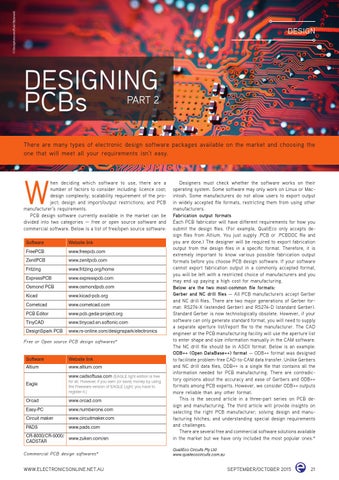
hen deciding which software to use, there are a number of factors to consider including: licence cost; design complexity; scalability requirement of the project; design and import/output restrictions; and PCB manufacturer’s requirements. PCB design software currently available in the market can be divided into two categories — free or open source software and commercial software. Below is a list of free/open source software: Software
Website link
FreePCB
www.freepcb.com
ZenitPCB
www.zenitpcb.com
Fritzing
www.fritzing.org/home
ExpressPCB
www.expresspcb.com
Osmond PCB
www.osmondpcb.com
Kicad
www.kicad-pcb.org
Cometcad
www.cometcad.com
PCB Editor
www.pcb.geda-project.org
TinyCAD
www.tinycad.en.softonic.com
DesignSpark PCB
www.rs-online.com/designspark/electronics
Free or Open source PCB design softwares*
Software
Website link
Altium
www.altium.com www.cadsoftusa.com (EAGLE light edition is free
Eagle
for all. However, if you earn (or save) money by using the Freeware version of EAGLE Light, you have to register it.)
Orcad
www.orcad.com
Easy-PC
www.numberone.com
Circuit maker
www.circuitmaker.com
PADS
www.pads.com
CR-8000/CR-5000/ www.zuken.com/en CADSTAR
Commercial PCB design softwares*
WWW.ELECTRONICSONLINE.NET.AU
Designers must check whether the software works on their operating system. Some software may only work on Linux or Macintosh. Some manufacturers do not allow users to export output in widely accepted file formats, restricting them from using other manufacturers. Fabrication output formats Each PCB fabricator will have different requirements for how you submit the design files. (For example, QualiEco only accepts design files from Altium. You just supply .PCB or .PCBDOC file and you are done.) The designer will be required to export fabrication output from the design files in a specific format. Therefore, it is extremely important to know various possible fabrication output formats before you choose PCB design software. If your software cannot export fabrication output in a commonly accepted format, you will be left with a restricted choice of manufacturers and you may end up paying a high cost for manufacturing. Below are the two most-common file formats: Gerber and NC drill files — All PCB manufacturers accept Gerber and NC drill files. There are two major generations of Gerber format: RS274-X (extended Gerber) and RS274-D (standard Gerber). Standard Gerber is now technologically obsolete. However, if your software can only generate standard format, you will need to supply a separate aperture list/report file to the manufacturer. The CAD engineer at the PCB manufacturing facility will use the aperture list to enter shape and size information manually in the CAM software. The NC drill file should be in ASCII format. Below is an example: ODB++ (Open DataBase++) format — ODB++ format was designed to facilitate problem-free CAD-to-CAM data transfer. Unlike Gerbers and NC drill data files, ODB++ is a single file that contains all the information needed for PCB manufacturing. There are contradictory opinions about the accuracy and ease of Gerbers and ODB++ formats among PCB experts. However, we consider ODB++ outputs more reliable than any other format. This is the second article in a three-part series on PCB design and manufacturing. The third article will provide insights on selecting the right PCB manufacturer; solving design and manufacturing hitches; and understanding special design requirements and challenges. There are several free and commercial software solutions available in the market but we have only included the most popular ones.* QualiEco Circuits Pty Ltd www.qualiecocircuits.com.au
SEPTEMBER/OCTOBER 2015
21