
HOW TO: INITIATING INCOME RIDERS ONLINE
FOR PRODUCER AND BACKOFFICE USE ONLY. NOT FOR USE WITH THE GENERAL PUBLIC.
GETTING STARTED
Where to Activate
To access the forms for income rider activation, take the following steps:
1. Login to salesnet.nfg.com
2. In the main navigation click on Account Values under TRACK
3. Enter the client’s policy/contract number, SSN/TIN, full name, or email on the POLICY SEARCH screen
4. Once redirected to the Account Values page there are two ways to begin the process:
IN THE SIDE BAR IN THE RIDERS SECTION
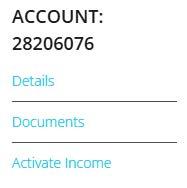
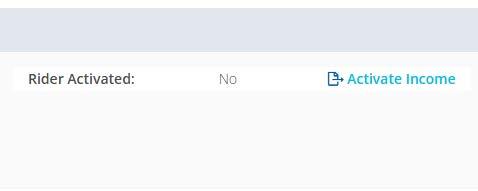
Note, Activate �ncome will only show for eligible riders and when not already activated.
What You’ll Need
You’ll need the following documents to initiate your client’s income rider:
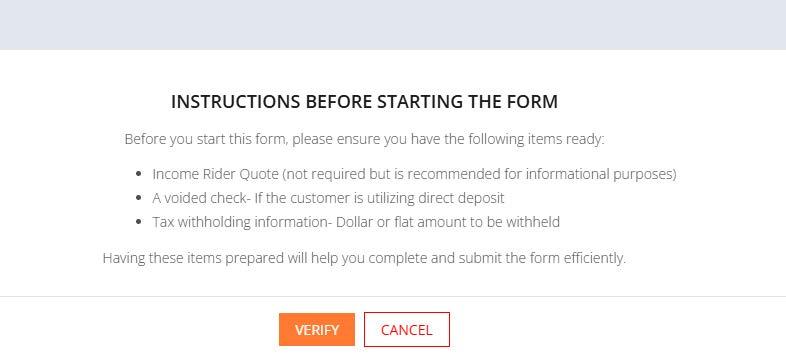
• Income Rider Quote (not required but is recommended for informational purposes)
• A voided check (if the customer is using direct deposit)
• Tax witholding information (dollar or flat amount to be witheld)
Having these items prepared will help you complete the form efficiently!

Step-by-Step Video: Initiating Income Riders Online

VIDEO How To: Activate Income Online
LEARN MORE AT: https://nfg.link/how-to-activate-income
The above video walks through each step for initiating your client’s income riders online. Alternatively, the rest of this guide documents the same steps using screen shots and descriptions of each required action.
Need Support?
Contact our Service department for assistance with activating income riders online.
Available Monday through Friday, 8:30 a.m. to 6:00 p.m. Eastern Time.
CALL: 1-800-349-9267
STEP-BY-STEP:
Nassau’s electronic income activation form is our solution for initiating your client’s income riders in a fast, convenient way. Our rider activation form in Firelight is designed to streamline your workflow and help you get your client’s income rider activated quickly, while reducing opportunities for Not In Good Order requests.
1. Accessing the Form
• The Activate Income buttons are located on the Account Values page for the policy/contract
• To access the Account Values page:
• Login to SalesNet
• Under TRACK in the main navigation select ACCOUNT VALUES
• Enter the policy/contract number for the client you wish to activate the rider
• Once on the Account Values page, the Activate Income button will be located in the navigation on the left-hand side and in the Riders section of the Account Values
2. Resource Check
• After selecting the Activate Income button a reminder will display the recommended documents for completing the form
• Select VERIFY to proceed to the activation form
Need an Income Quote?
Our Service representatives are here to help with all your post-issue needs, and can help provide you with an income quote via chat or over the phone.
HOURS:
1-800-541-0171
CHAT: https://salesnet.nfg.com/quote/chat-support.html
Monday - Friday 8:30 am to 6:00 pm ET
STEP-BY-STEP:
Filling Out the Form
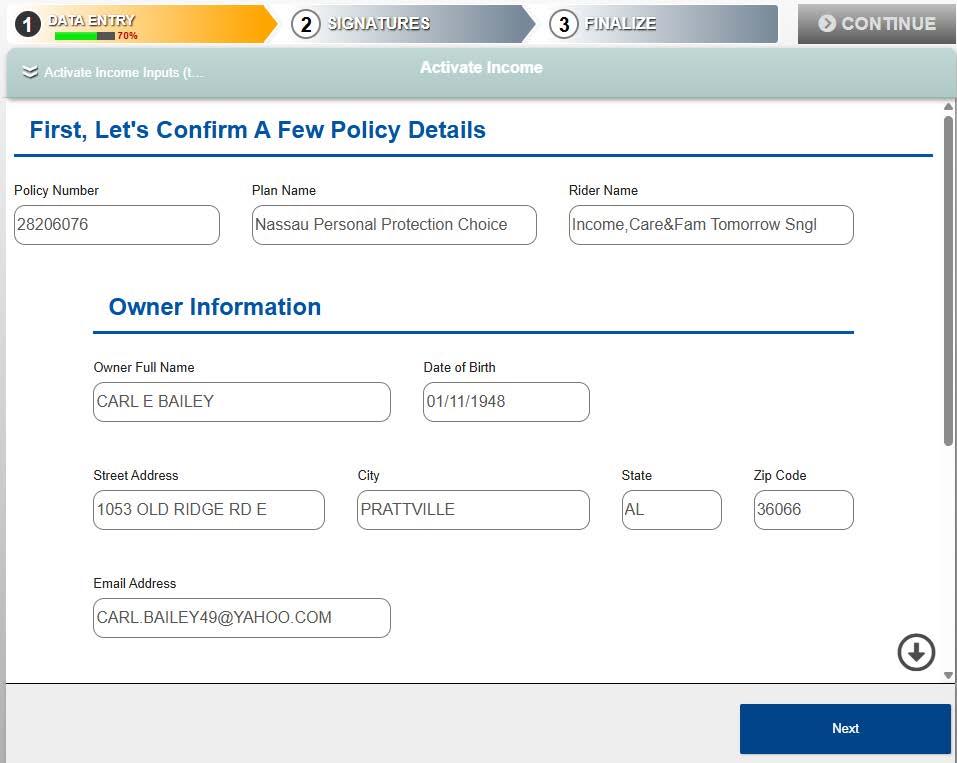
A huge benefit of activating income online through SalesNet is that most of the information will prepopulate from the Account Values page for you. The rest of the form will be yours to complete, which should only take a few minutes.
3. Completing the Form
Most of the client’s information will prepopulate from the Account Values page. Verify the accuracy of the information that has prepopulated before progressing through the form.
INITIATING INCOME RIDERS ONLINE
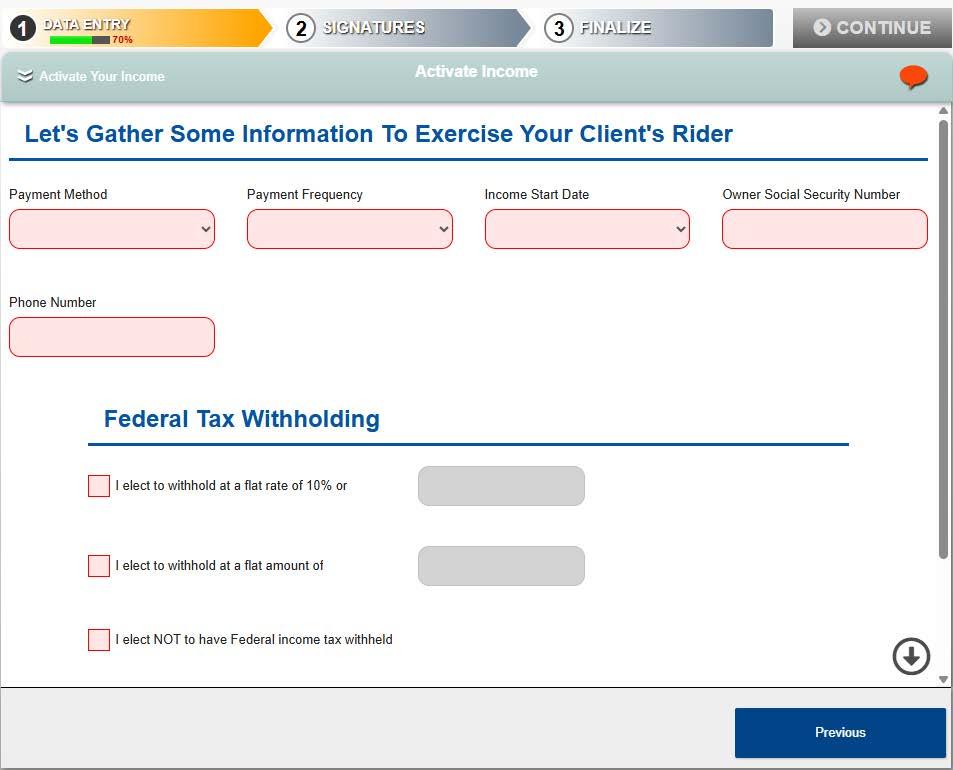
To complete the rider activation form, you’ll enter the payment information for the client. You’ll need to know:
Payment Method: How the client would like to receive their income, either Direct Deposit or Mailed check
Payment Frequency: How often the client would like to receive their income, such as monthly, quarterly, or annual payments
Federal Tax Withholding: If your client is withholding then provide the percentage or flat amount they would like withheld
NEXT UP: SIGNATURES!
You’ve completed your steps for the rider activation form.
Once your client completes their portion of the signing ceremony their income rider will be activated. The forms being sent to your client as part of the signing ceremony include:
• E-Signature Consent Form for Owner
• Request to Exercise Income Benefit
• Federal/State Income Tax Withholding Election
Based on the selections made, the following forms may also be sent to your client for signature:
• Direct Deposit: will be included in signing ceremony if payment method is direct deposit
• Withholding Certificate (W-4P): will be included in signing ceremony if W-4P checkbox is checked
The forms your client will be sent for signature can be viewed as you complete the data entry in Firelight by selecting OTHER ACTIONS then DISPLAY/PRINT PDF. Those steps will display the forms the client will sign along with the populated data that has been entered into the Firelight form.
The signing ceremony for activating income online leverages the same steps used for our e-Application. To review the signing ceremony steps your client will complete click here.
After your clients submit their signatures, the process will be complete and the income rider will be activated in 3 to 5 business days.


salesnet.nfg.com
IMPORTANT DISCLOSURES
For producer/backoffice use only. Not for use with the general public as sales literature.
Nassau, its affiliated companies, and employees do not give fiduciary, legal or tax advice.
Income rider payments are considered withdrawals from the annuity contract and will reduce the contract value, cash surrender value and death benefit. Exercising a guaranteed lifetime withdrawal (“income”) benefit rider may impact other annuity contract and/or rider features. Please see the annuity contract, rider disclosure and Request to Exercise Income Benefit form for additional details.
Income payments will be subject to income tax as contract distributions. If distributions are received prior to age 59 1/2, a 10% penalty may be assessed by the IRS. The contract owner should be encouraged to discuss their situation with a tax advisor prior to exercising their rider.
Nassau annuities are issued by Nassau Life and Annuity Company (Hartford, CT) except in New York where annuities are issued by Nassau Life Insurance Company (East Greenbush, NY). In California, Nassau Life and Annuity Company does business as "Nassau Life and Annuity Insurance Company." Nassau Life and Annuity Company is not authorized to conduct business in ME and NY, but that is subject to change. Nassau Life and Annuity Company and Nassau Life Insurance Company are subsidiaries of Nassau Financial Group. The insurers are separate entities and each is responsible only for its own financial condition and contractual obligations.