



Welcome to the Science Centre! You are embarking on the Smart Nation PlayScape Gallery Trail. The trail has been designed as an immersive experience so that you can understand first-hand the inner workings of cutting-edge technologies like Augmented Reality, robotics, the Internet of Things (IoT) and more.
Here are some pointers to enhance your time here:
• Take your time to experience the entire trail. View the exhibits in any order you prefer.
• Read the information panels to discover more about the featured technology.
• Play with the features of the exhibits
Welcome to the Smart Nation PlayScape! In this big tech playground, discover how technology has changed our lives and the world around us. Dive into eight zones to explore cool technology such as sensors, city planning tools, and facial recognition. Play games to learn about cybersecurity and how blockchain works! Interact with dancing robots, learn how to improve user experience for your web apps, and explore virtual worlds through AR/AI technology.
• Refer to the gallery trail booklet for fun facts
• Visit the gallery with your friends!
Before you embark on the trail, take a moment to think:
What is a Smart Nation?
There are no right or wrong answers. Jot down your thoughts and ideas about what makes a smart nation! In fact, Smart Nation PlayScape was the brainchild of about 200 members of the community, including students like yourself. We gathered your ideas, feedback, and contributions to create this playground just for you.
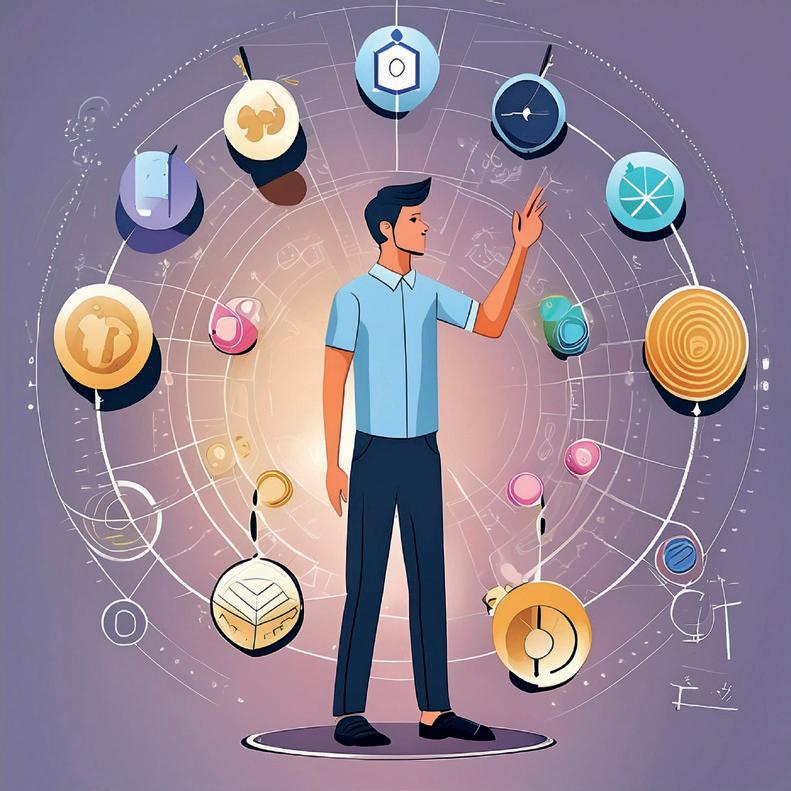
Can you be quantified? Do you think your life can simply be summed up in numbers? Immerse yourself in the Interactive Digital Corridor to discover the answer!
These days, our entire lives can be simplified into data points. Identify the data points on our National Registration Identity Card (NRIC).
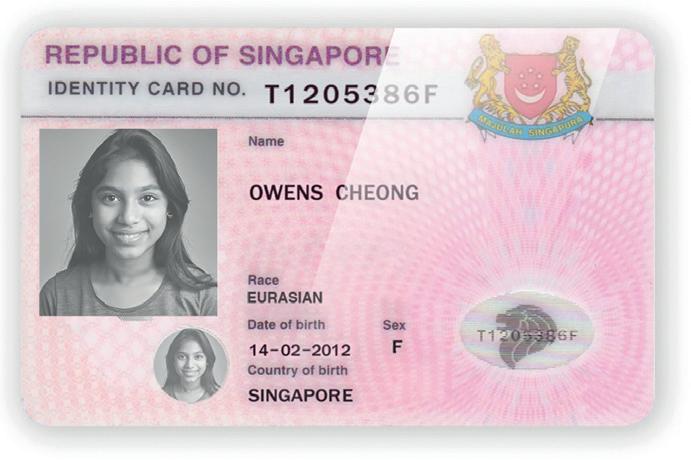
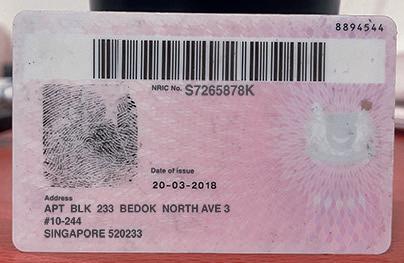
With just this information that is collected, examined and analysed, decisions are made about everything from maintaining healthy lifestyles to waste management.
As you move around the Smart Nation PlayScape exhibition, take note of how Singapore uses a variety of digital technologies and data collection to improve daily life and drive innovation.
Sign up for your digital PlayScape Passport! Follow the instructions on screen to set up your passport.
Carry out the tasks as instructed in the PlayScape Passport. You will be rewarded if you successfully complete all the tasks.
The first electronic mail (email) system was created by Ray Tomlinson in 1971. Interestingly, the @ symbol has been used in email addresses since its inception. Five years later, in 1976, Queen Elizabeth became the first monarch to send an email.
Watch the video before reading the information panel.
Do you use digital technology in your daily life? List three to four types of digital technology that you use on a regular basis.
The advertisements on social media platforms such as Instagram and TikTok are customised. They target specific audiences by using the data that is collected from their users.
Do you recall seeing similar messages pop up on the screen when using some of the apps on your mobile device for the first time?
Name an app on your mobile phone that you think is gathering data about you.
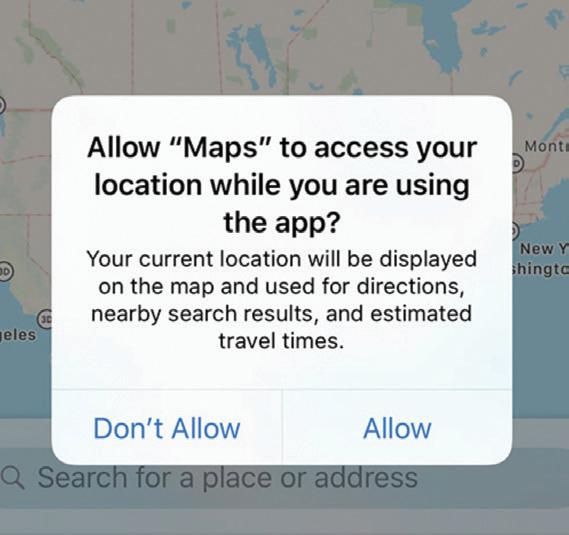
How do you think the data that is collected is being utilised?
Tick ✓ the relevant options:
Informing your parents about your location.
Urban planning
Helping business owners decide where to locate their stores
Improving geographical maps
Tracking the movement of resources more precisely
Strategising the nation’s defence
Tracking wildlife
Monitoring changes in the weather
List your five senses.
While you use your sensory organs to perceive and evaluate the world, we are now incorporating sensors into the world to detect and gather information. Sensors are found everywhere - in our mobile phones, wristwatches, Unmanned Aerial Vehicles (UAVs), aeroplanes and even satellites that are watching us from outer space.
Watch the video.
Take your measurements and vital signs with these modern sensors!
Psst… Jog on the spot inside the Sensors booth and have your breathing rate recorded! How does it work? An infrared sensor is used to detect the expansion and contraction of your chest!
You can even take a special thermal camera selfie that captures your body heat!
I’m a combination of psychology, design, and technology to create user-centric digital experiences. What am I?
UX is how users interact with and experience a product, system or service. UX design is a user-centred design approach because it considers a user's experience when using a product or platform. The goal is to create products or services that are easy and pleasurable to use. This maximises user experience and satisfaction throughout the entire process of acquiring, owning and even troubleshooting a product.
Put on your thinking cap! Have you ever used an app and thought that it was poorly designed? Did the design put you off using it? Which app do you use on a daily basis? Consider its design and briefly describe how you feel about its interface.
List two or three UX elements that you like and dislike about the app.
What do I like?
What do I dislike?
The 'Cabinet of Curiosities' is a special display that showcases how technology affects our lives in different ways. It features objects that represent different technologies and how they impact our health, consumption, travels, and entertainment. You can explore the objects and learn about them with the help of exhibit guides. It's a great opportunity to understand how technology shapes our present and future reality.
Watch how the cabinet lights up when you move nearer to it! Take your time to examine each object and read the accompanying descriptions to gain a deeper understanding of the ever-evolving world of technology in our daily lives.
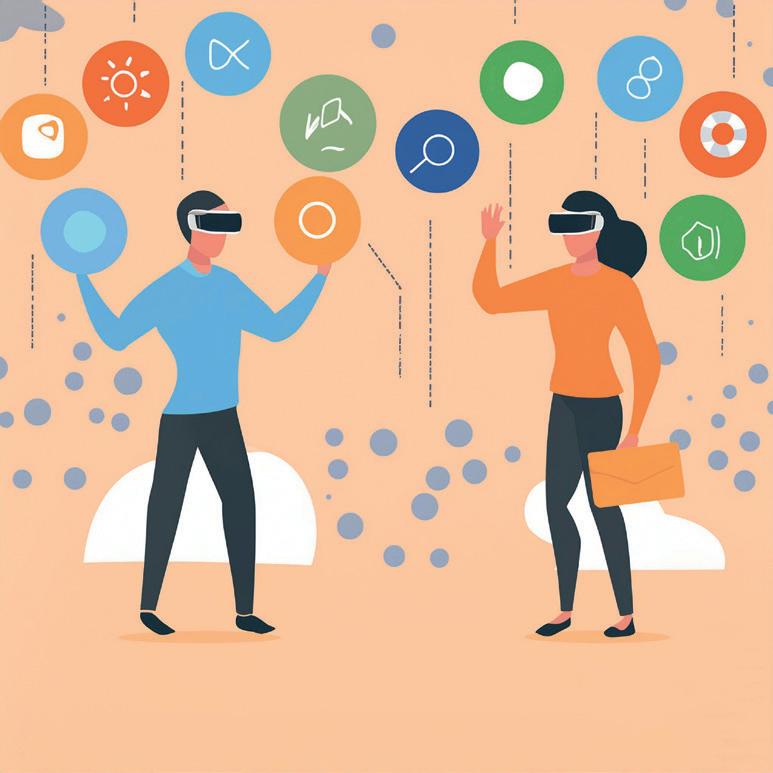
I can transport you to an alternative dimension without physically moving you. What am I?
Have you ever been to an escape room with Virtual Reality (VR) elements? Did it make the entire experience more engaging? It’s no surprise if you had answered “Yes.” In VR, you're not bound by the limitations of the physical world.
AR and VR are technologies that create immersive experiences with computer-generated images and sounds. AR integrates digital elements with the users’ environment, while VR creates a completely virtual and artificial environment. Both these technologies allow users to interact with virtual objects in the real world, making the experience more exciting and interactive.
Like the interactive station where you grew virtual plants, TikTok and Instagram filters and effects are driven by AR technologies that enhance your digital interactions and experience.
Create your own AR! You will need a mobile device with WiFi connectivity for this activity.
Scan the QR code to access the AR mobile app, MyWebAR.
Follow the instructions on screen to create an account free of charge. You will need to sign up with Google or Apple.
Once you have successfully created an account, you can start a new project. This account allows you to choose from four available types of experiences:
1. AR on Flat Image
2. AR in the Real World
3. Face Filters and Effects
4. AR on a QR code
Have a go at creating your own AR experience!
Without me, your Grab driver cannot locate you. What am I?
Geospatial technology is all about collecting and processing location-specific data of people and objects. Simply put, it involves pinning data onto a geographical map.
Ever wondered how your phone knows the fastest route to a destination? Geospatial technology is the one behind it! We rely heavily on it in our daily lives, whether it's for navigation, booking a ride, or finding nearby coffee shops. Popular apps like Google Maps and Grab utilise such technology to locate where we are and make relevant recommendations.
Utilising the "where I am" factor, geospatial technology helps us to better communicate, enjoy greater convenience, and optimise the use of resources. It plays a crucial role in building a Smart Nation and shaping the future economy.
Let’s map out the area around Science Centre Singapore.
Read the instructions below carefully.
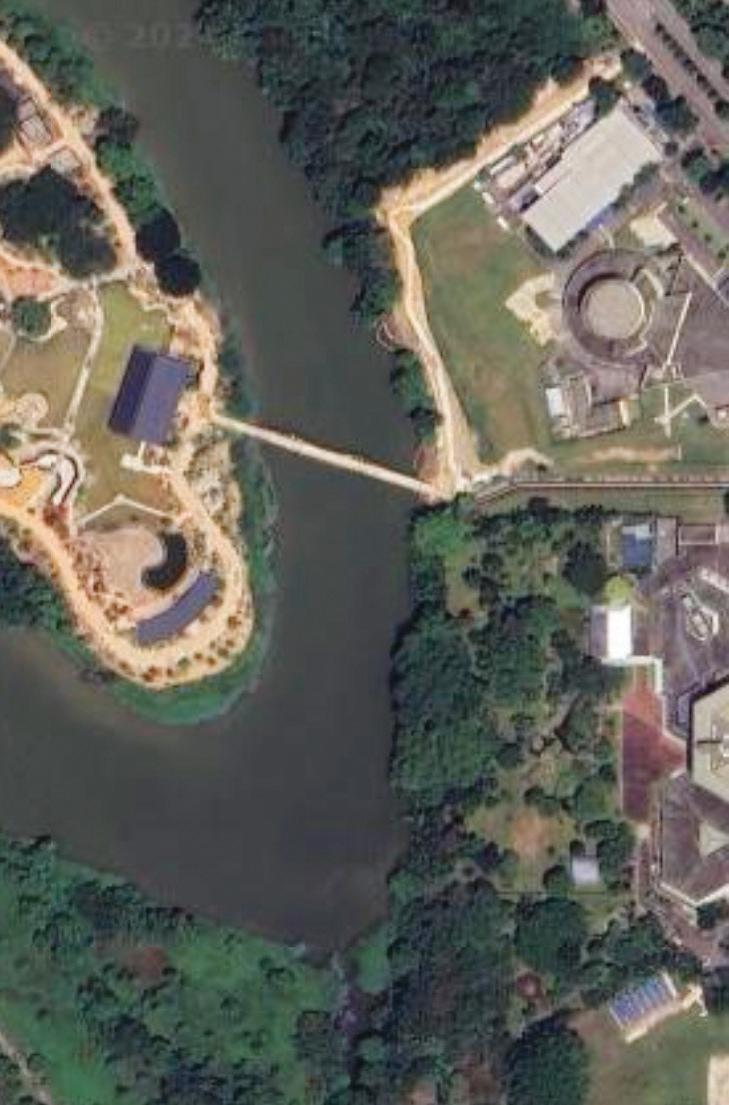
• Place a sheet of tracing paper over a satellite image of Science Centre Singapore and its vicinity.
• Trace the outline of the buildings, roads, green spaces, and water bodies.
• Ask a member of the Science Centre staff to help you identify the following places on your map:
Science Centre Singapore KidsSTOP/ Omni Theatre Snow City Japanese Garden Jurong Town Hall Road Science Centre Road
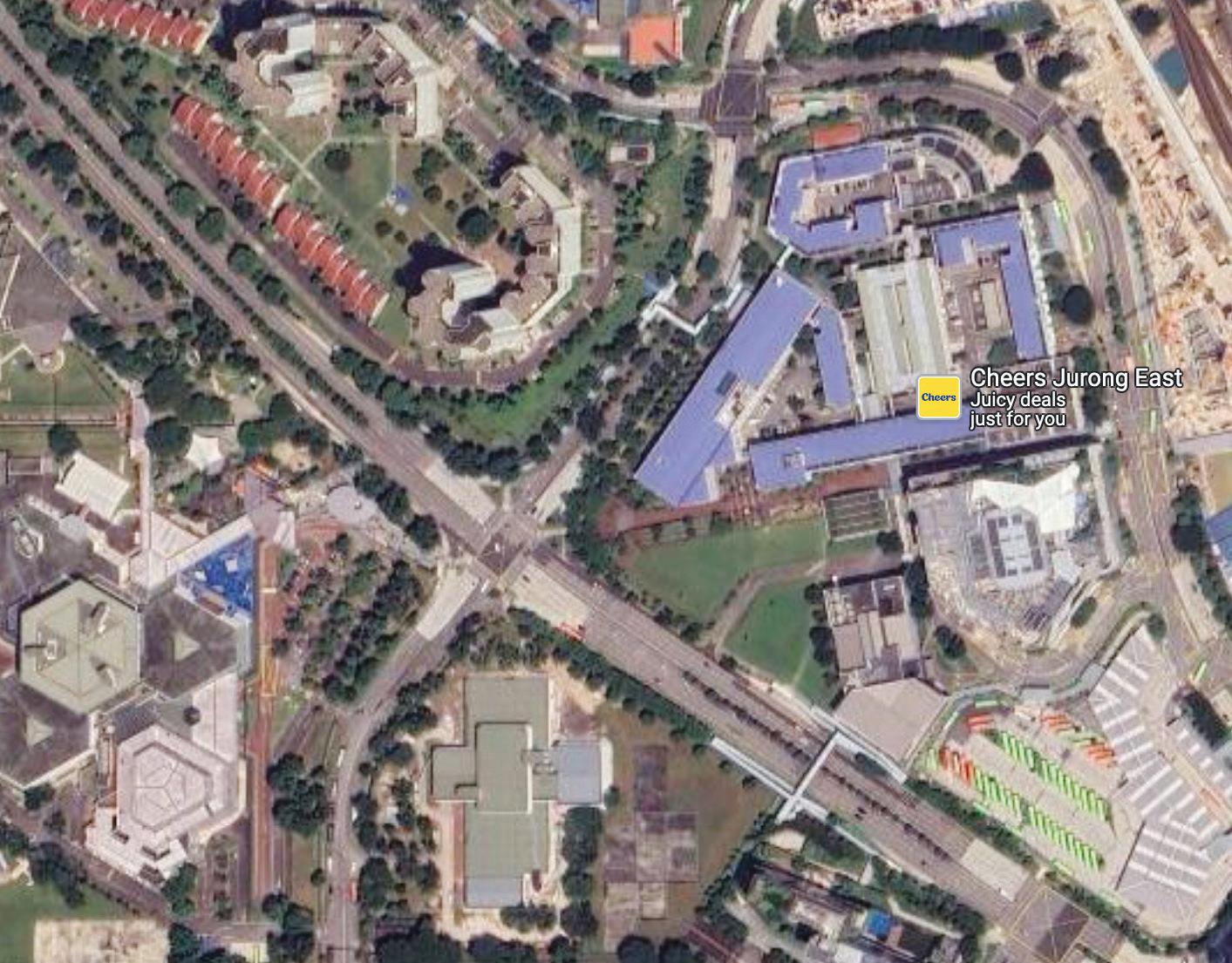
Label these places on your map. Remember that these labels represent data points that are pinned on the map
• Congratulations! You have successfully created your own map!
• If you have time to spare, try out the next activity.
• Open Google Maps or any Map application on your mobile phone.
• Search for ‘Science Centre Singapore’.
• Using Google Maps, identify and list other significant landmarks and locations in the vicinity of the Science Centre.
Turn your attention to the video.
Read the information panel.
Even identical twins are unique in this aspect. What is it?
Make an imprint of your left and right thumbs in the spaces below. Please approach your teacher for an inkpad.
Compare your thumbprints. Do they look the same?
The word “biometrics” is made up of two Greek words — “bio” meaning connected with life, and “metrics” meaning to measure.
Left thumbprint
What type of fingerprint do you have?
Right thumbprint
Find out more about your fingerprint by getting it analysed at the interactive booth, “What makes your fingerprint unique?”
Face recognition, retinal patterns, palm prints, DNA and even the shape of your ears are other forms of biometrics that are being used to identify you.
The first biometric identification system wasn’t developed until the 1800s. A Parisian, Alphonse Bertillon, had created a method for classifying and comparing criminals based on their body measurements. While hissystem was imperfect, it was how we started using physical characteristics to authenticate our identity.
Biometric technology can even monitor your emotional state simply by reading your faceprint. Find out how good an actor you are!
• Challenge your friends to see who has the most expressive facial expressions!
• Communicate an emotion! The machine will then rate it using facial recognition technology.
• The player with the best expression wins.
Let’s learn how facial recognition works! A computer begins by making a face print, collecting unique information that make up an individual’s face.
Let’s start with a photograph of Jazelle.
The computer will extract as much data from the image of Jazelle as possible to best represent her face.
What is some data that would be useful for the computer to gather to be able to identify a person? Tick at least four from the list below.
Eye colour
Size of your eye ball
Size of your nose
Length of your lips
Position of moles or scars
Size of moles or scars
Size of your ears
Distance between your pupils
Length of your eyebrows
Distance between your eyebrows
One way a computer does this is by reading the geometry of a face. Some key factors include the distance between your eyes, the depth of your eye sockets, the distance from your forehead to chin, the shape of your cheekbones, and the contour of your lips, ears, and even your chin.
The unique characteristics of your facial structure distinguishes your face from someone else’s.
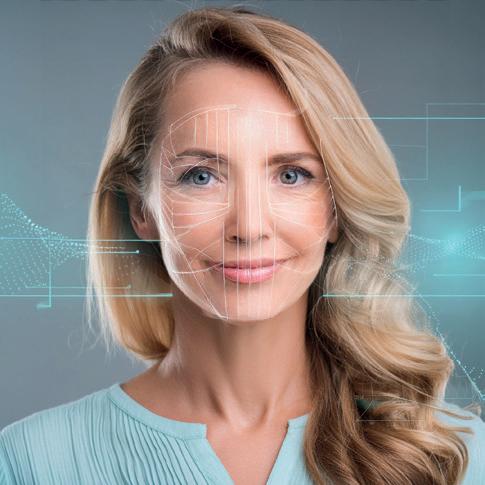
Since a computer cannot “see” an image the way a human does, it extracts meaningful data from one image and compares it with data from another.
Your faceprint - a digitally recorded representation of your face - is as unique as your fingerprint. That’s the reason why it is often used for security purposes.
Blockchain is simply a digital database, similar to a giant spreadsheet. Any new information, such as a digital transaction, is time stamped and stored in a “block” that is connected to other blocks, which are then linked together in a sequential “chain”. Blockchains are not stored on a single computer but spread across multiple computers - called nodes - that monitor and maintain the distributed ledger in real time. Blockchains are used mostly to record and facilitate crypto transactions, execute “smart” contracts and store medical records. Let’s do a simple group activity to understand how blockchain technology works by coming up with your own Distributed Ledger (DL). Work with three of your classmates, each of you should answer all the questions individually.
• Which school are you from? ____________________________
• What is your level of study? (Sec 1, Sec 2, JC1 etc.) ____________________________
• Next, number yourselves, 1, 2, 3 or 4. Once each member is assigned a number, fill in your particulars below:
• “I am Number 1. My name is ______________________ and I am ________ years old.
• I am the first in the row, and the person behind me is named ________________________”
• “I am Number 2. My name is ______________________ and I am ________ years old.
• I am the second in the row, and the person behind me is named _____________________”
• “I am Number 3. My name is ______________________ and I am ________ years old.
• I am the third in the row, and the person behind me is named _________________”
• “I am Number 4. My name is ______________________ and I am ________ years old.
• I am the fourth in the row, and there is no one after me.”
• Verify your responses with one another.
Your responses must be identical across all four booklets, all of which must be acknowledged and agreed upon.
That’s it! You have just created a Distributed Ledger.
Now, here’s to illustrate how blockchain technology works.
The next time you meet at school, if Number 2 claims that he now has a completely different name, the other three would disagree with his claim, as the ‘wrong’ data is reflected in his book.
That’s a simplified version of how a DL works. A DL is maintained by a network of nodes, each of which has a copy of the ledger (such as the data about your name and age collected earlier), validates the information. All parties must agree on a change, or else, the modification is not verified and is thus deemed invalid.
DL is one of the ways by which blockchain technology works. All blockchains are distributed ledgers, but not all distributed ledgers are blockchains.
Learn how blockchain works by participating in an interactive game on the screen. Players can choose between four options. There is no standard answer. After every participant has submitted their answer, the option that’s picked most frequently will be deemed the correct answer.
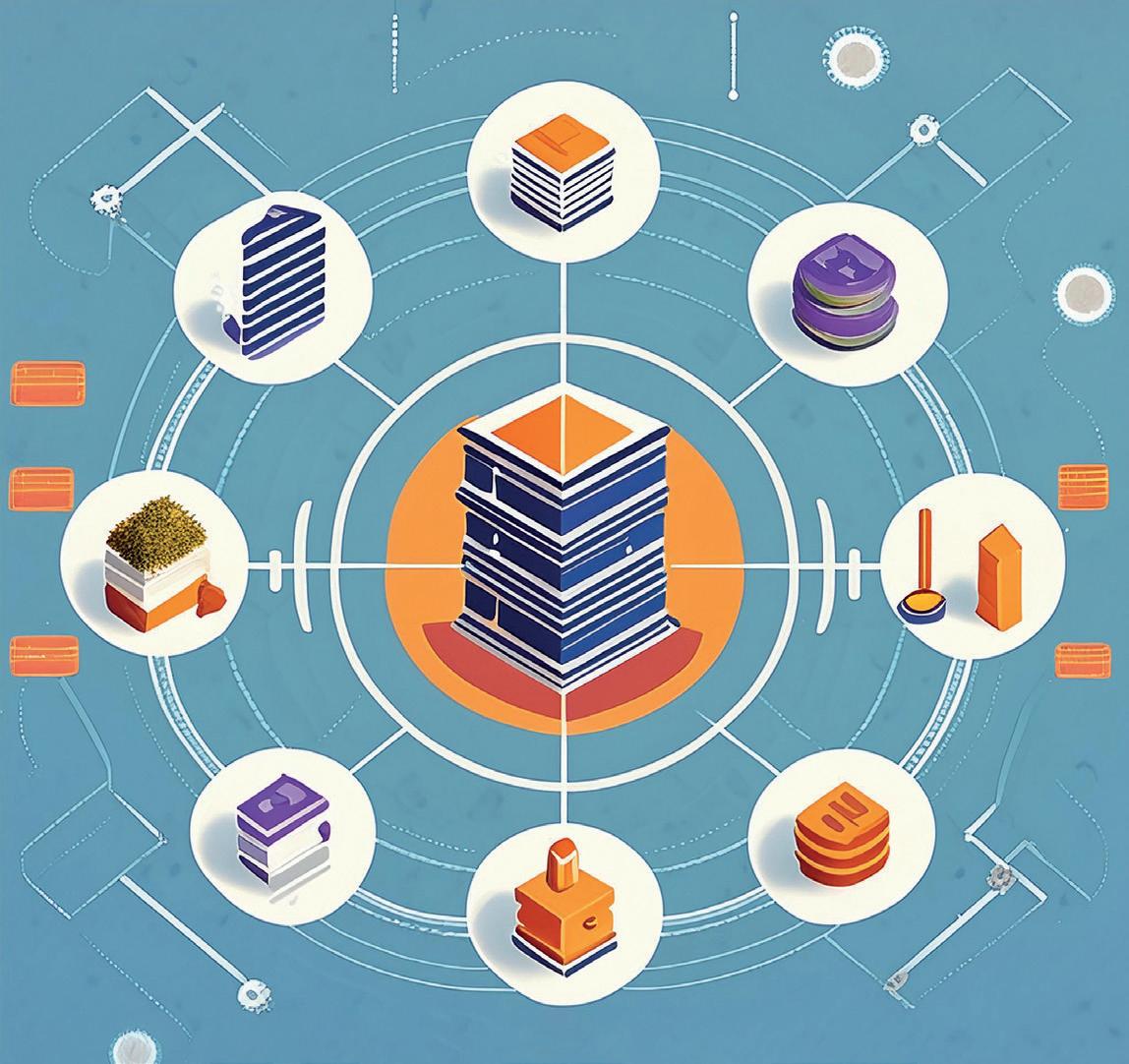
Humans love me, but they also fear me. What am I?
Can machines communicate in the same way you do? While machines cannot express themselves with human languages, they communicate via binary codes. So what is a binary code? It is the most basic form of computer code, consisting of two numbers: 0 and 1. These numbers are the basic layer of all computing systems
and are the primary language of digital technologies. Binary code uses combinations of these two numbers to represent numbers, letters, or other types of information.
Computers use binary code for operations such as calculations. A spreadsheet can do calculations quickly using formulas. It transforms the numbers into binary and then converts the result back into a decimal number format. Can you make a spreadsheet that converts a binary number to a decimal number?
Look at the table below.
Read the table from left to right.
• Let’s add numbers to make the sum of “21”.
• Do we need the number “16”? Yes, so the binary code is ‘1’.
• Next, do we need the number ‘8’? No, therefore, the binary code assigned is ‘0’. Hint: We do not need ‘8’ because 16+8 = 24 which is greater than 21
• Do we need a “4”? If yes, the binary code is ‘1’.
• Do we need a “2”? No.
• So, the binary code for obtaining the number “21” is 10101.
Figure out the code to make the sum of ‘185’. Fill in the code in the boxes below.
Now that you are familiar with how simple binary code works, let’s see if you can come up with your own unique numbers and test your friends to see if they can break the code.
Number 128 64 32 16 8 4 2 1
Binary Code Number: Number: 195 Number:
Binary Code: 01001001 Binary Code: _______________________ Binary Code: ________________________
Here’s another way to use binary codes.
Study diagram 1.
Now, study diagram 2.
Compare both diagrams. Can you break the code? What do the 0s and 1s in diagram 2 represent in diagram 1?
Create your own illustration and transform it into code.
Challenge your friend to use the code to illustrate your original drawing.
This key element of modern computing systems can be traced as far back as the 17th century, when Francis Bacon devised a binary scheme of lettering for encoding his secret messages.
I can make coffee, clean up after you, lift heavy machines and defend Singapore. What am I?
What is robotics?
Robotics is the design, construction and use of machines to (robots) to perform tasks traditionally performed by humans. These robots can do tasks on their own or with little human help. They make our lives easier by doing repetitive tasks, exploring dangerous places, and automating processes in different industries.
Which of the following are robots? (Tick all that apply) A
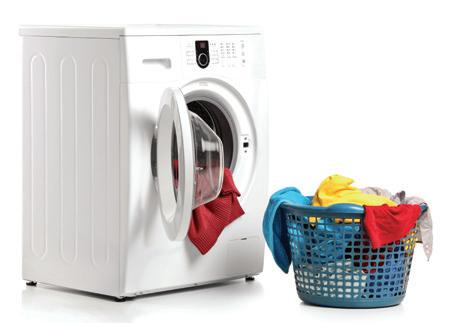

A washing machine that automatically detects the size of the washing load and subsequently supplies the corresponding amount of water needed to complete the wash.
A hair dryer.
All robots are machines, but not all machines are robots.
Robots usually incorporate sensors that mimic the function of human senses - our sense of hearing, sight, touch, smell, to detect changes in the surroundings to make decisions and carry out tasks with minimal human intervention. While a machine usually carries out tasks with the guidance of a human user.
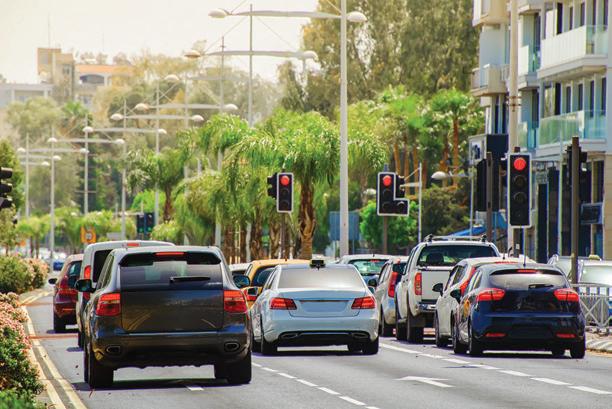
Smart traffic lights that are powered by predictive algorithms for to adjust traffic signals and pedestrian crossing timings based on traffic flow detected. D
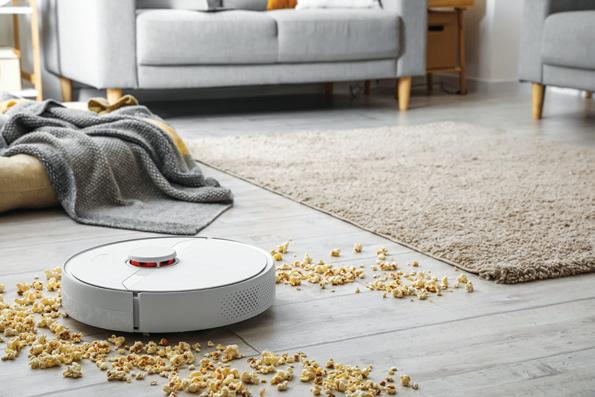
Vacuum cleaners that can avoid obstacles without human intervention.
Look around you, or walk around the Science Centre galleries, what other robots or machines can you spot? What sensors do robots have that differentiate them from machines?
Ans: __________________________________________
Don’t forget to collect your prize from the vending machine with your digital PlayScape Passport before leaving.
See you in the future!