We are working with Cambridge Assessment International Education towards endorsement of this title. Any references or material related to answers, grades, papers or examinations are based on the opinion of the author(s). 1 Visual Studio Community
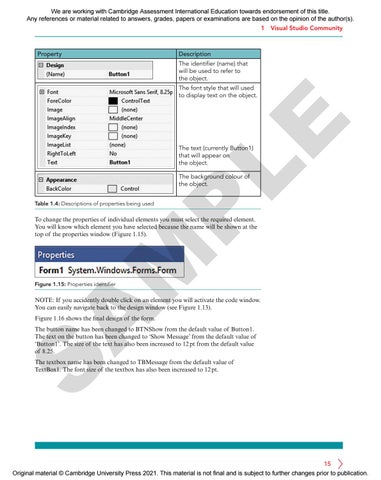
Property
Description The identifier (name) that will be used to refer to the object.
LE
The font style that will used to display text on the object.
The text (currently Button1) that will appear on the object. The background colour of the object.
P
Table 1.4: Descriptions of properties being used
M
To change the properties of individual elements you must select the required element. You will know which element you have selected because the name will be shown at the top of the properties window (Figure 1.15).
Figure 1.15: Properties identifier
A
NOTE: If you accidently double click on an element you will activate the code window. You can easily navigate back to the design window (see Figure 1.13). Figure 1.16 shows the final design of the form.
S
The button name has been changed to BTNShow from the default value of Button1. The text on the button has been changed to ‘Show Message’ from the default value of ‘Button1’. The size of the text has also been increased to 12 pt from the default value of 8.25. The textbox name has been changed to TBMessage from the default value of TextBox1. The font size of the textbox has also been increased to 12 pt.
15 Original material © Cambridge University Press 2021. This material is not final and is subject to further changes prior to publication.